
I just recognized that this is the first ever post on CSS I do here. This will change. With macOS 10.14.4 Apple released
Safari 12.1 which supports the prefers-color-scheme media query. This can be used to provide a the user with either a dark
or a light user interface depending on the operating system setting. So I decided to implement it for my blog.
Since I changed my blog to a darker color scheme based on Dracula a few months ago, I thought it might be a cool feature to bring back the old (red & white) color scheme to people with a light user interface.
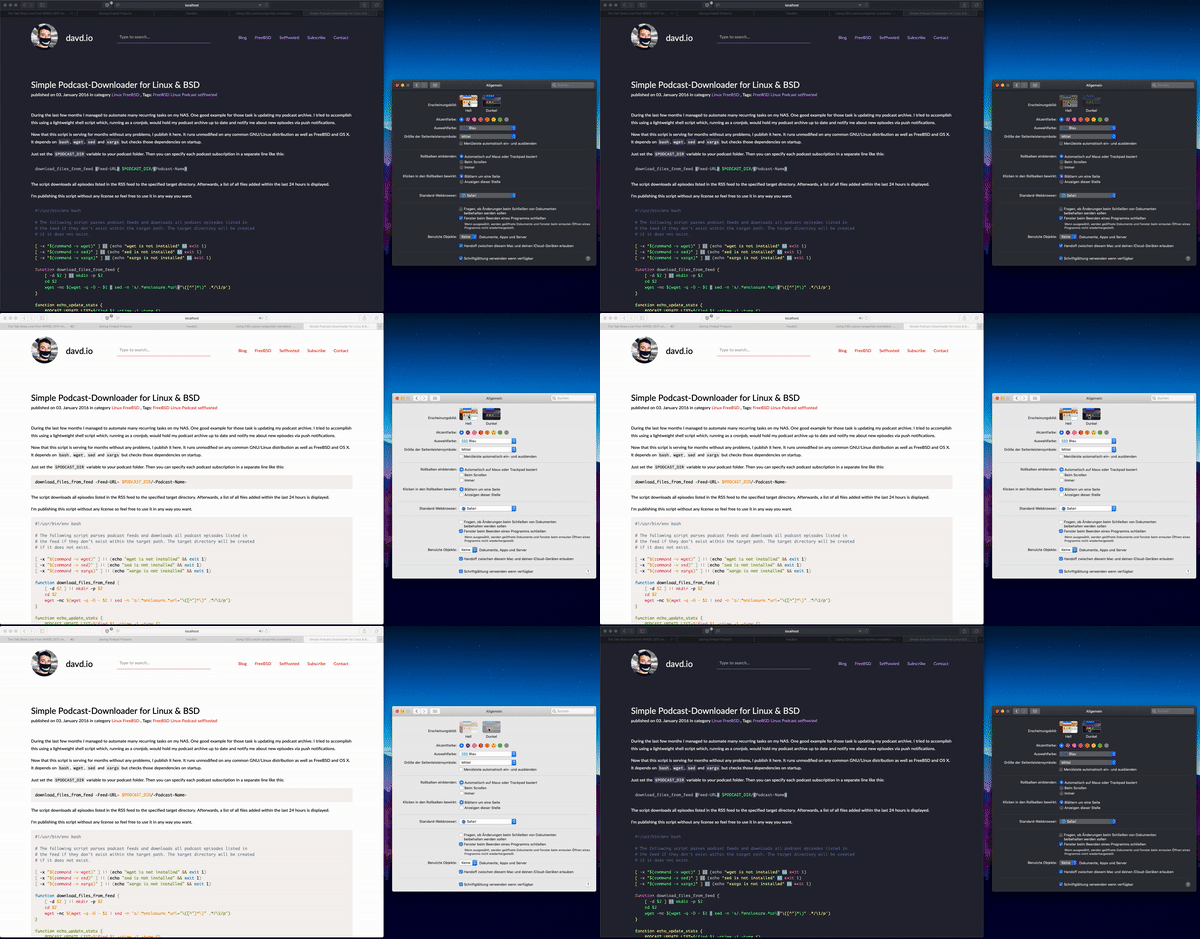
There’s a new CSS @media property called prefers-color-scheme that can be set to either light, dark or no-preference.
I decided to create CSS variables that can then just be exchanged by the prefers-color-scheme media query. They are now
supported in almost all browsers (except for IE which I don’t care about). So I exchanged all places where I used colors in
my CSS by something like this:
input,
textarea,
button {
    background-color: var(--input-bg-color);
    color: var(--input-text-color);
    border: 1px solid var(--input-border-color);
}
The variables are defined on the very top of my stylesheet within the :root pseudo selector which makes them global for the
document:
:root {
    --main-bg-color: #ffffff;
    --main-text-color: #000000;
    --headline-text-color: #666;
    --input-border-color: #f1362f;
    --input-text-color: #000000;
}

@media (prefers-color-scheme: dark) {
    :root {
        --main-bg-color: #282a36;
        --main-text-color: #f8f8f2;
        --headline-text-color: #8be9fd;
        --input-border-color: #bd93f9;
        --input-text-color: #f8f8f2;
    }
}
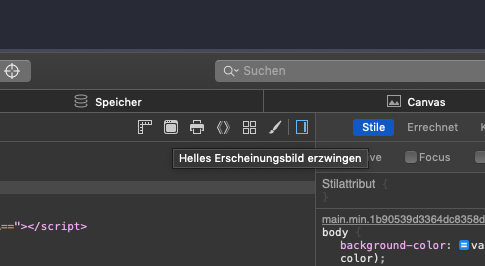
In the Safari Developer Tools there’s a new switch now in the “Elements” tab that allows you to toggle the prefered color scheme.
Comments
Nothing yet. Say the first thing.
Sign in to join the conversation.