
One of the suggested prompts in the vibe coding starter kit I wrote about earlier in the week is a family rota board.
We currently have a small cactus-shaped (don’t ask me) whiteboard propped on a shelf in our kitchen which is meant to serve this function, but it rarely gets updated and is, by its nature, decidedly undynamic.
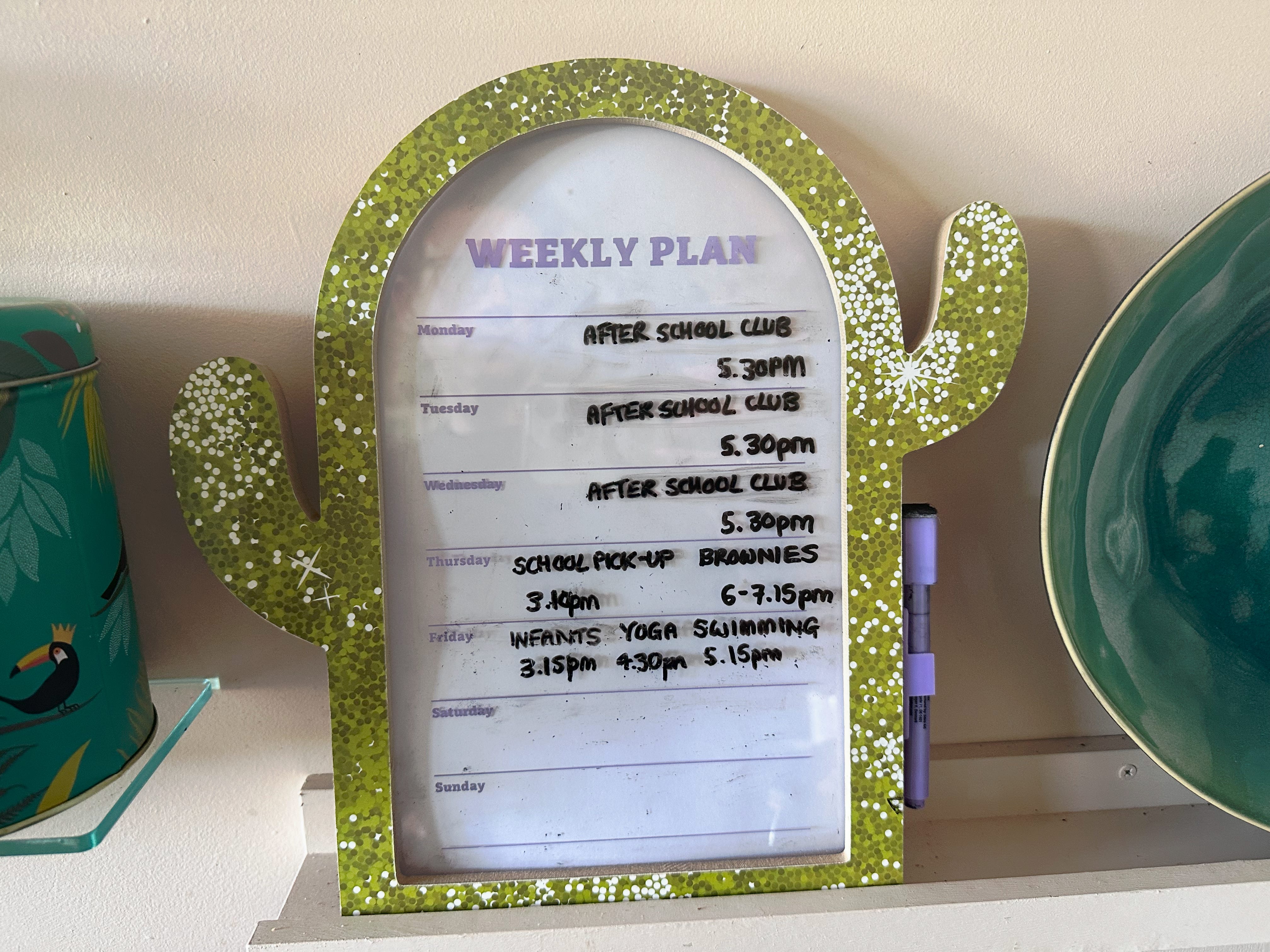
It tells us what typically happens after school each day and when we need to pick the kids up, but not whether it’s going to rain or shine, or take an age to get to school because of a road closure. It also doesn’t have a clue whether it’s bin day and which combination of bins needs to go out this week. Checking all that means opening three different apps.
So I decided to try vibe coding a digital dashboard that would automatically pull in up-to-date information and foreground different information depending on the time of day.
I asked Claude to build an “attractive personalised family dashboard that shows:
if it will rain in Bath today (and at what time)
if it will be sunny enough to need sunscreen
what the kids need picking up from (and at what time)
whether the traffic is bad on the drive from home to the kids’ school
if it’s recycling day and which bins need putting out
what we need to remember as a result (umbrella, sunscreen)”
I also asked if it had any other ideas. Amongst other things, it suggested:
A ‘leave by’ time calculated backwards from pickup time and current traffic, rather than just a traffic status, so it tells you what to do rather than just what’s happening
Uniform or kit day flags (PE kit, swimming kit, non-uniform day) if the school calendar has recurring specific-day items.
A simple ‘what's in the diary today’ pull from a shared family calendar, so it's one glance rather than checking multiple apps
A single combined "don't forget" list at the top pulling together everything actionable that day (umbrella, sunscreen, bin, kit bag), rather than scattered across sections, since that's the bit you'd actually glance at on the way out the door
I agreed those sounded like worthwhile additions and provided postcodes for our home and the kids’ school to enable the weather and travel lookups.
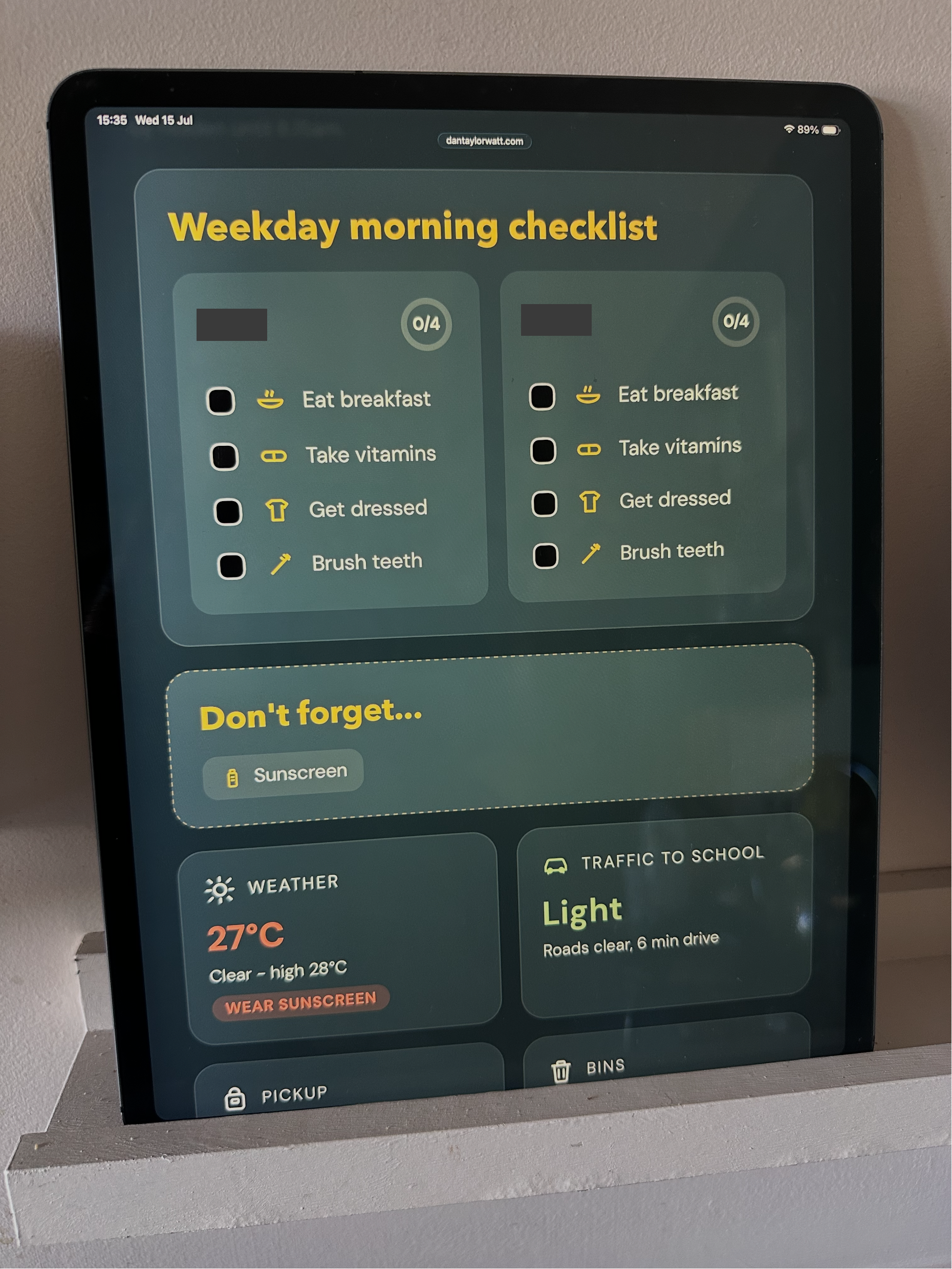
It knocked me up a working prototype for review. I asked it to make the module ordering responsive to the time of day, with a ‘morning checklist’ displayed before 8.15am on term-time weekdays, with tasks the kids can check off without us having to nag them (a parent can dream).
Next I entered our normal weekly schedule and asked for the interface to be made more graphical.
I also asked for a 'Weekend preview' module with weather forecast and events from our family Google Calendar, plus an option to simulate different days, times, weather and traffic conditions, for testing purposes.
It asked me to connect my Google Calendar and provide it with a TomTom Maps login.
A few rounds of polish followed: changing the font, colour-coding the temperature and traffic conditions, and asking Claude whether it had any further suggestions.
Amongst other things, it proposed a holiday countdown, which I agreed sounded like a good addition.
Rather than having the dashboard constantly updating, we settled on a once-a-day 7am refresh, which Claude scheduled as a daily task.
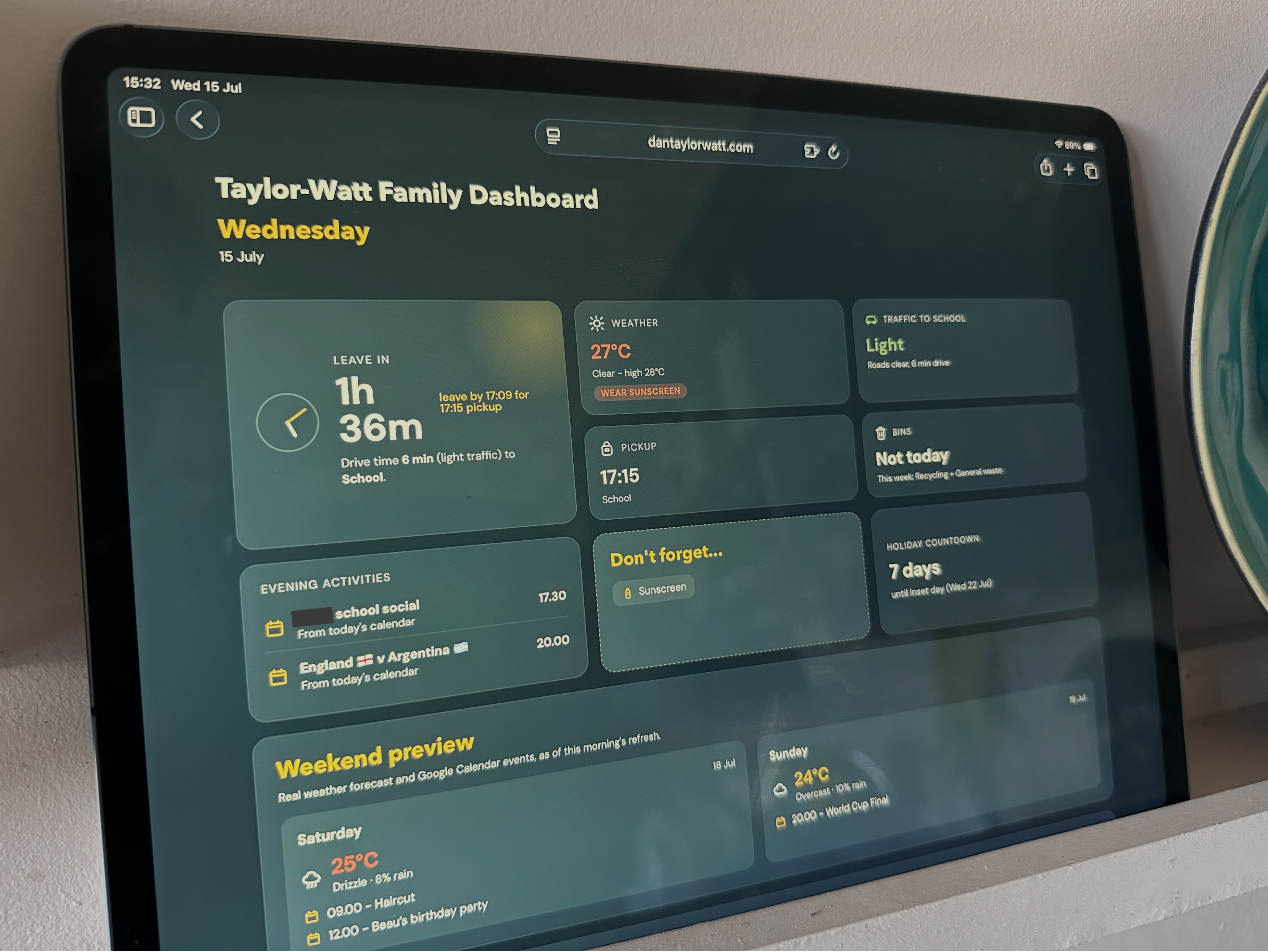
Here’s the finished dashboard on an iPad on the aforementioned kitchen shelf.
Here’s how it looks in the morning (minus my kids’ names):
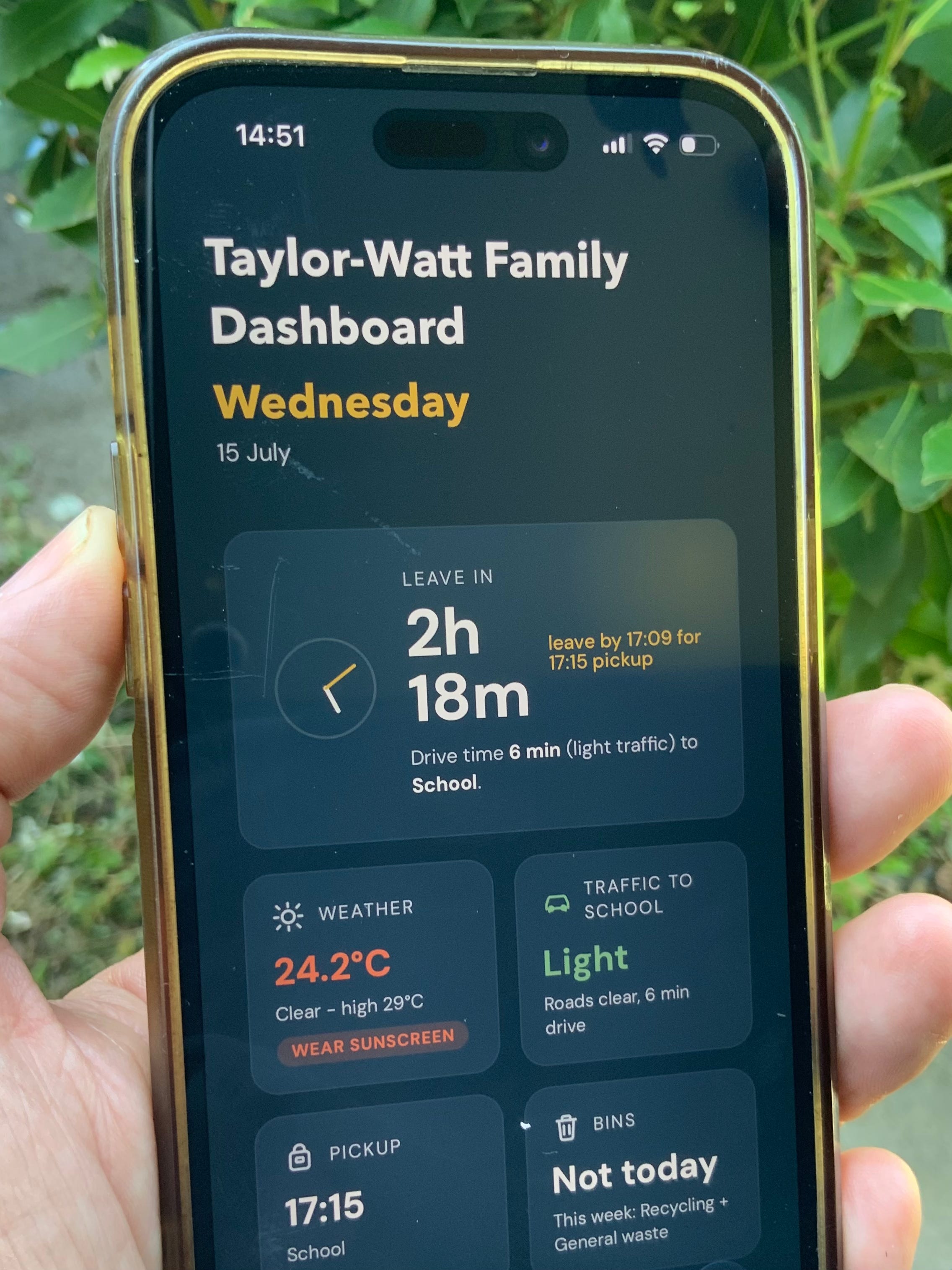
And here’s how it looks on my phone:
My next project is trying to get it displaying properly on my old Kindle, with its always-on display (an iPad feels like overkill for a family planner).
Whether it will result in my kids brushing their teeth without being nagged remains to be seen. I suspect that’s one of those things that still requires a human touch.
Comments
Nothing yet. Say the first thing.
Sign in to join the conversation.