
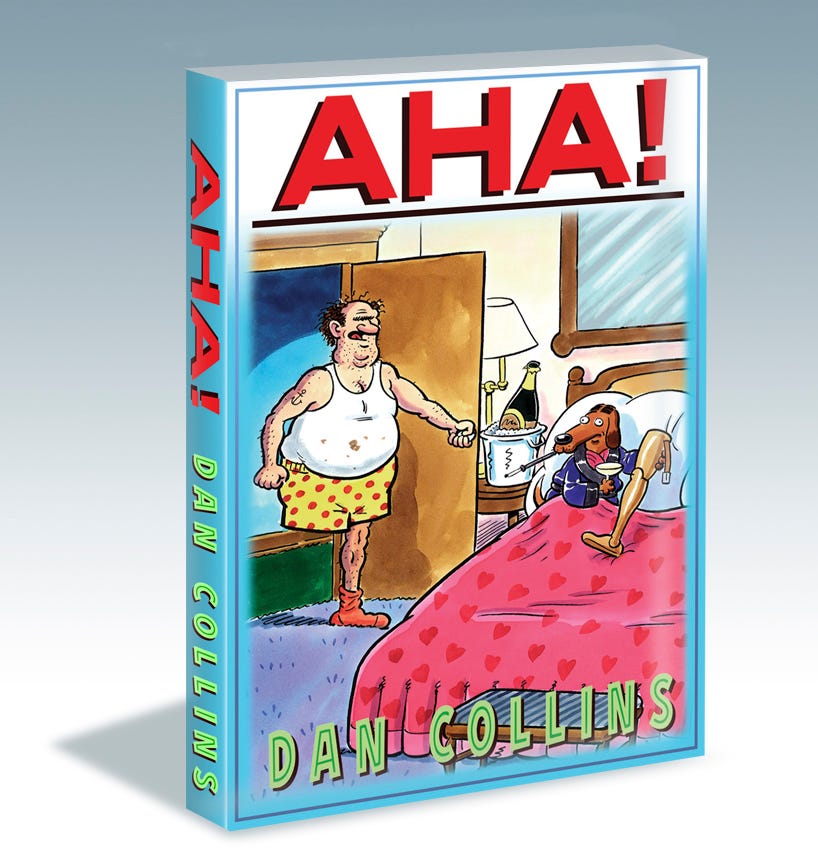
Creating an e-book is a discipline that brings together a number of others to produce a readable book you can carry with you on a phone, read anywhere, and requires no trees to die.
It employs the talents of a writer, a visual artist, a print designer, a book editor, and a website code specialist to create an item that had its beginnings in the middle of the last century.
Ángela Ruiz Robles (1949)
In 1949, Ángela Ruiz Robles, a teacher from Ferrol, Spain, patented the Enciclopedia Mecánica, or the Mechanical Encyclopedia, a mechanical device which operated on compressed air where text and graphics were contained on spools that users would load onto rotating spindles. Her idea was to create a device which would decrease the number of books that her pupils carried to school. The final device was planned to include audio recordings, a magnifying glass, a calculator, and an electric light for night reading.[15] Her device was never put into production but a prototype is on display at the National Museum of Science and Technology in A Coruña.
But who is considered to be the “Father” of the e-books we know today?
Michael S. Hart (1971)
Several publications report Michael S. Hart as the inventor of the e-book. In 1971, the operators of the Xerox Sigma V mainframe at the University of Illinois gave Hart extensive computer time. Seeking a worthy use of this resource, he created his first electronic document by typing the United States Declaration of Independence into a computer in plain text. Hart planned to create documents using plain text to make them as easy as possible to download and view on devices. After Hart first adapted the U.S. Declaration of Independence into an electronic document in 1971, Project Gutenberg was launched to create electronic copies of more texts, especially books.
To put the date into context, 1971 was the year that the first email message was ever sent between two mainframe computers.
In 1993, Digital Book, Inc. offered the first 50 digital books on floppy disks, and Bibliobytes began selling e-books online. In 1998, NuvoMedia and SoftBook launched the first handheld e-readers, the Rocket eBook and the SoftBook.
Today e-books are a worldwide phenomenon being read on many different devices and sold by the billions each year. I began creating my own in 2010 after being introduced to them by my musician friend Vinnie Corbo on a trip to Los Angeles for the annual Hustler Xmas party. Little did I know at the time that my contract with Larry Flynt Publishing was about to end along with the salary I lived on, and all the content I had produced in that time would be mine to publish at will in e-books!
At first, I used Bookbaby to get my books distributed, but then I moved exclusively to Kindle to take advantage of their Kindle Unlimited program, where you earn money for the pages read by Kindle Unlimited subscribers. For over fifteen years, I made thirty percent of the monies generated while Bezos took seventy. Amazon is the only company that does that. All the others take thirty or less. Exclusivity in order to earn those royalties is another unnecessary example of their monopolistic practices.
The topper was when they terminated my entire account for reasons they would only give non-answers for. The books were all submitted, reviewed, accepted, and had been published for years when suddenly Kindle decided I was somehow at fault for committing the ultimate crime ??? and my account was no more.
After much effort in the last few months, I have relisted ten of my nineteen books with three book sellers: Apple Books, Kobo, and Google Play. It wasn’t as easy as I thought it was going to be because of issues with CSS code that Kobo and Google did not support and that had to be removed.
Meaning, for the first time since those early years, I would be opening up the epub file and removing code and CSS stylesheets that Pubcoder, my go to epub creator, automatically inserts into every exported file whether or not you use it and then make sure I didn’t break something that would prevent the necessary validation of the file with the dreaded Errors Warning.
I no longer had the use of my old text editor Oxygen Author so I had to rely on the next best thing, BBEdit, a Mac-based editor that is free and works great on epub files. Also needed are two simple apps called eCanCrusher for opening and zipping back up your epub archive and EPubcheck, your validation tool.
You simply drop the epub file onto eCanCrusher and it opens the file up into its folders and supporting files.
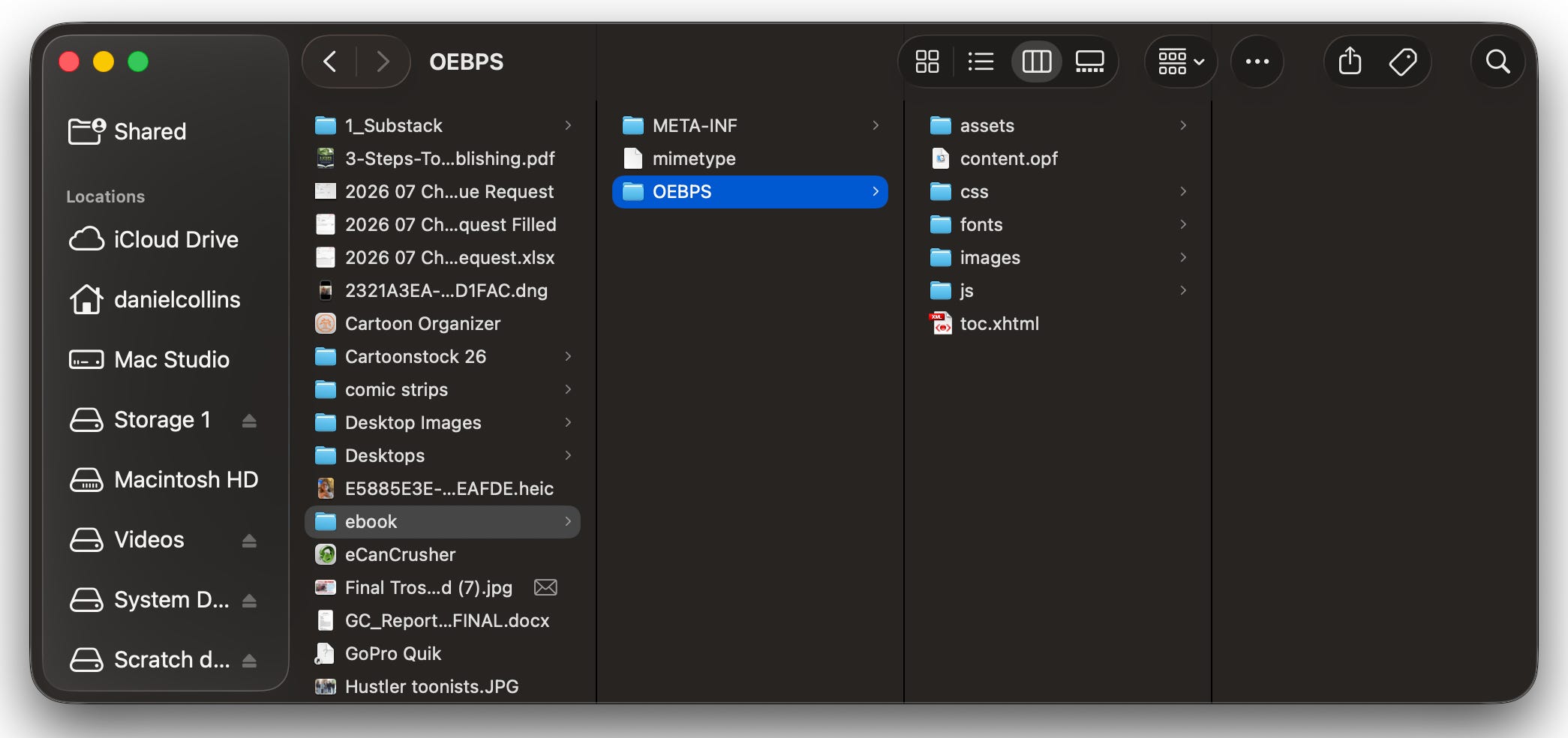
The META-INF folder and the mime type file are things you never change, but the OEBPS folder holds all the essential goodies: the assets which are all the pages of your book in folders that include an HTML file, a style sheet of it’s own and a javascript file.
All of the book’s pages access the content.opf file that holds the images, navigation landmarks, CSS stylesheets, and content of the book. Any changes to that file must be accompanied by changes/updates to all those asset pages. Fortunately, BBEdit has a Multi Find search tool that can locate and change the code to all of them at once. If you’re lucky. A lot of times it will miss some, and then you’ll get a pink warning page with errors listed on your validation check with EPUB-Checker. Oh No!! But all you have to do is go in by hand to remove them if another search run doesn’t fix it. Not hard.
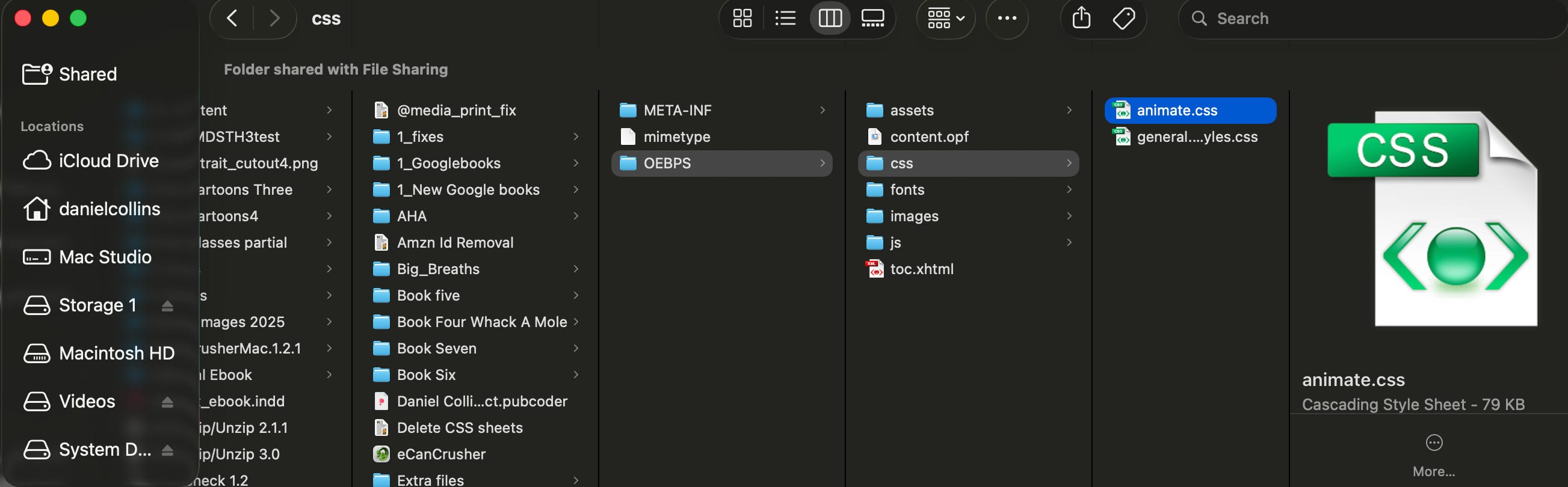
Opening the content.opf, the “manifest” for your epub file, we see at the bottom a line item referencing the Animate CSS stylesheet. That must be deleted, but that’s not the end of it.
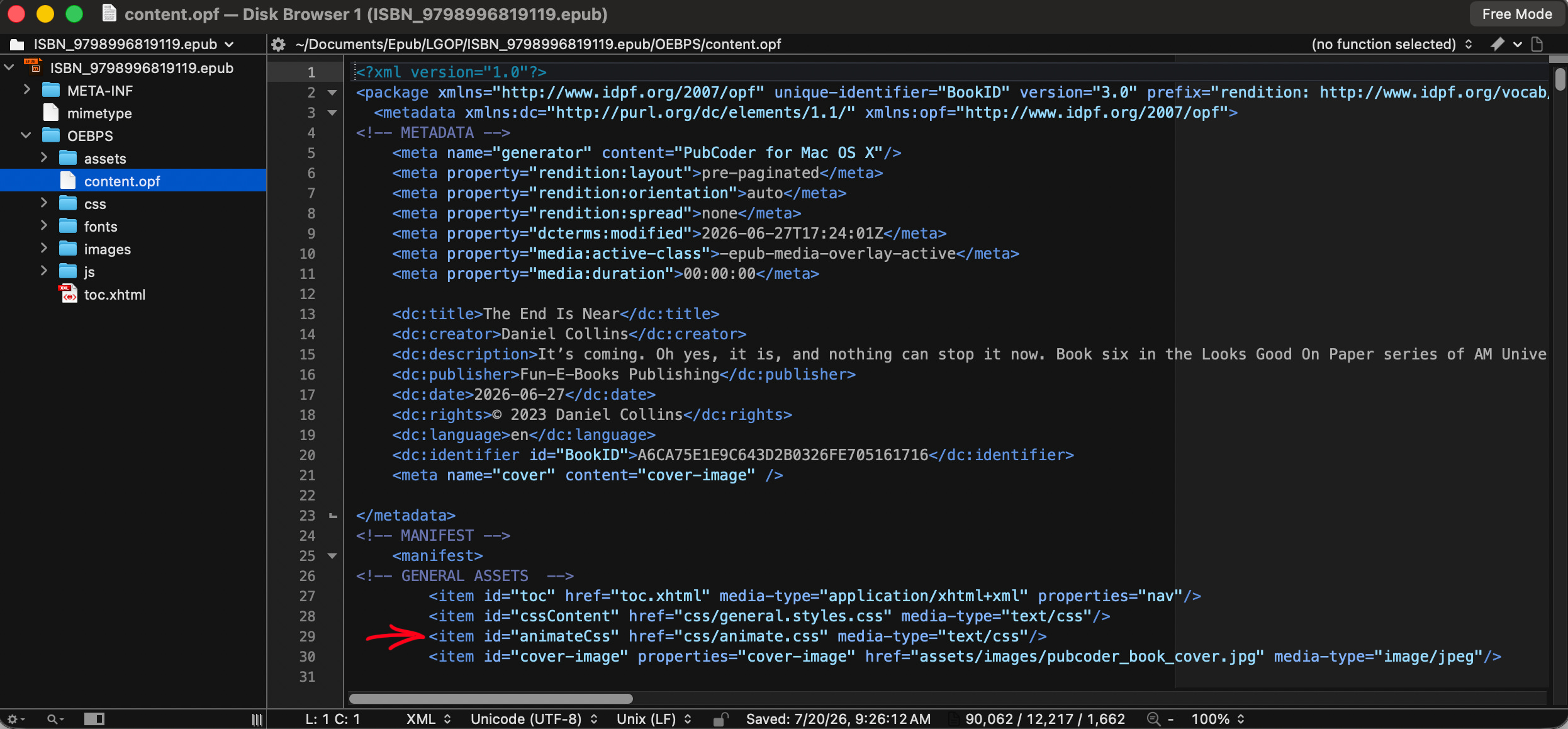
In our assets, page 1, we find a link to that now-absent CSS, and if we do nothing, that will produce an error warning and prevent validation. Every single page in your book has that link, which must be removed—going page by page would take a lot of time, so we reach for our Multi-Find tool that will locate these lines of text in the entire file and replace them with nothing, according to our “replace with” window.
We enter the code we want to remove in the “find” window, click the appropriate file to search and hit Find All.
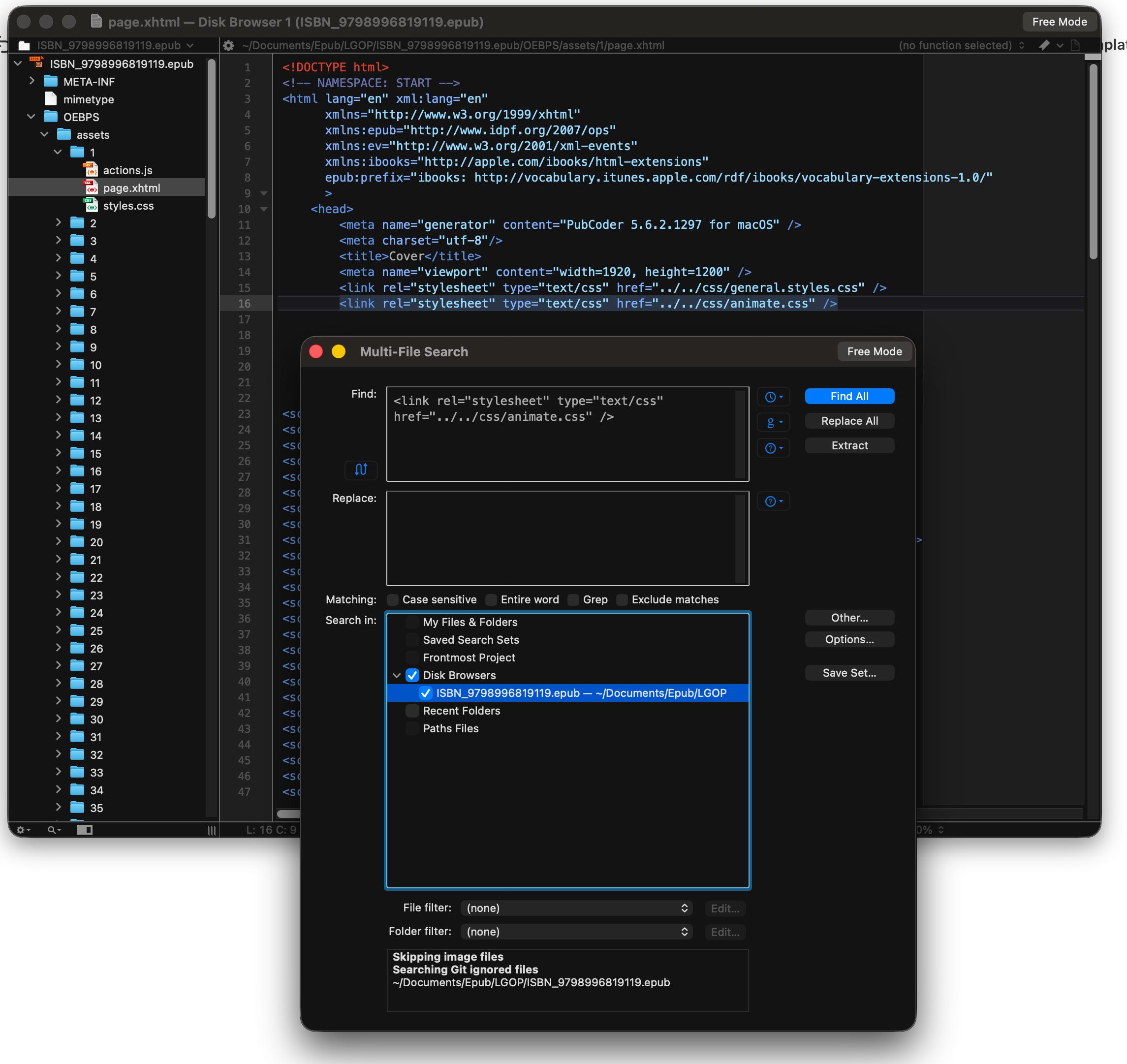
As you can see, we have 187 instances of that code. Next, we “replace all” with nothing.
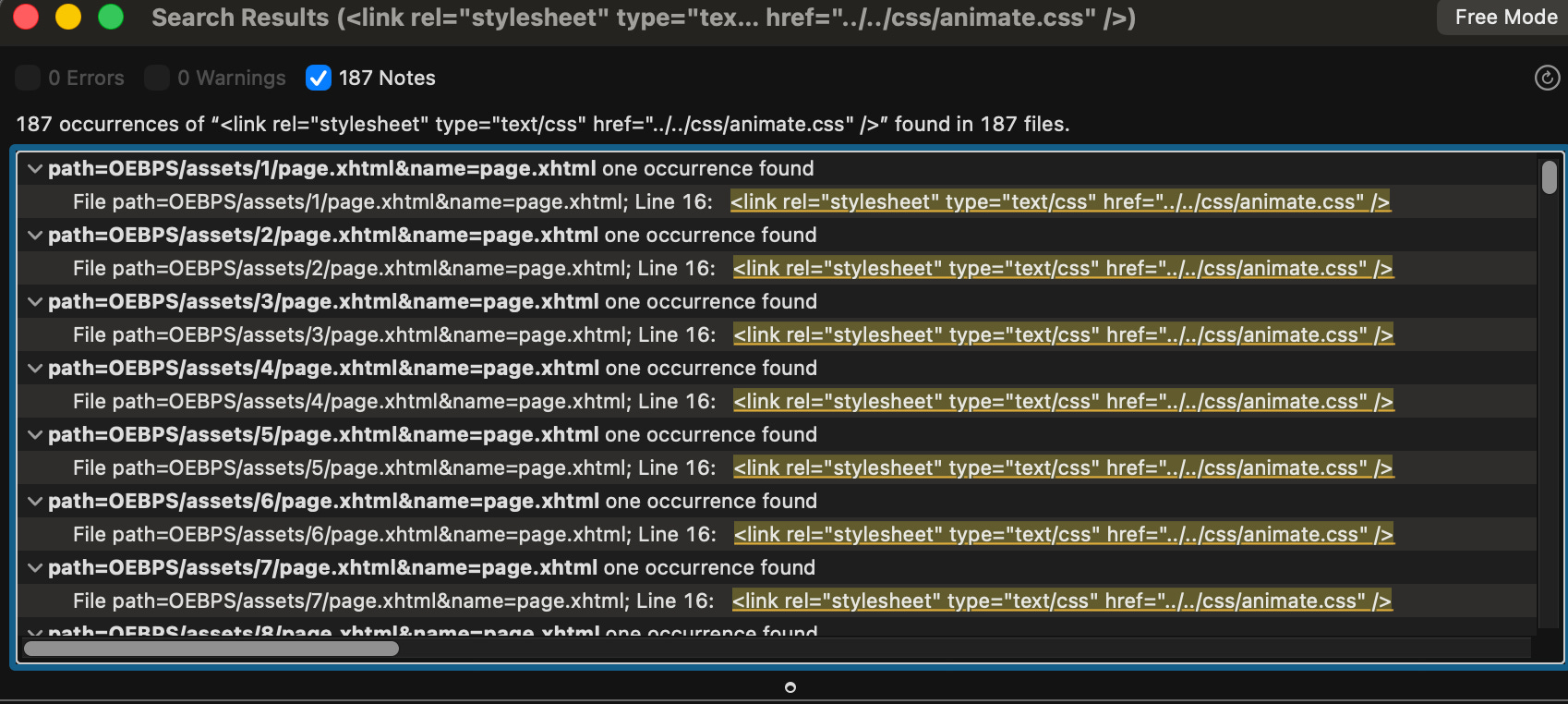
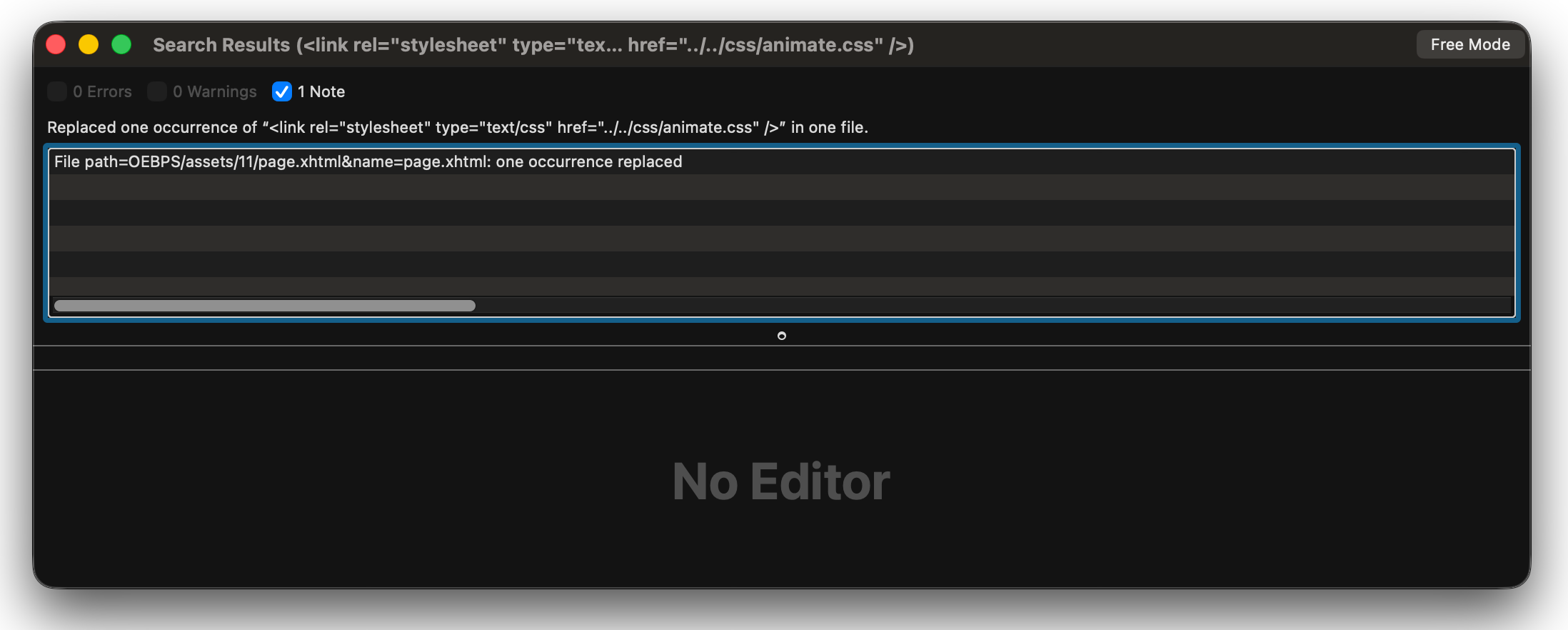
And it’s all gone! Or is it? Running it a second time, it found one page that it somehow passed over without replacing: page 11.
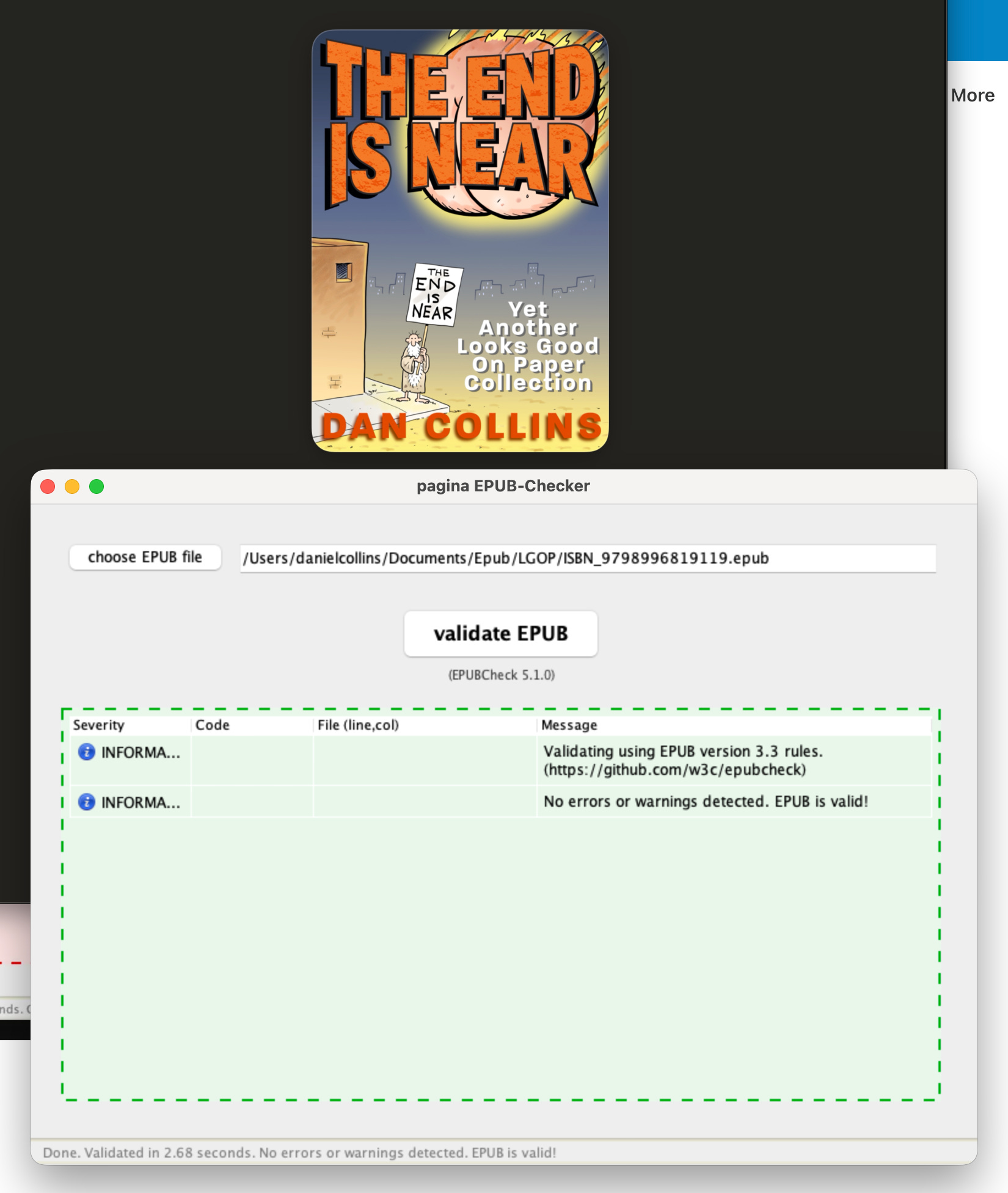
Had I not done that I would have gotten an error when I checked it for validation with EPUB Checker. Like this one. I neglected to remove the line in the page 1 html file, but EPUB Checker tells me where the error is and now I just go back into that page and remove it by hand. Pretty simple.
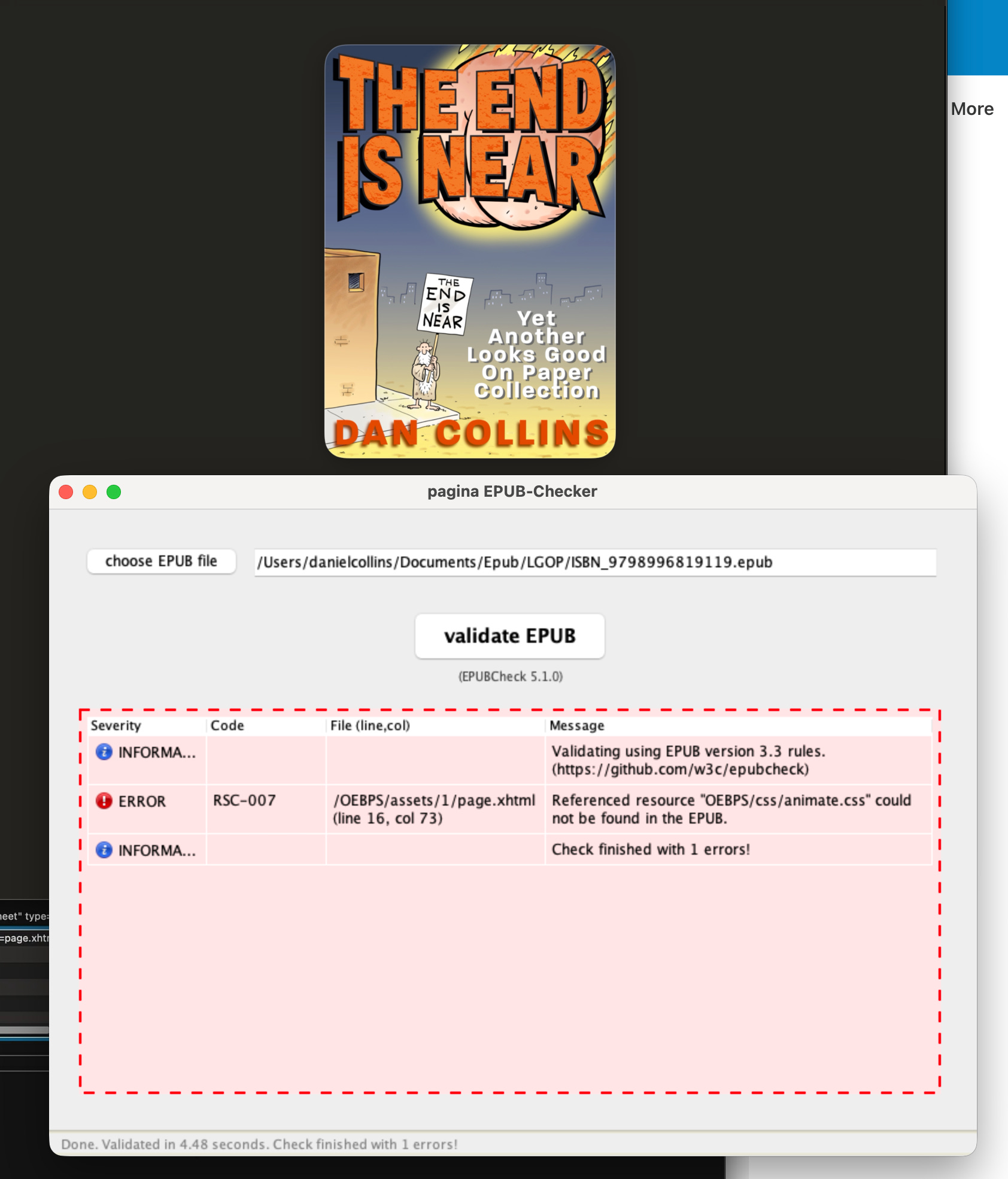
Save your page; the ePub file will be automatically updated in BBEdit (a handy feature). Drag the file onto the ePubchecker icon to check it, and oingo boingo, we have validation! Yay! Your ebook is ready to upload and publish.
Uploading to Google Play, I will get warnings for CSS they don’t like. It says it won’t keep you from loading it or it going live, but they say you might get unexpected results in how it displays. I don’t think the stuff they are warning me about will have any effect on my books, but I try to make sure by correcting this stuff.
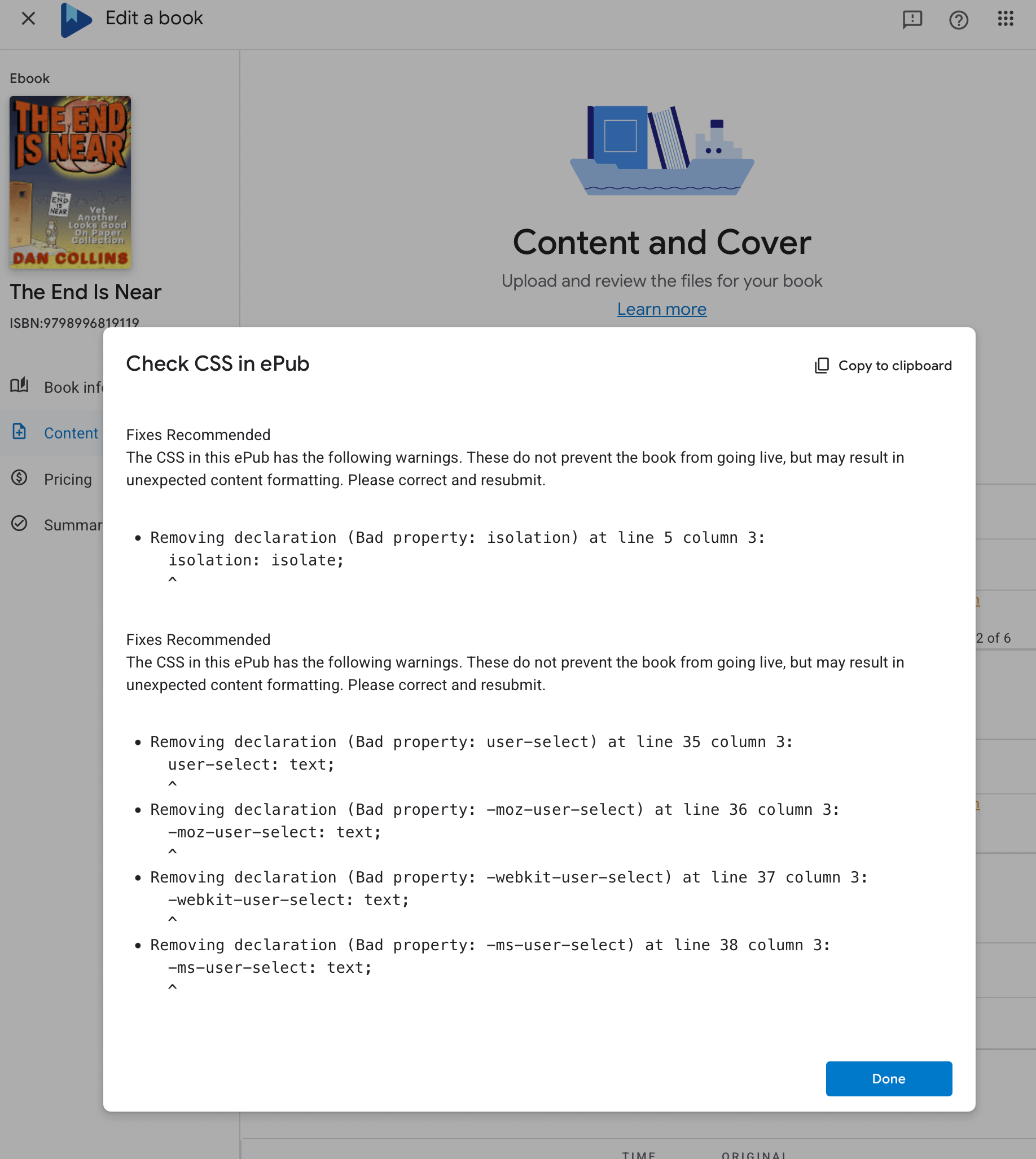
Here they tell you what the problem is, which you can then copy and paste into your search window in BBEdit. Kindle would never be so accommodating as this. To the contrary, they will be of no help whatsoever and they won’t respond to your pleas for help. Another reason I hated working with them.
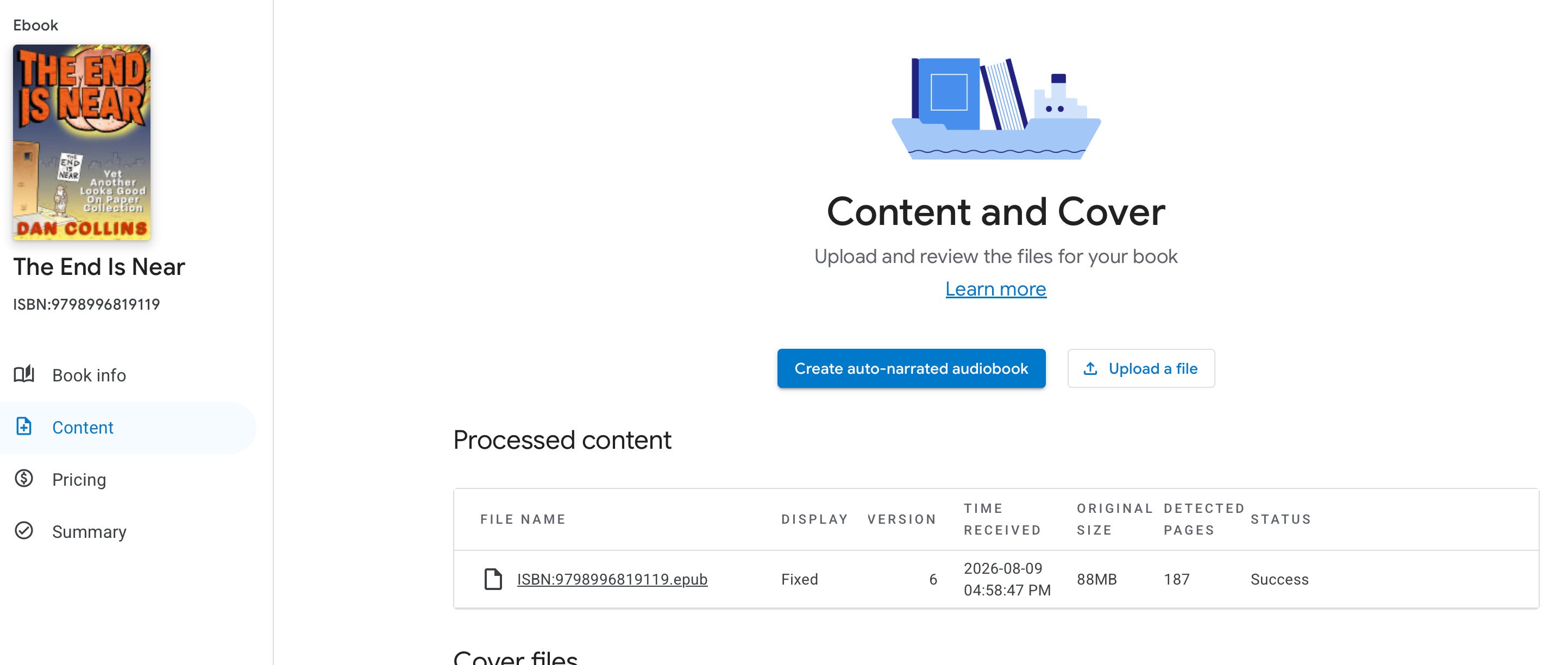
After cleaning up the code and reuploading we get the thumbs up with a “Success”.
This was a brief glimpse into how an ebook works. I hope you enjoyed it! I know it gets a little technical, and my wife’s eyes start to glaze over when I tell her about this stuff, but to an artist who dreams of self-publishing, it means a way to an end that is cheap, easy, and fast. Later on, you can always turn that ebook into a PDF file in InDesign for a print-on-demand service and get yourself physical books to sell.
This post has gone on for a while now, but don’t worry, the end is near.
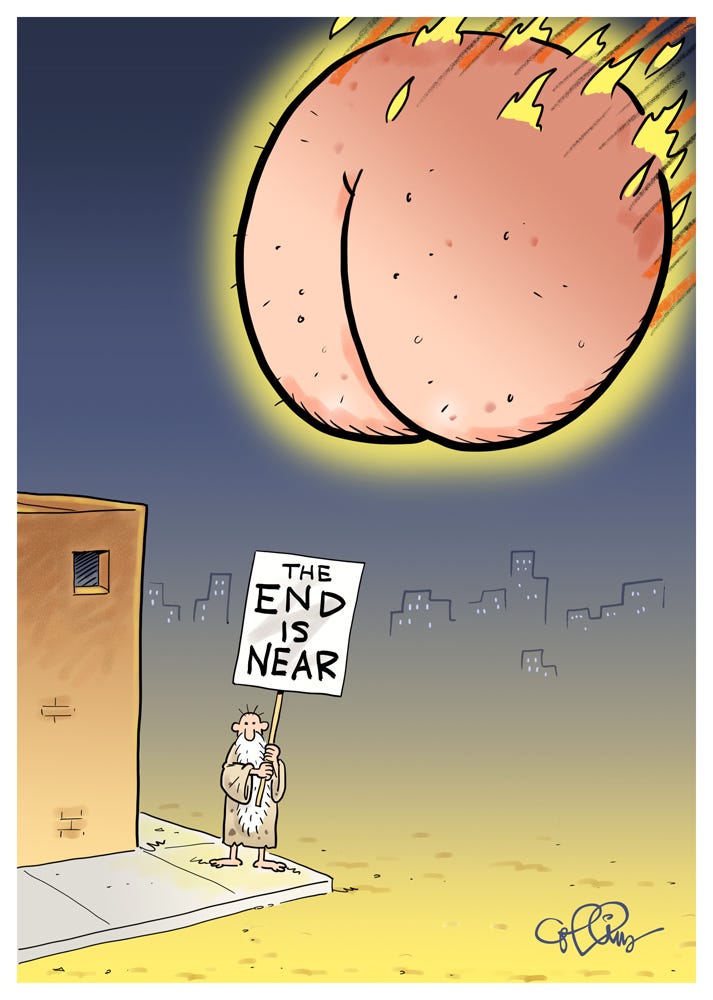
Thanks for reading. There will be a test next week, so study!



No posts
Comments
Nothing yet. Say the first thing.
Sign in to join the conversation.