
Picture a small independent real estate agent. Right now, every property they own gets listed the same way: a spreadsheet, maybe a folder of photos, and a lot of manual work whenever someone wants to see what’s available. What they actually need is a website. Nothing fancy, just a page where people can browse the properties, and a way for the agent to add a new one whenever a house or apartment comes up for sale.
That is what we are building this week. And the interesting part is not the website itself, it is the question sitting underneath it: who gets to add a listing, and how do you make sure it stays that way?
Today, we build the smallest version that actually works. There is exactly one person who can publish a listing: the site owner. Everyone else can look, nobody else can touch.
Tomorrow, paid subscribers get the “grown-up” version. Other property owners get their own accounts and can submit listings themselves, but nothing appears on the site until the owner reviews and approves it. We will also look at the specific ways this kind of feature quietly breaks when it is built carelessly, and what it takes to run it for real.
Tomorrow’s project is already posted. Get instant access by upgrading to a paid monthly or annual plan.
With a paid plan you can:
Read Day 2 right now instead of waiting until tomorrow
Access to full code of Day 1 and Day 2 project
Access to the full archive of 500+ projects
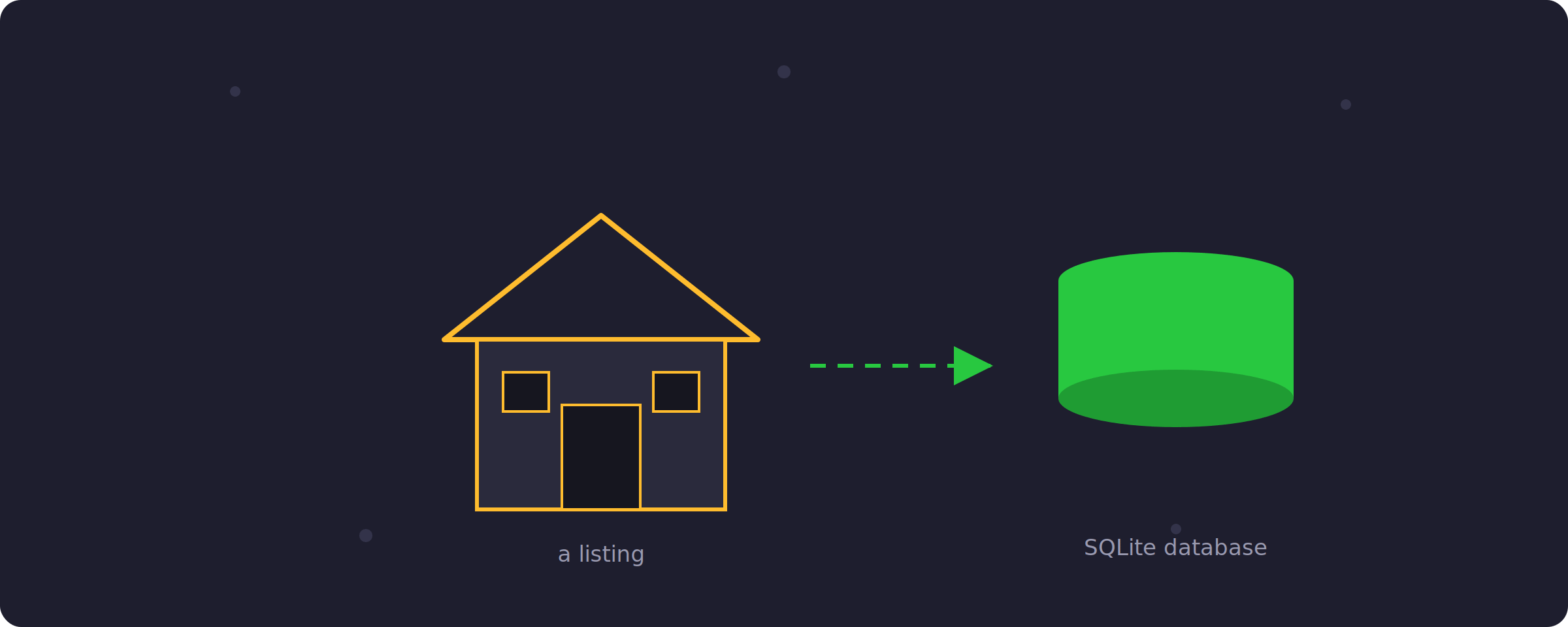
Every listing, once it exists, is really just a few facts: a title, a location, a price, and a description. Simple enough to hold in a single table. The harder question is not what a listing looks like, it is what stops a random visitor from adding fifty fake ones.
So today’s whole project comes down to one line of thinking: browsing is public, publishing is not.
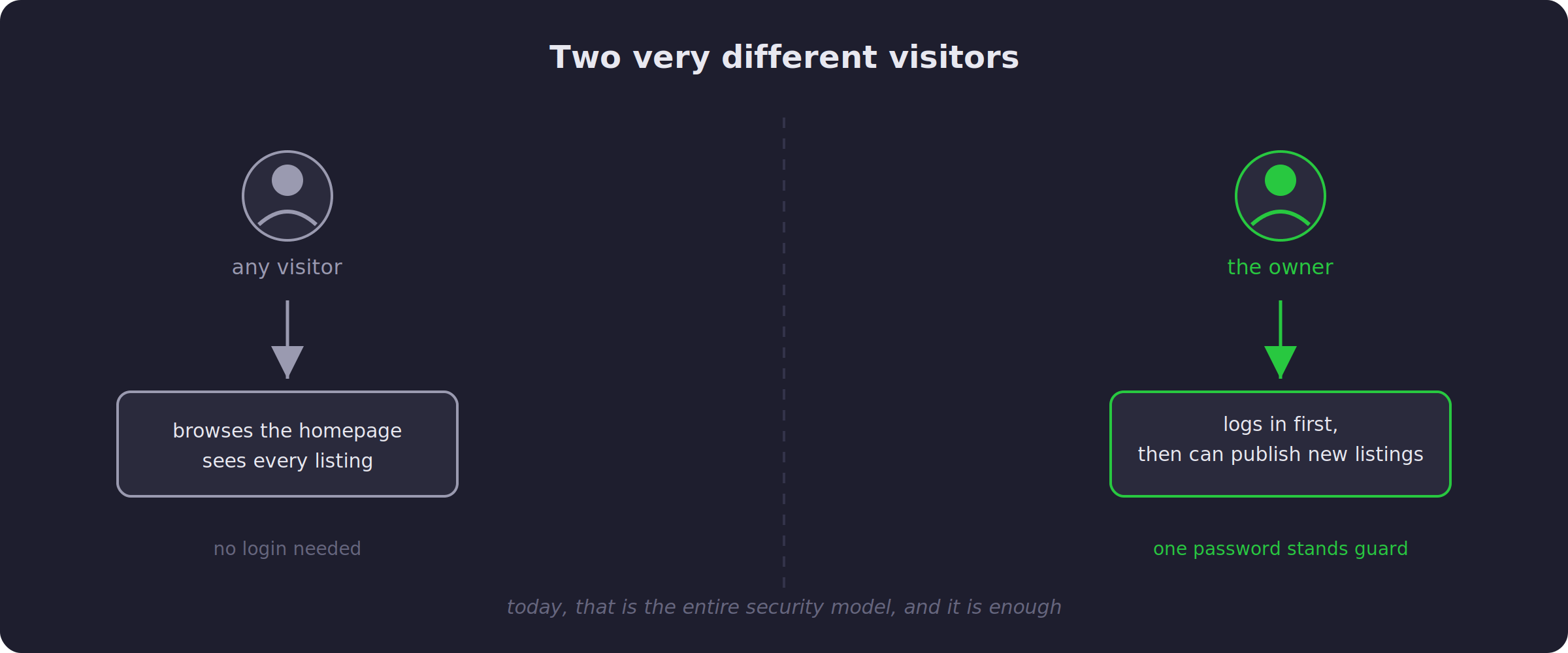
Any visitor can open the site and see every property, no account needed. But the moment someone tries to add a new one, they hit a locked door, and only the owner has the key. For now, that key is a single password. It is not fancy, and it does not need to be, because there is only one person who should ever hold it.
If every Python program you have written so far runs once, prints something, and stops, a website might feel like a different universe. It really is not one, and it is worth slowing down on this for a moment, because the rest of the post assumes it.
A website has to stay running and keep listening, so that the instant someone visits a page, something responds. Flask is a small Python library whose only job is exactly that. You write ordinary Python functions, and Flask makes sure the right one runs the moment someone opens a particular page in their browser. The homepage, the login page, the “add listing” form: each one is just a URL with a Python function waiting behind it.
That handles behavior, but behavior alone forgets everything the second the program restarts, and a listings site obviously cannot forget its listings between visits. That is what SQLite is for. It is a genuine database, yet it lives as a single file sitting right next to your code, nothing separate to install. Every listing gets written there, and it is still there tomorrow, next week, whenever the site starts back up again.
If you read the post on frontend versus backend a few weeks ago, here is where this project sits on that map: entirely on the backend side. There is no separate frontend framework here. Flask builds plain HTML pages and sends them straight to the browser, and for a site like this one, that is genuinely enough.
Here is the part worth understanding, even if you never open the code. When the owner visits the site and logs in, the server remembers them for as long as their browser stays open, using something called a session. From that point on, every request they make quietly carries proof that they are logged in.
Anyone else, someone who never logged in, gets redirected the instant they try to reach the “add listing” page. They never even see the form.
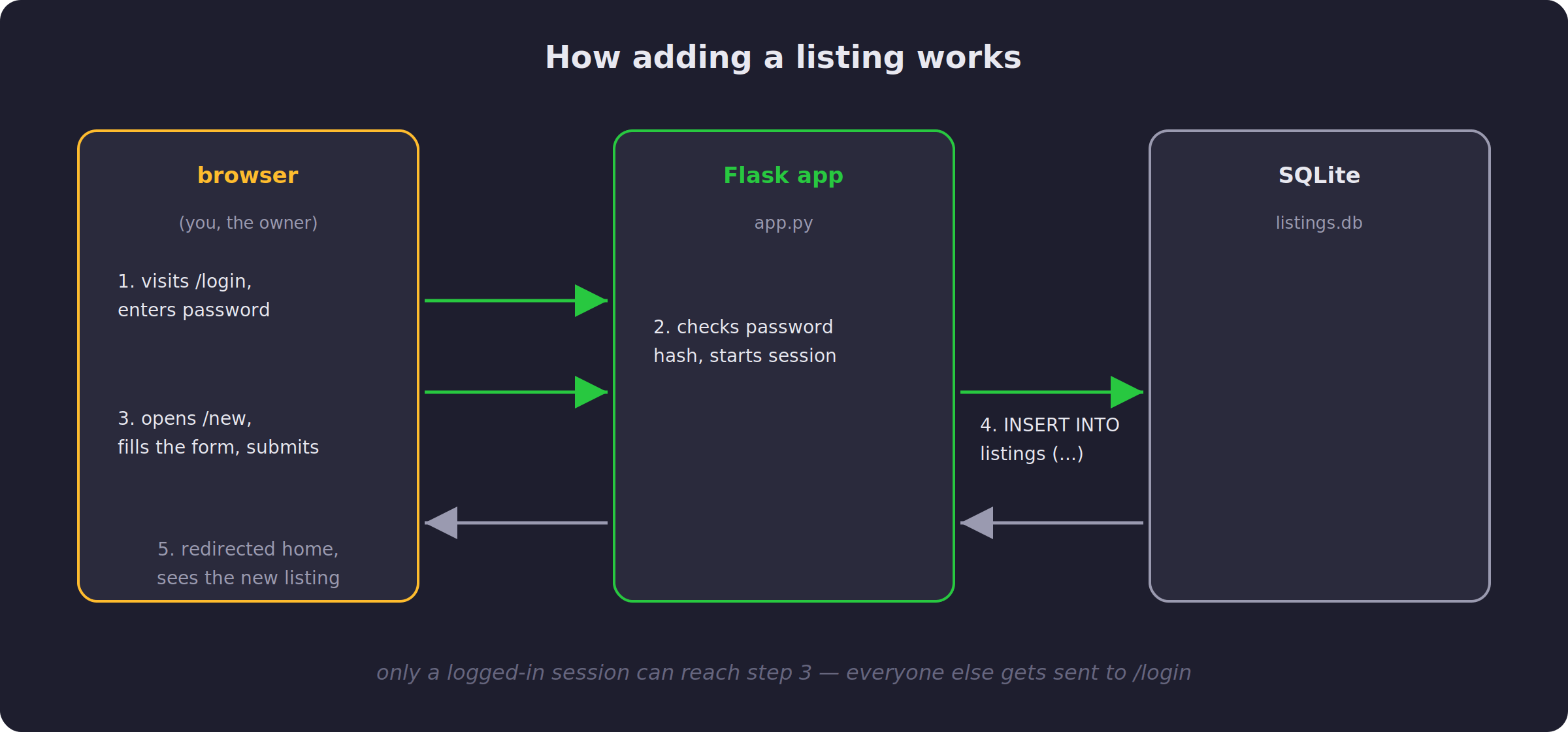
Notice something about that flow: the check happens before anything else runs. The server does not build the page and then decide whether to show it. It decides first, and only builds the page if the answer is yes. That order matters more than it looks, because it means there is no version of the page that briefly exists for someone who should not see it.
One more detail, small but worth knowing. The owner’s password is never stored as plain text anywhere, not even in the one-account version we are building today. It is stored as a hash, a kind of one-way scramble that can confirm a password is correct without ever revealing what it is. It is a habit worth having from the very first line of code, because it is exactly the same habit that will protect real users tomorrow.
First install the needed Python libraries with:
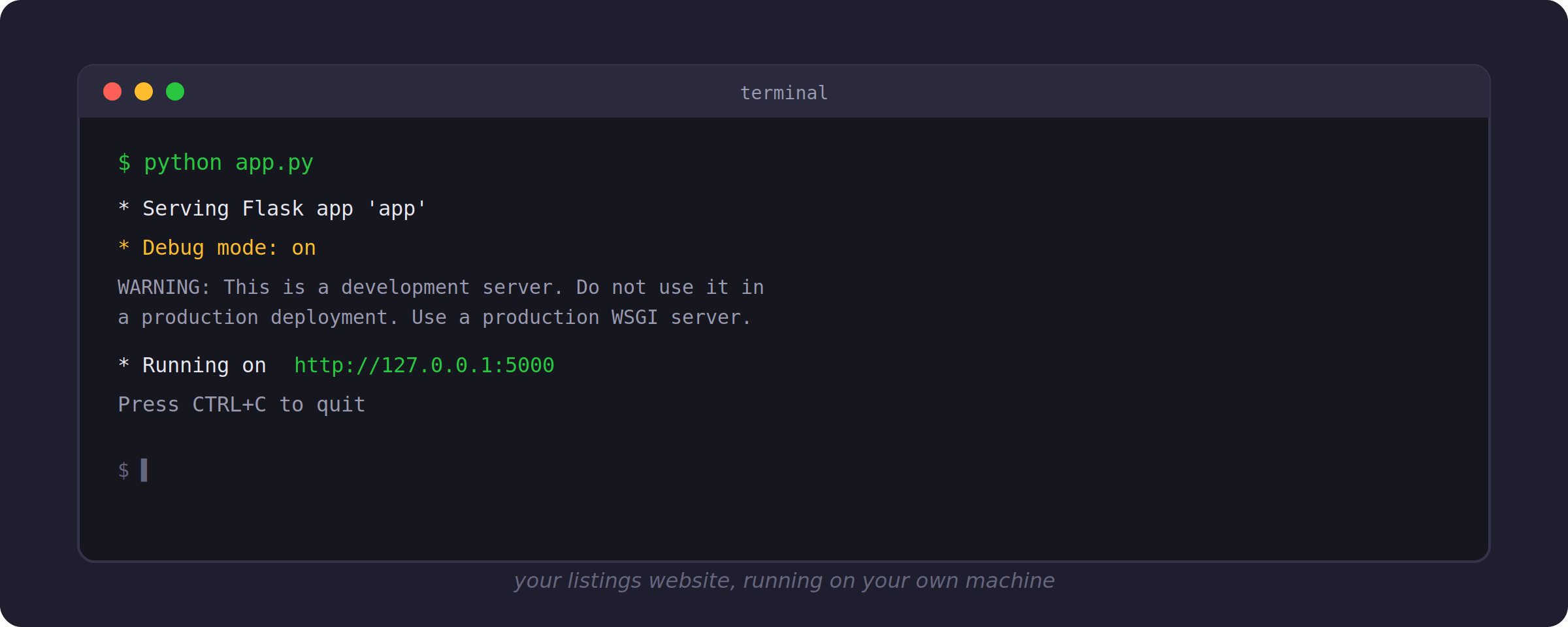
Starting the site is one command, and a moment later it is live on your own machine.
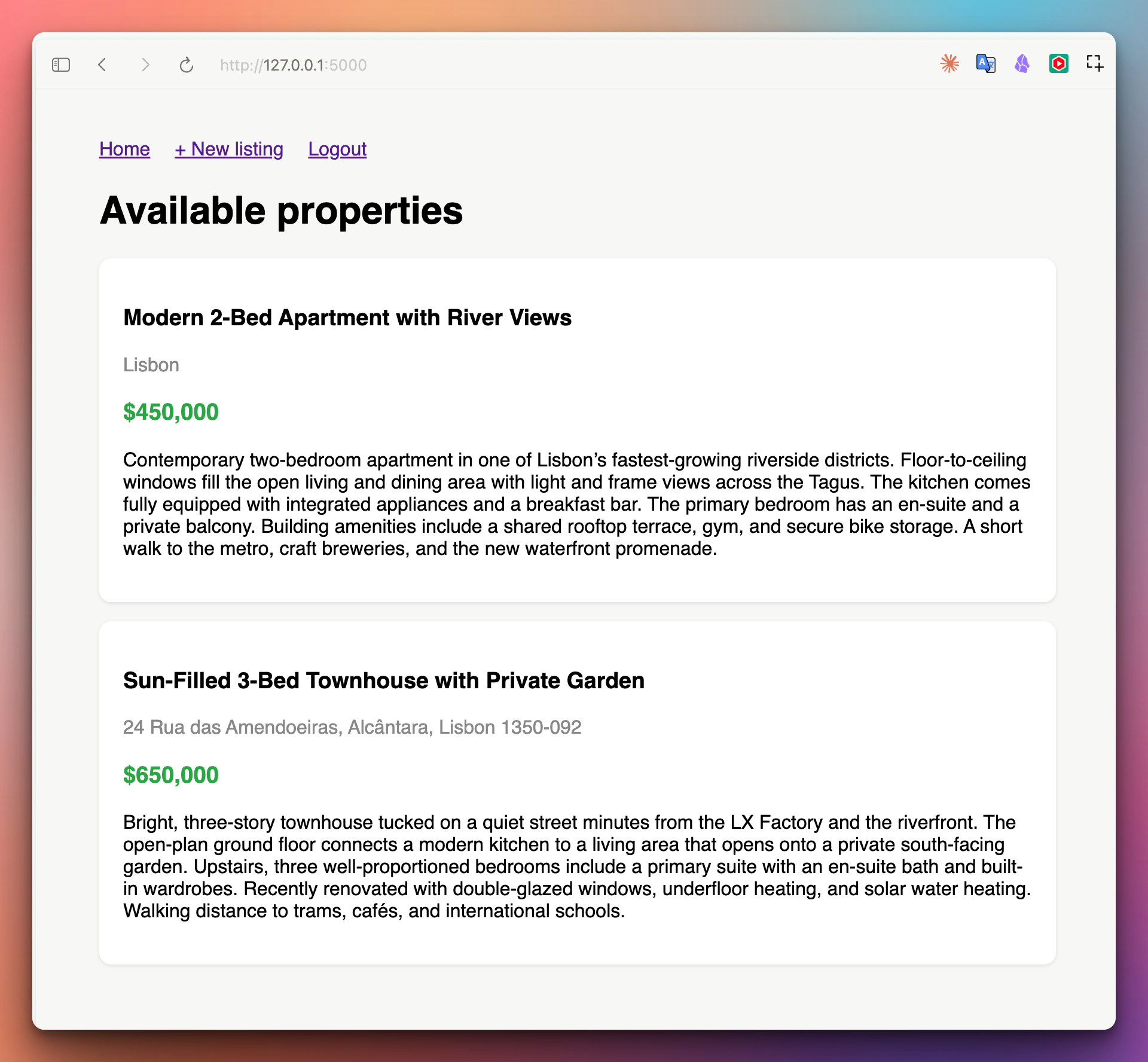
Open it in a browser and you get a clean homepage listing whatever properties exist so far:
Try to sneak into the “add listing” page directly, without logging in, and the site quietly sends you to the login screen instead. Exactly as promised.
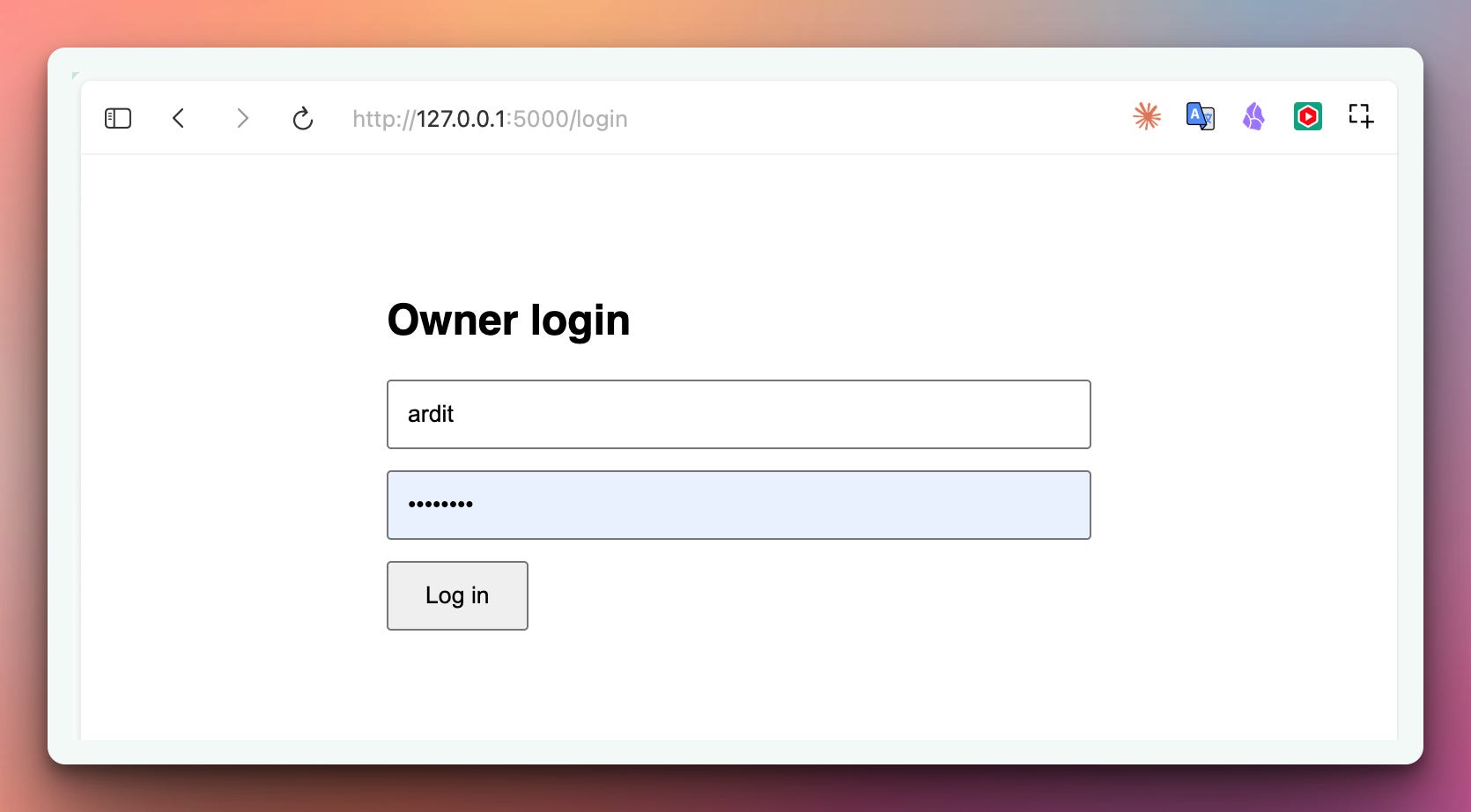
Log in as the owner, and a simple form appears.
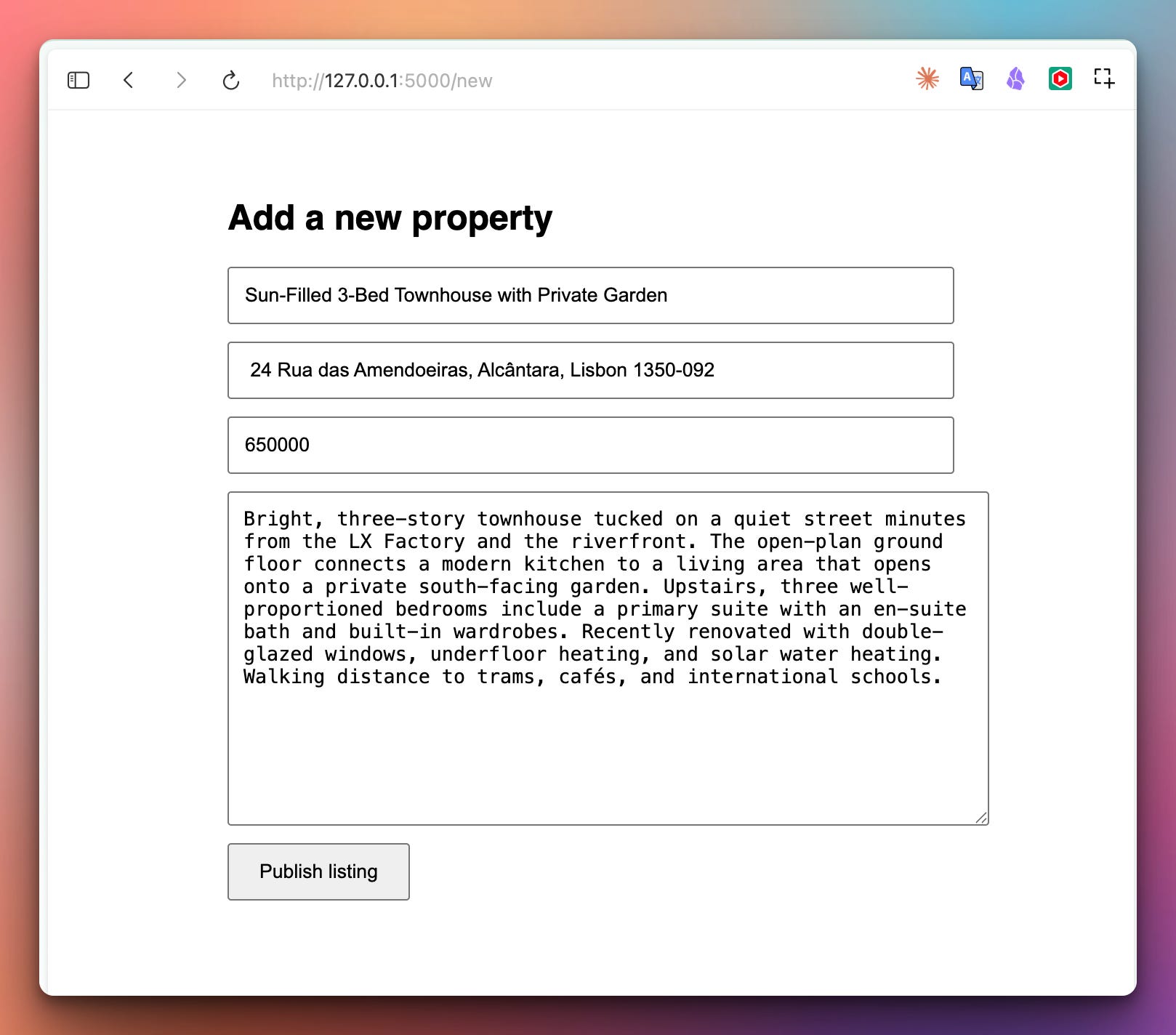
Fill it in, publish, and the new property shows up on the homepage immediately, right at the top.
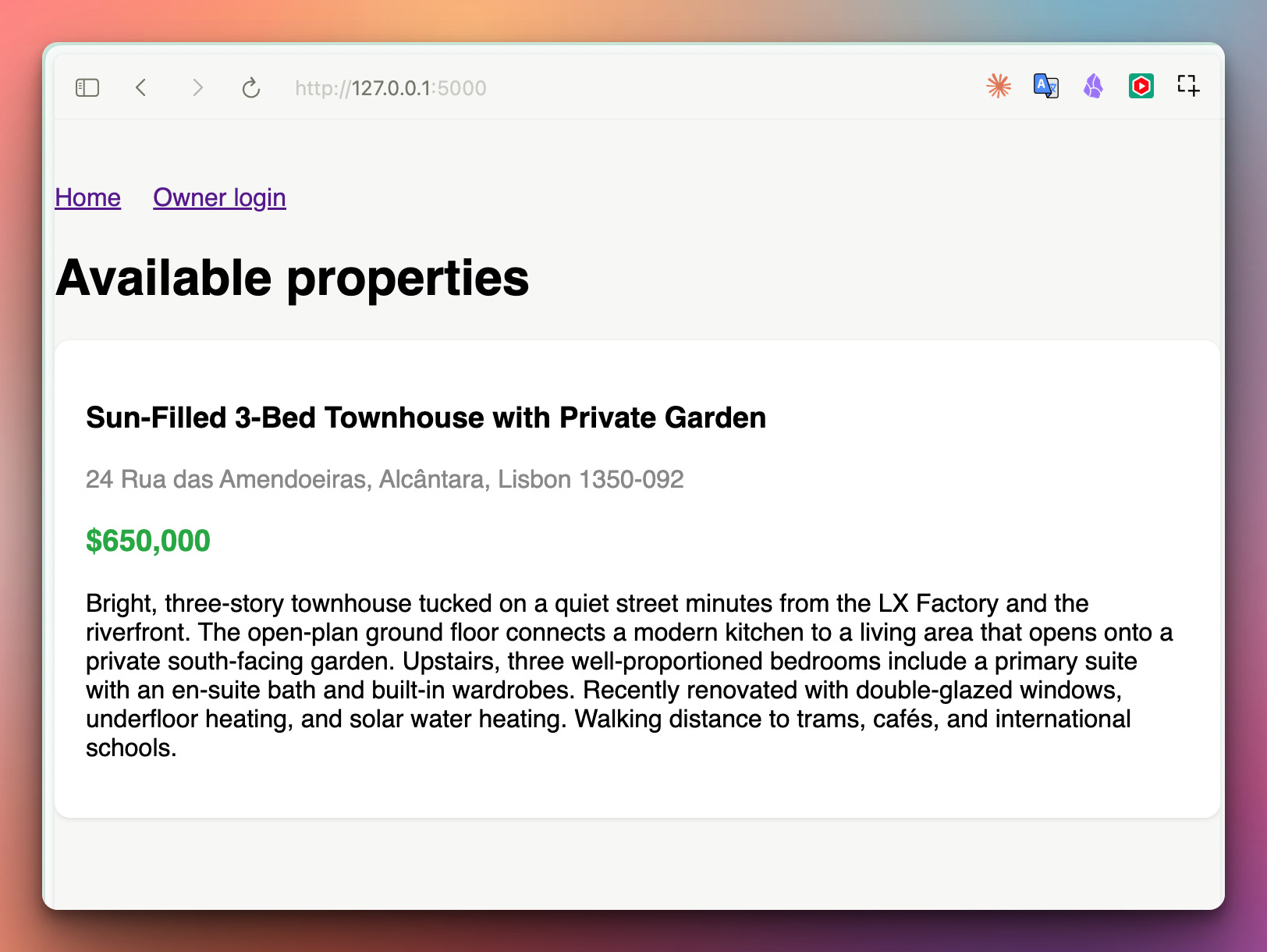
That is the whole loop. One person, one password, one door.
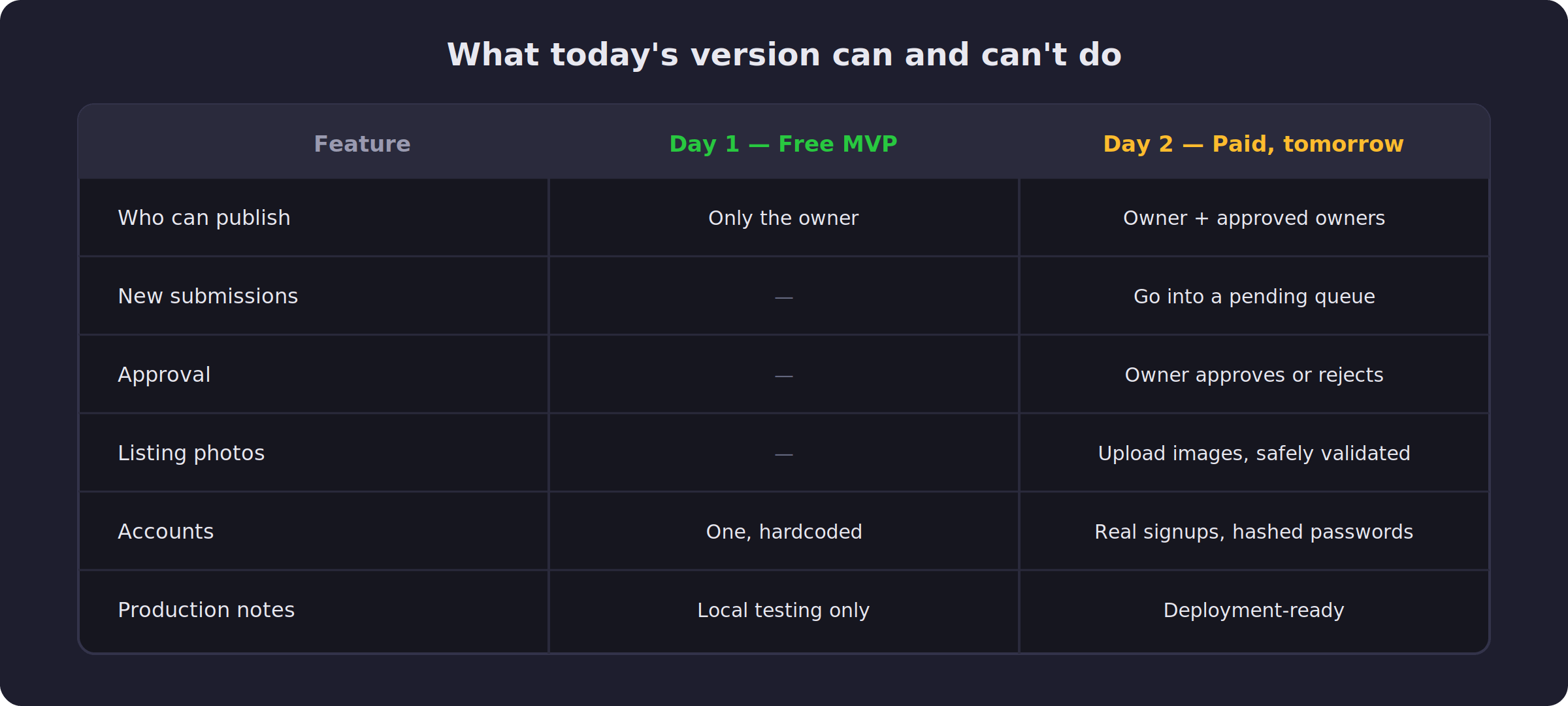
Today’s version is genuinely enough if you are the only person who will ever list a property, which is true for plenty of small agencies and independent landlords. The moment a second person needs to publish their own listings, the whole shape of the problem changes, and that is exactly where tomorrow picks up.
Tomorrow we add the other half. If you want the full website, upgrade here and you can access both projects today.
The complete, working code for today’s version is ready for you below, all four files.
View and download app.py here:
Download the HTML files here and place them in a folder named templates directory and place the templates folder in the same directory with app.py:
Comments
Nothing yet. Say the first thing.
Sign in to join the conversation.