
One big advantage of component tests over end-to-end is ability to pass the state of the component and its props, and then confirm the component behaves as expected when you interact with it via user actions, like mouse clicks.
Let’s say we have the following component
const Button = ({ customClass, label, onClick }) => {
  return (
    <button
      className={`btn${buttonTypeClass}${buttonSize}${extraClass}`}
      onClick={onClick}
    >
      ...
    </button>
  )
}
When the user clicks, the component is supposed to call the “onClick” prop. Let’s see how we can write this test in both test runners.
test('callback prop is called on click', async ({ mount }) => {
  let clicked = false
  const component = await mount(
    <Button
      label="Test button"
      onClick={() => {
        clicked = true
      }}
    />
  )
  await component.click()
  expect(clicked, 'clicked').toBeTruthy()
})
Playwright does not have built-in functional assertions, so we need to keep track of the “clicked” state via a local variable.
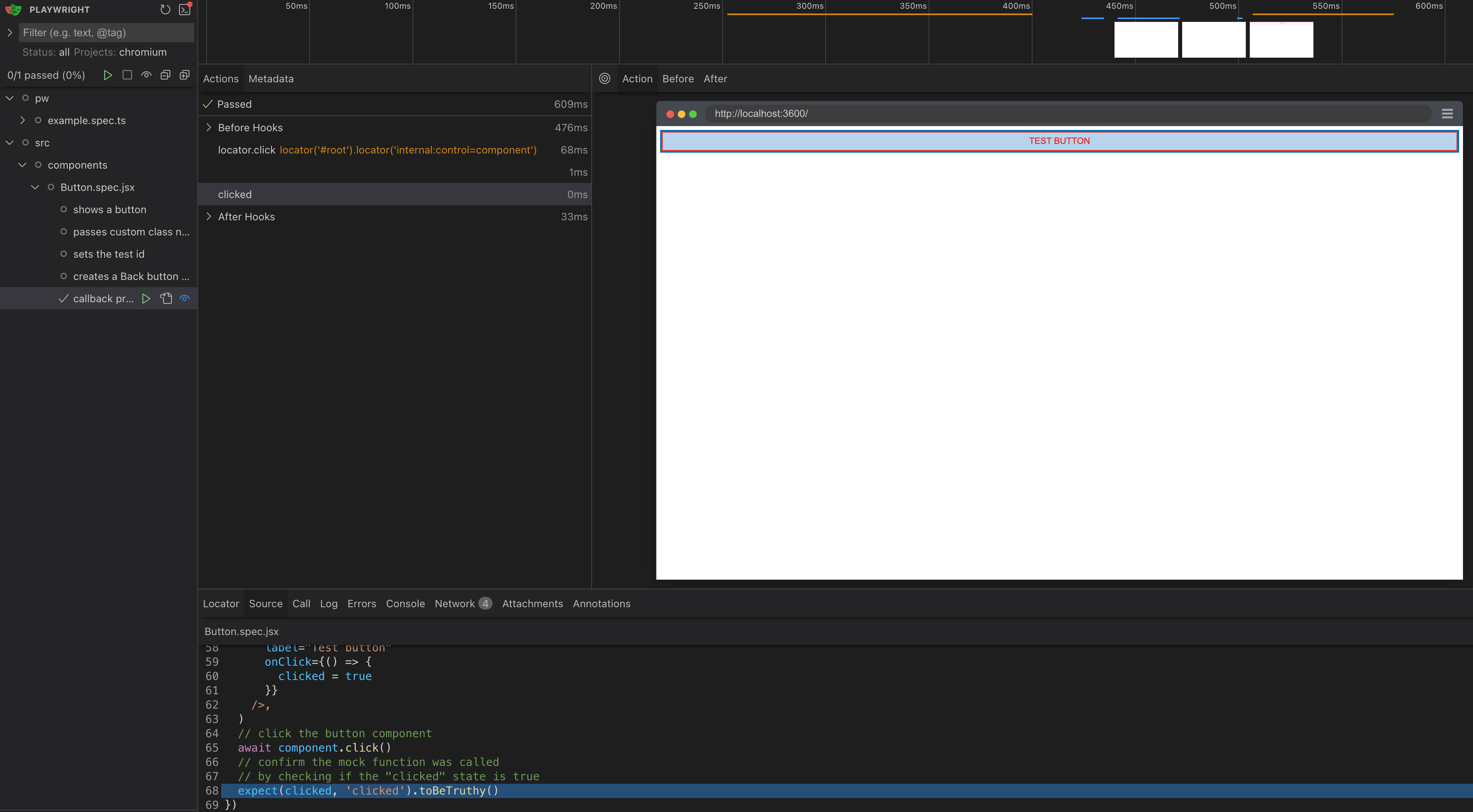
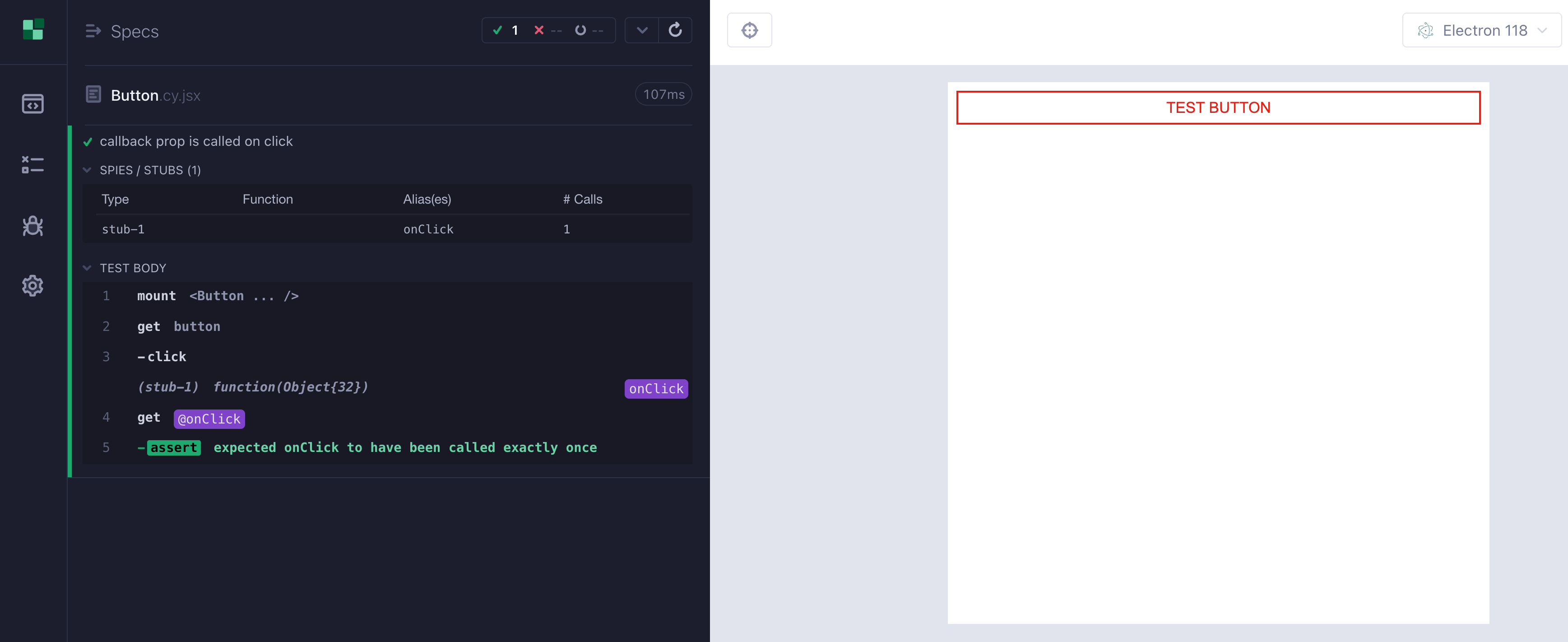
Cypress has the bundled Sinon.js library, so checking if a function was called is easy
it('callback prop is called on click', () => {
  cy.mount(<Button label="Test button"
            onClick={cy.stub().as('onClick')} />)
  cy.get('button').click()
  cy.get('@onClick').should('have.been.calledOnce')
})
What happens if the functional prop is synchronous? Let’s say we pass the formatter function to a component we are testing.
const InputPrice = ({ priceFormatter }) => {
  const formatter = priceFormatter || defaultPriceFormatter
  const [price, setPrice] = useState()
  return (
    <div className="input-price">
      <input
        type="text"
        value={price}
        onChange={(e) => setPrice(e.target.value)}
        placeholder="Enter price (cents)"
      />{' '}
      {!isNaN(price) && <span className="price">{formatter(price)}</span>}
    </div>
  )
}
export default InputPrice
The prop priceFormatter is called to return the formatted price text inside the span: <span className="price">{formatter(price)}</span>. Let’s test it
test('renders the InputPrice component with custom formatter', async ({
  mount
}) => {
  const customFormatter = (price) => `Price: ${price} cents`
  // mount the component with a custom format function above
  // follow the test above and check if the formatted price is displayed
  const component = await mount(<InputPrice priceFormatter={customFormatter} />)
  await expect(component.locator('.price')).not.toBeVisible()
  await component.getByPlaceholder('Enter price (cents)').fill('9')
  await expect(component.locator('.price')).toHaveText('Price: 9 cents')
  await component.getByPlaceholder('Enter price (cents)').fill('99')
  await expect(component.locator('.price')).toHaveText('Price: 99 cents')
})
When you run this test, you see nothing
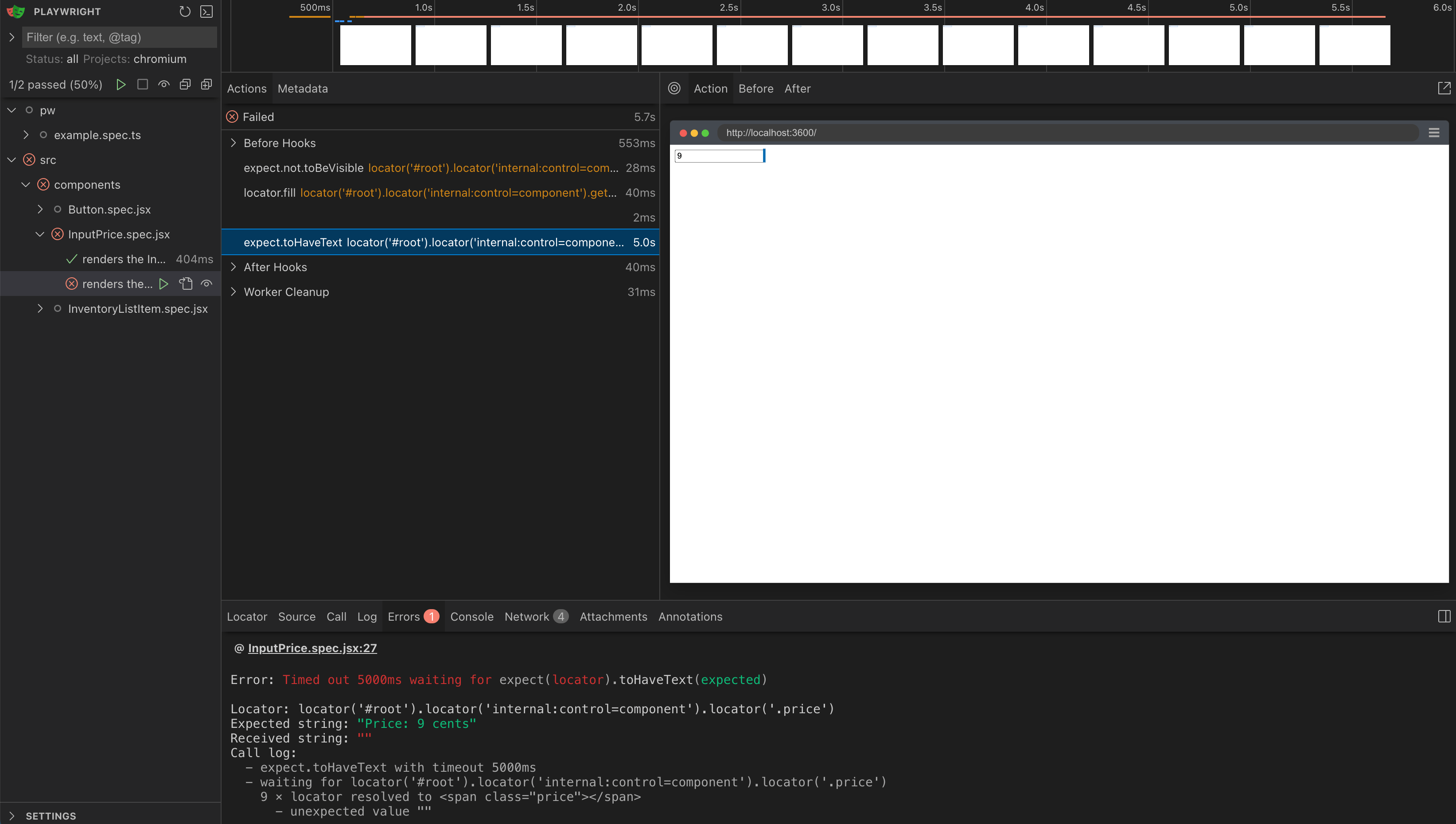
Remember: the test runs in Node, while the component executes in the browser. So the simple-looking call <span className="price">{formatter(price)}</span> calls WebSocket communication from the browser back to Node to execute the test’s <InputPrice priceFormatter={customFormatter} /> code. So a synchronous call becomes … asynchronous. The component does not get a string back, it gets a promise!
I honestly do not see how this can be solved (without lots and lots and lots of automatic code rewriting, which isn’t feasible in my opinion). I think this is why the Playwright’s component testing has stayed “experimental” for years now.
Let’s test the same component using Cypress
it('renders the InputPrice component with custom formatter', () => {
  const customFormatter = (price) => `Price: ${price} cents`
  // mount the component with a custom format function above
  // follow the test above and check if the formatted price is displayed
  cy.mount(<InputPrice priceFormatter={customFormatter} />)
  cy.get('.price').should('not.exist')
  cy.get('[placeholder="Enter price (cents)"]').type('9')
  cy.get('.price').should('be.visible').and('have.text', 'Price: 9 cents')
  cy.get('[placeholder="Enter price (cents)"]').type('9')
  cy.get('.price').should('have.text', 'Price: 99 cents')
})
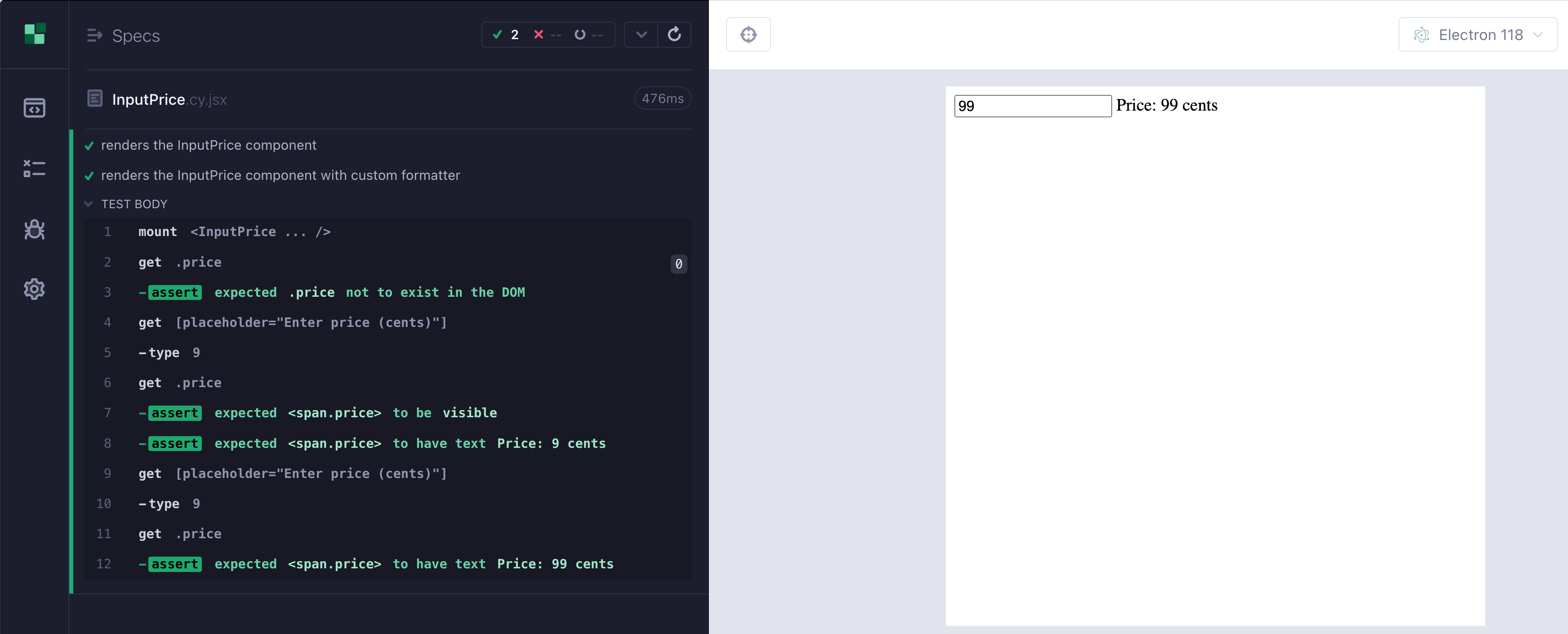
Test runs without any hiccups
Learn more: 📺 "Component Testing With Murat Ozcan: Cy vs Pw vs Vitest"
If you like this advent calendar, you will love the full “Cypress vs Playwright” online course, or any of my other end-to-end testing courses. To express my gratitude, I created a 25% discount code ADVENT25 applied to all courses until Jan 1st, 2026
No posts
Comments
Nothing yet. Say the first thing.
Sign in to join the conversation.