
The following alert types are currently available:
Low crypto balance
Low cash-out balance
Transaction notifications
Machine offline
Stuck screen
Errors cleared / machine online
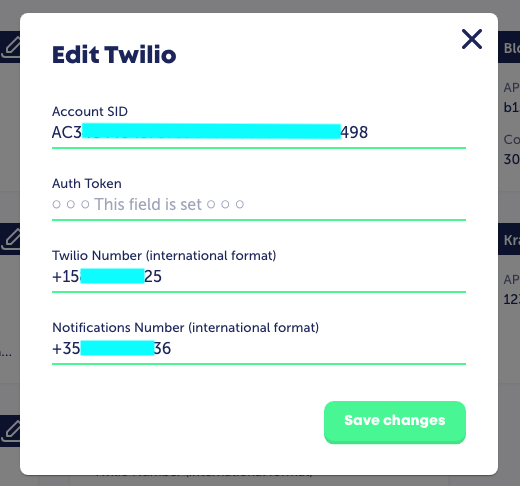
To support SMS notifications, create a Twilio account and phone number.
Then, in your admin under 'Settings > 3rd party services', within the Twilio (SMS) tab, enter the credentials and Save changes as reflected in the above article.
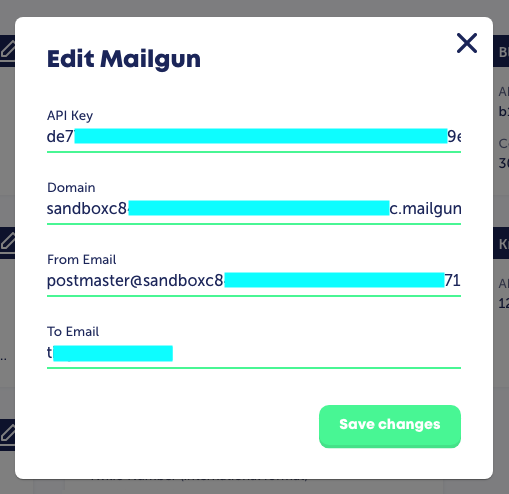
To support email notifications, create a Mailgun account.
Then, in your admin under the 'Settings > 3rd party services > Mailgun' panel, enter the credentials and Save changes as reflected in the above article.
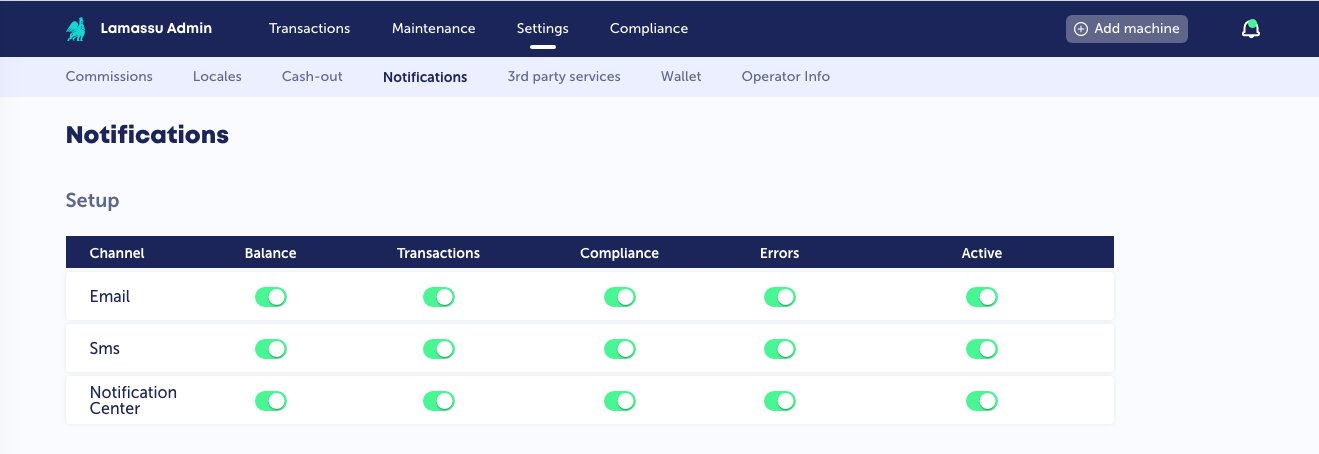
In the 'Settings > Notifications' panel, set 'Active' for Email or SMS or both to On, then choose the notifications you want to receive.
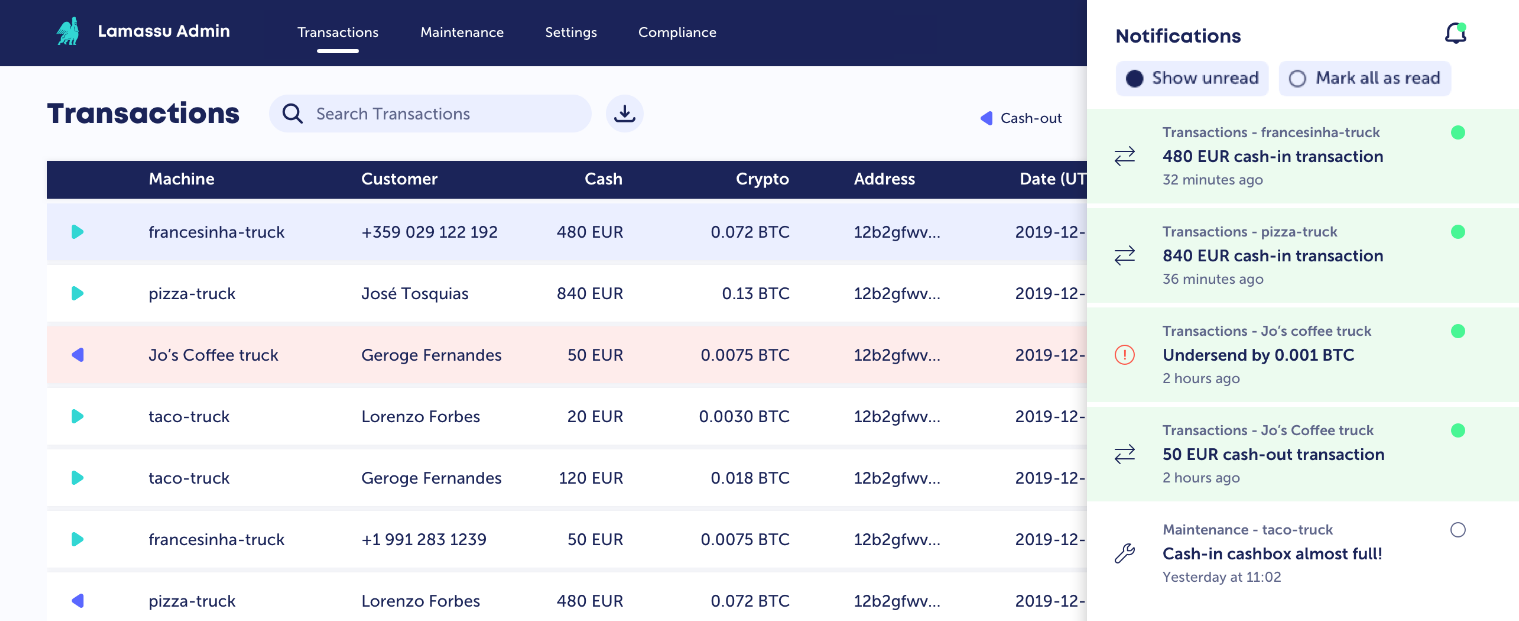
The 'Notification Center' row will give you alerts on your Admin's page and you can check them by clicking on the bell icon on the up-right of the main navigation at the top.
In the 'Settings > Notifications' panel, you can set 'Transaction alerts' (notification over a certain fiat threshold for a transaction), 'Fiat balance alerts' (amount of notes in cash boxes), and 'Crypto balance alerts' (higher and lower crypto balance alerts).
You can use the 'Add Override' button to create machine and crypto-specific alerts.
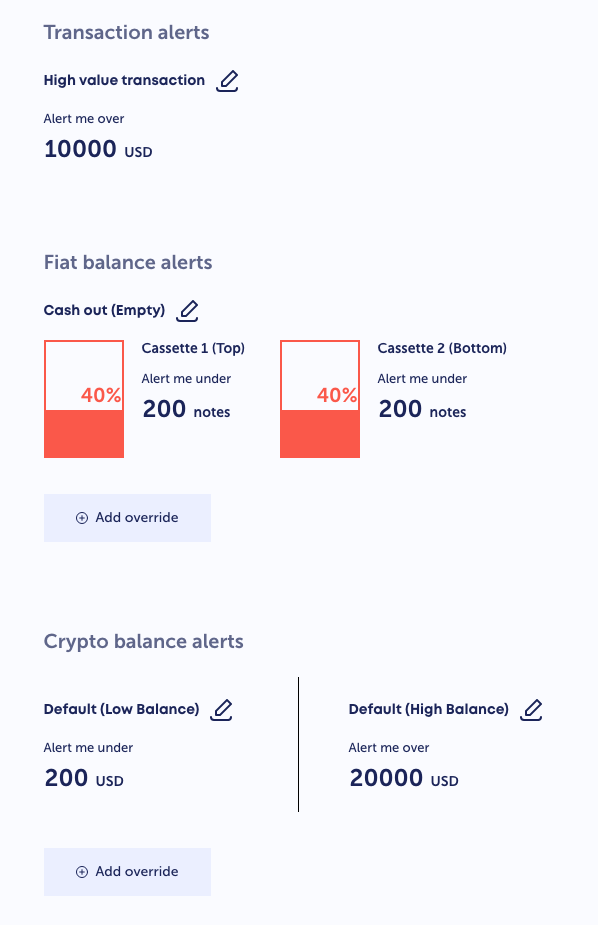
Alerts should now be enabled. Monitor to ensure you're receiving alerts as expected.
If not, check whether the provided SMS and Mailgun credentials are correct and formatted properly.
Buy Cube ATM - CubeATMs.com
Bitcoin Capitalist - BitcoinCapitalist.io
YouTube - Demo Videos
LinkTree - All Links
No posts
Comments
Nothing yet. Say the first thing.
Sign in to join the conversation.