
If you hate suspense, here’s FontCrafter…
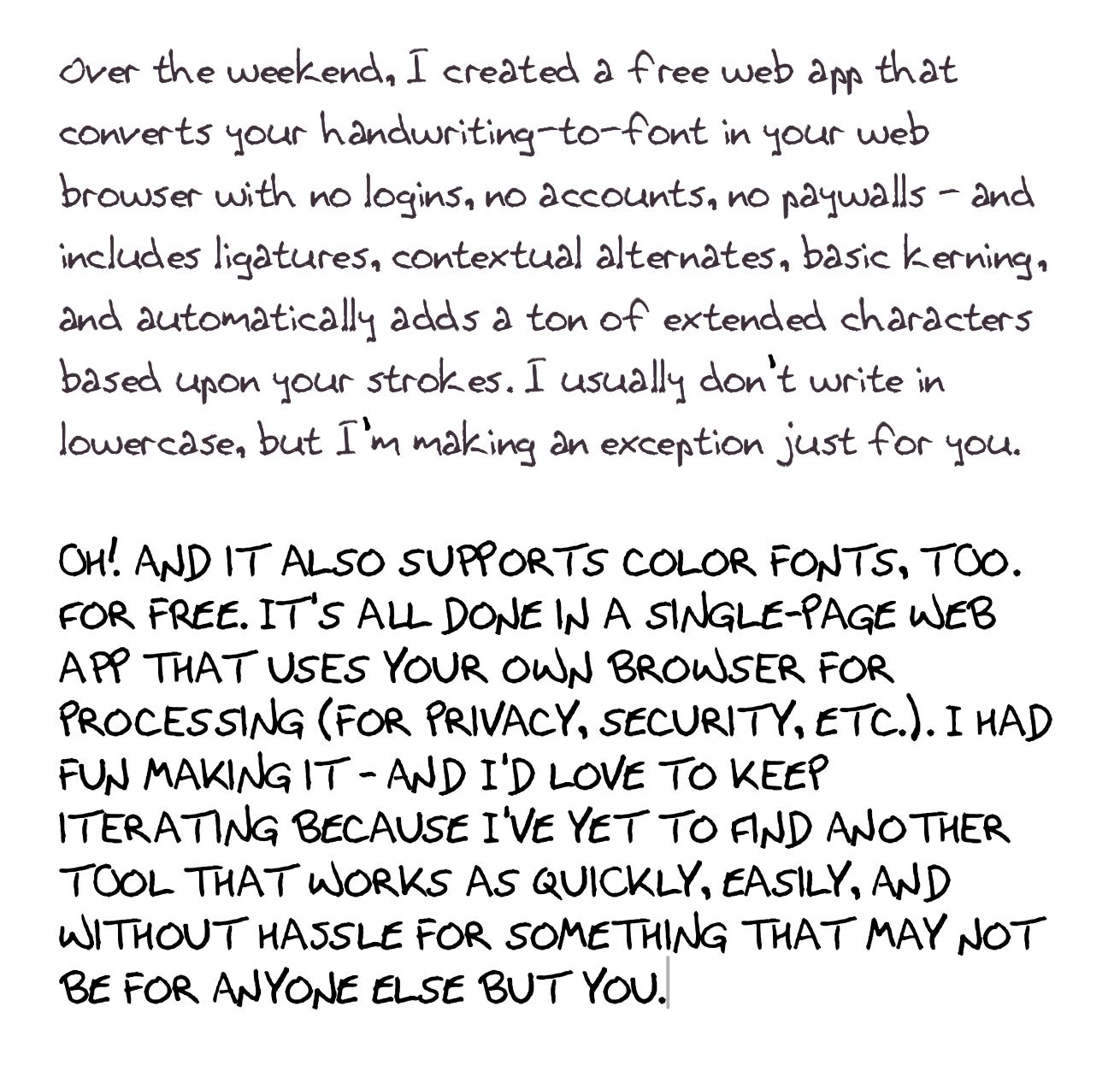
Now, for decades, the tech industry sold one message: if you want to build something, learn to code. Get a CS degree. Master JavaScript. Grind through tutorials.
I never did any of that. And I’ve shipped over 270 apps. ¯\_(ツ)_/¯
Not all toy demos. Real tools that real people use — a handwriting-to-font engine that hit the top 50 on Hacker News, a video compressor that processes files without ever uploading them, an NFC tag manager that I vibe coded into a working Android app in under an hour. All free. Most running in the browser. All built through conversation with an AI.
Here’s what I’ve learned from building all of them: the code was never the hard part. The hard part is knowing what to build. Knowing who it’s for. Knowing what “done” looks like. Understanding that the person using your thing won’t read the instructions, won’t know the jargon, and will blame the tool when something breaks.
That’s product thinking. And it’s the skill that separates vibe-coded apps that work from vibe-coded apps that just... exist.
Most people hear “vibe coding” and think the magic is in the AI. It’s not. The AI handles syntax, architecture, edge cases — the stuff that used to take years to learn. What it can’t do is decide whether a feature is adding value or adding clutter. It can’t tell you that your label says “Initiate Process” when it should say “Start.” It can’t feel the frustration of a user who expected a button to be at the bottom of the screen and found it buried in a menu.
You might already have this skill and not know it. If you’ve ever looked at an app and thought “why doesn’t it just let me...” — that instinct is the raw material. The AI handles the rest.
I’m not saying code doesn’t matter. I’m saying the ability to write it is no longer the barrier to entry. The barrier is taste. Clarity. Empathy for the person on the other end. And the willingness to keep talking to your AI collaborator until the thing is right, not just functional.
That’s a much lower bar for getting started. And a much higher bar for what “good” means.
The app that taught me all of this was FontCrafter.
I wanted to turn my handwriting into a real font. Not a novelty — a production-quality OpenType font with contextual alternates, kerning, ligatures. The kind of thing that normally requires a type designer and specialized software.
Instead, I described what I wanted. Then kept describing. Kept iterating. Kept pushing on the experience until it felt right.
Today, FontCrafter has been used by thousands of people. It was picked up organically on X, Mastodon, Reddit, et al. They’re using the tool all from a browser — no installs, no accounts, no data leaving their computer.
Under the hood, we’re talking OpenType GSUB tables, Bézier curve fitting, contextual alternates, color font support, and a scan-to-font pipeline that processes handwriting into professional typefaces. I don’t know how to write that code. But I know what I want the experience to feel like. And that turned out to be the part that mattered most.
Here’s a taste of what else is new:
Font Anatomy — A 19-panel interactive font inspector for learning typography
Kind Rewind — A procedural VHS tape generator (yes, really — it’s beautiful)
MakerChip Maker — Design custom poker chips and export them for 3D printing
Paper Jam — A dot matrix printer simulator that sounds and looks authentic
Pin Toy — Remember those pin impression toys? This one uses your webcam
ASCII Forge — Turn images into 3D-printable ASCII art
Video Shrinker — Compress videos right in your browser, no upload required
Studio B64 — Base64 encoding/decoding without touching the command line
Duly Noted — A legal pad note-taking app that uses my actual handwriting font
Morning Cockpit — Your personalized morning dashboard
SVGlyph — Fix and repair broken SVG files instantly
NFC Maestro — Program NFC tags from your browser (plus a companion Android app I vibe coded in under an hour)
Design Workshop — A browser-based design tool
Website Workshop — Build websites visually, no coding needed
Every single one is a single HTML file. No server. No login. No tracking. No data leaves your browser.
Part of being in this space is finding what other people are building. Here are some things worth knowing about:
Handy — Free, open-source speech-to-text that runs entirely on your computer. Press a keyboard shortcut, talk, and your words appear in whatever text field you’re in. Nothing goes to the cloud. If you’re dictating prompts to your AI coding assistant, this is a game-changer.
Jan — An open-source ChatGPT alternative that runs on your own machine. Download AI models, run them locally, or connect to cloud services when you need more power. Privacy-first, works on Windows, Mac, and Linux. Perfect for vibe coders who want to experiment without recurring subscriptions.
SkillsMP — A marketplace of 400,000+ “agent skills” for AI coding assistants like Claude Code. Think of it like an app store for making your AI smarter at specific tasks. This is where the ecosystem is heading.
Paperclip — Open-source orchestration for teams of AI agents. You set up an org chart, assign goals, and the agents coordinate. Already has 22,000+ GitHub stars. A glimpse of where things are going — not one AI assistant, but a whole team of them.
SuperPlan — The “product manager for your AI coding agents.” You describe what you want to build, SuperPlan interviews you to nail down requirements, then generates specs and tasks fed directly to your agent. Fixes the “AI built the wrong thing” problem by getting the planning right first.
Claude Code Ideas — Not sure what to build? Tell it about yourself and it generates personalized project ideas based on your skills and interests. Great starting point for workshop participants.
TrustMRR — A database of Stripe-verified startup revenues. No more fake MRR screenshots. If you’re thinking about turning a vibe-coded project into a business, this is where you can see what’s actually working.
Pane — A desktop app for running multiple AI coding agents side by side with built-in git workflow. If you’ve graduated from single-session vibe coding to running parallel agents, this keeps everything organized.
A huge congrats to our latest workshop prize winners:
🎉 The creator of Agent Sandy Safety won a gift card from our most recent virtual event (keyword: “Agent”). Check out their creation — built with Gemini!
🎉 Emerald Stack won a gift card from our last hybrid event (keyword: “Space Needle”). See what they built.
ctrl+alt+create live is a hybrid workshop (in-person in Seattle + virtual) for anyone who wants to learn to build software with AI. No experience required. Seriously. That’s the whole point.
When: March 28th
Where: Seattle (in-person) + online
Cost: Free to register
Prize: $100 Amazon gift card for one registered participant
But I did receive some feedback from the last one - loud and clear. “More structure.”
I’ll do better for you next time: https://luma.com/w17fqve1 (Saturday, March 28th - same place, same time slot). I’ll also do better for virtual participants, too.
I’ll line up a “fireside chat” for the beginning of the event - before diving into the workshop - with people who have been on a vibe coding journey and are making awesome things. That (alone) could have you returning?
I’ll continue to circulate and be on-hand plus set timers to do group check-ins every ~20 minutes. Let’s help you get unstuck! I’m grateful so many of you took the time to connect with those around you. Discord’s always there, too: https://discord.gg/nEM8Ycy5vJ
Let’s showcase what we’ve done close to the end of the event? That’s something more to look forward to? Here’s what I wound up making for “Space Needle” after a few more iterations: https://arcade.pirillo.com/space-needle.html
I’m working on a community platform that will make it dead simple for anyone to publish their single page HTML app / vibe-coded creations online — just by pasting in the code. No hosting setup, no deployment headaches. And, yeah, I think it’d be fine if you’d want to link to where you’ve published elsewhere, too! Just built the PRD (“the plan”) for it last night. Stay tuned. I know many people have asked me for this at earlier events.
See you soon?
Yours Digitally,
Chris Pirillo
Comments
Nothing yet. Say the first thing.
Sign in to join the conversation.