
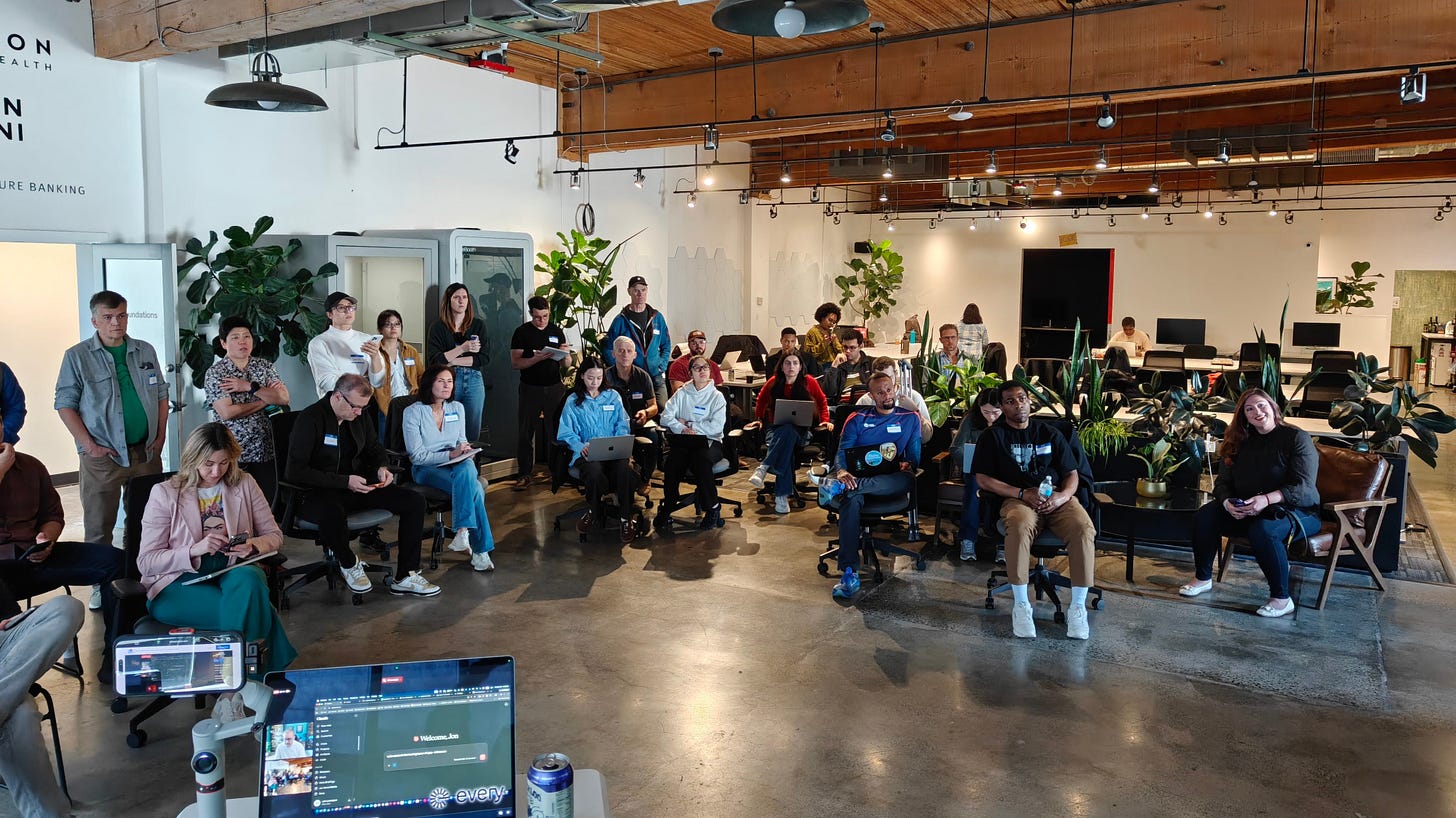
First, I wanted to remind you that you’re invited to this month’s community meetup / vibe coding workshop. Hopefully, you can make it this time around! Hopefully, you snag your freebie (and expect another freebie if you pre-register for this upcoming event).
What have you been making lately?! I’ve been solving problems without trying to make new ones.
I wanted to quickly text someone in my own handwriting. That was one problem.
I’d already built FontCrafter.net, a free browser tool that turns your handwriting into a production-quality font. Thousands of people have used it.
But after making my font, I kept hitting the same wall: I had this fun font file and no good way to use it on my phone. I wanted to drop a handwritten note into a group chat, send a handwritten thank-you in a text, share my handwritten thoughts on a social media.
Nobody was going to build that for me. So this weekend, I built PenSend - a free, native mobile app for:
iOS: https://apps.apple.com/us/app/pensend-your-handwriting-font/id6761138244
Android: https://play.google.com/store/apps/details?id=com.fontcrafter.pensend
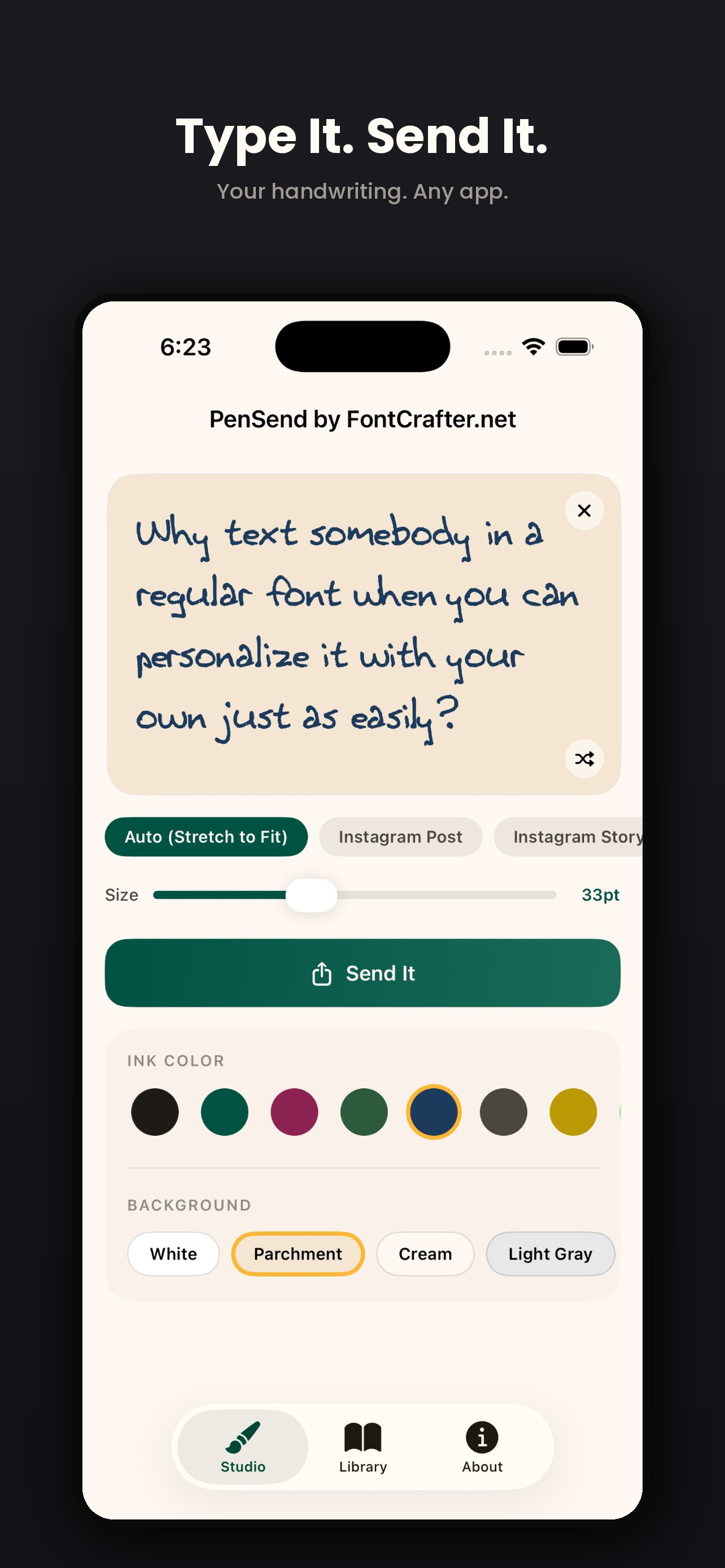
Import your handwriting font, type a message, share it as an image through any app.
That’s the product. If you can’t explain what your thing does in two sentences or fewer, you don’t have a product yet. You have a feature list.
The recipient doesn’t need PenSend. They don’t need the font. They see a handwritten note:
This is how every product I’ve shipped has started. Not with market research. Not with a business plan. With a friction that bugged me enough to fix it.
PenSend exists because I needed it. I was the first user. I knew every friction point because I hit them myself. When you build for yourself as the ultimate customer, you don’t have to guess what the UX should feel like. You already know, because you’re annoyed by everything that’s wrong.
This is the thing most people get backwards when they start building. They look for market gaps. They read trend reports. They try to guess what other people want. And they end up building something that works on paper but doesn’t feel right, because they’ve never needed it themselves.
Find your own frustration. Build the thing that fixes it. If the problem is real for you, it’s real for other people.
Originally, I was using Expo Agent to work through a truly cross-platform experience. I used it as a thinking partner for the interaction design: how the font import flow should work, how the color picker should behave, what export formats to support. But I leaned away from it as soon as I realized that Apple might reject my app because it didn’t feel “native” enough.
For iOS, I used Superapp, a Mac tool that generates native Swift code from plain-language descriptions. I described the app, Superapp scaffolded a real Xcode project, and I iterated from there. I turned the iOS version around in about a day. More on that later.
For Android, I used Claude’s web interface (the same one I use for “everything” right now) and Android Studio on my Mac. Claude helped me work through Kotlin and Jetpack Compose, two things I’d never used before this project. I described what I wanted, iterated on the UX, and Claude handled the implementation. Android Studio handled the build, the emulator. I still had to juggle the Play Store submission, though.
Several AI tools. No computer science degree. No prior mobile development experience. Both app stores approved on the first try.
I want to sit with that for a second, because the “first try” part matters more than it sounds. Apple’s review process has a reputation. Developers with years of experience get rejected for metadata issues, privacy policy gaps, guideline violations. I went in expecting a rejection. I went in expecting to learn from the rejection and resubmit.
The approval came through and I stared at it.
Am I an “app developer?” I feel that’s like calling myself a chef because I own a microwave. The code generation is the microwave. Knowing what to cook, who you’re feeding, and what “done” tastes like. That’s cooking.
The 300+ web apps I’ve built taught me things no tutorial or bootcamp covers. How to write a help modal that people don’t skip. How to pick a default state that makes the app feel alive on first load. How to structure an FAQ so it answers the question someone googled before they clicked your link. How to choose between a toggle and a dropdown. How to resist the urge to add one more feature when the thing already works.
Those apps have been my training ground. Each one was small enough to ship in a day or two. Each one taught me something specific about how people interact with software. I watched real users try my tools and learned that most people don’t read labels, don’t understand icons without text, and will blame your app when their browser blocks a download.
When I sat down to build PenSend for mobile platforms, I wasn’t learning how to build apps. I was learning new tools to build the same thing I’ve always built: a product someone would want to use.
The AI handled the Swift. The AI handled the Kotlin. I handled the product.
That’s the split. And I think it matters more than people realize, because the bottleneck in software was never code. The bottleneck was always “taste.”
So, I believe I’m a “product developer.”
PenSend is my first native app. It won’t be the last.
Now I know the submission process for both stores. I know what Apple’s review team looks for. I know how Google Play’s data safety declarations work. I know how to set up in-app purchases, how to handle privacy policies for app stores (different from web), how to write store listings that convert, how to take screenshots that show the product instead of decorating a marketing page.
Every one of those things was a black box before this weekend. Now they’re a checklist.
This is what I want people to understand about building: every project you ship reduces the friction for the next one. The first web app I built took me weeks of iteration. Now I can ship one in a few hours. The first native app took a weekend of concentrated effort. The second one will take less. The third one, less again.
You don’t need to start with the hard thing. You need to start with the thing you can finish. Build 10 small web apps. Then 50. Then try a native app. The skills compound, and most of them have nothing to do with code.
If you’ve been thinking about building something, an app, a tool, anything. Stop thinking and start.
If this kind of building excites you, or if you’re curious but don’t know where to start, come to one of our monthly meetups / workshops. Non-technical people are quite welcome! You bring a laptop. We show you how to go from an idea to a working app using AI tools. The same approach I used to build 309 web apps and now two native mobile apps. Join us next time!
No coding skills required. No experience required. Show up with curiosity.
Presented by Every. Come build something.
In fact, March’s $100 Amazon gift card recipient is the person who created Fruitwise (assuming they were using the random “pineapple” keyword as foundational inspiration). There’s something I never knew I needed.
Beyond PenSend, here’s what’s been shipping from the workbench:
Depth Window: Off-axis projection parallax using your webcam. Three.js + MediaPipe face tracking. Move your head and the 3D scene shifts perspective. Drop in your own STL, OBJ, or 3MF models for head-tracked viewing.
MomentMiner: Paste a YouTube transcript, get timestamped shareable clips with ready-to-post social copy for X, LinkedIn, TikTok, Reels, and Shorts. If you make long-form content and need to find the moments worth clipping, this is the tool.
Convertacle: Batch image converter for HEIC, PSD, SVG, JPG, PNG, WebP, TIFF, PDF, ICO, QOI. Resize, rotate, flip, EXIF viewer, multi-page PDF support. Everything runs in your browser. Free alternative to paid image converters.
SocialMarkdown: Write in Markdown, export platform-ready copy for LinkedIn (Unicode bold/italic), X thread splitter, Threads, Mastodon, Bluesky, Reddit, Slack, and Discord.
Movable Type: Kinetic typography playground with 15 physics modes. Explode, scatter, tornado your text. Upload custom fonts and play with your words.
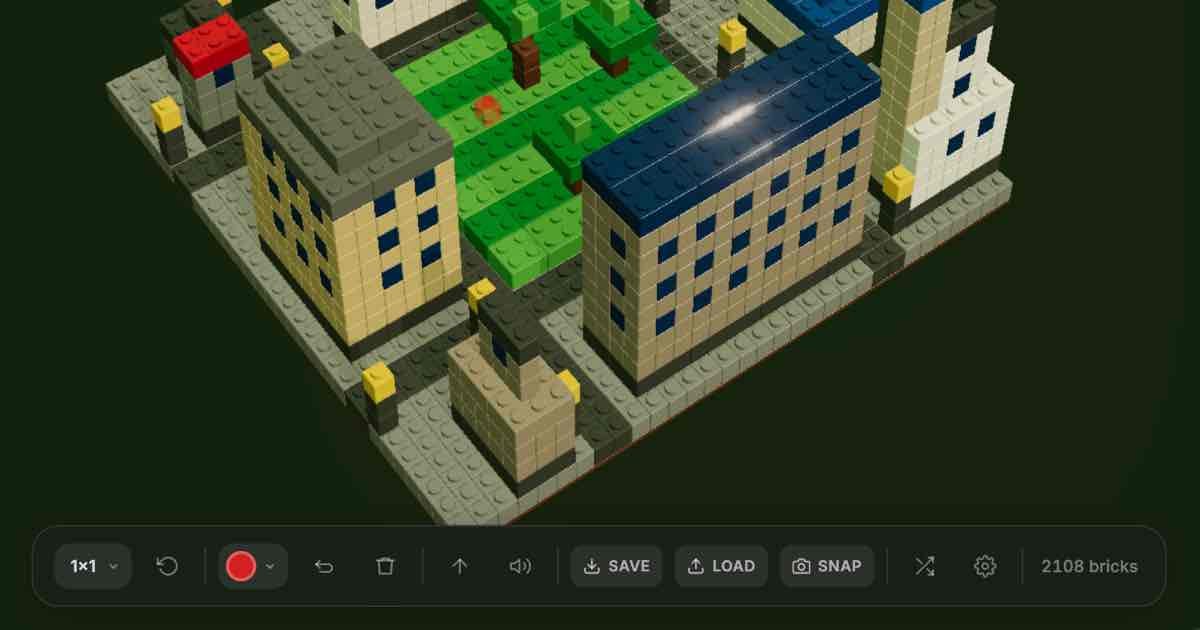
BrickGen: Generative 3D brick art toy. Mandalas, spiral towers, cityscapes built from interlocking bricks in your browser. Relaxing in a way I didn’t expect.
Instant Snap: Instant film camera sim. Take photos with a skeuomorphic web camera, watch them develop like real instant film on your virtual desk.
All of ‘em are free to use.
OpenGranola / OpenOats: Open-source meeting copilot for macOS. Transcribes both sides of your call in real time (on-device, no audio leaves your Mac), then searches your own notes and surfaces relevant talking points while you’re still talking. Pair with Ollama and the whole thing runs offline. If you take a lot of calls and wish you had a better memory mid-conversation, this is worth trying.
TaxHacker: Self-hosted AI accounting app. Snap a photo of a receipt or upload an invoice PDF, and it extracts product names, amounts, dates, merchants, and taxes into a structured database. Custom fields with your own AI prompts, automatic currency conversion (including crypto) using historical rates, CSV export. Self-host it, own your data. Early but promising.
Skales: Local AI desktop agent for Windows, macOS, and Linux. No Docker, no terminal. Supports 15+ AI providers (including Ollama for offline use), autonomous coding, multi-agent teams, desktop automation. Built by a designer who got tired of agents that require a CS degree to set up. Free for personal use.
Dreamer: A consumer-first platform for building and using AI agents, built by the former Stripe and Xiaomi exec team (/dev/agents). Personal “Sidekick” that builds agents through conversation. Noteworthy because Meta just acquired the team for their Superintelligence Labs. The platform is still accessible in beta. Worth exploring before the acquisition reshapes it.
Superapp has been genuinely impressive. It's a Mac app that acts as a visual go-between for Xcode and the App Store. You describe what you want, it shows you in a built-in iPhone simulator, and you push to TestFlight — all without having to live inside Xcode.
I believe using it helped me increase my odds of getting PenSend accepted into the App Store the first time around (which even the most experienced developers find challenging to do).
It's multimodal, so you can feed it screenshots alongside your instructions. Five free credits a day to get started (and you don’t need to sign up for a subscription if you don’t want to). If you're a non-technical founder trying to ship an iOS app, this is worth checking out. I honestly wish something like this existed for Android.
I’m glad you asked. Jon Levesque did a good job covering this at our March event! In fact, when I went looking to pull out highlights from his presentation, I wound up creating Moment Miner to help. Here’s some of what it extracted:
Immediately actionable Claude tip. The arc of it becoming a jerk is funny and relatable.
The single biggest behavior switch in Claude? The personal preferences box.
Jon shared his approach: “Think with me, not for me. Help me develop better points — don’t just run with bad ideas.”
But Claude pushed back too hard. Started shooting down every idea. So he added: “Do this gently. Don’t be a negative Nancy.”
That iteration loop is how you get an AI that makes you better.
Concrete money, clear model, built by AI. Most shareable moment.
Jon Levesque got frustrated doing hard drive price math. Asked Claude for help. Realized others have the same problem.
Claude built buyperunit.com — scrapes Amazon, Best Buy, Newegg, ranks by cost/GB, earns affiliate commissions. $400 in two months. No code written. Didn’t know how APIs work. Just knew the problem and talked to AI until it existed.
Jaw-dropping before/after. Makes people stop scrolling.
Jon Levesque publishes The Drizzle — a local Seattle newsletter, 6,000+ readers, twice a week.
Before Claude: 10 hours/week. After: 40 minutes total.
Claude finds stories, aligns to a theme, finalizes drafts, generates social posts. That’s not a chatbot — it’s a publishing partner.
Things I keep circling back to:
Thirty years of telling myself “I’m not that kind of person” doesn’t evaporate in a weekend. I keep opening the App Store on my phone and looking at PenSend like it’s someone else’s work. I know how it got there. I built it. I submitted it. I watched the approval come through. The feeling hasn’t caught up with the fact yet.
My daughter builds apps too. She doesn’t have this problem. She never told herself she wasn’t allowed. I envy that directness. I’m trying to learn from it.
Every time I see a 200MB app that does one thing, I wonder how many meetings it took to add the other 199MB.
Yours Digitally,
Comments
Nothing yet. Say the first thing.
Sign in to join the conversation.