

So many photos, so little time (to review and delete them). There are apps for that.
The sheer volume of digital detritus on my phone sends shivers up my spine. My phone holds tens of thousands of photos and hundreds of miscellaneous notes, many now indecipherable.
Across social media, I’ve saved thousands of book recommendations, recipes, and restaurants (let’s not do the math on how much scrolling this all required.) I’m drowning in a sea of content, which makes it virtually impossible to find or use anything on my phone.
As a tech reporter at CR, writing about smartphones and more, I know I’m not alone. A lot of us are struggling to manage an increasingly unwieldy digital life. To that end, I thought I’d gather some tips and tools from CR colleagues—and from my own research—that really work.
My photo album is overflowing. Alongside years of memories, it contains blurry and duplicate shots and an eye-watering 10,000 screenshots—a chaotic grab bag of everything from hiking boots I saw recommended on a blog to curtains I’d like to sew to QR-code tickets for a show.
There are apps that promise to speed the process of clearing out this sort of junk. Slidebox isn’t the only one around, but it’s the one I liked most during my cleaning spree—and it’s free.
Connect it to your photo app, and it lets you delete images faster by swiping, dating app-style, and quickly organize the keepers into albums. It’s available for both iOS and Android. It turned reviewing my photos into a (somewhat) fun, nostalgic game. I shaved about 1,500 photos off my library in an hour.
Another simple tip: I searched for today’s date in my photo app to bring up everything taken on that day over the years. I figure if I take a few minutes to sort this way each day, my collection will slowly but surely shrink.
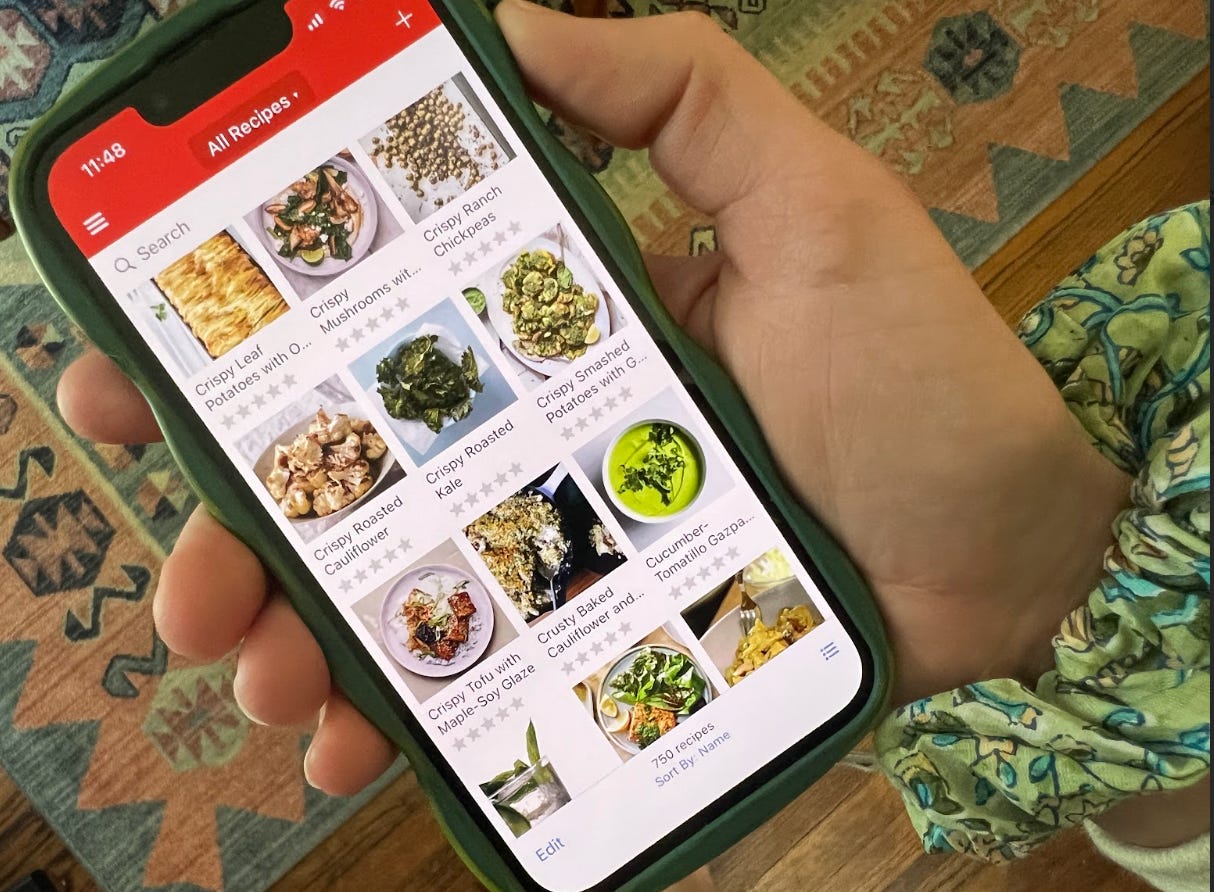
My colleague Jessica likes the app Paprika. She scrolls through her recently saved recipes at the beginning of each week for inspiration.
Like most people, I’ve saved scores of recipes to my phone, only to wonder hours later what to make for dinner. My fellow CR reporter Jessica D’Argenio Waller raves about the recipe-management app Paprika, which she says solved this problem and changed her relationship with cooking.
Like many comparable apps, Paprika turns recipes from various sources into a searchable catalog with standardized formatting. Before, Jessica was losing track of online recipes, as well as photos she’d taken of cookbook pages and handwritten index cards.
I tried a similar option, Recipe Keeper, and was impressed. I pasted in a URL and voilà—the zucchini and halloumi salad I’ve wanted to try, listed cleanly in the “Springtime” collection I’d created. The app can import recipes from social media posts, but, in my experience, sometimes imperfectly if recipe directions are in a video rather than in caption text. I did like that I could add notes to each dish, like substitutions that worked well, and rate recipes once I’ve tried them.
I have hundreds of recommendations for places to visit scattered across my phone. Trails, breakfast spots, used bookstores, you name it. I decided to pin these within Google Maps, so I could actually see them.
I create “lists” and organize them by category—like craft stores and places to take my mom when she’s in town. (Apple Maps offers a similar feature, called “guides.”)
I keep the lists private, but they can be shared, which is handy when trip-planning or when a visiting friend asks for local favorites. (Look for “Sharing Options” to change a list’s privacy settings.)
You can set a unique icon for each list—so my favorite coffee shops appear as little mugs on the map—and add notes, like a reminder to try the mango sticky rice sundae when I finally brave the line at the trendy ice cream store in my neighborhood.

My browser tabs tend to accumulate recklessly until, dozens of tabs deep, I eventually close the whole window at once and call it a wash.
I searched for a simple tool for saving links to everything I hope to read and watch later—a list of the best hikes across Asia, a video on how to hem a skirt, a podcast episode featuring an author I love. For me, the popular bookmarking tool Raindrop.io does the trick.
It’s customizable without being complicated and makes it easy to save articles, videos, and social media posts from wherever you happen to be scrolling.
Honorable mentions from CR staffers include other multi-tasking systems like Notion and Obsidian. But the idea stays the same: Find something that catches all the “for-later” miscellanea that otherwise get lost in the crevices of your phone.
I also recently cleaned out my closet (I’m on a tear!) and was delighted by everything I discovered stashed away. The summer dresses! The half-finished crochet projects! That portable hammock that ties to trees in the park!
Organizing my phone felt similar. I’m now motivated to go do more, lest all that scrolling be in vain.
I want to bake that sourdough bread, try the ice cream place, and read that book (the one that languished as a screenshot for months). I hope you feel similarly—a little lighter and inspired to go enjoy the warm weather and long days.
To that end, we have recent stories on ice cream scoops, beach gear, and grilling better barbecue that just might help you lean into life off your phone and with your people.

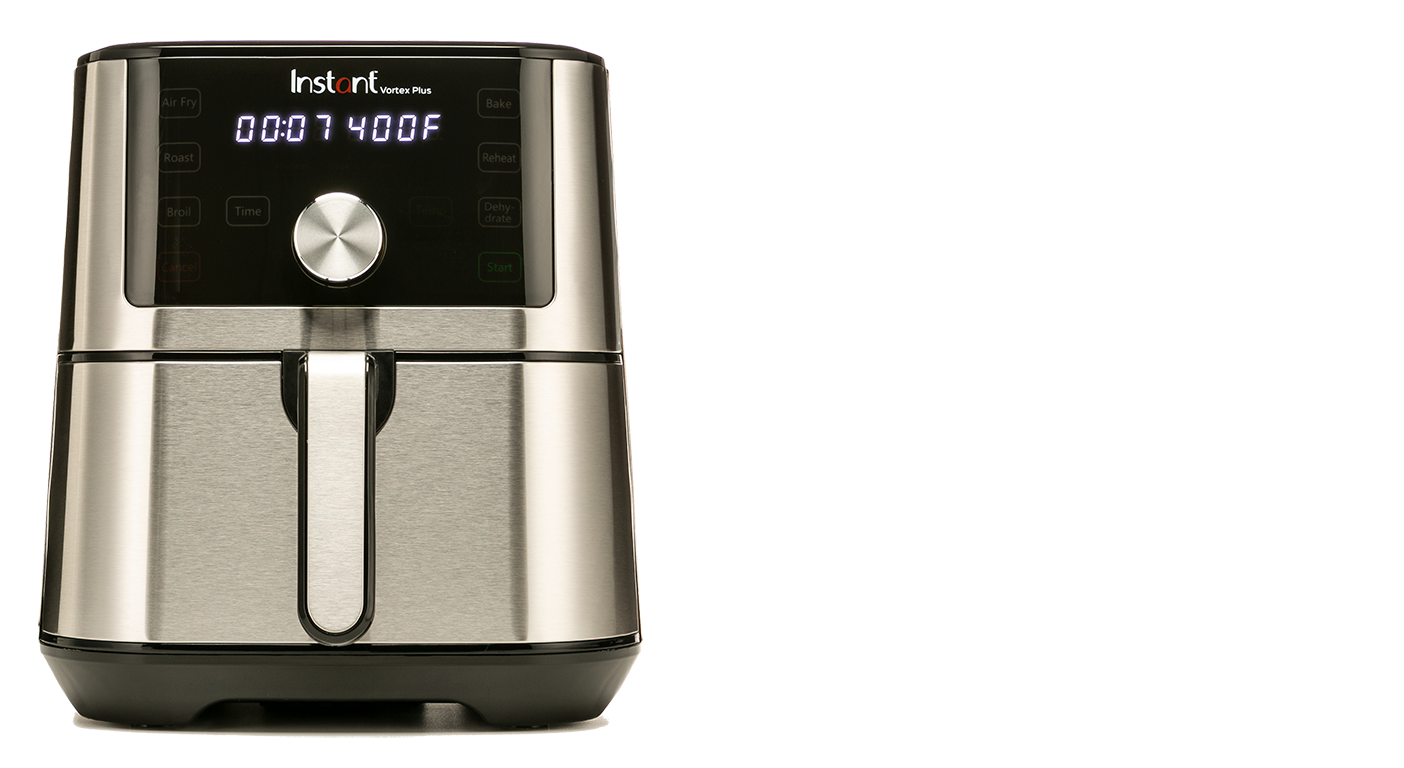
If part of your easy, breezy summer is a plan to simplify dinner prep, consider this sleek air fryer, currently 50 percent off at Amazon. A solid pick that gets the job done, it has intuitive controls and an easy-to-clean interior. Our labs find that its basket is smaller than the manufacturer claims (it’s actually 3 quarts, not 4), but the square design makes it easy to fit a small dish or baking pan inside. Bonus: It’s quiet.

• The best sunscreens, lab-tested and reviewed.
• CR-tested products to add to a wedding registry.
• Hand-mixers that top our ratings.
• The best smartphones of 2026.
Comments
Nothing yet. Say the first thing.
Sign in to join the conversation.