
Imagine you want to watch your favorite TV show or a funny cat video on X. Instead of downloading a large file, you just click "play," and it starts almost instantly. This magic is called video streaming.
Video live streaming can be encountered in various aspects of daily life, from social media platforms to professional events. On social media, platforms like Instagram, Facebook, and X allow users to broadcast live to their followers, sharing real-time moments, Q&A sessions, and behind-the-scenes content.
In the professional realm, businesses use live streaming for webinars, virtual conferences, and product launches, reaching a global audience instantly. Entertainment is another significant area, with live streaming services like Twitch and YouTube Live providing real-time gaming, music concerts, and sports events. Additionally, educational institutions use live streaming to conduct online classes and workshops, making learning accessible from anywhere. Whether for personal, professional, or entertainment purposes, live streaming has become an integral part of how we connect and engage with content and each other.
It all starts with the video file, which is typically a large file containing all the visual and audio data you need to watch it. This file could be a movie on Netflix, a music video on YouTube, or a TV show on Hulu. Think of this video file as a book in a library. However, unlike a book that you read all at once, you want to access it one page at a time.
Before the video can be streamed, it needs to be prepared. This process is called encoding. Imagine taking that book and translating it into a special language that can be understood by computers and various devices like smartphones, tablets, and TVs. Encoding compresses the video, making it smaller and easier to send over the internet. This involves using codecs, which are algorithms that reduce the file size while maintaining quality.
Once the video is encoded, it’s stored on servers. These servers are powerful computers with lots of storage space, like huge libraries filled with books. Companies like Netflix, YouTube, TikTok, and Instagram have data centers around the world, so the video is always available and close to viewers, reducing latency, which is the time it takes for the video to start playing after you press "play."
These servers are part of Content Delivery Networks (CDNs), which are networks of servers distributed across various locations. CDNs ensure that the video content is delivered quickly and reliably by serving it from a location closest to the user.
Now comes the streaming part. When you click "play" on a video, your device (like a smartphone or a smart TV) sends a request to the server. This is like asking the librarian for the book. The server then sends small parts of the video, called chunks, to your device.
These chunks are typically 2 to 10 seconds long and are delivered using a protocol called HTTP (Hypertext Transfer Protocol), which is the same protocol used to load web pages. Sometimes, protocols like RTMP (Real-Time Messaging Protocol) are used for low-latency streaming, especially for live videos. The streaming server continuously sends these chunks to your device as long as you're watching.
Your device receives these chunks and starts playing them almost immediately. To make sure the video plays smoothly, your device downloads a little bit ahead of what you're currently watching. This is called buffering. It’s like reading a page while the next few pages are being prepared for you.
Buffering helps prevent interruptions if there’s a temporary slowdown in your internet connection. Your device uses a buffer, which is a small amount of memory that stores the upcoming chunks of the video.
Internet speeds can vary. Sometimes, your connection might slow down. To handle this, streaming services use a technique called adaptive streaming. Think of it like reading a book in different font sizes. If your internet slows down, the video quality drops a bit, making the file smaller and easier to download quickly. When your connection improves, the quality goes back up.
Adaptive streaming is managed through protocols like DASH (Dynamic Adaptive Streaming over HTTP) or HLS (HTTP Live Streaming). These protocols allow the streaming server to provide multiple versions of the video at different quality levels (bitrate). Your device can switch between these versions in real-time based on the available bandwidth.
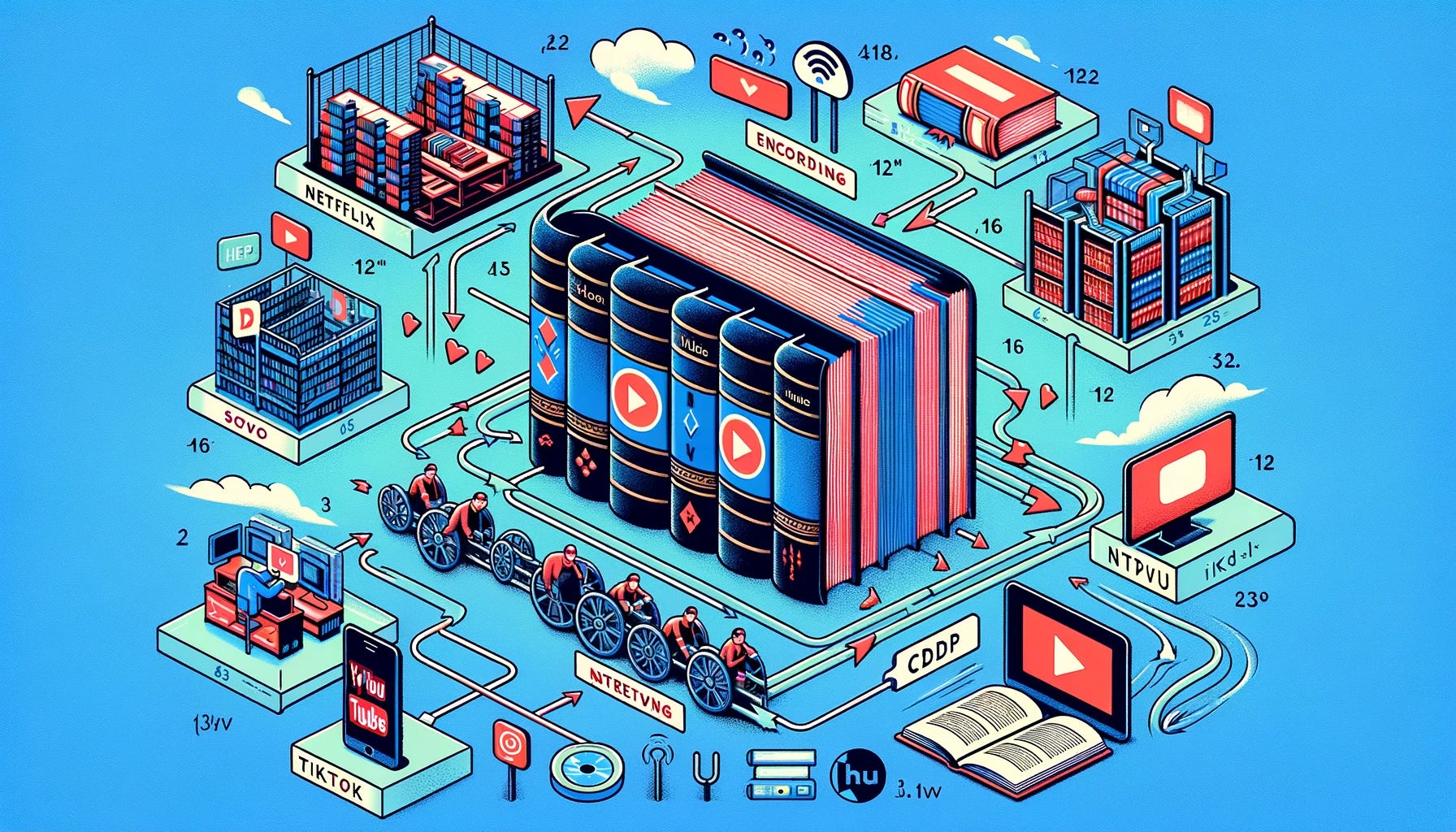
Let's say you're watching a movie on Netflix or a live stream on X. Here's a quick rundown of the process:
Encoding: Netflix encodes the movie into a format suitable for streaming, using codecs to compress the video and audio. Instagram Reels do the same for their shorter videos.
Storage: The encoded video is stored on servers within a CDN.
Request: When you press "play," your device requests the video from the nearest server.
Streaming: The server sends the video in small chunks to your device over HTTP or RTMP.
Buffering: Your device buffers a few seconds ahead to ensure smooth viewing.
Adaptive Streaming: The video quality adjusts based on your internet speed using protocols like DASH or HLS, ensuring the best possible experience.
In summary, by using these technologies and techniques, streaming services like Netflix, YouTube, X, and Instagram Reels provide a seamless and enjoyable viewing experience, no matter the size of the video file or the speed of your internet connection.
When you watch a video on YouTube, you might notice that the video starts playing quickly and adjusts the quality depending on your internet connection. This is YouTube using adaptive streaming to give you the best possible experience without buffering.
Netflix might start at a lower quality when you first hit play, especially if your internet connection is slow. As it buffers more of the movie and your connection stabilizes, the quality improves. This ensures that you can watch your favorite shows without interruptions.
When you scroll through X or Reels, the videos load almost instantly and play one after another. This seamless experience is possible due to efficient encoding, CDNs, and adaptive streaming. The platforms are designed to handle the rapid pace of video consumption, ensuring smooth playback even with varying internet speeds.
Encoding: The process of converting raw video data into a digital format suitable for streaming.
Codec: Algorithms used to compress video and audio files, such as H.264, H.265, AAC, and MP3.
CDN (Content Delivery Network): A network of servers distributed globally to deliver content quickly and reliably.
Latency: The delay between capturing the live event and the stream being viewed by the audience.
Buffering: The process of preloading video data to ensure smooth playback.
Bitrate: The amount of data processed per second in a video stream, affecting quality and file size.
Adaptive Streaming: Technology that adjusts video quality in real-time based on the viewer’s internet speed (e.g., DASH, HLS).
Resolution: The number of pixels in each dimension of a video, affecting clarity (e.g., 720p, 1080p, 4K).
Frame Rate: The number of frames displayed per second, influencing the smoothness of the video (e.g., 30fps, 60fps).
Transcoding: Converting video files into different formats and bitrates for compatibility with various devices and bandwidths.
Stream Key: A unique identifier used by streaming platforms to authenticate and connect live streams.
VOD (Video on Demand): Recorded live streams made available for later viewing.
Bandwidth: The amount of data that can be transmitted over an internet connection, affecting streaming quality and reliability.
RTMP (Real-Time Messaging Protocol): A protocol used for low-latency transmission of audio, video, and data over the internet.
OBS (Open Broadcaster Software): A popular open-source software for live streaming and video recording.
Video streaming is like receiving a book one page at a time, making sure you can start reading immediately while the next pages are prepared for you. By using techniques like encoding, buffering, and adaptive streaming, services like Netflix, YouTube, X, and Instagram Reels ensure a smooth and enjoyable experience, no matter your internet speed. So next time you hit "play," you’ll know the journey your video takes to reach your screen!
No posts
Comments
Nothing yet. Say the first thing.
Sign in to join the conversation.