
My Pinterest board for TRAILS now has over 100 pins. There are also several boards for different parts of the game (for example UI, enemies, or individual items). The boards contain art from various games, concept drawings, color palettes, icons, and different characters. Everything somehow fitting and inspiring. And yet asset creation is difficult for me and I don’t know how individual elements should ultimately look.
That’s the problem with mood boards: They can be just as paralyzing as they are helpful.
Endless collecting mania without focus
Without a predetermined goal, a mood board is just a collection of different graphics.Collection trap: Everything looks good, nothing fits together
You scroll and collect randomly. When do you actually stop collecting?The mood board as time-eater
Time passes and you still don’t have a finished asset. This is probably a form of procrastination, because you can convince yourself that the mood board isn’t finished yet.
A mood board is not a scrapbook. It’s a tool that should make concrete decisions, not raise new questions.
Clear direction instead of inspiration chaos
A good mood board shows not just what you like, but what belongs together. It defines boundaries. When a new asset is created, the mood board should say: “Yes, that fits” or “No, that’s too far from the style.” Not: “Maybe? Could? Let’s look at 20 more references.”Enable concrete visual decisions
How detailed are the textures? How strongly stylized? Which color temperature dominates? A good mood board answers these questions visually. You can tell the mood board is right and good when the important decisions can be made through the mood board.As a communication tool for freelancers/team
When you work with others, the mood board becomes the briefing. A freelancer should be able to look at the board and immediately understand which direction it should go. Without hours of explanations being necessary. The more precise the mood board, the fewer iterations are needed – and the less money is wasted.
I’ve read through various articles on the topic of mood boards in game design, art direction, and product design. An interesting approach was from Sarah Hiraki from her article “Setting the Table: Art Direction 101.” Here she writes:
“If your product was the main course, what would you place around it so that it could be properly enjoyed? You need a mix of functional and beautiful objects, and they need to make sense together. Pay attention to the detail, after all, someone will be getting intimately acquainted with every piece you select.”
She uses the metaphor of a set table for creating mood boards. If the product is the main course, what do you place around it so it comes into its own properly? Example graphic from her article:
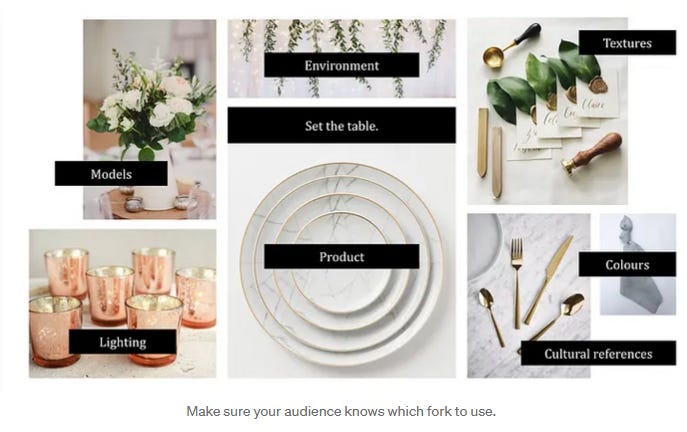
The good thing about this approach is the limited number of images needed for the finished mood board. So not 100 inspirations, but maximum 10-20 images. Additionally, each image has a defined purpose and should fit with the other images, so that the overall picture tells a complete story.
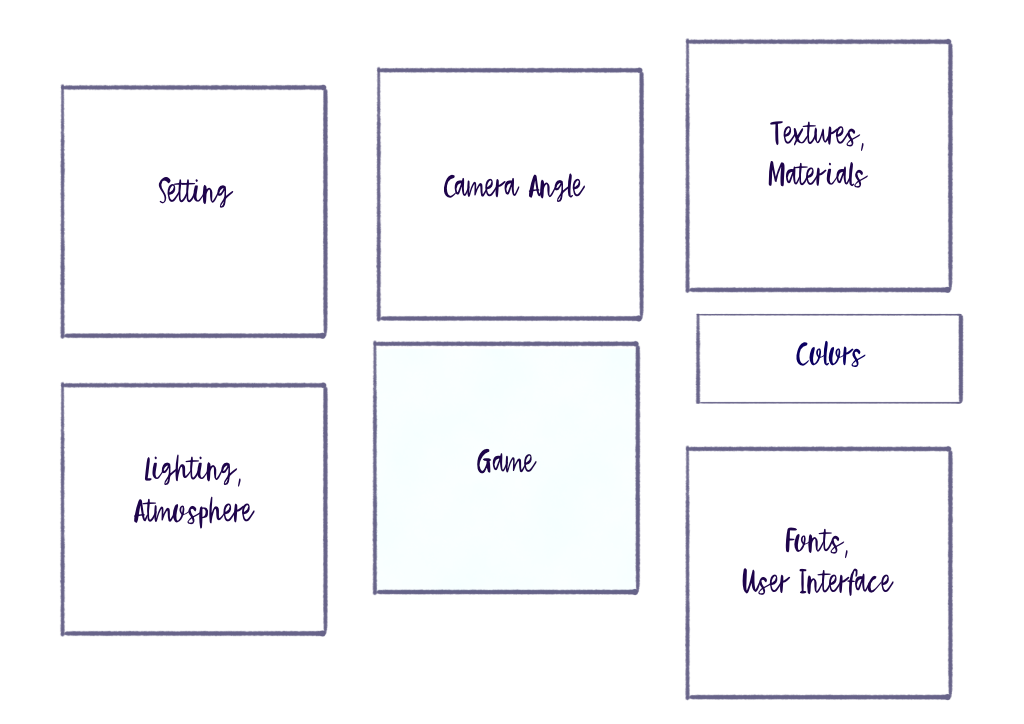
For game development, I suggest a modification. The product (i.e. the game/core experience) remains in the center. Around it, you place the following points that match the theme in the center:
Lighting/Atmosphere – Time of day, mood, color temperature
Environment/Setting – World building, architecture, nature elements
Camera perspective – 2D, isometric, third-person
Textures/Materials – Level of detail, stylization, surface quality
Color palette – Dominant colors, contrasts, saturation
UI/Typography – Fonts, mock-ups, etc.
Culture – Films, art, historical epochs that set the tone
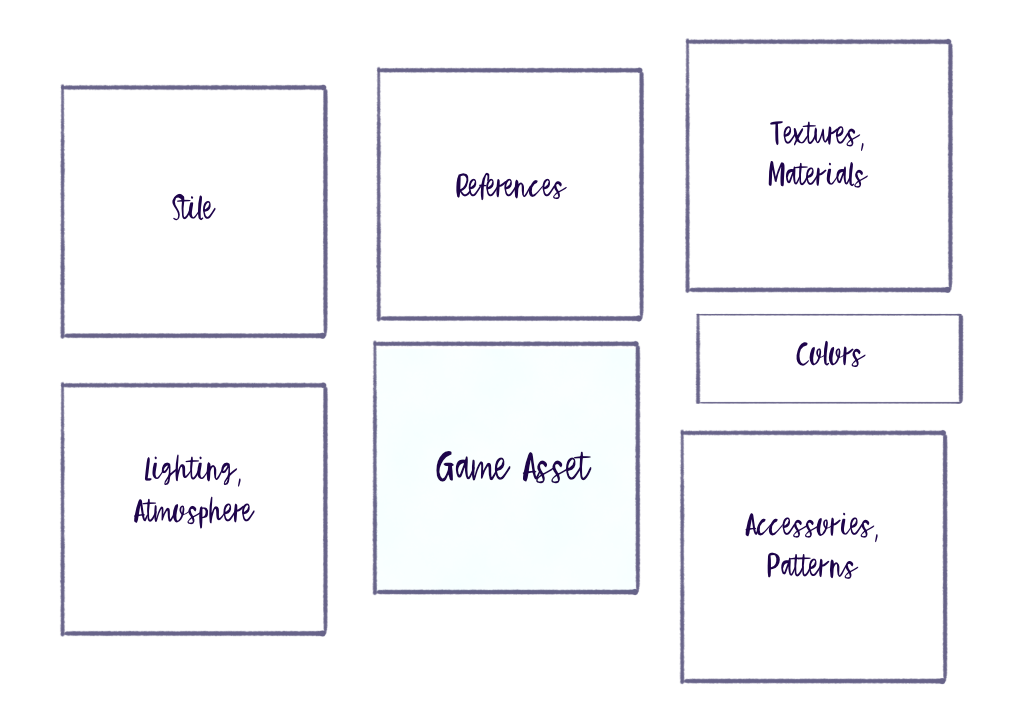
Style – Realistic vs. stylized, organic vs. geometric, soft vs. hard, proportions
Iconography – Connections between visual symbolism and game
Patterns – Fabric patterns, logos, emblems for character design
Accessories – Earrings, ornaments, or small details that should be incorporated into the design
Visual references – References from other games or objects
This could be the structure of the mood board:
For individual areas/subsections it would look like this:
Sarah has an important point that I can only agree with: Look beyond your own plate. Film, fashion, architecture, nature – don’t just reference other games. This way unique looks can emerge or specific styles can be created deliberately.
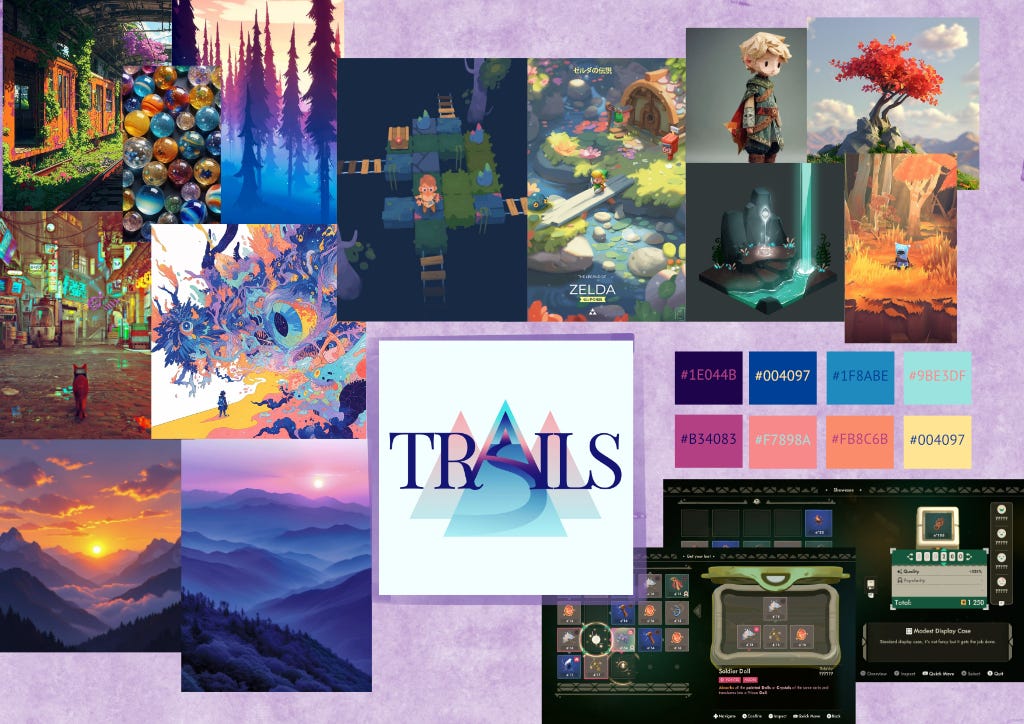
I’m now going to recreate my mood board for TRAILS. Feel free to write in the comments how successful you think it is.
General Mood Board
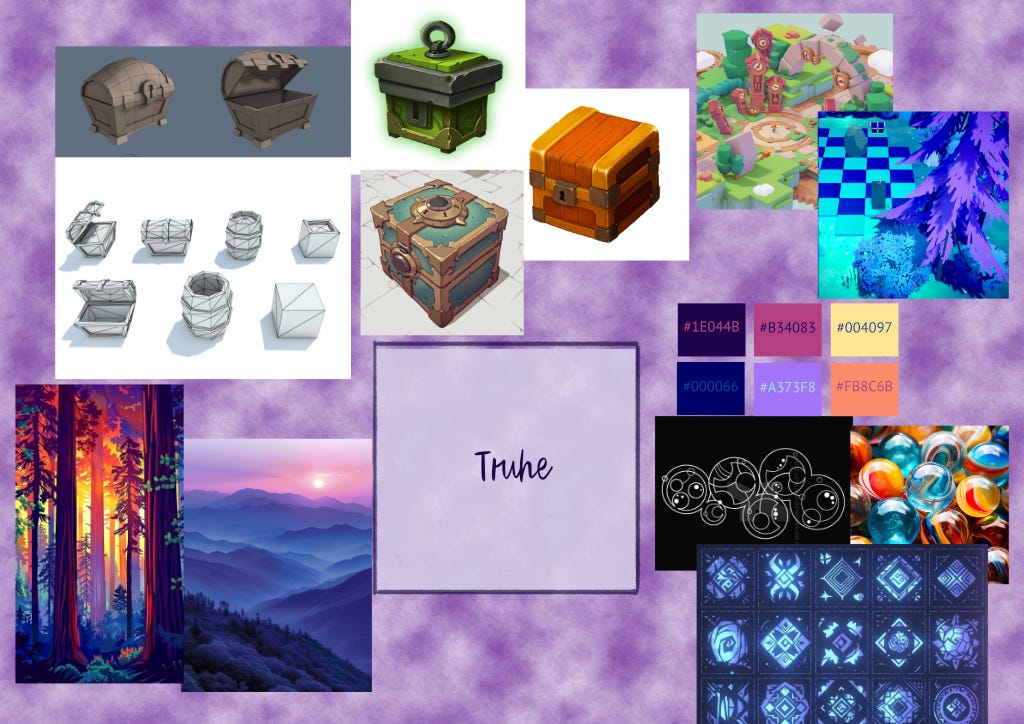
For individual objects in the project, mood boards that focus on the theme can help.
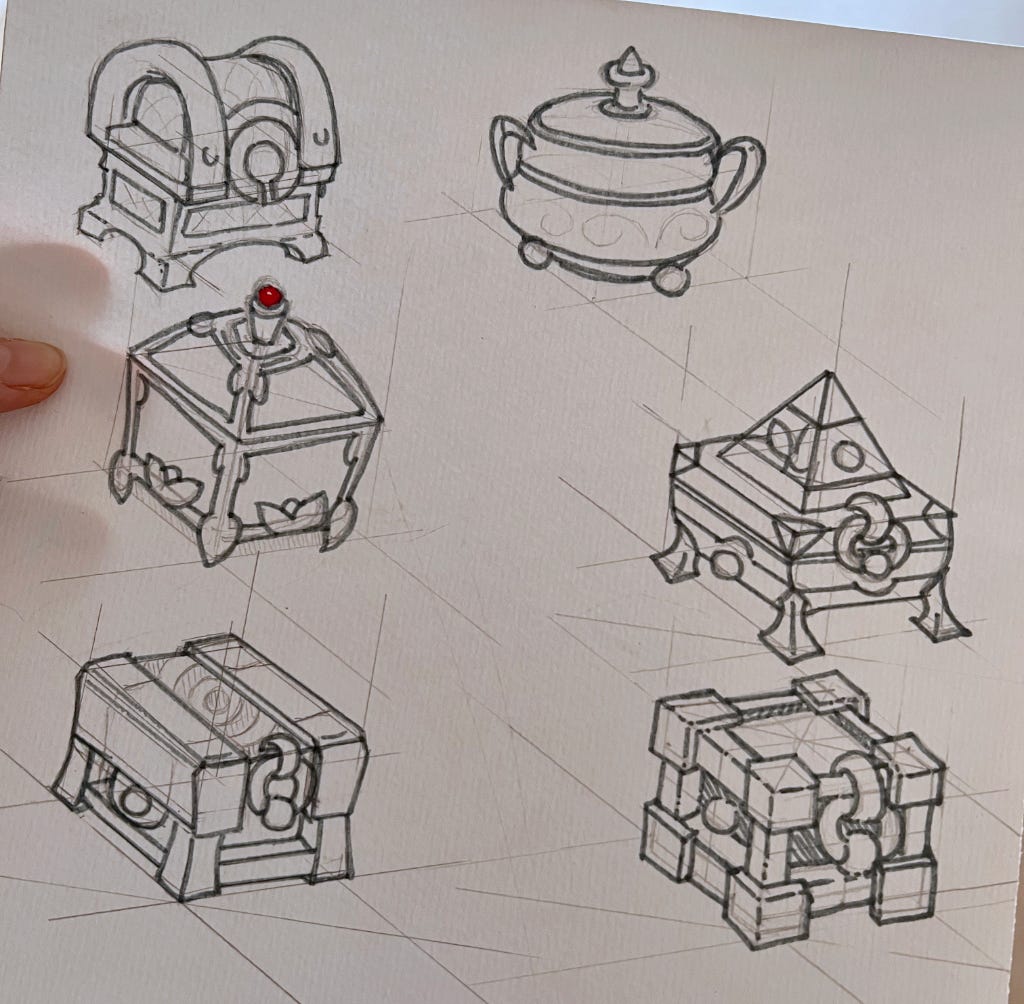
I made these sketches without a defined mood board. The advantage is that you can sketch completely freely. The disadvantage is obvious. Since no clear direction was given, more time was invested in different variants of the chest. Ultimately, I discarded all but one version.
And I created this sketch (I went with) with the new mood board:
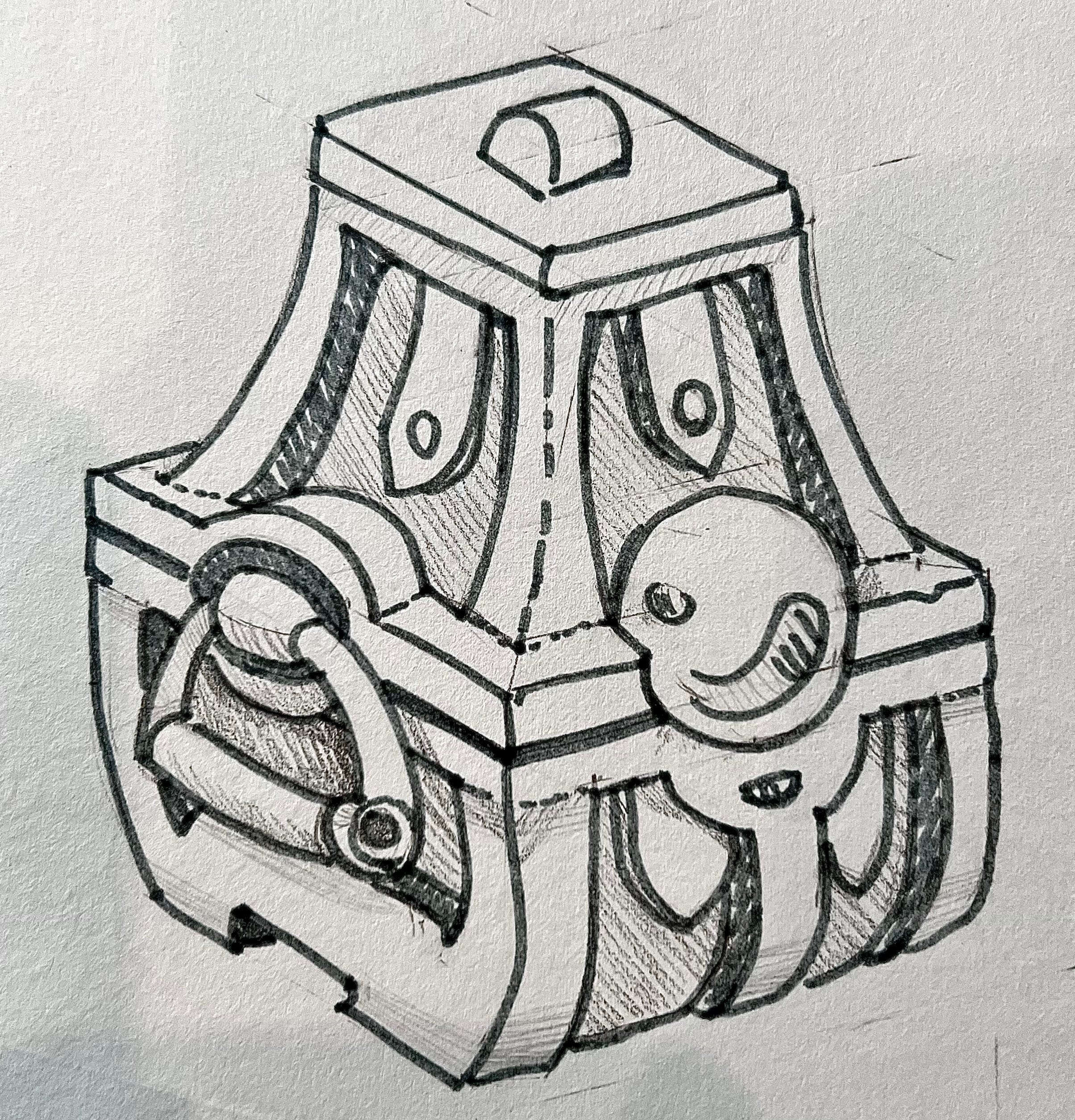
I wouldn’t claim that a mood board automatically leads to faster design. Creative processes sometimes need several attempts until something really fits.
But: Once the style for objects, characters, or environments is defined, it becomes significantly easier to create mood boards – and building on that, to develop new, cohesive elements for the game.
Clear objective: Before creating, define which aspects (color palette, lighting, references, typography, materiality) the mood board should cover.
Modular structure: Create multiple mood boards for different systems (environment, characters, UI, effect style), instead of packing everything into one board.
Use digital tools: Tools like Milanote, PureRef, or Figma facilitate collaboration and versioning. Save the mood board as a graphic so it can’t be lost or deleted.
Labels and annotations: Short notes explain which elements are important and why they were chosen.
Iteration and archive: Save older versions as inspiration sources and document decisions for later phases.
Sarah Hiraki - Artikel auf Medium.com
@el_alien - Mood Boards for Concept Art
Paintpool Studio - The Mood Board That Starts It All: Visual Storytelling Before the First Line Is Drawn
Yusuf Selman - Moodboard for Games: It Matters, Even if No One Cares
Comments
Nothing yet. Say the first thing.
Sign in to join the conversation.