
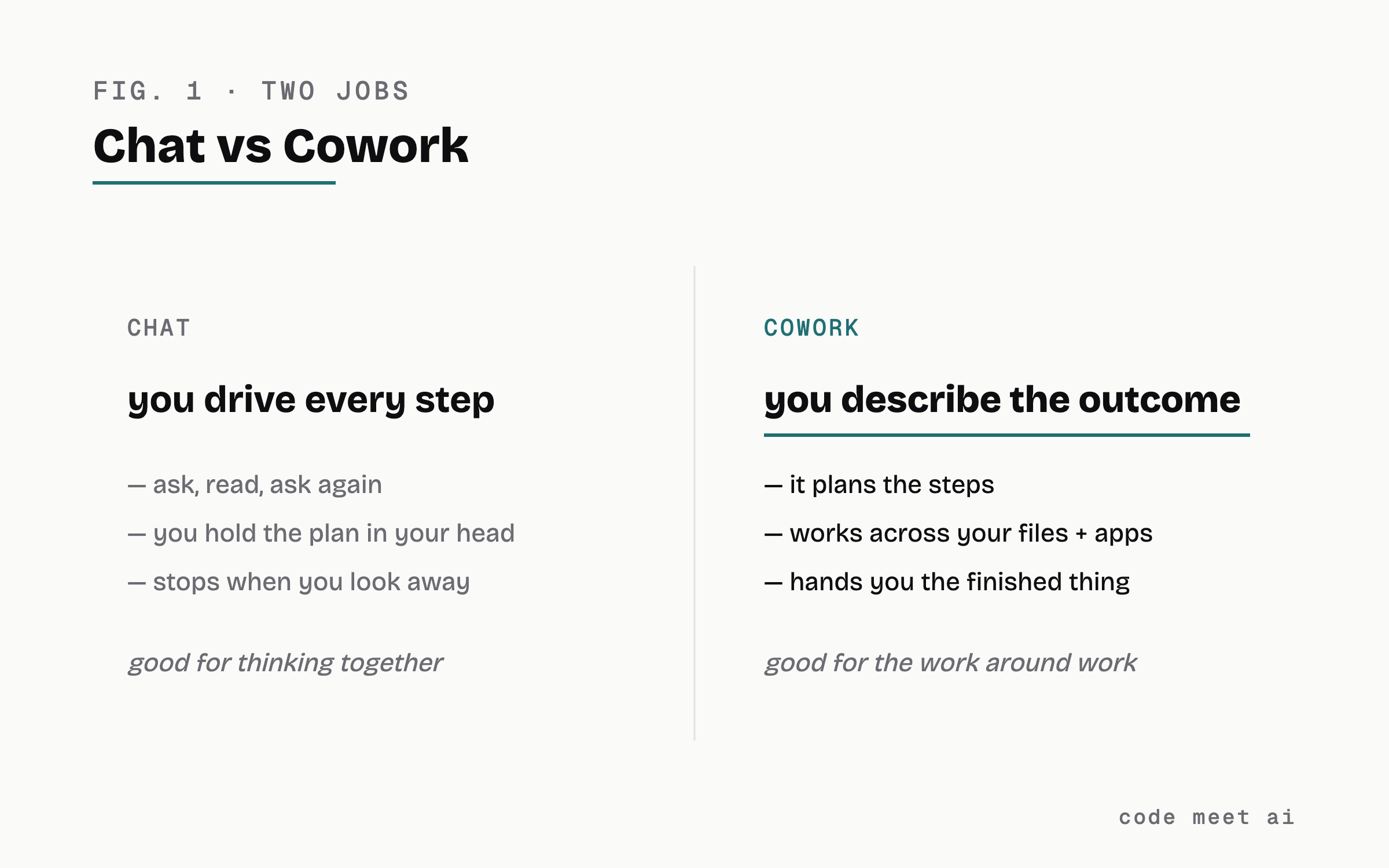
Chat makes you drive every step. Cowork flips it: you describe the outcome, it plans the steps, works across your files and apps, and hands you the finished thing.
The people using it aren’t programmers. Anthropic says more than 90% of Cowork usage is everyday knowledge work: expense memos, contract trackers, client decks, folder cleanup.
Start with one task you already resent: a messy folder, a stack of documents that should be a list, a report you rebuild every week.
The episode-02 rule still applies: give it a context file first, and check its work before you trust it.
Most of my week is not the work. It is the work around the work. Filing what happened, updating the progress notes, turning yesterday’s mess into today’s plan. I’ve automated a lot of mine with the memory system from last episode, and the honest summary is: the AI does the secretarial layer, i do the deciding.
This Monday, Anthropic put a number on that idea. They expanded Claude Cowork to web and mobile, and shared what people actually run on it: more than 90% of usage is not software development. Not code. The biggest categories were business operations and content work. Reconciling the quarter’s spend and drafting the memo about it. Turning a folder of contracts into a renewals tracker with the risks flagged. Building tomorrow’s client deck from call transcripts.
They call it “the work around work.” Good name. It’s the layer of your job that is real work, takes real hours, and somehow is nobody’s actual job.
You already know chat: you ask, it answers, you ask again. You are the project manager of every tiny step.
Cowork is the same Claude with a different job description. You hand it an outcome: “turn this folder of contracts into a renewals tracker, flag anything risky.” It makes a plan, breaks it into steps, works across the files and apps you’ve connected, and comes back with the finished thing. While it runs, you do something else. Since this week it follows you: start a task at your desk, check the status on your phone, pick up the result later, laptop closed. Scheduled tasks run even with no device online.
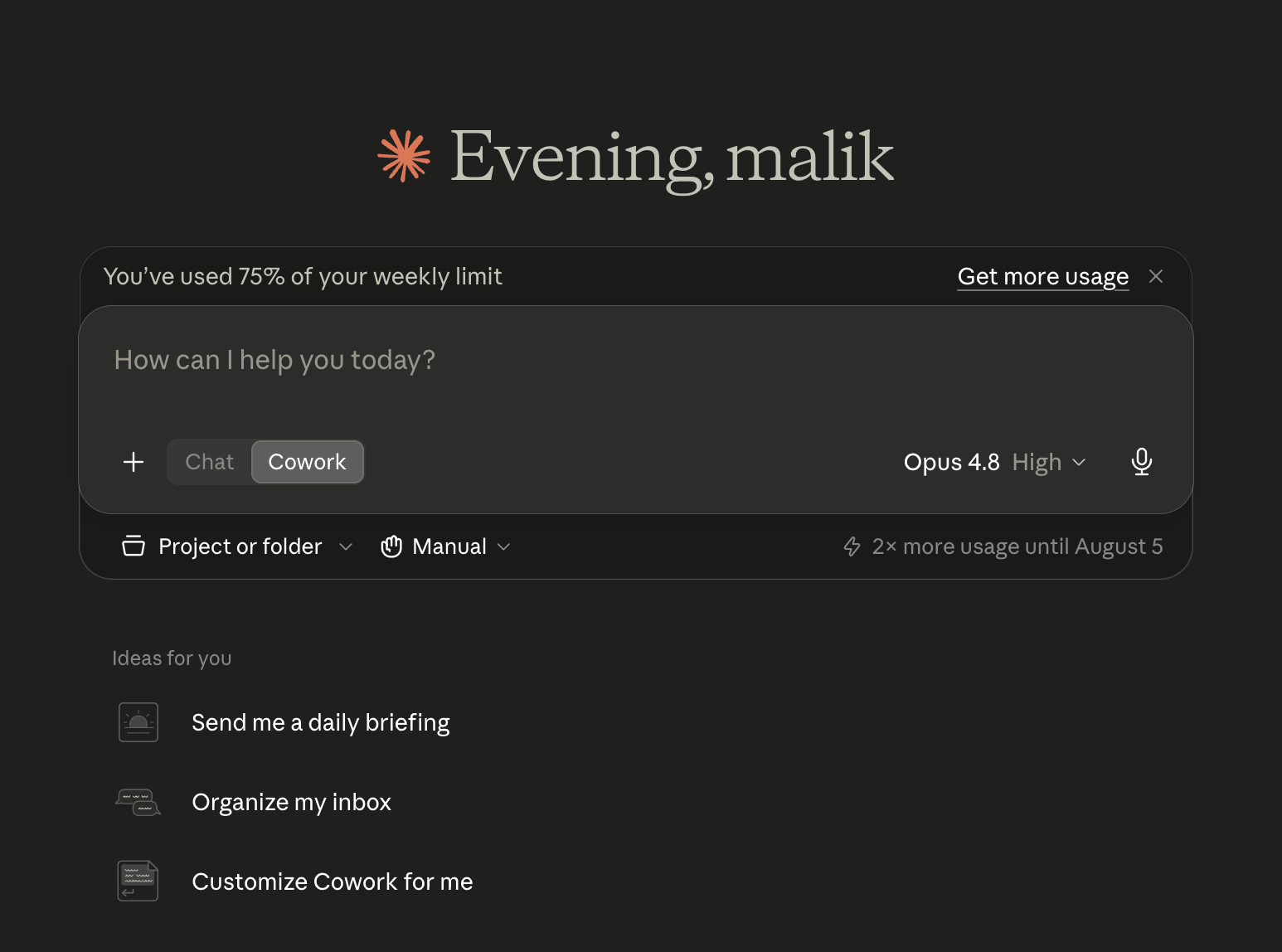
If you write code, you’ve had this for a year in the terminal. Cowork is that same delegation engine pointed at everyone else’s work. One tool, two jobs, and the second job is most people’s actual day.
Not moonshots. Chores. The patterns showing up again and again in the early write-ups:
Folder archaeology. Sort, rename, and deduplicate a cluttered folder. Rename 400 photos to match the product list. The task you have postponed for a year because it is 3 hours of mind-numbing clicking.
Pile of documents, should be a list. A folder of contracts becomes a renewals tracker with dates and risk flags. A stack of receipts becomes an expense sheet. Dense PDFs in, structured table out.
The recurring report. The weekly status, the morning brief, the numbers pulled into the same format every Monday. You describe it once as a routine, in plain language: what to gather, what format, where to deliver it. It runs every morning without you.
First drafts from your own material. Tomorrow’s client deck from the call transcripts. The variance memo from the spreadsheet. Not “write me something generic,” but “turn my raw material into my draft.”
The common shape: high effort, repeatable, and the source material already sits in your files. That’s the delegation sweet spot.
Don’t tour the features. Pick the one task you flinched at while reading the last section. Then:
Give it context first. Episode 02 was not a coincidence in this series. Before the task, point Cowork at a short context file: what this project is, what good output looks like, what to leave alone. Two minutes, and the difference in output quality is not subtle.
Describe the outcome, not the steps. “Make this folder make sense: group by client, newest first, flag anything duplicated” beats a 12-message back-and-forth.
Review like a manager, not a believer. It hands you a deliverable, not a truth. Open the tracker, spot-check five rows against the source. This is the check habit, and it gets its own episode later in the series.
If it worked twice, make it a routine. The scheduled kind is where the real hours come back: describe it once, in plain language, and stop doing it forever.
It has access to what you give it. That is the feature and the risk: connect the folders and tools the job needs, not everything you own. Same rule as the memory file: no secrets it doesn’t need.
And it is confident, including when it’s wrong. A tracker with one silently wrong date is worse than no tracker. The review step is not optional politeness, it is the job you keep.
The AI didn’t take the work. It took the work around the work. What’s left over is the part that needed you all along: deciding.
I’m putting together a routines starter pack: three plain-language routine templates (the folder cleanup, the pile-to-tracker, the morning brief) you can adapt in five minutes. Comment COWORK, and I’ll send it over.
i’m Malik, i’ve been a mobile engineer for 9 years, and i run my work on the system this series describes. This is episode 03 of Using AI properly. Episode 02 was give the AI a memory. Next up: where a single sentence stops helping, and context begins.
Comments
Nothing yet. Say the first thing.
Sign in to join the conversation.