
Need to convert 15-character Salesforce IDs to 18-character IDs. Here's how:

The Context
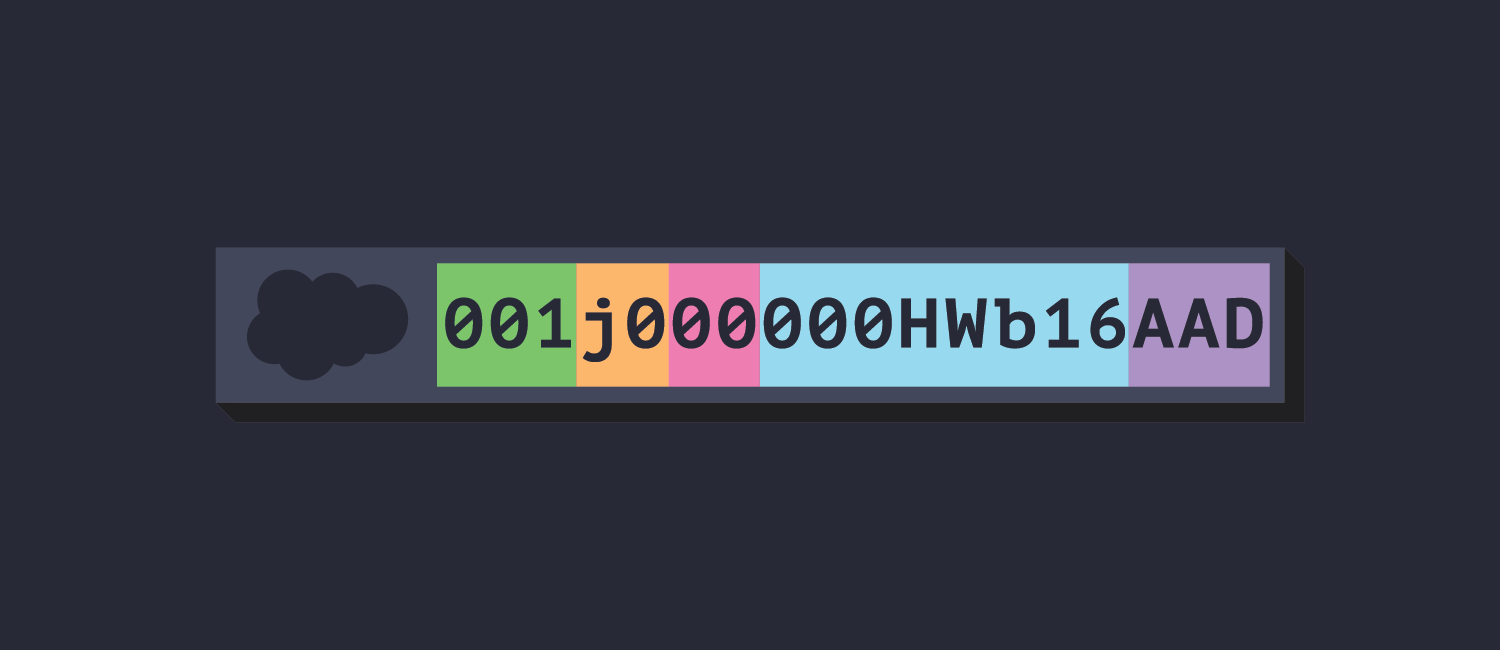
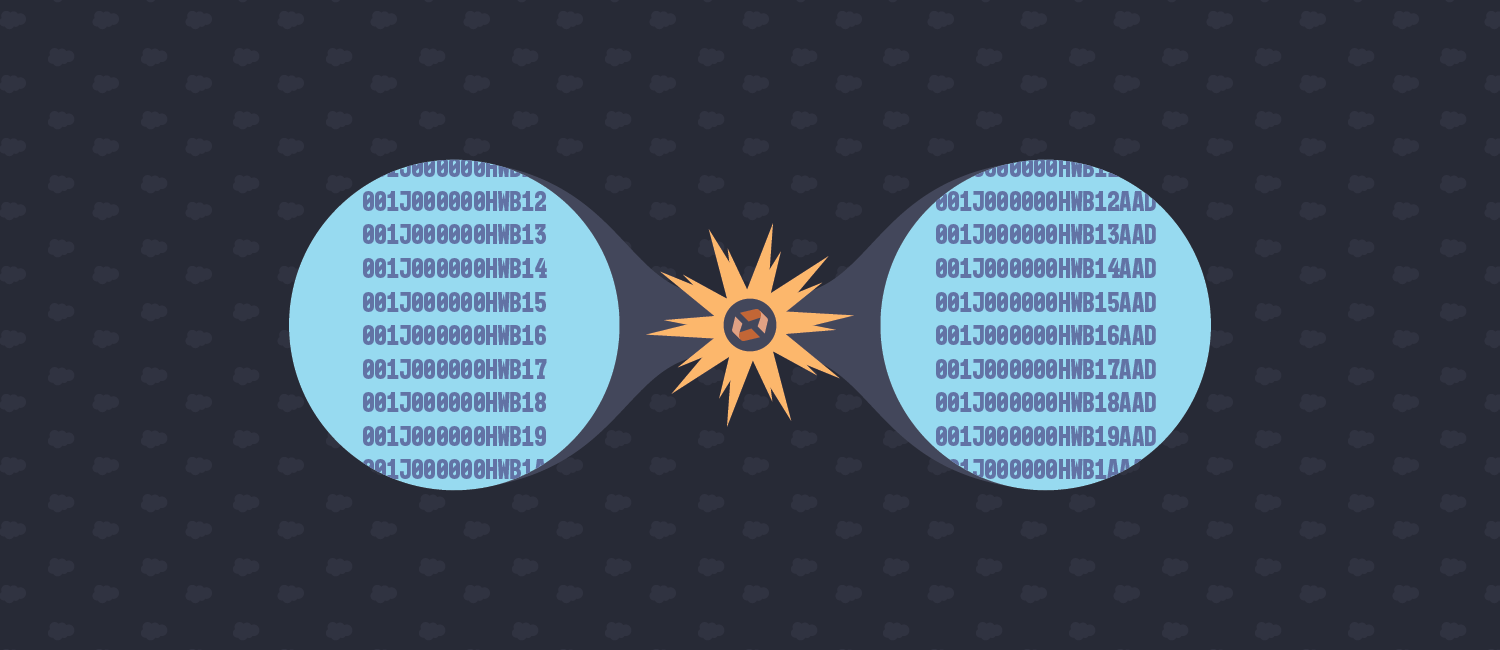
Salesforce IDs are actually comprised of several pieces of data and can come in 15 or 18 character varieties. The difference is that the 18-character flavor has a suffix that will render them case-insensitive. From time to time, you have come across a data extract or something that contains the 15-digit variety and have a need to convert them to 18-digit IDs.
For more information about just what is included in a Salesforce ID, checkout this post:
Salesforce IDs Explained
Everything you ever wanted to know about Salesforce IDs and then some.
 Code By CodyCody Sechelski
If you don't care to dig into the details and just want a handy online converter, here ya go:
Salesforce ID Converter
Convert 15-character Salesforce IDs to 18-character IDs.
Code By CodyCody Sechelski
The Algorithm
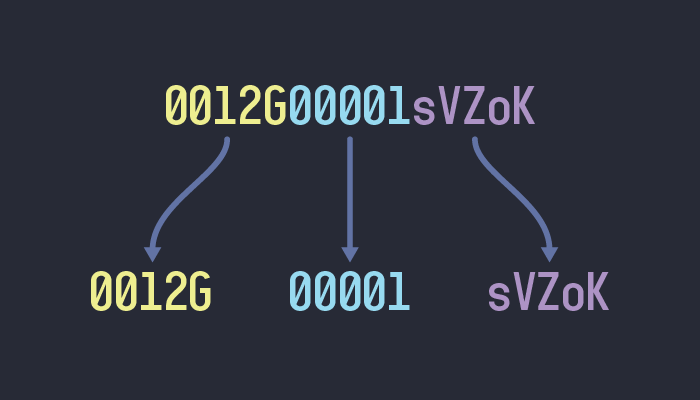
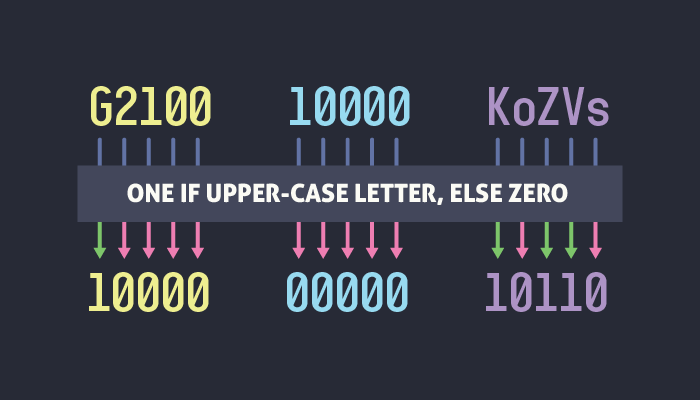
- First we need to divide the 15-character ID into 3 groups of 5 characters.
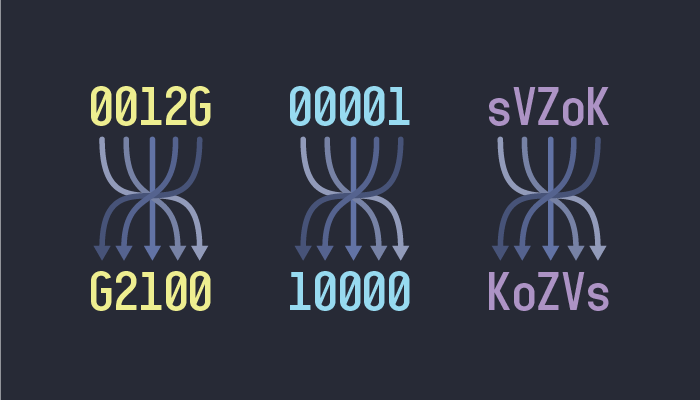
- Now we need to reverse the order of each set
-
For each set of characters, we will create a new set of bits (
1s and0s). Then for each character, we will add a1to the corresponding set of bits, if the character is an uppercase letter, or a0if the character is a lowercase letter, or a number.
-
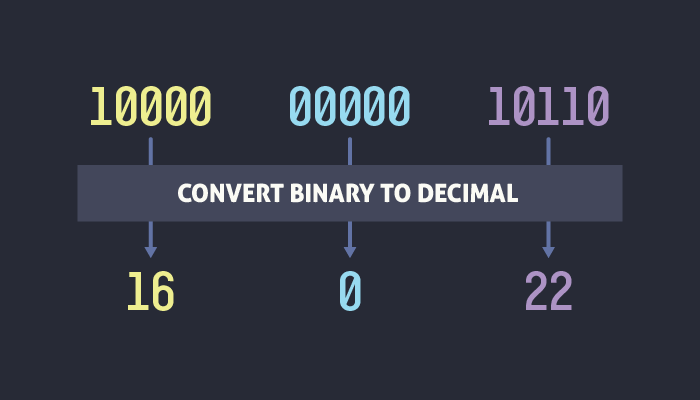
The previous step actually converted each character set into a number, in binary. Now we need to convert each binary number to a decimal number. This should leave us with 3 numbers that could range from
0to31.
-
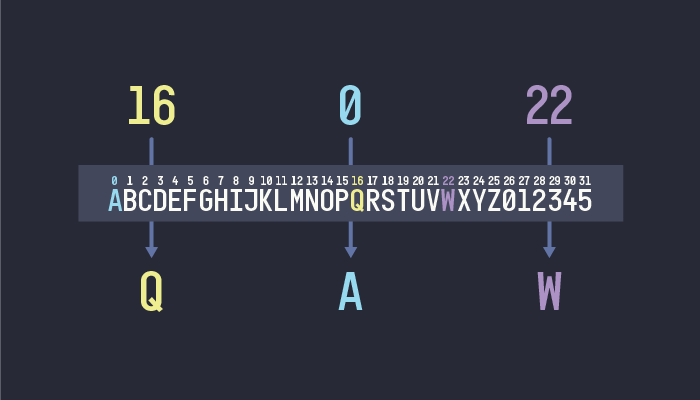
Now we will need to construct a collection of character that will include uppercase letters from
AtoZ, and the numbers0through5, as follows:ABCDEFGHIJKLMNOPQRSTUVWXYZ012345 -
The last step here is to look at our 3 numbers, and find the character in the collection we just created at the index of each number. The index is zero-based so
0=A,1=B, and so on. The result of this operation should leave us with 3 character.
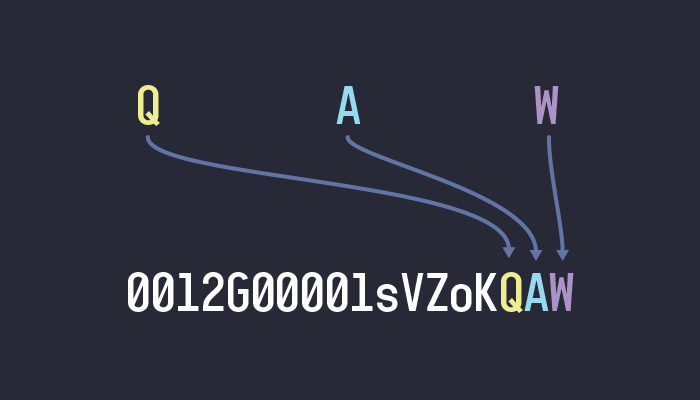
And there's your suffix! 🎉
Simply tack it on to the end of the original ID
Need a code example?
This is the exact JavaScript that I use for my online-converter:
const convertId = id => {
		let segments = id.match(/.{5}/g);
		segments = segments.map(segment => {
			return segment.split('').reverse().join('');
		});
		let bitArrays = [];
		segments.forEach(segment => {
			const bitArray = [];
			segment.split('').forEach(char => {
				bitArray.push(/[A-Z]/.test(char) ? '1' : '0');
			});
			bitArrays = [...bitArrays, bitArray.join('')]
		});
		const mapping = ['A', 'B', 'C', 'D', 'E', 'F', 'G', 'H', 'I', 'J', 'K', 'L', 'M', 'N', 'O', 'P', 'Q', 'R', 'S', 'T', 'U', 'V', 'W', 'X', 'Y', 'Z', '0', '1', '2', '3', '4', '5'];
		suffixChars = bitArrays.map(bits => {
			return mapping[parseInt(bits, 2)];
		});
		return suffixChars.join('');
	};
Comments
Nothing yet. Say the first thing.
Sign in to join the conversation.