

Heyo, Claymakers!
I’ve rolled back from a vacation in Costa Brava, Spain. It was a feast of Iberico Jamon, delicious seafood tapas, and 2.5 euro beers.
My love for food inspired me to play around with Google Maps Search within Clay.
Outside of SaaS selling to SaaS, there are a ton of companies that sell to local businesses. Let’s take a look at a couple things you can do with a restaurant search.
In this week’s post, I’ll show you how to:
Use Google Search to find restaurants in a specific location
Import a range of data on that restaurant
Use AI to look up whether delivery is available in UberEats
Find the restaurant’s instagram handle
Let’s dive in.
You can start off table searches in a bunch of different ways. For this one, choose the “Find Local Businesses using Google Maps” search.
This will pop up a window (Step 2) where you update the types of businesses you want to search for.

Now you can start inputting the search requirements. Note you can search via “Businesses” or a “Free Text” field.
There are a ton of different options here. For example:
Dentist Clinics
Hospitals
Bars
Spas
Hotels
And even Zoos & Nightclubs
This can be very powerful for the universe of vertical SaaS companies who sell into these niches.

Now you have a table that has brought in 100 results. I clicked into one to show all of the info that you can extract and then break out into different data columns.

Now you can add in a Claygent (AI Agent for automating manual research) to check if that restaurant is on UberEats. Check out how simple the prompt is below.
I also have some additional tips on prompting here:
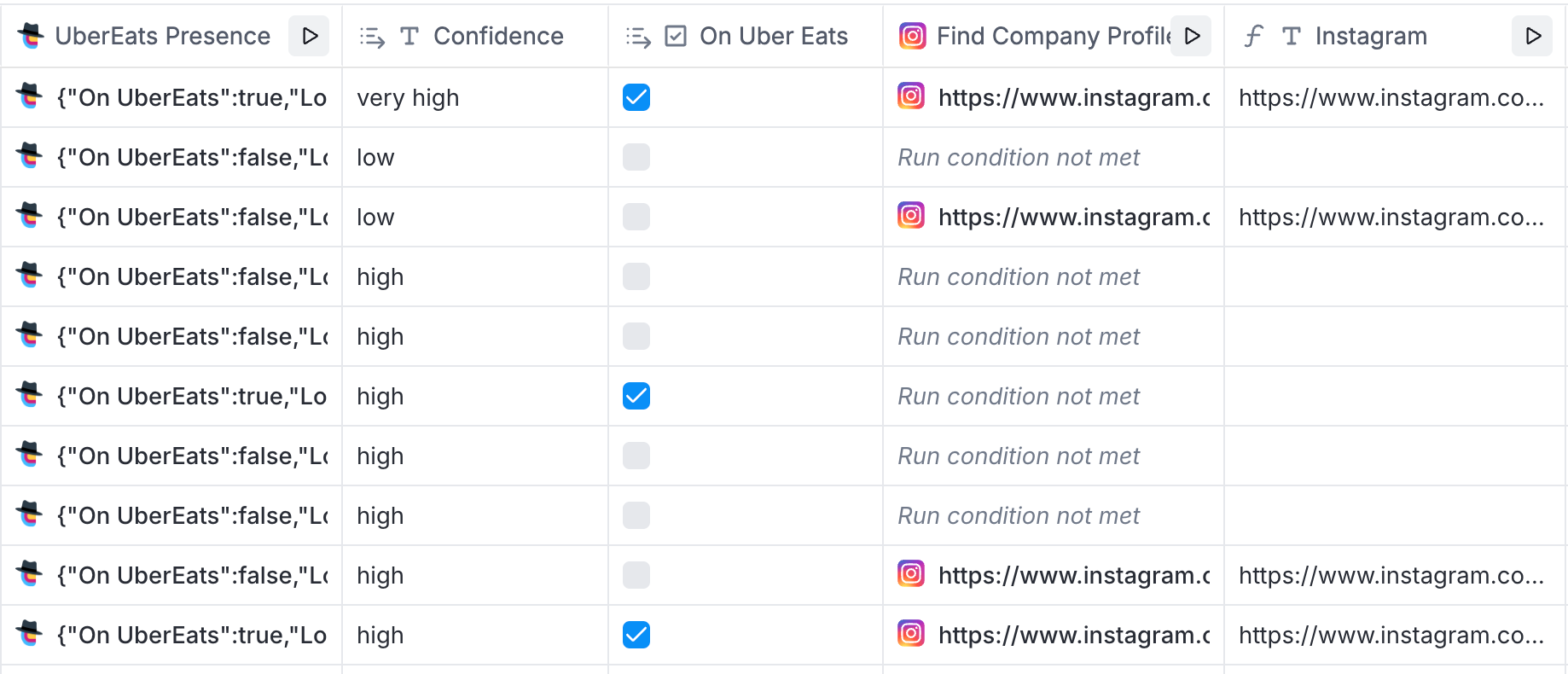
Prompt that I used is this:

TIP: You can use the toggle to define whether or not that data point is necessary. This is helpful if some rows don’t have data. If all of them are toggle blue, and you have some rows that don’t have data, then you’ll run into some errors and not be able to complete the runs.
Here is the template that you can copy for this table.
First - if we aren’t connected, add me on LinkedIn. I post a ton of different GTM content there like the one below on SaaS to Service-as-Software. I’m also happy to connect you to help inside Clay: alex.lindahl@clay.com
Impact TLDR:
3x’d data enrichment coverage on contact information, firmographics, and more
Improved lead scoring with custom fields (generated by Claude in Clay)
Saved 4 hours a week by automating all SFDC opportunity upserts
Saved countless hours a week automating all inbound lead enrichment and scoring
Consolidated vendors and canceled top data provider contract
I can’t take credit for the thought leadership, this is from an awesome Foundation Capital blog post: AI Leads a Service-as-Software Paradigm Shift.

He posted recommendations of tooling for:
Low budget
Medium budget
Some-what Large budget
Unlimited budget

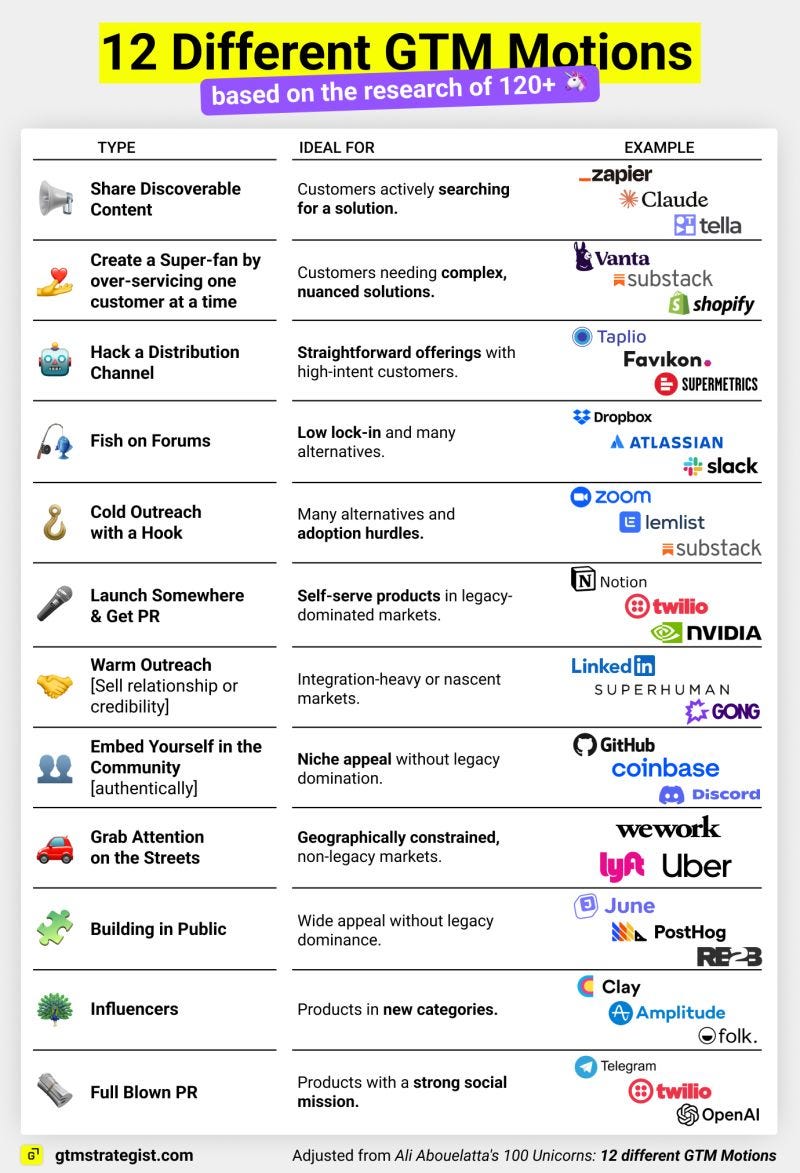
Maja Voje is putting out some fire content, like this.
Comments
Nothing yet. Say the first thing.
Sign in to join the conversation.