
In case you missed it - Klaviyo has just announced their Spring ’23 product event! This launch features a bunch of updates that I, personally, am super excited about, broken up into three key improvement areas: customer engagement, workflow updates, and analytics. Read on for the full breakdown, and the features I’m most excited to work with.
SMS subscribe links that allow easy sign-up via social media + email
I’m really excited about this one because - as anyone doing text marketing knows - SMS list growth is a CHALLENGE. Anything that makes it even slightly easier to get SMS sign-ups is a win for your brand. These subscribe links are going to have a ton of applications that can help grow your brand’s SMS marketing, whether by adding the link to swipe-up stories in IG or TikTok, or even adding QR codes with the subscribe link in physical retail store locations.
Personalized mobile push notifications (for both Android and iOS)
Push notifications will be integrated as part of Klaviyo’s omnichannel experience that already includes email and SMS. So, for example, you can build flows that allow for either a birthday email or - if the customer has your app - a push notification wishing them a happy birthday.
Note: this feature is still in beta and is only available to customers who have iOS or Android applications.
Criteo integration (added on top of existing Facebook and Google Ads integrations):
Criteo describes itself as “the world’s largest open commerce dataset.”
Why is this important? Because as data restrictions become more intense and using advertising cookies is no longer best practice, it’s going to become more and more important to use “first-party data” when curating ad channels. Criteo helps to do exactly that. This integration will allow for more effective advertising by importing your segmentation data directly to the platform, where you can more accurately target the right audiences for your product.
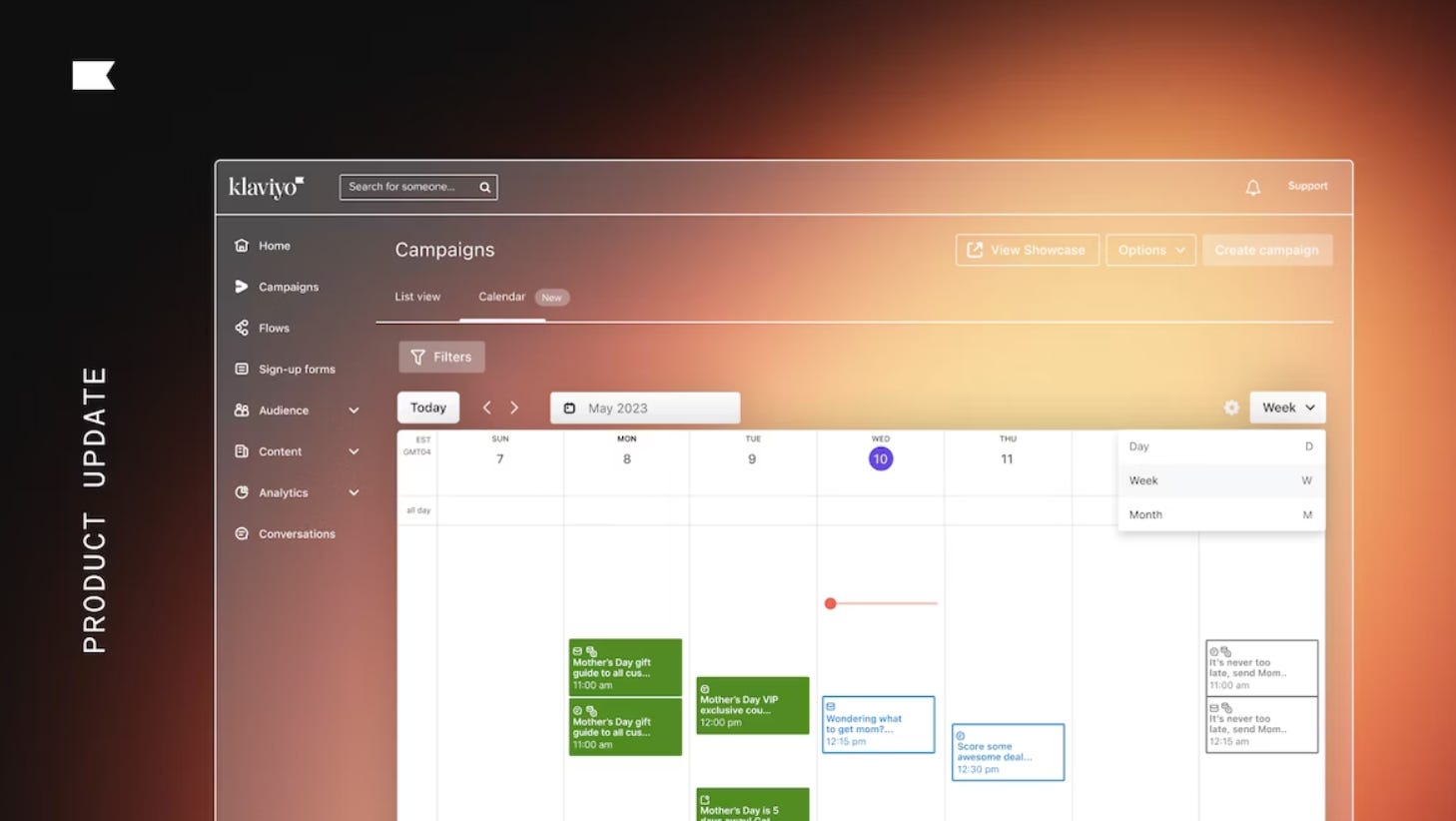
Omnichannel campaign calendar allows for easy visibility across email and SMS campaigns. Guys - my little project manager heart is so excited about this one. It’s been a LONG time coming!
All scheduling information now lives in the “Calendar” tab on the campaigns page, and lets you see all your communications - scheduled and draft - across email, SMS and push channels.
This is super helpful to ensure continuity across channel communications - and ensure you aren’t overwhelming your customers.
As if all of this wasn’t enough of a game-changer - you can now draft new campaigns directly within the calendar view!
Developer tools page:
This new page gathers all developer tools in one place, like api-key management, documentation and resources and status updates. Going forward, any new developer-focused tools will live here as well.
New SMS disclosure block:
SMS compliance can be confusing - you really don’t want to miss any important privacy copy when asking customers to sign up for texts. Klaviyo is simplifying compliance copy going forward by providing step-by-step setup instructions which, once completed, will translate into an SMS Disclosure content block you can drag and drop into new forms. Piece of cake!
Campaign deliverability tab provides at-a-glance data
Deliverability issues can spell bad news for your email campaigns, and once you’re stuck in a cycle of bad deliverability it can be hard to claw your way back out. Klaviyo’s new Deliverability tab aims to help with this by showing key deliverability metrics, all in one place.
Metrics are even flagged with grades like “Healthy” vs “Needs Attention” so that you can quickly make sense of the data and figure out next steps. I’m really excited about this feature because deliverability issues can be so confusing, and this seems like a really simple, actionable way to break them down!
Did you find this guide helpful? Share it with another business owner who could use it:
Redesigned flows page (that allows for metrics customizations!)
The Flows page has been updated with significantly more user-friendly UX, giving you control over how you view data. You can now select custom metrics to view across all flows’ performance (like viewing every flow sorted by its Placed Order stats), see at a glance when each flow was last updated, and select specific reporting timeframes (like the last week or month).
Upgraded campaign list view (that can toggle back/forth between calendar view)
Similar to the updated Flows page, the Campaigns list is now more robust and adjustable than ever, with even more easy-to-digest analytics at your fingertips.
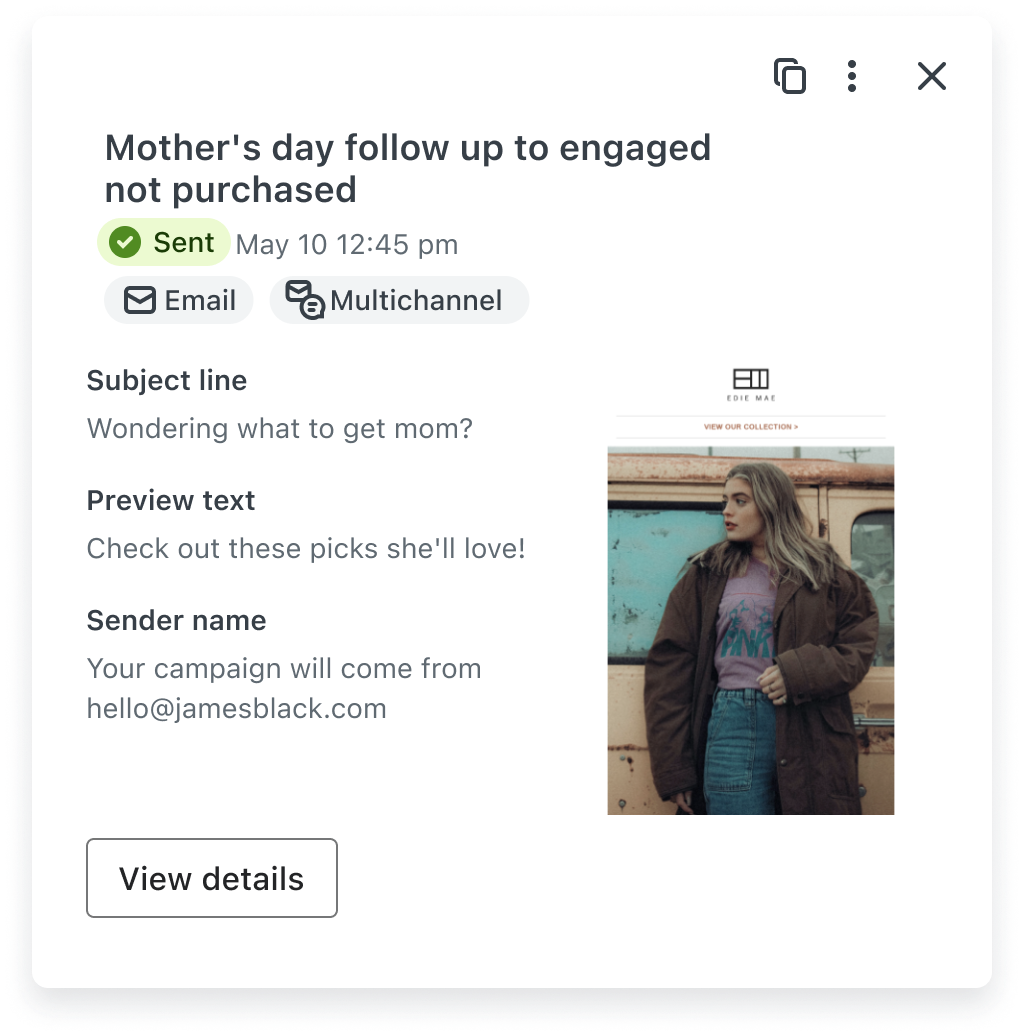
One delightful new feature on the campaigns page: you can now hover over a campaign to see a mini preview of the design. Amazing. Iconic:
Have a question? Smash that reply button and reach out! I’m here to help. I also LOVE addressing brand owner’s pain points in this newsletter :)
Interested in working together on a Shopify e-comm, SEO or email marketing project? Get in touch with me here.
Book a Power Hour Consult with me and I’ll help you design a tangible plan to move your business out of an SEO, e-comm, or marketing rut.
No posts
Comments
Nothing yet. Say the first thing.
Sign in to join the conversation.