

Welcome to the December 2025 edition of the ChatCRE newsletter. Your source for practical tips on leveraging AI in commercial real estate. This week’s key topic: AI-generated CRE images with Nano Banana Pro.
Claude for Excel: One of the most powerful large language models can now be used directly in Excel, see how you can learn to use it below.
Your 7 Day Free Trial to CRE AI Studio: We’ve officially hit the 3 month mark with CRE AI Studio. To celebrate, we’re offering a 7 Day Free Trial for the first time. Claim yours here and get immediate access to 70+ step-by-step tutorials on using AI for CRE, our prompt vault, and connect with a community of 225+ CRE pros who’re leveraging AI daily in their business.
The Rise of Nano Banana Pro: Learn what Nano Banana can do for your CRE imagery & marketing with it’s recent upgrade, and get some best practices for your image generation prompts (skip to the end for the prompt framework).
P.S. I’m currently booking online & in-person AI presentations & training sessions for 2026. If you’re interested in having me present to your team, company, or association on how to use AI in CRE, you can find more information here, or just send me an email and we’ll connect.
Claude has finally become the answer to one of the most common questions I get when I’m giving AI for CRE presentations: “How can I use AI to build financial spreadsheets?”
The answer up until recently was..”Let me know when you find out.”
There were already some tools with AI capabilities in Excel, but none that I’d trust enough to recommend beyond literally taking some information and putting it in a CSV.
Claude finally answered the call, and they “kind of” nailed it.
Don’t get me wrong, it is NOT perfect. And I don’t anticipate this technology will replace actual analysts anytime soon. But CRE professionals using Claude Pro now have the ability to upload OMs or deal documents, extract financial info, perform high-level analyses and even create models, all within excel using simple text prompts. This opens up a world of possibilities for CRE professionals. I’m not a financial analyst by trade, but here’s a quick time-lapse of CRE AI Studio Co-Founder Jonathan Buckelew (a 10-year + Asset Manager and former CPA) running through what it can do.
If you’d like to watch the entire step-by-step tutorial, you can now get a FREE 7 day free trial to CRE AI Studio here. Sign up and you’ll immediately get access to 20+ hours of deep dive AI for CRE tutorials, 70+ short-form video lessons (so you can learn what you want to do quickly), our prompt vault, and connect with a community of over 225+ CRE professionals leveraging AI in their business.
Grab your 7 day free trial here.

A few weeks ago, Google Gemini released it’s updated LLM: Gemini 3, and with it, a slew of upgraded features including Google’s video generator, VEO 3.1 (which we covered in the last edition of ChatCRE), and it’s updated image generator, Nano Banana Pro.
Nano Banana (which is a ridiculous, but very catchy name) is currently best in class when it comes to AI image generation. To explain what makes it so good, it’s easiest to frame it with a quick history of AI image generation as it pertains to real estate.
2 Years Ago: If you gave AI (any AI) an image of a building and asked it to change something, say, as simple as making the grass greener, or as complex as giving a building a new facade, it would probably spit out a cartoon image of a completely irrelevant building.
9 Months Ago: ChatGPT’s image generator took a massive leap forward - If you ran the exercise outlined above, instead of spitting out a cartoon, it would do it’s best to recreate the original image, with whatever changes you asked it for, and the results were impressive. AI image generation finally became useful in real estate, but with significant limitations.
3 Months Ago: Google Gemini released Nano Banana, taking another stride forward. With Nano Banana, you can basically upload an image of a building/piece of land, and ask it to edit/ reimagine anything you want, and it will (typically) spit back that exact same photo with your requested changes. Said otherwise, it now “edits” the image instead of recreating it (technically it is still recreating it, but it gets it so close to the original that you often wouldn’t even know it.)
As of last month weeks ago, Nano Banana, received an upgrade in the form of Nano Banana Pro.
Here’s what the upgrade enables it to:
Generate Images from Multiple Assets: Think.. Upload multiple renderings of a building, along with brand assets (logos, marketing examples), and have it create pitch deck slides, social media graphics, infographics, etc. featuring those renderings, in a format that actually looks like a marketing piece you’d create. You can upload up to 14 images for it to pull from (but in reality it works best if you use under 6).
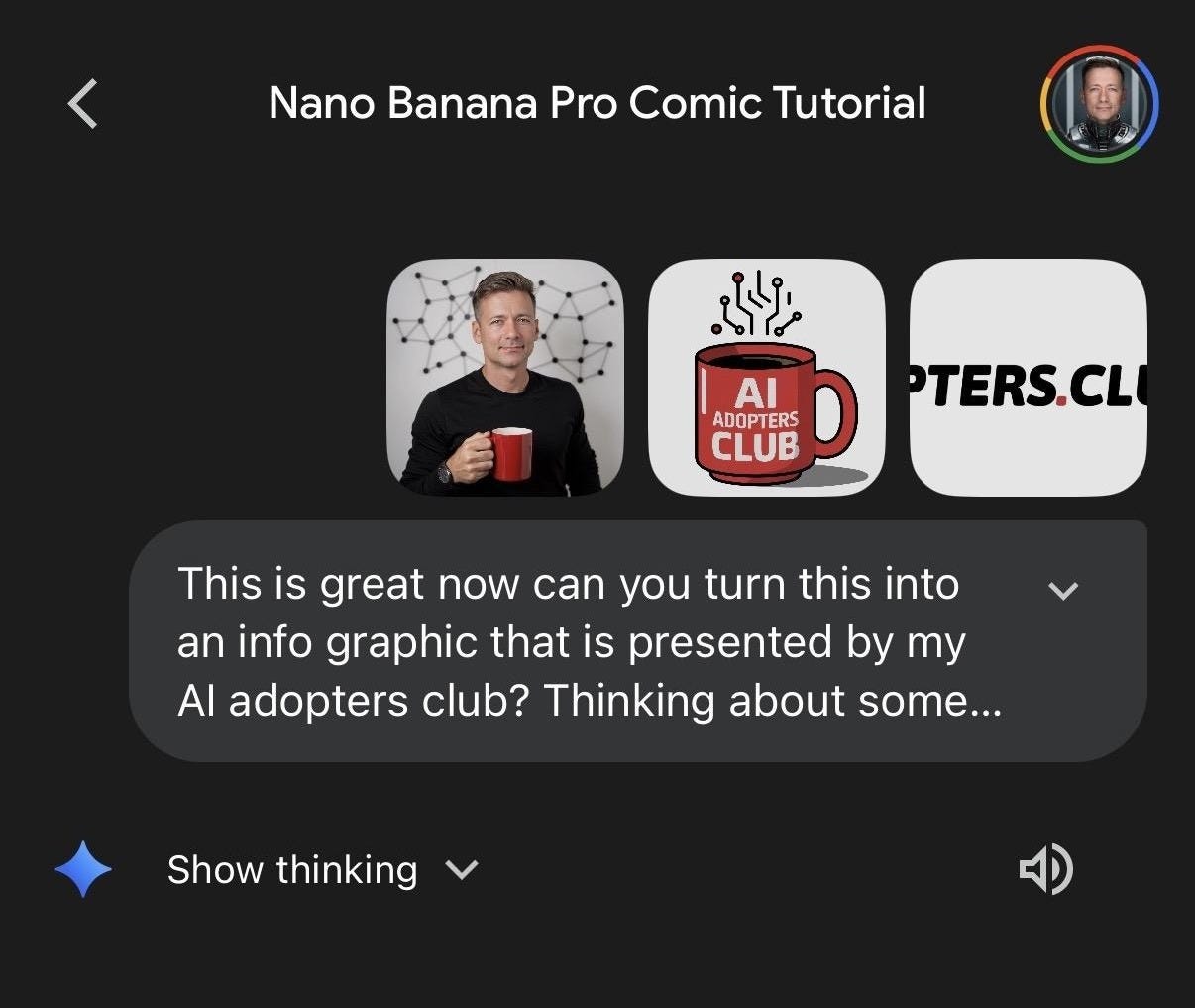
Here’s a cool infographic example that Kamil Banc recently posted in CRE AI Studio showcasing this capability, for the purpose of creating an infographic.
The Input:
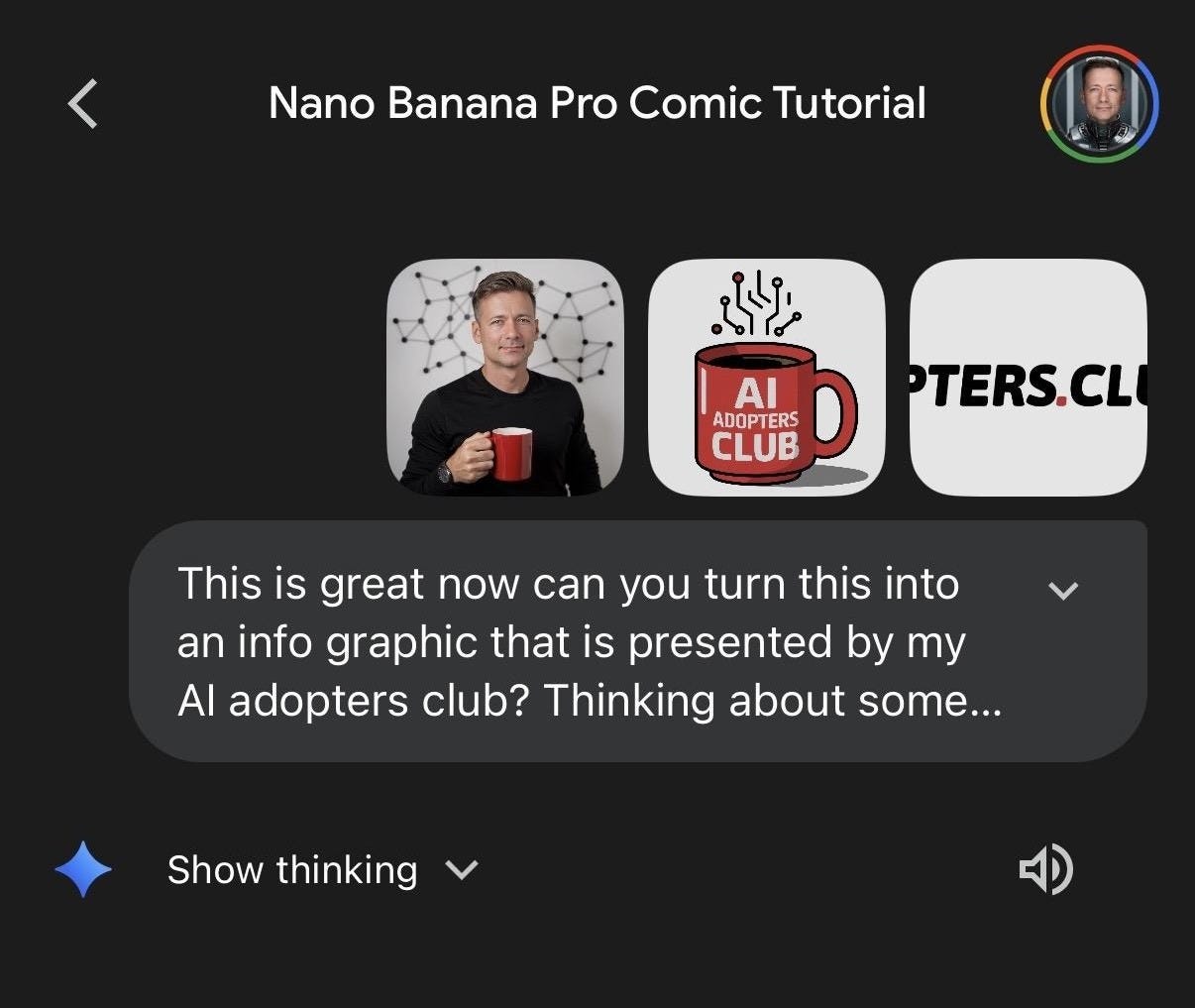
The Output:


CONSISTENCY: Nano Banana is now much better at sucking in details and creating “identities”, so you can reproduce the same visuals across multiple images. This is being most commonly used my marketing groups for images of AI-generated people, or “personas”, but can also be applied to buildings. You can reimagine a property, and Nano Banana can use its “identity” to create different iterations of your image/ marketing, without changing the reimagined building, or anything else that it created for you (there’s an example of this below).
Better Text: AI image generators have improved with this across the board, but the garbled non-sense text you’re used to seeing on AI images is a thing of the past with Nano Banana. It gets text and spelling right very consistently, so much so that it can produce pitch deck slides or general marketing graphics incredibly well.
Better Quality: These are no longer social-media only images. Nano Banana can provide images in 2K and 4K quality.. Ready for your website or printed marketing, which is common in our industry.
It’s Just Fast: The kind of image editing/creation Nano Banana can do generally happens in under a minute.
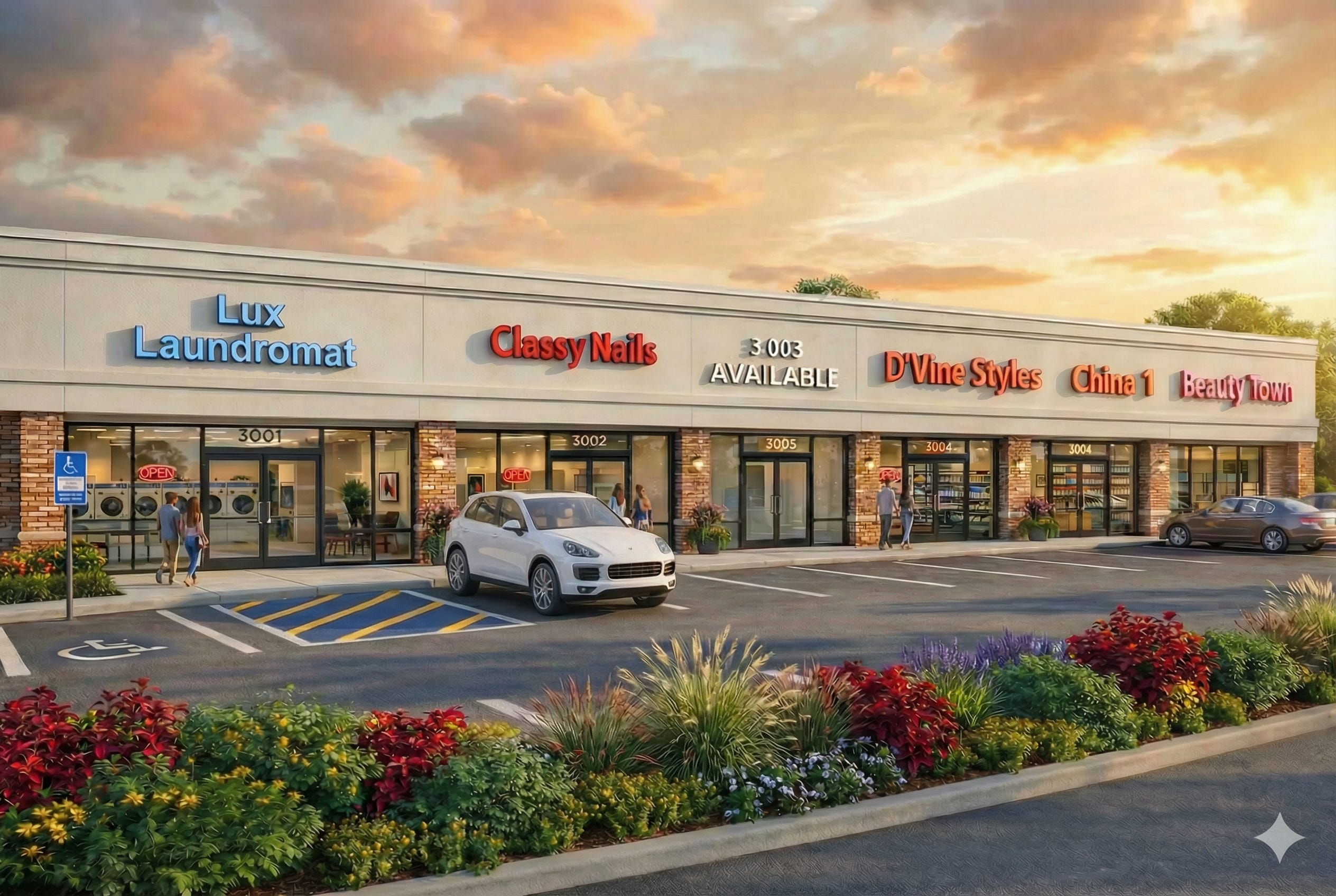
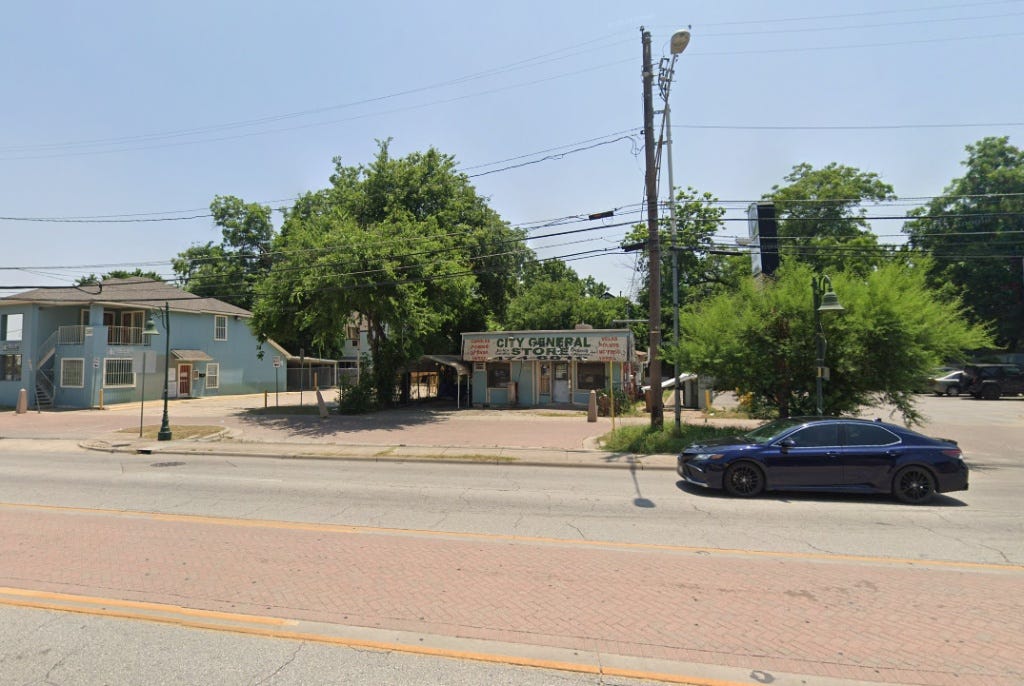
CRE Advisor Andrew Poncher took a Google Street view, gave it to Nano Banana, along with an architectural elevation, and created a rendering for his marketing materials.
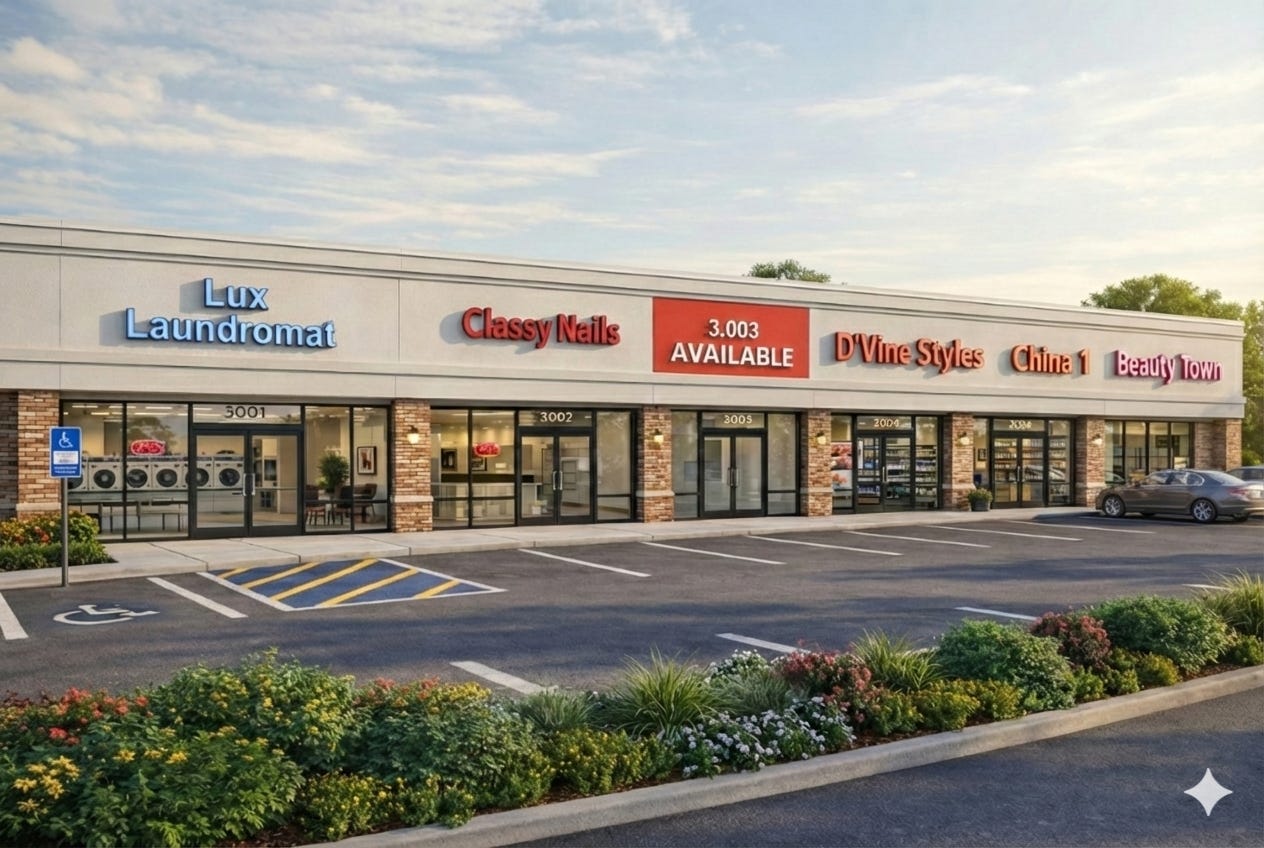
NOTE: This is where the improved consistency comes in to play. Andrew didn’t like the car in the parking lot, the leasing sign, or the lighting. He was able to edit all of those without WITHOUT changing anything else. The magic is in the iteration.
The Original Property:
The Output:
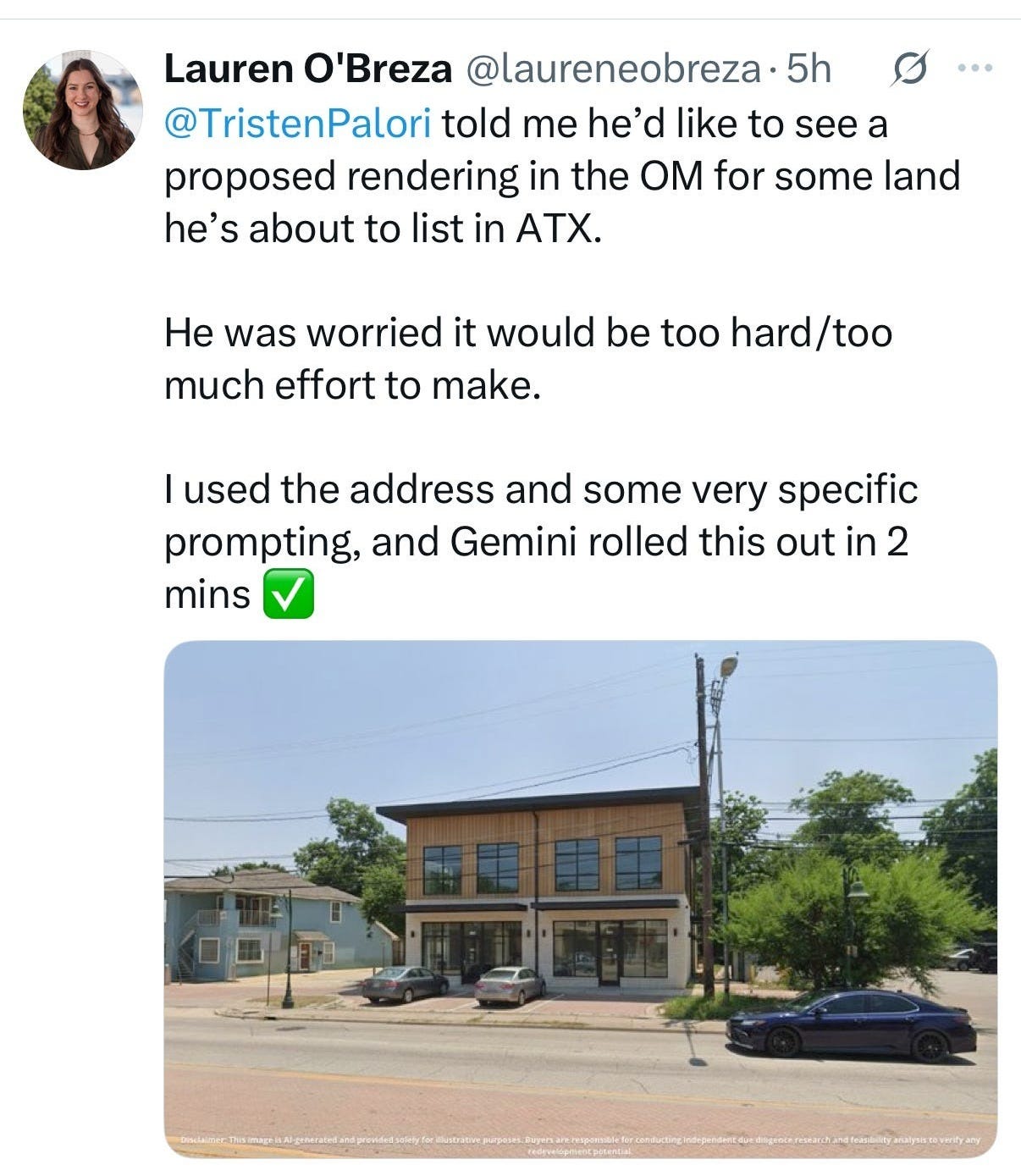
Submitted by Lauren O’Breza. See the original post here.
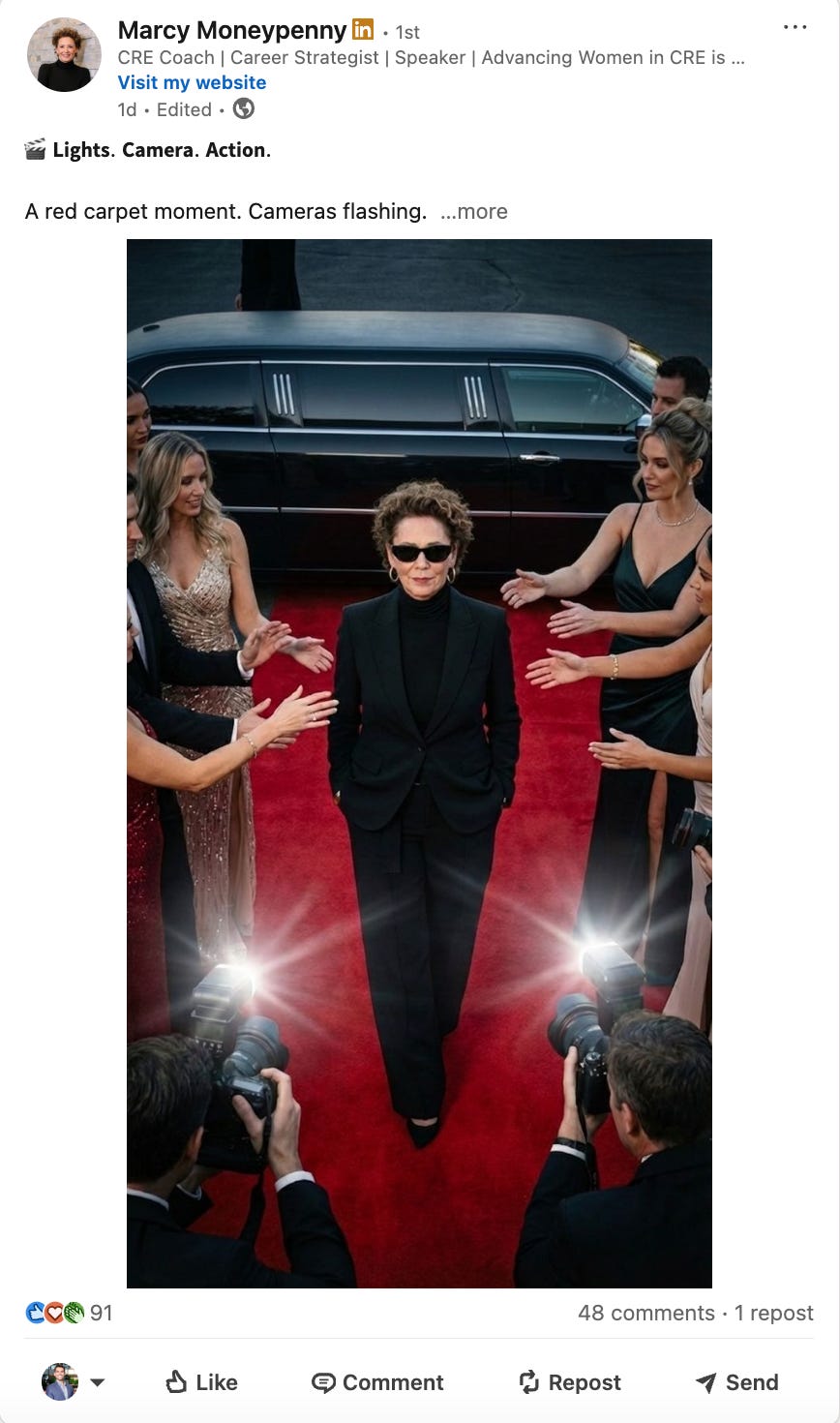
Submitted by Marcy Moneypenny. See the post here.
Turning 2D Floor Plans into 3D Visualizations
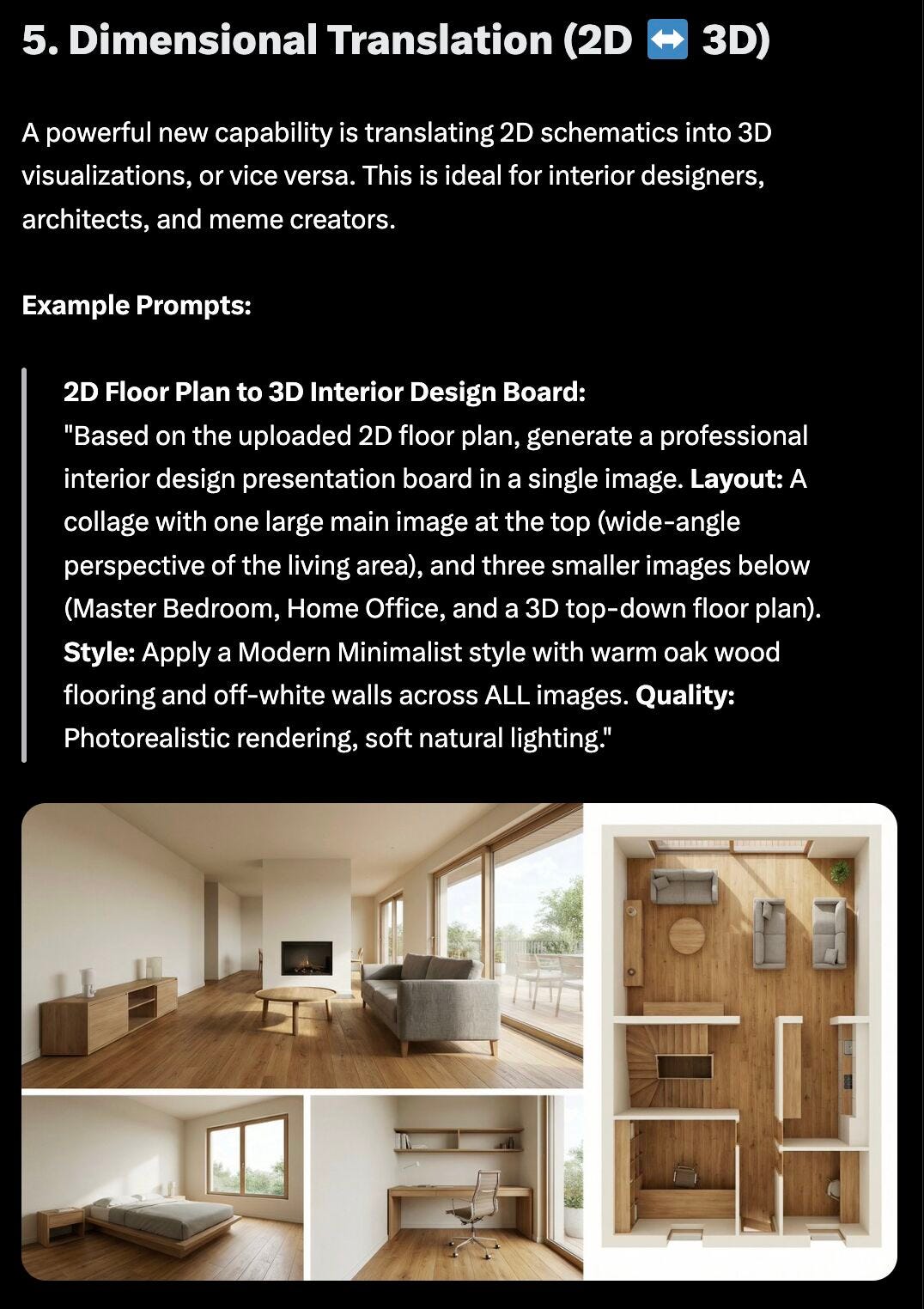
Original Post by Krishna Nandakumar, see the post here.
NOTE: Nano Banana IS NOT an architect. It’s great for marketing, but the devil is in the details for many CRE use-cases (actually constructing a building being chief among them). You can check out some of the discourse on using Nano Banana for architectural uses, and have a few good laughs on this X Thread (featured image below, make sure you zoom in).
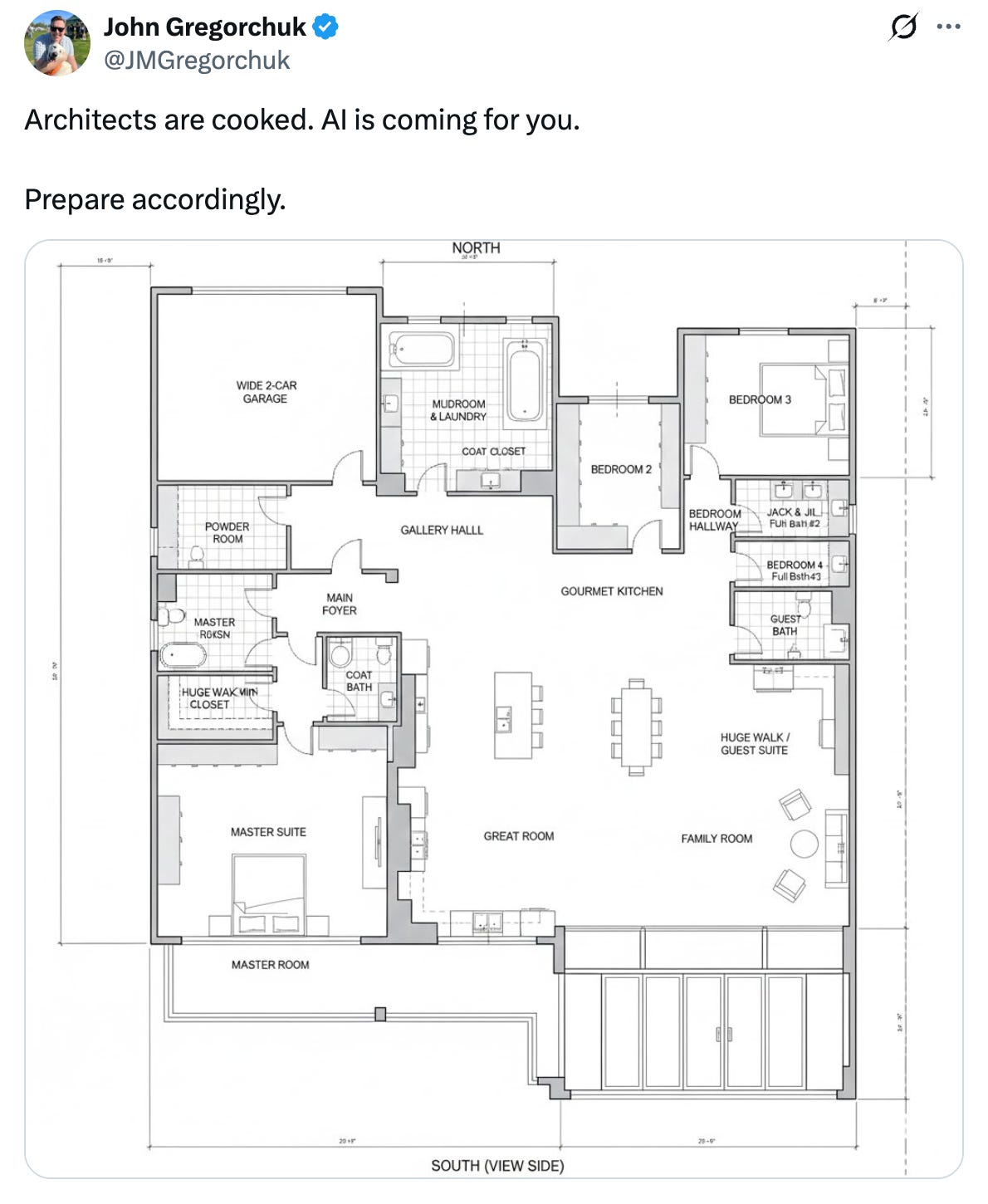
Given Nano Banana already had the ability to reimagine/ edit real estate imagery, the magic of the Pro upgrade is in 2 things, the ability to generate images/marketing from many reference images, and the ability to edit/iterate on that marketing with consistency. We’re no longer in the world of AI marketing where you ask for something, and you’re stuck with whatever it pumps out. You can ask for a marketing slide, social media post, advertisement, created FROM your original branding, and then edit it in the same platform.
”How am I actually going to use this?” Well, if you have a team of people working on your CRE marketing materials, it might not impact your work at all, it’ll impact THEM and their ability to create useful, good-looking CRE marketing.
BUT, if you’re involved in your marketing process, or if you’re doing everything yourself (and if traveling all over the country giving AI presentations has taught me anything, it’s that A LOT of CRE professionals are still doing everything themselves), it might just give you the ability to create marketing that you never would have been able to make before, or at least do it faster.
Obviously, you can use Nano Banana right in Google Gemini (here’s a quick video showing you how):
But, Nano Banana has blown up in such a big way that other AI marketing platforms have quickly rushed to incorporate it into their platforms. You can create images with Nano Banana in Genspark (a platform you can read more about here), Gamma’s AI presentation builder (a platform you can read more about here), Manus, a popular AI agent that we’ll be CRE use-cases for in our next edition, and Notebook LM, (a platform you can read more about here.) You can also create images with AI automations through platforms like the Relay App. If you don’t have Google Gemini, you can also try regular Nano Banana it for free in Google AI Studio.
Here’s a quick tip:
When in doubt, start with natural, simple language. Give Nano Banana your reference images, tell it what you want to create, and see what you get.
If that fails, it all comes back to improving your prompt. Nano Banana does well with structure. Here’s my go-to Nano Banana prompt framework:
MODE: Are you generating something brand new from scratch, or are you editing/changing an image you’re uploading? Tell it which one.
GOAL: What are you creating? (e.g., “a social media post for this listing” or “a pitch deck slide showing our leasing plan” or just an image)
SUBJECT: Describe what’s in your uploaded images that you want to reference. Be specific..”the brick building in the center of the image” not just “the building.” Include brand elements like logos or color schemes if they’re in your reference images and you want to use them in the new image.
MUST-PRESERVE: This is a big one. Tell Nano Banana what it CANNOT change. The original building? The logo? Brand colors? People’s faces? The background scenery? List it here so it doesn’t get creative where you don’t want it to.
CHANGE/ADD: The specific edits you want. “Remove the snow from the parking lot” or “Change the sky to sunset,” “Add a sign saying “Available for Lease”, etc.
STYLE & REFERENCES: The look you’re going for: ”professional real estate marketing,” “clean infographic style,” “photorealistic rendering.” Keep it to 1-2 descriptors, don’t keyword-stuff.
LIGHTING & MOOD: Keep this simple. “Natural daylight,” “golden hour,” “bright and professional.” Nano Banana handles concrete directions better than vague mood words.
COMPOSITION: The framing and structure you want in the image: ”centered building” rule-of-thirds,” “aerial view looking down at 45 degrees,” “tight crop on entrance.” Tell it how you want to frame the image.
QUALITY & OUTPUT: What kind of image are you making? An instagram post? A hero image? An OM cover? Give it the exact dimensions, and the quality you need if you’re printing.
“Wow, that’s a lot for one prompt, I really have to add all that to get a good output?” No, you don’t. 80% of the time I get great images from Nano Banana with simple, natural language. But when something goes wrong, I mix and match components from the framework above and try again to get it to do what I’m looking for.
Better yet.. You could build yourself a Custom GPT, Claude Project, or Gemini Gem that writes your prompts FOR YOU based on the framework above. Tell it what you want to create, give it your reference images, and have it write your prompt based on Nano Banana best practices. If you aren’t sure what a Custom GPT/ Claude Project is, check out this newsletter from last year.
That’s it for the December 2025 edition of ChatCRE. I’d love to hear your thoughts on this edition - what you found valuable, what you could do without, or any topics you’d like me to cover in future newsletters. Feel free to comment below, send me an email, or reach out on X and Linkedin.
If you found this newsletter helpful, please consider sharing it with a colleague or friend who could benefit from enhancing their CRE operations, marketing, or pipeline with AI.
P.S.
I’m currently booking private and public presentations on how to leverage AI tools for commercial real estate for 2026. If you’re interested in helping your team, company, or association learn about powerful AI tools for CRE, you can find more information here, or just send me an email and we’ll connect.
Comments
Nothing yet. Say the first thing.
Sign in to join the conversation.