windows
Chad Duffey Reading time
When using dnSpy to make a small managed-code change, the simplest edit is often to replace an instruction with a no-op rather than rewriting an entire method. This note explains that workflow while keeping the focus on controlled lab changes and repeatable verification.
Sometimes the code you are looking at in dnSpy cannot be edited and recompiled cleanly. You know the small change you want to make, but rebuilding the application produces unrelated compiler errors.
Some example threads:
- https://www.reddit.com/r/dotnet/comments/m00bgm/dnspy_how_do_i_compile_while_ignoring_errors/?rdt=43007
- https://www.unknowncheats.me/forum/phasmophobia/421135-trying-edit-assembly-csharp-dll-getting-compiler-error-cs0104.html
Editing the IL directly is a potential solution, but edits are more complex than they would be in C# and without a good understanding of IL it is easy to make a mess of it.
The approach we used this week was simple, but easy to forget, which is why I’m jotting it down.
NOPs
A NOP, or no-operation instruction, does nothing except advance execution to the next instruction. Wikipedia has a useful overview.
The tl;dr is that dnSpy makes it easy to NOP out sections that when removed achieve our desired outcome. And since we are editing the binary rather than re-compiling the code, we bypass the issues that can pop up in more complex applications that have dependencies.
In this example, we are trying to bypass a hypervisor check.
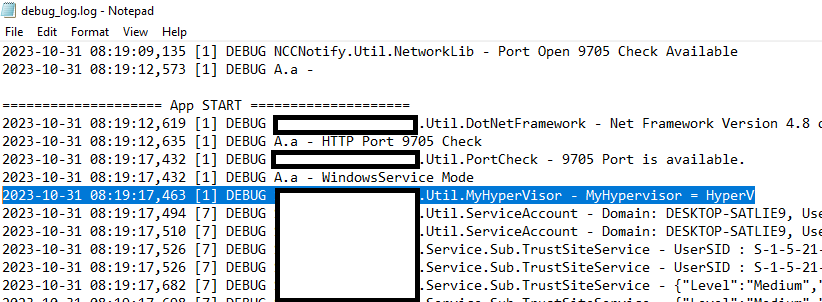
We’re really lucky, the application in question has a debug log that is enabled by default. The log gives us clues about the functions to review once we open the application in dnSpy. It also shows the hypervisor detection clearly and will make it easier to ‘confirm’ our change is successful.
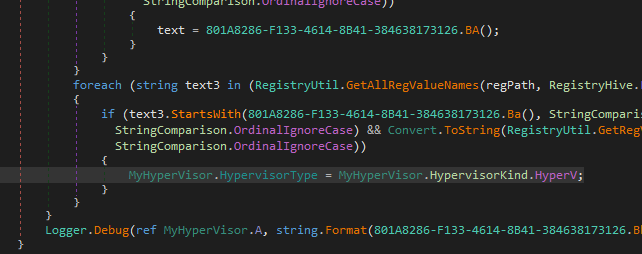
Once we open the application in dnSpy we can see that the debug log function name lines up, and that the code enabling us to bypass the hypervisor check is right there. We’ll focus on the Hyper-V detection.
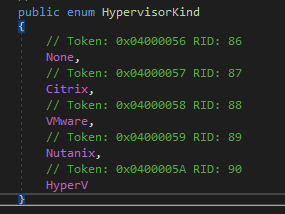
We can also see that there is a structure which has a valid detection type of “None”. In most cases, we’d simply change the value to “None” and recompile.
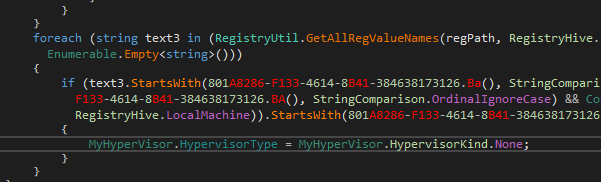
Here’s a quick screenshot of what we’d love to do (it won’t work like this):
We can see that if we do attempt to compile there are multiple errors:
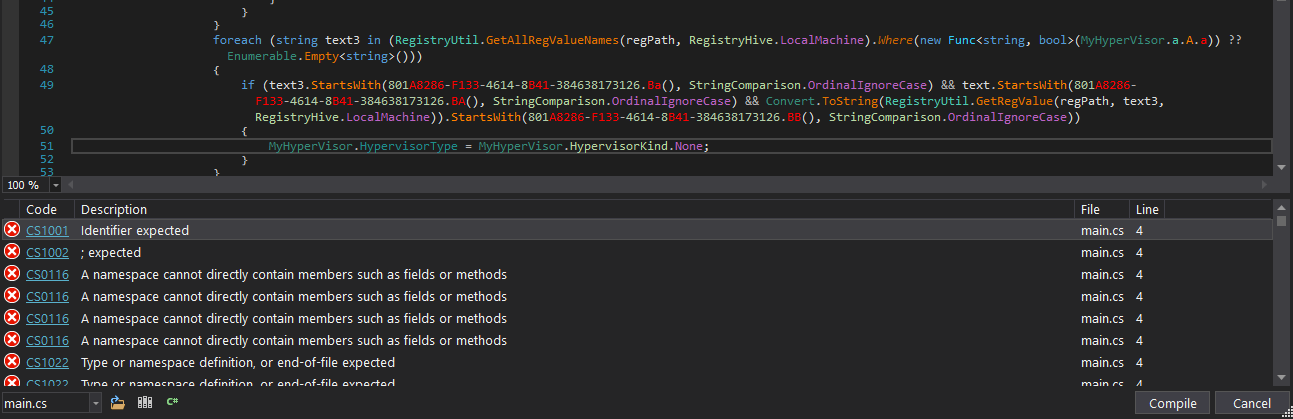
So re-compiling, even after a small change is going to be painful. But the alternative, mentioned above is to edit the binary rather than recompiling the code. It is not as straightforward if you’re only familiar with C#, but under the right conditions it can be pain free. This particular app provides such a condition.
The constructor for the class that assesses the hypervisor already sets the value to “None” when it is initialized.

That means that (most likely) all we need to do is ensure that code to modify (“Set”) that value never runs. So we won’t need to understand a whole lot of IL, we can simply NOP out the sections that make a change.
We do that by finding the line that needs to disappear, right-clicking it, and choosing “Edit IL Instructions.”
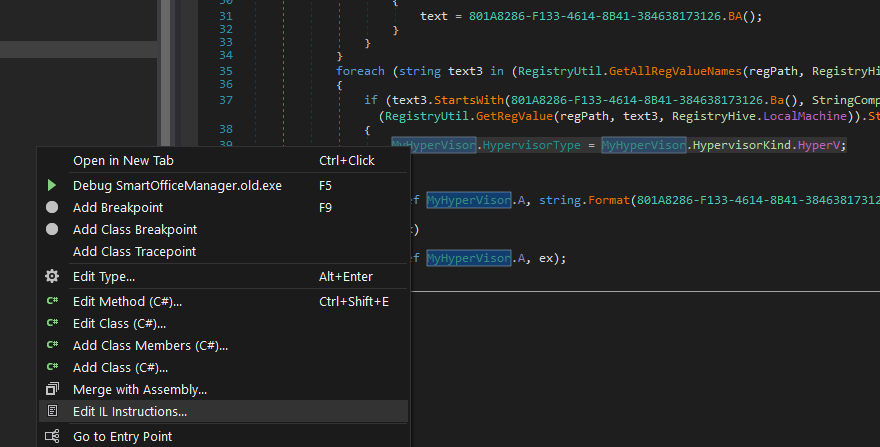
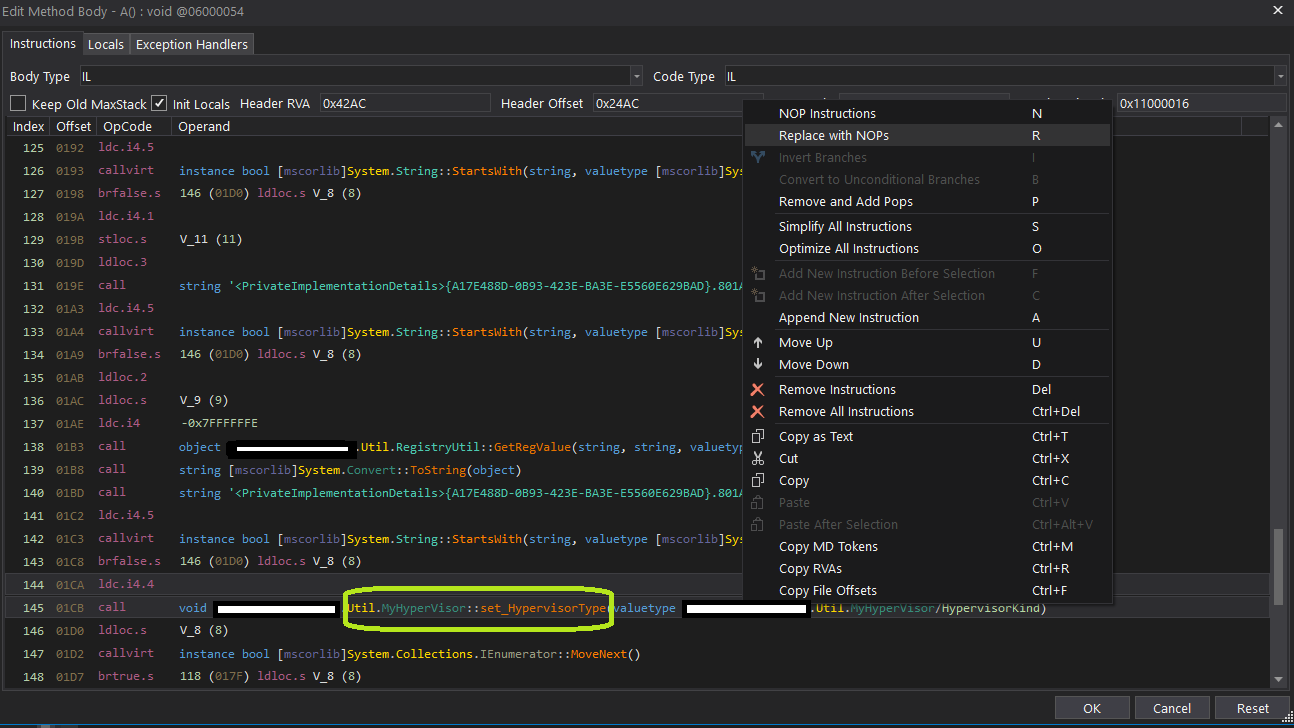
The edit dialog takes you to the corresponding IL instruction. The mapping between IL and C# can be difficult to follow, but a small replacement like this is manageable. Right-click the instruction and choose “Replace with NOPs.”
When you return to the main viewing window, the code has been replaced with an empty set of braces: {}.
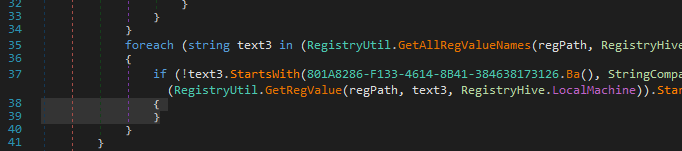
All we do now is save the binary file (not recompile):
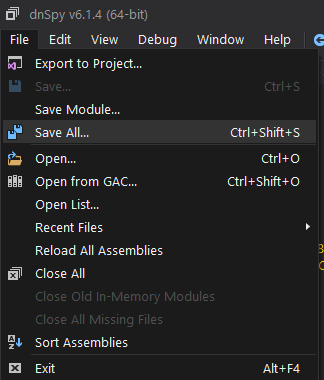
Once we copy the binary back into place and restart the application we can confirm that the hypervisor detection is now inactive.
We can observe it in the behavior we were looking to bypass (usually an error saying something like “running on Hyper-V is unsupported”).
In this particular case we can also confirm in the debug log provided by the application:

Nothing complex is happening here, but the workflow is useful when you need a quick, repeatable patch in a lab.
References

Written by Chad Duffey
Security engineer writing about Windows internals, identity, cloud infrastructure, and defensive engineering.
Comments
Nothing yet. Say the first thing.
Sign in to join the conversation.