
It’s back-to-school and first-job season! In honor of this era of new beginnings, I revamped my previous post about work organization into a full-length video explaining how to stay organized in an intense corporate work environment, drawing from my six years working in Biglaw (which also required me to document my work in the name of the billable hour, ugh). Hope this helps you find some peace amongst the chaos! And take a deep breath—you got this! 🫶
I am all about keeping things simple, especially when the rest of work can be quite chaotic. I would love to have a beautiful bullet journal, but Biglaw just isn’t made for that kind of life—so I instead created a streamlined, modified bullet journal method for myself.1
Required supplies:
A weekly planner—where you can see the entire week on two pages laid flat (very important!!), with relatively large space for each day, as well—like this one for 2025 or this one for 2026 (the Muji planner I swear by is no longer available in the U.S. but is available on Ebay)
Your company’s calendar program (Outlook, probably, or Gcal or iCal)
One legal notepad or notebook per client (if transactional) or per client/matter (if litigation)
Below, I’ll explain how I use the above tools to stay organized at work. I’ll be using the diction of Biglaw, but you can apply the same principles to most corporate work environments, as well. (Matter means Project, and you can of course have multiple Projects per Client. Partner is your boss/supervisor/internal stakeholder.)
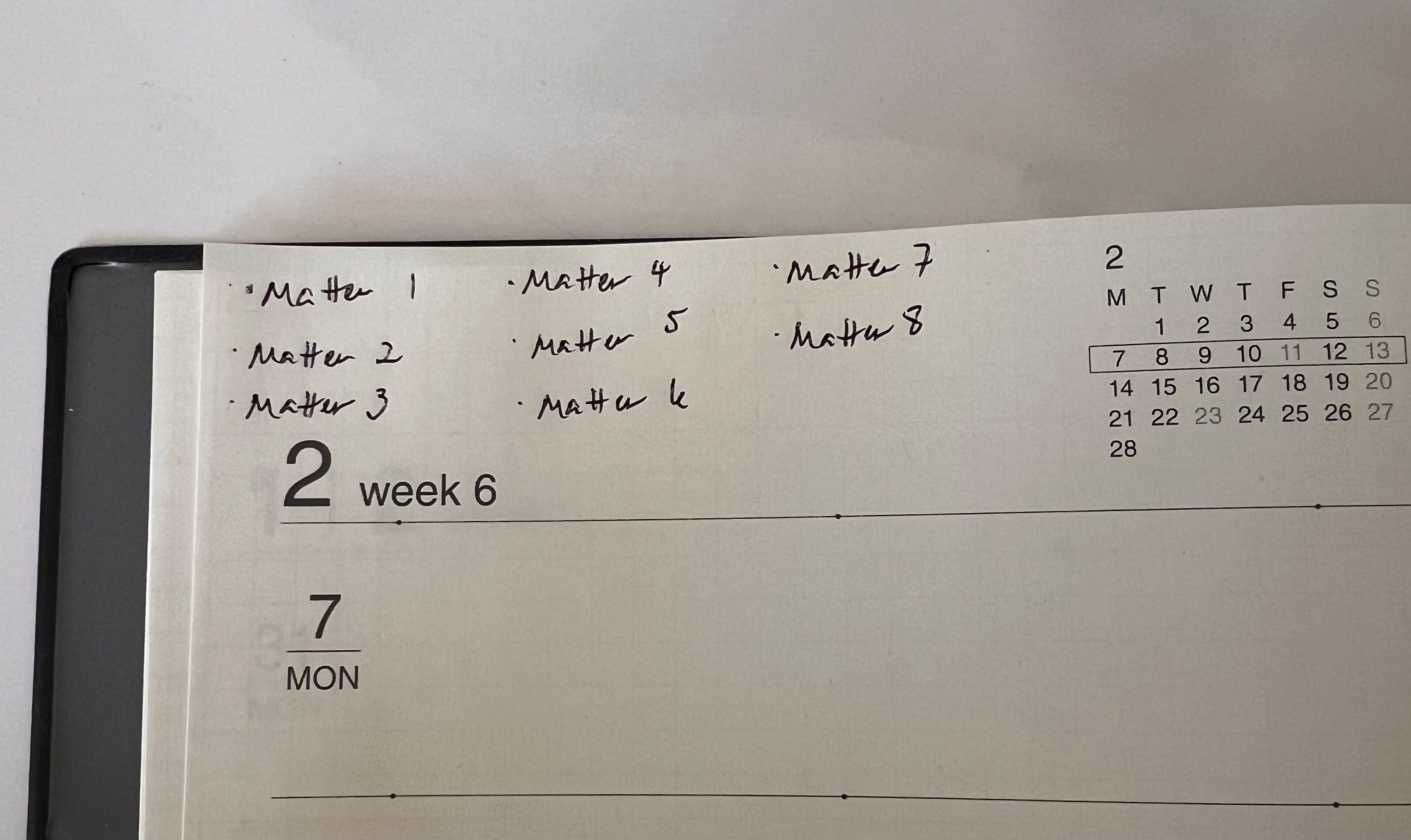
At the start of each week (Sunday or Monday morning, depending on when you like to set aside time to plan for the week), make a bullet list of all your open matters, like so:
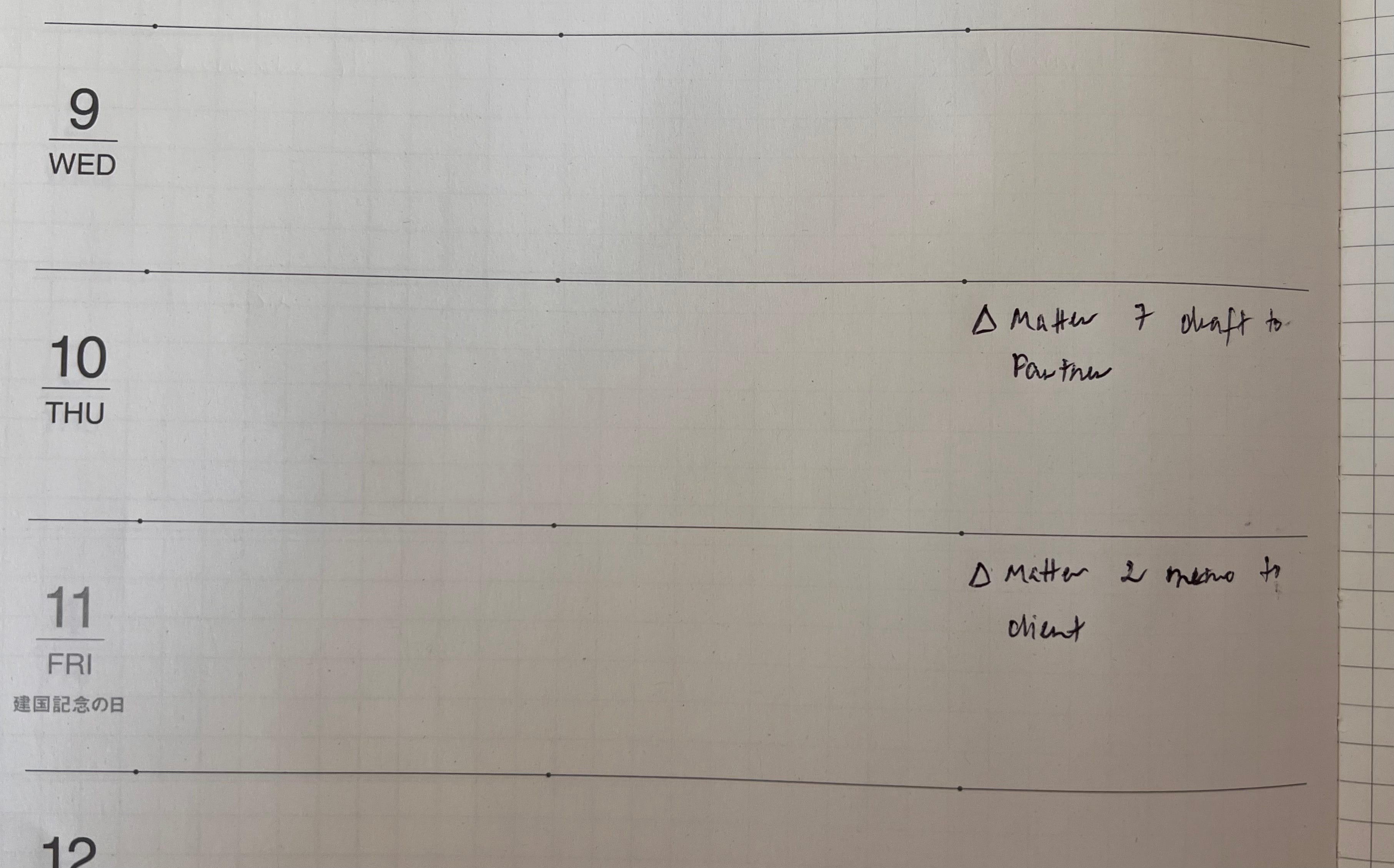
Then, mark in each daily row/column of the weekly planner any deadlines for the matters:
Next, work backwards from those deadlines to place those matters on the day-of and days before the deadline. These are the primary matters and tasks of each day. You have to get them done before you log off for the day.
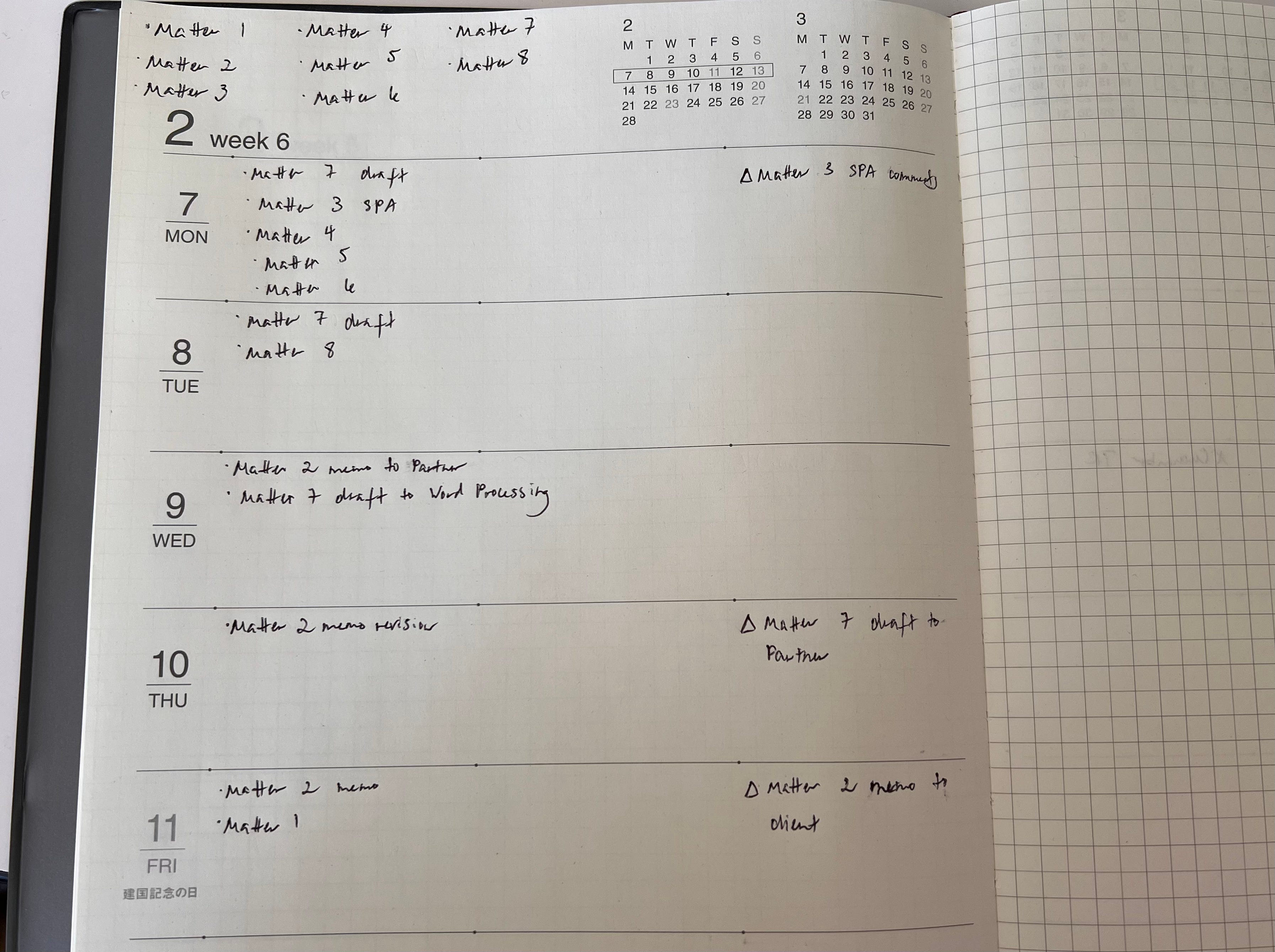
Afterwards, you can leave a space or line to denote where secondary matters and tasks go (work product you’d like to make headway on but don’t have any pressing deadlines). I’d leave some extra room above the space/line/demarcation in case fire-drill assignments pop up, as they always do (I forgot to do that below, sorry). Try to be realistic when moving matters from the overall matters list to the days of the week—but it’s also okay if you overshoot, because you can just move them to the next day.
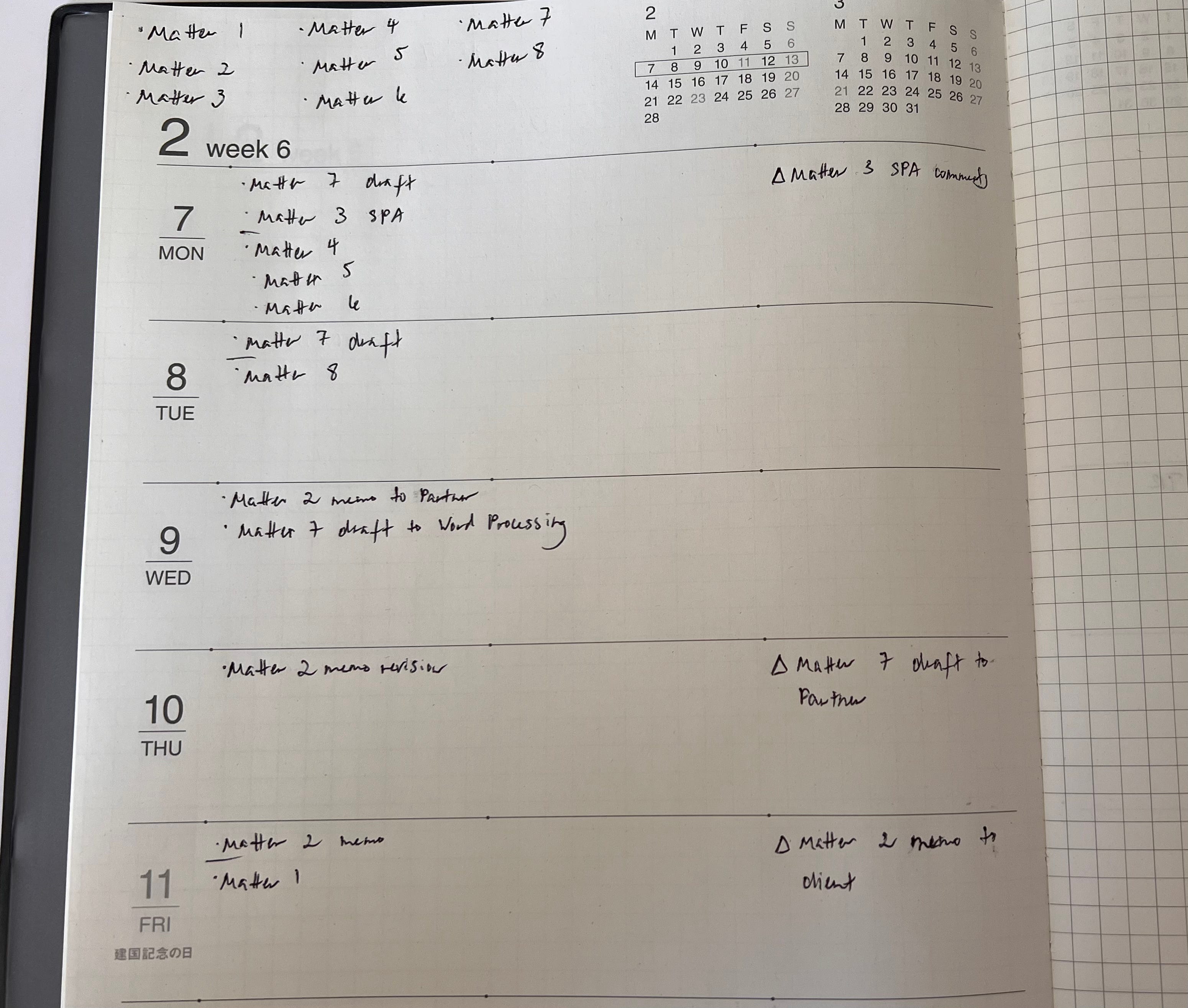
During the week, as you work, place /’s over the bullets of the matters you’ve started working on; cross it the other way with X’s over the bullets of the matters once you’ve completed them. Make a half-slash to form >’s over the bullets of the matters that need to be moved to the next day.
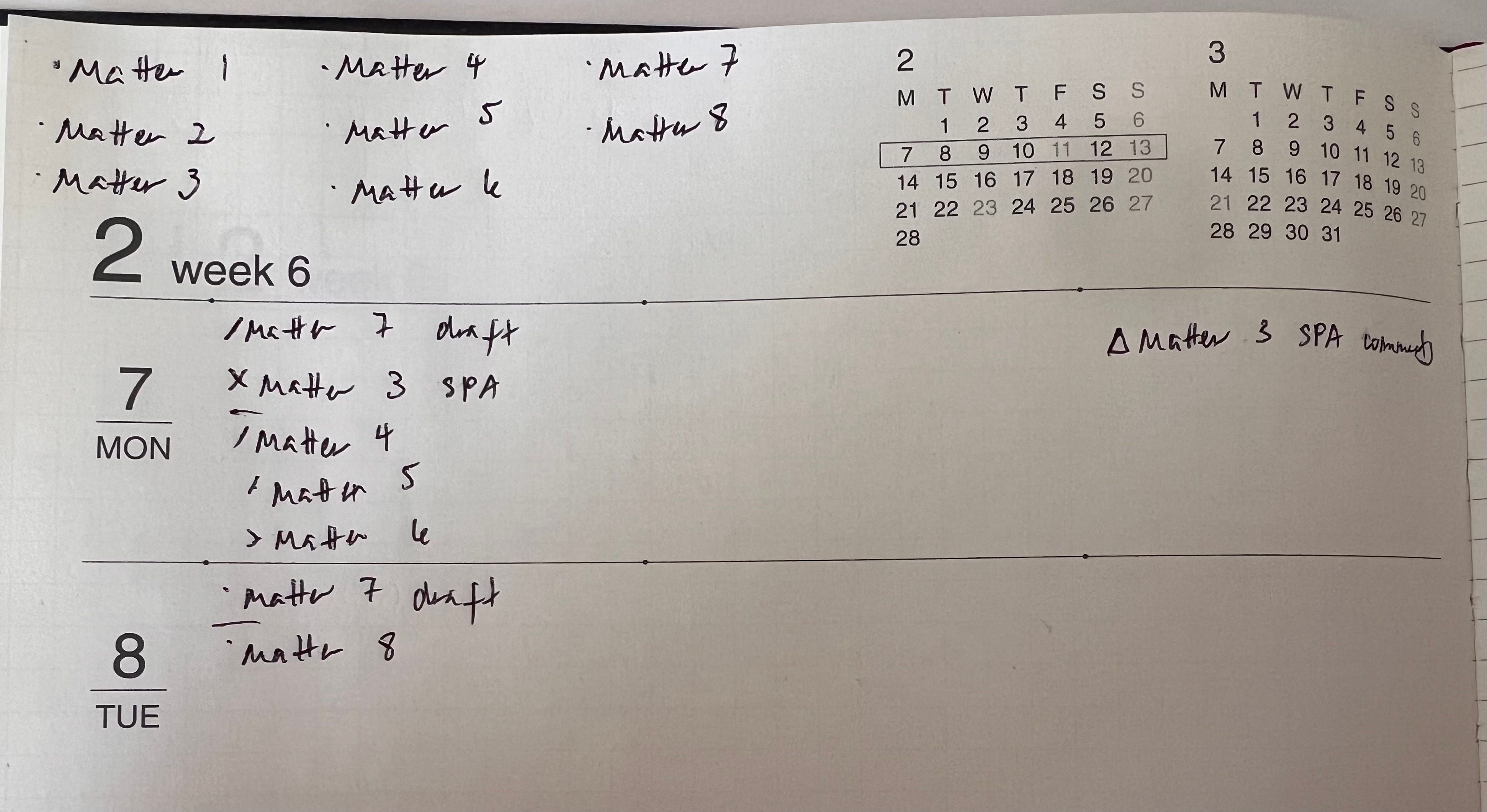
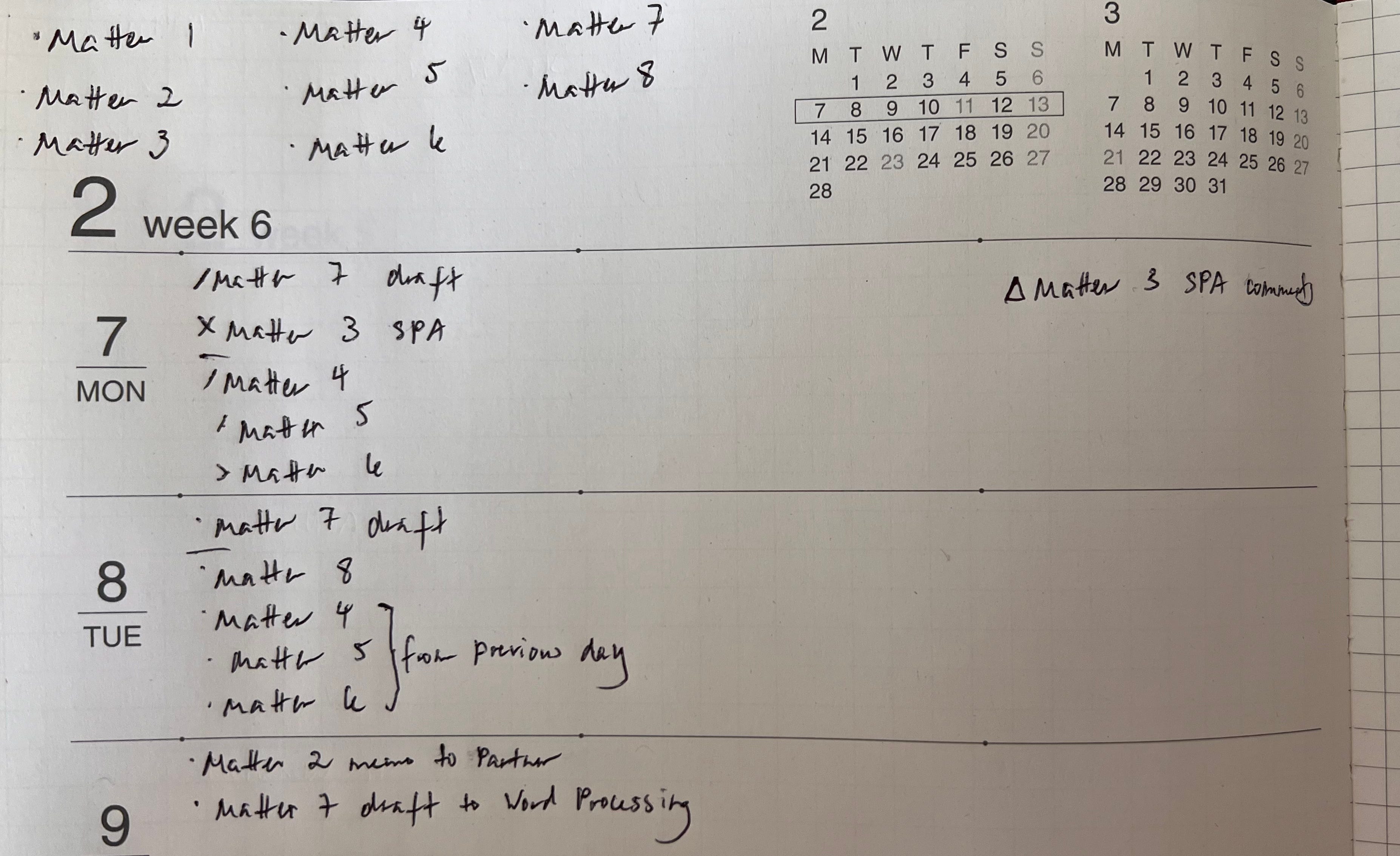
At the end of each day (or the beginning of the next day), move all of the > matters to the next day.
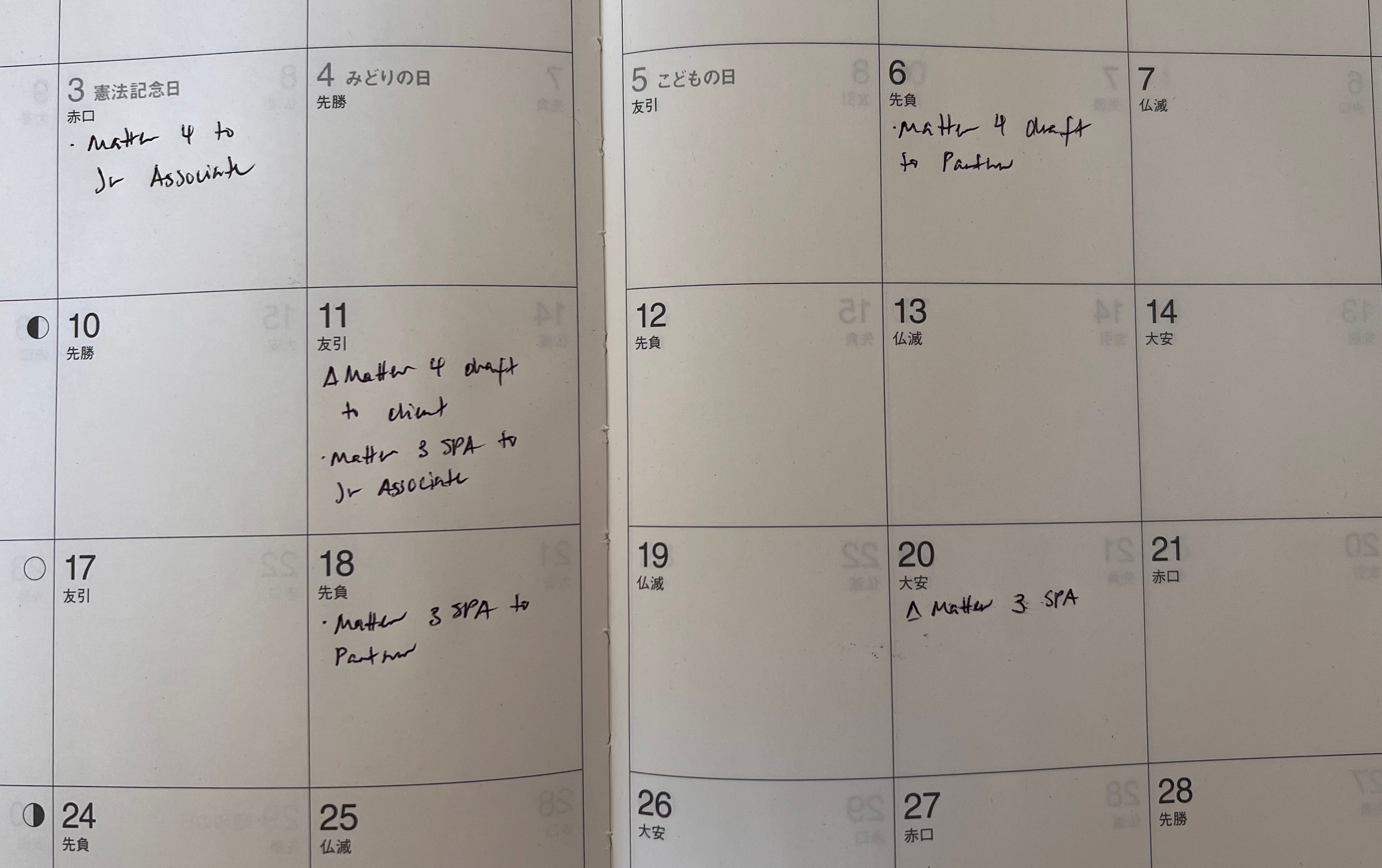
As I became more senior, I also incorporated use of the monthly planner views so I could calculate when to assign tasks to junior associates that would still build in time for one round of review with them before I send it to the partner.
So all of that orients you to what you need to get done every day and week. The best-laid plans go awry, of course—especially when other people enter the picture. To address that, we need to turn to the company calendar.
Time-blocking is exactly what it sounds like: blocking off time in your calendar. On Sunday/Monday (whatever your beginning of the week is), after the initial weekly planner review, I try to time-block the primary tasks into the rest of the week on my work calendar.
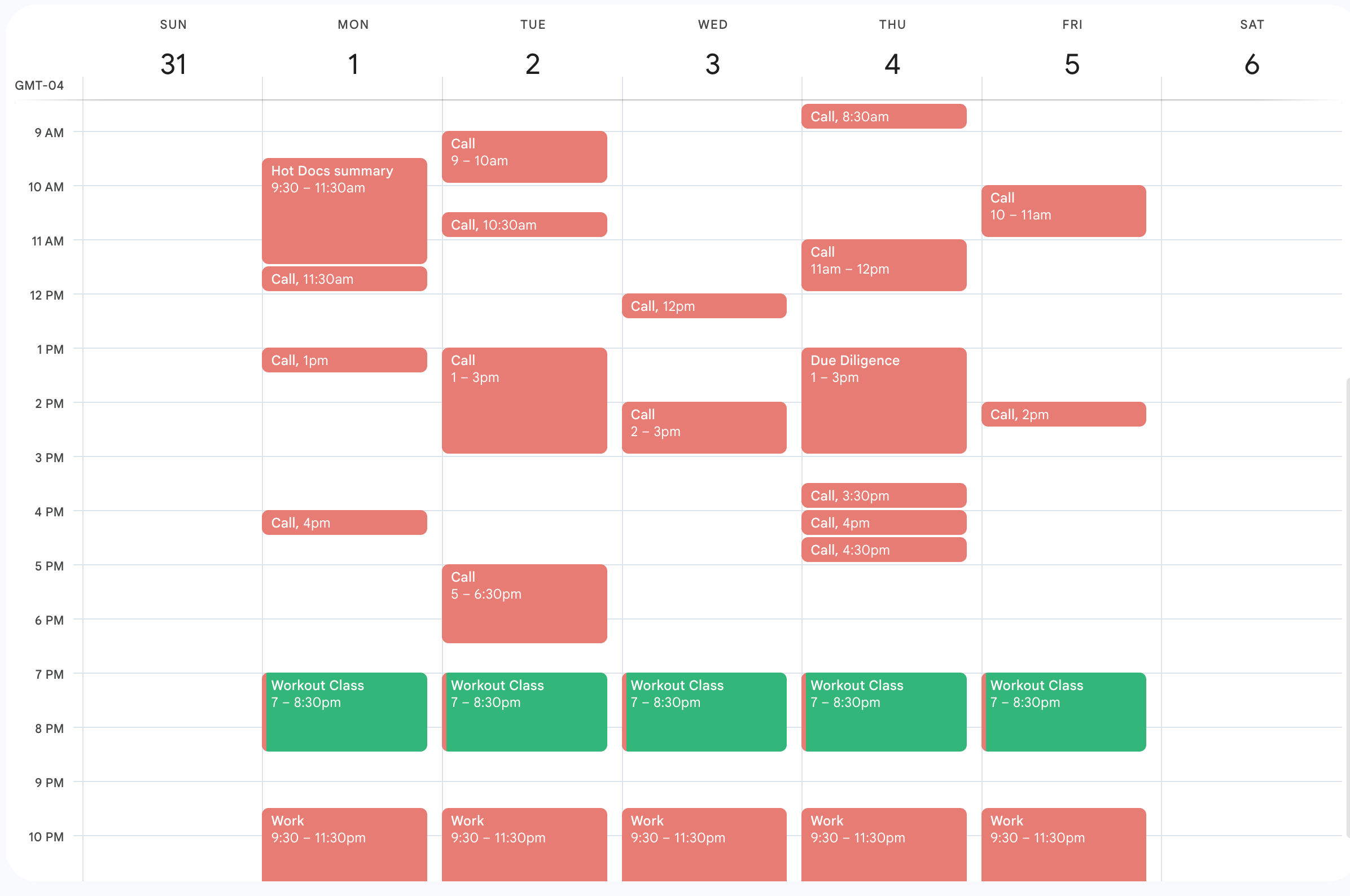
I only time-block primary tasks because, well, fire drills are a fact of life, so I want to ensure that other associates/partners trying to schedule time with me see that I do have availability. Primary tasks and fire drills battle each other for primacy (and who wins really depends on the client/partner/particular circumstances), but both primary tasks and fire drills win out over secondary tasks. If something is really urgent, you can tell whoever is asking that you can move things around (i.e., move your time-block around or shorten it) to accommodate.
I also encourage you to time-block time for yourself every day, whether that’s for cooking dinner, spending time with your kids, working out, playing guitar, whatever. I usually blocked out 7-8:30pm every evening to exercise, which was compatible with my teams and workflows. I did have to barrel through or cancel that self-care time sometimes, but more often than not, I could keep my self-commitment.
Companies who need to bill time will provide some sort of timesheet, which will usually have a built-in timer. Although you have your time-blocks in your calendar application to look back at estimates of how much you worked on primary tasks and calls for certain matters, it won’t capture all of your work time. For that, I create separate timers for every matter I have and click them on/off throughout the day.
At the end of the day, I see how much time I’ve accrued for each matter, adjust them upward or downward depending on if I realized I left one running accidentally or forgot to turn it on for a call, and then transfer those times to my timesheet. (The timekeeping app also usually auto-transfers timer time into your timesheet, though.)
I usually did my timesheet at the very end of the day, while listening to music at my desk, before I called my taxi/car home. If you’re a morning person, though, do it the next morning before the flurry of calls/emails usually begins.
Think of each matter like a separate class. You usually use separate notebooks for classes, right? Same applies to matters. I write the client/matter number on the top of each notepad so I can easily identify which notepad I should be using to take notes on or bring to a meeting. It also helps you know which notepad to refer to when partners/clients have questions about what came before.
If you prefer digital note-taking, that’s fine, too—just have a different Word document/Google doc/whatever word processing document you prefer. I like to use one notepad per transactional client (because I find referring to what we did in a previous transaction to be helpful) or one notepad per litigation client/matter (because the length of litigation often means that one matter will already take up multiple notebooks). But you can try it out and do whatever makes the most sense for you! Notebooks are an extension of your brain—you don’t need to fit your brain to a note-taking system. ◆
I wish I were clever enough to have a pithy name for this… MoBuJo? Lazy Girl Organization? I’ll work on this, okay?!
Comments
Nothing yet. Say the first thing.
Sign in to join the conversation.