
Some services have earned a vaunted position in my marketing bookmarks bar. I get no kickbacks from anyone for sharing these, but here are three tools that can help your videos perform better.

https://www.opus.pro
Turn long videos into short, reel-friendly cuts with burned-in captions and AI-powered trimming of any stutters or dead air. Most people don't pause to watch more than two seconds of a social video (on mute!) so making your content instantly consumable isn't a nice-to-have, it's a must.
The number of credits you get with the lowest paid account ($15/month) is probably more than you will use in a given month, and the simple editing tools are hefty enough for you to upload raw footage from your phone and get everything done at once. You can even bring photos and other video clips into the editing timeline if you want to get really fancy.
See it in action with Chris Stefanick.
https://www.videoask.com/
Collect video testimonials or other user-generated content with ease. Record a video asking for submissions and get a ready-to-go landing page that collects video, audio, or text uploads from a user via mobile or desktop.
You can also elegantly embed it in a website and people can leave their testimonial without leaving your website.
The submissions can also be downloaded from VideoAsk to be edited for clarity, made into a supercut of multiple testimonials, or appended with captions in Opus Clip.
People believe other people. Get your supporters, donors, and customers singing your praises, then share it widely so others will join the chorus.
See it in action for Word on Fire.
https://www.canva.com/create/gif-maker/
Everyone under the age of 65 knows you can't embed a playable video into an email. So what's the next best thing? Using a GIF!
I've seen email click rates climb when you replace a static screenshot from your video with a GIF—especially with a static play button laid on top of the moving image. There is something irresistible about seeing motion in the body of a usually stagnant email, and if you include subtitles on the video frames in the GIF, you can give even more context about what the viewer will see when they click through to the video.
One word of warning: You don’t want too many artifacts blurring the GIF and making it look terrible, but you don’t want to send an email with an enormous file embedded inside.
Just find the sweet spot between low file size and good image quality. I linked Canva above, but plenty of free online tools can help you do this.
See it in action below with an image that Word on Fire recently shared in an email.
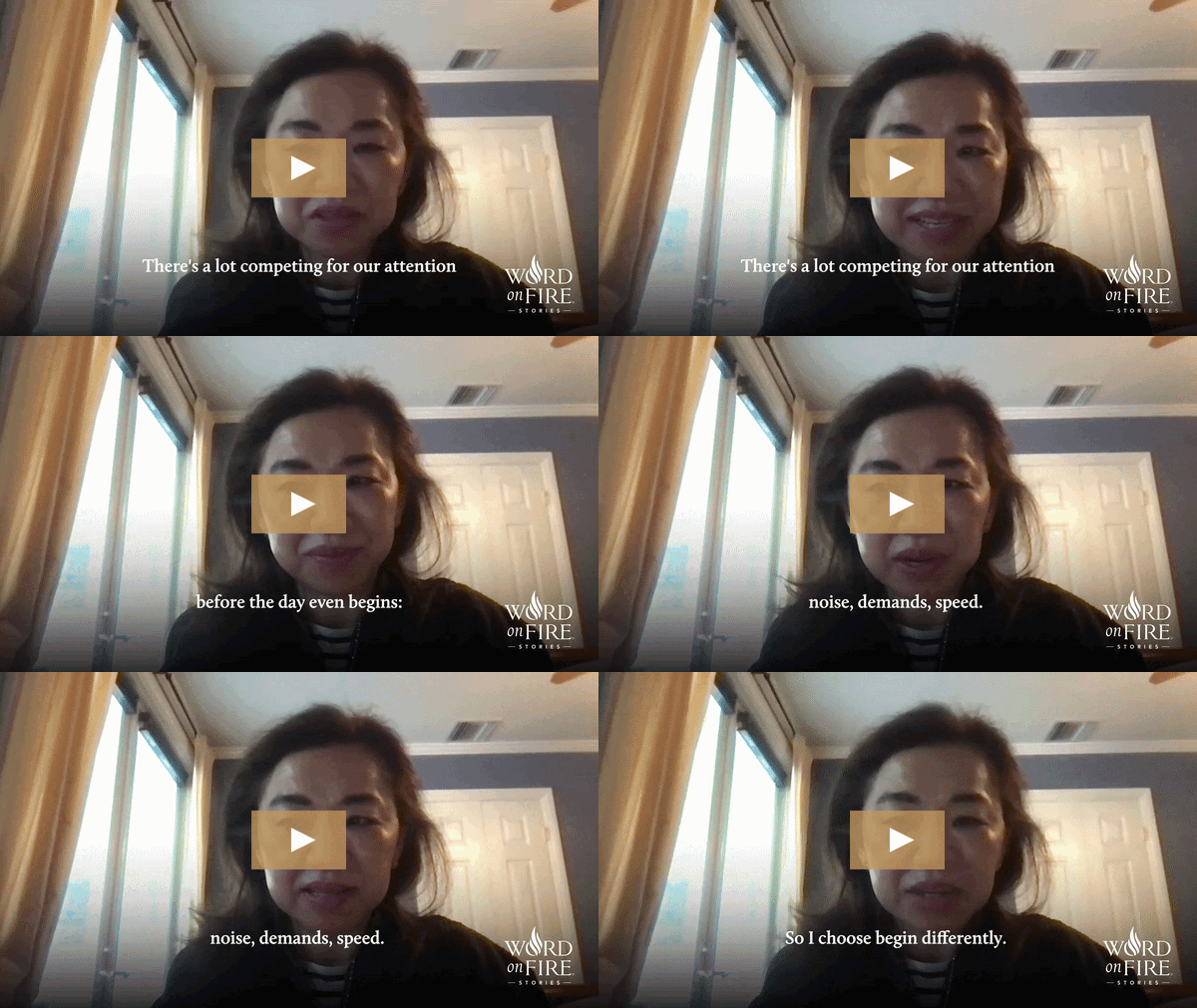
Bonus points because the image above is a GIF using a video testimonial they collected with VideoAsk! If they had burned in the captions with Opus Clip, it would have been the perfect way to round out this post…but alas.
I hope these tools are helpful to you if you’re not already using them.
What’s in your "everyday carry" marketing bookmarks? Share in the comments.
No posts
Comments
Nothing yet. Say the first thing.
Sign in to join the conversation.