
AI isn’t ruining kids’ content. Bad prompts are.
We now have the most powerful storytelling tools in human history. Anyone can make children’s media without studios, networks, massive teams, or months of production.
But speed alone is not the goal.
Using AI well means maintaining educational rigor and entertainment value. It means better prompts and a human in the loop reviewing what’s produced.
This guide is for everyone who wants to use AI responsibly.
People who care about how kids actually learn.
Not hacks.
Not cheap one-shot tools.
Not slop.
I’m Dr. Carla Engelbrecht. I’ve spent 25 years creating children’s media at Netflix, Sesame Street, and PBS Kids. I hold a doctorate in educational technology and media. And I’ve made more than 100 AI-powered videos.
Here is how we stop the slop, because kids deserve better.
If you want to learn how to build thoughtful, high-quality AI kids’ content, you can subscribe to AI Meets ABCs below. I’ll be sharing the full Anti-Slop workflow and running live workshops soon.
Slop is flooding YouTube and other platforms. You can get a sense for how bad it is in some of my other posts.
But how do these videos get made? Generally in as few prompts as possible…
It generally looks like
Open Suno. Type “make an alphabet song for kids” in the simple setting. Generate.
Paste the lyrics into ChatGPT. Say “write animation prompts for these.” Generate.
Paste those prompts into an AI video tool. Generate.
Drop clips onto a timeline, export, and post.
Alphabet video in an hour. And it shows.
I tried it for myself. Here’s ABC Adventure from Suno, with the prompt to make “an educational alphabet song for kids.”
0:00
-2:12
Right away, we have a problem. “Ready… three two three!” 🤯
But wait, it gets worse! A few highlights.
“B is for bouncing.” Bouncing is a verb. It is a hard concept for a toddler. Good alphabet words are concrete and tangible.
“D is for duck with a splashy trail.” Huh?
“U is for up. V is for van. W waves.” Classic generative AI. It got lazy at the end and gave up on descriptions and rhymes.
“X marks the spot in a treasure tree” This is often the hardest letter, but treasure tree?
The finale: “Letters chase out gloom.” Of all the emotions to teach, gloom is not high on the list.
These lyrics aren’t just weird. It is actively working against learning. A child trying to build letter recognition is now encoding the wrong information.
But we’re not going to fix it. Let’s animate instead.
To create the animation prompts, I used a master prompt from a YouTube video on AI for kids videos.
These are lyrics for an educational alphabet song.
Create self-contained animation prompts that will generate a colorful, fun, engaging animation for kids. I want to cut and paste the prompts one by one.
Use bright colors, cute cartoon characters, and lots of movement.
Make it very fast-paced and exciting so children do not get bored.
Include smiling animals, bouncing letters, sparkles, stars, and confetti.
The characters should dance and wave while the lyrics appear on screen.
Make it look like Cocomelon style animation.
Add random fun elements to keep attention high.
Make sure it is educational and entertaining.
Use a happy upbeat tone.
Do not make it scary.
Then make the animations as inexpensively as possible. I used SeedDream 4.5 to make the starting image and then Kling 2.5 to make the animation (both free via one of my subscriptions). Same prompt for both generations.
And you get
A tiger-giraffe hybrid with one arm that magically grows a second arm. A six-legged giraffe.
A duck walking on water. A letter D that's barely recognizable.
Letters that are skewed, backward, in unusual orientations. The alphabet starts ABCD, then goes off the rails with missing letters and nonsensical markings.
ChatGPT Prompt: “A B C”
Create a bright preschool animation with a rainbow background and soft rounded shapes. Show giant smiling cartoon letters A, B, and C bouncing into view one at a time. Use saturated colors, sparkles, stars, and gentle confetti. Add cute smiling animals dancing and waving. Motion is smooth, energetic, and playful. Tone is happy and safe, never scary.
ChatGPT Prompt: “D is for duck / With a splashy trail”
Create a fun preschool animation showing a yellow duck in shallow water. Soft splashes that turn into stars. The letter D pops up playfully. Use bright blue water and happy movement.
ChatGPT Prompt: “Letters are friends / They chase out gloom”
Create a warm preschool animation where smiling letters gather together like friends. Animals clap and wave. Hearts and sparkles float upward. The tone is comforting, encouraging, and happy.
This is slop. Made fast. Looks cheap. Teaches nothing. Probably even makes things worse.
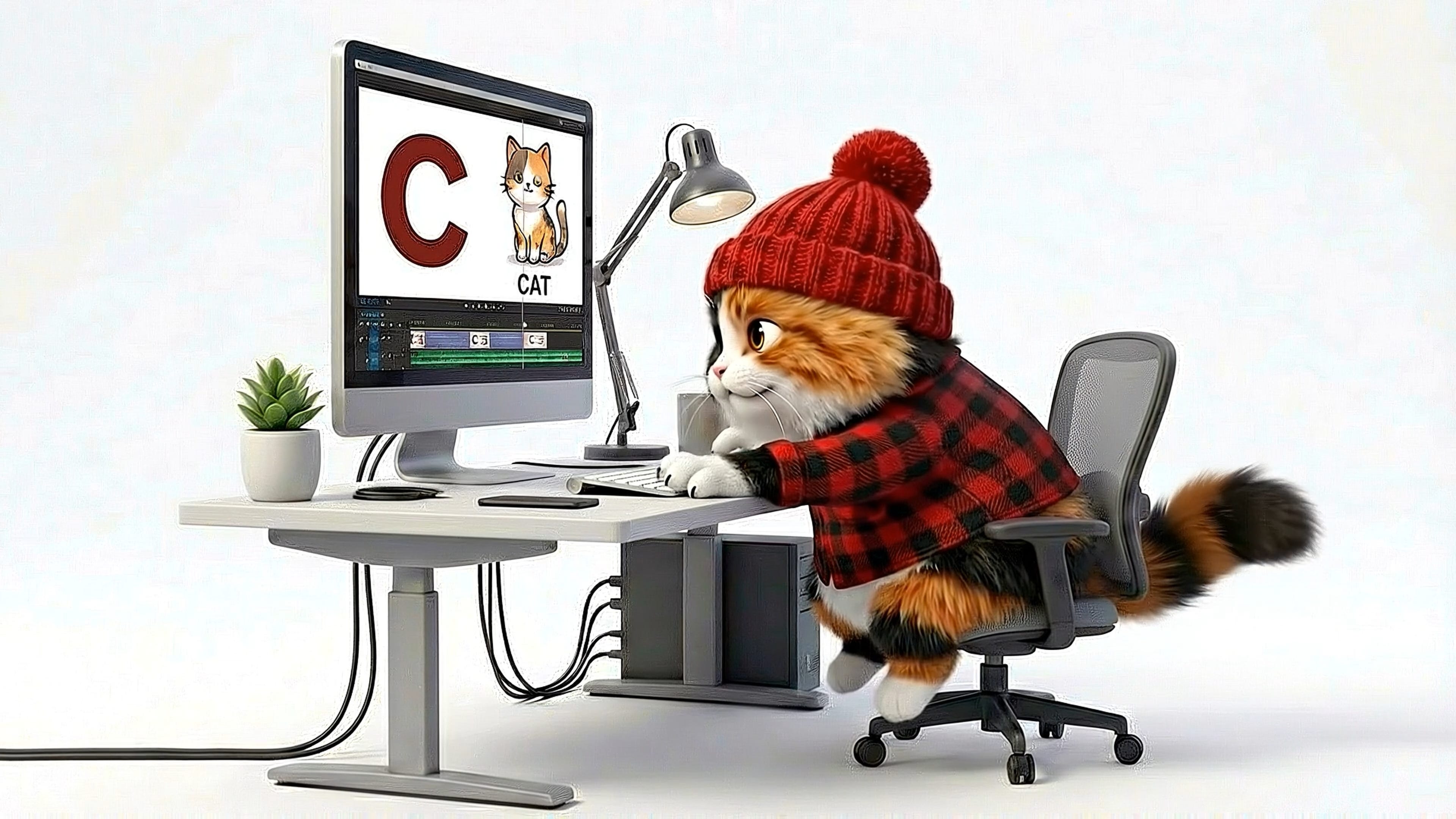
Here’s the workflow I use to create videos for my YouTube channel Hippo Polka. I use Claude, Suno, Veo via Google’s Flow tool, and Davinci Resolve. A video produced with this method can take anywhere from four hours to a few days of work.
Start with Claude, Gemini, or ChatGPT to generate the lyrics. If you have a specific idea in mind, add that information into the prompt.
You are an educational media designer creating an alphabet song for children ages 2–5.
Goal
Create a developmentally appropriate, singable alphabet song that supports early phonemic awareness and vocabulary growth.Letter–Sound Rules
Use the most common consonant sound for each letter.
Use hard C (as in cat), hard G (as in go).
Avoid initial consonant blends whenever possible.
Do not use words like star, frog, truck.
Use short vowel sounds when possible.
One clear, unambiguous word per letter.
Word Selection Guidelines
Choose concrete nouns a toddler can see, touch, or point to in real life.
Words must be easy to illustrate with a simple, single image.
Avoid abstract concepts, actions, or category labels.
Avoid rare, outdated, or culturally specific items.
Category Balance
Across the alphabet, include a mix of:
Animals
Everyday objects
Food
Vehicles
Nature items
Familiar people or body parts
Do not cluster too many words from the same category.
Structure & Format
Include a short, friendly intro that welcomes the child.
Use the consistent structure:
“A is for ___” Plus action to do with that word.
“B is for ___” Plus action to do with that word.
End with a warm, rhythmic outro that reinforces letter learning.
Tone & Style
Simple, upbeat, and playful.
Clear rhythm suitable for singing.
Short lines with predictable phrasing.
Rhyming is preferred but do not force rhymes. Be consistent.
Output
Provide the full song lyrics, from intro through outro.
These requirements aren’t just rules. They are the foundation of reading.
When a child hears “B is for Ball,” their brain is building a three-way connection between:
The visual symbol B
The speech sound /b/
A meaningful, real-world object
This is the Alphabetic Principle. That connection doesn’t form automatically. It requires repetition, clarity, and consistency. Your word choice determines how easy it is for the brain to build that link.
If a word fails these tests, it adds “cognitive load.” That means the brain is too busy trying to figure out the word to actually learn the letter.
Avoid Consonant Blends. A word like “Frog” starts with FR. That is two sounds mashed together. Use Fish instead. One letter, one clear sound.
Prioritize Hard Sounds. Use Goat instead of Giraffe. A child needs to learn the most common sound first. If you start with the exception, you undermine the lesson.
Skip Digraphs. Don’t use words like Chip for the letter C. The “CH” sound is a different animal entirely. Stick to Cat.
Avoid “ST” or “TR” mashes. Avoid Star or Truck, if you can. The child hears two sounds when you are trying to teach one. Sometimes it happens because it’s simply the best word for the situation. Teachers will roll with it.
Concrete words are critical. Can a child point to it?
A child can hold a ball, throw a ball, or see a ball at the store. That is a concrete noun. “Bravery” or “Happiness” are abstract. A toddler cannot point to bravery. If it is hard to point to, it is also hard to illustrate. There are ways to illustrate these, but not in a quick moving alphabet video.
Children need multiple exposures to a word across different contexts before it becomes part of their vocabulary. A song is just one exposure. It only works if the word connects to something the child actually experiences in real life.
The goal is clarity, not cleverness. If you have to explain the word, you have already lost the letter.
Review the lyrics carefully for this criteria. Iterate until you have a complete set of lyrics.
I prefer Suno for song creation, but there are other tools. I go in depth on using Suno for making your own version of kids songs here.
For young children, music and language share the same limited processing bandwidth. When a melody is too complex, the tempo is too fast, or the vocals are heavily stylized, language comprehension suffers.
Your song’s job is not to deliver information quickly. It is to pace information in a way the brain can actually process.
Think of a child’s brain as a filing cabinet. Each letter-word pair is a folder that needs to go in the right drawer.
Slop dumps everything into a pile on the floor. The information was never organized. Nothing was learned. This is why the modern version of the Alphabet Song spaces out “L-M-N-O-P.” In the old version, kids thought “Lmnop” was a single, confusing letter.
When it comes to the style of the song, you aren’t going for musical sophistication. You are going for intelligibility and repeatability.
Prioritize Clarity. Use simple melodies, steady rhythms, and moderate tempos. The child should hear every word clearly enough to sing along.
Avoid the “Saccharine” Trap. You don’t have to make the music grating. In fact, I don’t recommend putting “children’s song” in your style prompt.
Intelligibility is the objective. If the music is too “busy,” the brain stops filing and starts just trying to survive the noise.
Use the custom setting on Suno, add your lyrics, and then add styles. Here’s a few ideas.
Funk, slap bass, male vocal, playful and precise, tight horns, 95 beats per minute, Stevie Wonder influence, groovy but not chaotic.
Indie pop, female vocal, bright and articulate, synth and acoustic guitar, 110 beats per minute, Feist influence, catchy hook.
New Orleans brass band, male vocal, celebratory, tuba and trombone, 100 beats per minute, parade energy, singalong feel.
Bluegrass, banjo and fiddle, female vocal, bright and twangy, 105 beats per minute, front porch energy, clear storytelling.
I usually generate at least 4-6 versions of any set of lyrics. If you’re repeatedly not getting the rhythm you want or the lyrics are garbled, go back and tweak the lyrics. Suno is very responsive to rhythmic writing.
I also use generative AI to create the animation prompts at scale, but my master prompt differs significantly from the slop creators. I use Claude to write the animation prompts. (I have also successfully used ChatGPT and Gemini. It’s the prompt and human in the loop that matters.)
I am animating an educational alphabet song using Veo for video generation.
Create one self-contained animation prompt per lyric or letter based on the lyrics I provide.Requirements
Each prompt must describe one simple scene
One subject doing one clear action
No clutter, no secondary characters, no decorative effects
This is educational content for preschoolers. Clarity matters more than spectacle.
Every prompt must include
Camera framing. Choose one: wide shot, medium shot, close-up, or extreme close-up
Subject: One concrete object from the lyrics, Familiar and easily recognizable
Action: Use one simple, active verb (e.g. sitting, jumping, reading). Avoid complex or multiple actions
Setting: Simple, uncluttered environment (wooden table, grassy field, solid color background, simple kitchen counter). No busy backgrounds or extra props
Style: Hand-drawn storybook 2D animation
Lighting: warm sunlight, soft studio lighting
Target Letter: Include the capital letter clearly visible in every scene. It must be correctly formed, upright and stationary, clearly visible, high contrast. Do not obscure the letter. Do not rotate, animate, distort, or decorate the letter.
Output Format
Each prompt should be written as one concise paragraph in clear, descriptive language, suitable for direct copy and paste into Veo.
Medium shot of a shiny red apple sitting still on a wooden table. The apple is round and centered in the frame. The capital letter A appears to the right of the apple, bold white with a subtle shadow, upright and stationary. Soft warm studio lighting. Neutral beige background. Hand-drawn storybook 2D animation style, calm and friendly mood.
Lyrics
[PASTE 5-8 LINES OF LYRICS HERE]
I repeat the process as many times as needed for the length of the lyrics. Doing all lyrics at once tends to result in lazy responses.
This master prompt generates animation prompts that focus on clear, simple animations.
A two-year-old looking at a busy image doesn’t know what is important. Their attention follows whatever is most visually prominent, not whatever is most relevant to the lesson.
If there is a puppy in the corner, they are looking at the puppy. If there is a rainbow, they are looking at the rainbow. They might only glance at the apple for half a second.
Every element that isn’t the lesson is competing with the lesson. A toddler’s working memory is tiny. If you fill it with visual noise, there is no room left for decoding “A is for Apple.”
In educational research, this is managed by two core rules:
The Coherence Principle: People learn better when extraneous material is excluded. That flying car the AI added because you prompted for “magic” is actually a distraction. It forces the brain to filter out noise, leaving less capacity for learning.
Signaling: The important thing should be the obvious thing. This is visual “pointing.” If you are teaching the letter A, the letter and the apple should be the clear focus of the frame, not tucked away in a corner.
Before you finalize a scene, look for “visual tax.” If you see any of the following, your prompt was too shallow:
Secondary Characters: No sidekicks or dancing animals unless they are the subject and related to the primary action.
Busy Backgrounds: No complex cityscapes or cluttered rooms. Stick to simple settings .
Decorative Effects: No random sparkles, confetti, or lens flares. It’s a distraction. If it doesn’t help them identify the letter, cut it. (AI engines really like to add these, even with negative prompts telling it not to do this.)
Clarity matters more than spectacle. When you use AI to “add fun,” you are often just adding distraction.
Submit the prompts to the animation engine. I use Veo with Flow. Whichever tool you use, the prompts remain generally the same structure. (Kling, Runway, and Luma are some of the many other options.)
How to access Google Veo: To access Veo, you need a Google account. With a Google subscription, you can access Flow, which allows you to generate multiple clips simultaneously. You can also find Veo integrated into Gemini Advanced, which is great for a simple, chat-based flow. With a free account, you can access Google AI Studio in most countries.
This is what a difference a prompt can make. D is for Duck reprompted for educational value. Same free models, educationally sound prompt.
Medium shot of a bright yellow duck standing in shallow water, gently rippling the surface with its feet. The duck is centered and facing slightly to the side. The capital letter D appears beside the duck, bold white, upright, and stationary, clearly and correctly formed. Simple outdoor setting with calm shallow water and a soft blue background. Bright morning light with natural reflections. Hand-drawn storybook 2D animation style, calm and friendly mood.
You’ll still have to iterate at times, because AI will make mistakes, but you’ll have a much better output on the whole.
This final step of editing is where all the intention comes together. For an alphabet song, I typically end up with 40-50 animation clips to stitch together. Each letter gets its own segment plus additional clips for intro/outro, additional chorus, and instrumental breaks. Most clips need trimming. If the AI didn't render the letter clearly or I discover a mistake (which happens often), I go back to the animation tool and iterate as needed.
Slop editing means throwing clips on a timeline and rendering. Intentional editing means syncing every visual to every word.
When sound and image are out of sync, the brain has to work harder to connect them. That extra effort is “cognitive load.” It reduces learning.
If a child hears “B is for Ball” and sees the ball at that exact same moment, their brain binds those elements together. This is Temporal Contiguity: words and images appearing together, not in sequence.
The Sound: /b/
The Symbol: B
The Image: ⚽
When these hit at once, memory forms. If the word “ball” appears even half a second after the child hears it, the brain has already moved on. That missed moment is a missed learning opportunity.
You don’t need fancy software to edit well. Whether you use DaVinci Resolve or CapCut, you just need to be intentional.
Bind the moments. As explained above, make sure to show and say letters/words/sounds at the same time.
Hold Shots. Hold each shot long enough to process. A toddler needs several seconds to take in a new image. If you cut too fast, their brain keeps resetting instead of encoding the information.
Don’t use transition animations just because they’re there. Skip the star wipes, spins, and zooms. Every flashy transition is work the child’s brain has to do instead of learning. It’s more often a distraction than an improvement. Use simple, predictable cuts. Use transitions if necessary for smoothing out a shot.
Watch it with a child. Before you export, watch your video with an actual child. If they look away, your pacing is off or your image is too busy.
The timing is the teaching. Predictability lets the child focus on the content instead of being surprised by the container.
There are thousands of alphabet videos on YouTube right now. Many made far too quickly by someone who never thought about phonemic awareness, cognitive load, or what a three-year-old’s brain can actually process.
Bad prompts. Lazy actions. Slop.
You now know how to make something different. You know why “ball” works and “bouncing” doesn’t. You know why pacing matters more than sparkles. You know why one apple on a table teaches more than a rainbow full of dancing animals.
The tools are the same. The difference is you.
Better prompts alone won’t save us.
No prompt, however well designed, replaces human judgment. AI can generate text that looks coherent while still being developmentally wrong, logically inconsistent, or subtly misleading. For adult audiences, these errors are often harmless. For children, they are not.
Children use stories to build mental models of how the world works. Small inaccuracies matter. Logical gaps matter. Incorrect cause and effect matters. An AI system cannot reliably detect whether a story is developmentally appropriate or whether its internal rules make sense to a child at a particular stage.
This is why human review is not optional polish. It is part of the learning design.
At every step of this workflow, you are reviewing for
Clarity and logic. Is the storyline clear? Does every outcome happen because of a visible action? Are objects used correctly? Do actions produce plausible results within the rules of the story world?
Developmental fit. Does the content assume skills the target age doesn’t have yet? Is time linear? Are motivations explicit? Are emotions named or shown clearly?
Cognitive load. Are there too many characters, settings, or ideas competing for attention? Is the important thing the obvious thing?
Accuracy. Is it correct?
These are judgments that require human perspective and developmental knowledge. The AI gives you speed. You give it sense.
Every video you make is a small bet on what’s worth putting in a child’s brain. Make it count.
That is how you stop the slop.
⭐ Help me help you! What are your questions on AI?
⭐ If this was helpful to you, please help me spread the word.
Comments
Nothing yet. Say the first thing.
Sign in to join the conversation.