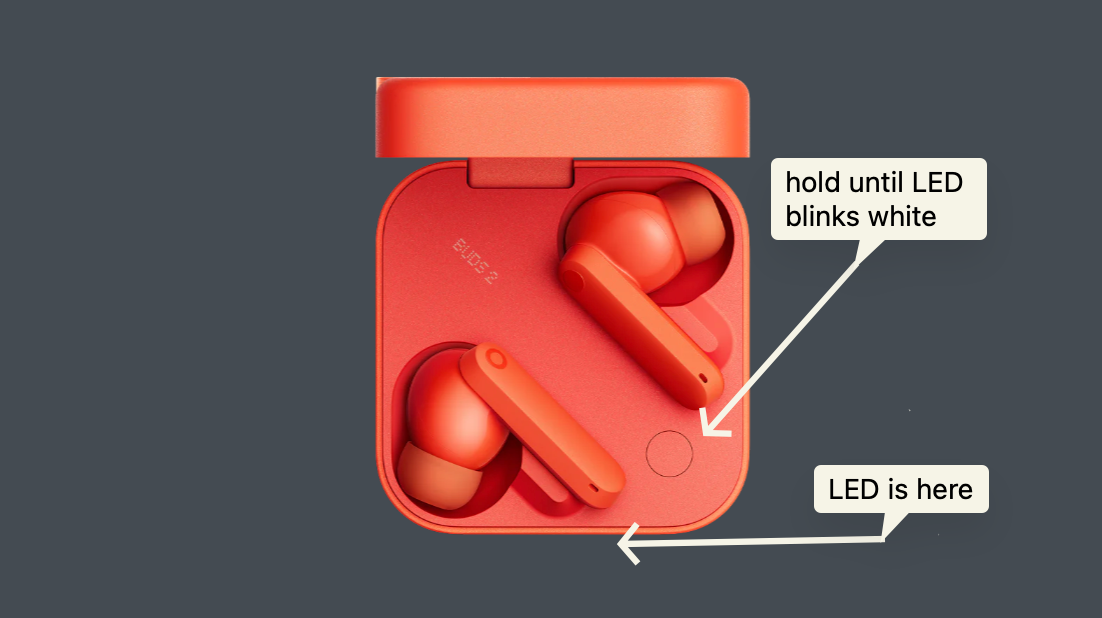
1. Activate Pairing Mode on Your Earbuds: Begin by placing your CMF Buds 2 into pairing mode and make sure the earbuds are in the charging case. Hold down the button on the earbuds until the white light starts flashing repeatedly — this indicates it's ready to connect.
2. Access Bluetooth Settings on Your Mac: Next, navigate to your Mac's Bluetooth settings. You can do this easily through System Preferences (found in the Apple menu) or via the Bluetooth icon in the menu bar.
3. Connect the Device: Once in the settings, scan for available devices. Your CMF Buds 2 should appear in the list. Select it to pair.
Done!
Documenting this because I couldn’t figure it out, so I imagine someone else is running into this issue, haha.
Comments
Nothing yet. Say the first thing.
Sign in to join the conversation.