
Imagine having your entire digital workspace perfectly organized, with every team member knowing exactly where to find information and how to collaborate efficiently. This isn’t just a productivity dream—it’s what happens when you work with a skilled Notion consultant. As businesses increasingly adopt Notion’s flexible platform, the demand for experts who can transform this powerful tool into a tailored productivity ecosystem has skyrocketed.
Whether you’re drowning in digital chaos or simply want to maximize your team’s efficiency, a Notion consultant might be the missing piece in your productivity puzzle. This comprehensive guide covers everything you need to know about finding, hiring, and working with Notion consultants to create your ideal workspace.
Notion is a powerful all-in-one workspace where you can think, write, plan, and organize everything that matters—whether you’re working solo or in a team of thousands. It offers a calm, customizable space for notes, wikis, projects, and databases. With built-in collaboration tools, you can comment, share, and mention teammates with ease. Notion AI enhances productivity by summarizing notes, generating content, and automating repetitive tasks. From personal planners to company-wide operating systems, Notion adapts to your workflow. Its automation features and open-ended design make it ideal for streamlining processes, building dashboards, and scaling organized systems across teams.
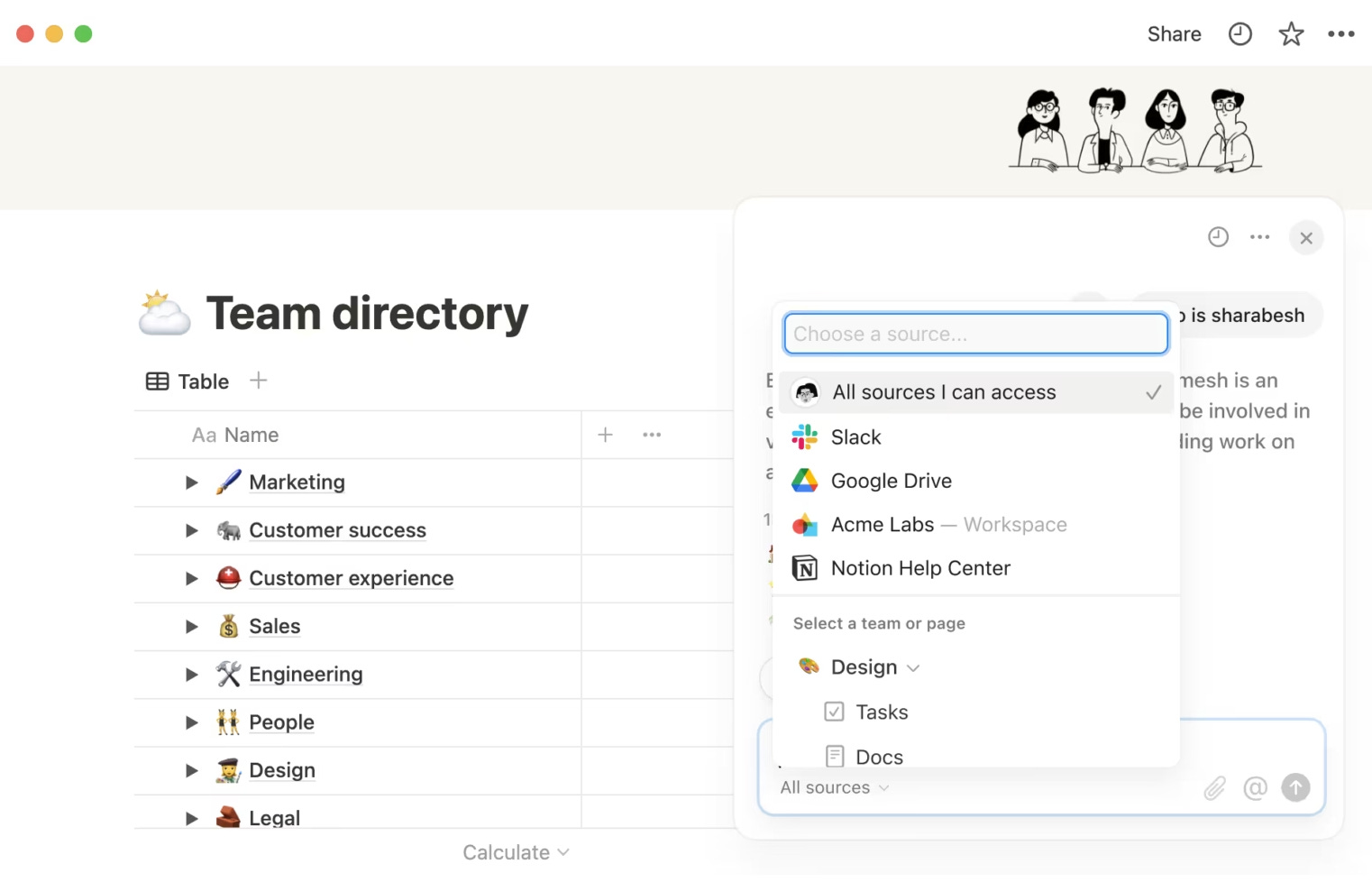
Notion is used for everything from daily to-do lists to managing entire businesses. With its powerful database structure and flexible layout system, users can create dynamic dashboards that visualize goals, KPIs, calendars, tasks, and progress—all in one view. Notion AI adds an intelligent layer, helping users summarize meeting notes, auto-generate content, and brainstorm ideas. Automations and integrations with tools like Zapier and Make.com enhance productivity by reducing repetitive tasks. Notion is also ideal for client portals, team wikis, and SOP documentation. Whether you’re a freelancer building a Life OS or an enterprise organizing multiple departments, Notion adapts to your needs, making work more organized, centralized, and scalable.
AI-powered note summarization and content writing
Personalized productivity dashboards (tasks, goals, metrics)
Centralized team wikis and internal documentation
Standard Operating Procedure (SOP) systems
CRM and lead tracking for small businesses
Second Brain system
Client portals with deliverables, timelines, and updates
Automation with Notion API, Zapier, and Make
OKR tracking and performance reviews
Construction project and site tracking
Content calendar and social media planning
Habit tracking, journaling, and life organization
Academic research, study databases, and coursework planning
Inventory, financial planning, and expense tracking
Freelance project management and client onboarding
A Notion consultant is a professional who specializes in customizing and optimizing Notion workspaces to meet specific individual or organizational requirements. These experts possess deep knowledge of Notion’s features and capabilities, allowing them to create tailored solutions that enhance productivity and workflow efficiency.
Workspace design and architecture: Creating intuitive, efficient workspace layouts that align with your specific workflows and organizational structure.
Custom template development: Building specialized templates for various business processes like project management, content calendars, CRM systems, and knowledge bases
Process automation: Implementing automations within Notion and connecting with external tools to reduce manual work
Data migration: Transferring information from existing tools into Notion while maintaining data integrity
Training and support: Educating teams on effective Notion usage and providing ongoing assistance as needed
A Notion Certified Consultant has undergone Notion’s official certification program, demonstrating proven expertise in the platform. This certification serves as validation that the consultant possesses comprehensive knowledge of Notion’s capabilities and best practices for implementation.
While certification isn’t mandatory for a consultant to be skilled, it provides an additional level of assurance about their proficiency, especially when dealing with complex projects or enterprise-level implementations.
Benefits of working with a certified consultant:
Verified expertise and knowledge of Notion’s features
Familiarity with best practices and latest platform updates
Professional approach to workspace design and implementation
Access to resources and support from the Notion community
Investing in a Notion consultant can provide significant returns in terms of productivity and efficiency. Here’s why organizations choose to work with these specialists:
Time efficiency
Rather than spending weeks learning Notion’s intricacies, consultants can quickly implement tailored solutions, drastically reducing the learning curve for your team.
Customized solutions
Consultants create systems specifically designed for your unique workflows and requirements, ensuring Notion becomes a perfect fit for your organizational needs.
Enhanced productivity
Well-structured workspaces eliminate redundancies and create efficient workflows, allowing teams to collaborate more effectively.
Scalability
Professional consultants design systems that can grow with your organization, preventing future operational bottlenecks as your team expands.
Automation integration
By connecting Notion with other tools and implementing automated processes, consultants help reduce manual work and potential for errors.
Expert guidance
Having a consultant who understands both Notion capabilities and business operations means you get practical solutions that actually solve problems rather than just digital reorganization.
Notion consultants provide a wide range of services tailored to different needs:
Workspace audits and optimization
Evaluating existing Notion setups to identify improvement opportunities and restructuring for better efficiency.
Custom template creation
Designing specialized templates that cater to specific business functions such as project management, content planning, HR management, and more.
Workflow design
Creating interconnected systems that streamline processes across departments and teams.
Integration services
Connecting Notion with other platforms (like Slack, Google Workspace, or Zapier) to create a seamless operational ecosystem.
Training programs
Developing and conducting workshops to help teams maximize their use of Notion’s features.
Ongoing support and maintenance
Providing continued assistance for updates, troubleshooting, and workspace evolution as organizational needs change.
Strategic implementation
Aligning Notion workspace structure with company goals and operational strategies for maximum impact.
Finding the right Notion consultant requires knowing where to look:
Official Notion certified consultants directory
Notion maintains an official directory of certified consultants who have demonstrated proficiency in the platform. This is often the safest starting point for finding vetted professionals.
Camel Tech
A leading provider of Notion consulting services, Camel Tech specializes in creating sophisticated Notion workspaces for businesses of all sizes. Their team combines deep Notion expertise with business operations knowledge to deliver high-impact solutions.
Freelance platforms
Websites like Upwork, Fiverr, and Freelancer host numerous Notion specialists offering various service packages.
Professional networks
LinkedIn and other professional networking platforms can be valuable for finding consultants with specific industry experience.
Community forums
Communities like Reddit’s r/Notion or official Notion forums often include recommendations and insights from users who have worked with consultants.
Referrals
Ask your professional network for personal recommendations, as firsthand experience often provides the most reliable guidance.
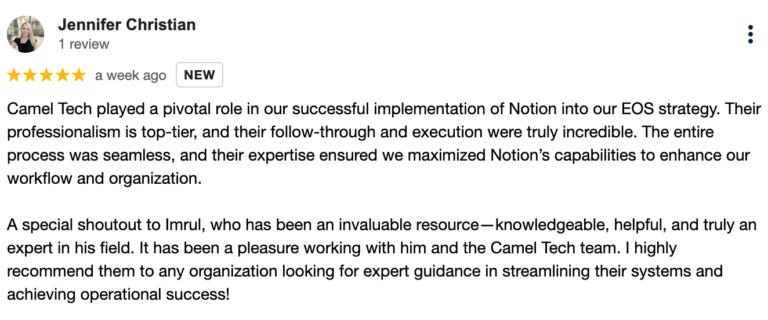
If you’re looking for reliable, business-grade Notion implementation, we highly recommend Camel Tech
Camel Tech specializes in Notion system design, documentation setup, EOS structure implementation, SOP building, and more.
Their clients consistently praise them for:
✅ Fast implementation
✅ Deep knowledge of systems and process mapping
✅ Organized, scalable structure
✅ Business-first approach (Not just templates, but strategic design)
Whether you’re a startup, agency, or enterprise team, Camel Tech can help build a Notion workspace that works for your operations and helps your team thrive.
Here is a five-step process to find and onboard the best-fit Notion expert for your business:
Before approaching any Notion consultants, take time to outline exactly what you need. Are you looking to build dashboards, set up a CRM, organize SOPs, or automate business processes? If your goals include integrating Notion with tools like GoHighLevel (GHL), Hubspot using Make, Zapier, or n8n—you’ll need a consultant who understands both Notion and advanced automation tools.
Not all Notion consultants specialize in integrations or API workflows, so defining your requirements early helps you avoid mismatches. Be clear on the systems you use, the pain points you want to solve, and the outcomes you expect. This step is crucial for aligning expectations, filtering qualified candidates, and ensuring a successful collaboration.
Look for experienced Notion consultants/ Notion agencies with a proven track record. Browse platforms like Upwork, LinkedIn, Notion’s Certified Consultants directory, or explore boutique agencies specializing in Notion systems. Check portfolios, case studies, and testimonials to validate their experience.
Shortlist 2–3 consultants and schedule discovery calls. Ask about their approach to systems design, experience with similar businesses, knowledge of Notion AI and automation, and ability to train your team. Evaluate not just technical skill but also communication and problem-solving ability.
Once you’ve selected your Notion consultant, ensure a smooth onboarding process. Share access to your current workspace, define roles and responsibilities, and schedule weekly check-ins. You may also need to sign NDA, IP if needed. A well-structured onboarding sets the foundation for a successful and scalable Notion implementation.
Start with a small project or limited scope—like setting up a client portal or building a project dashboard. This helps you assess their execution quality, speed, and alignment with your workflow before committing to a long-term engagement.
Conducting effective interviews helps ensure you find the right fit for your project:
Experience and background
– “Can you share examples of similar projects you’ve completed?”
– “What industries do you specialize in?”
– “How long have you been working with Notion professionally?”
Process and approach
– “How do you approach learning about a client’s specific needs?”
– “What’s your typical implementation process from start to finish?”
– “How do you handle revisions and feedback?”Technical capabilities
– “How do you approach database design and relationships?”
– “What experience do you have with Notion API and integrations?”
– “How do you handle data migration from other platforms?”Training and support
– “What training materials do you provide for team adoption?”
– “What support options are available after implementation?”
– “How do you ensure knowledge transfer to internal team members?”Project management
– “How do you establish project milestones and deadlines?”
– “What communication channels do you use during projects?”
– “How do you handle scope changes mid-project?”
Pay attention to how well they listen and ask clarifying questions
Note whether they speak in technical jargon or explain concepts clearly
Observe if they focus more on Notion features or on understanding your business needs
Evaluate their ability to provide examples relevant to your specific challenges
When assessing candidates for your Notion project, consider these key factors:
Portfolio analysis
Review their previous work to gauge expertise level, creative problem-solving abilities, and versatility across different use cases.
Client testimonials
Read feedback from past clients to understand their work style, reliability, and effectiveness in achieving client objectives.
Industry experience
Consultants familiar with your specific industry will better understand your unique challenges and requirements.
Technical knowledge
Evaluate their understanding of Notion’s advanced features, including databases, formulas, and API capabilities.
Communication style
Clear communication ensures project requirements are properly understood and implemented.
Problem-solving approach
Assess how they approach challenges and develop creative solutions within Notion’s framework.
Response time and availability
Consider whether their availability aligns with your project timeline and whether they can accommodate your schedule for meetings and feedback sessions.
Post implementation support
Ensure the consultant offers support after the project ends—such as troubleshooting, training, or minor updates—to help your team adapt and maintain the system effectively.
Notion Evaluation Scorecard Template
Watch out for these warning signs that might indicate potential issues:
Lack of portfolio or testimonials
If they can’t provide examples of past work or client feedback, this could indicate inexperience or poor results.
Vague answers about process
Quality consultants should have a clear, structured approach to implementation and be able to explain it confidently.
Template-first approach
Be wary of consultants who rely too heavily on pre-built templates without customizing for your specific needs.
Poor communication
Delayed responses or unclear communication during initial interactions often foreshadow project difficulties.
No discovery phase
Consultants who jump straight to building without thoroughly understanding your requirements rarely deliver optimal results.
Minimal training offerings
Implementation without proper training leads to poor adoption and wasted investment.
Overpromising timelines
Complex Notion systems take time to design correctly. Be cautious of unrealistically short implementation promises.
When seeking top-tier Notion implementation services, Camel Tech stands out as an industry leader with an exceptional track record of transforming businesses through strategic Notion workspaces.
✅ Business-first approach focused on real operational needs
✅ Experts in EOS and SOP system design within Notion.
✅ End-to-end service from discovery to training and support.
✅ Proven success with clients across industries and sizes.
✅ Advanced skills in Notion databases, formulas, and AI.
✅ Integration-ready with tools like Make, Zapier, and n8n.
✅ Fast implementation with scalable, organized structure.
✅ Reliable post-implementation support and ongoing improvements.
✅ Clear communication, strong ownership, and seamless team alignment.
The investment for Notion consulting services varies based on several factors:
Several variables influence pricing:
Consultant experience and certification status
Project complexity and scope
Geographic location
Implementation timeline
Training requirements
Ongoing support needs
Notion consultants typically charge using one of these models:
Hourly rates: Usually ranging from $75-$200/hour depending on expertise level
Fixed project fees: Typically $1,000-$15,000+ based on project scope and complexity
Retainer agreements: Monthly recurring fees ($500-$2,000/month) for ongoing support
As a general guideline:
Basic workspace setup: $250-$1,000
Custom templates and workflows: $1,000-$5,000
Complete workspace architecture with automations: $5,000-$15,000
Enterprise-level implementations: $15,000+
When evaluating costs, consider the potential return on investment:
Time saved across teams through improved workflows
Reduced reliance on multiple software tools
Decreased onboarding time for new team members
Improved information accessibility and decision-making
A Notion template is a pre-designed page or set of pages within Notion that provides a structured layout for organizing information. Templates can include various elements like text, databases, calendars, checklists, and more, tailored for specific use cases such as project management, note-taking, or habit tracking. They serve as a starting point, allowing users to customize and adapt the content to their individual needs, thereby saving time and ensuring consistency across similar tasks or projects.
Notion templates are available both within the Notion app and through various online communities and creators. Users can access a wide range of templates directly in the app by clicking on the “Templates” button in the sidebar, which opens the Template Gallery. You can also go to Notion Template Center. Additionally, numerous creators and platforms offer free and premium templates for different purposes.
Implementing Notion using Notion Templates
It’s widely popular to buy good Notion template and implement Notion with it. But it depends on use case. Templates are best seen as inspiration or building blocks, not complete solutions. They’re great for learning and prototyping, but custom-built setups always offer better alignment with how you think and work.
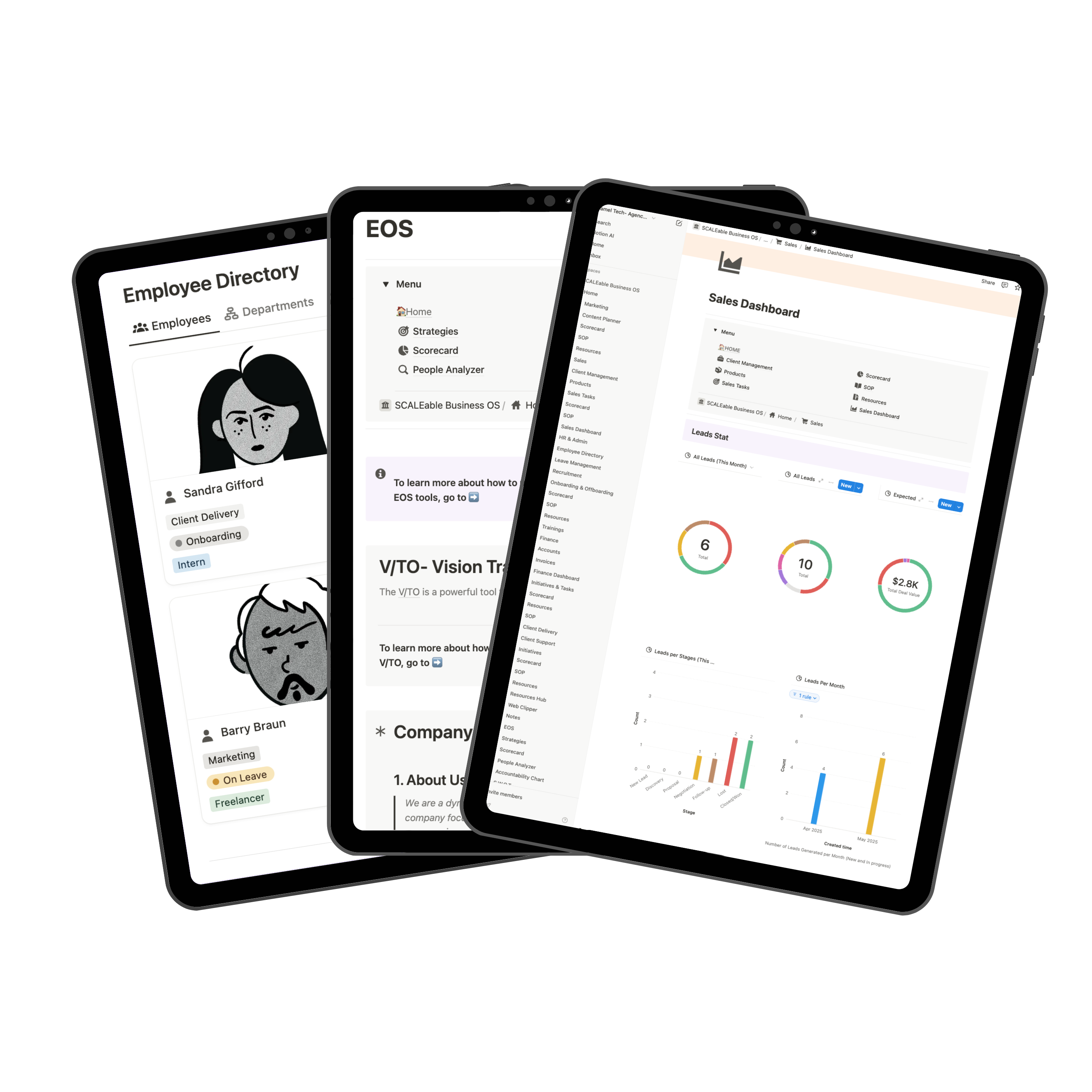
Check Fully Built EOS-Notion Template
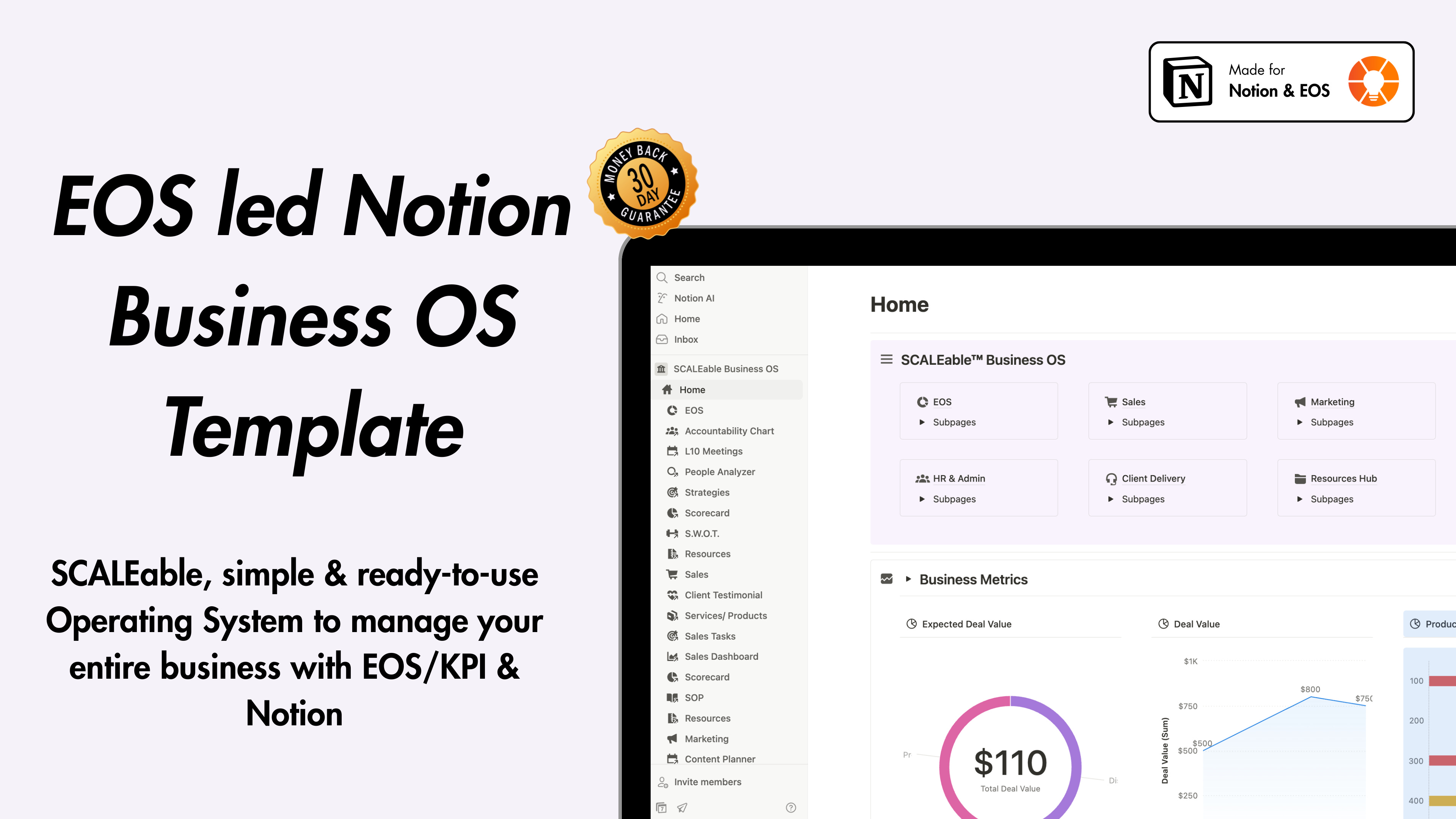
If you use EOS and want to get readymade Notion EOS template for your entire business, you can check this template.
Templates are great for getting started quickly or exploring ideas, especially for personal use. But for teams and custom workflows, they often fall short. The best approach? Use a template as a starting point, then work with a consultant to tailor it to your exact needs. Below is pros and cons of using Notion templates.
Time-saving starting point: Templates offer a quick launchpad, especially for beginners or those short on time.
Great for inspiration & learning: Many users gain ideas for layouts, formulas, and database structures by exploring others’ templates.
Useful for specific use cases: Some niche templates (e.g., journaling, habit tracking, academic tracking) can be directly helpful or easily adaptable.
Helpful during onboarding: Templates are especially useful for those new to Notion—they act as hands-on tutorials for learning functionality.
Modular elements can be reused: Even if the full setup doesn’t fit, users often reuse specific elements like formulas, rollups, or layout structures.
Rarely a perfect fit: Most users agree that templates rarely match their unique workflows or mental models exactly.
Overcomplexity for new users: Some premium templates are overly complicated, making them hard to understand, modify, or maintain.
Customization still required: Nearly everyone ends up tweaking or rebuilding large parts of the template to fit their needs.
Can distract from actual work: Over-customizing templates can become a productivity trap—more time spent “setting up” than executing tasks.
Not ideal for long-term use: Users often outgrow templates as they become more familiar with Notion and build personalized systems.
For individuals or small teams with straightforward needs, self-implementation might be sufficient. However, for organizations looking to create comprehensive systems, the value of a Notion consultant becomes clear:
Expertise dividend: Years of implementation experience prevent costly mistakes
Time acceleration: Faster implementation and adoption leads to quicker returns
Strategic approach: Consultants design with future growth in mind
Best practices: Professional implementations leverage proven patterns and techniques
As Notion continues to evolve as a central workplace hub, investing in proper implementation through an experienced consultant ensures you’re building on a solid foundation that will support your organization’s growth and efficiency goals.
Whether you’re seeking to streamline operations, improve collaboration, or build a comprehensive knowledge management system, the right Notion consultant can transform how your organization works – turning Notion from just another tool into a strategic advantage that drives your business forward.
For businesses seeking premium Notion consulting services, partners like Camel Tech offer the expertise, experience, and business acumen needed to create truly transformative digital workspaces that align with your organizational goals and empower your teams to work smarter.
No posts
Comments
Nothing yet. Say the first thing.
Sign in to join the conversation.