
Ở bài viết này, mình chia sẻ trải nghiệm của bản thân mình khi áp dụng Spec Driven Development với Claude Code trong những dự án thường ngày, từ viết spec đến generate code hoàn chỉnh.
Ban đầu mình định demo trên dự án mình từng viết ở bài System Design: Xác thực giao dịch trong hệ thống tài chính, tuy nhiên, use case ở dự án này hơi ít nên mình chọn một dự án cá nhân khác để demo.
Để triển khai thì đầu tiên các bạn phải sử dụng một AI Agent: ví dụ Claude Code, Cursor Agent, Codex, Gemini, OpenCode… hoặc bất kỳ một AI Agent nào đó tùy thích, tùy nhu cầu cá nhân.
Mình dùng cả Claude Code (gói Max), Cursor Agent (gói Pro). Về cơ bản, cả hai đều đáp ứng được toàn bộ các nhu cầu của mình.
Các bạn có thể sử dụng tùy chọn theo nhu cầu, tài chính, cường độ sử dụng của bản thân, nhưng để tiết kiệm chi phí và phục vụ các công tác hằng ngày của developer thì mình khuyên nên chọn Cursor Agent/Codex cho rẻ, hoặc một loại Agent AI nào đó phía trên cũng được nhé.
Cái vấn đề cốt lõi chỉ là làm sao để xây dựng được các Skill, Workflow, SubAgent phù hợp với nhu cầu của bản thân mà thôi, vì đồ rẻ mà xài vẫn ngon thì tội gì mà không dùng?
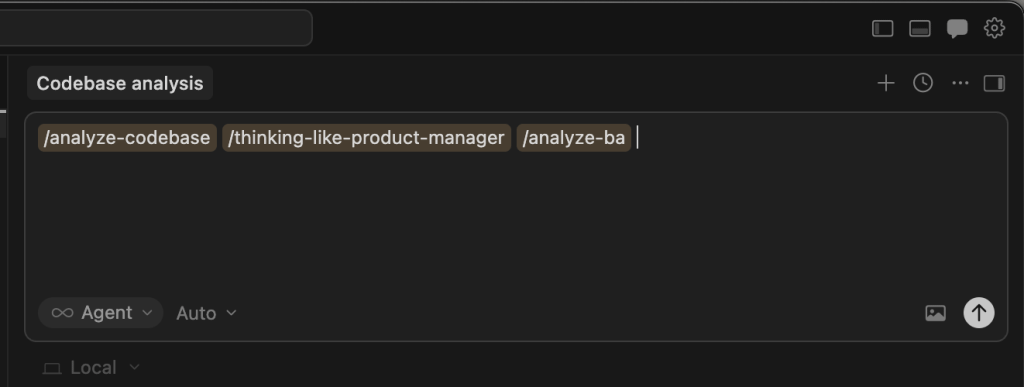
Bài viết này mình không tập trung demo trên Cursor, đơn giản là bây giờ mình cùng Claude Code nhiều hơn. Còn nếu demo bằng Cursor Agent thì vẫn tương tự thôi, các bạn xem ảnh trên là rõ. Các Skill mình định demo trong bài này đều tương thích với Cursor Agent.
Oke tiếp tục nhé, giờ vào claude cli trong dự án cần demo:
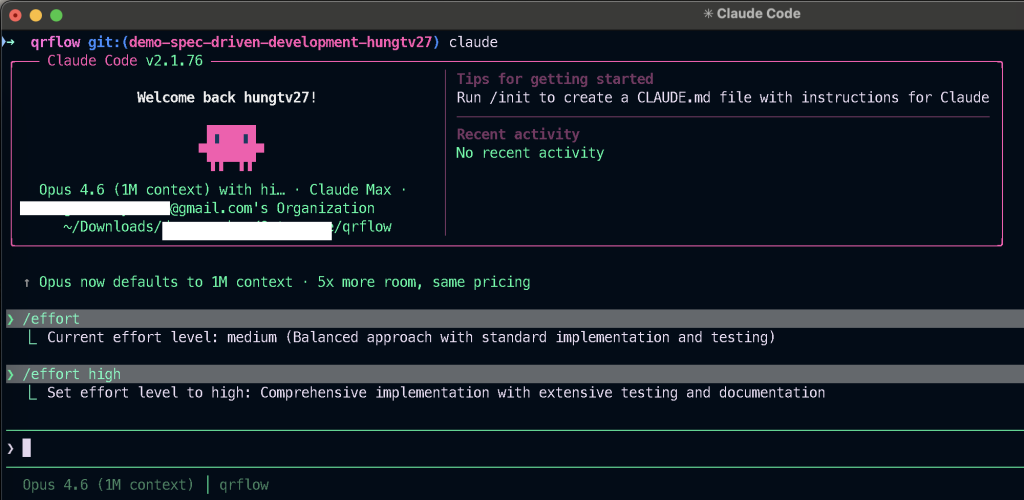
Mình sẽ bắt đầu từ nhu cầu nghiệp vụ trước, giả sử nhu cầu của nghiệp vụ như bên dưới, hoặc bạn có một danh sách các công việc cần thực hiện như sau:
Yêu cầu nghiệp vụ mong muốn như sau:
1: điều chỉnh lại trạng thái mã QR Code, đang định nghĩa là ACTIVATED, cần nhất quán trạng thái để đáp ứng việc ON/OFF mã QR (vì chỗ này mobile đang truyền lên ACTIVE, INACTIVE)
2: khi thêm mới xe, cần bổ sung validate biển số xe theo quy tắc biển số Việt Nam, chỉ áp dụng xe biển trắng và biển vàng (không áp dụng cho biển đỏ + biển xanh)
3: cần bổ sung thêm API xoá user để đáp ứng chính sách của apple
4: cần bổ sung xử lý logic API on/off mã QR (có liên quan đến trạng thái mục 1)
5: cần lưu và trả thêm device_token ở thông tin chi tiết user, phục vụ cho nghiệp vụ notification (chưa có thiết kế db)
Cấu trúc dự án mình demo sẽ như sau, các bạn theo dõi ảnh bên dưới:
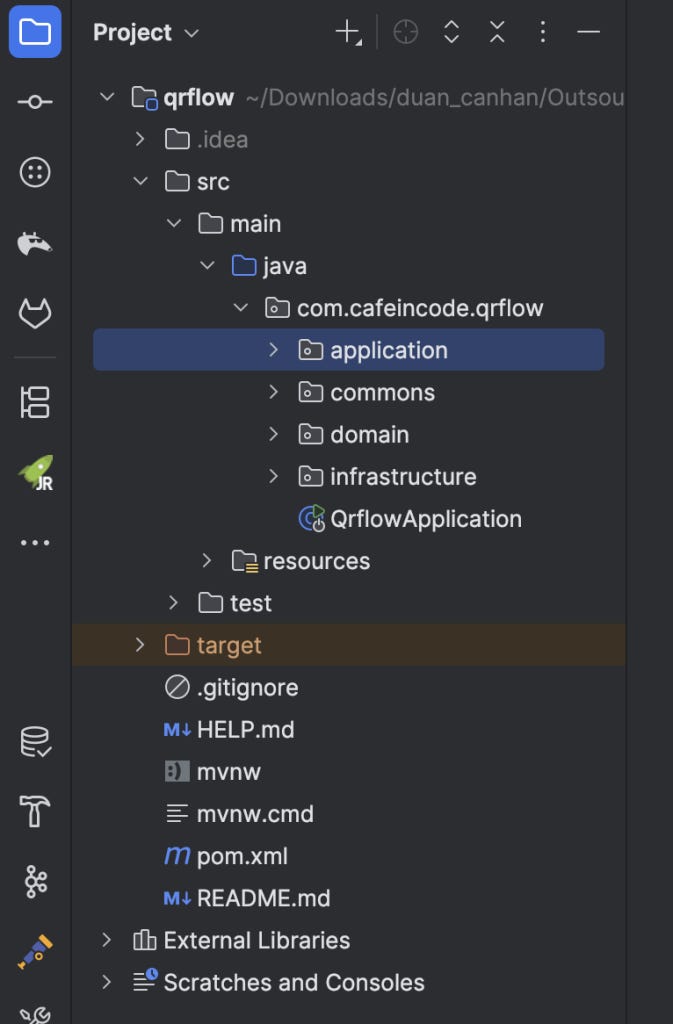
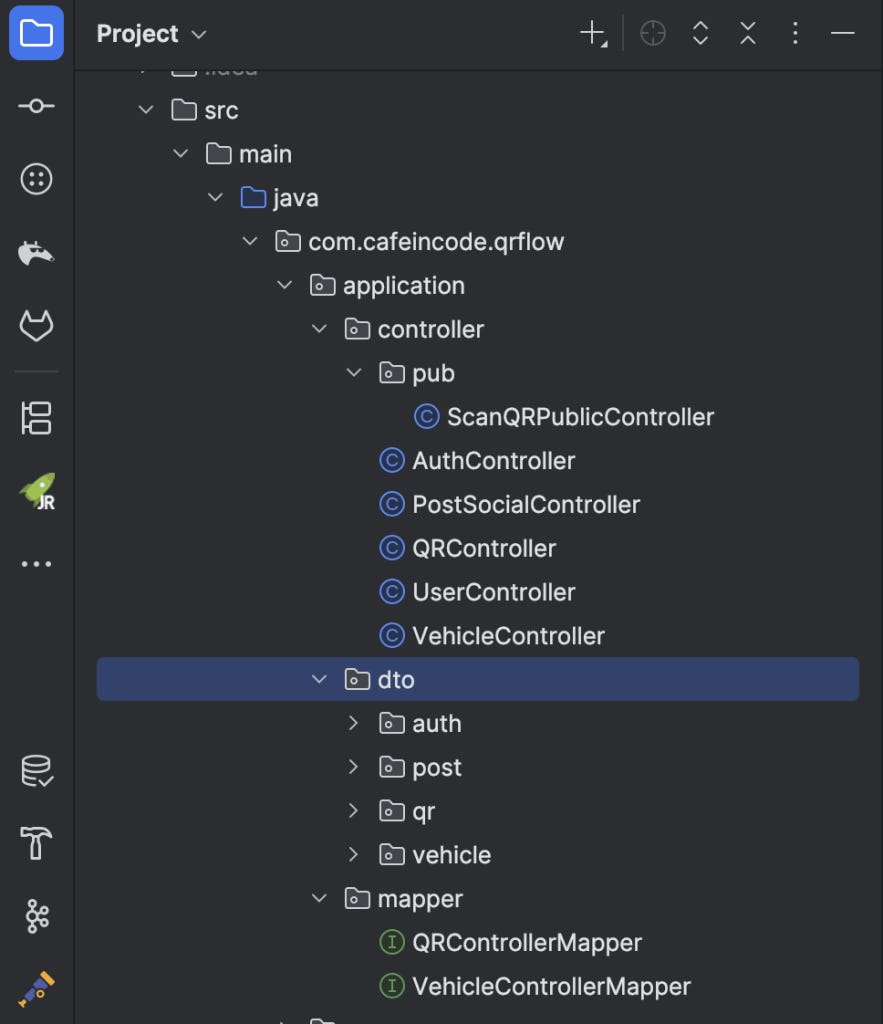
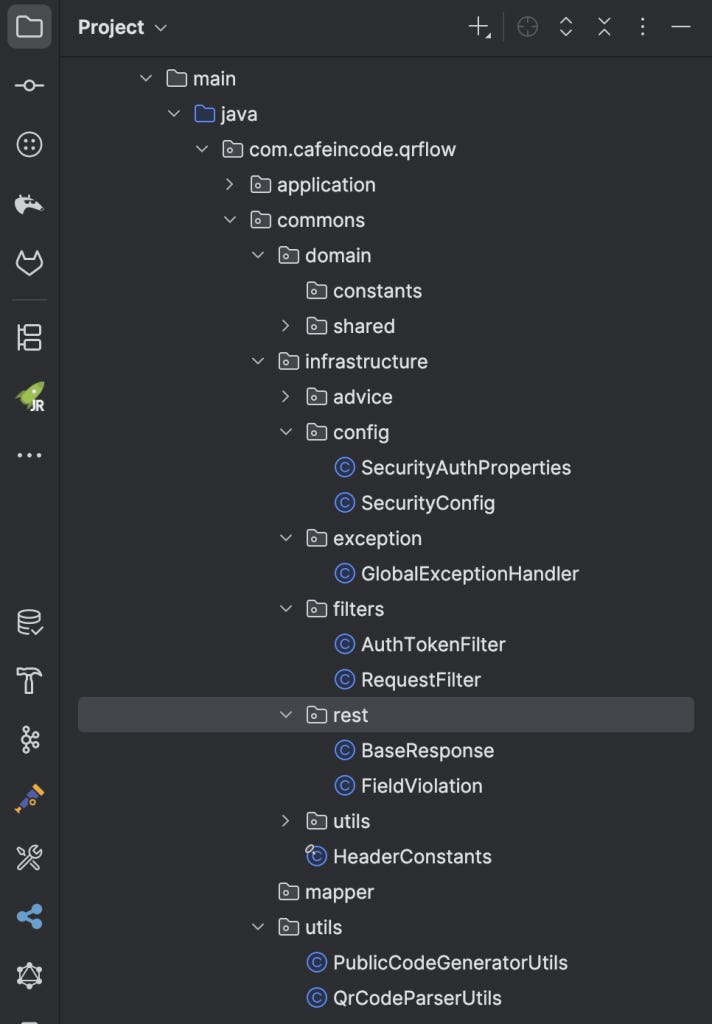
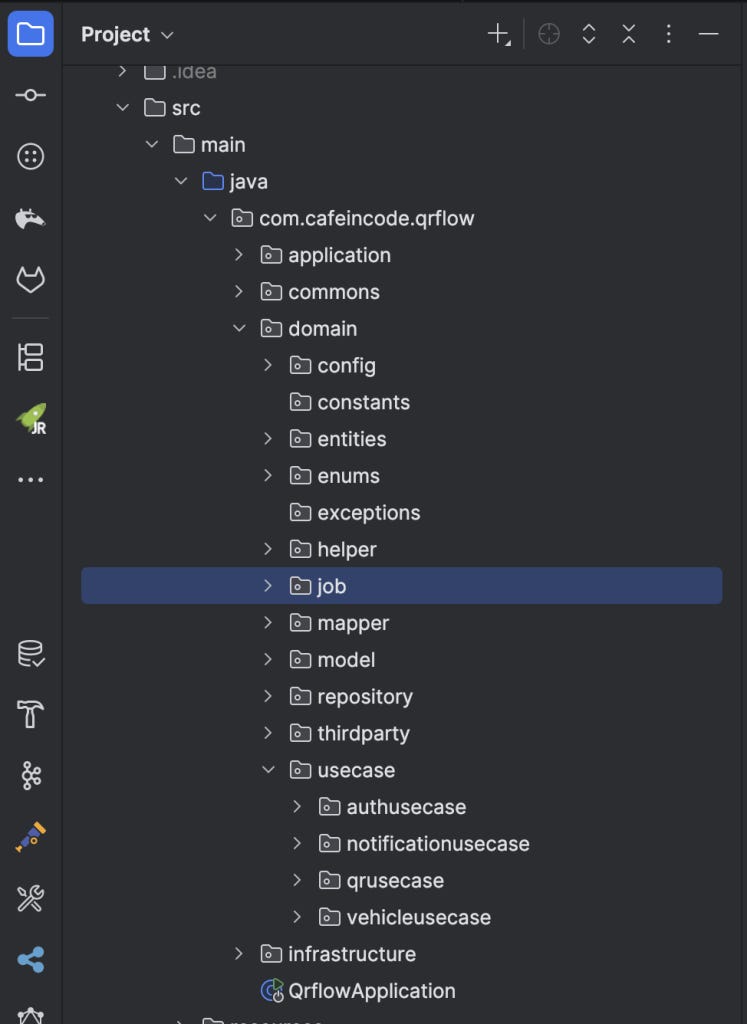
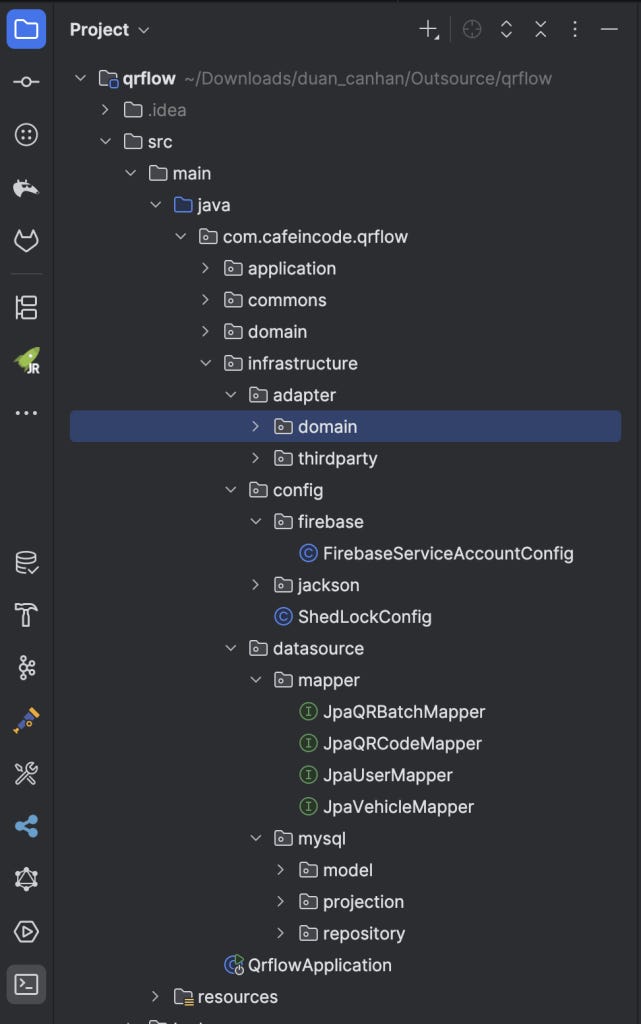
Ở trên là cấu trúc thư mục cơ bản của dự án, giờ mình vào Claude Code và chạy skill đầu tiên:
Chạy skill /analyze-codebase để thực hiện khám phá source code của dự án.
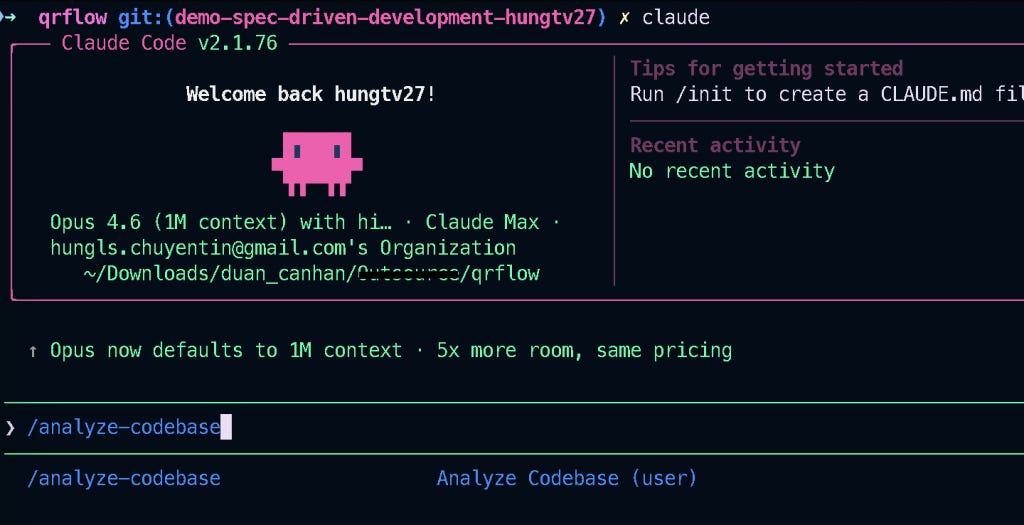
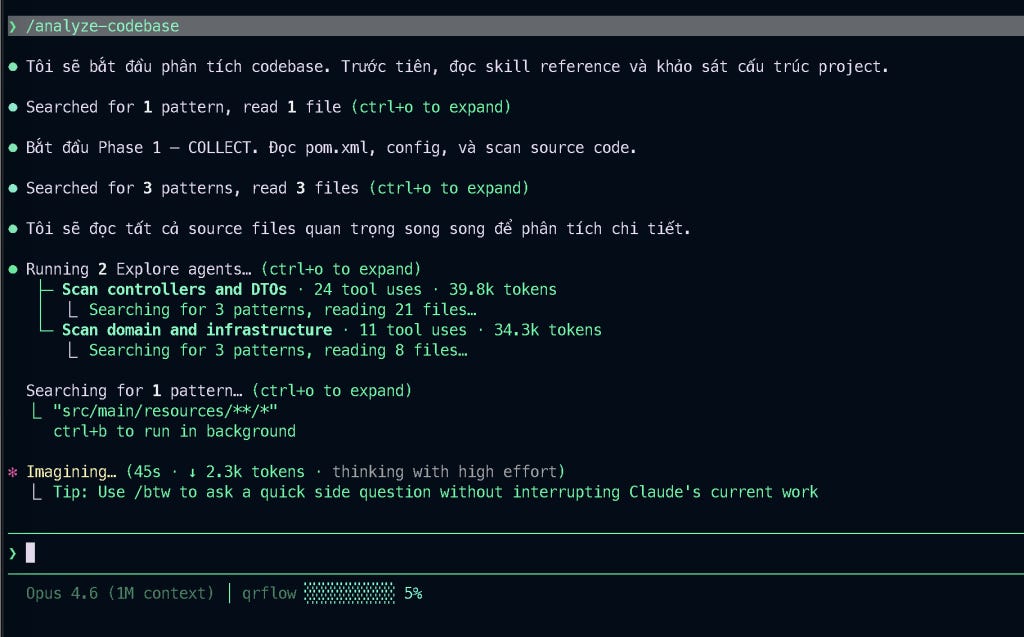
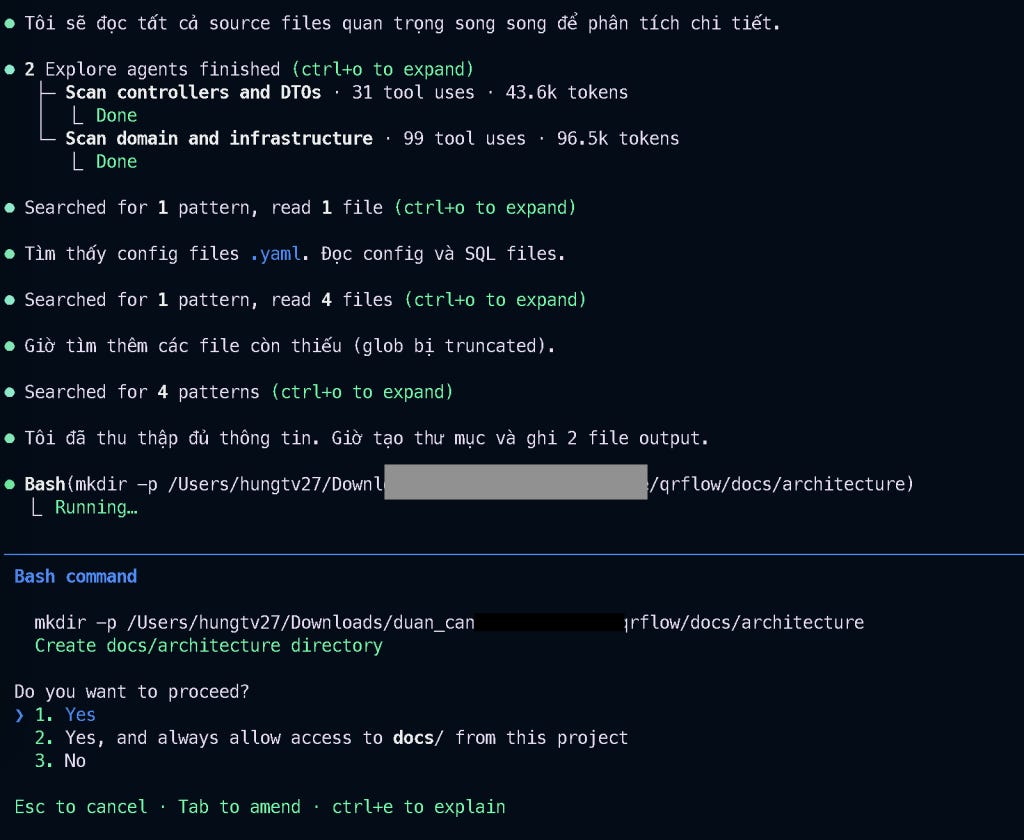
Sau khi phân tích xong, hai file codebase-spec và data-model sẽ được tạo ra.
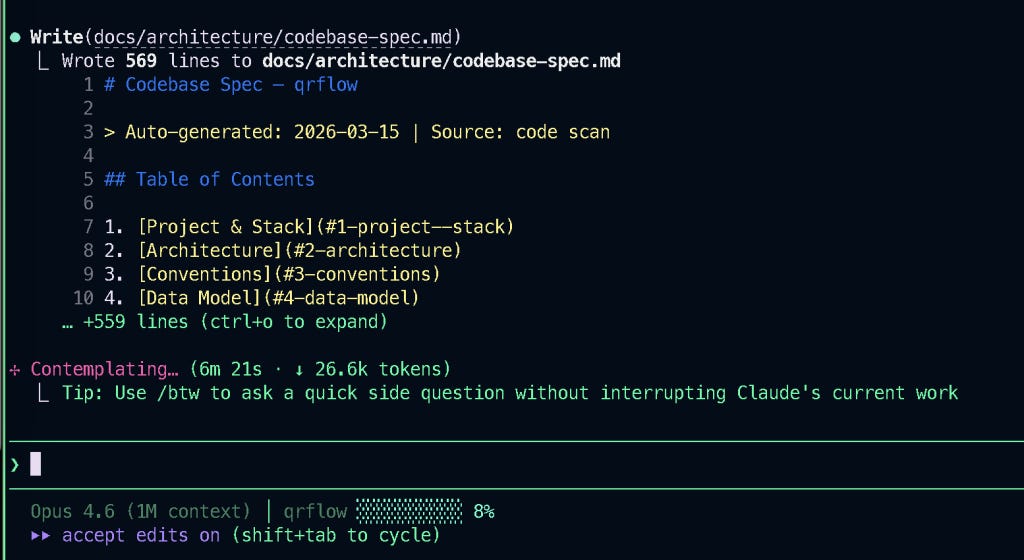
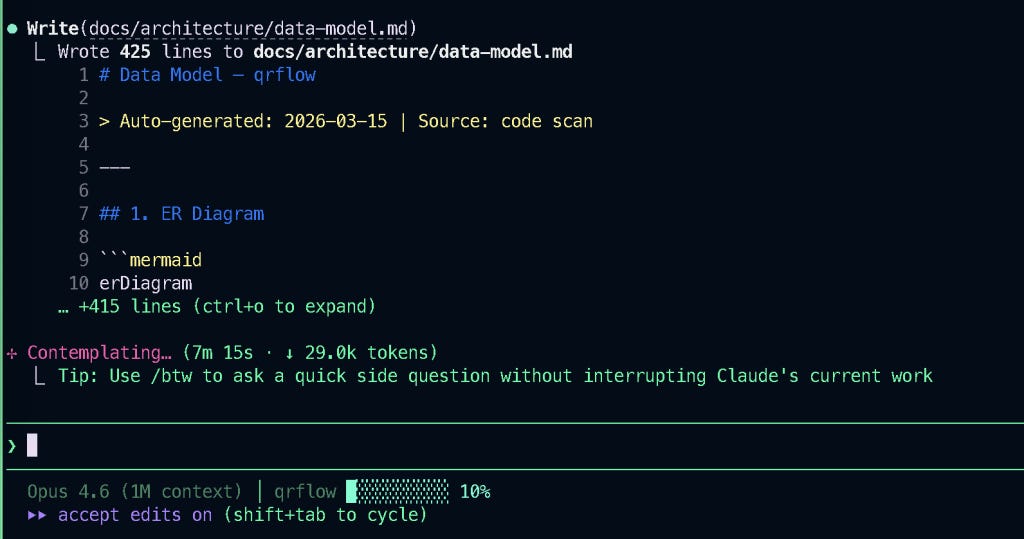
Hook notification mình tự custom, mỗi khi hoàn thành task, cần hỏi, cần cấp quyền, Claude Code sẽ bắn notification bằng nhạc và thông báo trên menubar của Macbook, khá là tiện cho mình.
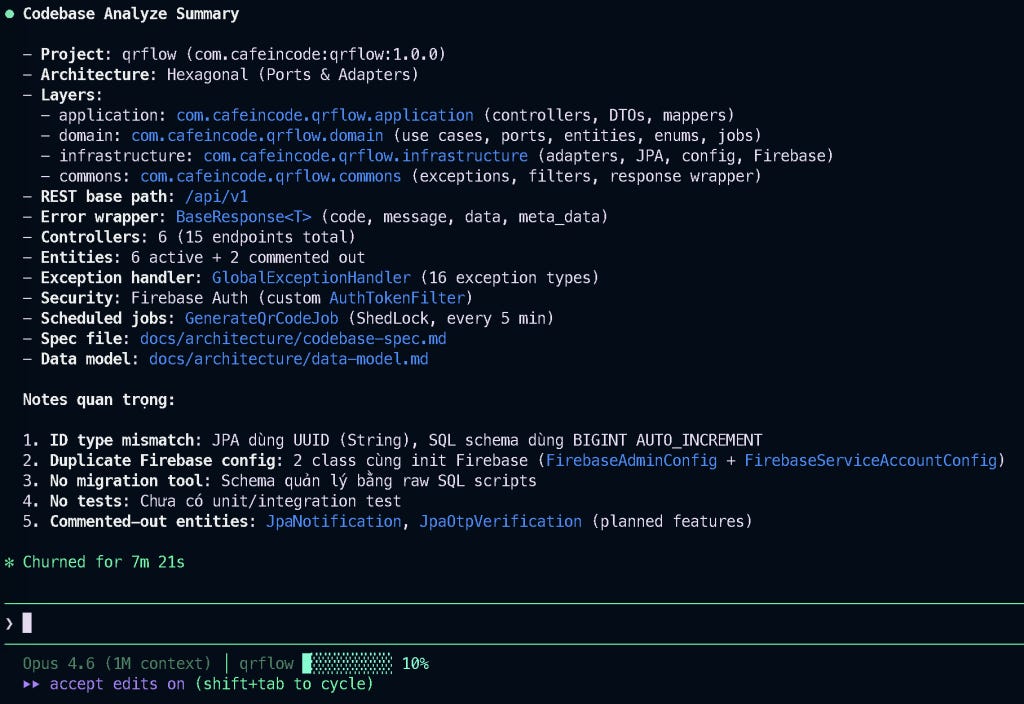
Kết quả cuối cùng chúng ta sẽ có được hai file, bao gồm codebase-spec.md và data-mode.md, hai file này sẽ là tiền đề để các skill khác của Claude Code hiểu và tuân thủ theo dự án.
Việc phân tích codebase dự án trước khi bắt đầu thực hiện là rất quan trọng. Nó sẽ cho biết stack dự án của bạn là gì, kiến trúc như thế nào, naming convention hiện tại đang ra sao, có những domain nghiệp vụ gì, bao nhiêu cụm API…
Những yêu cầu tiếp theo với Claude Code, mình sẽ luôn bắt nó phải tuân thủ đúng kiến trúc của dự án, bất kể nó muốn hướng theo best practice như thế nào, thì vẫn cần phải ưu tiên kiến trúc hiện tại của dự án, không được phá vỡ.
Các bạn có thể xem nội dung chi tiết của file codebase-spec.md sau khi Claude Code tạo ra ở bên dưới nhé.
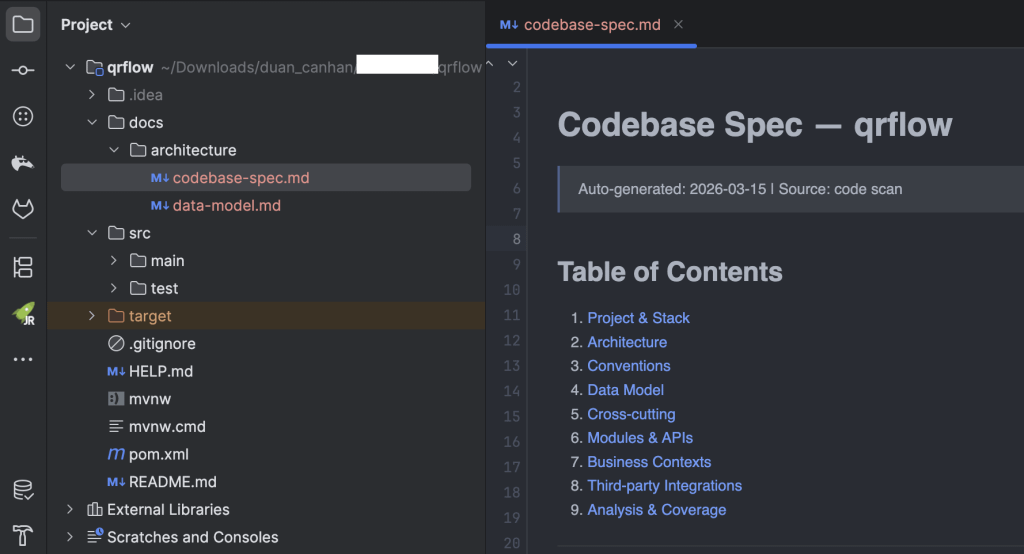
# Codebase Spec — qrflow
> Auto-generated: 2026-03-15 | Source: code scan | Author: hungtv27
## Table of Contents
1. [Project & Stack](#1-project--stack)
2. [Architecture](#2-architecture)
3. [Conventions](#3-conventions)
4. [Data Model](#4-data-model)
5. [Cross-cutting](#5-cross-cutting)
6. [Modules & APIs](#6-modules--apis)
7. [Business Contexts](#7-business-contexts)
8. [Third-party Integrations](#8-third-party-integrations)
9. [Analysis & Coverage](#9-analysis--coverage)
---
## 1. Project & Stack
| Item | Value |
|------|-------|
| **Project name** | qrflow |
| **Group ID** | com.cafeincode |
| **Artifact ID** | qrflow |
| **Version** | 1.0.0 |
| **Description** | 8 Service Management QRCode |
| **Language** | Java 17 |
| **Framework** | Spring Boot 3.5.9 |
| **Build tool** | Maven (mvnw included) |
| **Database** | MySQL 8 (mysql-connector-j) |
| **Server port** | 8888 |
| **Application name** | qrflow-service |
### Key Dependencies
| Dependency | Version | Purpose |
|------------|---------|---------|
| spring-boot-starter-web | (parent) | REST API |
| spring-boot-starter-data-jpa | (parent) | Data access (Hibernate) |
| spring-boot-starter-security | (parent) | Security framework |
| spring-boot-starter-validation | (parent) | Bean Validation (Jakarta) |
| firebase-admin | 9.4.1 | Firebase Authentication |
| mapstruct | 1.5.5.Final | Object mapping |
| lombok | (parent) | Boilerplate reduction |
| shedlock-spring | 5.10.2 | Distributed lock for scheduled jobs |
| shedlock-provider-jdbc-template | 5.10.2 | ShedLock JDBC provider |
| guava | 32.0.1-android | Utility library |
---
## 2. Architecture
### Style: **Hexagonal (Ports & Adapters)**
Project sử dụng kiến trúc hexagonal với cấu trúc package rõ ràng:
```
com.cafeincode.qrflow
├── application/        # Adapter IN (web) — Controllers, DTOs, Controller Mappers
├── domain/             # Core domain — Use Cases, Entities (DTOs), Enums, Repository Interfaces (Ports)
├── infrastructure/     # Adapter OUT — JPA Repositories, Third-party Adapters, Config
└── commons/            # Shared — Exception handling, Filters, Base response, Utils
```
### Layers
| Layer | Role | Base Package | Key Components |
|-------|------|-------------|----------------|
| **Application** (Adapter IN) | Web layer: REST controllers, request/response DTOs, controller-level mappers | `com.cafeincode.qrflow.application` | 6 Controllers, 12 DTOs, 2 Mappers |
| **Domain** | Business logic: use cases, domain DTOs, repository ports, enums, jobs | `com.cafeincode.qrflow.domain` | 4 Use Cases, 3 Repository Ports, 12 Enums, 1 Job, 1 Cache Service |
| **Infrastructure** (Adapter OUT) | Persistence, external services, config | `com.cafeincode.qrflow.infrastructure` | 3 Adapter Repos, 7 JPA Repos, 8 JPA Entities, 4 Mappers, 5 Configs |
| **Commons** | Cross-cutting concerns | `com.cafeincode.qrflow.commons` | Exception handler, Filters, BaseResponse, Utils |
### Module Dependency
```
Application → Domain ← Infrastructure
                ↑
             Commons (shared by all)
```
- **Application** depends on **Domain** (calls use cases, uses domain DTOs)
- **Infrastructure** depends on **Domain** (implements repository ports)
- **Domain** has NO dependency on Application or Infrastructure (clean)
- **Commons** is shared across all layers
---
## 3. Conventions
### 3.1 REST Conventions
| Convention | Value |
|-----------|-------|
| **Base path** | `/api/v1` |
| **Versioning strategy** | URL path (`/api/v1/...`) |
| **Field naming (JSON)** | `snake_case` (Jackson config: `SNAKE_CASE`) |
| **Response wrapper** | `BaseResponse<T>` |
| **Validation** | Jakarta Validation (`@NotNull`, `@NotBlank`) |
| **Null handling** | `@JsonInclude(NON_NULL)` on response DTOs |
| **Public endpoints** | Prefix `/p/` (no auth required) |
### 3.2 Naming Conventions
| Component | Pattern | Example |
|-----------|---------|---------|
| Controller | `{Domain}Controller` | `VehicleController`, `QRController` |
| Use Case Interface | `I{Domain}UseCase` | `IVehicleUseCase`, `IQRUseCase` |
| Use Case Impl | `{Domain}UseCase` | `VehicleUseCase`, `QRUseCase` |
| Repository Port (Domain) | `I{Domain}Repository` | `IVehicleRepository`, `IQRCodeRepository` |
| Repository Adapter | `{Domain}Repository` | `VehicleRepository`, `QRCodeRepository` |
| JPA Repository | `Jpa{Entity}Repository` | `JpaVehicleRepository`, `JpaQRCodeRepository` |
| JPA Entity | `Jpa{Entity}` | `JpaVehicle`, `JpaQRCode`, `JpaUser` |
| Domain DTO | `{Entity}Dto` | `VehicleDto`, `QRCodeDto`, `UserDto` |
| Request DTO | `{Action}{Domain}Request` | `VehicleCreateRequest`, `QRCodeActivateRequest` |
| Response DTO | `{Domain}Response` / `{Domain}Resource` | `QRBatchResponse`, `VehicleResource` |
| Mapper (Controller) | `{Domain}ControllerMapper` | `VehicleControllerMapper`, `QRControllerMapper` |
| Mapper (JPA) | `Jpa{Entity}Mapper` | `JpaVehicleMapper`, `JpaQRCodeMapper` |
| Mapper (Domain) | `{Domain}Mapper` | `VehicleMapper` |
| Enum | `Enum{Name}` | `EnumQrStatus`, `EnumVehicleType` |
| Projection | `Jpa{Entity}DetailProjection` | `JpaVehicleDetailProjection` |
### 3.3 Entity & Table Naming
| Convention | Value |
|-----------|-------|
| **Table case** | snake_case (lowercase) |
| **Column case** | snake_case |
| **Base model** | `JpaBaseModel` (@MappedSuperclass) |
| **Audit fields** | `created_at`, `created_by`, `last_modify_at`, `last_modify_by` |
| **ID strategy** | `@GeneratedValue(strategy = GenerationType.UUID)` (String UUID in JPA entities) |
| **DB ID type** | `BIGINT AUTO_INCREMENT` (SQL) — note: mismatch with JPA UUID |
### 3.4 Repository Pattern
```
Domain Port (Interface)    →    Infrastructure Adapter    →    JPA Repository    →    JPA Entity
I{Domain}Repository              {Domain}Repository           Jpa{Entity}Repo       Jpa{Entity}
```
- Domain layer defines port interfaces (`IVehicleRepository`)
- Infrastructure adapter implements ports, delegates to JPA repositories
- JPA repositories use projections (`JpaVehicleDetailProjection`) for complex queries
- MapStruct mappers convert between JPA entities and domain DTOs
- Query patterns: Spring Data derived methods + `@Query` JPQL
---
## 4. Data Model
### 4.1 Datasource
| Property | Value |
|----------|-------|
| **Type** | MySQL |
| **URL** | `jdbc:mysql://localhost:3306/qrflow_owner_db` |
| **Schema** | `qrflow_owner` / `qrflow_owner_db` |
| **DDL** | `none` (manual SQL scripts in resources/) |
| **Migration tool** | None (raw SQL scripts) |
| **Connection pool** | HikariCP (max=20, min-idle=10) |
### 4.2 Entities (Active)
| Entity | Table | ID Type | ID Strategy | Extends BaseModel | Key Fields | Status Field |
|--------|-------|---------|-------------|-------------------|------------|--------------|
| `JpaUser` | `users` | String (UUID) | GenerationType.UUID | Yes | phone, email, fullName, role | `status` (EnumUserStatus) |
| `JpaUserAuthIdentities` | `user_auth_identities` | String (UUID) | GenerationType.UUID | Yes | providerUserId, userId, authProvider | `status` (String) |
| `JpaVehicle` | `vehicles` | String (UUID) | GenerationType.UUID | Yes | ownerId, plateNumber, vehicleType, brand | `status` (String) |
| `JpaVehicleSetting` | `vehicle_settings` | String (UUID) | GenerationType.UUID | Yes | vehicleId, showPlate, showPhoneNumber, allowChat | — |
| `JpaQRCode` | `qr_codes` | String (UUID) | GenerationType.UUID | Yes | publicCode (unique), productCode, batchCode, ownerId, vehicleId | `status` (EnumQrStatus) |
| `JpaQRBatch` | `qr_batch` | String (UUID) | GenerationType.UUID | Yes | batchCode, mid, tid, quantity | `status` (String) |
### 4.3 Entities (Commented Out / Planned)
| Entity | Table | Status | Note |
|--------|-------|--------|------|
| `JpaOtpVerification` | otp_verifications | `commented_out` | Potential OTP verification feature |
| `JpaNotification` | notifications | `commented_out` | Potential notification feature |
### 4.4 Application-Level Relationships
```
users (1) ──── (N) user_auth_identities     [via user_id]
users (1) ──── (N) vehicles                  [via owner_id]
vehicles (1) ── (1) vehicle_settings          [via vehicle_id]
vehicles (1) ── (N) qr_codes                 [via vehicle_id]
users (1) ──── (N) qr_codes                  [via owner_id]
qr_batch (1) ── (N) qr_codes                 [via batch_code]
```
> Note: Quan hệ được quản lý ở application level, KHÔNG có FK constraint ở DB.
### 4.5 Supporting Tables
| Table | Purpose |
|-------|---------|
| `shedlock` | Distributed lock cho scheduled jobs (ShedLock) |
---
## 5. Cross-cutting
### 5.1 Security
| Property | Value |
|----------|-------|
| **Auth type** | Firebase Authentication (ID Token) |
| **Auth provider** | Configurable via `app.security.auth.provider` (default: `firebase`) |
| **Filter class** | `AuthTokenFilter` |
| **Filter order** | Before `UsernamePasswordAuthenticationFilter` |
| **Token extraction** | `Authorization: Bearer {token}` header |
| **Token verification** | `FirebaseAuth.getInstance().verifyIdToken(token, true)` |
| **Principal** | `FirebasePrincipal` (contains `uid`) |
| **User cache** | `UserCacheService` — in-memory ConcurrentHashMap, TTL 30 min |
| **Session management** | STATELESS |
| **CSRF** | Disabled |
**Excluded paths** (no auth required):
- `/actuator/**`
- `/public/**`
- `/p/**`
**Included paths** (auth required):
- `/api/v1/**`
**Error handling**: Returns `BaseResponse` with 401 status if token invalid/missing.
### 5.2 Request/Response Logging
| Property | Value |
|----------|-------|
| **Filter class** | `RequestFilter` |
| **Filter order** | `Integer.MIN_VALUE + 1` (highest priority) |
| **MDC keys** | `request-id` |
| **Request ID** | From `request-id` header or auto-generated UUID |
| **Error logging** | `RequestLogger` utility — logs IP, request ID, status, method, URL |
### 5.3 Exception Handling
| Property | Value |
|----------|-------|
| **Handler class** | `GlobalExceptionHandler` |
| **Annotation** | `@RestControllerAdvice`, `@Order(9)` |
| **Base exception** | `HousingException` (wraps `HousingBusinessError`) |
| **Application exception** | `ApplicationException` (extends RuntimeException) |
**Error Codes (HousingErrors)**:
| Code | HTTP | Message |
|------|------|---------|
| 400000 | 400 | File exceeded max size |
| 400001 | 400 | File type not supported |
| 400002 | 400 | Invalid parameters |
| 400003 | 400 | File type not supported |
| 401001 | 401 | User unauthorized |
| 403001 | 403 | No permissions |
| 405001 | 405 | HTTP method not allowed |
| 415001 | 415 | Media type unsupported |
| 429001 | 429 | Too many requests |
| 500001 | 500 | Internal server error |
| 500002 | 500 | Third-party request error |
**Domain Error Codes (ErrorCode enum)**:
| Code | Message |
|------|---------|
| 400001 | Dữ liệu không hợp lệ |
| 400002 | Số lượng mã QR trong lô không được nhỏ hơn 0 |
| 400003 | Biển số đã tồn tại |
| 400004 | Xe không tồn tại |
| 400005 | Mã QR không tồn tại |
| 400006 | Mã QR đã được kích hoạt |
| 400007 | Người dùng không tồn tại |
**Handled Exception Types**:
1. `HousingException` → error code + HTTP status
2. `CompletionException` → extract cause & delegate
3. `HttpMessageNotReadableException` → 400
4. `HttpRequestMethodNotSupportedException` → 405
5. `HttpMediaTypeNotSupportedException` → 415
6. `ApplicationException` → custom error code
7. `Exception` (catch-all) → 500
8. `MissingHeaderException` → 400
9. `IllegalArgumentException` → 400
10. `MethodArgumentTypeMismatchException` → 400
11. `UnAuthorizeException` → 401
12. `WebExchangeBindException` → 400 (field violations)
13. `ServerWebInputException` → 400
14. `ConstraintViolationException` → 400
15. `DecodingException` → 413
16. `MaxUploadSizeExceededException` → 413
### 5.4 Response Pipeline
| Property | Value |
|----------|-------|
| **Wrapper class** | `BaseResponse<T>` |
| **Response modifier** | `ResponseBodyModifier` (`ResponseBodyAdvice`) |
| **Auto-inject** | `request_id` into `meta_data` |
**BaseResponse structure**:
```json
{
  "code": "200",
  "message": "Successful",
  "data": {},
  "meta_data": {
    "page": null,
    "size": null,
    "total": null,
    "total_pages": null,
    "errors": null,
    "internal_message": null,
    "request_id": "uuid"
  }
}
```
**Factory methods**:
- `ofSucceeded(T data)` — success with data
- `ofSucceeded(Page<T> data)` — success with pagination
- `ofSucceeded()` — success without data
- `ofFailed(HousingBusinessError)` — error with code
- `ofFailed(HousingBusinessError, String, List<FieldViolation>)` — error with field violations
### 5.5 Cache
| Property | Value |
|----------|-------|
| **Technology** | In-memory (ConcurrentHashMap) |
| **Status** | `active` (custom implementation, NOT Spring Cache) |
| **Implementation** | `UserCacheService` |
| **TTL** | 30 minutes |
| **Cleanup** | Every 5 minutes (ScheduledExecutorService) |
| **Scope** | User info cache only (Firebase UID → owner ID + UserDto) |
> Note: Không sử dụng Spring Cache abstraction (`@Cacheable`/`@CacheEvict`). Không có Redis/Caffeine/EhCache.
### 5.6 Async Patterns
| Pattern | Status | Details |
|---------|--------|---------|
| **Scheduled Job** | `active` | `GenerateQrCodeJob` — cron every 5/10 min |
| **Distributed Lock** | `active` | ShedLock (JDBC provider, table `shedlock`) |
| **Kafka** | `none` | — |
| **RabbitMQ** | `none` | — |
| **Spring Event** | `none` | — |
| **@Async** | `none` | — |
**Job Details**:
| Job | Cron | Lock | Description |
|-----|------|------|-------------|
| `GenerateQrCodeJob.generateQrCodes()` | `0 */5 * * * *` (prod) / `0 */2 * * * *` (local) | ShedLock (min 10s, max 5m) | Find INIT batches → generate QR codes in chunks of 500 |
### 5.7 Infrastructure Config
| Config | Class | Details |
|--------|-------|---------|
| **Jackson** | `JacksonConfig` | snake_case, NON_NULL, custom LocalDateTime serializer (epoch millis), custom Instant serializer |
| **ShedLock** | `ShedLockConfig` | `@EnableScheduling`, `@EnableSchedulerLock`, JDBC lock provider |
| **Firebase** | `FirebaseAdminConfig` + `FirebaseServiceAccountConfig` | Service account file, GoogleCredentials |
| **Security** | `SecurityConfig` | Stateless, CSRF disabled, AuthTokenFilter |
---
## 6. Modules & APIs
### 6.1 Authentication Module
**Controller**: `AuthController` (`/api/v1/authentications`)
**Use Case**: `AuthUseCase` (implements `IAuthUseCase`)
**Dependencies**: `IAuthTokenVerifier`, `IUserRepository`, `UserCacheService`
| Method | Path | Summary | Request | Response |
|--------|------|---------|---------|----------|
| POST | `/api/v1/authentications/init` | Init auth via Firebase token | Header: `Authorization: Bearer {token}` | `BaseResponse<?>` |
### 6.2 User Module
**Controller**: `UserController` (`/api/v1/users`)
**Use Case**: `AuthUseCase` (shared with Auth)
**Dependencies**: `IUserRepository`
| Method | Path | Summary | Request | Response |
|--------|------|---------|---------|----------|
| GET | `/api/v1/users/me` | Get current user profile | `@AuthenticationPrincipal` | `BaseResponse<?>` |
| PATCH | `/api/v1/users` | Update user profile | `UpdateUserRequest` (body) | `BaseResponse<?>` |
### 6.3 Vehicle Module
**Controller**: `VehicleController` (`/api/v1/vehicles`)
**Use Case**: `VehicleUseCase` (implements `IVehicleUseCase`)
**Dependencies**: `IVehicleRepository`, `IQRCodeRepository`, `VehicleMapper`
| Method | Path | Summary | Request | Response |
|--------|------|---------|---------|----------|
| POST | `/api/v1/vehicles` | Create vehicle | `VehicleCreateRequest` (body) | `BaseResponse<VehicleResource>` |
| GET | `/api/v1/vehicles` | List vehicles by owner | `@AuthenticationPrincipal` | `BaseResponse<?>` |
| GET | `/api/v1/vehicles/{vehicleId}` | Get vehicle detail | `vehicleId` (path) | `BaseResponse<VehicleResource>` |
| PATCH | `/api/v1/vehicles/{vehicleId}/settings` | Update vehicle settings | `VehicleSettingUpdateRequest` (body) | `BaseResponse<VehicleSettingResource>` |
| DELETE | `/api/v1/vehicles/{vehicleId}/qr/{qrId}` | Remove QR from vehicle | `vehicleId`, `qrId` (path) | `BaseResponse<?>` |
| DELETE | `/api/v1/vehicles/{vehicleId}` | Delete vehicle | `vehicleId` (path) | `BaseResponse<?>` |
### 6.4 QR Code Module
**Controller**: `QRController` (`/api/v1/qr`)
**Use Case**: `QRUseCase` (implements `IQRUseCase`)
**Dependencies**: `IQRCodeRepository`, `IVehicleRepository`
| Method | Path | Summary | Request | Response |
|--------|------|---------|---------|----------|
| POST | `/api/v1/qr/batches` | Create QR batch | `QRBatchRequest` (body) | `BaseResponse<QRBatchResponse>` |
| POST | `/api/v1/qr/activate` | Activate QR code | `QRCodeActivateRequest` (body) | `BaseResponse<QRCodeResource>` |
| POST | `/api/v1/qr/scan` | Scan QR code (authenticated) | `ReadQRCodeRequest` (body) | `BaseResponse<VehicleResource>` |
| PUT | `/api/v1/qr/{qrId}/status` | Update QR status | `UpdateStatusQrRequest` (body), `qrId` (path) | `BaseResponse<?>` |
**Job**: `GenerateQrCodeJob`
- Cron: `0 */5 * * * *` (prod)
- ShedLock: min 10s, max 5m
- Process: Find INIT batches → set PROCESSING → generate QR codes → save in chunks → set GENERATED/FAILED
### 6.5 Social Post Module
**Controller**: `PostSocialController` (`/api/v1/posts`)
**Use Case**: None (hardcoded data in controller)
| Method | Path | Summary | Request | Response |
|--------|------|---------|---------|----------|
| GET | `/api/v1/posts/social` | Get social posts (hardcoded) | — | `BaseResponse<?>` |
### 6.6 Public QR Scan Module
**Controller**: `ScanQRPublicController` (`/p`)
**Use Case**: `QRUseCase` (shared with QR Module)
| Method | Path | Summary | Request | Response |
|--------|------|---------|---------|----------|
| GET | `/p/{publicCode}` | Scan QR by public code (no auth) | `publicCode` (path) | `BaseResponse<?>` |
---
## 7. Business Contexts
### 7.1 User & Authentication
| Property | Value |
|----------|-------|
| **Description** | Quản lý xác thực và thông tin người dùng qua Firebase |
| **Use Cases** | `AuthUseCase` |
| **Repositories** | `IUserRepository` → `UserRepository` → `JpaUserRepository` |
**Capabilities**:
- `auth.init` — Xác thực qua Firebase ID token, tự tạo user nếu chưa tồn tại
- `user.get_profile` — Lấy thông tin profile người dùng hiện tại
- `user.update_profile` — Cập nhật thông tin cá nhân (tên, SĐT, email, mạng xã hội...)
### 7.2 Vehicle Management
| Property | Value |
|----------|-------|
| **Description** | Quản lý xe (ô tô, xe máy, xe tải) và cài đặt hiển thị |
| **Use Cases** | `VehicleUseCase` |
| **Repositories** | `IVehicleRepository` → `VehicleRepository` → `JpaVehicleRepository`, `JpaVehicleSettingRepository` |
**Capabilities**:
- `vehicle.create` — Tạo xe mới + auto tạo QR code digital
- `vehicle.list` — Liệt kê tất cả xe của owner
- `vehicle.detail` — Xem chi tiết xe (kèm QR codes + settings)
- `vehicle.update_settings` — Cập nhật cài đặt hiển thị (ẩn/hiện SĐT, biển số, chat...)
- `vehicle.remove` — Xóa xe
- `vehicle.remove_qr` — Gỡ QR code khỏi xe
### 7.3 QR Code Management
| Property | Value |
|----------|-------|
| **Description** | Quản lý mã QR: tạo lô, kích hoạt, quét |
| **Use Cases** | `QRUseCase`, `GenerateQrCodeJob` |
| **Repositories** | `IQRCodeRepository` → `QRCodeRepository` → `JpaQRCodeRepository`, `JpaQRBatchRepository` |
**Capabilities**:
- `qr.create_batch` — Tạo lô mã QR (batch) với số lượng mong muốn
- `qr.generate` — Job tự động sinh mã QR từ batch (background, mỗi 5 phút)
- `qr.activate` — Kích hoạt mã QR vật lý cho xe (quét URL → gắn xe)
- `qr.scan_authenticated` — Quét mã QR (authenticated) → xem thông tin xe
- `qr.scan_public` — Quét mã QR (public) → xem thông tin xe (không cần đăng nhập)
**QR Code Lifecycle**:
```
FACTORY → AVAILABLE → ACTIVATED → DEACTIVATED
                                       ↑
                                  (remove from vehicle)
```
### 7.4 Social Posts (Stub)
| Property | Value |
|----------|-------|
| **Description** | Hiển thị bài viết mạng xã hội (hardcoded) |
| **Use Cases** | None |
| **Status** | Stub — dữ liệu hardcoded trong controller |
### 7.5 Notification (Planned)
| Property | Value |
|----------|-------|
| **Description** | Gửi thông báo |
| **Use Cases** | `NotificationUseCase` (empty stub) |
| **Status** | Planned — entity commented out, use case empty |
### 7.6 OTP (Planned)
| Property | Value |
|----------|-------|
| **Description** | Xác thực OTP |
| **Status** | Planned — entity commented out, repository commented out |
---
## 8. Third-party Integrations
| Service | Interface (Port) | Implementation (Adapter) | Operations |
|---------|------------------|--------------------------|------------|
| **Firebase Auth** | `IAuthTokenVerifier` | `FirebaseAuthVerifier` | `verifyToken(String idToken)` → `FirebaseToken` |
**Firebase Config**:
- Service account file: `${FIREBASE_SERVICE_ACCOUNT}` (env variable)
- Default path: `/home/8service/qrflow-app/config/8service-kb-key.json`
- Config classes: `FirebaseAdminConfig`, `FirebaseServiceAccountConfig` (duplicate — cả 2 đều init Firebase)
---
## 9. Analysis & Coverage
### Scan Statistics
| Metric | Value |
|--------|-------|
| **Total Java files** | ~96 |
| **Controllers** | 6 |
| **Use Cases** | 4 (3 active + 1 stub) |
| **Domain Repository Ports** | 3 |
| **Infrastructure Adapters** | 3 |
| **JPA Repositories** | 7 (5 active + 2 commented) |
| **JPA Entities** | 8 (6 active + 2 commented) |
| **Enums** | 12 |
| **MapStruct Mappers** | 6 |
| **DTOs** | ~15 |
| **Projections** | 2 |
| **Config classes** | 5 |
| **Filters** | 2 |
### Notes
1. **Commented-out entities**: `JpaOtpVerification`, `JpaNotification` — potential planned features.
2. **Commented-out repositories**: `JpaOtpVerificationRepository`, `JpaNotificationRepository`.
3. **Hardcoded data**: `PostSocialController` returns hardcoded post list — no DB persistence.
4. **Duplicate Firebase config**: Both `FirebaseAdminConfig` and `FirebaseServiceAccountConfig` init Firebase — potential conflict.
5. **ID type mismatch**: JPA entities use `@GeneratedValue(UUID)` (String), SQL schema uses `BIGINT AUTO_INCREMENT` — likely schema was updated.
6. **No Flyway/Liquibase**: Schema changes managed via raw SQL scripts (`qrflow_owner.sql`, `update.sql`).
7. **No test files found**: Project lacks unit/integration tests.
8. **ErrorCode vs HousingErrors**: Two separate error code systems coexist — `ErrorCode` (domain-specific) and `HousingErrors` (infrastructure-level).
9. **TODO endpoint**: `PUT /api/v1/qr/{qrId}/status` — body indicates TODO implementation.
10. **Empty use case**: `NotificationUseCase` is empty stub.
11. **ShedLock dependency**: `active` — used by `GenerateQrCodeJob`.
12. **Guava dependency**: `active` — used indirectly (likely via Firebase Admin SDK).
13. **Security config**: `http.authorizeHttpRequests(authorize -> authorize.anyRequest().permitAll())` — all requests permitted at Spring Security level. Actual auth enforcement is in `AuthTokenFilter` (custom filter).
Sau khi đã khám phá source code xong ở bước trên, tới đây chúng ta sẽ khởi tạo trái tim cho các AI Agent.
Mình sẽ chạy script này trong thư mục gốc của dự án qr-flow:
cafeincode-init-agent --with-specsScript này bản chất chỉ là 1 lệnh setup-project.sh thôi, nhưng mình đã bọc nó bằng 1 Alias để nhất quán các lệnh script mà mình dùng.

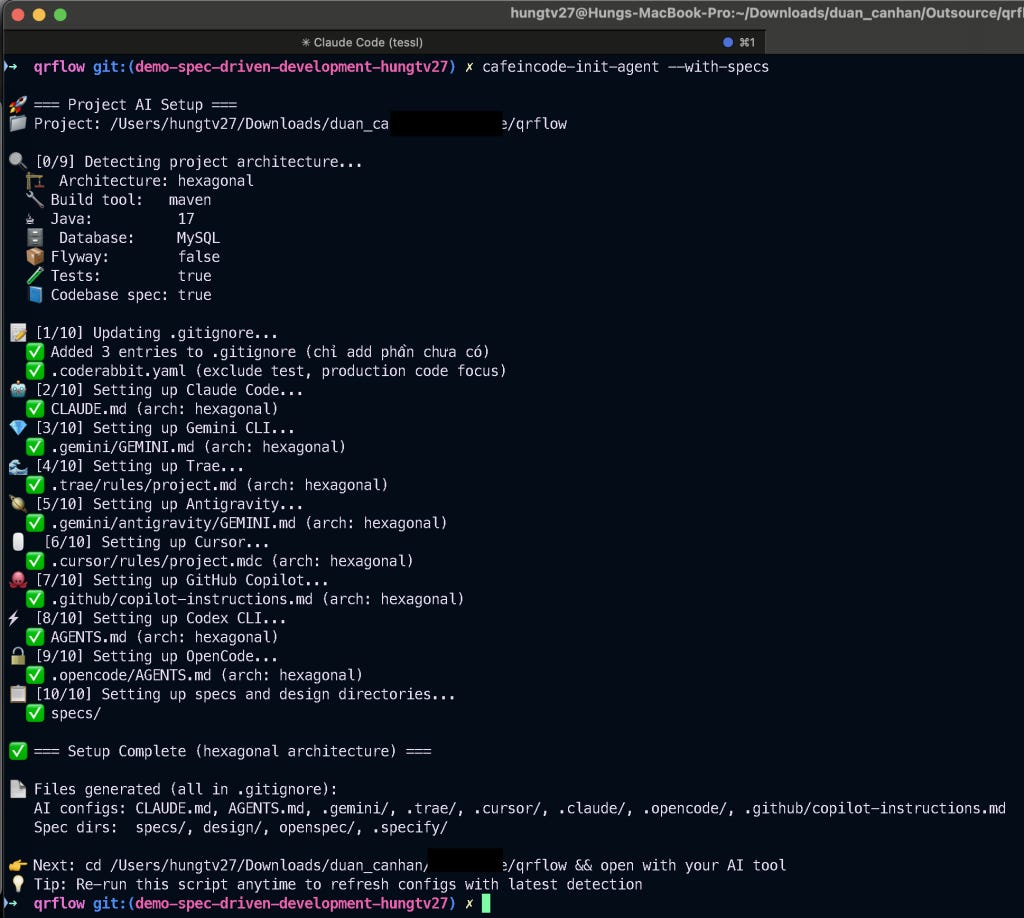
Script này sẽ làm nhiệm vụ detect cấu trúc cơ bản của dự án và thiết lập các file cấu hình config cho các AI Agent khác nhau: Claude Code, Cursor, Codex, Gemini, Trae, Github Copilot, OpenCode…
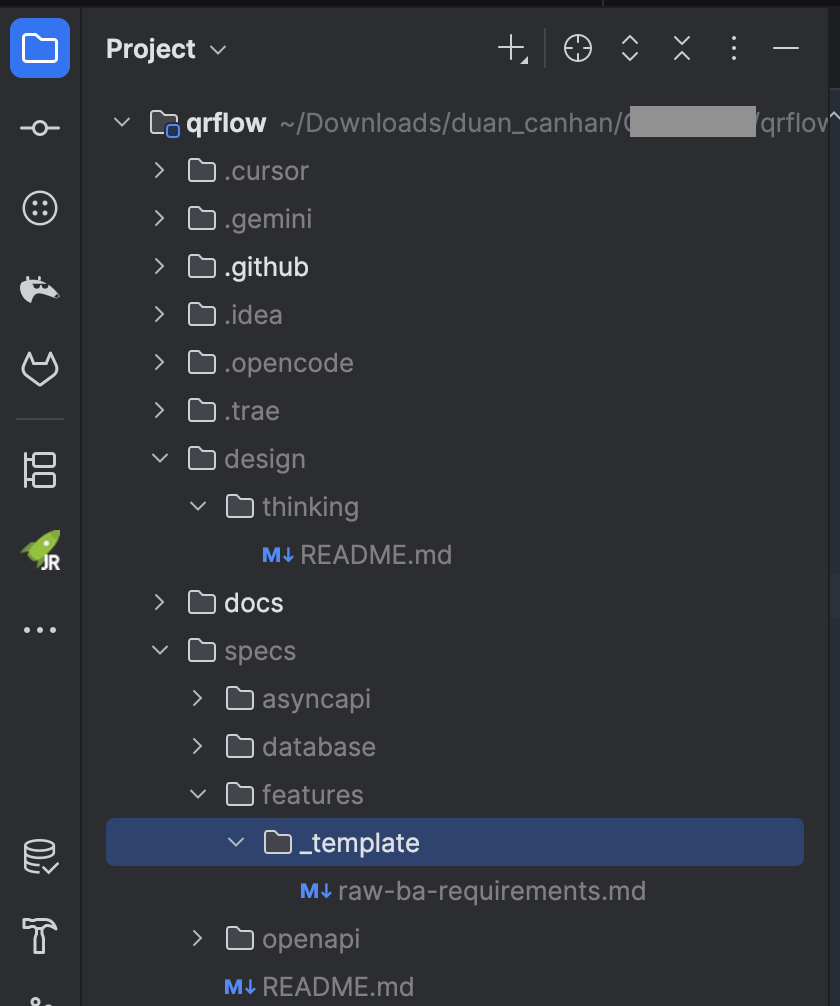
Các bạn để ý kỹ nhé, sẽ có hai thư mục đặc biệt được tạo ra, đó là /specs/ và /design/, hai thư mục này mình sẽ sử dụng cho hai giai đoạn tiếp theo của dự án.
/design/: thư mục này sẽ dùng cho việc phân tích toàn bộ dữ liệu thô, dữ liệu bài toán nghiệp vụ chưa hoàn chỉnh, PRD, BRD, Mock API, hoặc những ý tưởng mà các bạn yêu cầu AI cần phải làm./specs/: thư mục này sẽ dùng cho việc từ tài liệu đã phân tích xong, tiến hành lên kế hoạch và triển khai coding.
Ở giai đoạn này, mình bỏ vào thư mục /design/ các loại tài liệu cần thiết liên quan đến nghiệp vụ, ví dụ BRD/PRD, tài liệu draft api, draft idea, schema database model, sequence diagram…
Mình sẽ chạy script bên dưới để tạo 1 thư mục bên trong thư mục /design/:
cafeincode-init-design demo-sdd-qrcode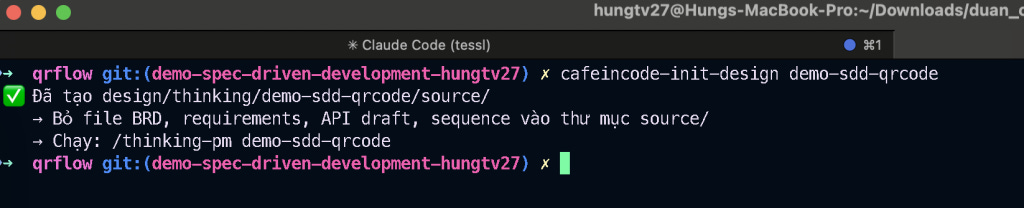
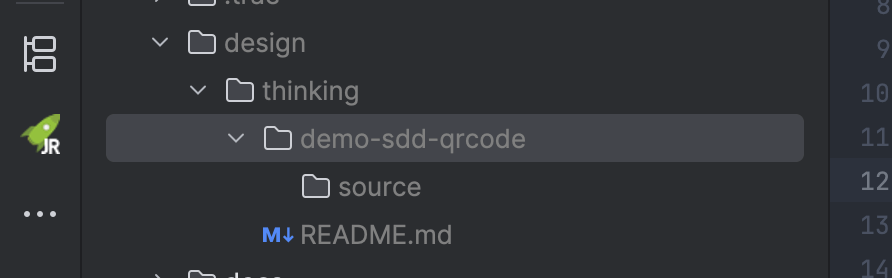
Oke thư mục để chuẩn bị suy nghĩ như 1 product-manager đã tạo xong, giờ tạo thêm một file yêu cầu nghiệp vụ bên trong thư mục /source/ nữa nhé, copy nghiệp vụ từ phần 1 vào file internal_requirement_ba.txt.
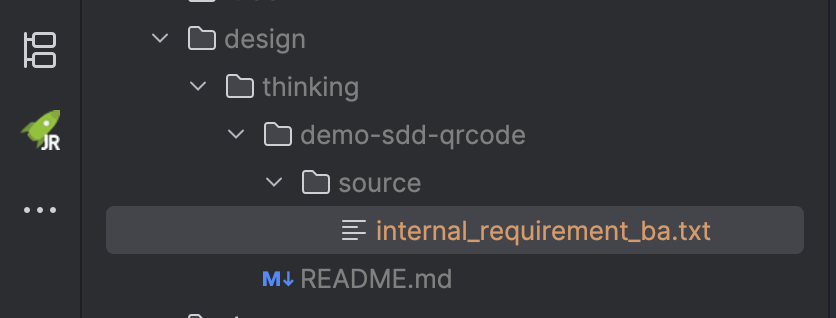
Yêu cầu nghiệp vụ mong muốn như sau:
1: điều chỉnh lại trạng thái mã QR Code, đang định nghĩa là ACTIVATED, cần nhất quán trạng thái để đáp ứng việc ON/OFF mã QR (vì chỗ này mobile đang truyền lên ACTIVE, INACTIVE)
2: khi thêm mới xe, cần bổ sung validate biển số xe theo quy tắc biển số Việt Nam, chỉ áp dụng xe biển trắng và biển vàng (không áp dụng cho biển đỏ + biển xanh)
3: cần bổ sung thêm API xoá user để đáp ứng chính sách của apple
4: cần bổ sung xử lý logic API on/off mã QR (có liên quan đến trạng thái mục 1)
5: cần lưu và trả thêm device_token ở thông tin chi tiết user, phục vụ cho nghiệp vụ notification (chưa có thiết kế db)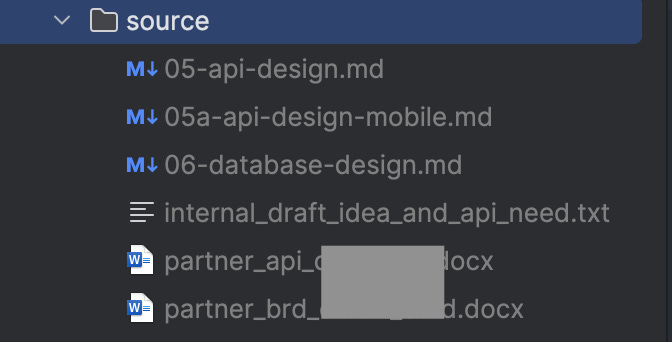
Thông thường thì trong thư mục design mình sẽ add rất nhiều các loại tài liệu, file nghiệp vụ, BRD liên quan nếu có, các loại file docx, file thiết kế database, thiết kế luồng lạch, sequence diagram… Các bạn có thể xem ảnh trên để thấy một dự án thông thường sẽ có rất nhiều loại tài liệu.
Nhưng ở dự án demo này mình chỉ dùng 1 file text duy nhất thôi.
Tiếp theo, chúng ta sẽ chạy script sau, làm nhiệm vụ convert toàn bộ các file nghiệp vụ trong thư mục /source/ sang thư mục /converted/. Chuyển hóa các file nguồn thành file Markdown nếu là các định dạng .docx, nếu vốn đã là .md hoặc .txt thì giữ nguyên và chuyển sang thư mục /converted/.
cafeincode-convert-spec demo-sdd-qrcode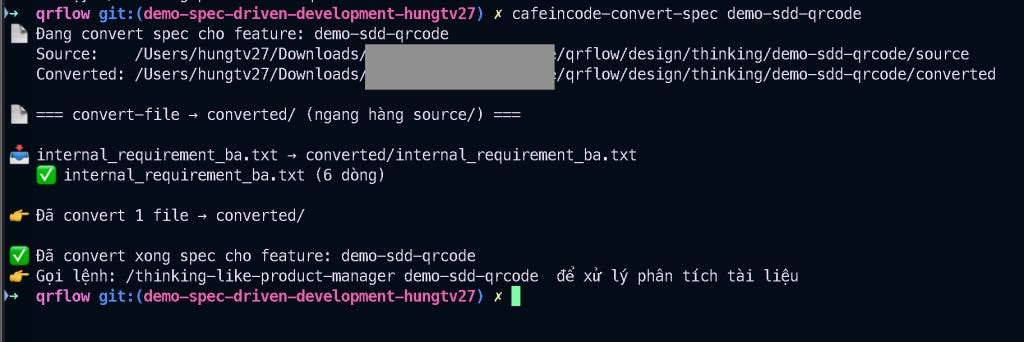
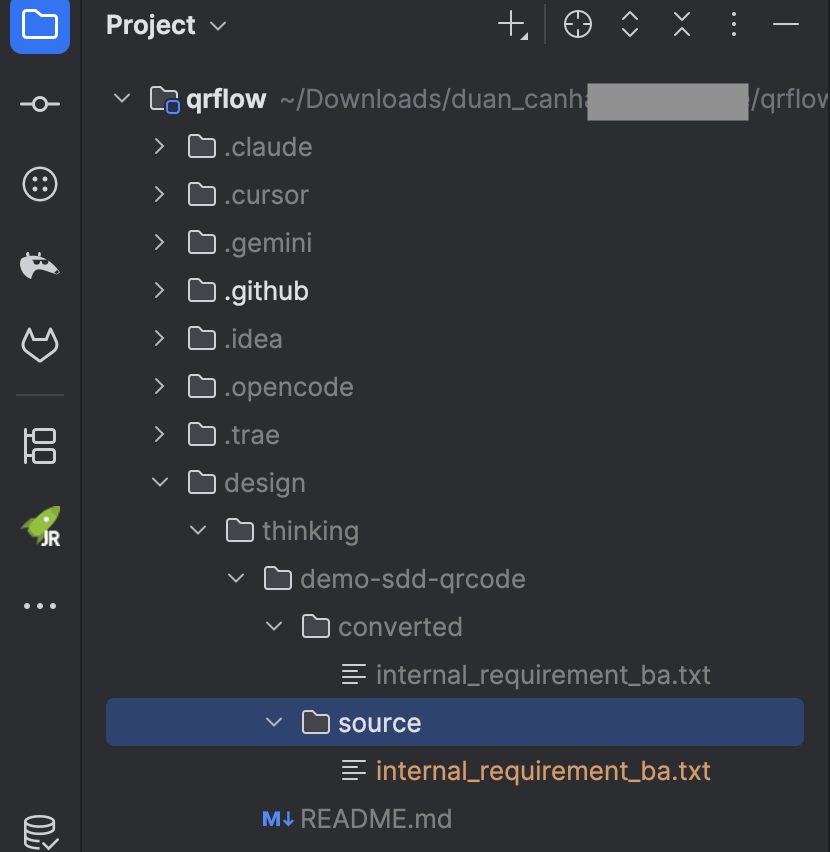
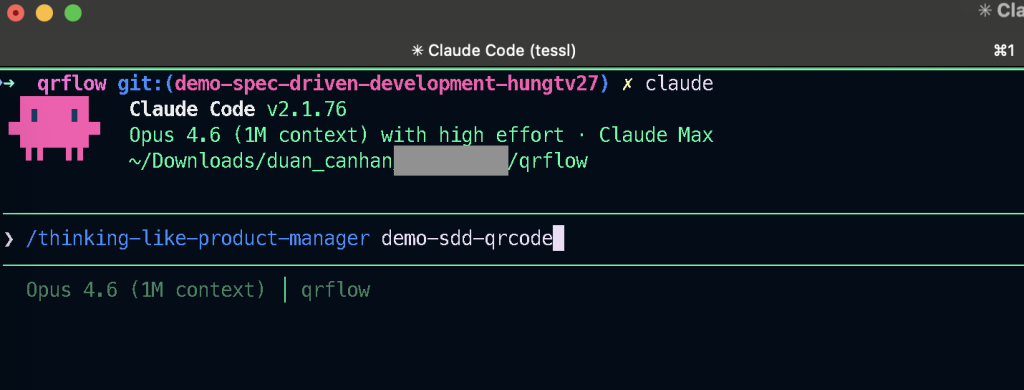
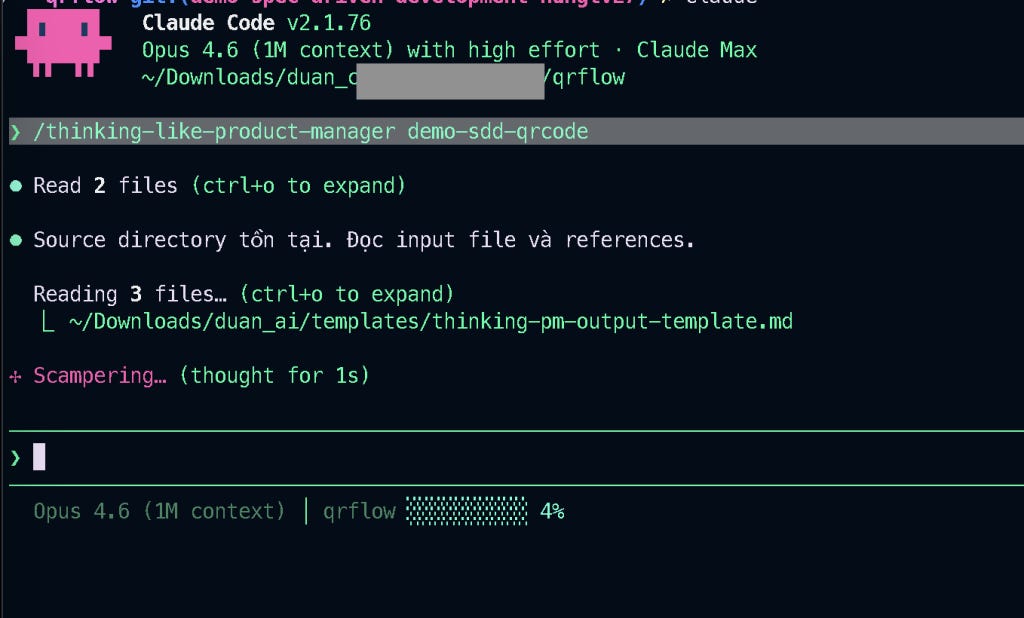
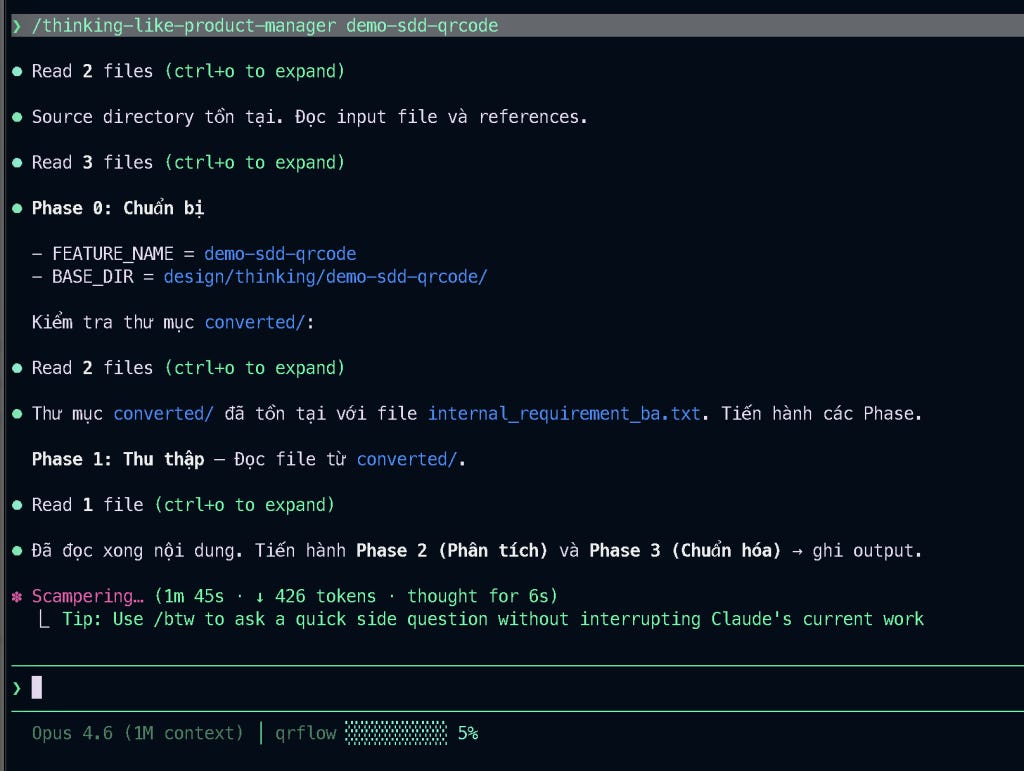
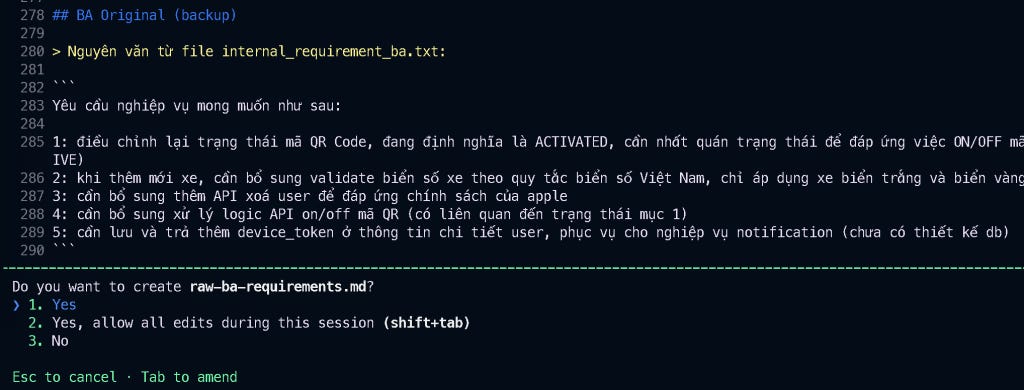
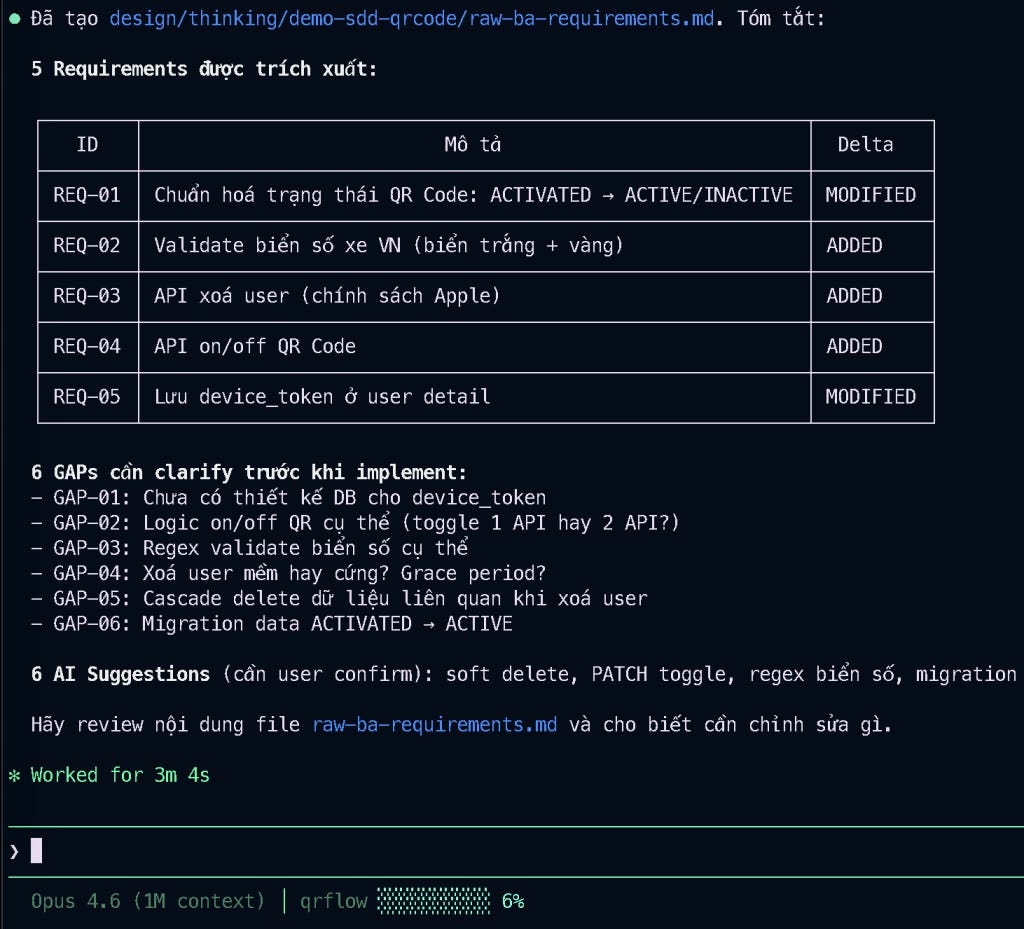
Tới đây mình cần bổ sung thêm một số yêu cầu nghiệp vụ liên quan đến việc validate biển số xe. Mình quên mất là cái nghiệp vụ này đang cần bàn lại, chưa chốt nên sẽ bỏ nó ra ngoài.
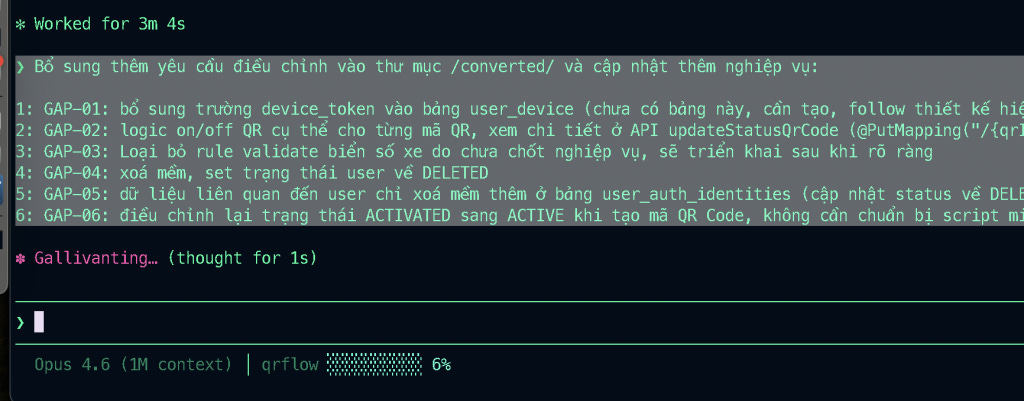
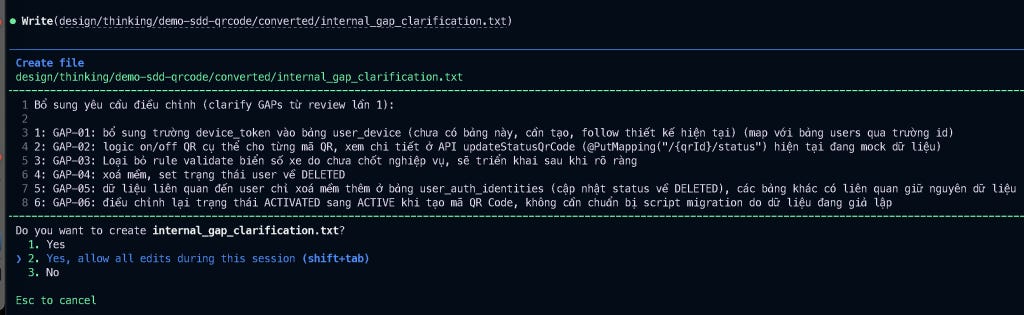
Mình sẽ trả lời 1 số câu hỏi GAP liên quan bên dưới, sau đó ném cho Claude Code:
Bổ sung thêm yêu cầu điều chỉnh vào thư mục /converted/ và cập nhật thêm nghiệp vụ:
1: GAP-01: bổ sung trường device_token vào bảng user_device (chưa có bảng này, cần tạo, follow thiết kế hiện tại) (map với bảng users qua trường id)
2: GAP-02: logic on/off QR cụ thể cho từng mã QR, xem chi tiết ở API updateStatusQrCode (@PutMapping("/{qrId}/status") hiện tại đang mock dữ liệu)
3: GAP-03: Loại bỏ rule validate biển số xe do chưa chốt nghiệp vụ, sẽ triển khai sau khi rõ ràng
4: GAP-04: xoá mềm, set trạng thái user về DELETED
5: GAP-05: dữ liệu liên quan đến user chỉ xoá mềm thêm ở bảng user_auth_identities (cập nhật status về DELETED), các bảng khác có liên quan giữ nguyên dữ liệu
6: GAP-06: điều chỉnh lại trạng thái ACTIVATED sang ACTIVE khi tạo mã QR Code, không cần chuẩn bị script migration do dữ liệu đang giả lập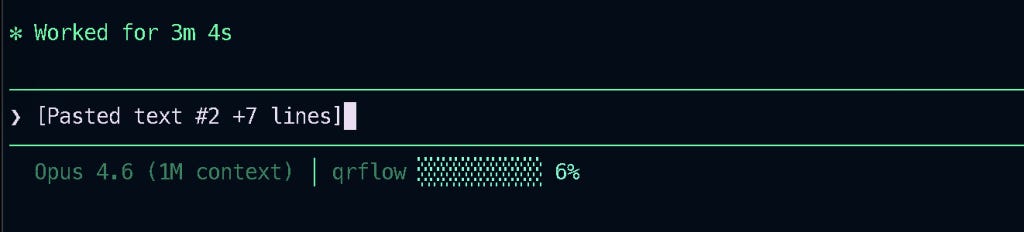
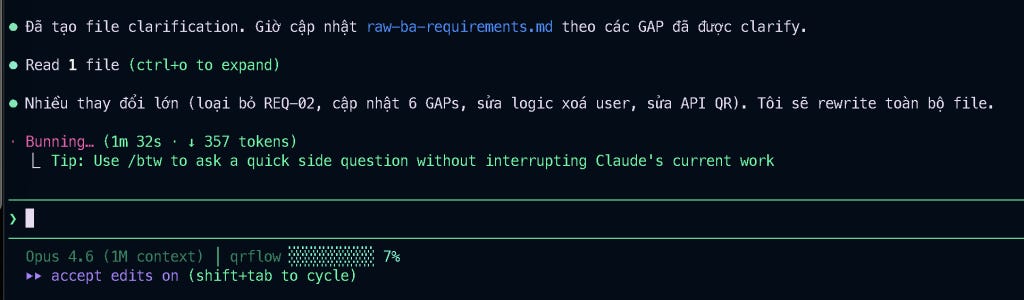
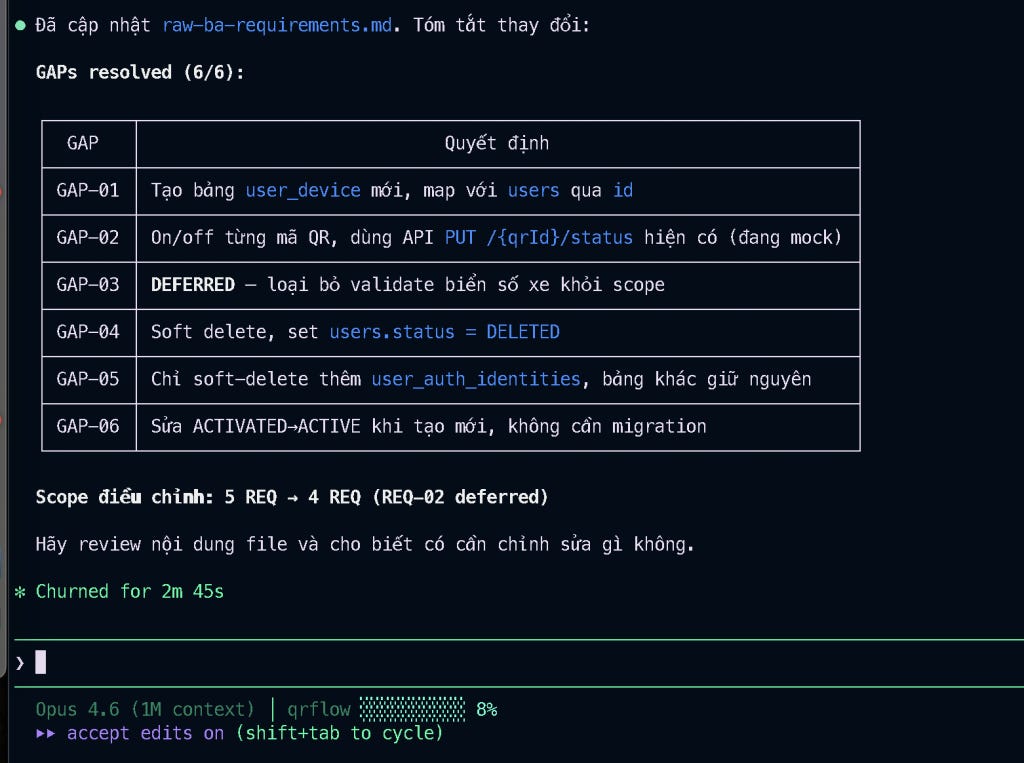
Sau khi điều chỉnh lại nghiệp vụ, mình có file raw-ba-requirements.md mới nhất, giờ sẽ đi review chi tiết các đầu mục trong file nghiệp vụ:
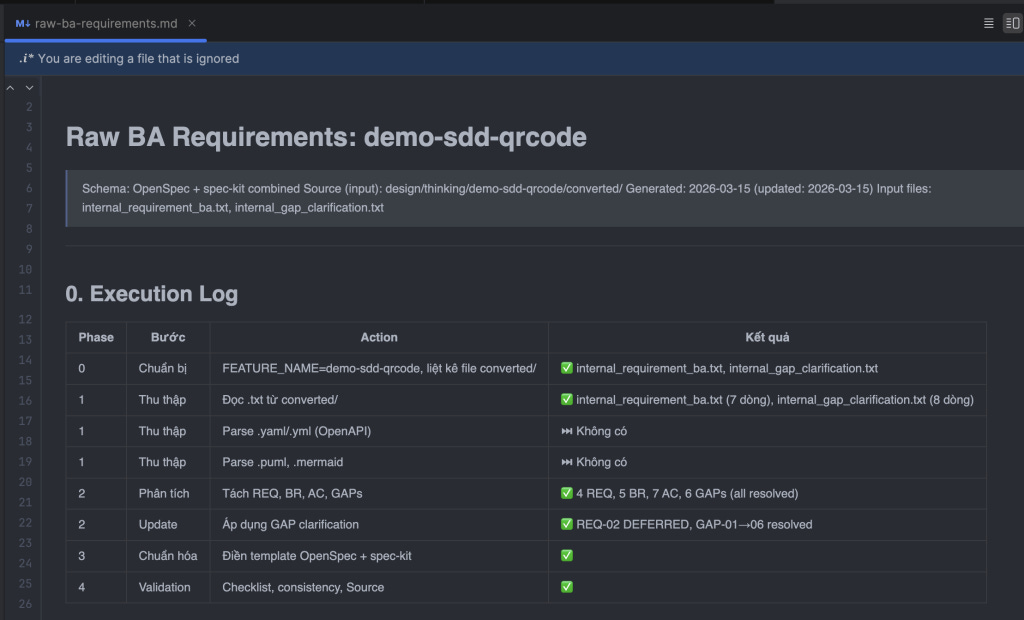
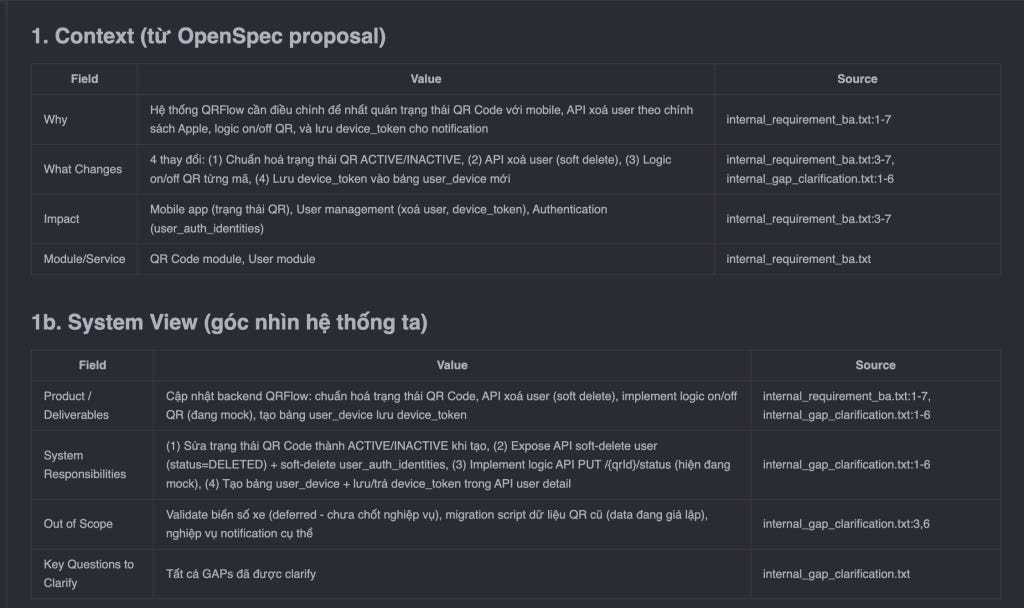
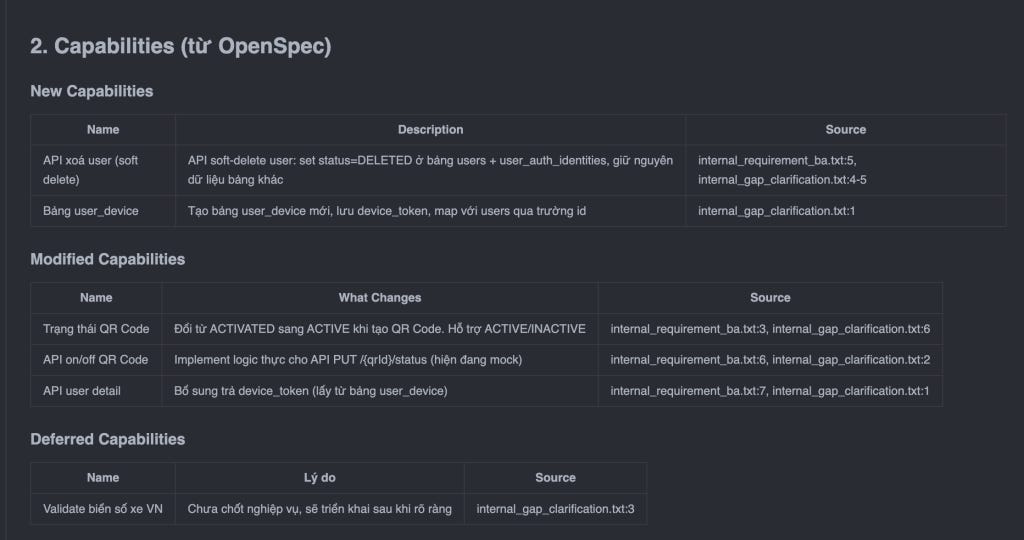
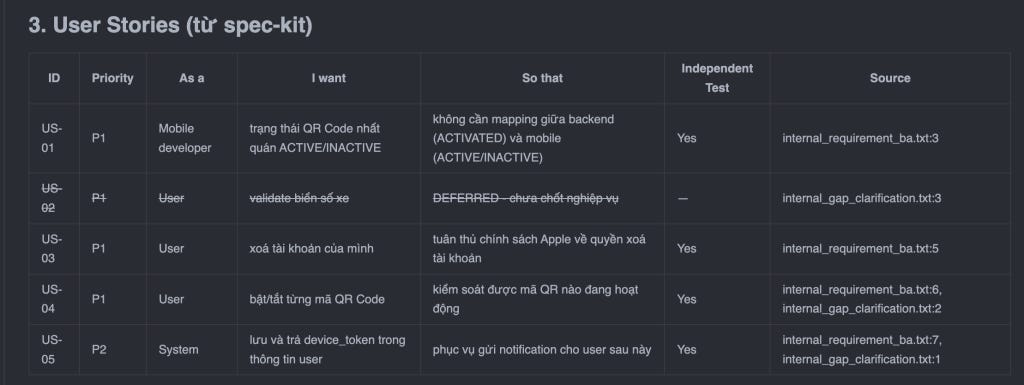
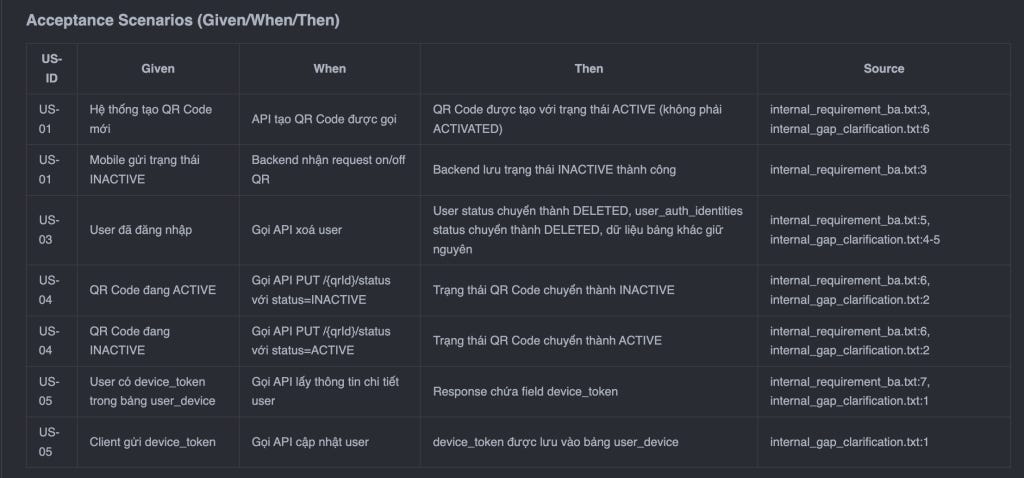
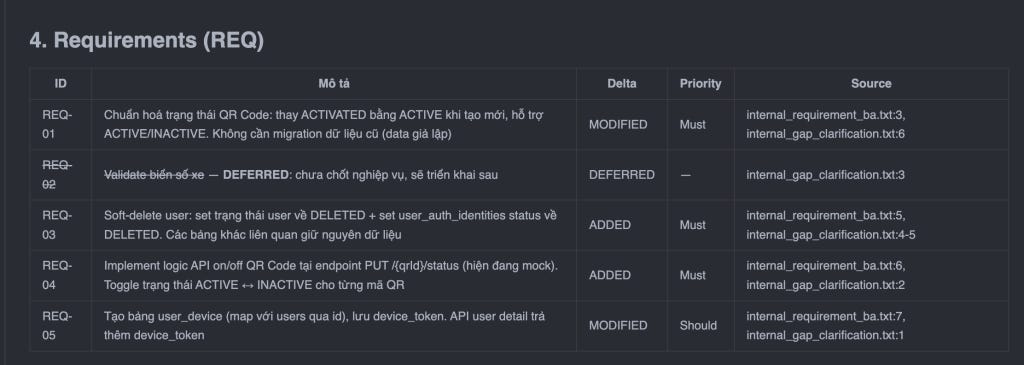
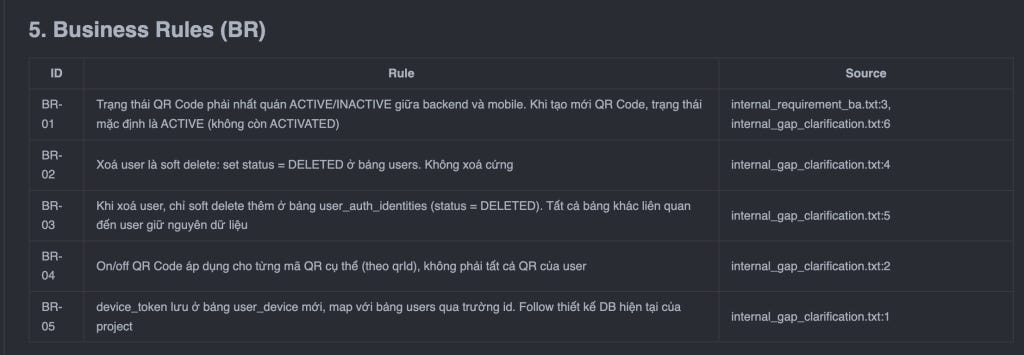
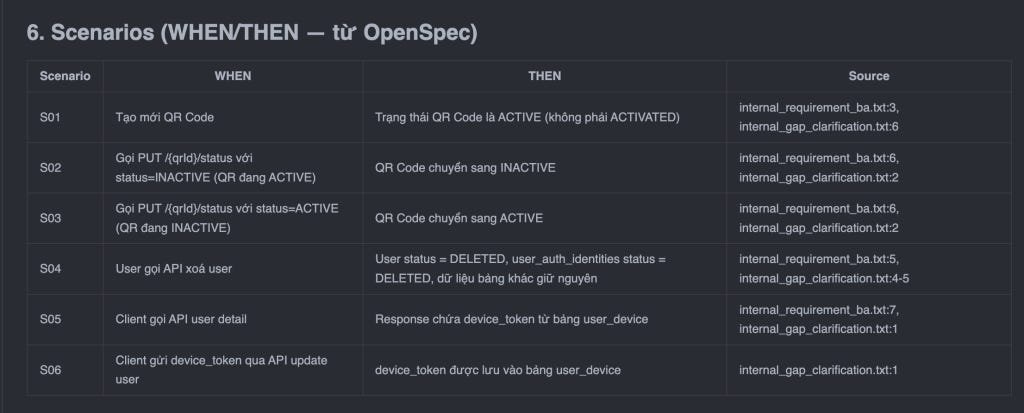
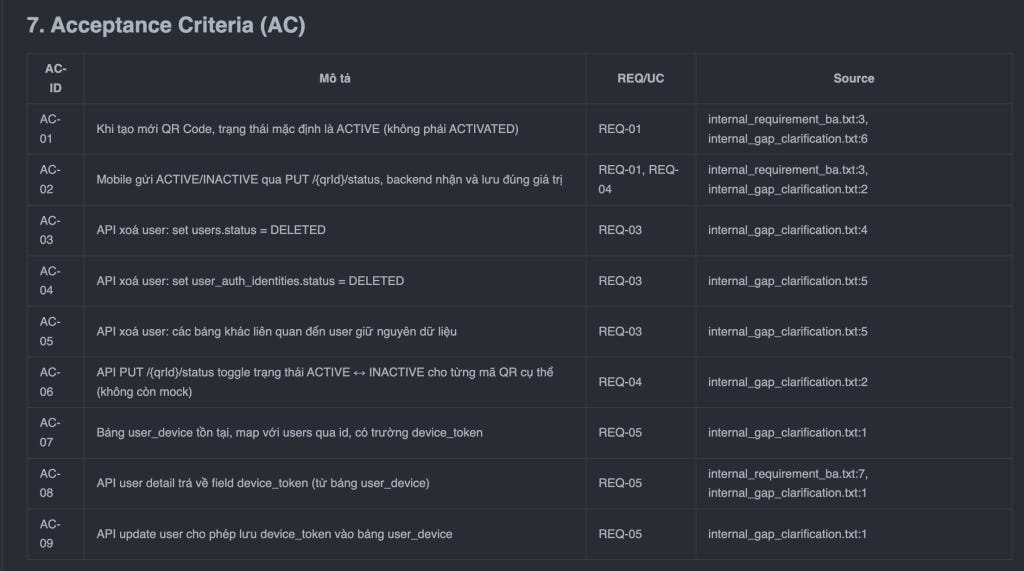
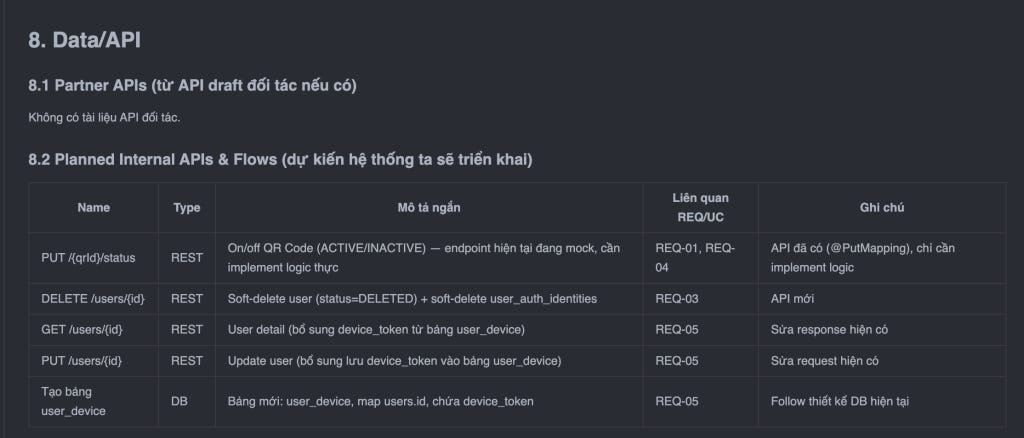
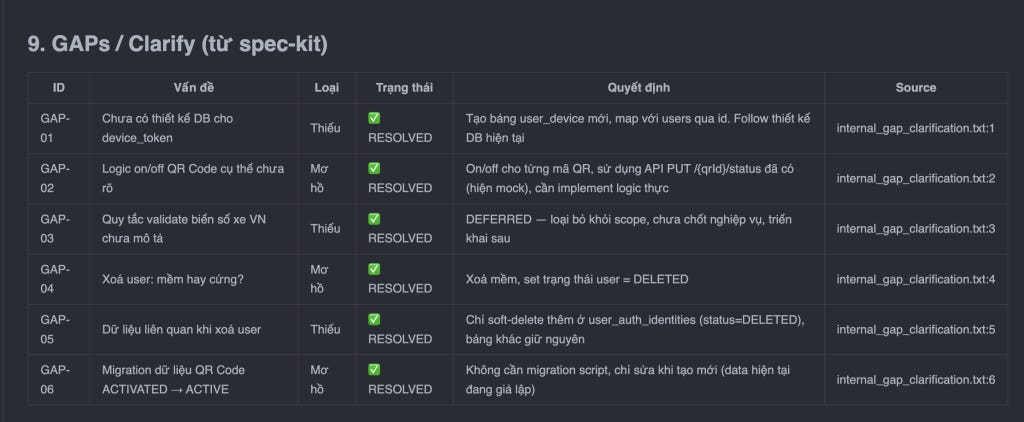
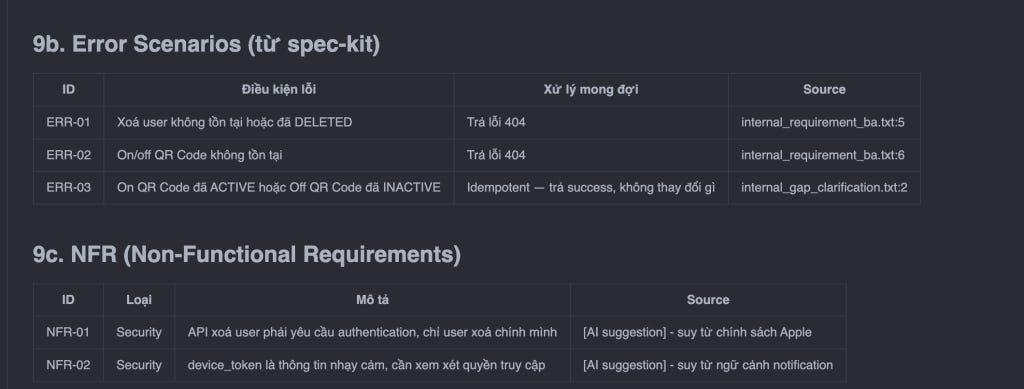
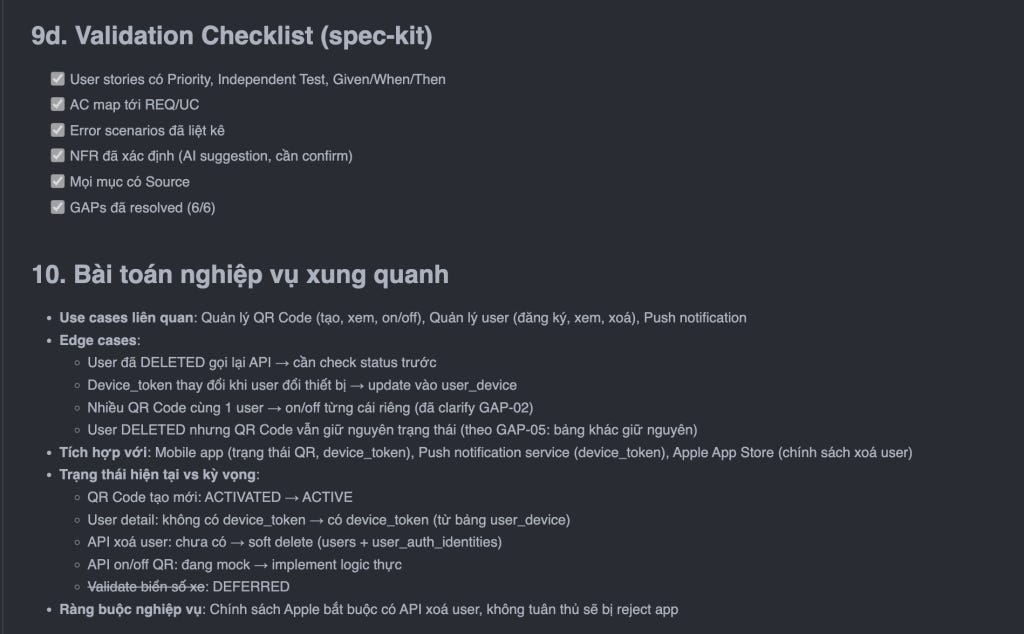
Sau khi xem xét thật kỹ và chi tiết, mình có bổ sung một số điều chỉnh như bên dưới và gửi yêu cầu cho Claude Code.
Ở giai đoạn review tài liệu này, các bạn nên làm chi tiết và đọc kỹ để xem còn những thiếu sót ở đâu và thực hiện điều chỉnh liên tục.
Bổ sung yêu cầu điều chỉnh như sau:
3. User Stories
US-05: Client gửi device_token ở bước login, khi gọi vào api: /authentications/init
4. Requirements:
REQ-05: bảng user_device cần có trường trạng thái đánh dấu device nào đang hoạt động (ví dụ status ='ACTIVE')
6. Scenarios:
S05: Client gọi api api/v1/users/me thì mới trả thông tin device_token kèm thông tin user
8. Data/API:
GET /users/{id} -> sửa api này GET /users/me, không phải API GET /users/{id}
PUT /users/{id} -> sửa trên api PATCH api/v1/users (updateUserInformation) xử lý lưu thêm device_token vào bảng user_device khi cập nhật thông tin user.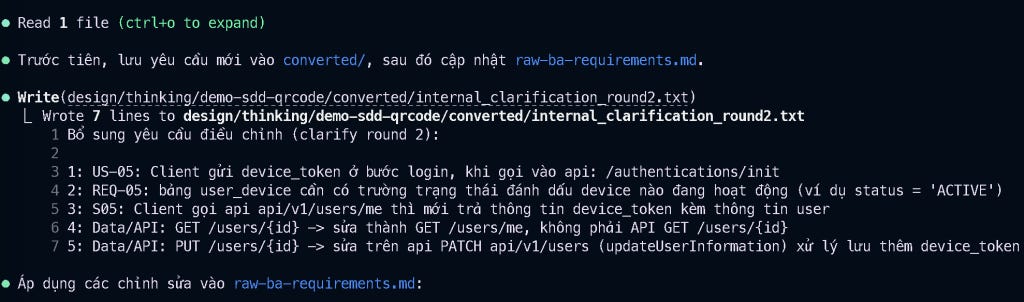
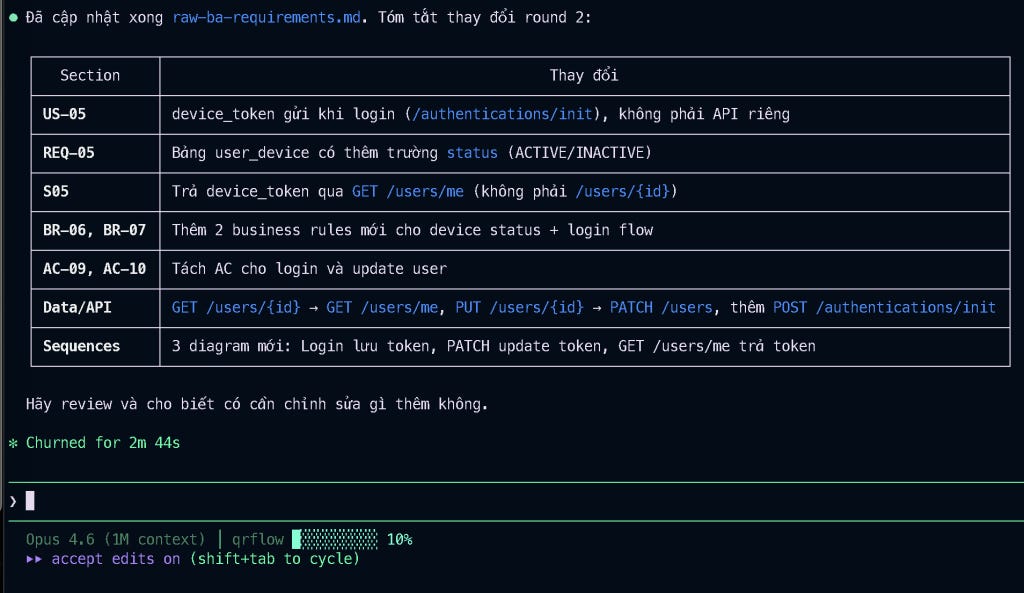
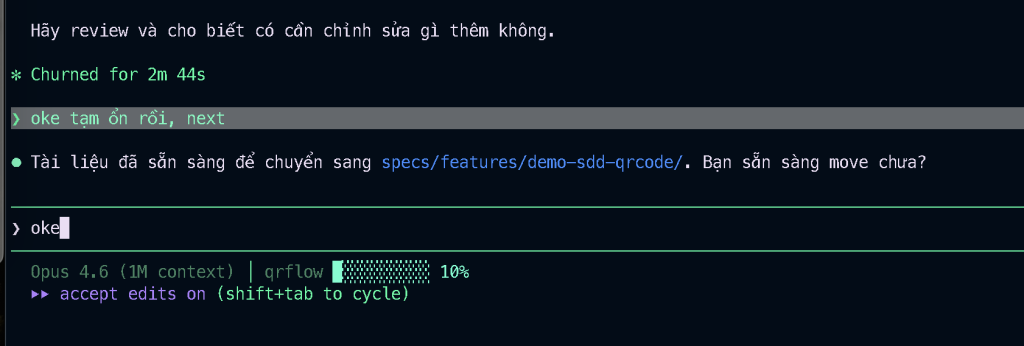
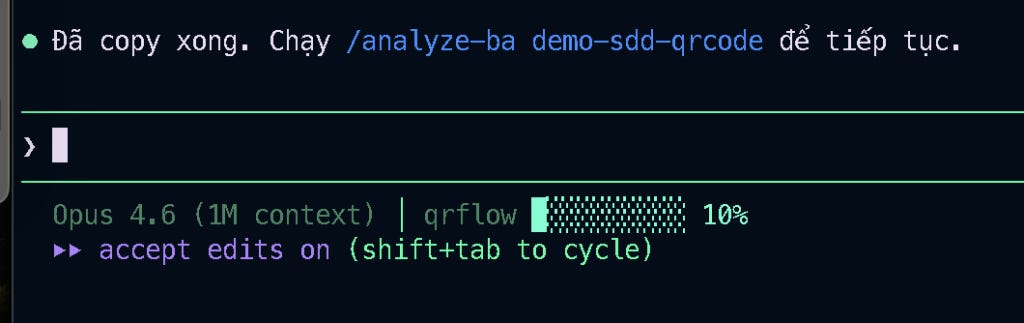
Oke, coi như chúng ta đã xong giai đoạn 2, hoàn thành việc phân tích tài liệu nghiệp vụ cơ bản, giờ sẽ tiến hành chuyển sang giai đoạn lập kế hoạch thực thi.
Ở giai đoạn này, mình sẽ tiến hành dùng file nghiệp vụ đã phân tích ở giai đoạn 2: raw-ba-requirement.md để lên kế hoạch thực thi với skill analyze-ba.
Note: về cơ bản là các bạn có thể không chạy giai đoạn 2, mà chạy thẳng giai đoạn 3 luôn cũng được, chỉ cần đảm bảo có file yêu cầu nghiệp vụ đã được phân tích. Tuy nhiên, để đảm bảo dữ liệu đã được chuẩn hóa và đã được phân tích thì mình luôn luôn làm từ giai đoạn 2.
Mình sử dụng skill sau: /analyze-ba

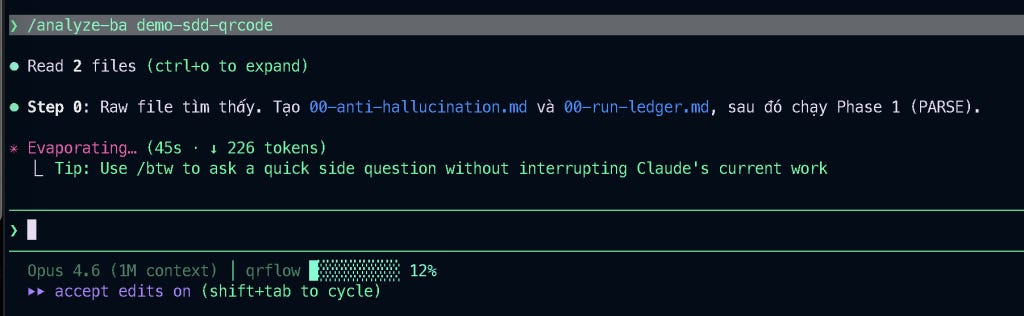
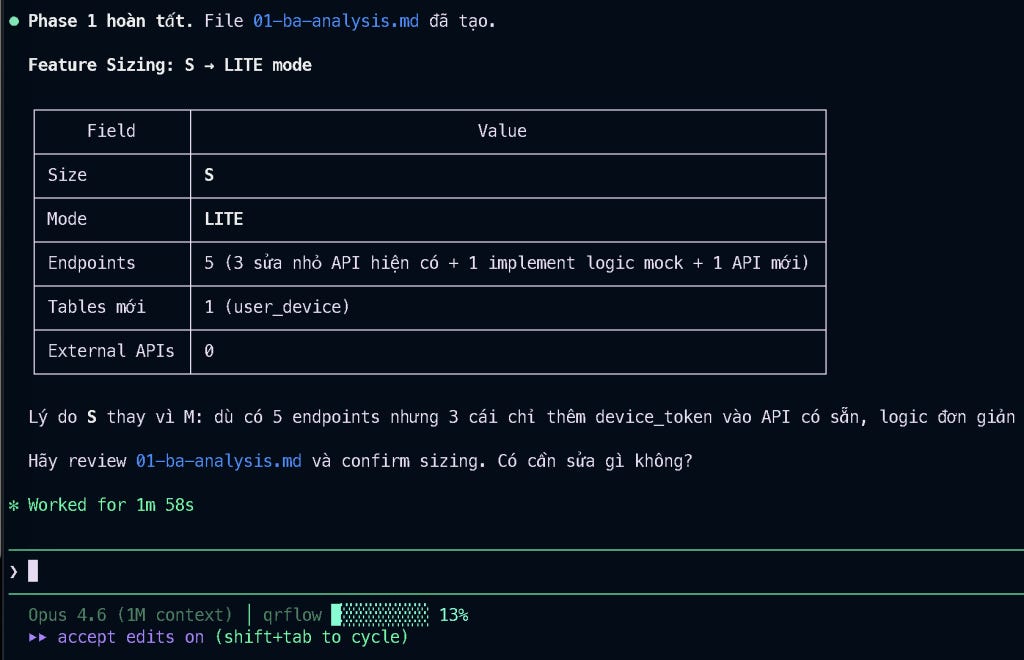
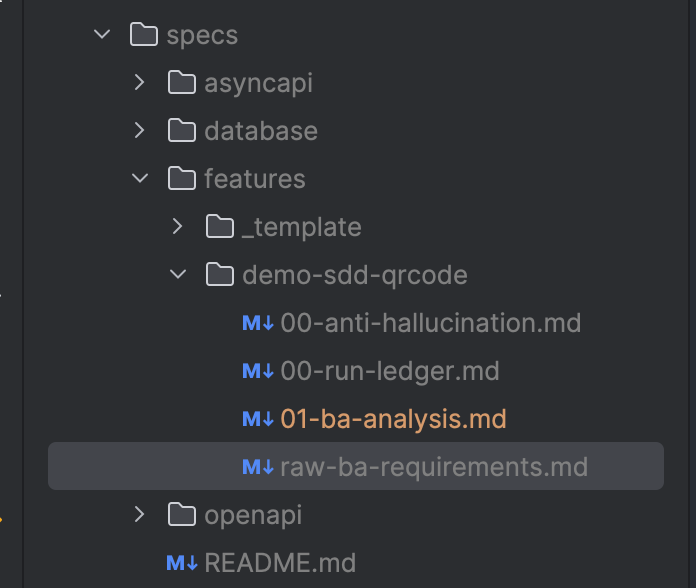
PHASE 1 làm nhiệm vụ tách requirements, business rules, gaps, đồng thời tạo ra ba file, bao gồm:
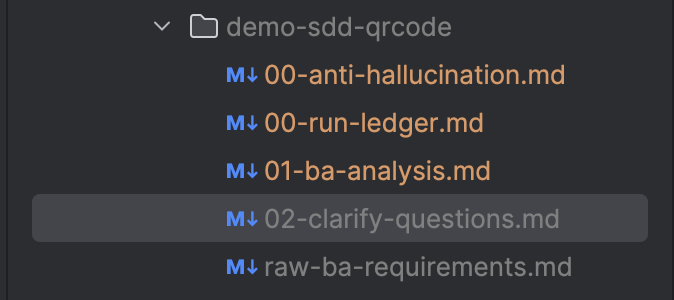
00-anti-hallucination.md: file này chứa các tiêu chuẩn ràng buộc cho Claude Code, nghiêm cấm các trường hợp ảo giác sinh dữ liệu thừa, không liên quan.00-run-ledger.md: file này chỉ ghi lại log execution thực hiện ở từng phase, đánh dấu thực hiện.01-ba-analysis.md: file tài liệu nghiệp vụ đã được phân tích
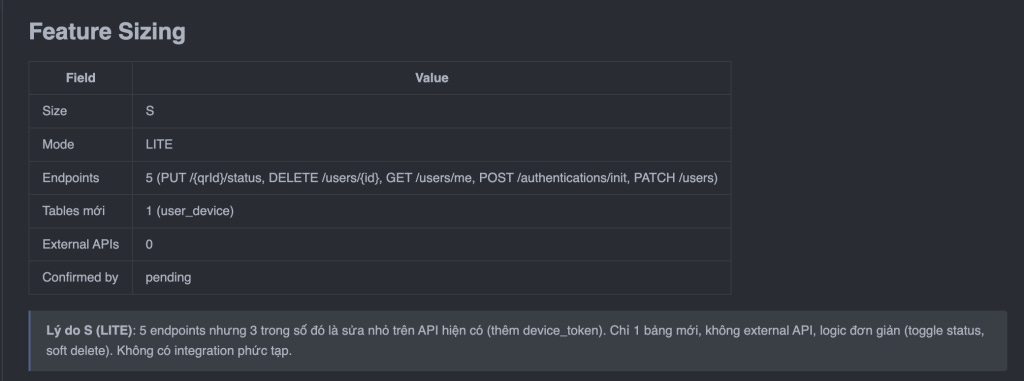
Có một phần quan trọng quyết định việc sẽ triển khai chức năng qua đầy đủ toàn bộ các bước, hay sẽ skip một số bước không quan trọng, ở đây chức năng chúng ta cần triển khai không quá phức tạp, được đánh dấu MODE = LITE (nghĩa là sẽ bỏ qua một vài bước không quan trọng trong workflow.)
Oke xong phase 1, mình tiếp tục sang phase 2, Claude Code sẽ tạo 1 file các câu hỏi cần làm rõ: 02-clarify-questions.md
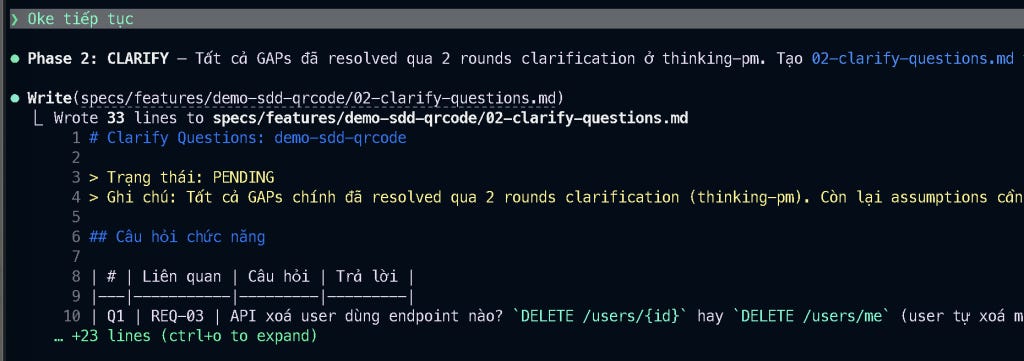
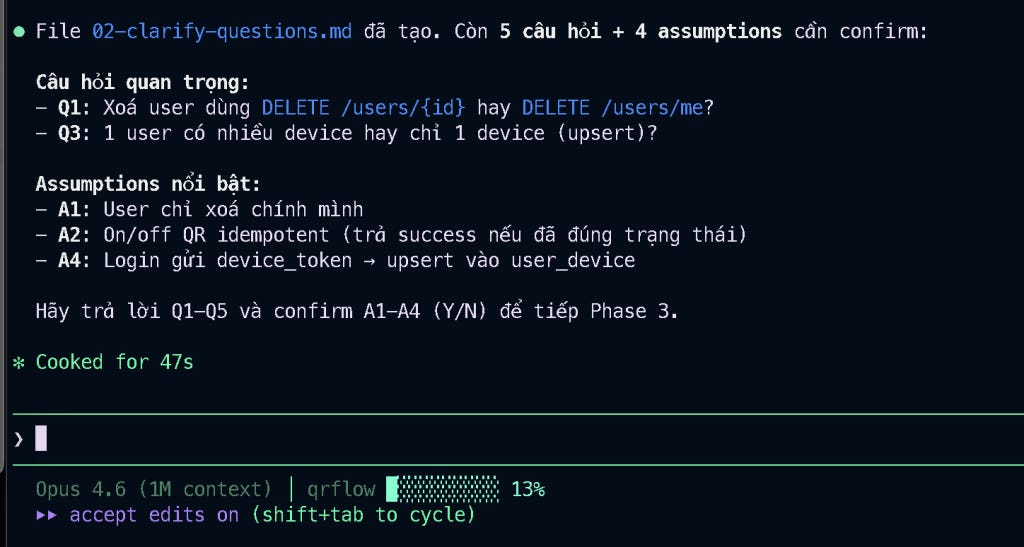
# Clarify Questions: demo-sdd-qrcode
> Trạng thái: PENDING
> Ghi chú: Tất cả GAPs chính đã resolved qua 2 rounds clarification (thinking-pm). Còn lại assumptions cần confirm.
## Câu hỏi chức năng
| # | Liên quan | Câu hỏi | Trả lời |
|---|-----------|---------|---------|
| Q1 | REQ-03 | API xoá user dùng endpoint nào? `DELETE /users/{id}` hay `DELETE /users/me` (user tự xoá mình)? | |
| Q2 | REQ-04 | Khi on/off QR Code, cần check quyền sở hữu (QR này thuộc user hiện tại) hay bất kỳ user nào cũng toggle được? | |
## Câu hỏi dữ liệu
| # | Liên quan | Câu hỏi | Trả lời |
|---|-----------|---------|---------|
| Q3 | REQ-05 | Bảng user_device: 1 user có nhiều device (nhiều row) hay chỉ 1 device (1 row, upsert)? | |
| Q4 | REQ-05 | Bảng user_device cần thêm trường nào ngoài id, user_id, device_token, status? (VD: device_type, gmt_create, gmt_modified) | |
## Câu hỏi edge cases
| # | Câu hỏi | Trả lời |
|---|---------|---------|
| Q5 | User đã DELETED login lại → trả lỗi gì? 401 Unauthorized hay 403 Forbidden hay lỗi riêng? | |
## Assumptions (Dev tự suy, cần confirm)
| # | Assumption | Confirm (Y/N) |
|---|-----------|---------------|
| A1 | API xoá user chỉ cho phép user xoá chính mình (dùng user ID từ token, không cho xoá user khác) | |
| A2 | ERR-03: On QR đã ACTIVE / Off QR đã INACTIVE → xử lý idempotent (trả success, không báo lỗi) | |
| A3 | Bảng user_device follow convention hiện tại của project: có id, gmt_create, gmt_modified | |
| A4 | Khi login gửi device_token, nếu user_device đã có record → update device_token + status=ACTIVE (upsert) | |
Sau khi xem kĩ thì tôi có review và gửi một số nội dung điều chỉnh:
Điều chỉnh phase 2 như sau:
Câu hỏi chức năng:
Q1: dùng endpoint DELETE /users/me
Q2: cần phải kiểm tra QRCode có thuộc sở hữu của user hay không thì mới cho phép action: ON/OFF
Câu hỏi dữ liệu:
Q3: 1 user có nhiều device (nhiều row, nhưng chỉ có 1 row ACTIVE ở 1 thời điểm)
Q4: bảng user_device cần có thêm các trường liên quan audit, follow code base
Câu hỏi edge cases:
Q5: User đã xóa tài khoản, nhưng nếu login lại qua đường firebase thì tạo tài khoản mới(vì chỉ đang chấp nhận login qua social)
Assumptions:
A1: Y
A2: Y
A3: cần có created_at, created_by, last_modify_at, last_modify_by, follow theo code base
A4: Y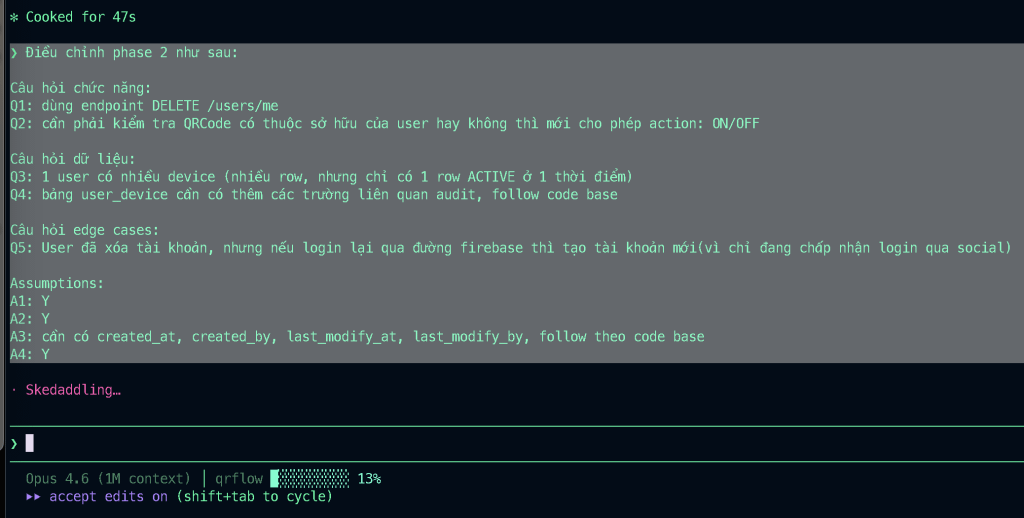
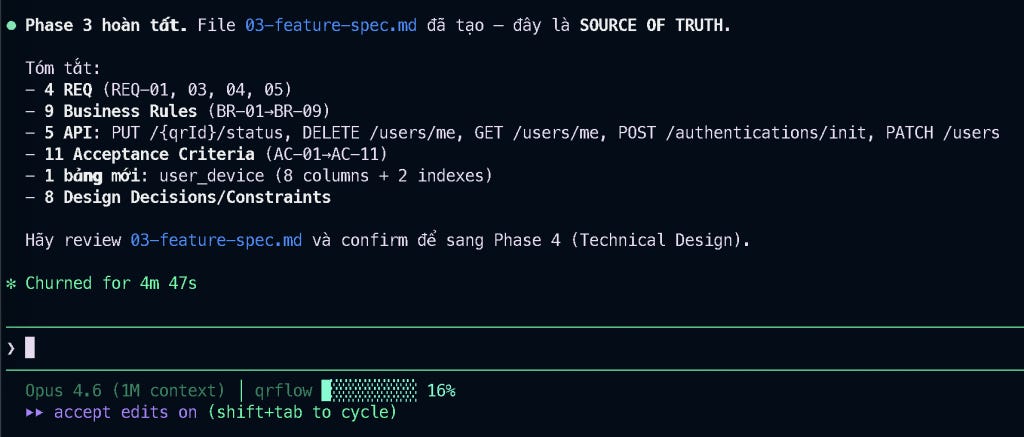
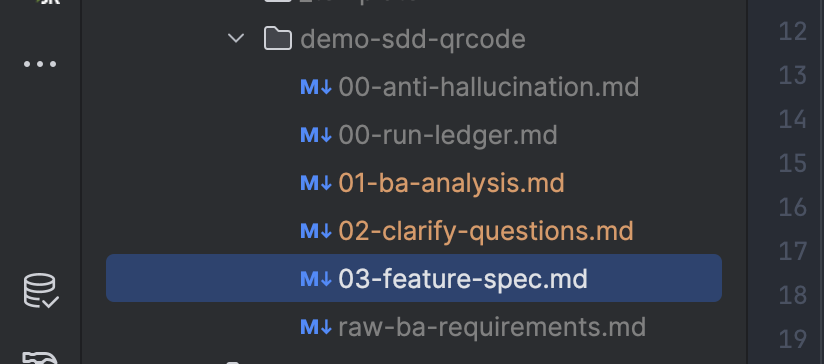
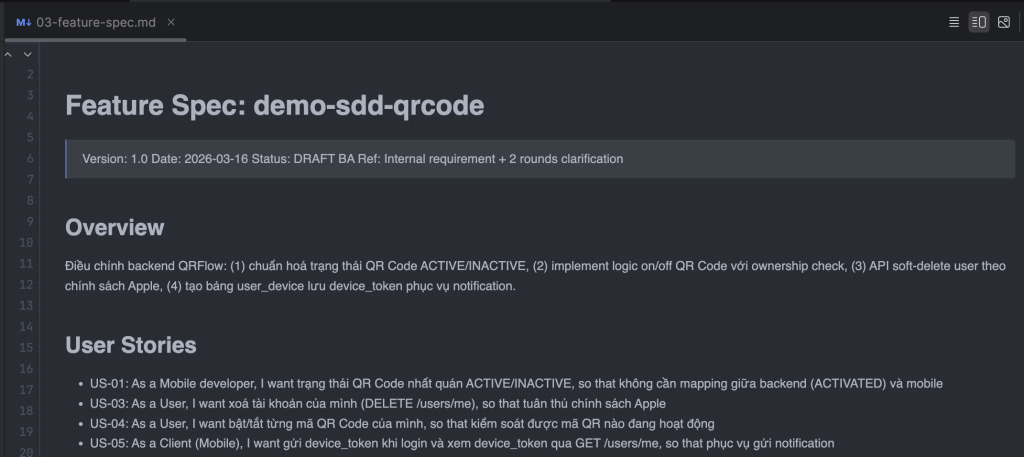
Tất nhiên là vẫn luôn cần phải đọc kỹ và điều chỉnh lại theo nhu cầu thực tế. Mình sẽ điều chỉnh 1 chút về API Contract.
Điều chỉnh API Contract + Data Model, cập nhật lại tài liệu:
PUT /{qrId}/status
=> sửa lại format response sử dụng BaseResponse.ofSucceed, không truyền data
DELETE /users/me
=> sửa lại format response sử dụng BaseResponse.ofSucceed, không truyền data
GET /users/me
=> trả device_token cần đảm bảo follow theo cấu trúc response hiện tại
POST /authentications/init (sửa)
=> chỉ bổ sung logic upsert, không trả thêm ở resonse api
Data Model:
user_id => cần chuyển về varchar(50) do id của user dạng uuid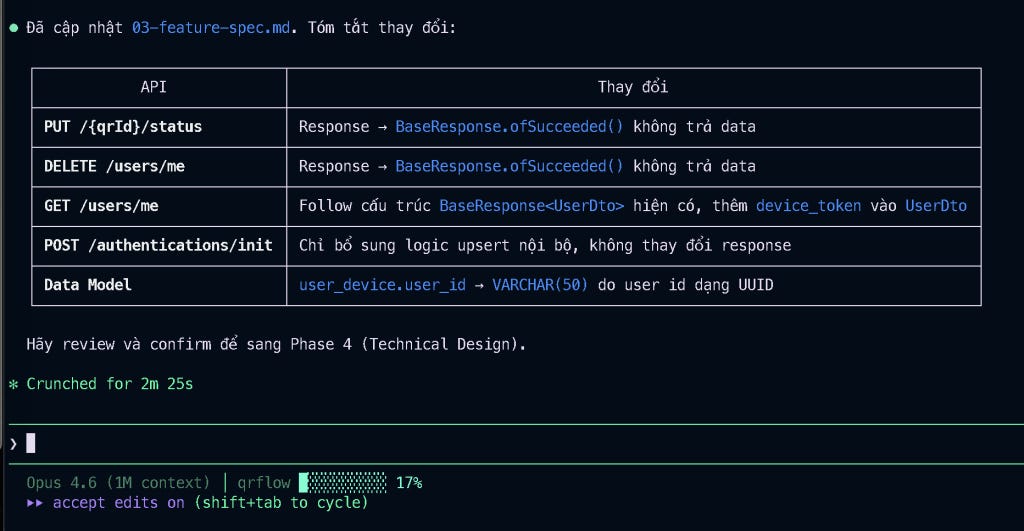
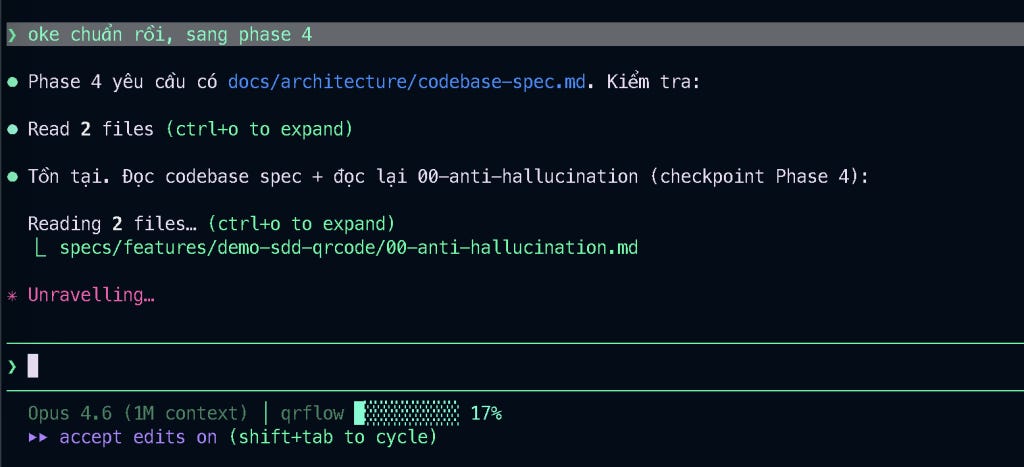
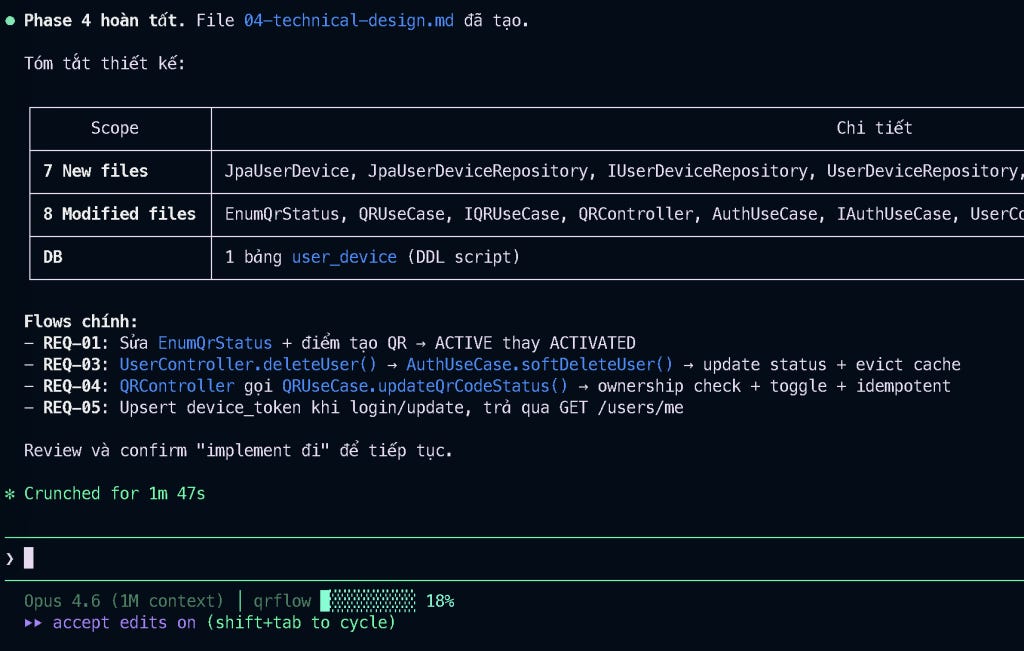
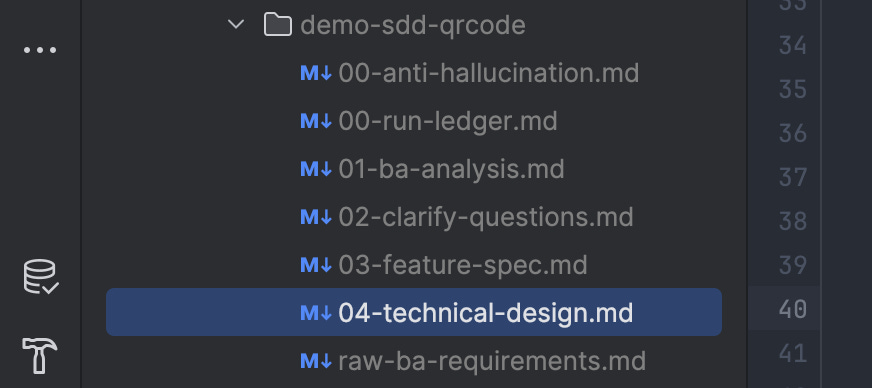
File thiết kế kĩ thuật 04-technical-design.md đã được tạo thành công, và phải công nhận là thiết kế khá chuẩn, mình chỉ cần bổ sung thêm 1 đoạn nhỏ:
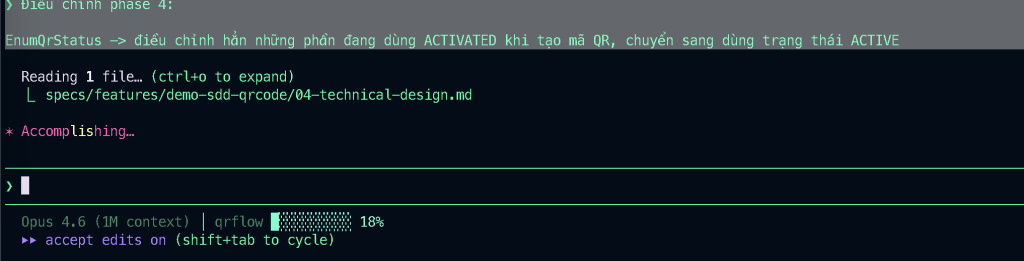
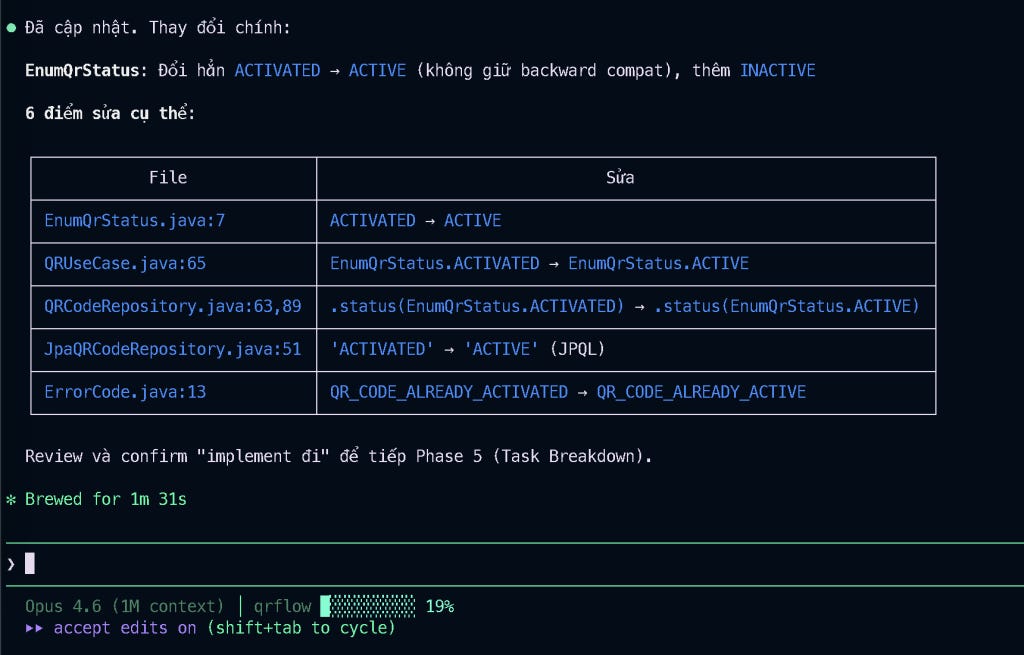
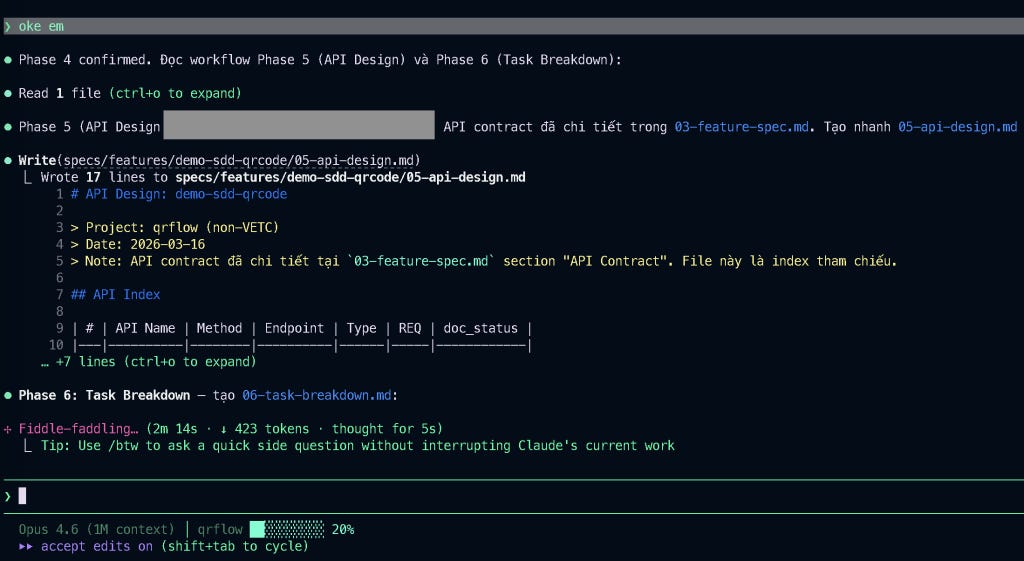
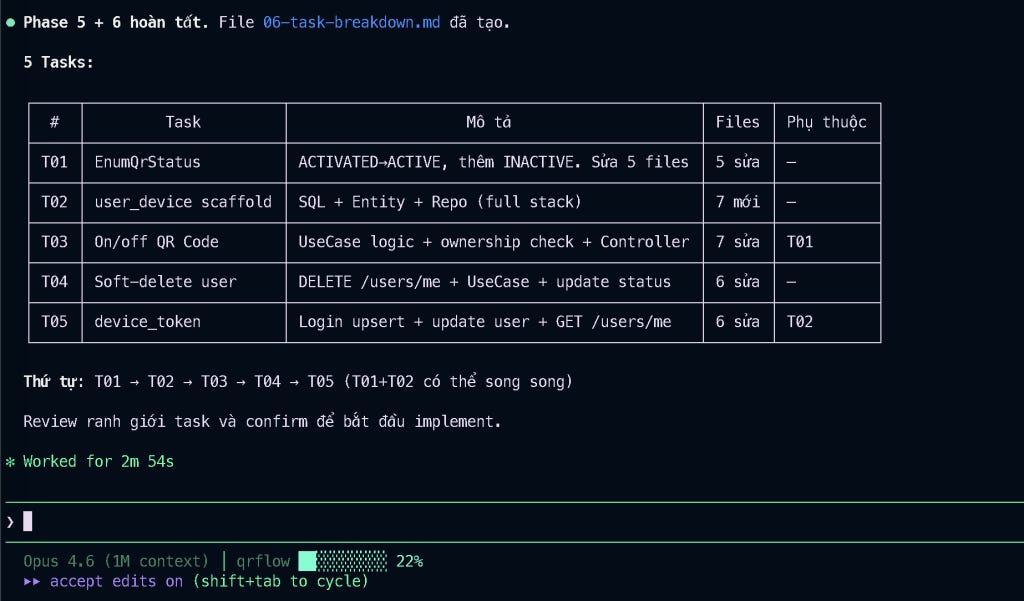
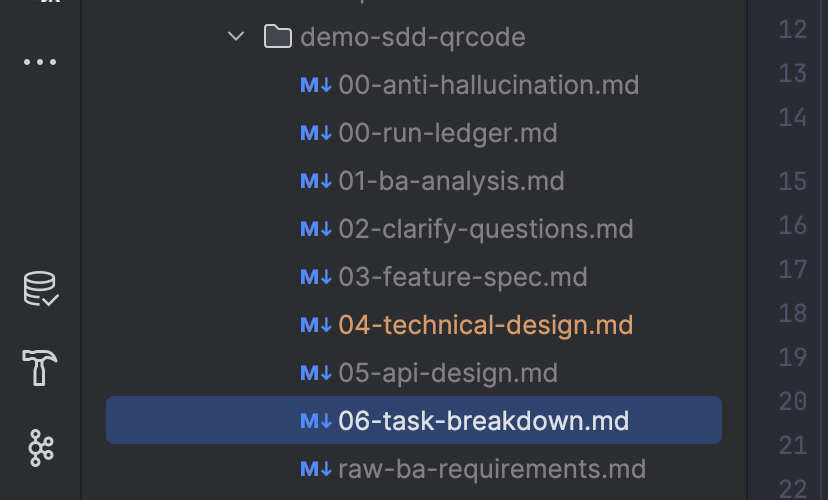
Oke, giờ ngon rồi. Tiếp tục qua phase 5, break nhỏ task ra để thực hiện. Các bạn lưu ý là phase 5 sẽ chỉ break down task thôi, chứ không implement nhé.
Chúng ta cần phải chia nhỏ rất nhỏ task ra, chia rõ boundary từng task, thì khi đó Claude Code implement mới chuẩn và ít bị sai sót.
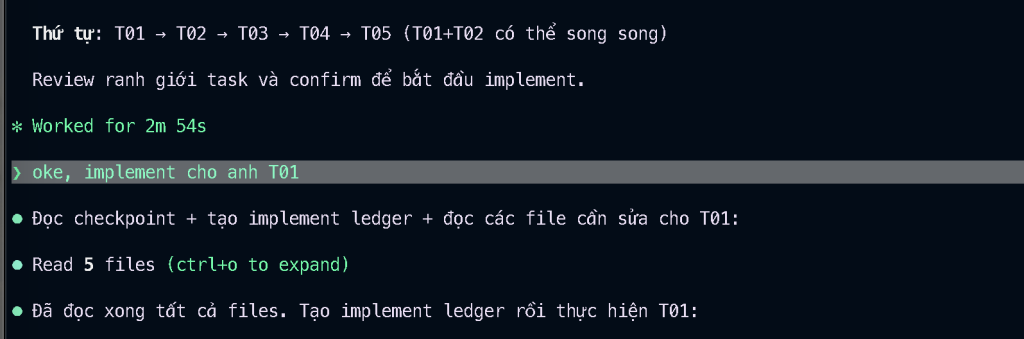

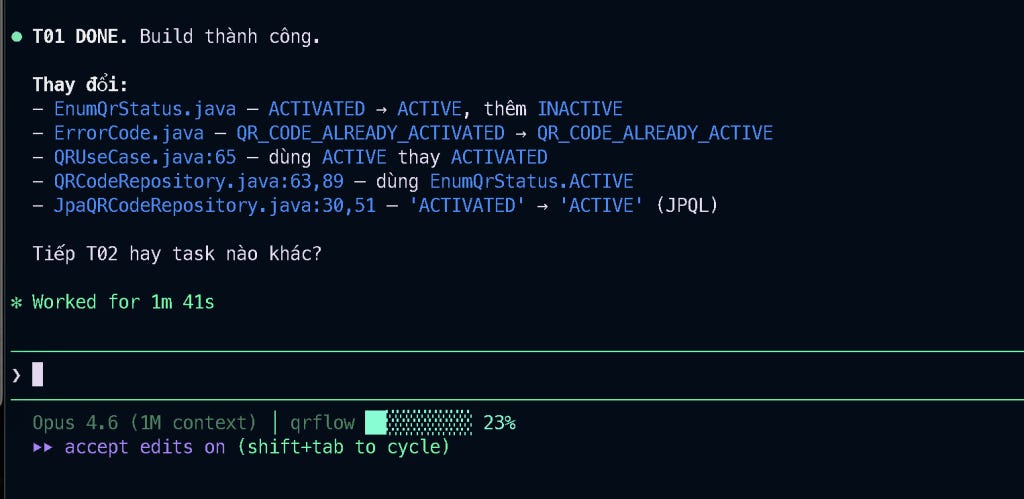
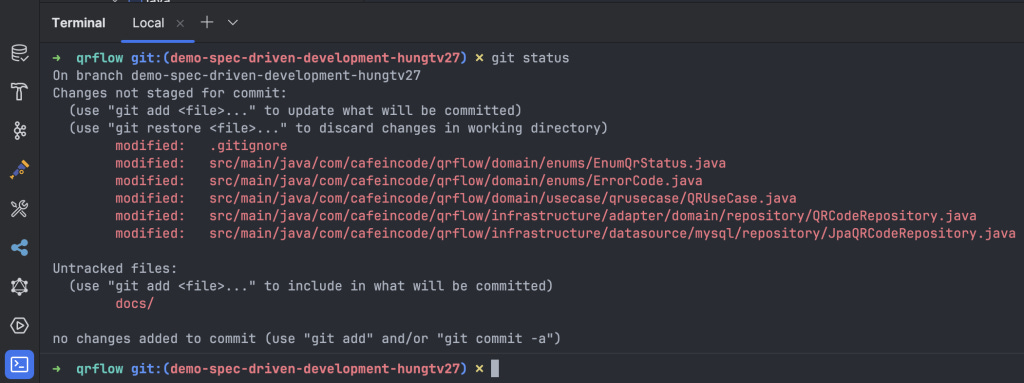
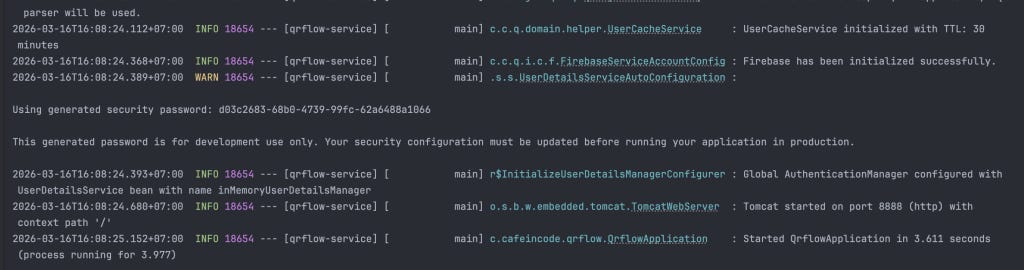
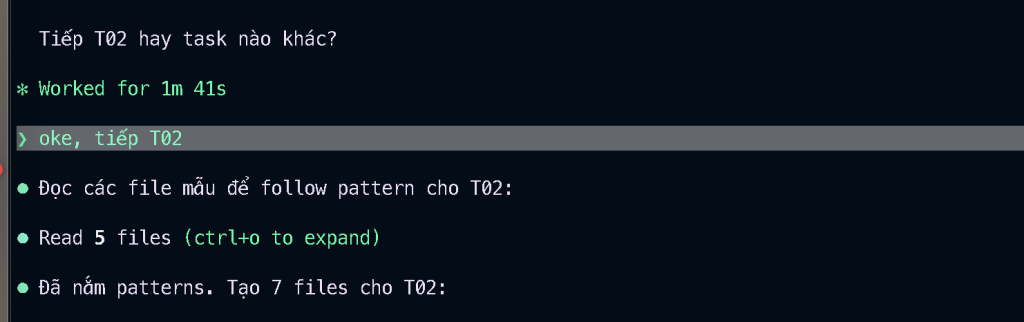
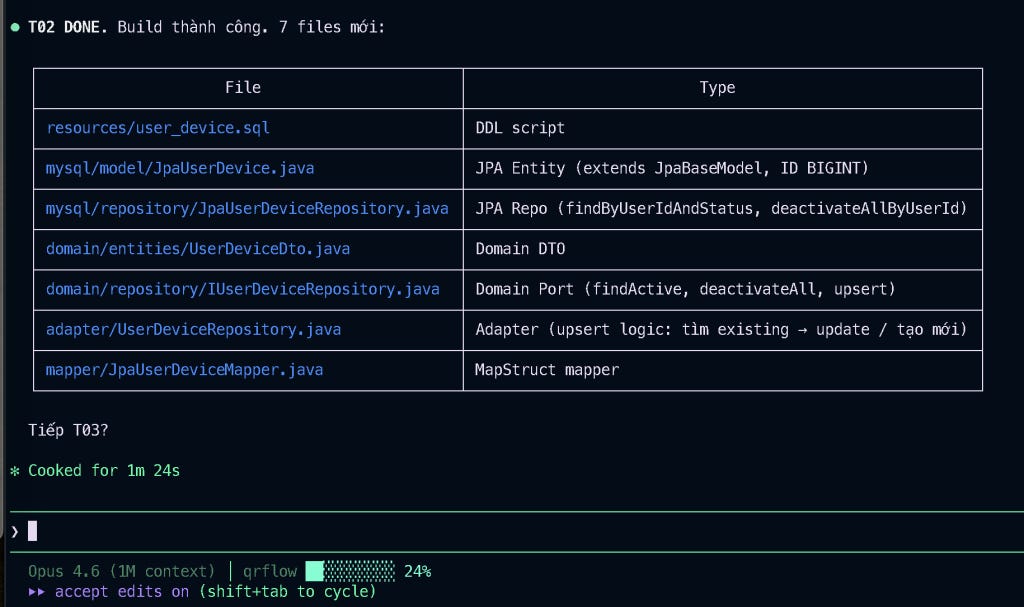
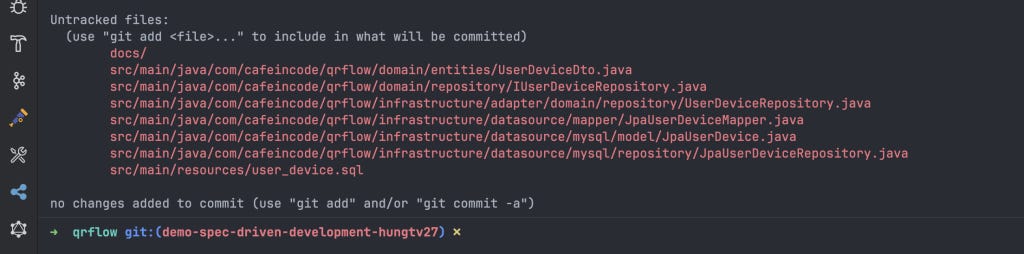
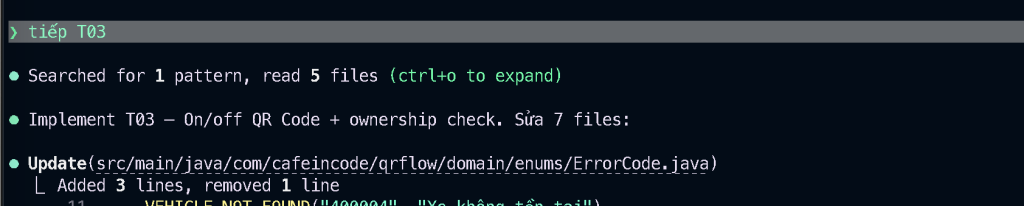
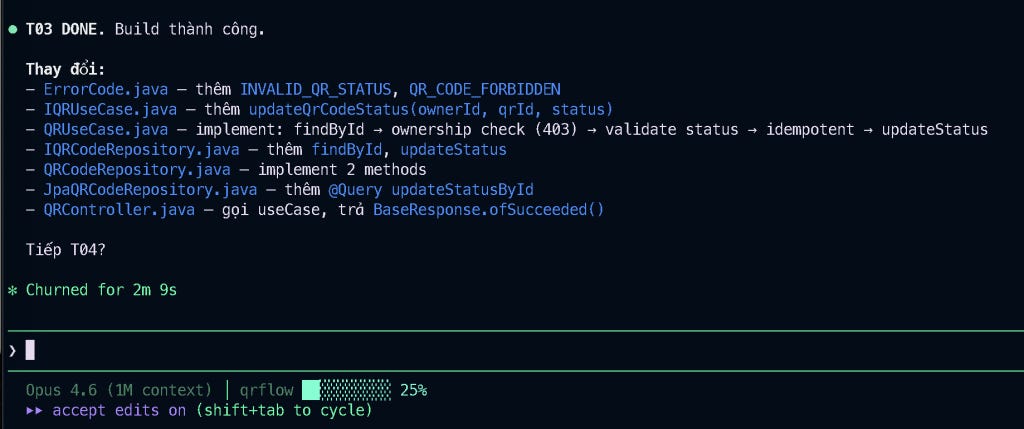
Oke kiểm tra lại chút logic nghiệp vụ ở Task 3 này cho phần on/off mã QR Code nhé:
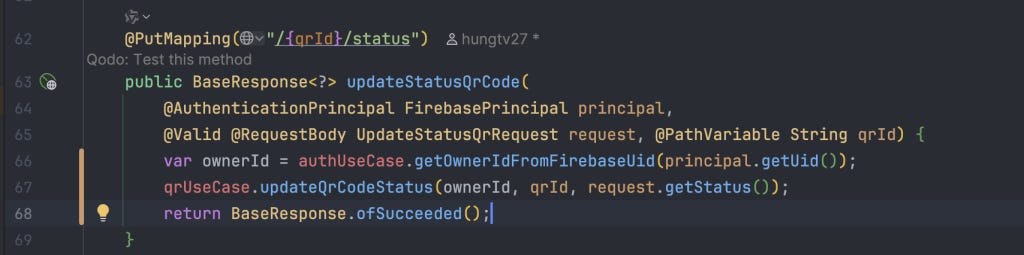
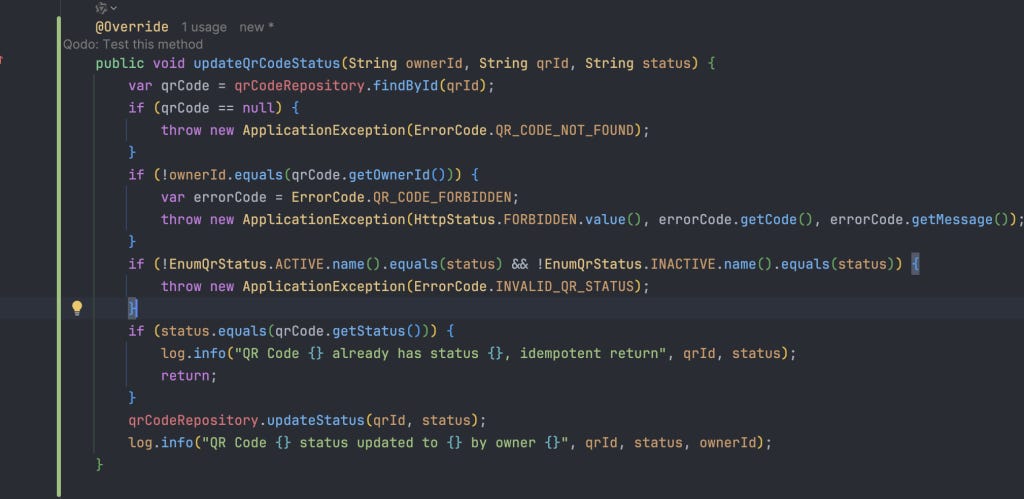
Đọc qua logic thì khá ổn, mình sẽ run project lên và check thử từ Postman xem thử :D

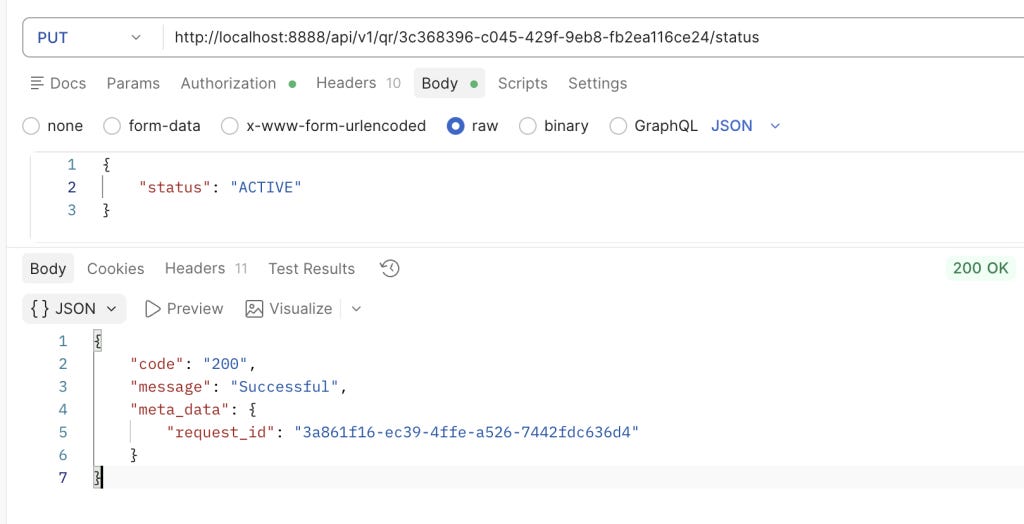
Với trường hợp ACTIVE thì không có vấn đề gì cả, do trạng thái hiện tại đang ACTIVE nên sẽ return ngay:

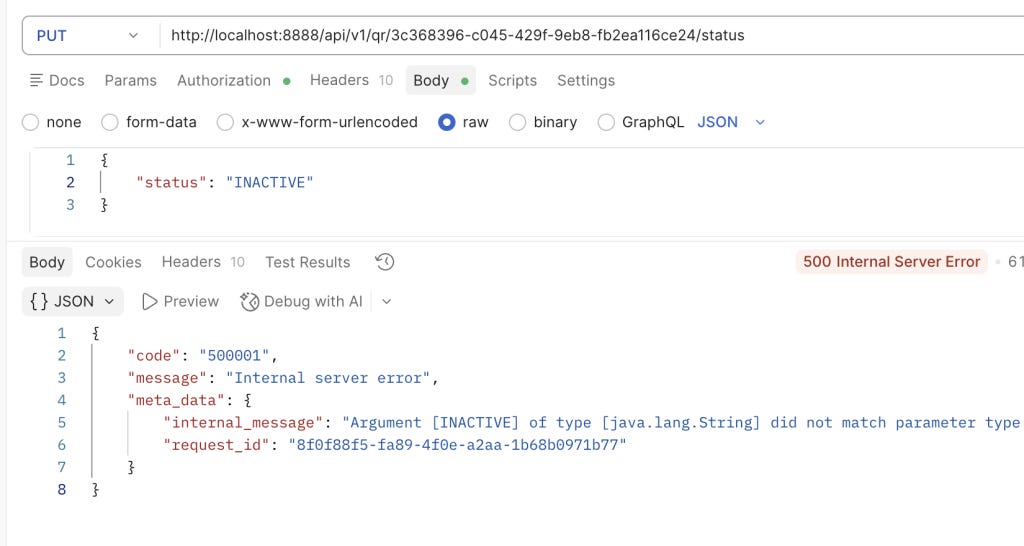
Tuy nhiên, có một vấn đề khi mình truyền status = INACTIVE vào request body.

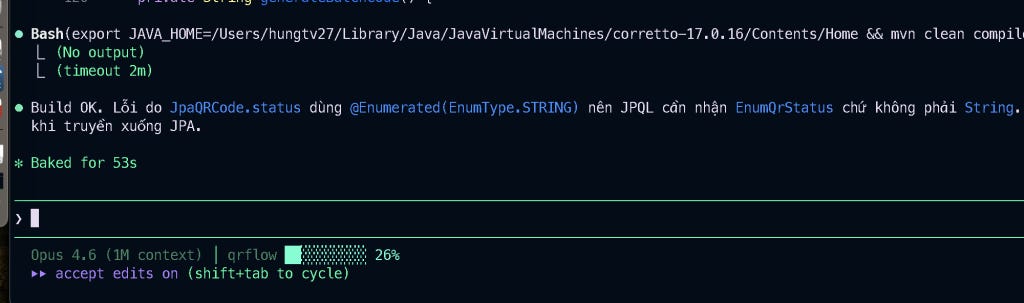
Oke, mình gửi thông tin lỗi và Claude Code chủ động xử lý vấn đề, build lại để đảm bảo code không bị crash.
Oke, mình sẽ check lại trường hợp mã QR INACTIVE.
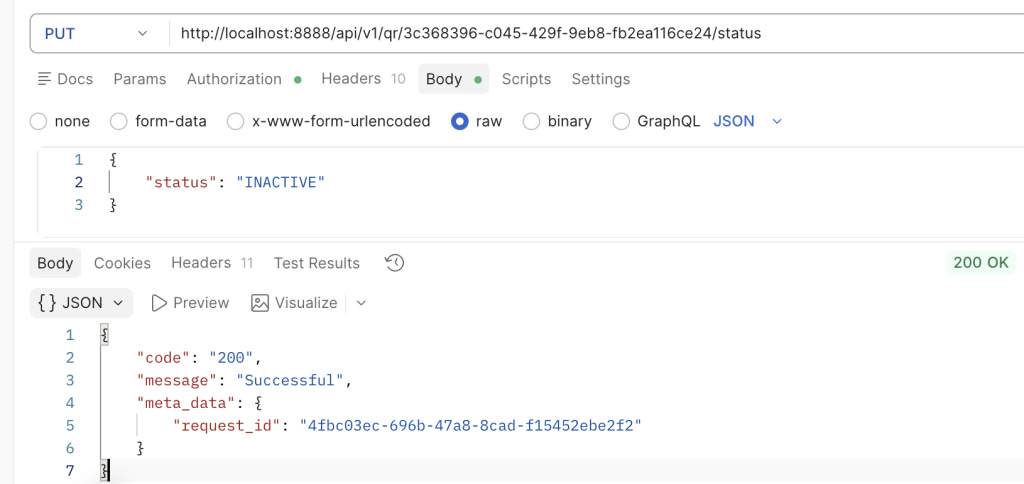
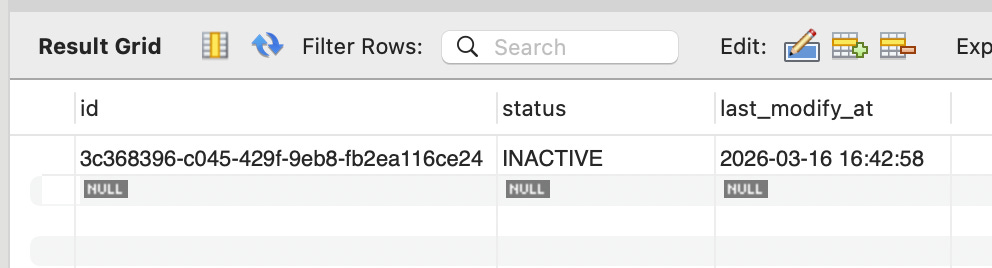
Sau khi ngon lành cành đào rồi, mình tiếp tục xử lý các task khác thôi:
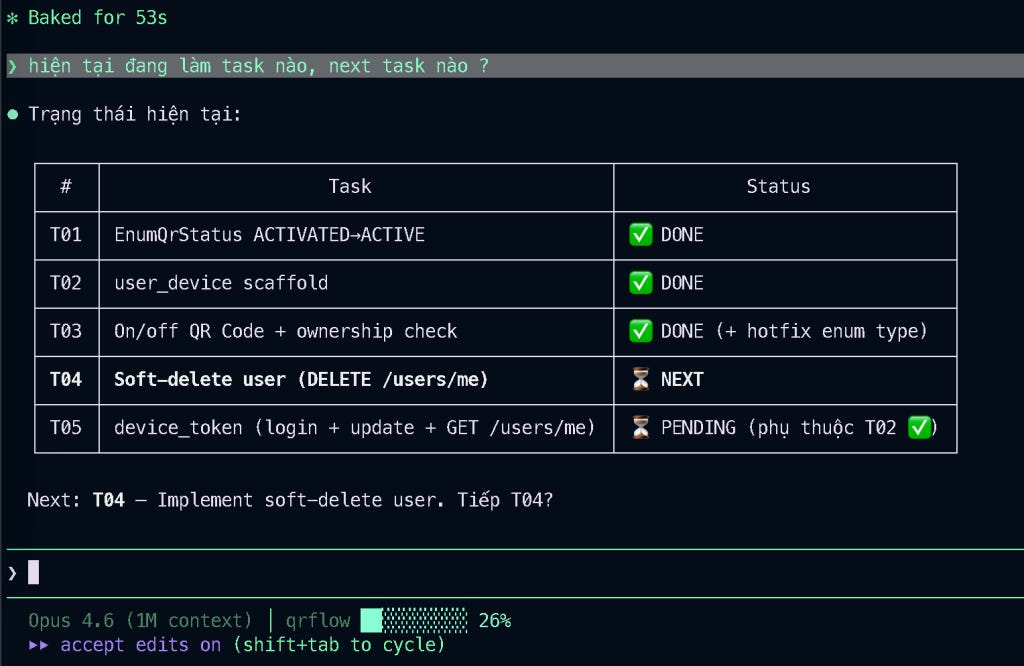
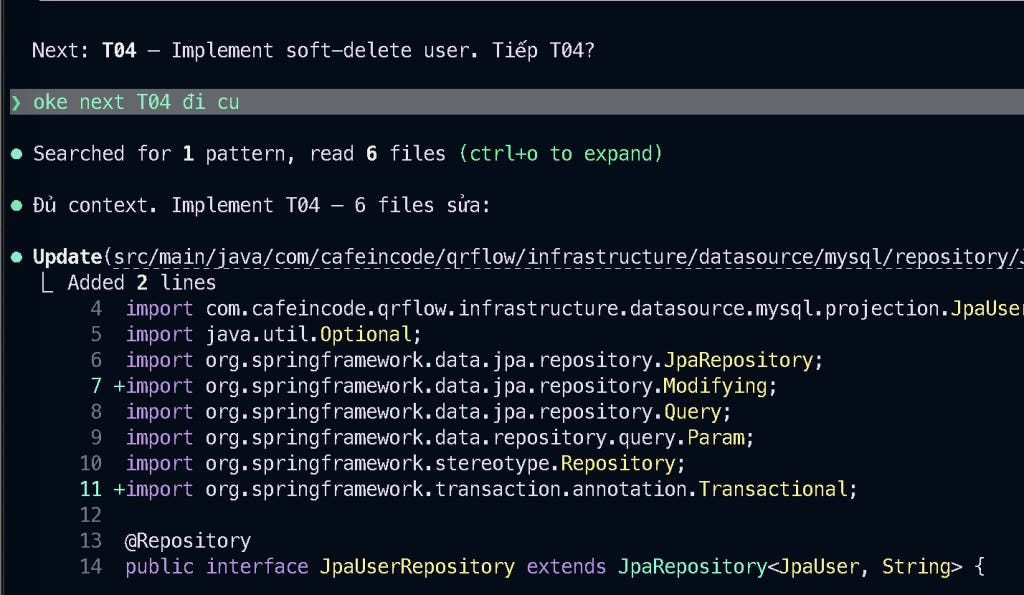
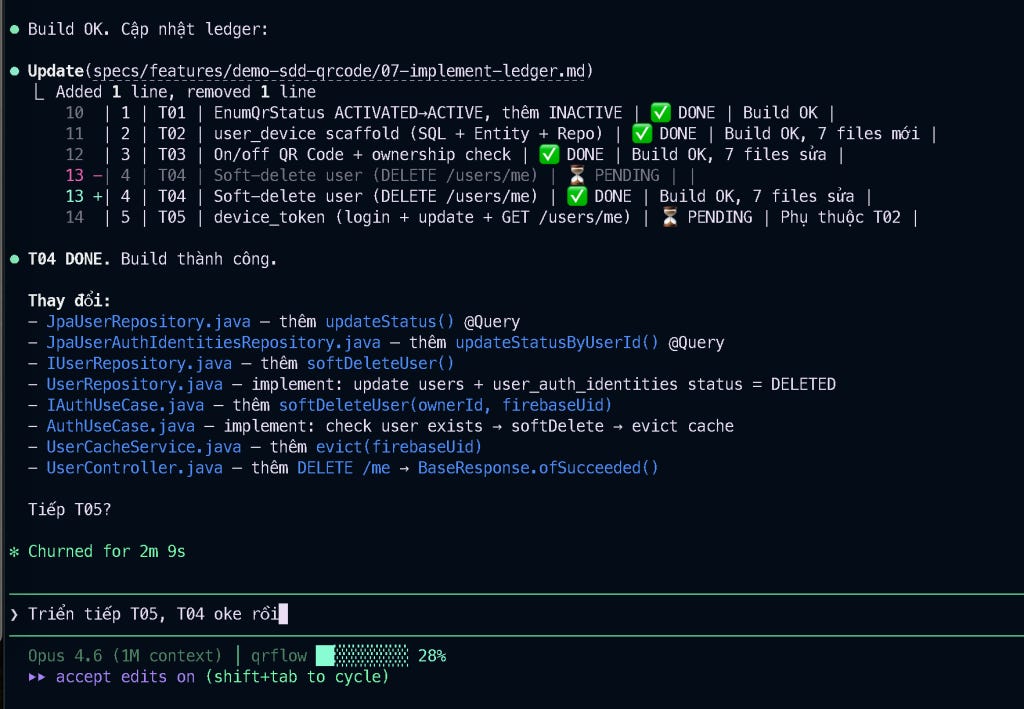
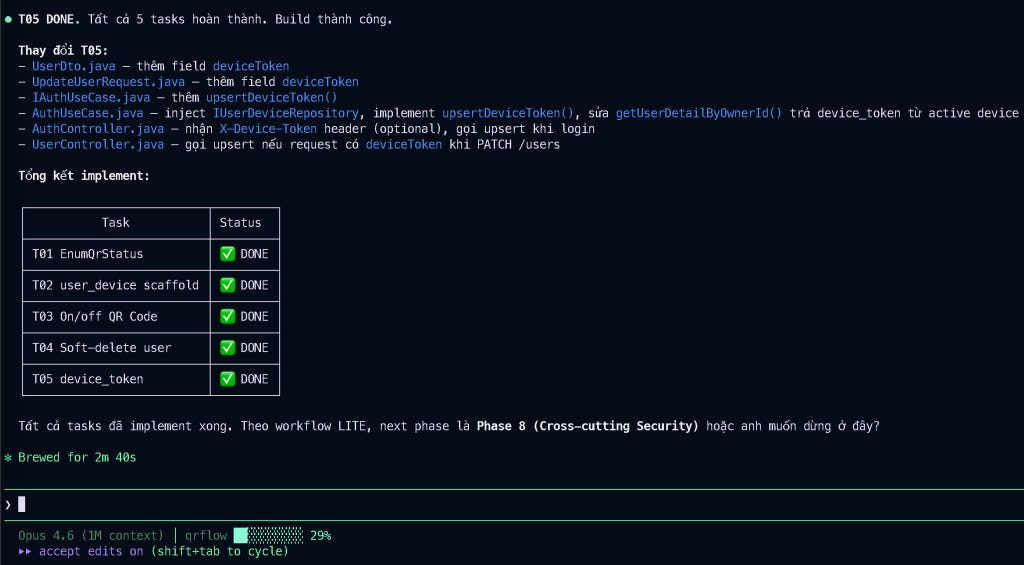
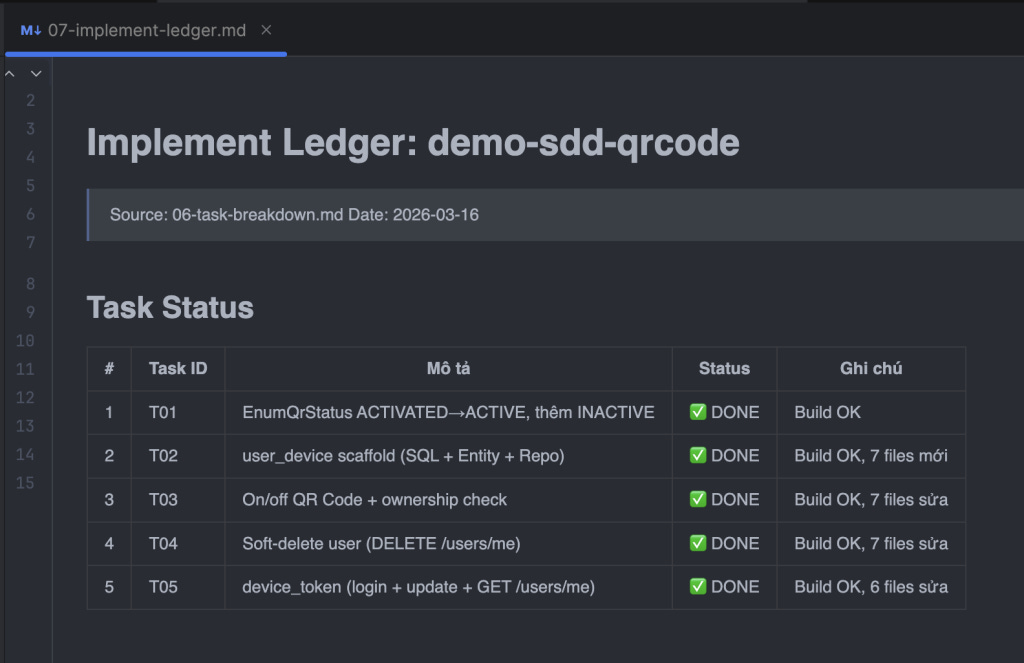
Sau khi để Claude implement xong hai task 04 và task 05, mình có một số comment và điều chỉnh lại:
Điều chỉnh phase 5 và 6 thêm hai mục sau:
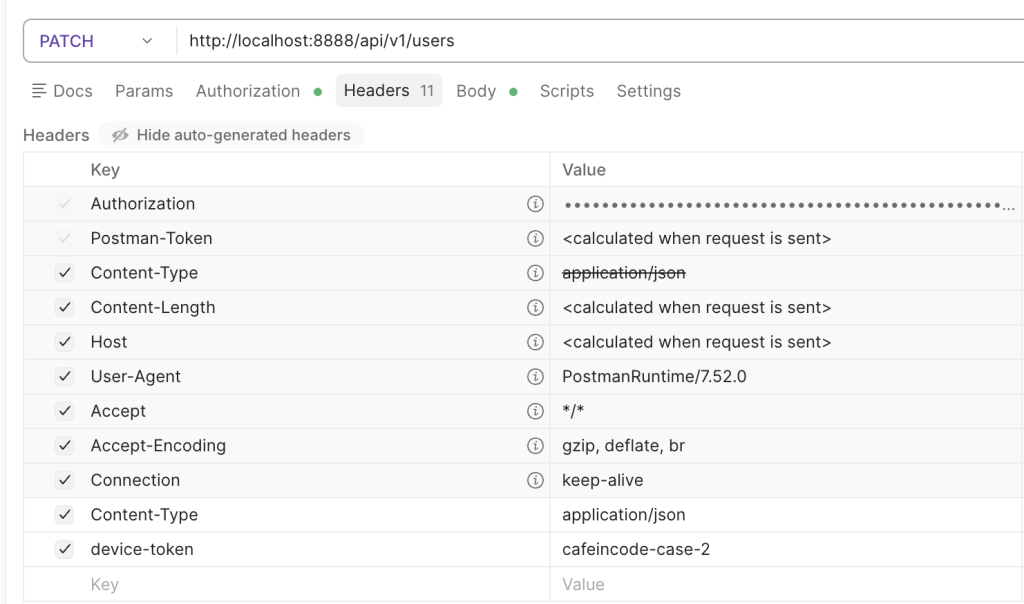
1: đổi X-Device-Token sang device-token
2: API updateUserInformation cũng cần truyền device-token ở header nhé, không phải ở request body (loại bỏ ở request body)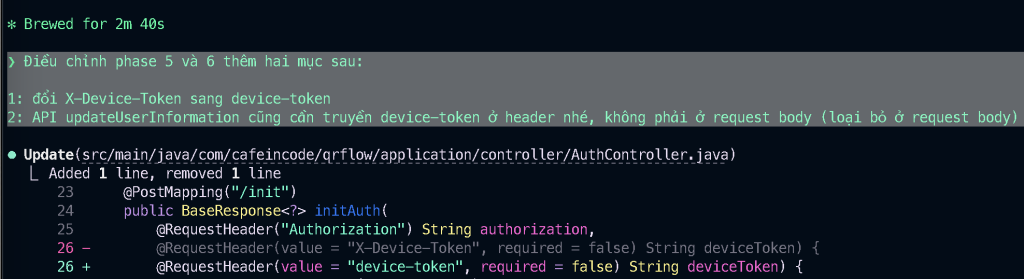
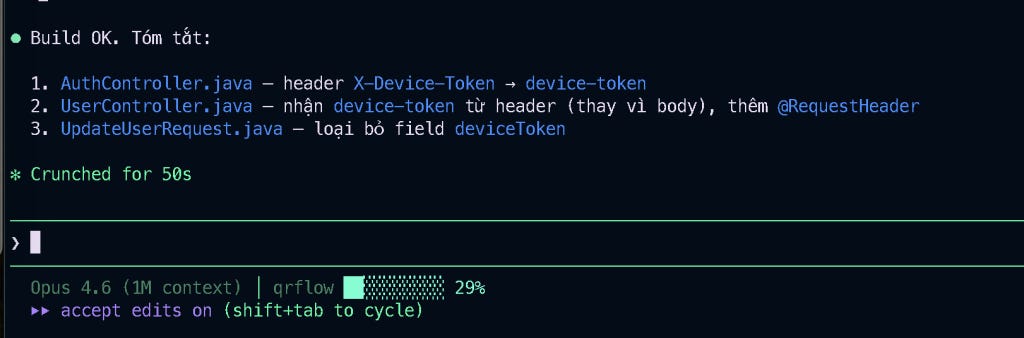
Oke mình check thử qua 1 round ba trường hợp sau để đảm bảo code hoạt động đúng không nhé:
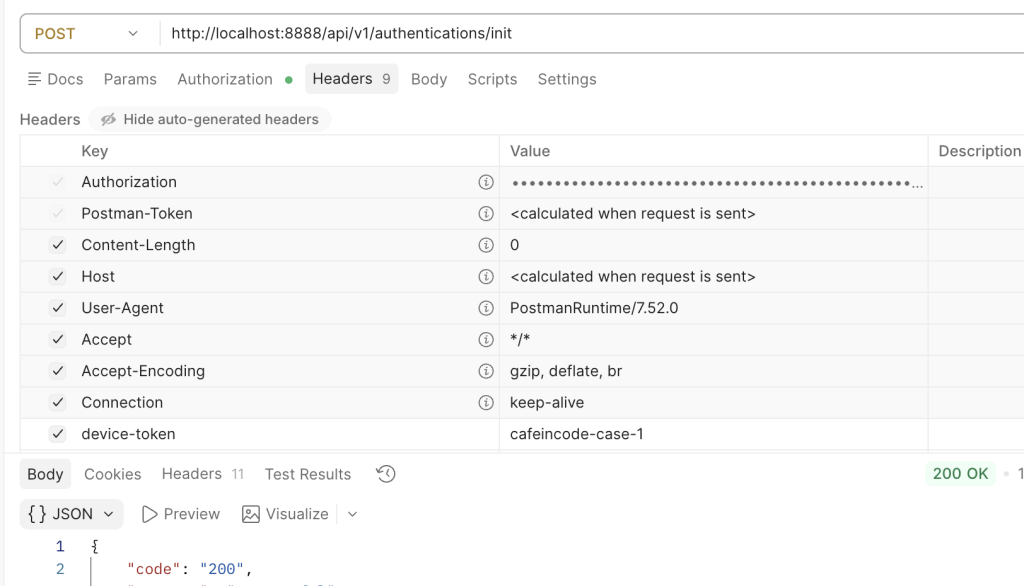
Case 1: truyền device-token lúc init, cần phải lưu xuống được thông tin device vào bảng user_device

Case 2: khi thực hiện cập nhật thông tin user, cần phải cập nhật được thông tin device-token mới vào bảng user_device (upsert), các device_token cũ bị INACTIVE.

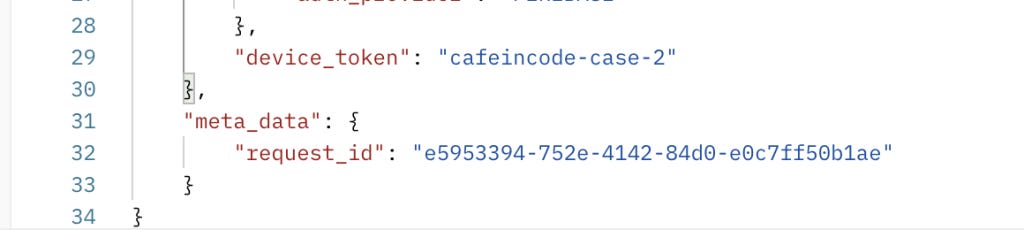
Case 3: khi lấy chi tiết thông tin user, cần trả ra device_token ở response
Oke, cả ba case đều thành công, và mình không cần sửa gì thêm.
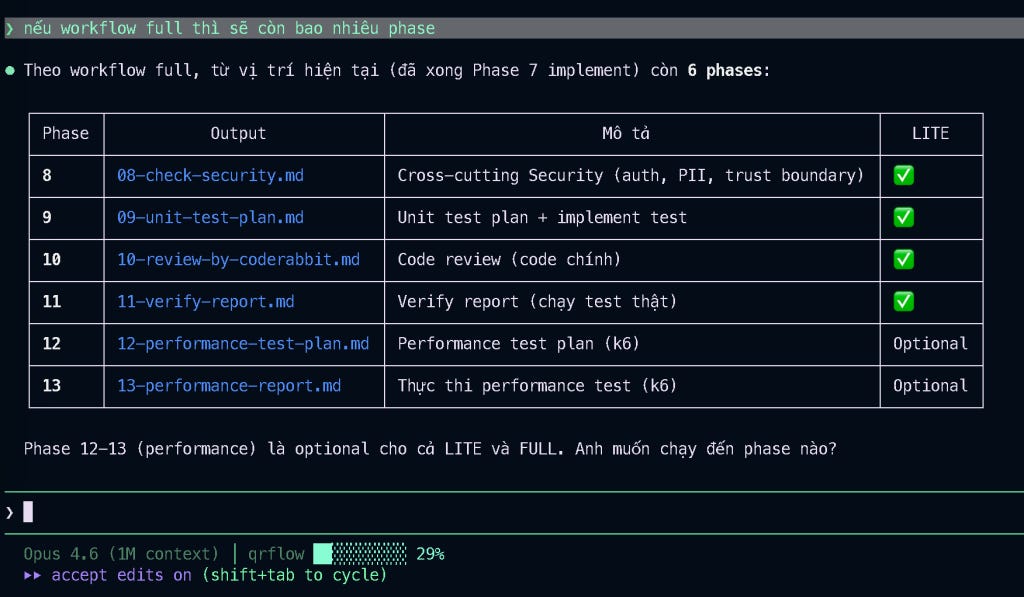
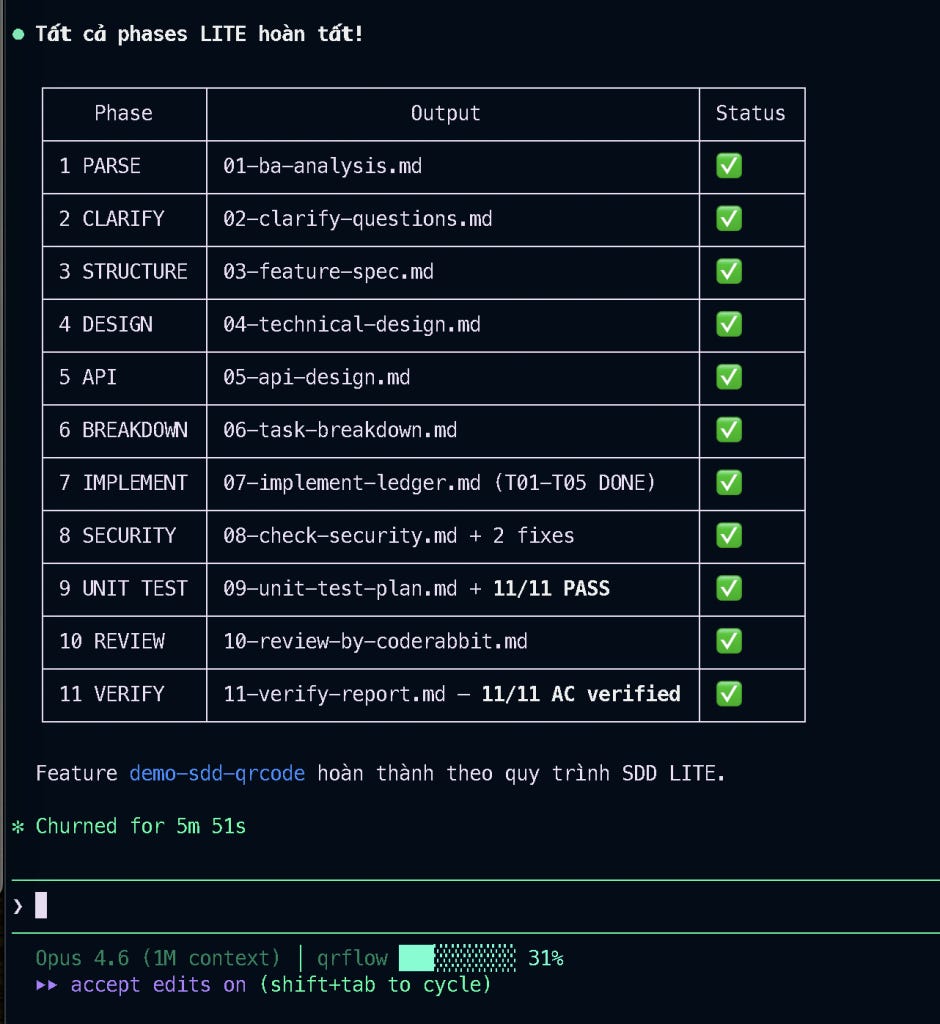
Bài đã hơi dài rồi nên phần sau mình sẽ đi nhanh một chút nhé. Vì workflow ban đầu ở mode LITE, nên chỉ có phase 8, 9, 10, 11 thôi.
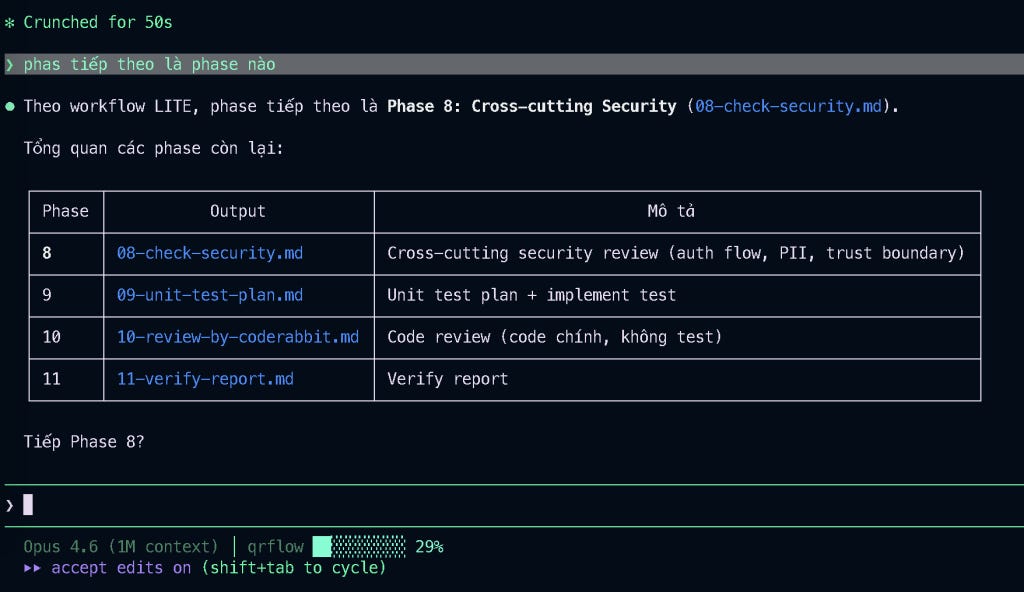
Trong trường hợp chức năng cần thực hiện trong dự án có nhiều API, nhiều luồng phức tạp, thì chúng ta sẽ cần chạy mode full workflow. Ở demo này, một số phase không cần thiết đã được skip ngay từ đầu.
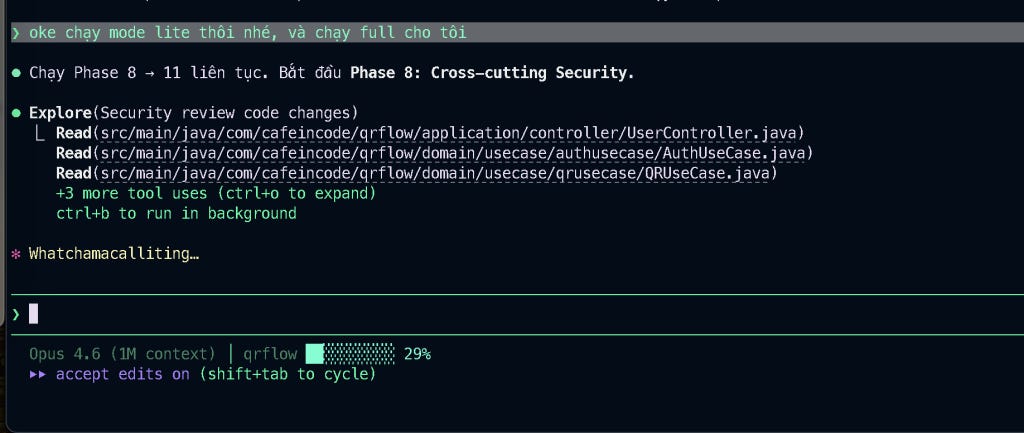
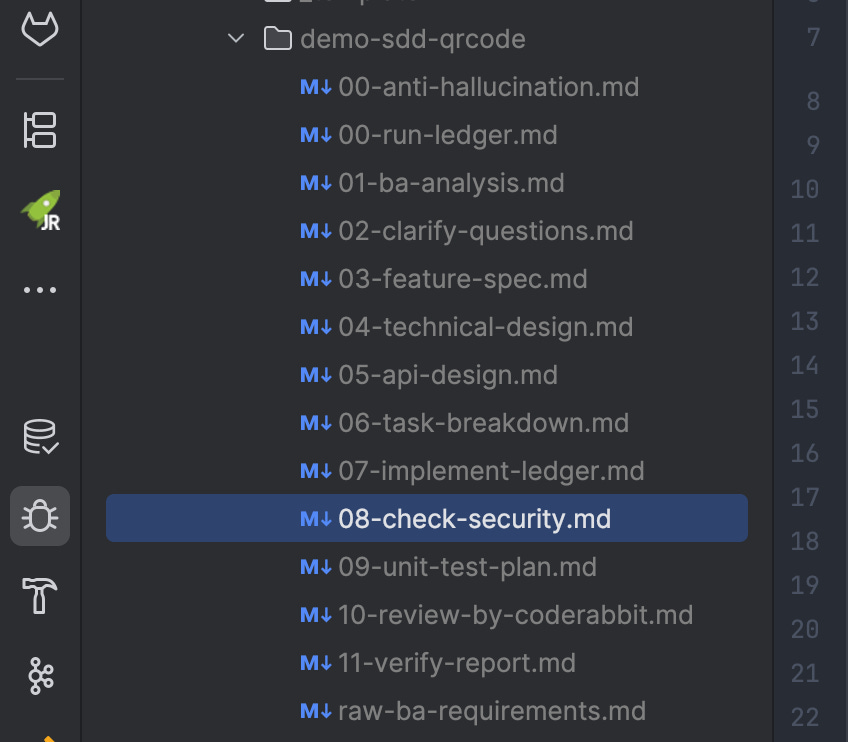
Giờ mình sẽ yêu cầu Claude Code thực thi từ phase 8 đến phase 11, review security, unit test, build và xử lý luôn. Đoạn này mình không review kỹ nữa vì khá đơn giản. Còn trên thực tế, các bạn phải luôn review từng giai đoạn để đảm bảo kết quả là ổn nhất nhé.
Lưu ý quan trọng khi làm việc với AI Agent:
Tuyệt đối không tin hoàn toàn và phó mặc cho AI. Bạn là người chịu trách nhiệm cuối cùng về sản phẩm. Bạn phải review thật kỹ.s
Cần có những quy tắc anti-hallucination nhất định để tránh việc khi đầy ngữ cảnh (context window) AI sinh ra ảo giác.
Không bao giờ để AI hoàn thiện 1 cụm chức năng lớn chỉ bằng 1 prompt duy nhất, bắt buộc phải chia nhỏ thành từng task có thể implement được.
Sau khi implement, luôn phải có cơ chế build – verify để đảm bảo không bị break, crash, thiếu lib các kiểu.
Ở từng giai đoạn, bạn luôn phải là người review, đọc mô tả tài liệu và điều chỉnh tài liệu liên tục.
Trên đây mình đã demo xong một luồng chức năng “đơn giản” theo hướng Spec Driven Development, toàn bộ workflow này mình tự xây dựng từ đầu bằng Cursor Agent (not Claude Code), triển khai và tối ưu liên tục dựa theo nhu cầu của bản thân.
Hiện tại mình đang dùng hằng ngày. Nó vô cùng hữu ích khi áp dụng trong dự án cỡ lớn/dự án cũ/dự án mới/dự án chưa rõ ràng, còn những dự án kiểu dạng sửa đổi nhỏ (thêm 1 –2 API) mình cũng dùng luôn và chia rõ ràng các mode (X, S, M, L, …) để skip những bước có thể bỏ qua được.
Hãy cố gắng tự xây dựng được cho mình những bộ skill, workflow, template, hook để tái sử dụng phù hợp với nhu cầu của bản thân, chúc các bạn học tập và làm việc thật tốt, cố gắng cưỡi sóng và không bị AI cướp việc nha, haha.
Nếu có gì cần hỏi hoặc trao đổi, hãy cứ comment bên dưới. Mình sẽ giải đáp toàn bộ thắc mắc. Cảm ơn.
Xem thêm các bài viết nổi bật bên dưới:
The post Spec Driven Development: Workflow với Claude Code appeared first on Cafeincode.
No posts
Comments
Nothing yet. Say the first thing.
Sign in to join the conversation.