
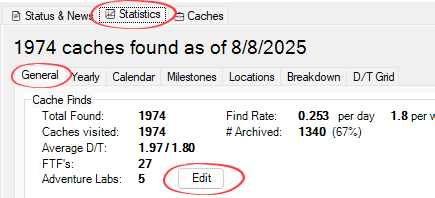
Since the geocaching “My Finds” pocket query doesn’t include Adventure Lab caches, CacheStats now lets you record them yourself. You can:
Enter each Lab cache individually, or
Enter an overall count if you don’t want to enter them one by one, or
Mix the two—enter some individually and keep the rest in the overall count so your total stays accurate (useful if you have too many finds to enter in one sitting).
Lab caches entered in the overall count will count toward your total finds, but won’t appear in date-based stats like your finds-per-year chart or calendar grid.
You can edit your Lab caches anytime from the Statistics / General tab.
When you open a new GPX file, recently archived caches are no longer shown on the Status tab. Instead, you’ll find them in the Caches tab, where you can view full details and reread your old logs. Perfect for when you want to take a trip down memory lane.
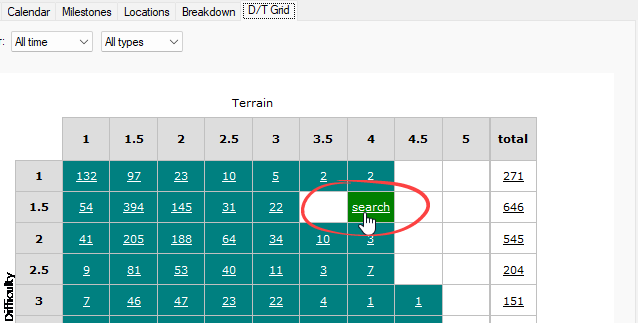
Ever wonder what caches could fill those stubborn empty squares in your D/T grid? Now, when you hover over an empty cell, you can click to search for nearby caches that match that difficulty/terrain combo.
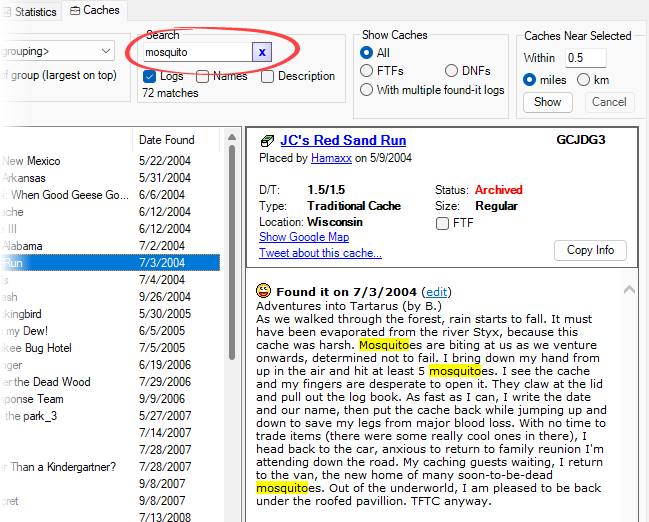
When searching logs or cache descriptions, CacheStats now highlights your search terms. This makes it much easier to scan results and find exactly what you’re looking for.
When viewing caches grouped by type, size, or other criteria, you’ll now see links to jump to the next or previous group. No more scrolling to find the next group in the list.

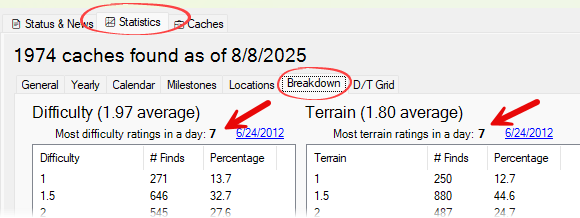
CacheStats now shows the most variety you’ve found in a single day—not just by cache type, but also by size, difficulty, and terrain. You’ll find this new tally on the Statistics / Breakdown tab, and it’s also included in your exported stats.
🐦 Twitter posting works again
📅 Yearly statistics list: click any column header to sort by that column
🌍 Support for the correct spelling of Türkiye
📌 Navigating to Most in a Day or Most in a Month now automatically sorts results by largest group
🎨 Minor usability and visual enhancements
📝 The CacheStats Blog is now hosted on Substack
That’s everything in CacheStats 4.1! As always, thanks for your feedback and suggestions—many of these features came directly from your requests.
You can download the latest from logicweave.com. If you’re upgrading from version 4.0, your previous version will automatically be uninstalled, but all your data, such as your FTFs and custom profile text, will remain intact.
I hope you enjoy the update, and happy caching!
Comments
Nothing yet. Say the first thing.
Sign in to join the conversation.