

In this release, I added the ability to send tweets to your Twitter followers, directly from within CacheStats. There are several ways to send a tweet…
First, each time you load a new GPX file, CacheStats presents you with a summary of your activity since your previous My Finds query. To send a tweet with that summary information, just click on the link in CacheStats:
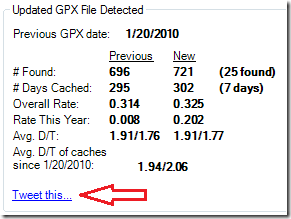
When you click the link, the default message will read something like this:
Over the past 104 days I've cached 7 days and found 25 caches with average D/T = 1.94/2.06. On pace for 74 this year.CacheStats will let you modify the message before sending it out.
Another way to send a tweet is from the Caches tab where you can send a tweet for an individual cache:
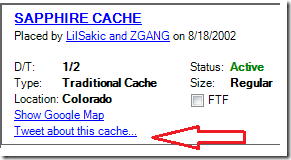
When you click on the link the default message will be “Found Geocache: [name of cache]. [URL of cache]. That in itself is a pretty dull message. I encourage you to add a few words about the cache to promote it. My hope is that people will use this feature to point out interesting caches they’ve found.
Finally, if you just want to send a random tweet, you can click the “Send a tweet” button found at the bottom of the main CacheStats window.
For now, I only added the ability to send tweets, not the ability to read your twitter feed. I’ll wait and see how popular this feature becomes before adding more to it. If you’d like to see more support for Twitter features, be sure to let me know.
Comments
Nothing yet. Say the first thing.
Sign in to join the conversation.