
Unite Pro for macOS allows you to turn any website into a native Mac app.
We’ve released Unite Pro 1.2.1 — an update that improves first-run experience, session restore behavior, shortcut handling, and overall reliability across the app. This release introduces a redesigned activation flow, enables restoring windows and tabs by default for new apps, expands Outlook enhancement support, and improves tab stability in Normal Mode. It also includes a set of important fixes for web-based text editors, Sidebar session restore, advanced websites like TradingView, and password manager behavior.
Users of Unite 6, Coherence X5, and Quip can upgrade to Unite Pro at a special price for a limited time.
Keep reading to learn more
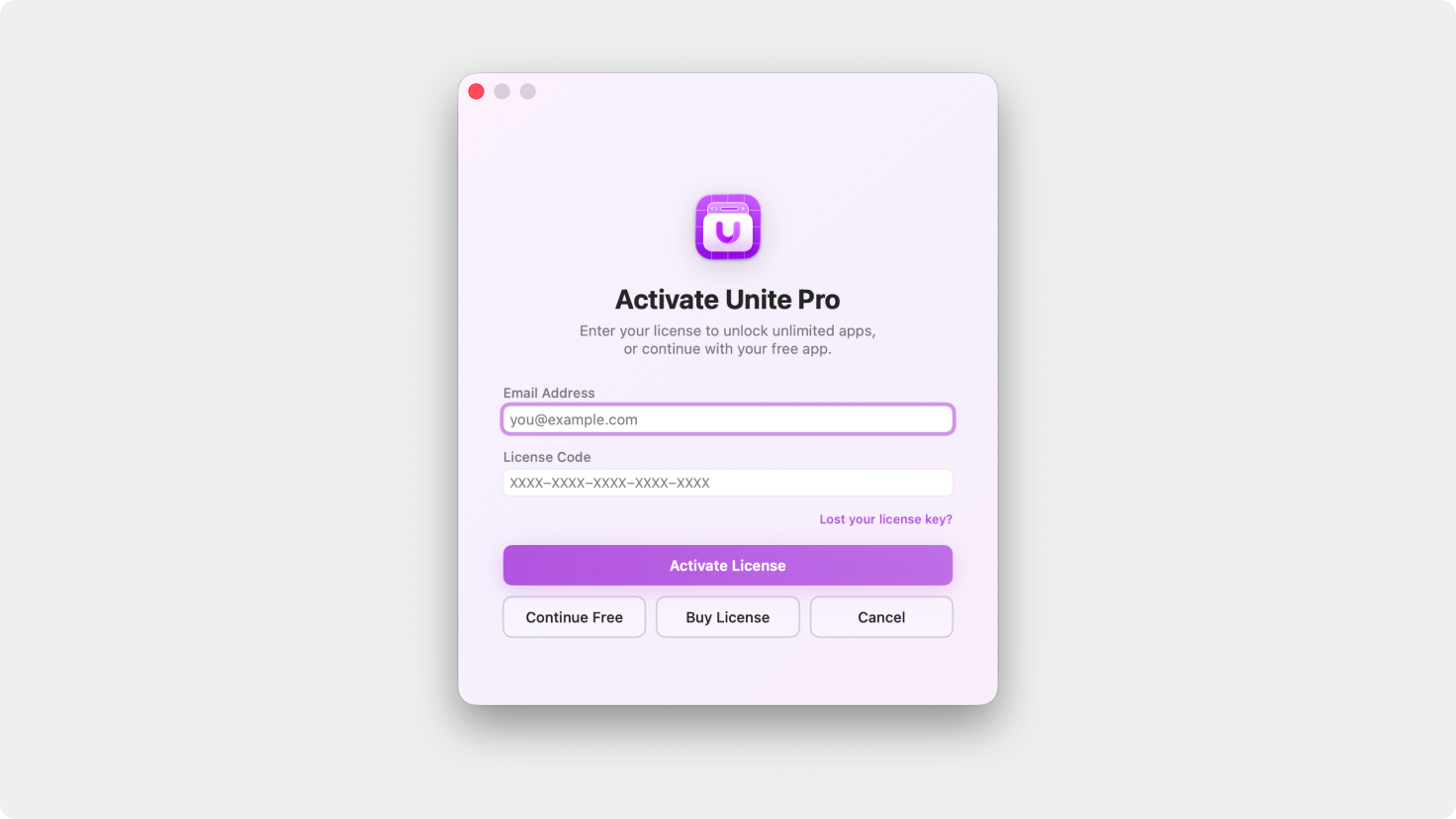
A redesigned activation flow introduces clearer messaging, improved layout, and a visual style inspired by Unite Pro for a smoother first-run experience.
New apps now enable restoring windows and tabs between sessions by default, making it easier to pick up where you left off.
Added the outlook.cloud domain to Outlook Smart Enhancements and badge support for broader compatibility with Outlook web apps.
Refined Normal Mode tab bar behavior and fixed an issue where tabs could forget or confuse their associated webview in certain situations.
Fixed an issue where restoring windows and tabs between sessions was not working correctly in Sidebar Mode.
Improved keyboard shortcut handling for Japanese and Chinese input, along with better routing of Unite shortcuts and text editor shortcuts in sites like Google Docs.
Fixed an issue where Cmd+L would not correctly focus the URL bar.
Fixed an issue where Cmd+F would not properly refocus the Find panel after using Find and then clicking back into the webpage.
Improved how Unite ignores app-level shortcuts in web-based text editors so native editing shortcuts are respected more consistently.
Improved performance on websites with complex live interfaces, including advanced trading platforms like TradingView.
Refined the password manager so it no longer appears in places where autofill was not expected.
Unite Pro 1.x upgrades are free if you own Unite Pro.
If you’re using Unite 5 or 6, you’re eligible for a discounted upgrade to Unite Pro. Upgrade now and unlock the most powerful version of Unite ever at a special launch price.
Thank you for being part of the Unite community! As always, we’re excited to hear your feedback and help you get the most out of your Mac.
Enjoy Unite Pro! 🚀
Please do not reply directly to this email. Contact us if you need assistance with anything!
Comments
Nothing yet. Say the first thing.
Sign in to join the conversation.