
Quip is a supercharged clipboard manager for iPhone, iPad, and Mac
Quip 1.7 is the biggest quality-of-life update in a while. Pin items you reach for every day, store rich content from Figma and PowerPoint as object blocks, and fire Super Shortcuts with a single modifier tap. Here’s what’s new.
If you’ve found Quip valuable, I’d be personally grateful if you please leave a written review on the iOS or macOS App Store, Setapp — or all three! (Apple treats them as separate listings.)

Keep reading to learn more
Thanks for reading BZG ! Subscribe for free to receive new posts and support my work.
macOS + iOS
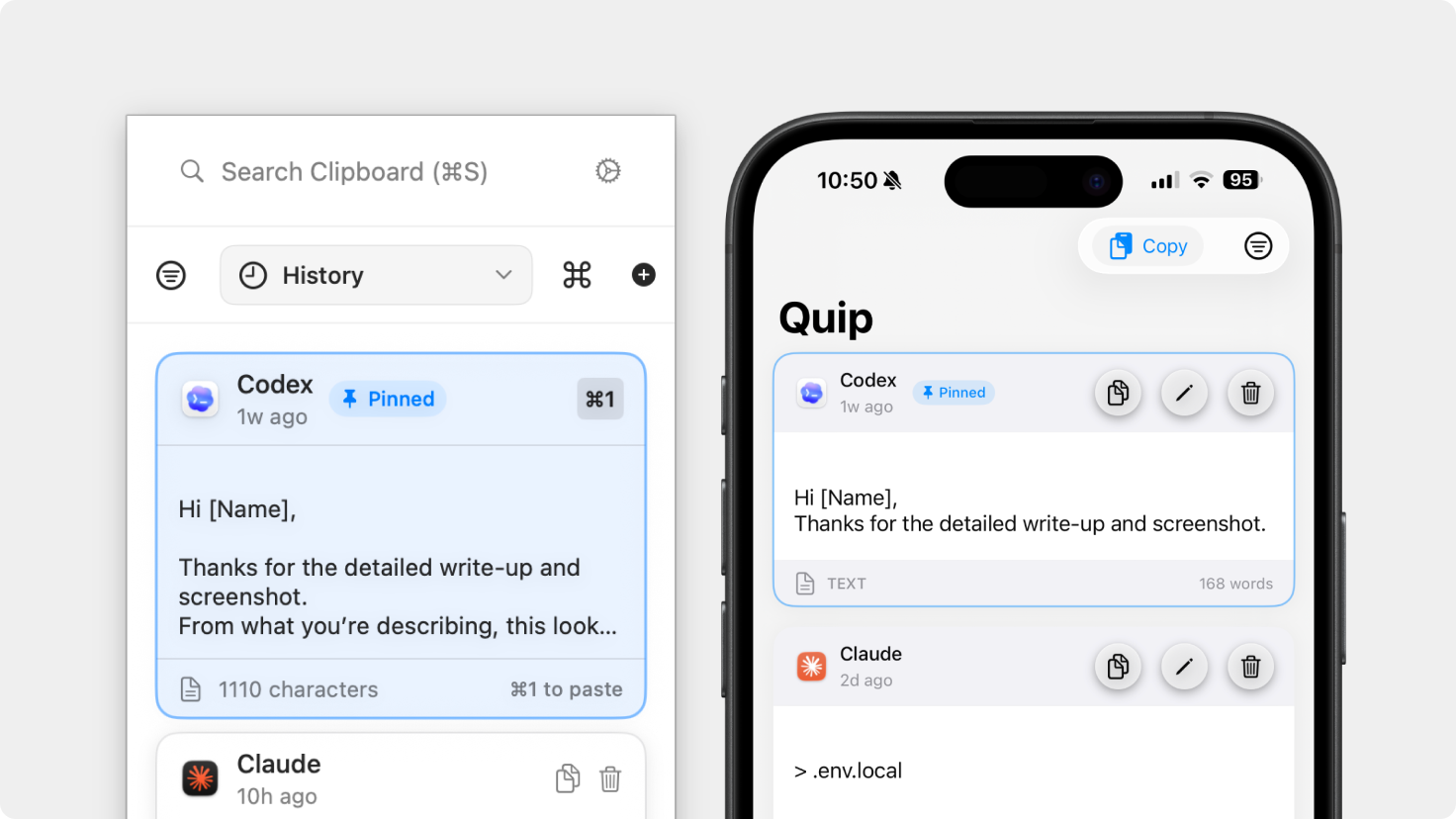
Pin Items
Keep important clipboard items permanently at the top of your history. Pinned items stay put no matter how many new copies you make — perfect for snippets you reach for constantly.
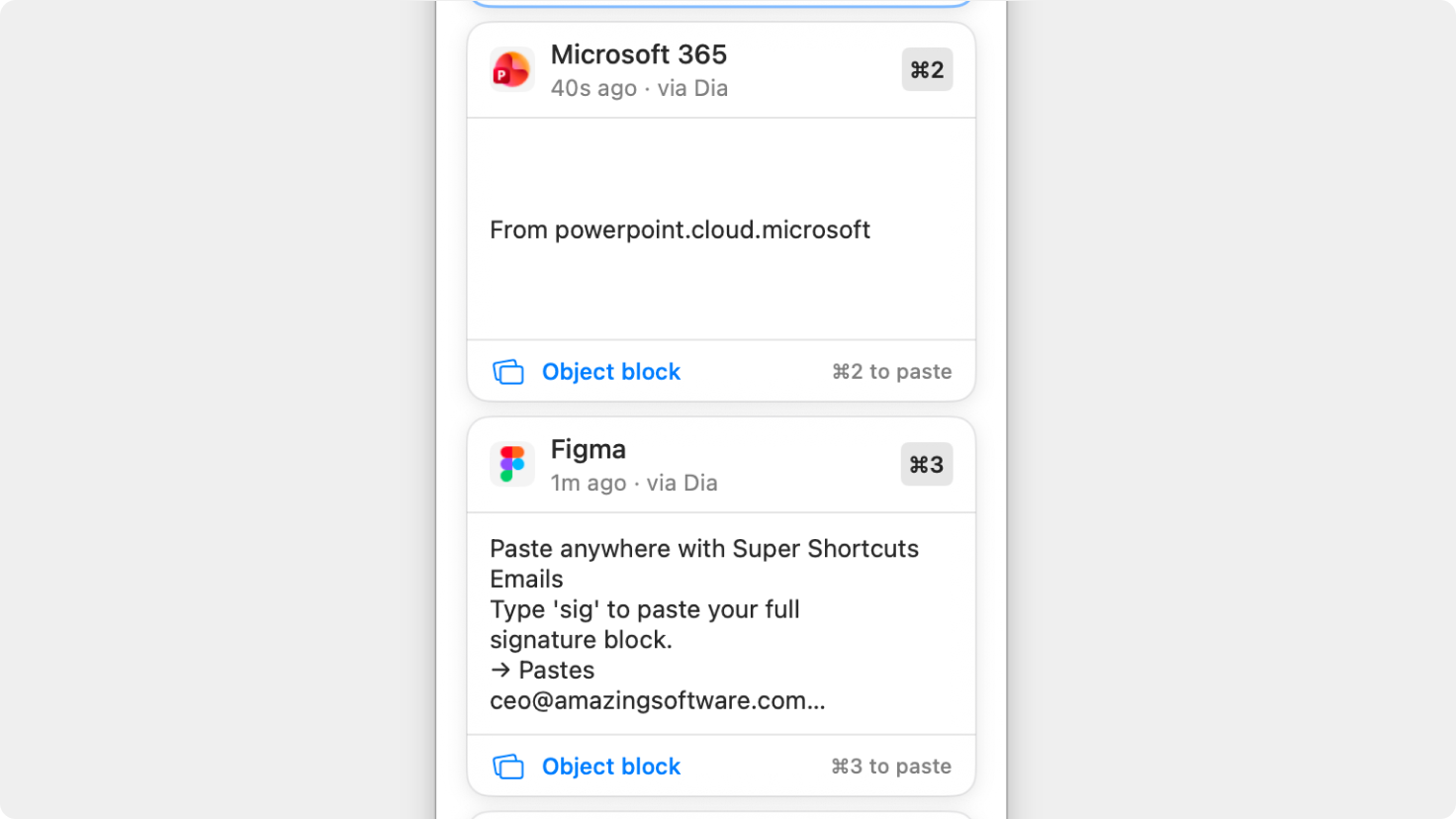
Object Blocks
Quip now recognizes rich content from apps like Figma, PowerPoint, and other design and productivity tools as object blocks — structured items that preserve their original format rather than falling back to plain text or failing.
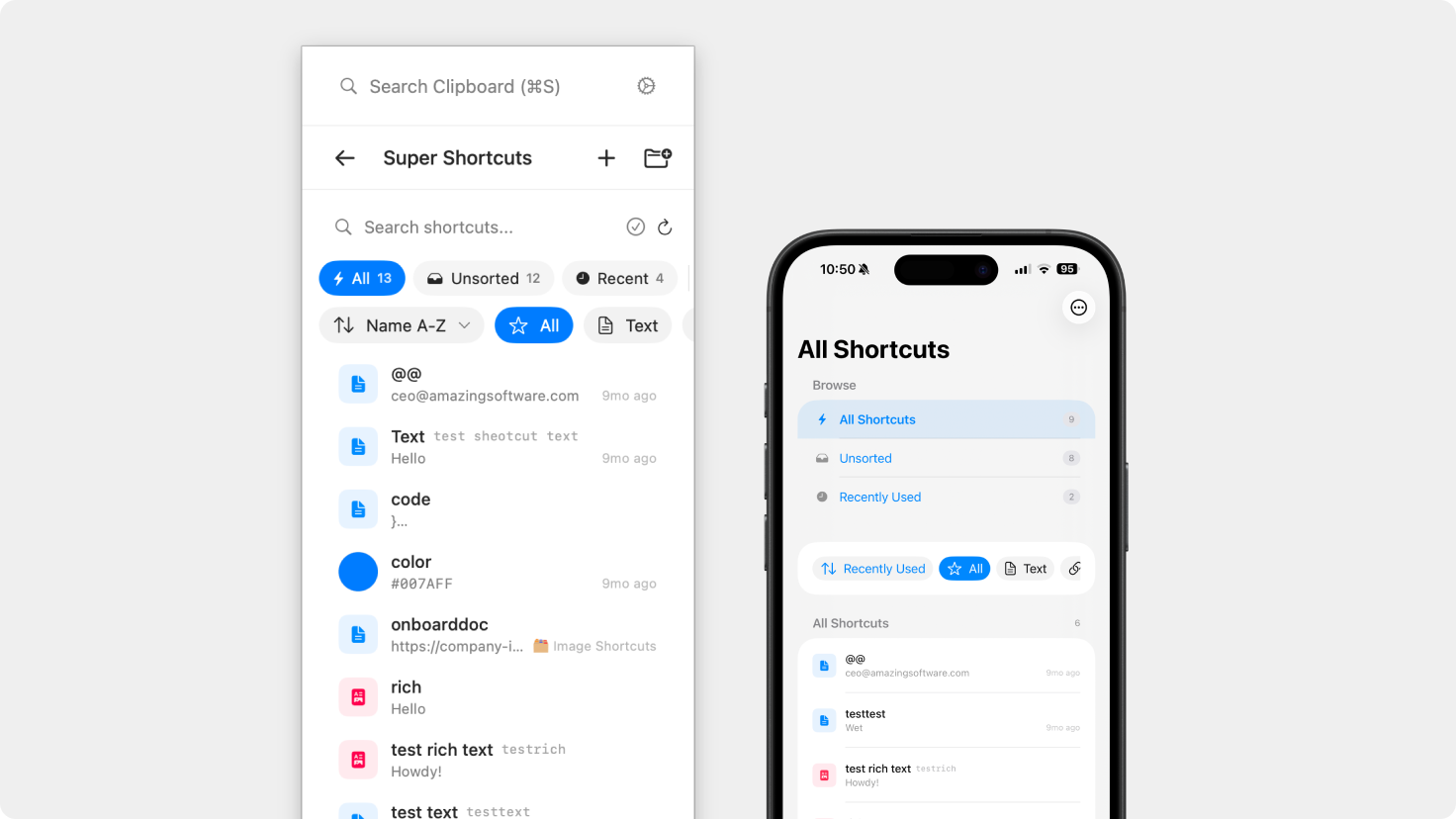
Redesigned Super Shortcuts Manager
The shortcuts settings screen has been rebuilt from the ground up with a cleaner layout that makes it easier to create, edit, and organize your shortcuts.
macOS
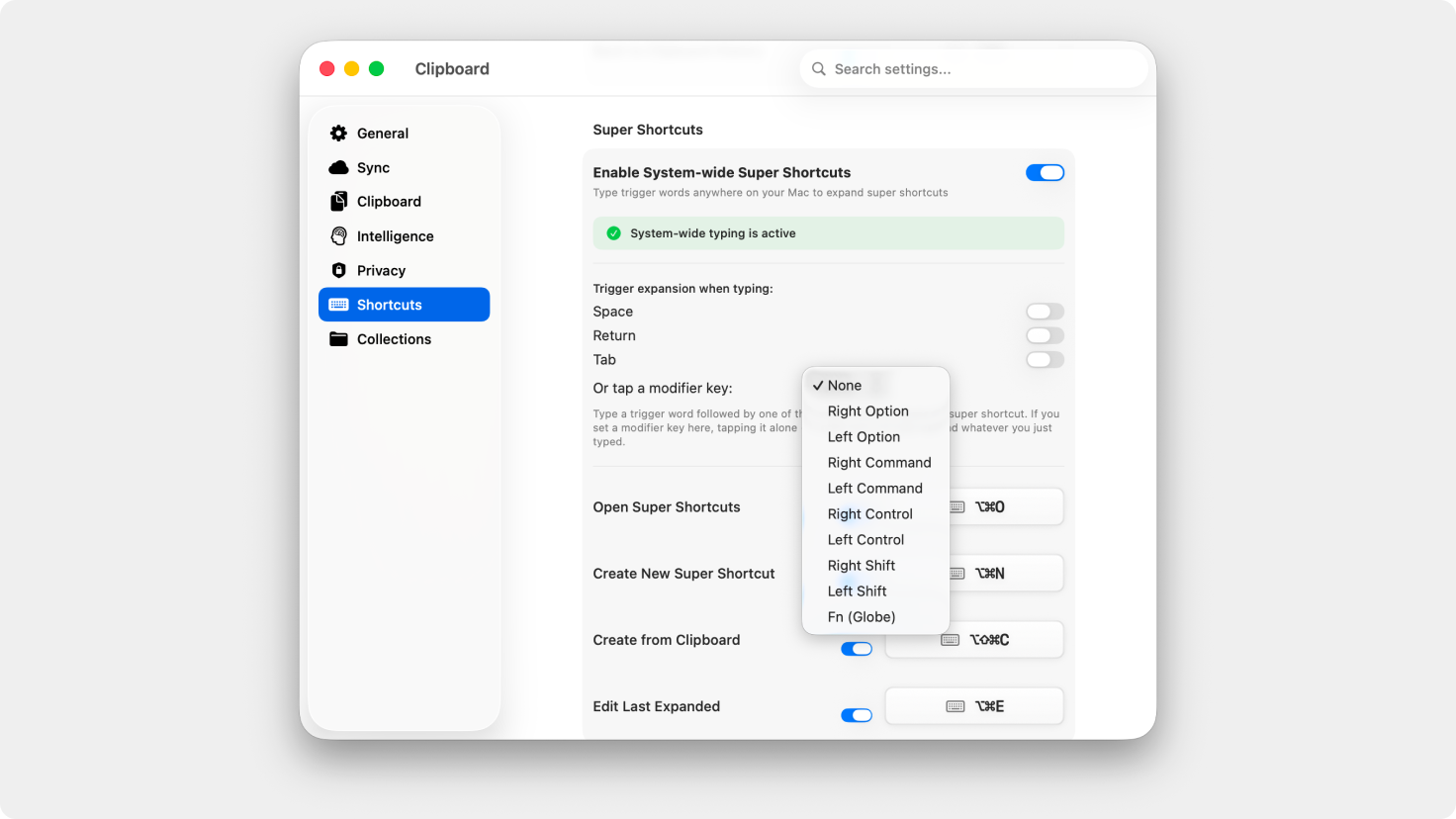
Super Shortcuts: Custom Modifier Trigger
Set right-Option, Fn, or any modifier key as your expansion trigger. A quick tap — press and release in under 600ms, nothing else held — expands the current buffer. No chord, no conflict with shortcuts like Cmd+C.
Super Shortcuts: Tab Trigger & Per-Key Toggles
Tab now works as an expansion key alongside Space and Return. All three are independently toggleable, so you decide exactly which keystrokes complete a shortcut.
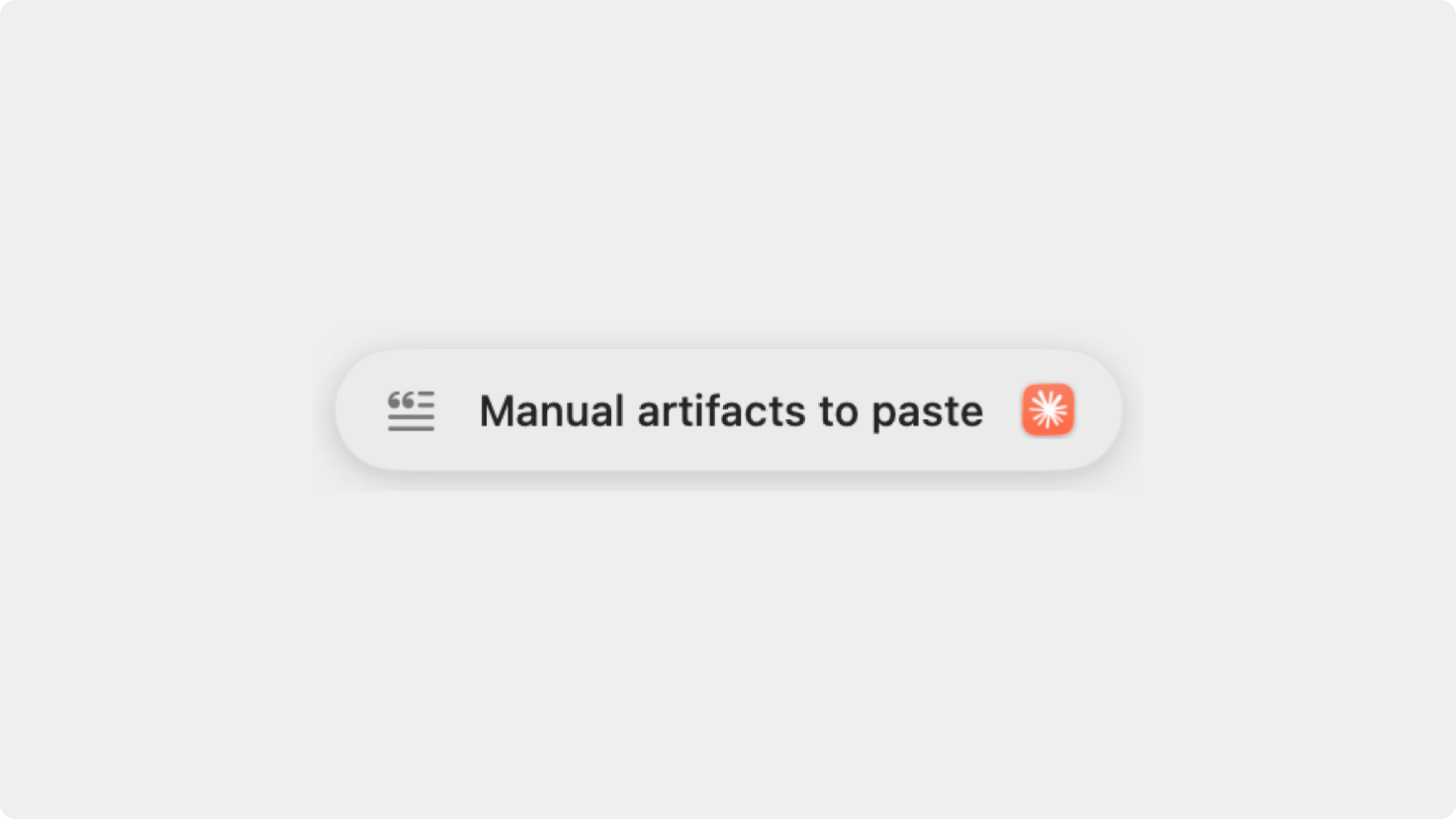
Visual Feedback on Copy
A new optional setting (off by default) shows a subtle toast confirming each copy action — useful if you want visual confirmation without changing your workflow for everyone else.
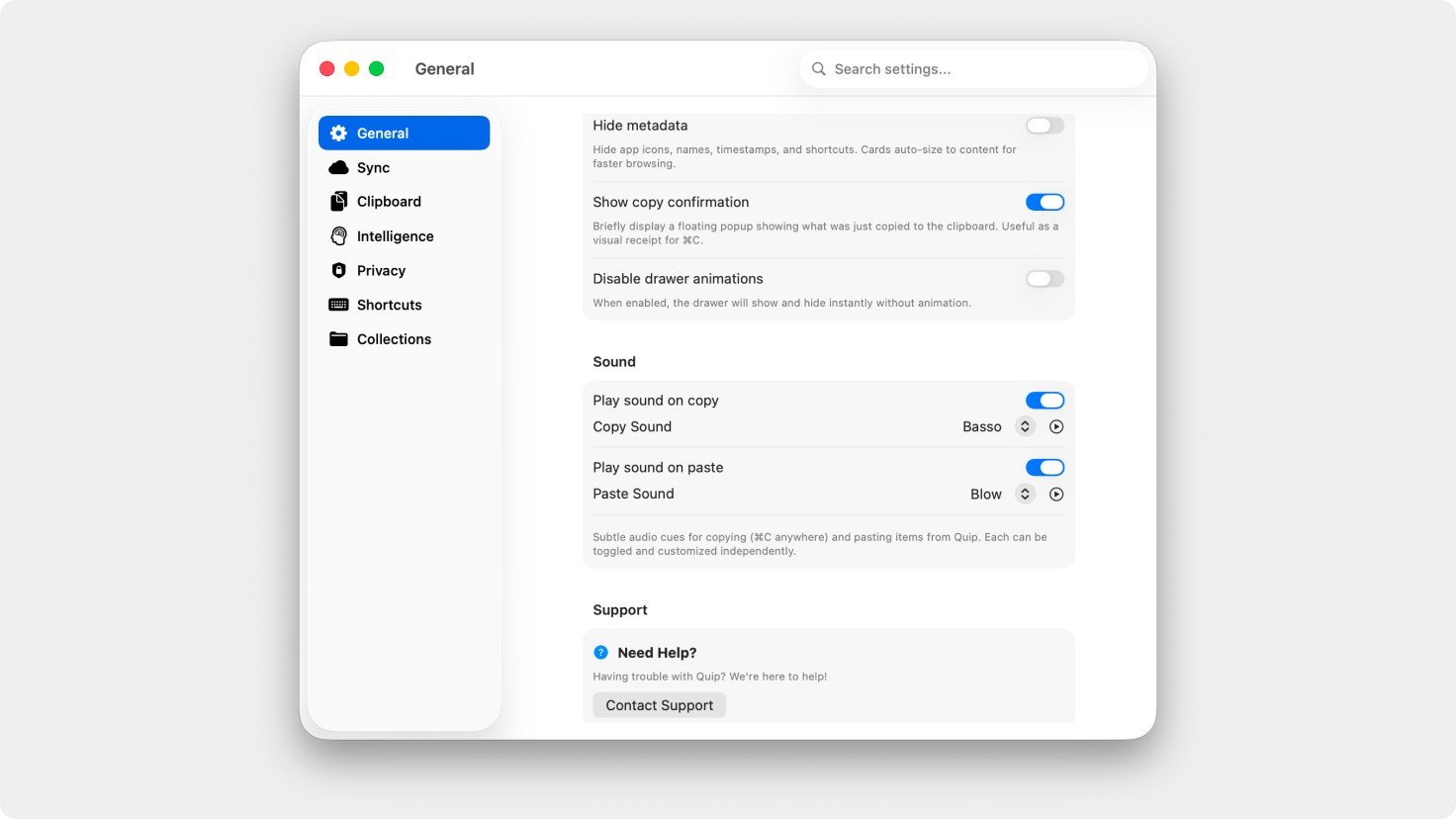
Separate Copy and Paste Sound Controls
Sound effects split into independent toggles for copy and paste. Silence the paste ping, keep the copy cue, or turn both off — your call.
OCR Reliability
Screen capture now times out after 10 seconds so a hung request can't freeze the interface. Quip also re-checks screen recording permission mid-session, so revoking and re-granting access works without a restart.
Improved Sensitive Content Detection
Significantly better at recognizing and ignoring content from password managers and other confidential contexts.
Reliability improvements
Quip got better at recovering from clipboard polling edge cases where new copies could stop appearing in your history. Also fixed a visual glitch in the Continuity helper when moving between Spaces.
iOS
Background Sync
Quip now syncs in the background using App Refresh and CloudKit silent push. Opening the app should usually not show stale data — your clipboard is up to date before you even look.
Learn more at bzgapps.com/quip
Please do not reply directly to this email. Contact us if you need assistance with anything!
Comments
Nothing yet. Say the first thing.
Sign in to join the conversation.