
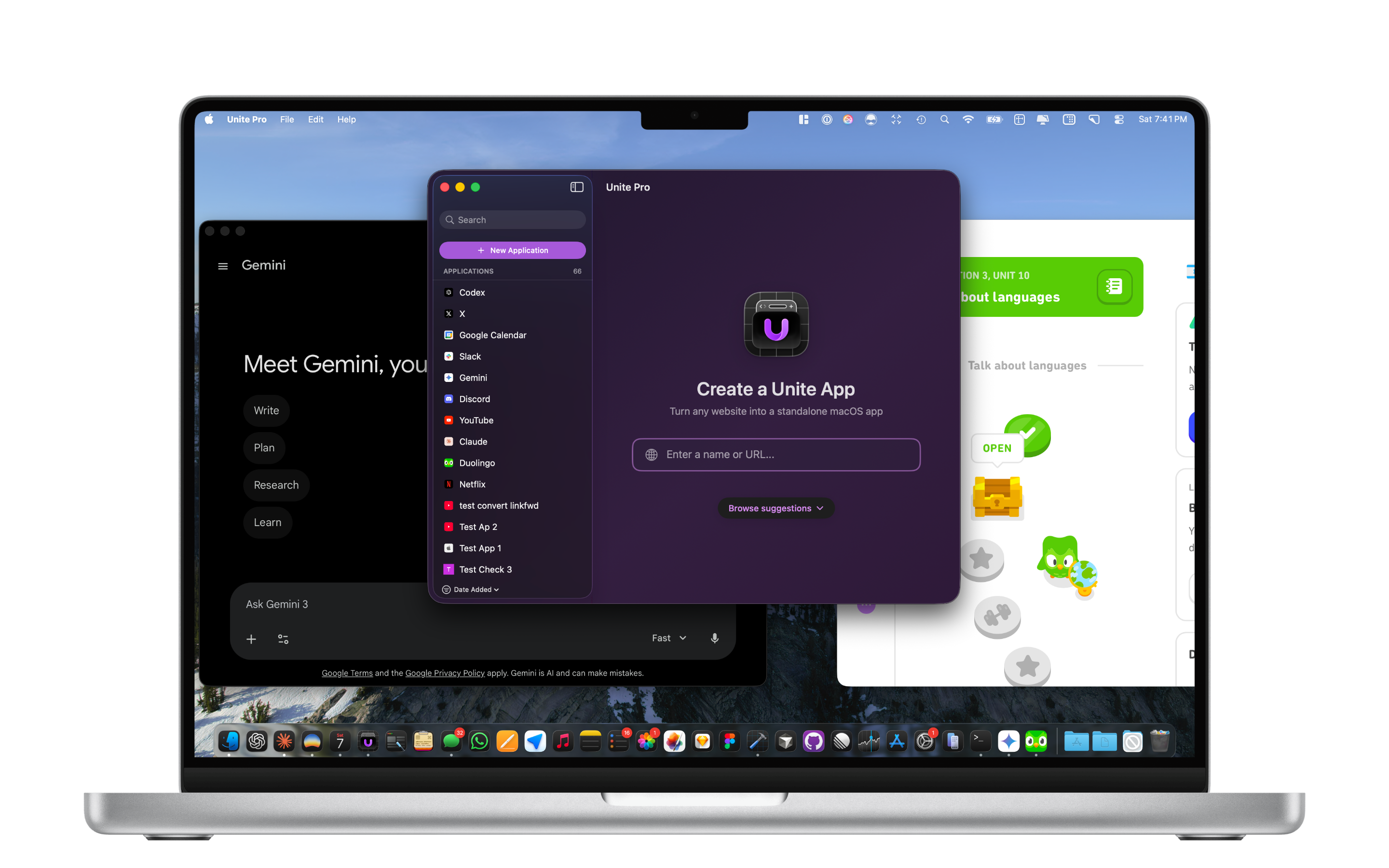
Today, I’m excited to introduce Unite Pro — the biggest update in Unite’s history, and the most substantial change we’ve made since Unite first launched in December 2017.
If you’ve used Unite for years, you already know the core promise: your most important websites shouldn’t live as messy browser tabs. They should behave like real Mac apps — isolated, focused, and built around your workflow.
Unite Pro takes that original idea and rebuilds it from the ground up for the modern Mac.
Over the years, Unite evolved around two pillars: the creation tool, and the browser engine behind your apps (The Unite Browser). That foundation served us well — but it was increasingly clear it was time for a reset. The Mac has changed, macOS has changed, and the way people build workflows around web tools has changed too.
So we did something big: we rebuilt everything.
Unite Pro is a modern, macOS Tahoe–ready generation of Unite with a redesigned interface, a new creation experience, powerful new customization tools, and system-level enhancements that make web apps feel more native than ever.
There are hundreds of new features in Unite Pro, and we’ve highlighted some of them below. If your an existing user of Unite 6, Coherence X5, or Quip - you can upgrade to Unite Pro at a special price for a limited time.
If you’d like to help us support our launch, it would be incredibly helpful if you could upvote us on ProductHunt:
Lastly, we’ve launched a Unite discord community for users to share their scripts, apps, and ideas for future Unite releases! Check it out here:

Thank you for your continued support and we hope you like Unite Pro!
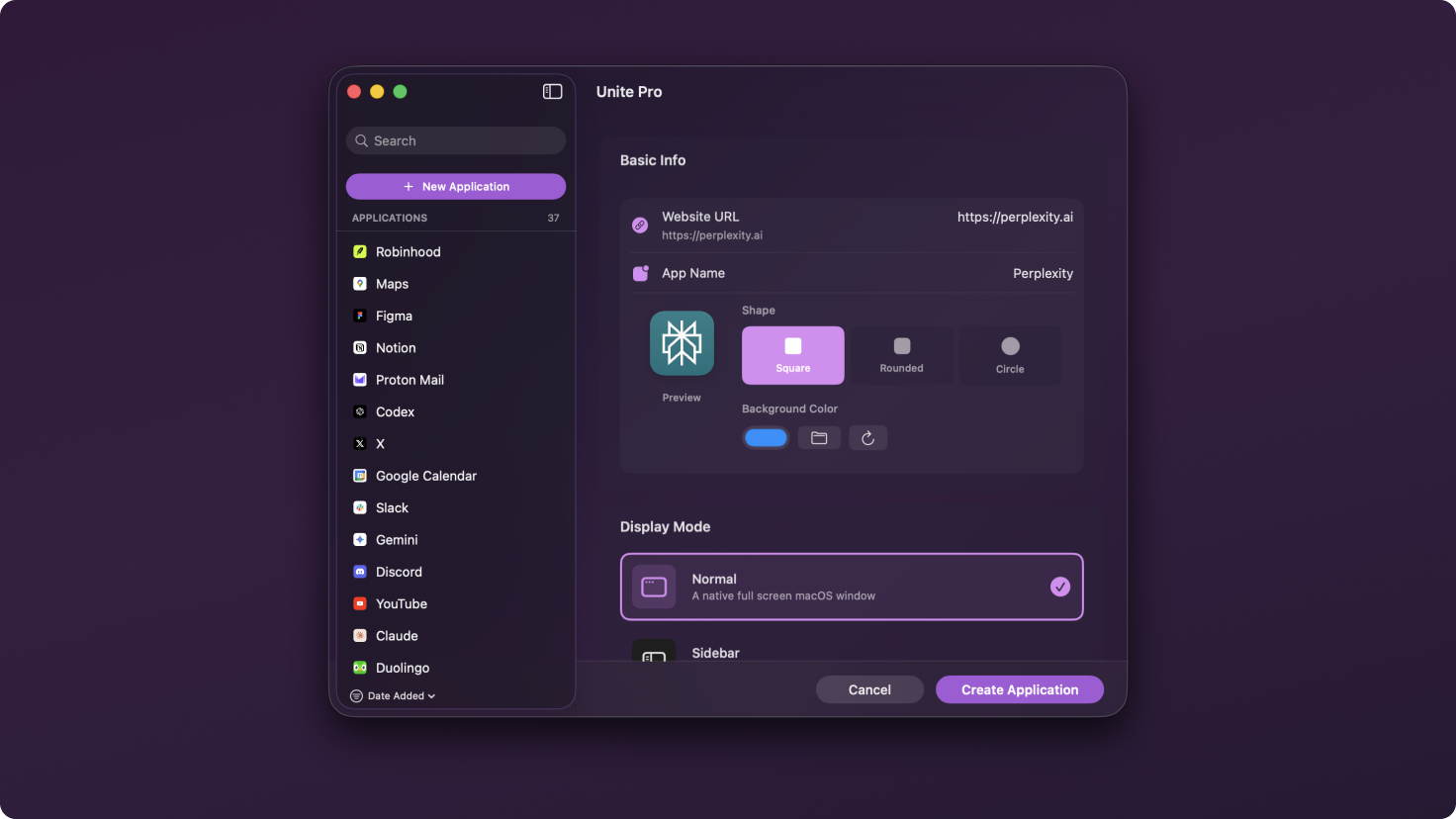
A redesigned layout with a modern sidebar that makes your apps easy to browse
Search and filtering so large libraries stay manageable
Curated creation suggestions for popular services
A creation flow designed to feel native on macOS Tahoe
A redesigned icon grabber that creates Tahoe-style icons for your favorite sites
Set default app preferences that apply for future creations
Beautiful light mode and dark mode
Stats for app use and creation
Unite Pro apps can run in three distinct modes depending on how you work: a full window, a persistent sidebar, or a lightweight menu bar app. Each mode is redesigned in Unite Pro, and—importantly—now feels complete.
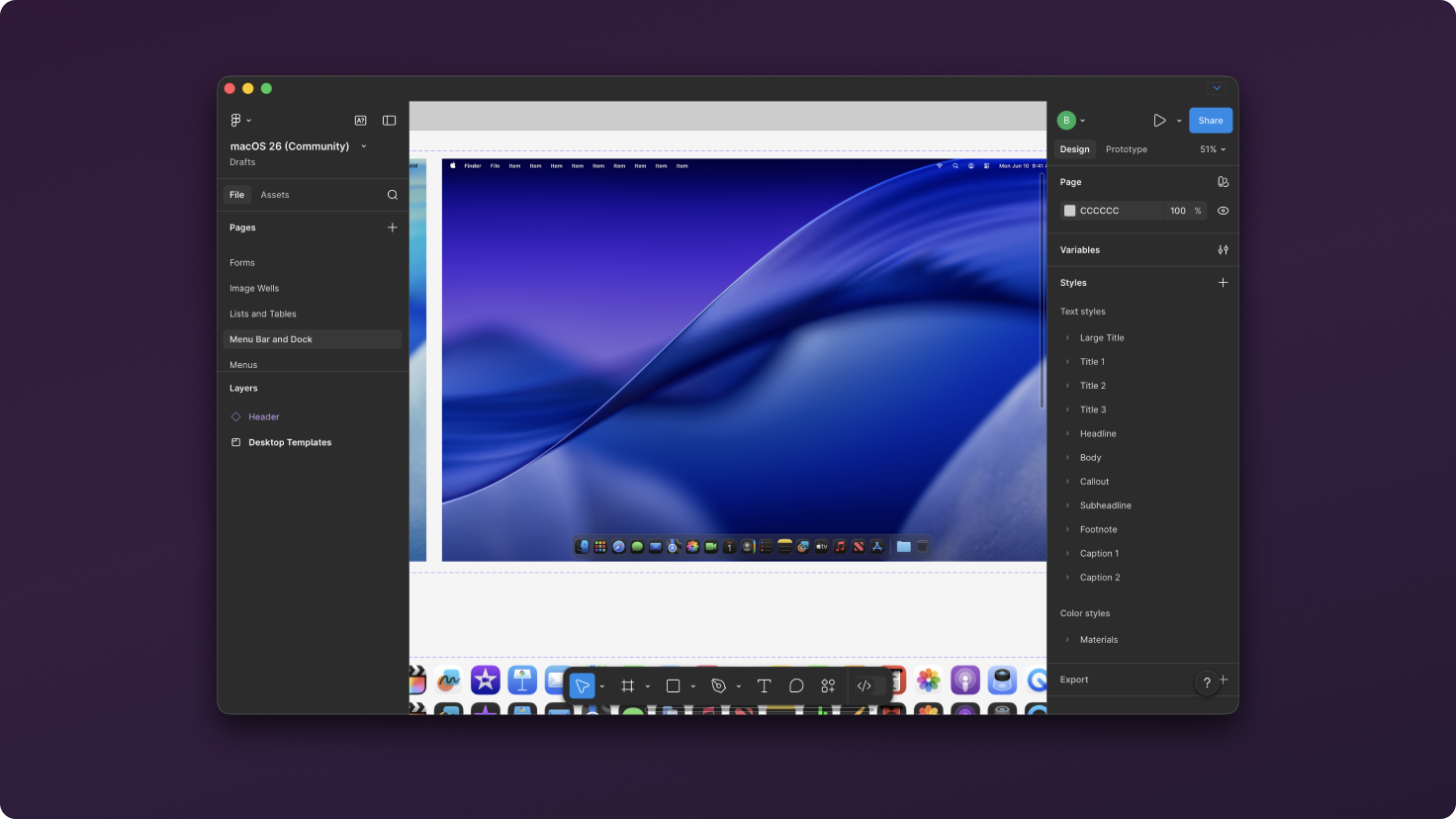
Normal Mode is the clean, focused Mac app experience—and in Unite Pro it replaces the old “Compact Mode” entirely.
Compact Mode is gone — Normal Mode can now be resized down to much smaller sizes, without feeling cramped or broken
A fluid new toolbar designed to stay out of your way until you need it, for a cleaner content-first experience
Quick Settings for instantly adjusting common controls (like zoom, user agent, ad blocking, link forwarding, and more) without opening full Settings
Expanded appearance customization so you can fine-tune window chrome, toolbar visibility, and how the app presents itself on macOS
More predictable window behavior overall, including better sizing and session-to-session consistency
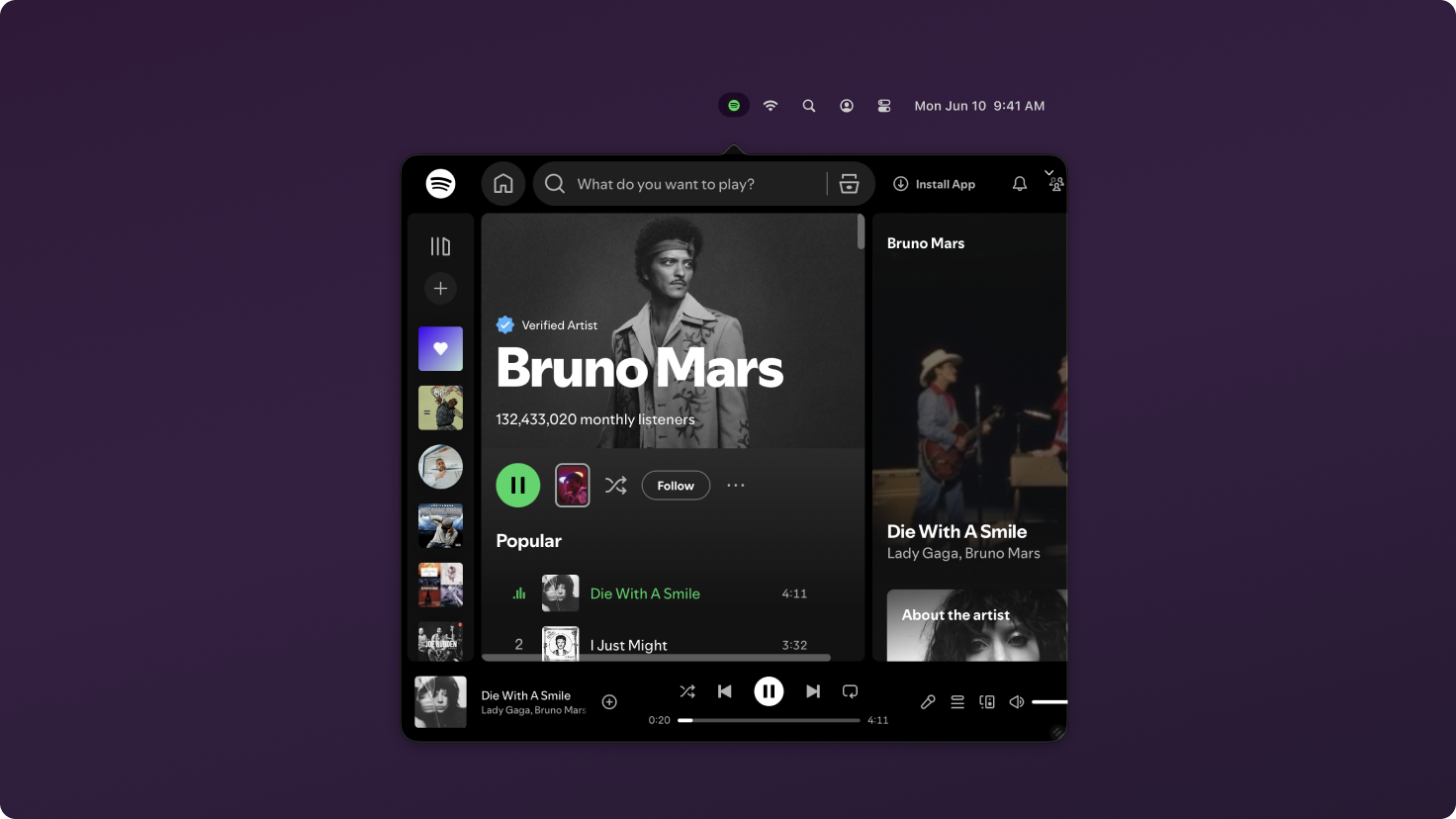
A cleaner, more modern menu bar experience with improved ergonomics
Multi-window management via right-click, making it easy to switch between windows without leaving the menu bar
Full tab feature parity with the other modes, so you’re not giving up functionality when you choose a lightweight setup
Better overall window behavior so it feels stable and predictable throughout the day
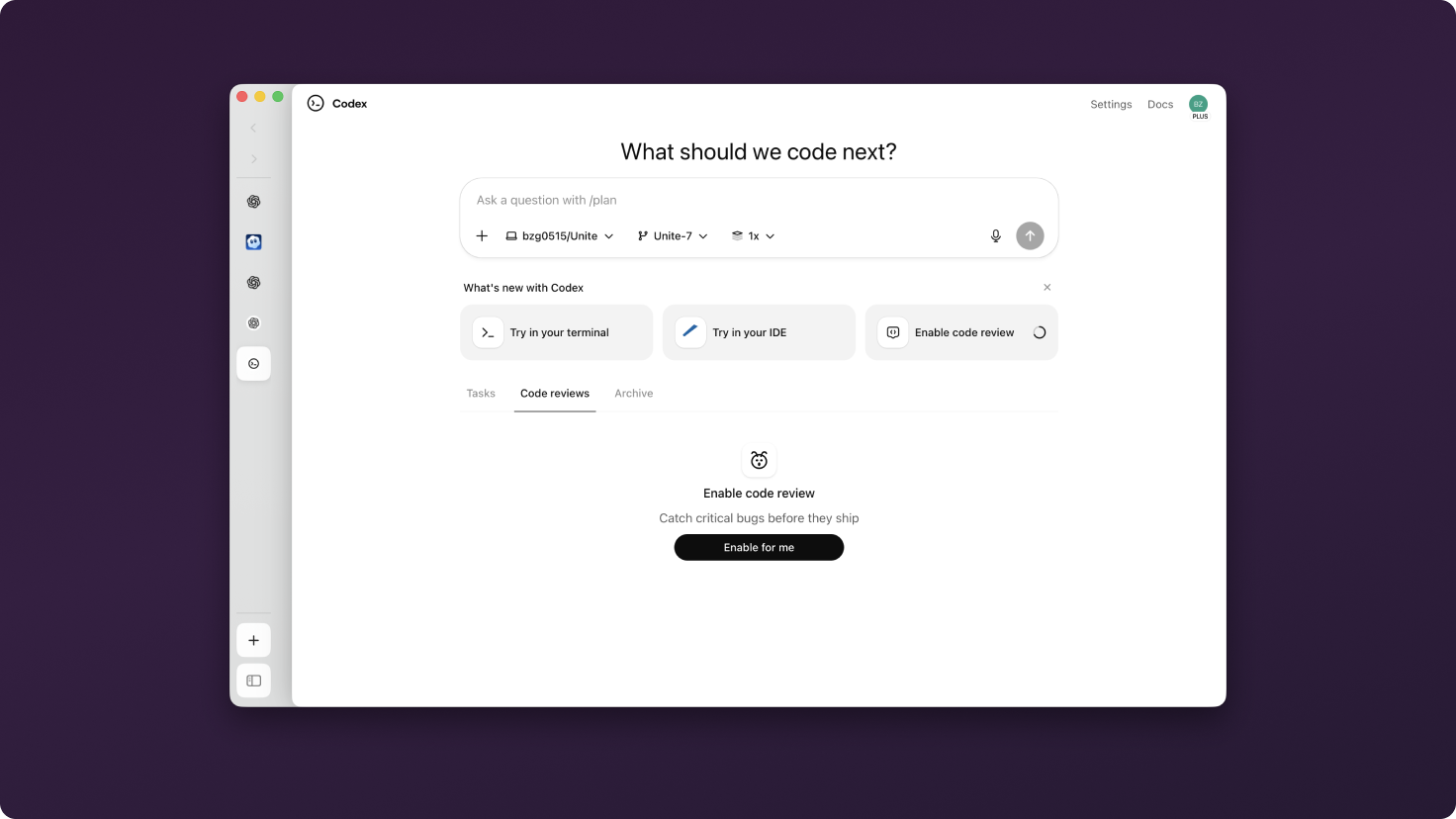
A fully redesigned sidebar with a modern, native feel
Resizable layout so it works equally well as a thin “glanceable” panel or a full workspace
Better support for persistent layouts and pinned workflows
Improved parity across core browsing features so it no longer feels like a secondary mode
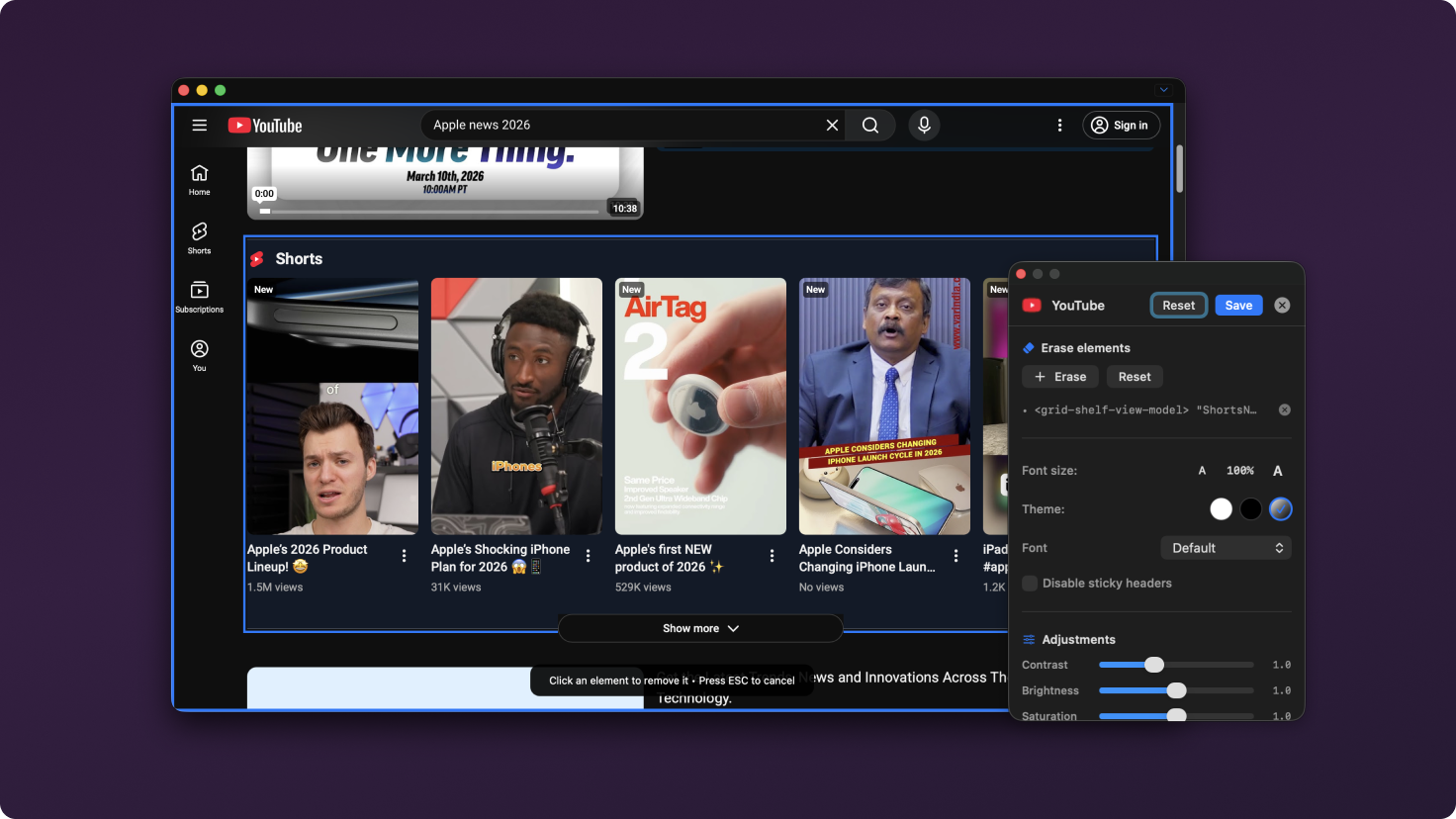
One of the most common reasons people build web apps is to remove the friction of the modern web: clutter, sticky headers, distracting sidebars, and unnecessary UI.
Unite Pro introduces Site Customizer, a visual customization tool that lets you reshape sites without technical setup. You can:
Remove elements so they never appear again
Adjust typography and color
Force light or dark mode
Disable sticky headers
Fine-tune readability (contrast, brightness, saturation)
Some websites don’t just benefit from being isolated into an app — they become meaningfully better when they integrate directly with macOS. Unite Pro includes a set of Smart Enhancements for select services that add native capabilities browsers and basic web apps simply don’t provide.
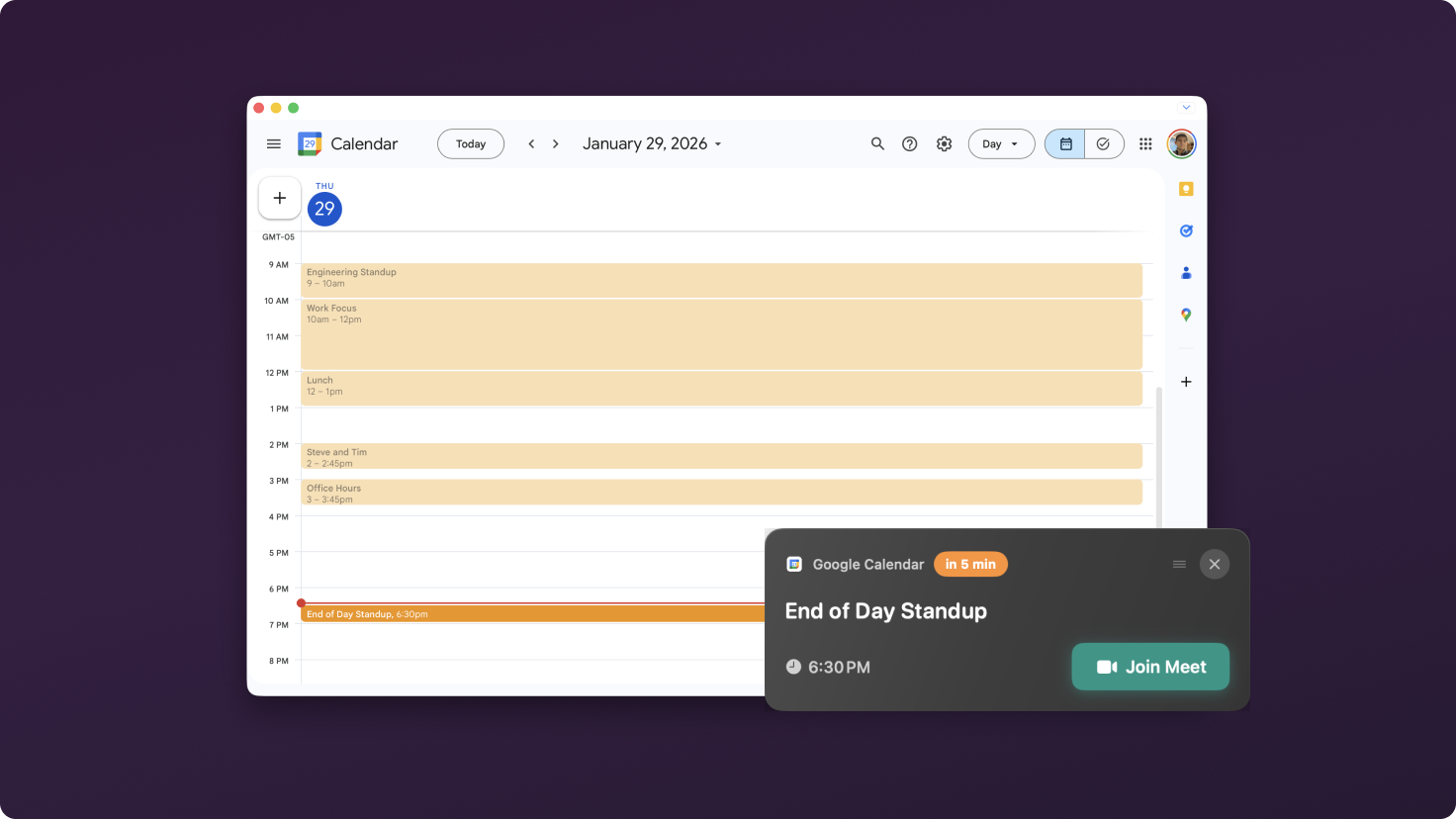
Never miss a meeting — and never hunt for the link.
System-level meeting alerts across macOS
One-click access into the call or calendar event
Works with both Google Calendar and Outlook
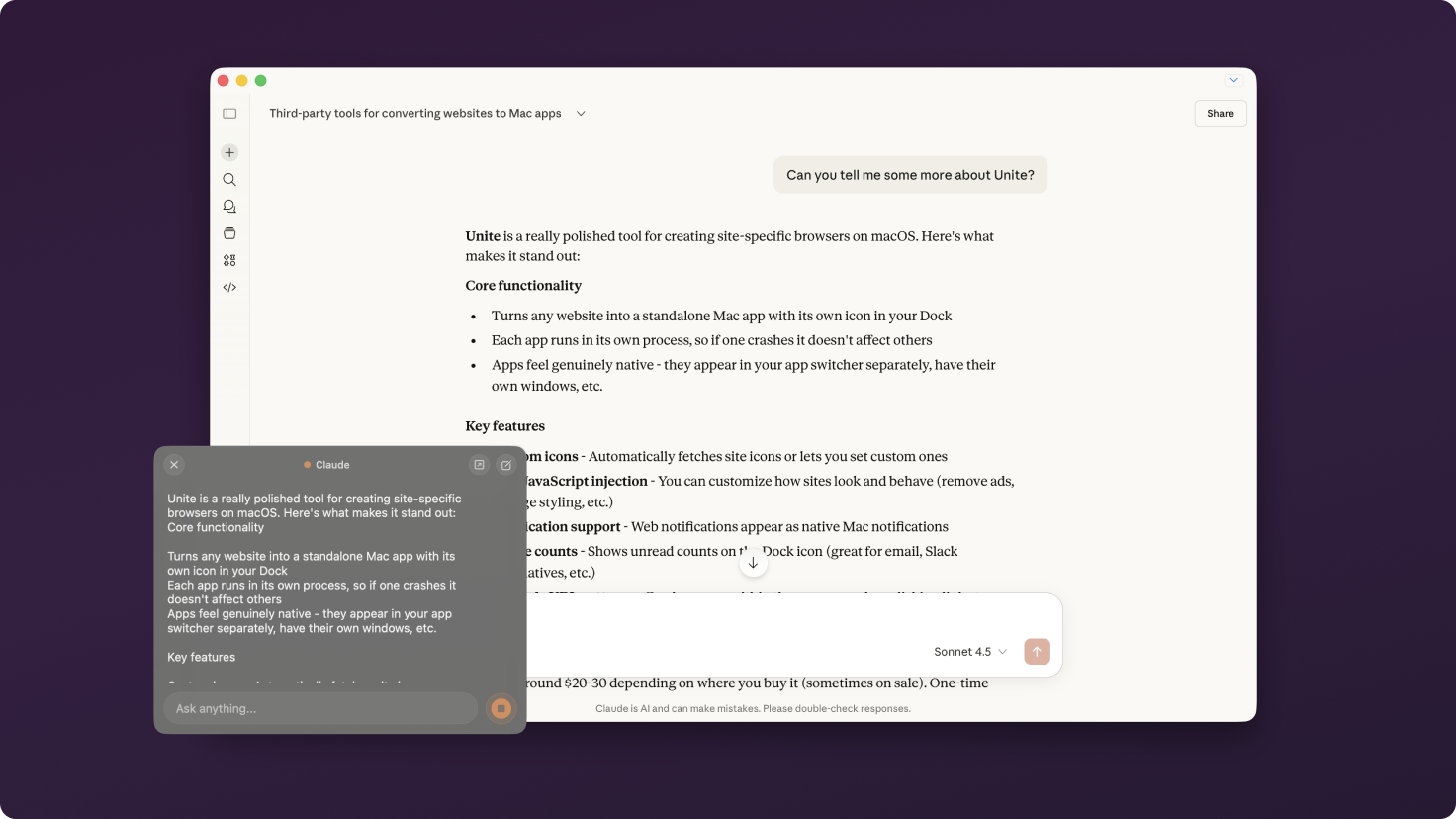
AI, anywhere you need it — without switching apps.
Access ChatGPT, Claude, Gemini, or Grok through a floating overlay
Summon it from anywhere, type a prompt, see the response, and continue working without losing focus
Designed to feel like a system utility, not another tab you manage
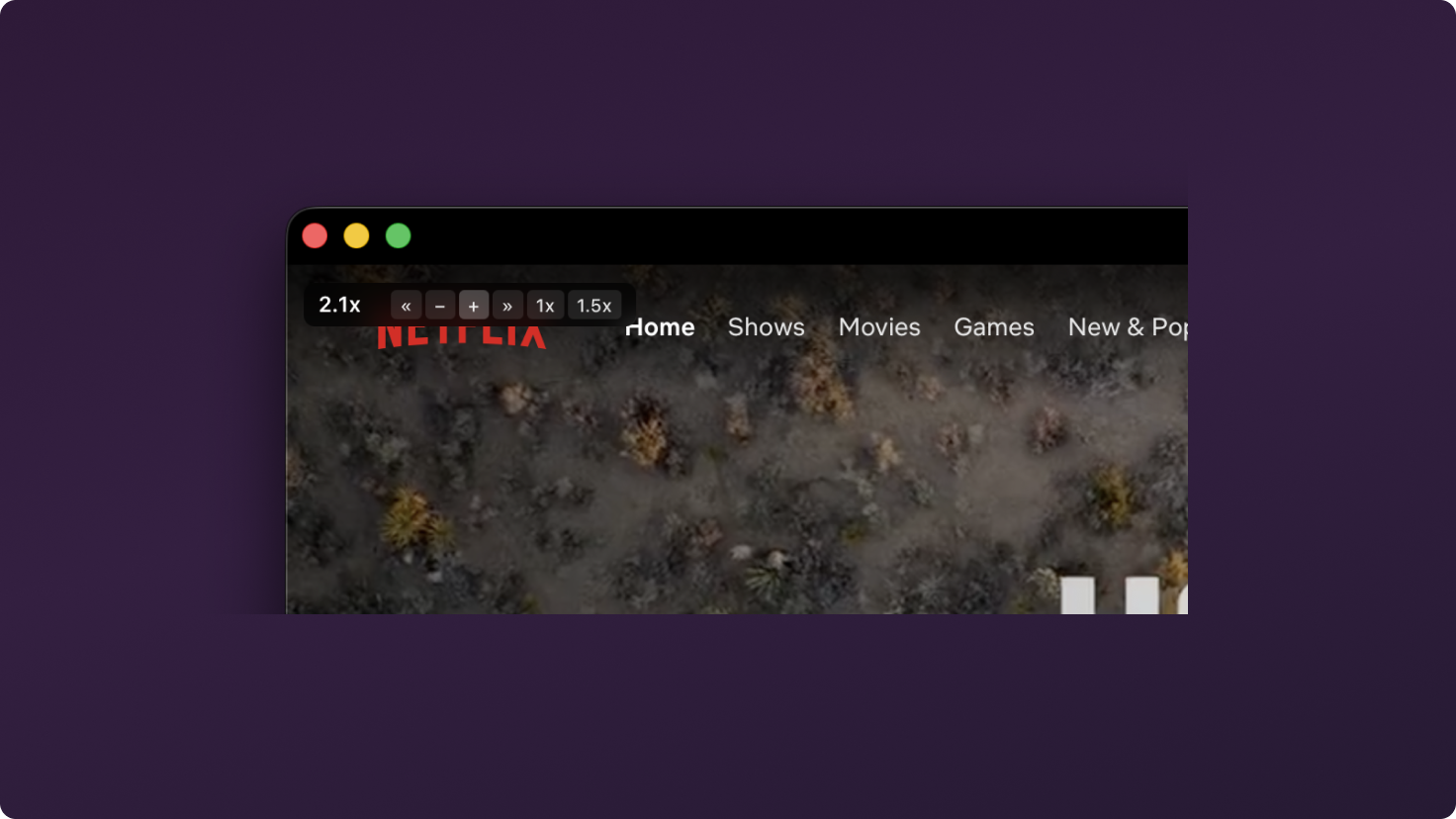
A better way to learn, watch, and follow along.
Granular playback speed control across the vast majority of video websites
Keyboard shortcuts and on-screen controls for quick adjustments
Especially useful for tutorials, talks, long recordings, and online courses
See what needs attention from your dock
Supported services now include Gmail, Outlook, Fastmail, Proton Mail, Slack, Discord, WhatsApp, Linear, Jira, GitHub, ChatGPT, Gemini, Grok, and Claude
Unite Pro makes several customizations much easier:
Automatic user agent switching based on site or path
Per-site zoom levels for consistent readability
Optional cross-app sync so you can customize once and reuse settings across apps (without sharing app data and keeping apps isolated)
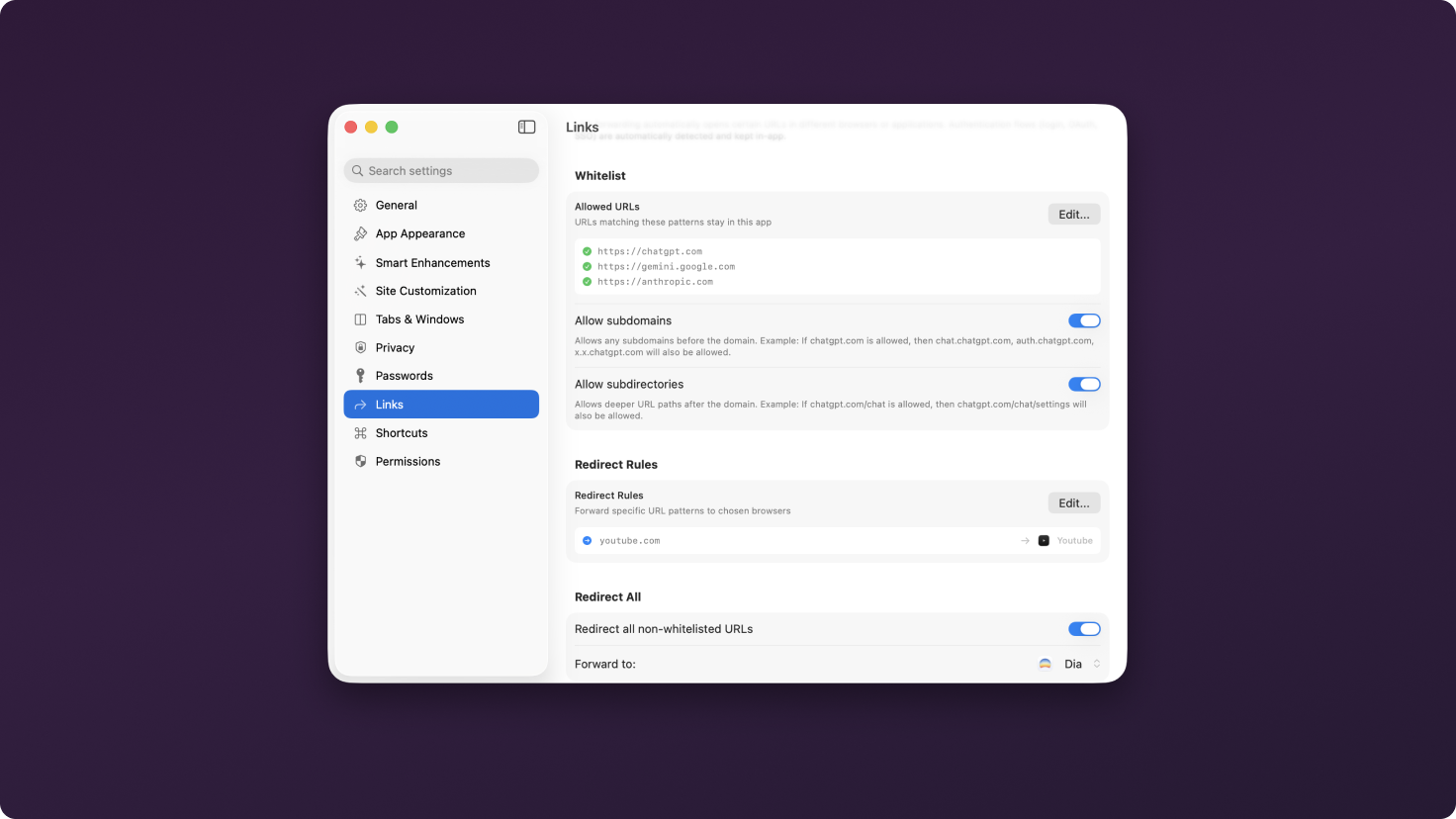
Link Forwarding keeps your workflow contained by controlling where links open, so clicking around inside a Unite app doesn’t constantly spill back into your browser or the wrong app.
What’s new in Unite Pro:
Smarter handling of common SSO and multi-step sign-in flows
A redesigned management interface for whitelist and redirect rules
Faster setup, including easier ways to add the URLs you already have open
Unite Pro has hundreds of new features, here’s just a few more:
Auto-tint menu bar icons: so they blend nicely with the rest of your menu bar
Rebuilt Scripts & Styles: a redesigned manager and more reliable engine make it easy to apply custom JavaScript and CSS to specific sites or URLs for precise, repeatable customization
Enhanced Password Manager: rebuilt on with a new management view, strong password generation, notes, and import/export
Bookmarks: Redesigned interface with support for importing bookmarks from your browser and syncing across apps
Location Manager: Unite now supports sharing your location with a dedicated manager for site-specific permissions
Permissions Manager: manage notifications, camera, mic, screen sharing, and location per site
Download Manager: redesigned download interface with previews and progress tracking and a new top-tier download system
Dock Monitor: pin a live view of any part of a site directly into the Dock icon
Shortcut Customization: search and rebind shortcuts across your apps
Auto Dark Mode: automatically convert light-only sites to dark
Built-in Ad Blocker: improved reliability without third-party extensions
Localization: Unite is now translated into Spanish, Simplified Chinese, Hebrew, French, German, and Japanese
If you’re using Unite 5 or 6, you’re eligible for a discounted upgrade to Unite Pro. Upgrade now and unlock the most powerful version of Unite ever at a special launch price.
Thank you for being part of the Unite community! As always, we’re excited to hear your feedback and help you get the most out of your Mac.
Enjoy Unite Pro! 🚀
Please do not reply directly to this email. Contact us if you need assistance with anything!
Comments
Nothing yet. Say the first thing.
Sign in to join the conversation.