
Overview

For Terraform to create resources on your AWS account, it should get some access keys to authenticate to your account. In this step, we will create a service account for Terraform to use.
We will create an admin user group, then create a Terraform user and add it to the admin group. Then create access keys for the Terraform user. You can follow the steps below to create them all.
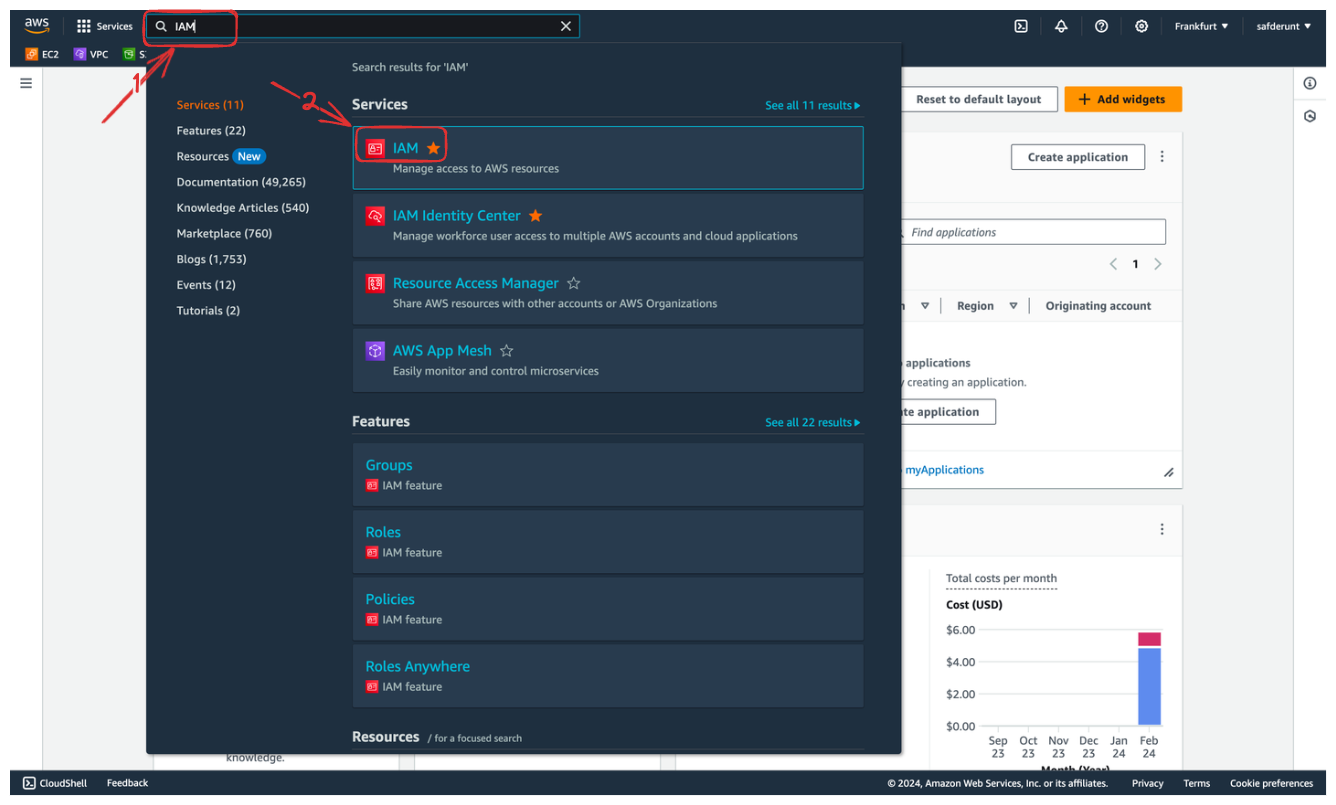
When you are in the AWS Console, search for the IAM service.
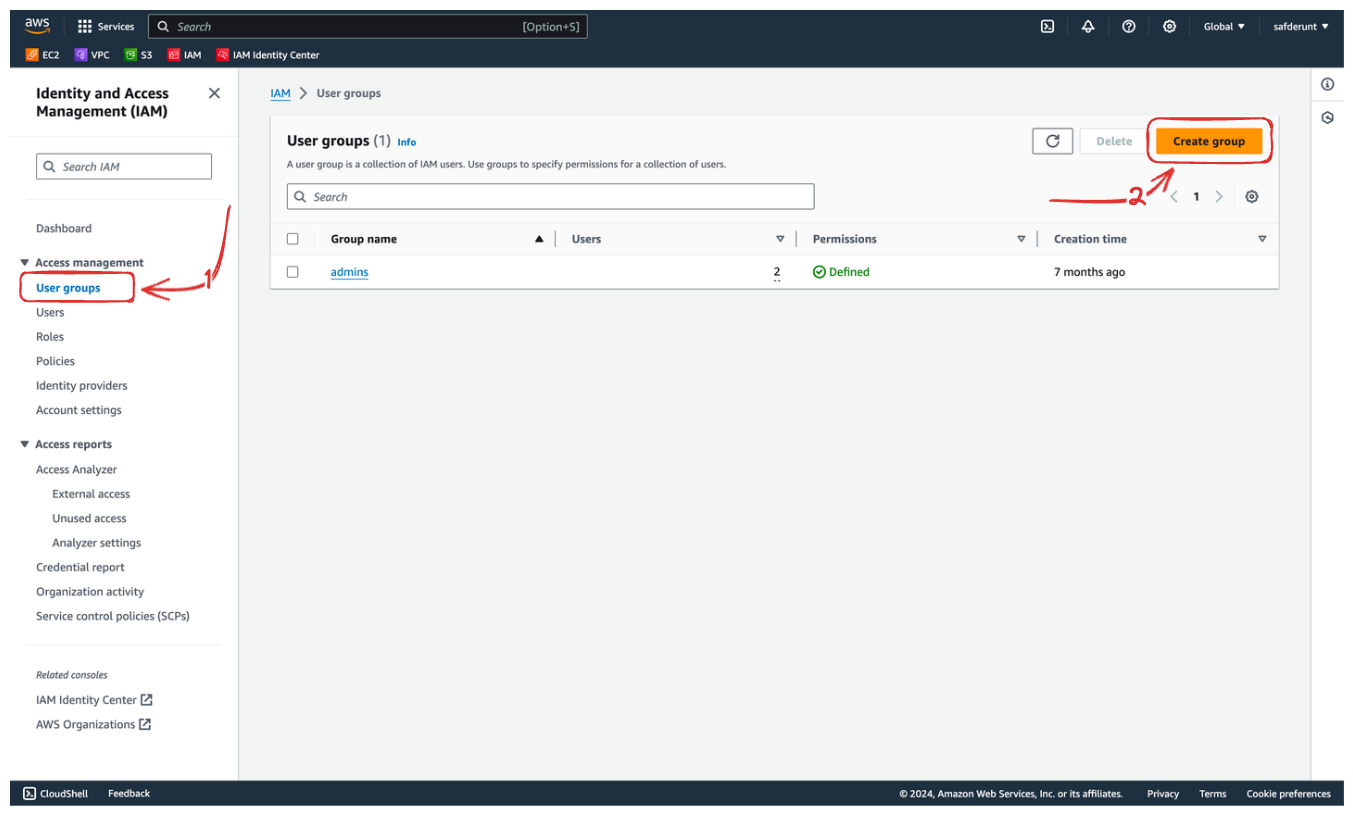
Head to "User groups" and click on the "Create group" button.
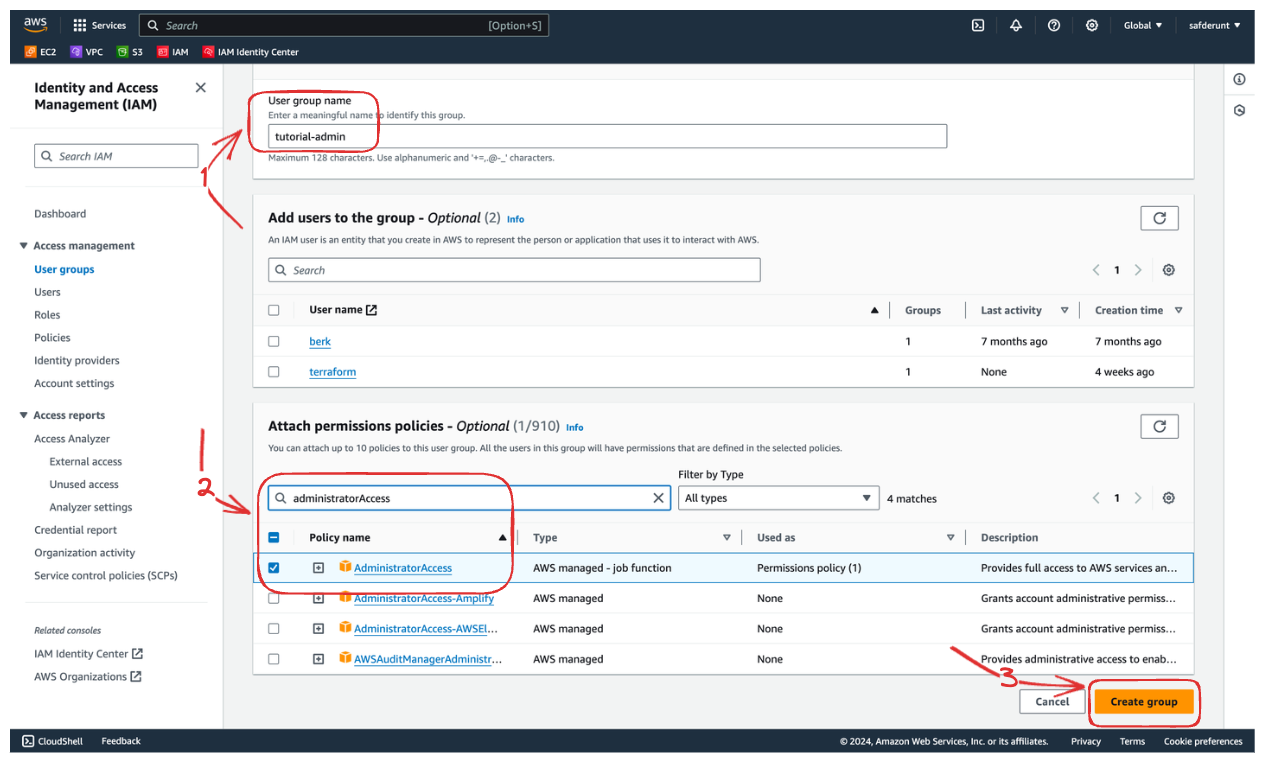
Enter your group name, search for administratorAccess and select it, and hit the "Create group" button.
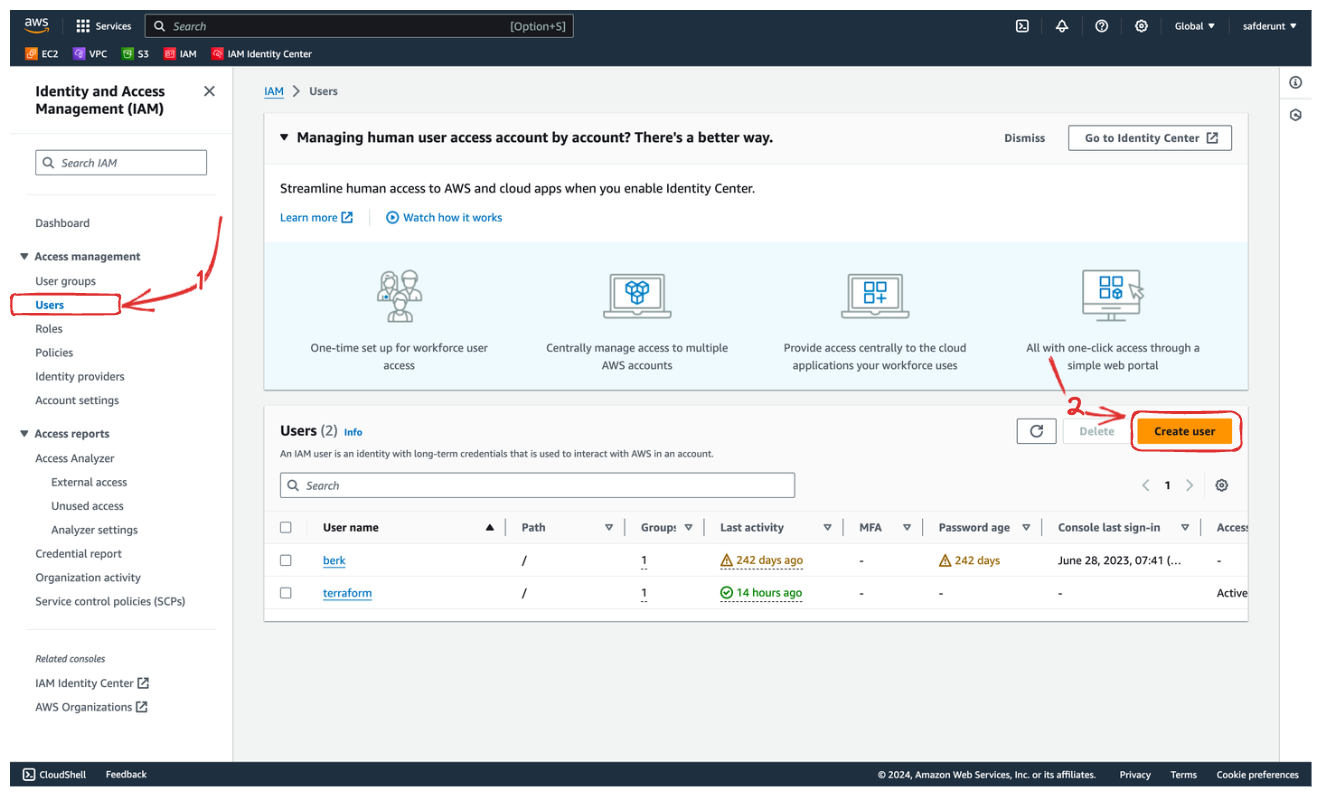
Click on the "Users" menu, then click the "Create user" button to create a user for Terraform.
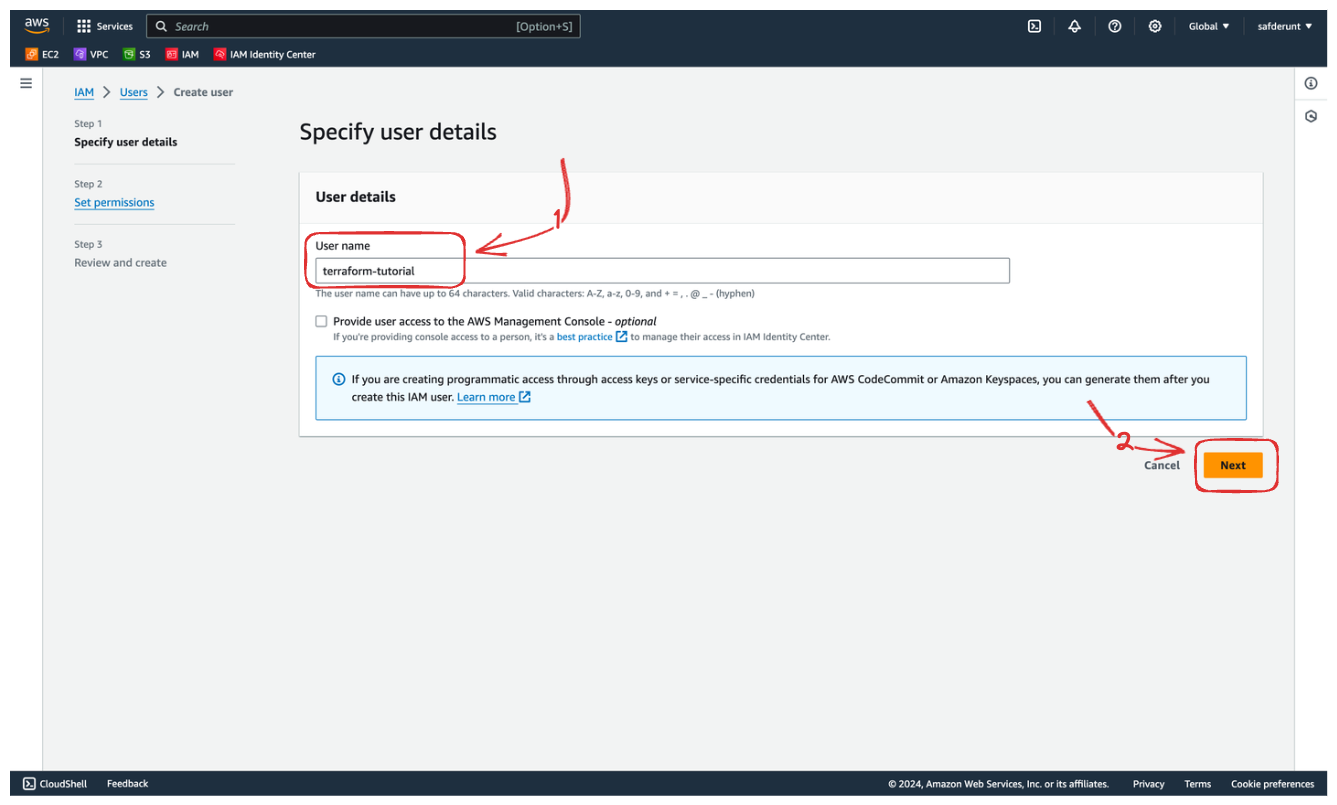
Enter the "User name" and hit the "Next" button.
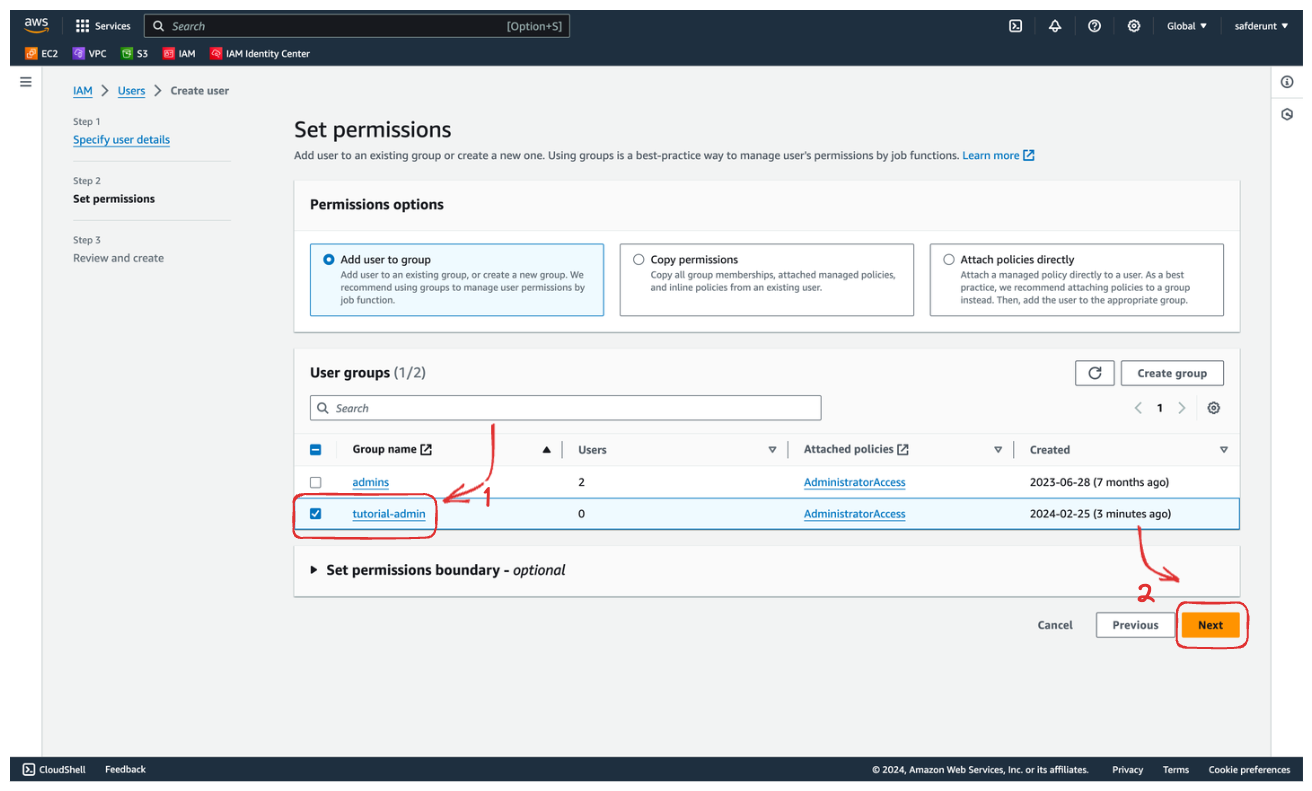
Add the new user to the group previously created. So the user will have "Administrator Access" permissions.
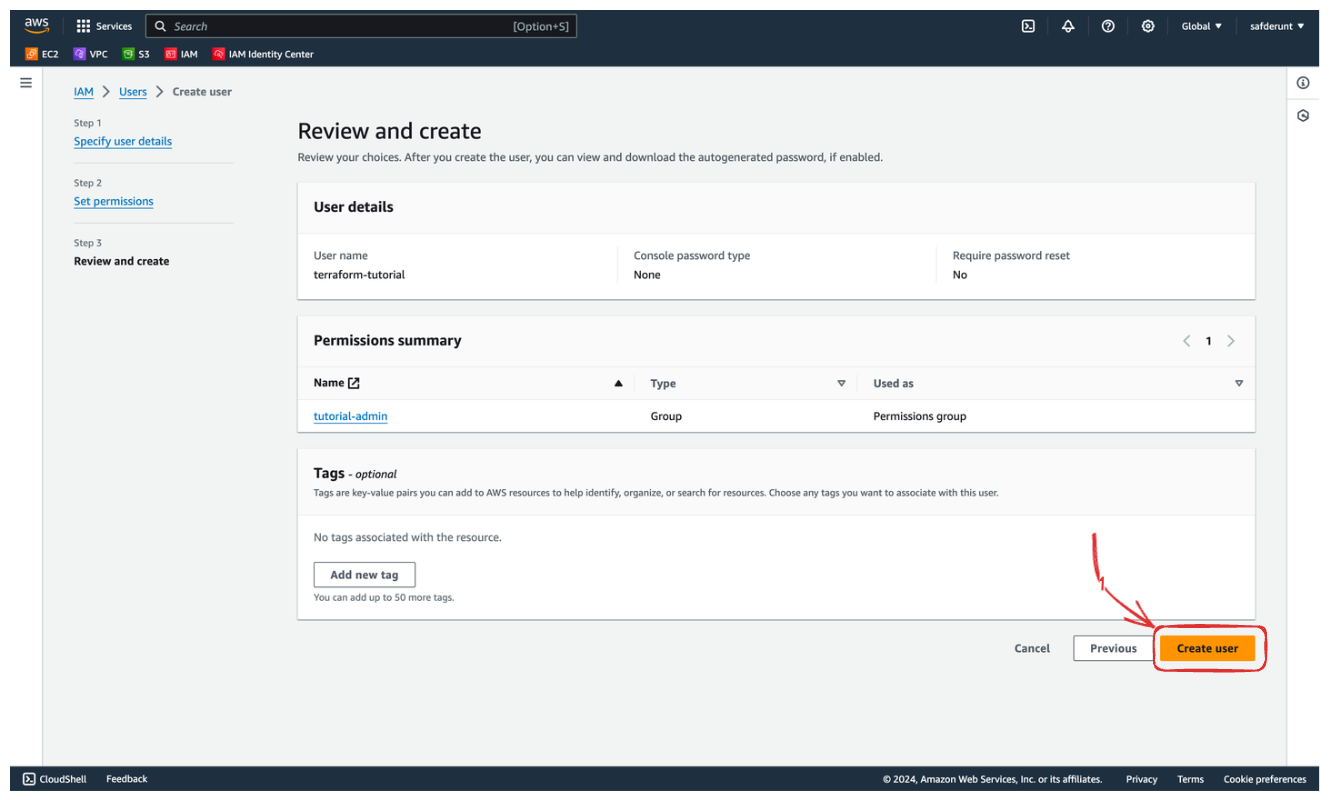
Review the user and hit "Create user" to continue.
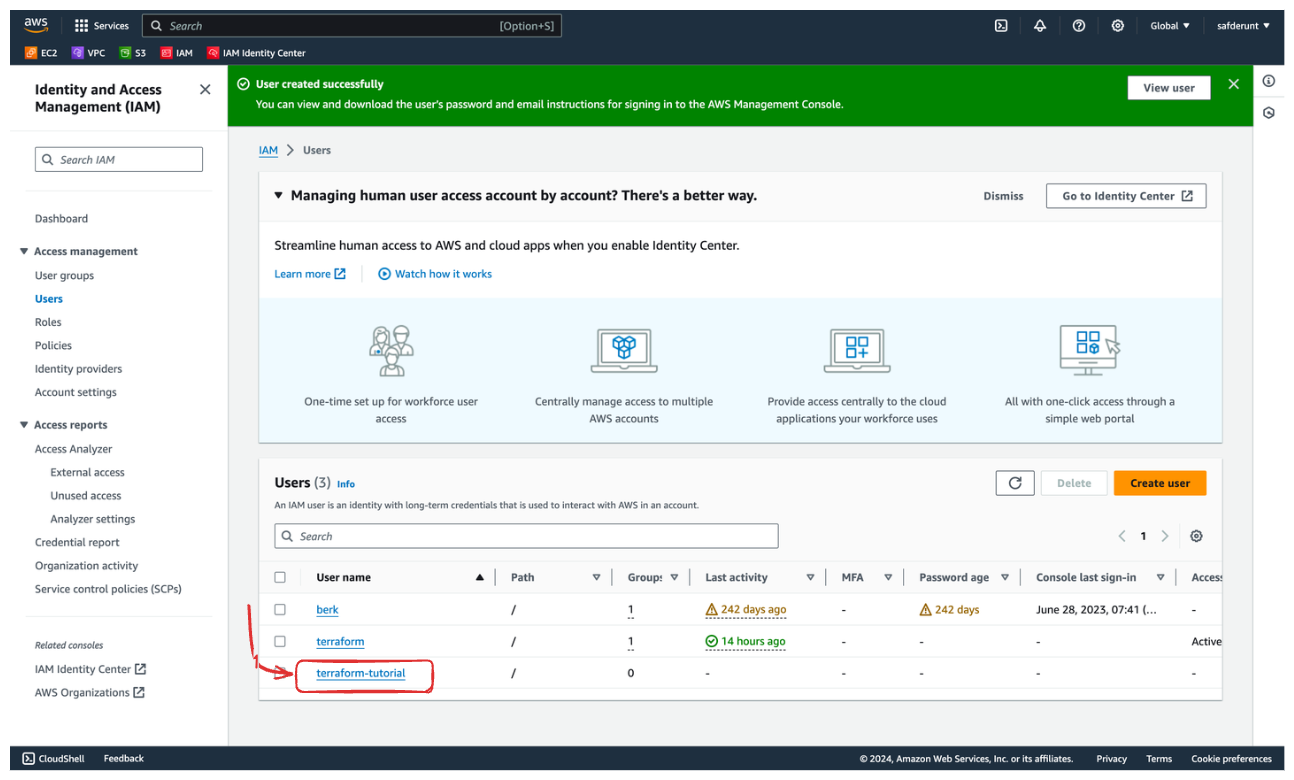
To create a access keys for the new user, hit the username.
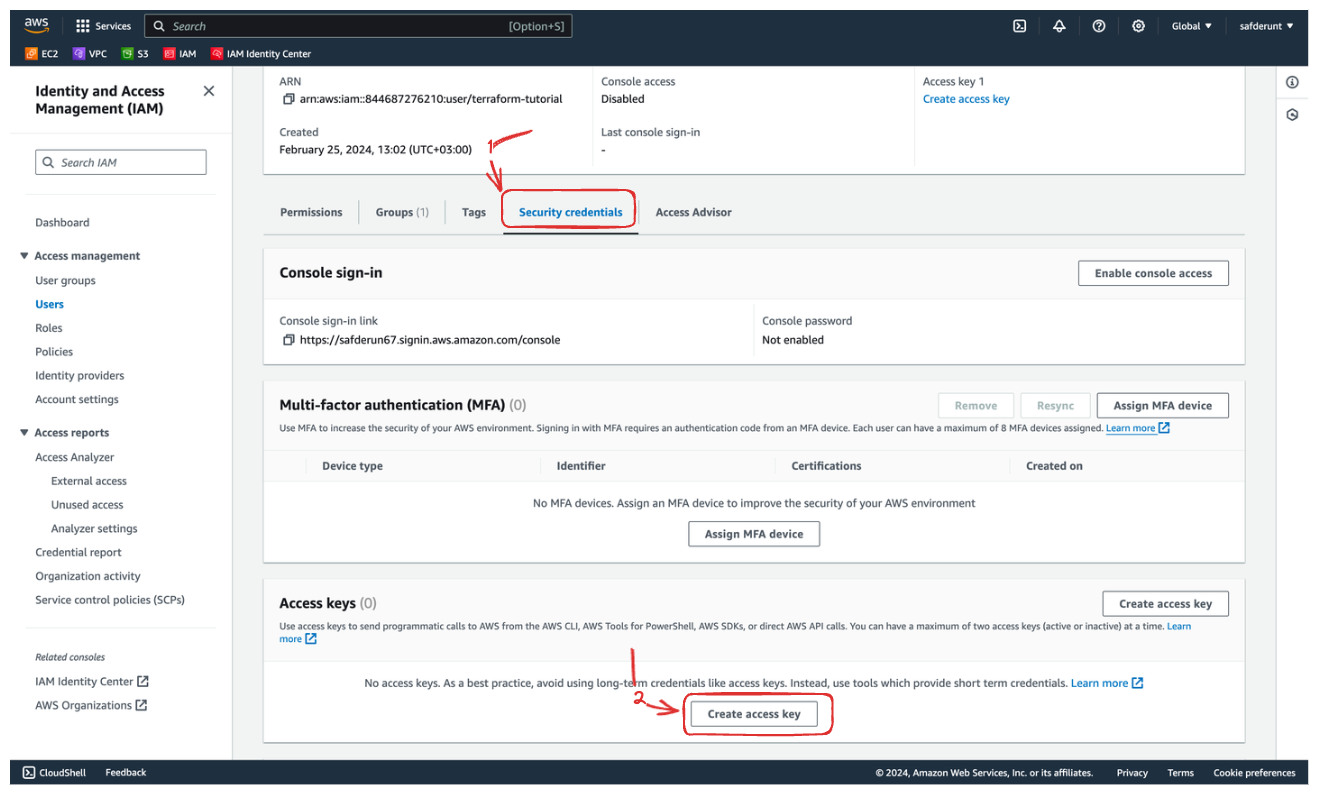
Change the tab to "Security credentials" and hit the "Create access key" button.
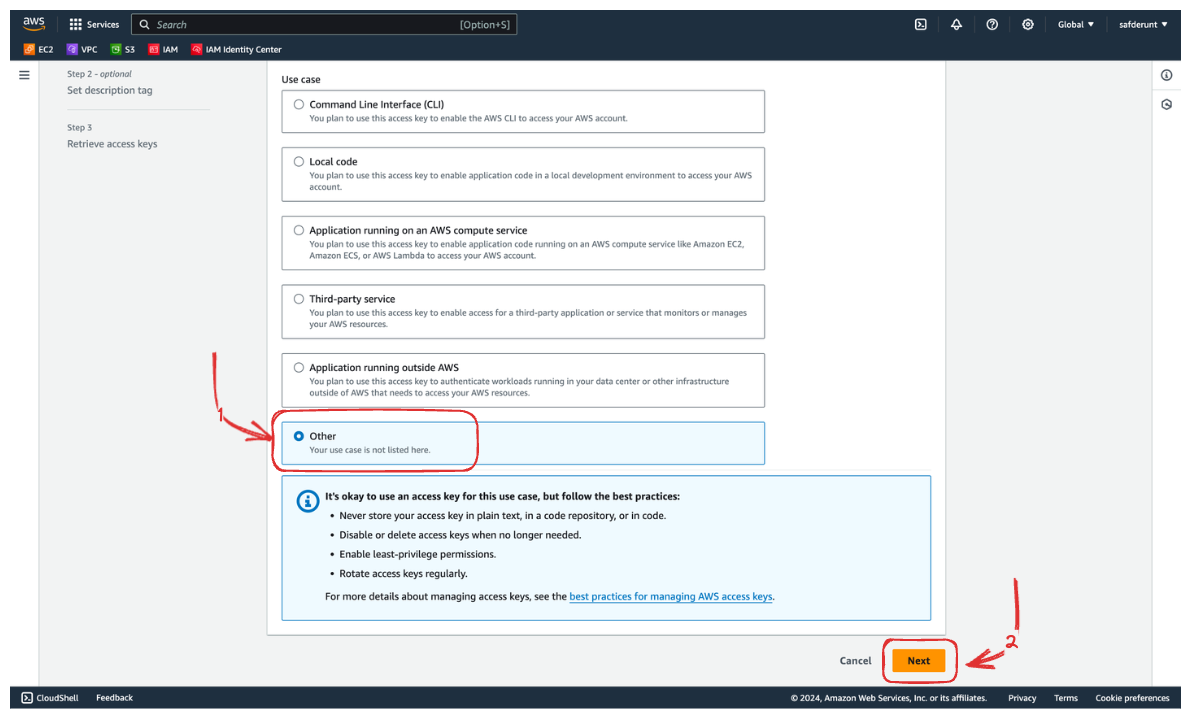
Change the "Other" type and hit the "Next" button.
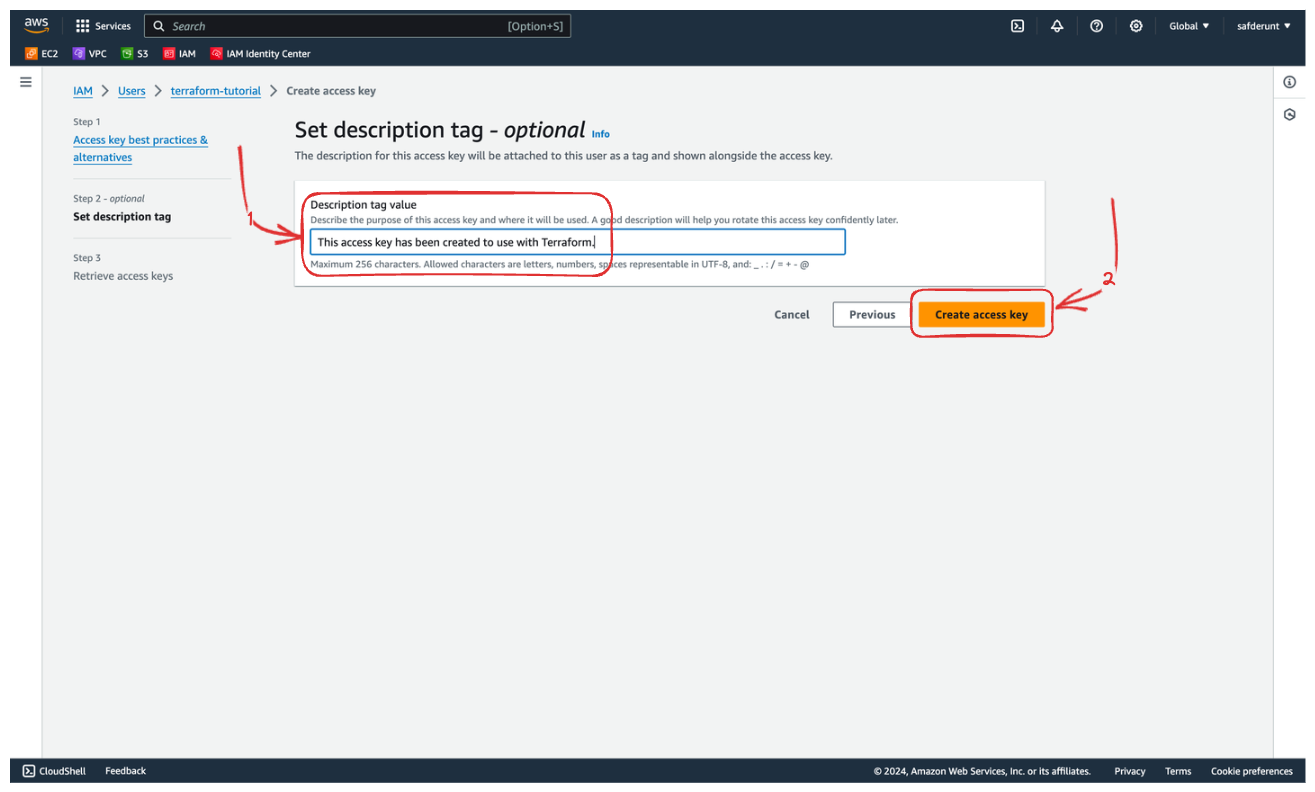
You can write a description of why you have created this access key. Hit the "Create access key" button to continue.
Now you can see the access keys. Copy both of them and paste them somewhere else securely. Hit "Done" to continue.
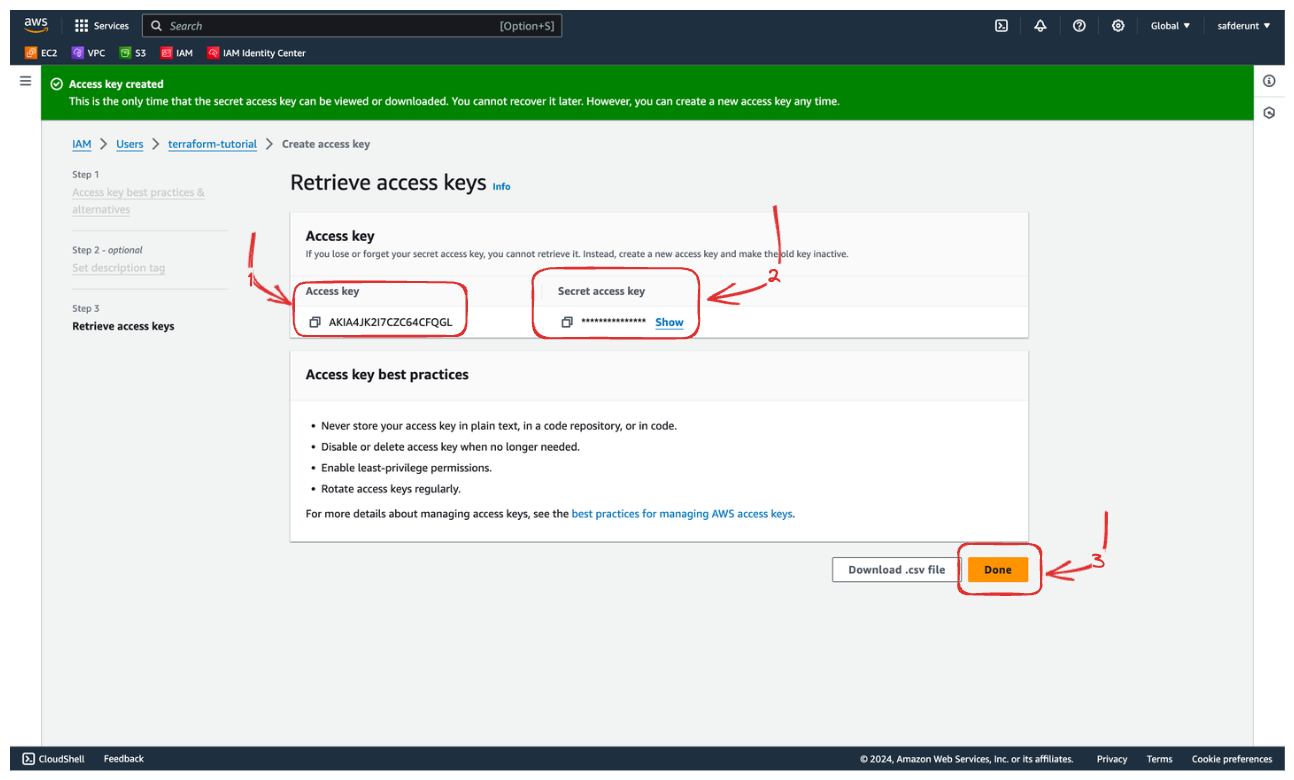
You can use those keys in the Terraform configuration.
❗Keep these access keys safe and secure. Whoever gets access to the keys controls all resources on your AWS account.
Comments
Nothing yet. Say the first thing.
Sign in to join the conversation.