Document: WM-080 P. Webb
Category: Computing 2026-01-05
Using Old Tech in the New Age
Abstract
Don’t call it a comeback
Body
Keyboard
Vintage tools tend to be on the expensive side so I’ve always
looked at Apple’s Extended Keyboard (AEK) II as one such device.
Imagine my surprise then when I found that I could order one from
eBay for less than $100! In the original packaging!!
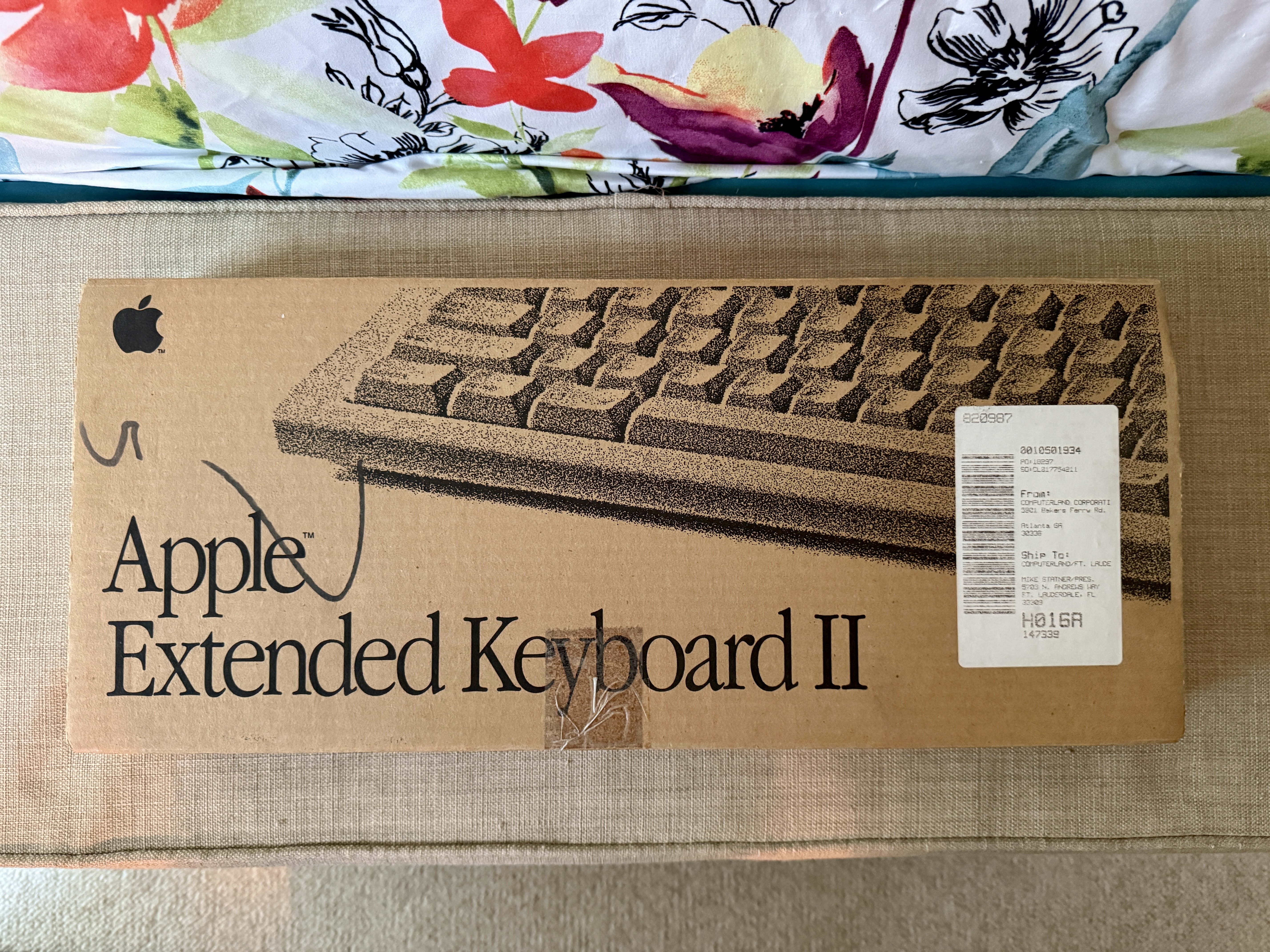 If you look close you can see that it previously lived at
"Computerland Corporation[1]," which was a Radio Shack-esque
chain of stores. I looked it up out of curiousity and man, what a
timeline…the drama!
When I opened the box I was happy to see how great the keyboard
looked. I know yellowing is to be expected but mine isn’t
egregious. If I go through with restoring the original color, I’ll
update this memo.
If you look close you can see that it previously lived at
"Computerland Corporation[1]," which was a Radio Shack-esque
chain of stores. I looked it up out of curiousity and man, what a
timeline…the drama!
When I opened the box I was happy to see how great the keyboard
looked. I know yellowing is to be expected but mine isn’t
egregious. If I go through with restoring the original color, I’ll
update this memo.
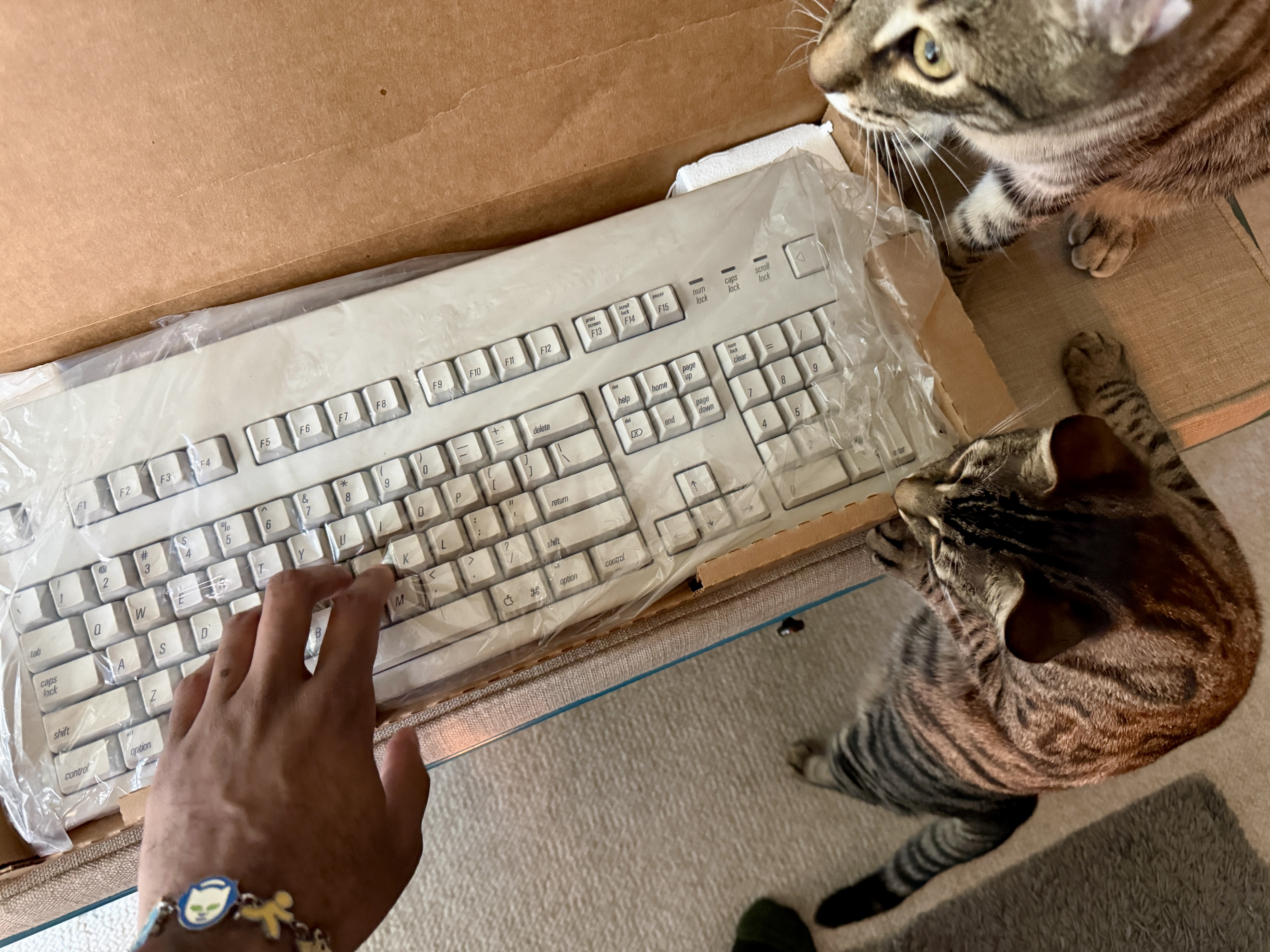 This thing is a CHONKER and I love it. But why use this instead of
the very pretty, customized Womier RD75 pictured here?
This thing is a CHONKER and I love it. But why use this instead of
the very pretty, customized Womier RD75 pictured here?
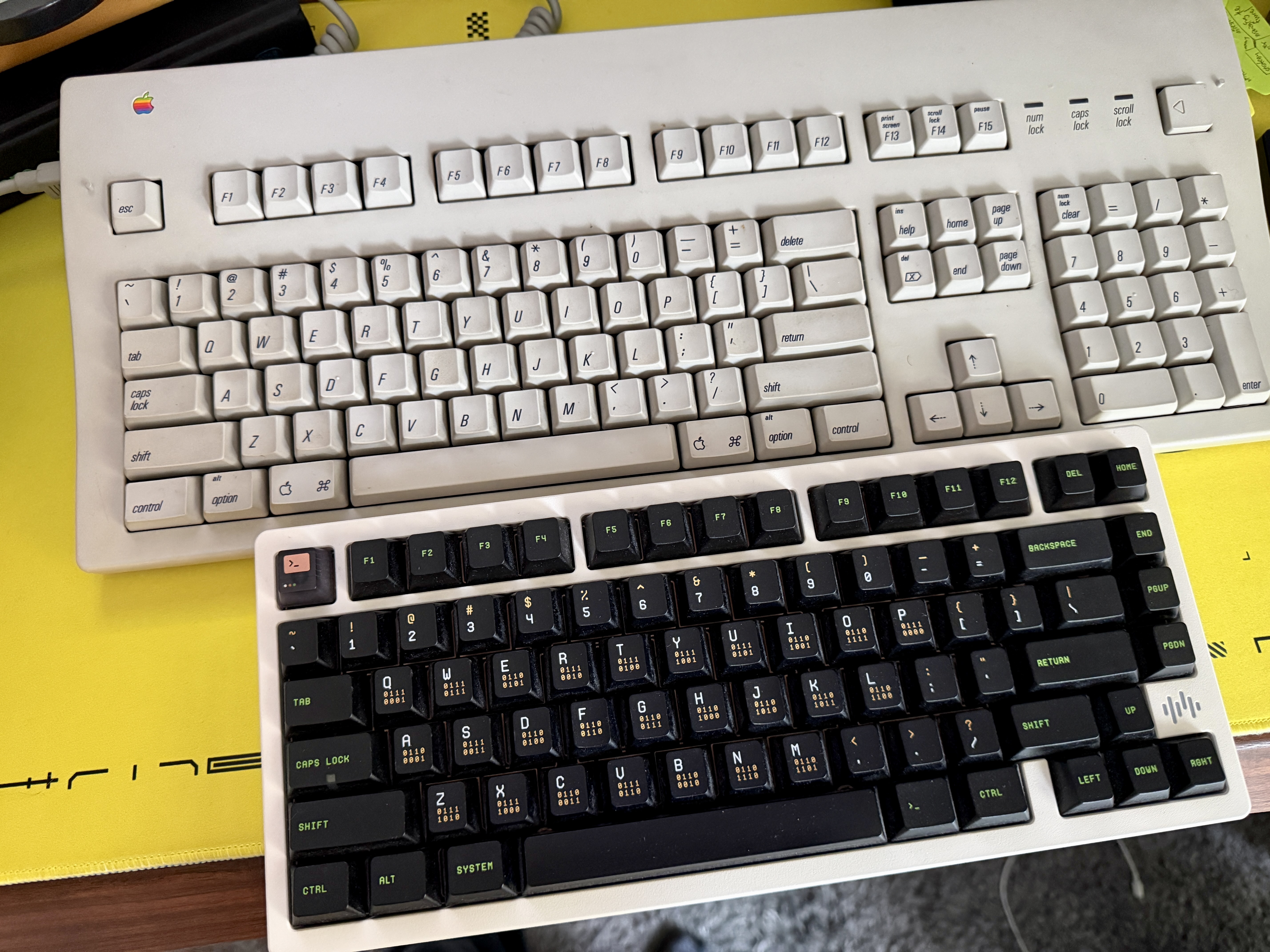 For whatever reason, the system key would reset on my Womier and
I’d waste time trying to get it to how it was before, using the
VIA web app (which is only useable in Chromium browsers). I’d much
rather not deal with that…although in hindsight, I could
probably just use an app like Karabiner Elements[2] instead. In
any event, I enjoy having a numpad as well. All the new fancy
keyboards like to be minimal but I’ve come to realize I’m a
maximalist, at least in this area.
The quirk with the AEK II though, is that it comes with
proprietary ports, Apple’s ADB. Of the adapters I found, only one
appealed to me; a pre-assembled TMK ADB-USB converter I purchased
from a person on a forum[3]. It felt sketch as hell but I figured,
why not? My keyboard is also coming from a random person across
the country, why not some doohickey from another country entirely?
For whatever reason, the system key would reset on my Womier and
I’d waste time trying to get it to how it was before, using the
VIA web app (which is only useable in Chromium browsers). I’d much
rather not deal with that…although in hindsight, I could
probably just use an app like Karabiner Elements[2] instead. In
any event, I enjoy having a numpad as well. All the new fancy
keyboards like to be minimal but I’ve come to realize I’m a
maximalist, at least in this area.
The quirk with the AEK II though, is that it comes with
proprietary ports, Apple’s ADB. Of the adapters I found, only one
appealed to me; a pre-assembled TMK ADB-USB converter I purchased
from a person on a forum[3]. It felt sketch as hell but I figured,
why not? My keyboard is also coming from a random person across
the country, why not some doohickey from another country entirely?
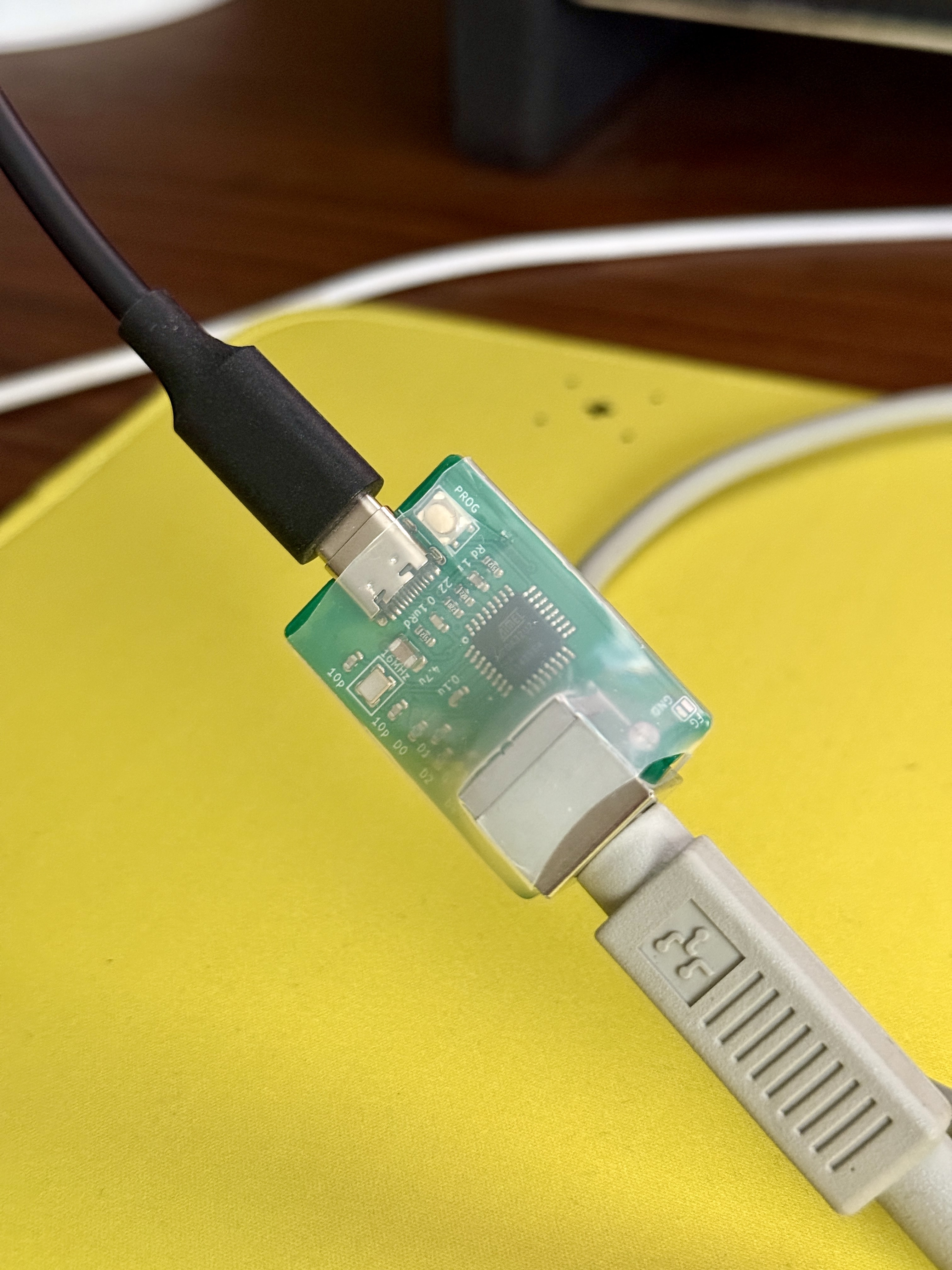 Something that befuddled me on first use was that the button next
to the USB port needed to be pressed before the keyboard
would work.
The only downside to AEK II was media controls not working; the
function keys not doing things that modern Mac keyboards do, like
changing volume, pausing music, &c. Fret not, mhoye[4] reminded me
that I could probably use Karabiner Elements to fix this and
indeed it has! One thing KE has no idea about is the Power button
on this keyboard, which makes sense because it’s not a key.
Something that befuddled me on first use was that the button next
to the USB port needed to be pressed before the keyboard
would work.
The only downside to AEK II was media controls not working; the
function keys not doing things that modern Mac keyboards do, like
changing volume, pausing music, &c. Fret not, mhoye[4] reminded me
that I could probably use Karabiner Elements to fix this and
indeed it has! One thing KE has no idea about is the Power button
on this keyboard, which makes sense because it’s not a key.
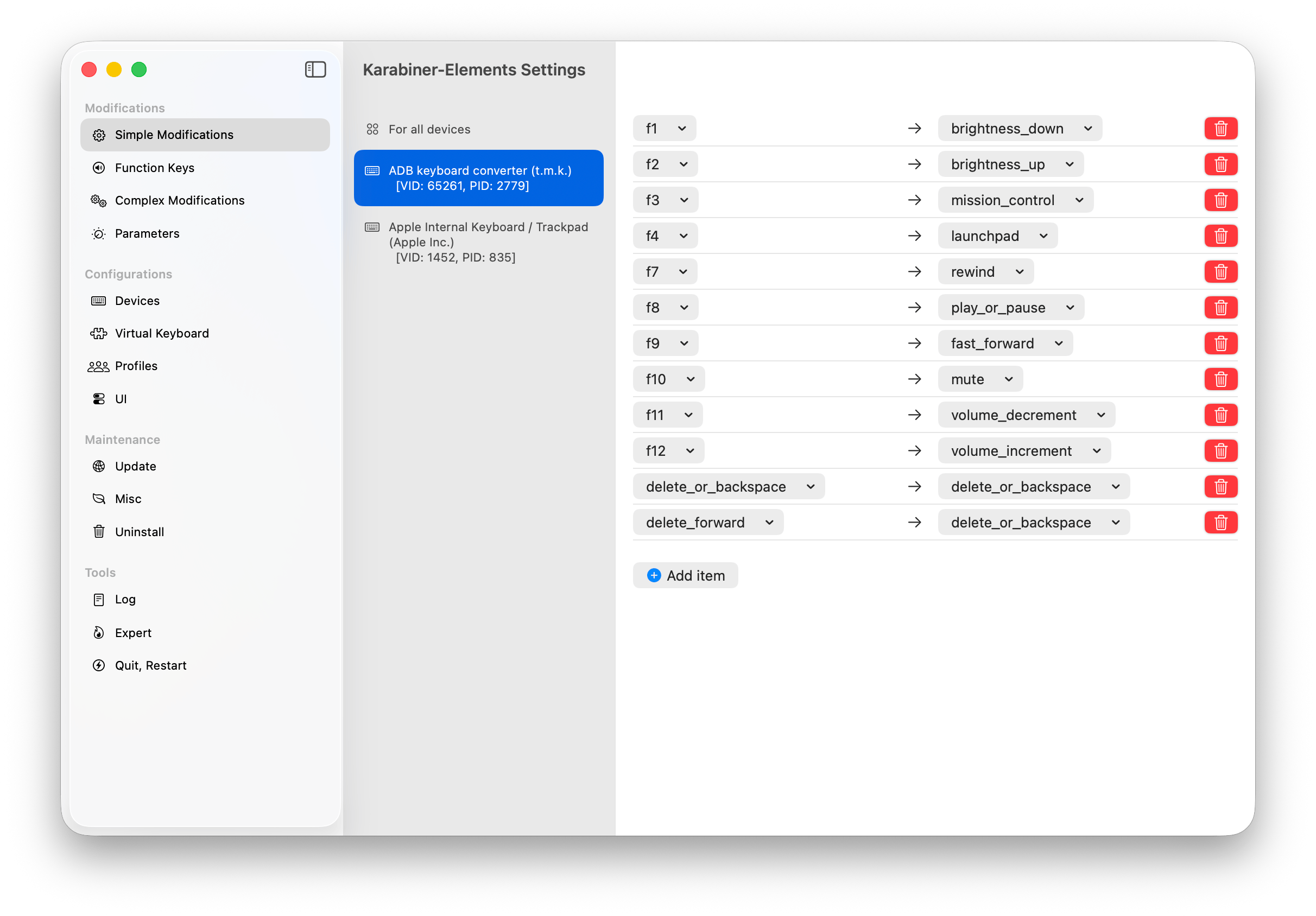 There is a way to make the Power button do something but that
involves flashing the chip[5] on this ADB adapter. I would want it
to operate like the emoji or globe/fn key. I have no idea how to
do that just yet…another future project, maybe.
Watch
I
There is a way to make the Power button do something but that
involves flashing the chip[5] on this ADB adapter. I would want it
to operate like the emoji or globe/fn key. I have no idea how to
do that just yet…another future project, maybe.
Watch
I use used my Apple Watch daily, most often to set a 15-minute
alarm between my kittens’ eating times (they lack self-control so
we feed them half their meal and make them wait for the other
half), and unlocking my computer and security/password prompts. My
watch is a Series 7 (2021) and I need to charge it every day-ish.
It’s fine but I feel meh about upgrading it.
SegamanXero[6] told me about the round Pebble watch being made
available for pre-order[7], which prompted me to look at Casio
watches, LOL! I found two super dope ones and ordered them both.
The Casio LF-20W-8A[8] ($30) and Casio LF-30W-8A[9] ($40).
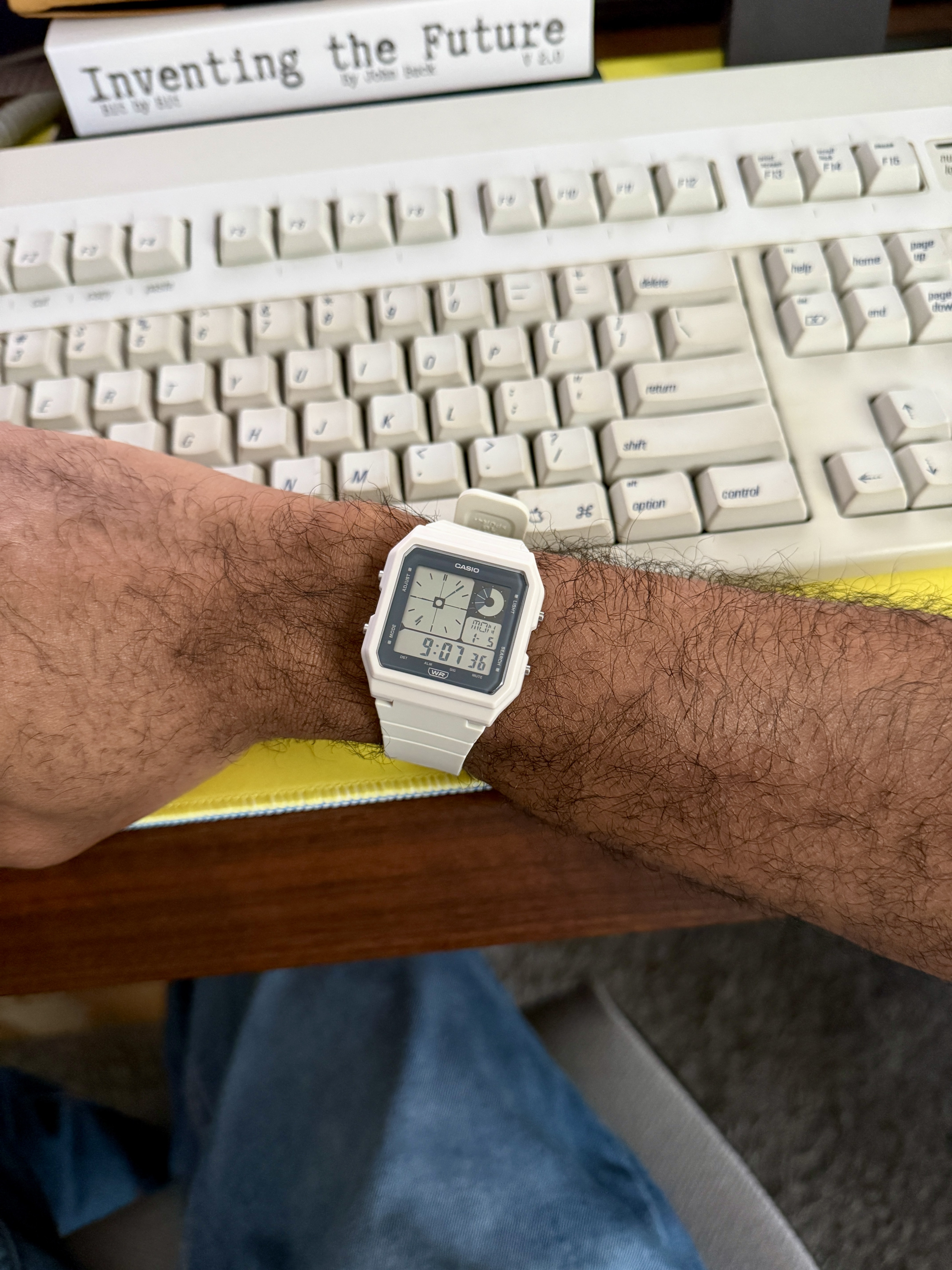
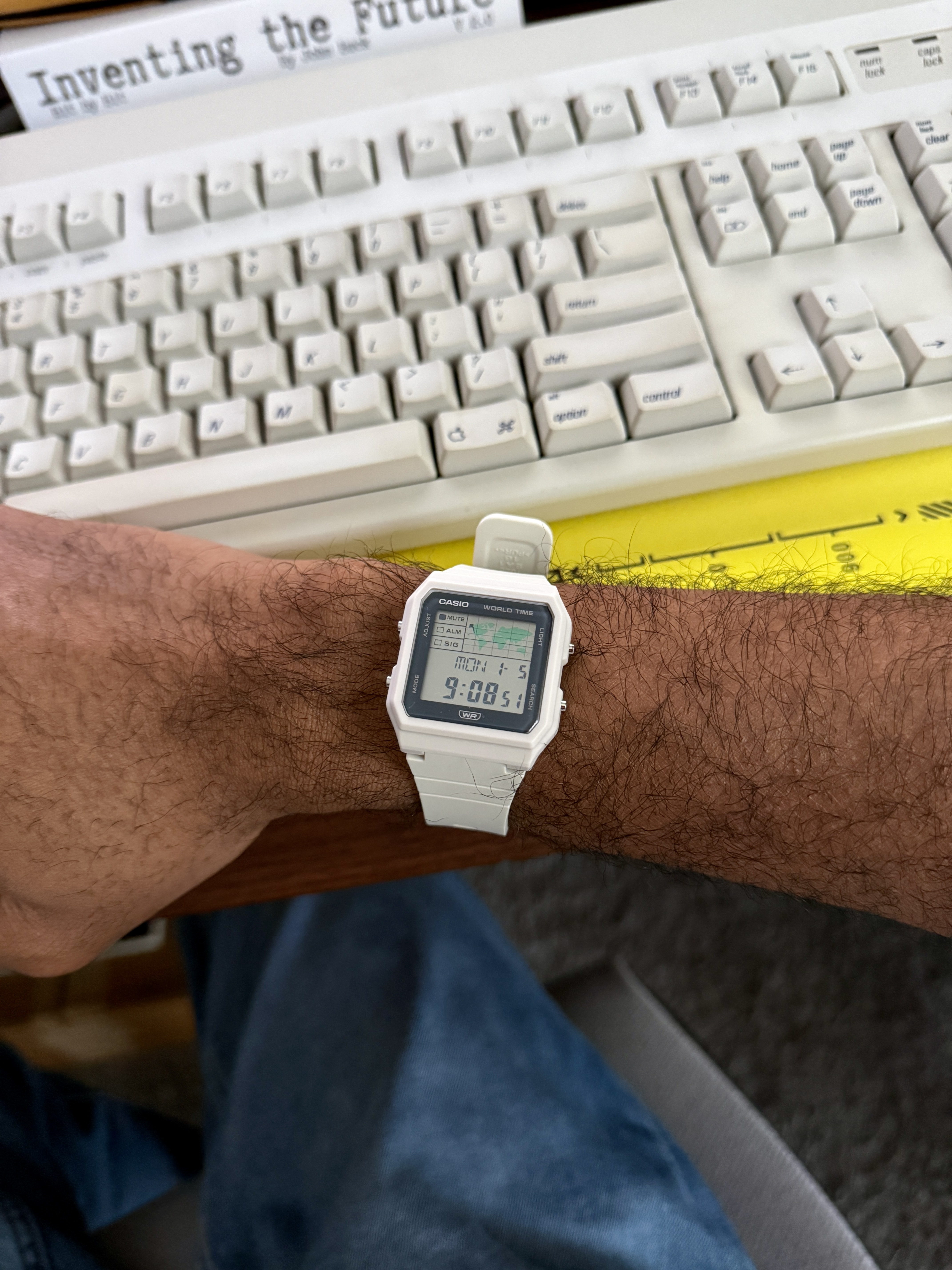 I’ve been wearing the former for a few days now and what I dislike
the most is needing to type my password all the time. 😭 The
convenience of a wrist-based authenticator is fantastic. Sure
would be nice if Apple would sell a standalone Touch ID thingy!
Something like that would increase "customer sat" so maybe someone
could convince Tim Cook this is a great idea? "Services" seems to
be the most important metric these days so maybe not…alas.
Another plus of using an Apple Watch is not needing to have my
phone on me when doing things around the house. At worst, my wife
will be inconvenienced with waiting for me to get to my phone to
answer her text about what food items we’re low on while she’s
out shopping.
Oh, and being able to raise my wrist to tell Siri is set a timer.
The plus of using a Casio is having a cool fucking watch on
my wrist. It costs 13x less than the cheapest Series 11 and is
objectively rad.
CD Player & Wired Headphones
I’ve been wearing the former for a few days now and what I dislike
the most is needing to type my password all the time. 😭 The
convenience of a wrist-based authenticator is fantastic. Sure
would be nice if Apple would sell a standalone Touch ID thingy!
Something like that would increase "customer sat" so maybe someone
could convince Tim Cook this is a great idea? "Services" seems to
be the most important metric these days so maybe not…alas.
Another plus of using an Apple Watch is not needing to have my
phone on me when doing things around the house. At worst, my wife
will be inconvenienced with waiting for me to get to my phone to
answer her text about what food items we’re low on while she’s
out shopping.
Oh, and being able to raise my wrist to tell Siri is set a timer.
The plus of using a Casio is having a cool fucking watch on
my wrist. It costs 13x less than the cheapest Series 11 and is
objectively rad.
CD Player & Wired Headphones
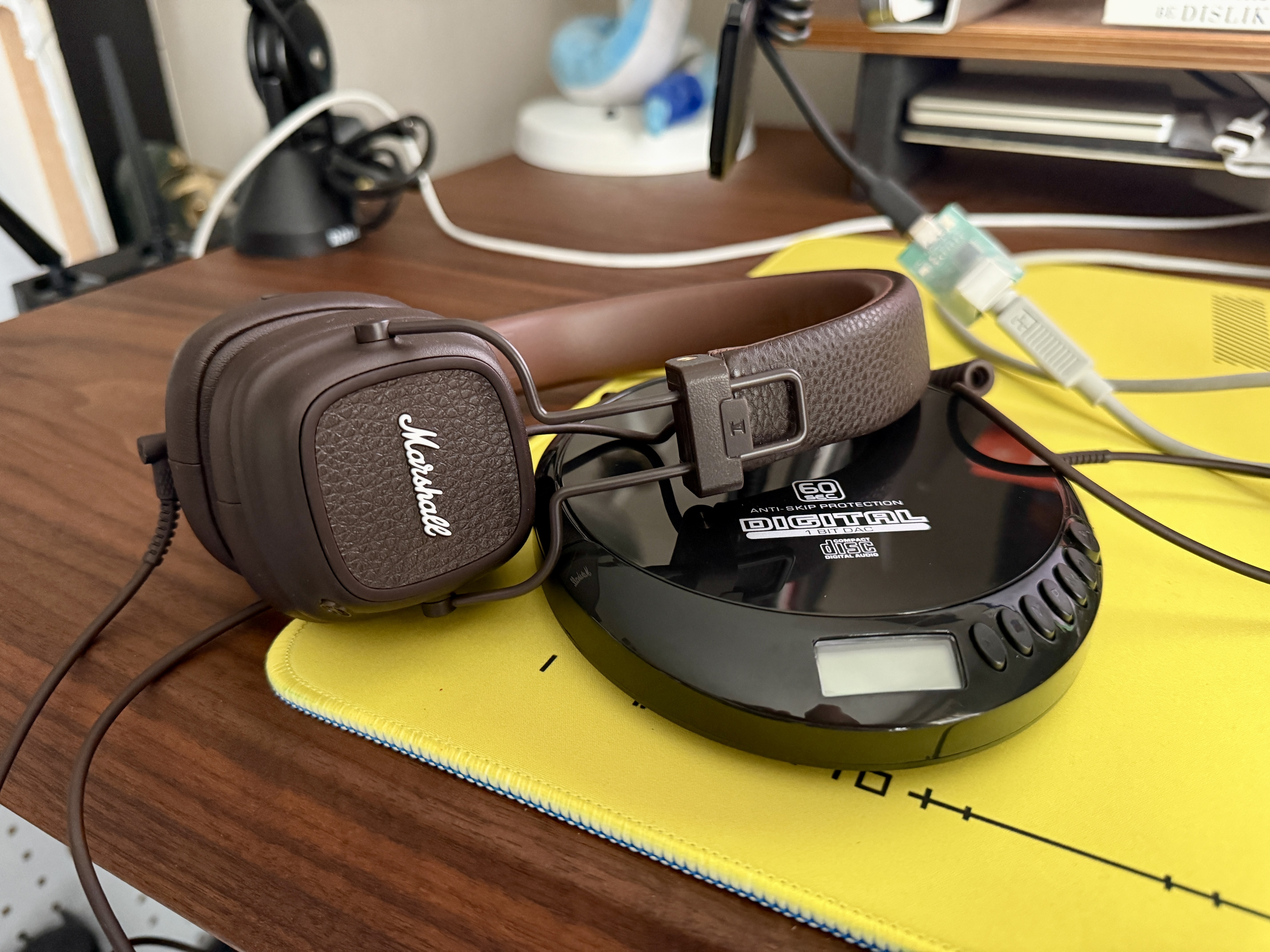 My wife got me a CD player for Christmas because I’ve been yapping
about old tech for a hot minute (and I’ve never stopped buying CDs
either, to rip FLACs to then play in Doppler[10]/IINA[11]).
The Marshall Major V headphones[12] I purchased a few weeks prior,
because I never had them in brown (and got a great deal)! I had a
pair in black when Marshall first released these (oh god) nearly
two decades ago…I’m not fact-checking this, I know I had hair
then. Anyhoo, these headphones are wireless (Bluetooth) and
support wired use.
My wife got me a CD player for Christmas because I’ve been yapping
about old tech for a hot minute (and I’ve never stopped buying CDs
either, to rip FLACs to then play in Doppler[10]/IINA[11]).
The Marshall Major V headphones[12] I purchased a few weeks prior,
because I never had them in brown (and got a great deal)! I had a
pair in black when Marshall first released these (oh god) nearly
two decades ago…I’m not fact-checking this, I know I had hair
then. Anyhoo, these headphones are wireless (Bluetooth) and
support wired use.
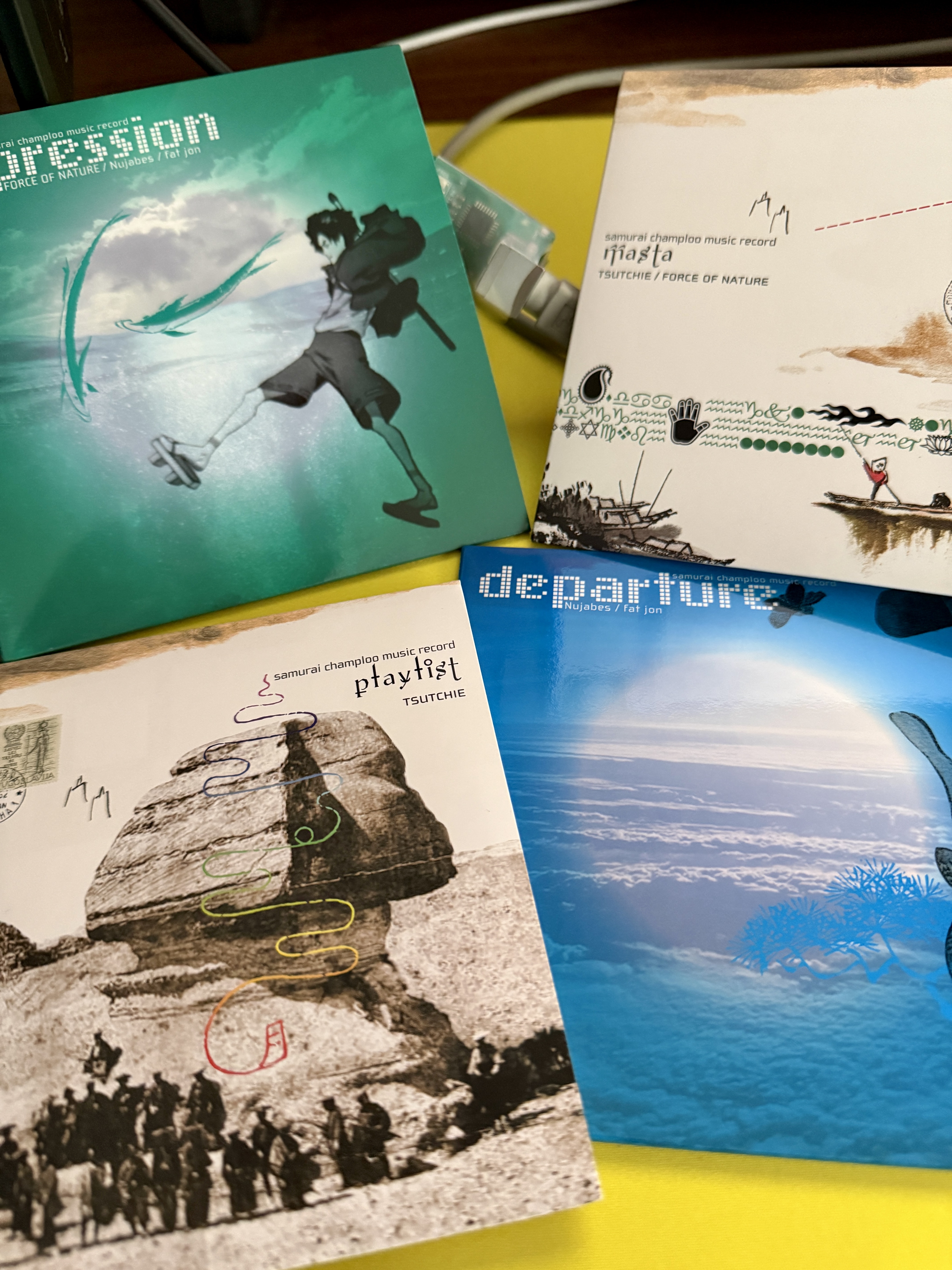 The same day my Marshalls arrived, so did several Samurai Champloo
soundtracks. My 2006 self would not be surprised at my 2026 self.
Once the rainy weather lets up, I’m gonna have to take some walks
with my anti-skip CD player. My Nintendo GameBoy fanny pack is in
disarray (ripped) but I do have other side bags I could use.
I’m a dad, this is my life now, and I’m satisfied. 😎
Phone
I haven’t made the jump to a flip phone yet but I’m still
considering it. At best, it’d be a second phone, not a replacement
for my iPhone. The utility of a wireless supercomputer in my
pocket in 2026 is simply too great.
All in all, I really enjoy this keyboard. It’s a joy to type on and I
am happy that I got media controls working on it. I would love if
future computers had keyboards like this. In any event, I’m getting
ideas for systemSOFT[13] hardware. 🕸️
The same day my Marshalls arrived, so did several Samurai Champloo
soundtracks. My 2006 self would not be surprised at my 2026 self.
Once the rainy weather lets up, I’m gonna have to take some walks
with my anti-skip CD player. My Nintendo GameBoy fanny pack is in
disarray (ripped) but I do have other side bags I could use.
I’m a dad, this is my life now, and I’m satisfied. 😎
Phone
I haven’t made the jump to a flip phone yet but I’m still
considering it. At best, it’d be a second phone, not a replacement
for my iPhone. The utility of a wireless supercomputer in my
pocket in 2026 is simply too great.
All in all, I really enjoy this keyboard. It’s a joy to type on and I
am happy that I got media controls working on it. I would love if
future computers had keyboards like this. In any event, I’m getting
ideas for systemSOFT[13] hardware. 🕸️
Comments
Nothing yet. Say the first thing.
Sign in to join the conversation.