A media dashboard that lies is worse than no dashboard.
You click play, the IPTV channel buffers, the torrent client says 100 percent, the transcoder is still warming up, and the browser UI shows yesterday's state because it never heard the backend change. That is the real pain point behind sse streaming in home media setups.
Teams think the problem is faster refresh. The real problem is state delivery. If your UI, downloader, IPTV proxy, media server, and notification layer all maintain different versions of reality, users stop trusting the system.
In 2026, more cord cutters and home media hobbyists run mixed stacks: legal IPTV playlists, self-hosted media servers, torrent clients for lawful downloads, NAS storage, VPN routing, transcoding boxes, and browser dashboards. SSE streaming matters because it gives those systems a simple way to push live operational state without turning every project into a WebSocket platform.
The practical question is not what is Server-Sent Events. The practical question is where should event streams sit in a media workflow so playback, downloads, search, and support become easier to operate.
Table of contents
- What SSE streaming actually solves in a media stack
- SSE streaming vs WebSockets, polling, and HLS events
- Reference architecture for SSE streaming
- Designing events users can trust
- SSE streaming implementation workflow
- What breaks when SSE streaming is implemented badly
- Operating and monitoring SSE streams
- Legal, safe, and privacy-aware use
- What works and what fails
- Bringing SSE streaming into your media workflow
Latency is not the only goal
Most teams reach for sse streaming because they want a live UI. That is understandable, but incomplete.
A live UI that pushes bad events faster still creates bad operations. The useful goal is not only low latency. It is consistent state delivery from backend systems to the browser.
For a media dashboard, state includes things like:
- IPTV channel health
- Playback session status
- Torrent download progress for lawful content
- Transcoder readiness
- Library scan progress
- Storage availability
- VPN or network route status
- Remote control events
- Error messages users can act on
The mistake teams make is treating these as visual updates. They are operational facts. Once you think about them as facts, you design ownership, ordering, replay, and privacy boundaries.
Practical rule: Use SSE streaming for state users need to observe, not for commands users need to send.
That changes the conversation. The browser becomes a subscriber to the media system's current condition. It does not become a second backend.
Why 2026 home media stacks need event discipline
The 2026 home media stack is less simple than the old one-box media PC. Many hobbyists now run a NAS, a router-level VPN, a media server, an IPTV playlist manager, a downloader, a transcoder, and a dashboard. Some run containers. Some run mini PCs. Some run mixed cloud and home infrastructure.
Each component emits its own signals. A downloader may know a file is complete. A media server may not know the library scan finished. An IPTV proxy may know an upstream channel is failing. The dashboard may only know its last HTTP refresh.
SSE streaming creates a thin event rail across those components. It does not replace the media server. It does not replace HLS. It does not download anything. It lets your UI receive a steady stream of state changes over ordinary HTTP.
If you already think about wake-on-LAN, network routes, and service readiness, the same architecture thinking applies. A previous bittorrented.com guide on wake tech for torrent, IPTV, and home media architecture makes the same point from the power and availability side: the workflow matters more than the single tool.
Where SSE fits beside HLS, IPTV, and torrents
SSE does not stream video. It streams events.
That distinction matters. HLS, DASH, RTSP, and IPTV playlist URLs carry media segments or channel references. BitTorrent moves pieces of content between peers where lawful and authorized. SSE carries messages like channel unhealthy, download verified, file indexed, or playback stalled.
A useful way to think about it is:
- HLS or IPTV delivers media.
- Torrent clients acquire or seed permitted files.
- Media servers index and serve libraries.
- SSE streaming tells the interface what changed.
For live channel workflows, you might manage playback from a page like live TV streaming from IPTV playlists, while an SSE connection updates channel health, guide refresh status, or fallback availability in the background.
SSE streaming vs WebSockets, polling, and HLS events
When SSE is the clean choice
SSE is usually the clean choice when updates move mainly from server to browser. That fits many media dashboards.
Examples:
- Show download progress.
- Show when a library scan completes.
- Show whether a channel is online.
- Show transcoder queue depth.
- Show alerts from a NAS or media server.
- Show remote playback state on a tablet.
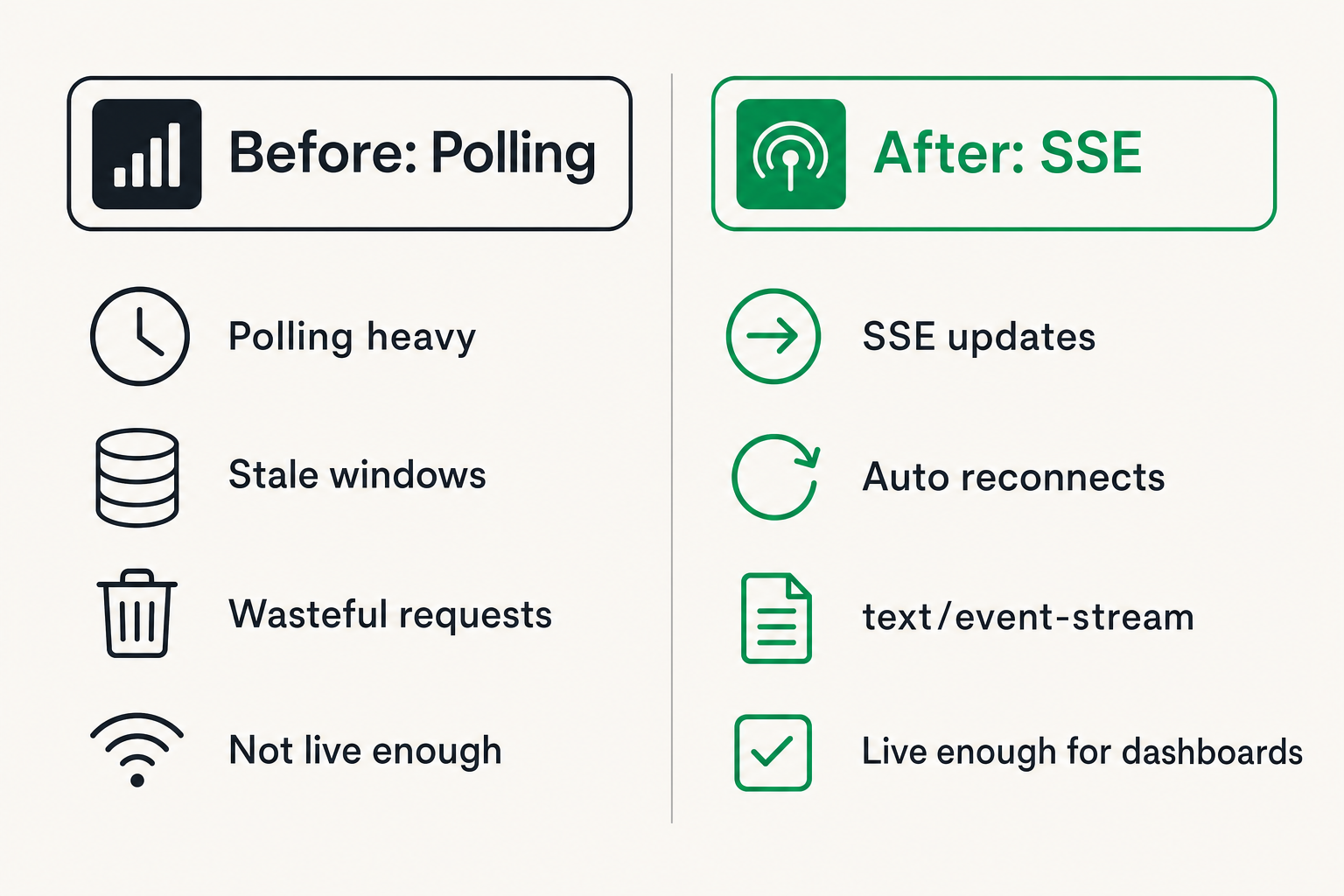
The browser uses EventSource, the server responds with text/event-stream, and messages arrive until the connection closes. The client automatically reconnects. The protocol is boring in a good way.
Polling works, but it creates waste and stale windows. WebSockets work, but they add bidirectional connection management you may not need. SSE sits in the middle: live enough for dashboards, simple enough for small home servers.
Practical rule: If the browser mostly listens and the server mostly talks, start with SSE before adding WebSockets.
When WebSockets are still better
WebSockets are not wrong. They are just overused.
Use WebSockets when you need frequent bidirectional interaction, such as collaborative controls, low-latency game-like interfaces, remote keyboard input, or complex command channels where client messages are part of the main workflow.
For example, a full remote control surface that sends play, pause, seek, volume, subtitle changes, and navigation events several times per second may justify WebSockets. A dashboard that observes those actions probably does not.
What breaks in practice is when teams use WebSockets for everything, then rebuild authentication, heartbeats, replay, backpressure, and load handling without needing bidirectional transport in the first place.
Why HLS and DASH are not substitutes
HLS and DASH are media delivery protocols. They segment audio or video and let players request chunks. They are not a general control plane for your home media system.
You can infer some things from playback behavior, but that is not the same as receiving explicit events. If a player stalls, the dashboard should know whether the channel source failed, the transcoder overloaded, the disk filled, or the network route changed.
SSE streaming gives you that control-plane visibility. HLS keeps the video moving. SSE keeps the operator informed.
Related reading from our network: teams building distributed media and compute pipelines face similar tradeoffs around scheduling, retries, and ownership in this Akash Network alternatives architecture guide.
Reference architecture for SSE streaming
Event sources in a real media environment
Do not start by coding the endpoint. Start by listing event sources.
In a practical home media stack, event sources may include:
- Torrent client API for progress, verification, and seeding state
- IPTV playlist checker for channel health
- Media server webhook for library scans
- Transcoder queue for active jobs
- NAS monitor for disk space and SMART warnings
- Router or VPN monitor for route state
- Search or indexer service for result availability
- Browser playback session monitor
For lawful torrent discovery and metadata browsing, some users also look at public DHT information through tools such as DHT torrent browsing on BitTorrented. If you surface that kind of metadata in a dashboard, SSE should update status and availability without exposing private user behavior or implying unauthorized access.
The event source list forces a useful decision: which systems are authoritative for which facts.
The event gateway pattern
The clean pattern is an event gateway.
Instead of every browser connecting to every backend service, backend services publish state changes to one internal gateway. The gateway normalizes events, handles authentication, applies privacy filters, and exposes one SSE endpoint to the browser.
The flow is simple:
- Media components emit internal events.
- The gateway validates and normalizes them.
- The gateway stores a small recent event buffer.
- Browsers connect to /events.
- The gateway streams only events the user is allowed to see.
This is not enterprise architecture theater. It is how you avoid turning a hobby dashboard into a pile of direct API calls.
Practical rule: Put SSE behind a gateway when more than one backend service can emit user-visible state.
The browser contract
The browser contract should be boring and stable.
A basic event might look like this:
event: download.progress
id: 18492
data: {job: ubuntu-iso, percent: 72, status: verifying}
Another might look like:
event: channel.health
id: 18493
data: {channel: local-news, state: degraded, reason: upstream-timeout}
Keep the contract small. Your browser should not need to understand every backend detail. It should know how to update cards, badges, progress bars, and warnings.
The practical question is which state belongs in the stream and which state should still be fetched from normal APIs. A good default: stream changes, fetch details.
Designing events users can trust
Use stable event names
Event names are part of your API. Treat them that way.
Bad event names are vague: update, message, status, notification. They force the client to inspect the payload and guess what changed.
Better event names are specific:
- playback.state
- channel.health
- download.progress
- download.complete
- library.scan.started
- library.scan.finished
- storage.warning
- route.changed
The mistake teams make is shipping event names that reflect the backend implementation. Users do not care that container 3 restarted. They care that live TV is degraded or the media library is unavailable.
Make events idempotent
Browsers reconnect. Networks flap. Laptops sleep. Phones switch Wi-Fi networks. If duplicate events break your UI, the event design is wrong.
Each event should include an id and enough state for the client to safely apply it more than once. A progress event that says percent is 72 is safer than an event that says increment by 2.
Use monotonic identifiers when possible. Store the last processed id in memory, and let the browser send Last-Event-ID when reconnecting. The server can replay missed events from a short buffer.
You do not need an infinite audit log for a home dashboard. You do need enough replay to survive a quick network drop.
Keep private data out of the stream
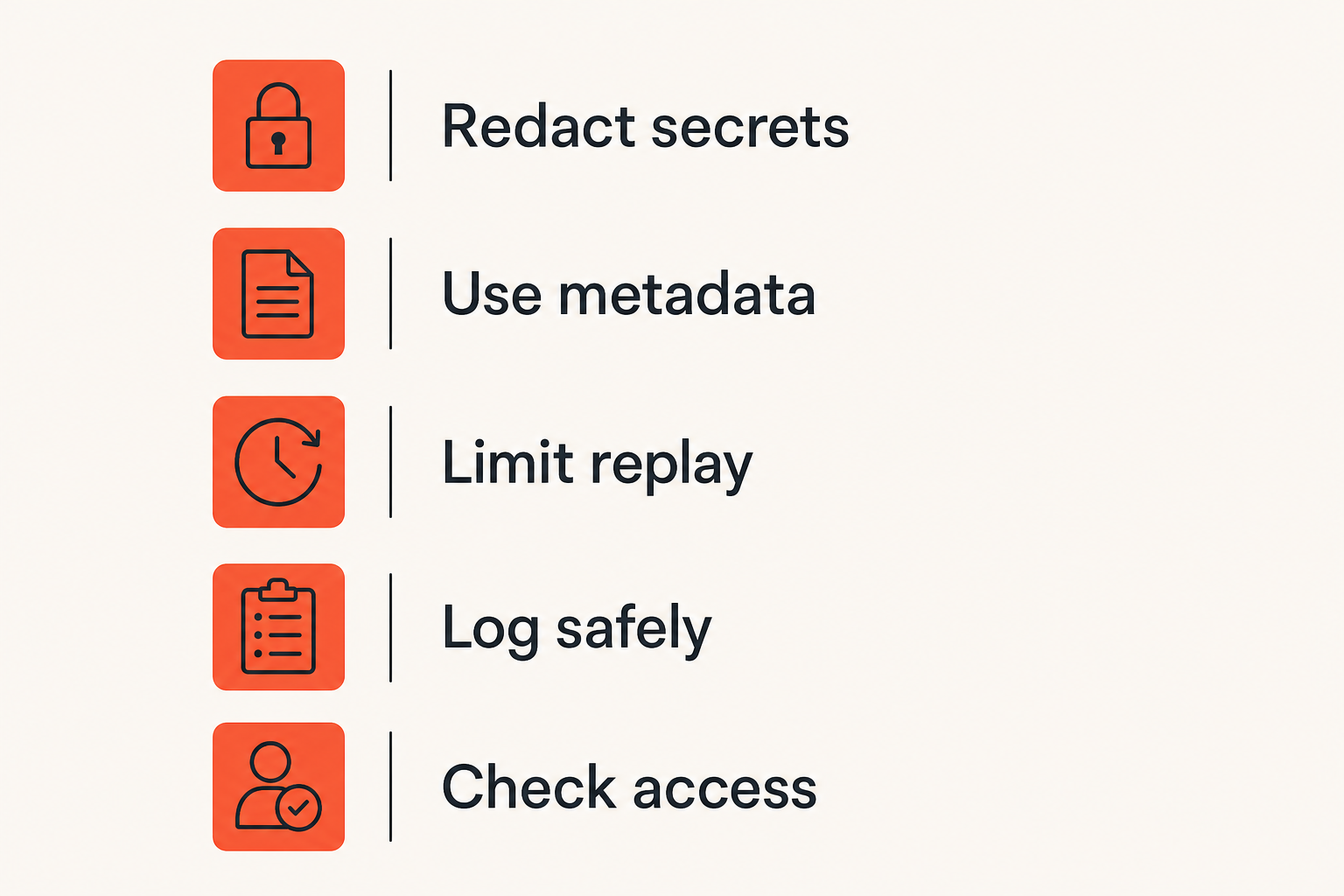
SSE responses are long-lived. They often pass through proxies, browser developer tools, logs, and debugging sessions. Do not stream secrets.
Avoid sending:
- Full magnet links
- Private tracker tokens
- IPTV credentials
- VPN keys
- Account tokens
- Raw file paths with personal names
- Public IP details unless needed
Send references instead. The browser can fetch sensitive detail through a normal authenticated API when necessary.
Practical rule: An SSE event should be safe to see in a browser console during troubleshooting.
SSE streaming implementation workflow
Step 1 map state transitions
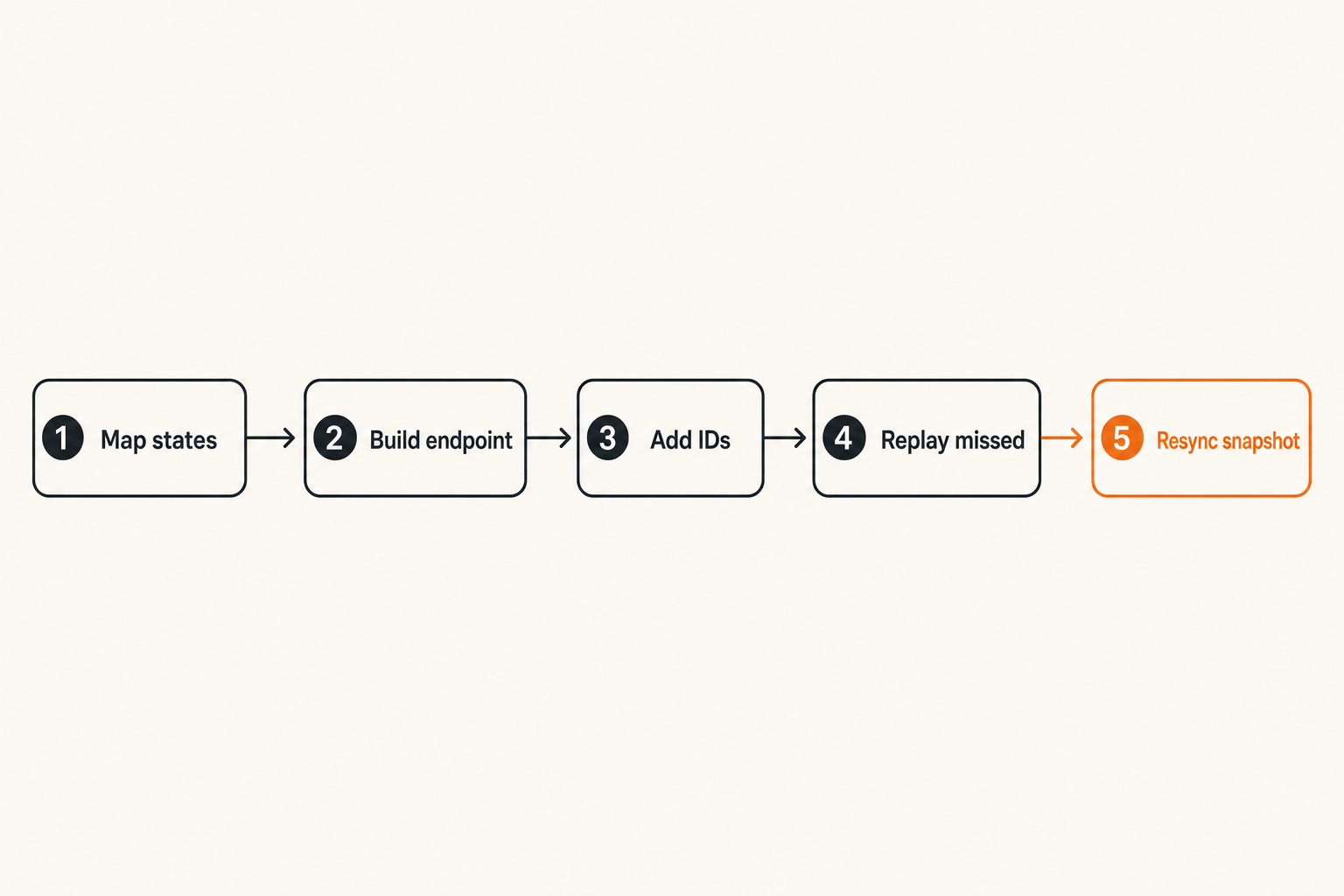
Start with a small state map. Pick one workflow, not the whole media stack.
A good first workflow is download to library:
- Download queued.
- Download active.
- Download verifying.
- Download complete.
- Library scan started.
- Library scan finished.
- Item available for playback.
For IPTV, a good first workflow is channel health:
- Playlist refreshed.
- Channel probe started.
- Channel online.
- Channel degraded.
- Channel offline.
- Fallback selected.
Write the states before writing the stream. This prevents the classic dashboard problem where the UI receives ten different status strings and no one knows which ones are terminal.
Step 2 build the endpoint
An SSE endpoint is just an HTTP response kept open with the right content type. The implementation details vary by runtime, but the contract is consistent:
Content-Type: text/event-stream
Cache-Control: no-cache
Connection: keep-alive
Then write events as lines:
event: library.scan.finished
id: 2041
data: {library: movies, added: 3}
The blank line matters. It tells the browser the event is complete.
Keep the endpoint separate from normal REST APIs. Do not make /api/status sometimes return JSON and sometimes become a stream. Use a dedicated route such as /events or /api/events.
If you use Nginx, Caddy, Traefik, Cloudflare, or a home reverse proxy, test the stream through the proxy, not only on localhost. Proxy behavior is where many SSE bugs hide.
Step 3 handle reconnects and replay
The browser EventSource object reconnects automatically, but that does not mean your application state is correct.
A reliable implementation sequence:
- Assign every event an id.
- Keep a small in-memory ring buffer per user or household.
- On reconnect, read Last-Event-ID.
- Replay events newer than that id.
- If the id is too old, send a resync.required event.
- Let the client fetch a fresh snapshot.
The snapshot endpoint is important. SSE is a stream of changes, not your database. When the client loses too much history, it should fetch current truth from a normal API.
Related reading from our network: the same ownership problem appears in response teams, where an incident commander role keeps workflows from collapsing when signals, people, and tools start disagreeing.
What breaks when SSE streaming is implemented badly
Proxy buffering hides events
The most common SSE failure is not the browser. It is the proxy.
Some reverse proxies buffer responses by default. Your backend writes events immediately, but the browser receives them in batches or only after the buffer fills. To the user, the dashboard feels frozen and then suddenly jumps.
You need to disable buffering for the event route and make sure compression does not delay flushes. The exact setting depends on your proxy, but the test is universal: generate one event every few seconds and watch whether the browser receives each one immediately.
What fails is assuming localhost behavior represents production behavior.
Reconnect storms punish small servers
Home media servers are often small machines. A mini PC, NAS, or old desktop can run a lot, but it can also be punished by reconnect storms.
Reconnect storms happen when a proxy restarts, Wi-Fi drops, or a laptop wakes from sleep and several tabs reconnect at once. If every client immediately fetches snapshots, probes channels, and opens streams, the server gets hit with a burst.
Mitigations are simple:
- Add random client-side reconnect jitter.
- Limit one stream per browser session when possible.
- Cache snapshots briefly.
- Avoid heavy work during connection setup.
- Send heartbeat comments so idle connections stay healthy.
Too many browser tabs become a backend problem
A household may open the dashboard on a TV browser, laptop, tablet, and phone. Then someone opens three tabs while debugging. Suddenly your tiny backend has ten long-lived streams.
That may still be fine. But you need to know it is happening.
Use per-user connection limits or shared browser coordination when needed. A simple BroadcastChannel in the browser can let one tab own the SSE connection and share updates with other tabs. That is often enough for hobby systems.
The mistake teams make is designing for one perfect browser tab and then blaming the network when normal household behavior breaks the system.
Operating and monitoring SSE streams
Metrics that matter
SSE is infrastructure. Monitor it like infrastructure.
Useful metrics include:
- Active SSE connections
- Connection duration
- Reconnect rate
- Events sent per minute
- Event delivery lag
- Replay buffer misses
- Snapshot requests after reconnect
- Proxy disconnect codes
You do not need a massive observability stack to start. Even structured logs and a simple dashboard are better than guessing.
A useful way to think about it is signal quality. If events arrive quickly but cannot be trusted, the metric is not healthy. If reconnects spike every time the IPTV checker runs, the stream is exposing a backend resource issue.
Logs that shorten troubleshooting
Logs should answer operational questions quickly:
- Who connected?
- Which stream route did they use?
- What was the last event id?
- Was replay successful?
- Why did the connection close?
- Did the server send a resync.required event?
Do not log sensitive playlist URLs, torrent identifiers tied to private behavior, or secrets. Use stable internal IDs and redaction.
Good logs let you separate user-device problems from backend problems. If only one tablet reconnects every 20 seconds, it is probably a device or network issue. If all clients reconnect after a library scan starts, it is your backend.
Support playbooks for media households
Even if you are building for yourself, write a small playbook. Future you is support.
A practical playbook might say:
- Check whether /events connects.
- Check active connection count.
- Check proxy buffering settings.
- Check recent reconnect rate.
- Force a snapshot refresh.
- Restart only the event gateway if needed.
For community networks, shared houses, or family media setups, the operating model matters because people need to know who owns the fix. Related reading from our network: this local community network consultant operating model is about a different niche, but the routing, trust, and follow-up lessons apply to shared media infrastructure too.
Legal, safe, and privacy-aware use
Separate public metadata from private behavior
Torrent and IPTV tooling must be handled carefully. SSE streaming should improve visibility for legal, authorized workflows. It should not expose private user behavior, credentials, or anything that encourages unauthorized access.
Public metadata, channel health, and service status can often be represented safely. Personal viewing behavior, private tracker details, and paid IPTV credentials require stronger boundaries.
A safe event might say:
event: channel.health
id: 4811
data: {channel_id: 92, state: online}
A risky event would include the full provider URL, username, password, or token. Do not do that.
Use SSE for observability, not evasion
SSE is useful for observing systems you are allowed to operate. It is not a tool for bypassing provider rules, hiding misuse, or automating access to unauthorized streams.
For cord cutters, the practical use cases are straightforward:
- Monitor legal IPTV playlist health.
- Track lawful downloads.
- Show home server readiness.
- Notify when storage is low.
- Display playback availability.
- Coordinate devices on a home network.
This framing is not just legal caution. It is better engineering. Systems built around clear ownership and permitted access are easier to debug, secure, and maintain.
Think like an operator, not a scraper
Scrapers chase data. Operators maintain workflows.
If your SSE stream exists only to push more items into a UI, you will eventually hit rate limits, stale state, or privacy problems. If it exists to maintain a reliable media workflow, the design becomes cleaner.
Ask these questions:
- Who owns this event?
- Is the event safe to expose?
- Does the user need it live?
- Can the client recover if it misses it?
- Is there a snapshot source of truth?
- What should support do when it fails?
That changes the conversation from can we stream this to should this be part of the control plane.
What works and what fails
What works in production
What works is narrow, boring, and explicit.
The best SSE streaming setups start with one or two workflows and expand only after they prove useful. A torrent progress panel, legal IPTV health panel, or library scan panel is enough to validate the pattern.
Good implementations also keep normal APIs. The browser loads an initial snapshot through REST, then subscribes to SSE for changes. If the stream fails, the UI can degrade to manual refresh instead of becoming useless.
What works:
- Dedicated /events endpoint
- Stable event names
- Event ids and replay buffer
- Snapshot API for recovery
- Proxy-tested deployment
- Redacted payloads
- User-visible connection status
What fails in production
What fails is treating SSE as a magic live UI switch.
Common failure modes include:
- Streaming every backend log line to the browser
- Sending credentials in event payloads
- Depending on event ordering without ids
- Forgetting reconnect behavior
- Ignoring proxy buffering
- Creating one stream per widget
- Using SSE for command messages that should be POST requests
- Having no snapshot recovery path
The painful part is that these failures often appear after the first demo. The demo works on localhost. The real household setup uses Wi-Fi, a reverse proxy, sleeping laptops, and multiple tabs.
A practical comparison
| Decision | What works | What fails |
|---|---|---|
| Transport | SSE for server-to-browser state | WebSockets for passive dashboards by default |
| Recovery | Event ids plus snapshot fetch | Assuming reconnect means state is correct |
| Payloads | Small, redacted, user-facing state | Backend internals and secrets |
| Deployment | Proxy settings tested end to end | Localhost-only validation |
| Scaling | One stream per session or shared tab | One stream per widget |
| Operations | Metrics for reconnects and lag | Debugging by refreshing the browser |
This is the operator view. The goal is not to win a protocol debate. The goal is to make the media workflow truthful under normal conditions.
Product fit for bittorrented.com readers
For bittorrented.com readers, SSE streaming is useful because the media world is fragmented. You may have streaming services, legal IPTV, public media archives, torrents for authorized content, local files, and home automation all touching the same viewing experience.
A practical event layer can connect those pieces without forcing them into one giant application. It can show when a channel is unhealthy, when a download is verified, when a media scan is complete, or when a device needs attention.
This is also where product thinking matters. The UI is not the whole system. State, trust, recovery, and privacy are the real work.
Rollout checklist
Before you add SSE streaming to a media dashboard, walk through this checklist:
- Pick one workflow with visible user pain.
- Define authoritative state names.
- Build a snapshot endpoint first.
- Add a dedicated SSE endpoint.
- Use event ids from day one.
- Add reconnect replay and resync behavior.
- Redact sensitive payload fields.
- Test through your real reverse proxy.
- Open multiple tabs and devices.
- Add metrics for connections, lag, and replay misses.
- Document the support playbook.
If that sounds heavier than a quick frontend feature, that is the point. SSE is simple as a protocol, but live state is an architecture decision.
The closing rule is simple: use SSE streaming where timely, one-way state improves trust in the media workflow. Do not use it to paper over unclear ownership, unsafe payloads, or broken recovery.
Try bittorrented.com
bittorrented.com is for readers who want practical, up-to-date guidance on streaming services, torrents, IPTV, and home media tools. Use SSE streaming as one part of a safer, clearer media stack, then keep improving the workflow around it.
Comments
Nothing yet. Say the first thing.
Sign in to join the conversation.