
Today, in this ongoing series, I will lay out my process for starting a project and how I applied it to this one, especially with the new AI tools at our disposal.
The process is rather simple:
• Have a mental map of the final app (or at least what I think it will be at the moment)
• From this mental map, think about the technical challenges I might encounter
• Choose a basic set of features and add the hardest challenges I identified
This last step gives me my starting point: these will be the foundations of my app.
For instance, for this project they were:
• A network service able to call the transcription API as well as an LLM (for summarization)
• A simple data model
• Ability to import an audio file
From there, I just started building.
I began with a proof of concept: some code, some calls here and there, and a basic way of performing the core features of this app by making the calls manually, without any UI.
With Cursor, it was done in a matter of minutes.
Then, I gradually evolved this proof of concept into a prototype. This means that I added a UI, not the final one, obviously. But this UI, while ugly, is still important, I will keep it as my debug view.
After a few hours, I had a working prototype:
• I could drop an audio file
• The click of a button sent it to the transcription API
• The transcription was shown
• Another button triggered the summarization
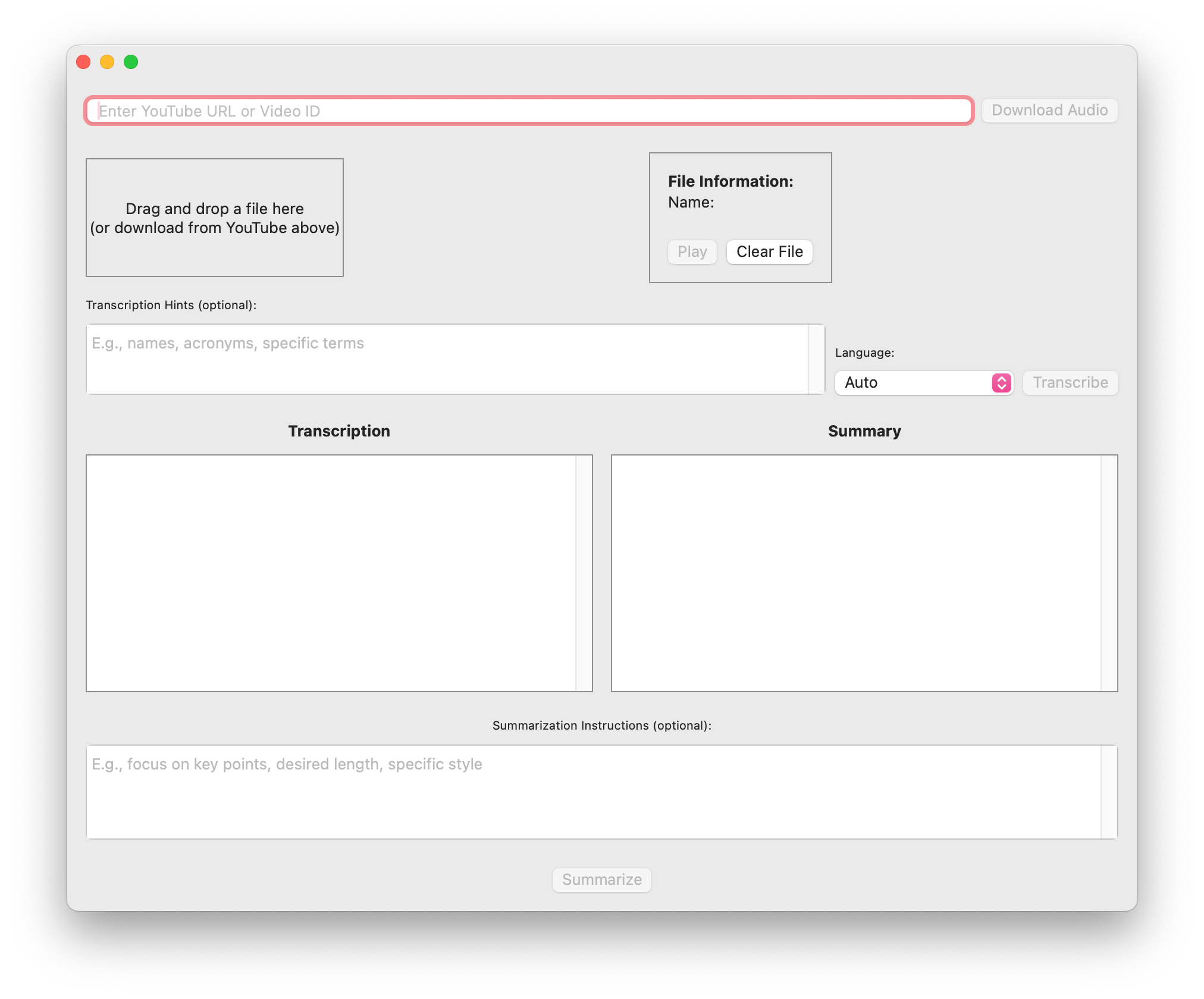
I made sure to decouple my layers: the UI (front end), the view model (a kind of middleware), and the API service (backend) are all independent and modular.
I can replace each layer without affecting the others, and this is exactly what I plan to do later down the road.
In due time I will replace the UI with a nicer one, and since I hope to be able to make an iOS version, the mobile UI will just be another front end.
Also, I’m calling the OpenAI API directly, and having my API key in the binary is obviously insecure, so I will have to replace my API service layer with a proper one, with all the bells and whistles, and use a secure service such as AIProxy.
In the next part, we will look at some technical challenges I encountered and how I approached vibe coding when it got serious!
Thanks for reading Indie iOS Playbook! This post is public so feel free to share it.
No posts
Comments
Nothing yet. Say the first thing.
Sign in to join the conversation.