
These are the best hands-on materials that teach how to use the important libraries in data analysis: pandas, Matplotlib, seaborn, NumPy, etc. You will also learn to write SQL queries by answering questions that data analysts face in the world, using real datasets. Get the bundle if you want real, practical learning.
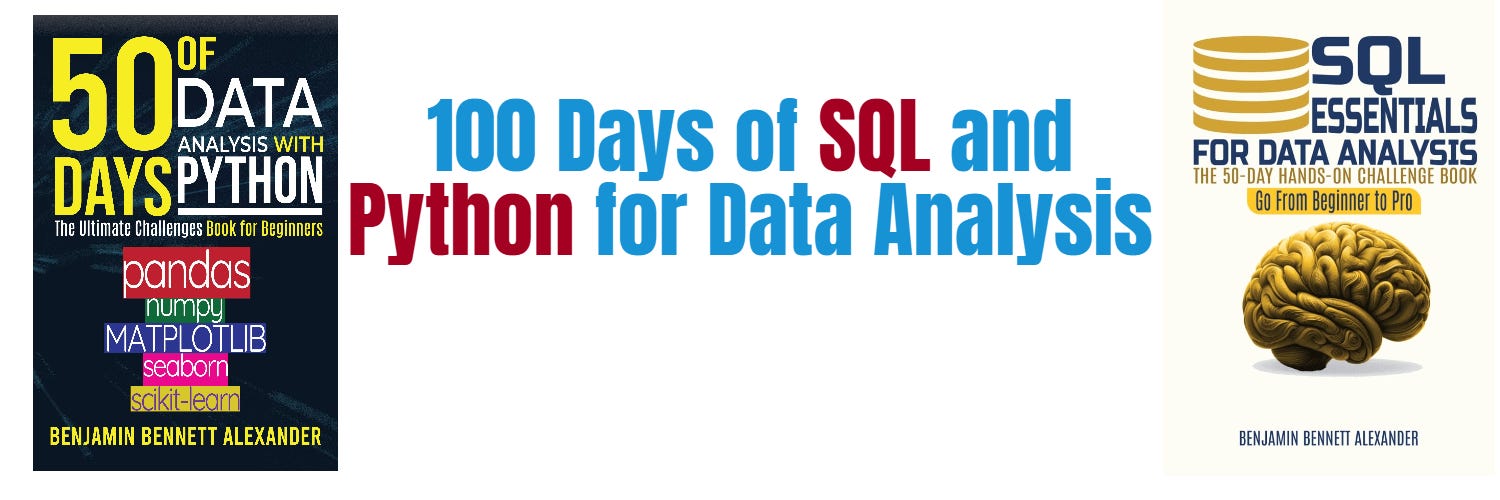
Challenge yourself with Python challenges. Check out 50 Days of Python: A Challenge a Day.
100 Python Tips and Tricks, Python Tips and Tricks: A Collection of 100 Basic & Intermediate Tips & Tricks.
Master Python the easy way: Master Python Fundamentals: The Ultimate Guide for Beginners
Even in 2026, one question dominates the data entry-point: “Should I learn Pandas or SQL?” or, for those who know both, “When do I stop writing queries and start writing code?”
I get these questions constantly. The truth is, the line between them has blurred, but the strategy for mastering them has changed. This article is a dedicated answer to those questions. It’s a practical breakdown, built from the trenches, on how to learn and integrate these tools into a high-performance 2026 workflow.
If you’re just starting, lean on SQL whenever you’re dealing with real-world, production-style data. The moment your data gets big (millions or billions of rows), involves multiple tables, or needs serious filtering and aggregation, SQL is your best friend because it lets you process data where it lives instead of dragging everything into memory and crashing your laptop. Use it to clean, join, group, and reduce your data early with things like WHERE, GROUP BY, JOINs, window functions, and CTEs, which saves time, cost, and headaches. It’s also the go-to in production environments because it’s standardized, scalable, and easy for teams, not just Python users, to understand.
Pandas, on the other hand, is great once the data is already small enough to fit in memory and you want flexibility, but it can struggle with performance if you rely too much on non-vectorized operations. The simplest way to think about it:
SQL is for querying data where it lives, Pandas is for working with it once it’s in Python, and strong analysts know how to use both together.
Thanks for reading Python and Data Analysis Insights! This post is public so feel free to share it.
Switch to Pandas, or tools like Polars and DuckDB, when you’re exploring data, building models, or need more flexibility than SQL can comfortably offer. For EDA and prototyping, Python lets you move fast with quick iterations, custom calculations, and tasks that are awkward in SQL.
It’s also the natural choice for feature engineering and machine learning prep, where you’re creating new columns, handling nested data, or feeding pipelines like scikit-learn. When it comes to visualization and storytelling, libraries like Matplotlib, Seaborn, Plotly, or even Streamlit make Python far more powerful.
Python is also perfect for custom or procedural logic, such as loops, complex business rules, and API and library integration. And if your dataset comfortably fits in memory, Python offers speed and flexibility. A growing trend in 2026 is moving beyond classic Pandas to tools like Polars, which is extremely fast, or DuckDB, which lets you run SQL directly on DataFrames, giving you a nice bridge between both worlds.
Here are the important questions to ask if you want to decide whether to use Python or not:
Can this data fit comfortably in memory, or will it choke my machine?
Am I exploring and iterating quickly, or building something stable for production?
Do I need complex, custom logic (loops, conditionals, APIs, ML pipelines) that would be awkward or messy in SQL?
Will I be doing feature engineering or preparing data for machine learning models?
Do I need tight integration with Python libraries like scikit-learn, Plotly, or Streamlit?
Am I dealing with semi-structured or nested data that SQL doesn’t handle cleanly?
Would writing this in SQL turn into overly complex queries that are hard to debug?
Do I benefit from writing everything in one Python workflow instead of switching between tools?
If you find yourself answering “yes” to most of these, you’re firmly in Pandas territory. If not, SQL is probably the better starting point. The real skill in 2026 isn’t picking one, it’s knowing when to combine them.
A practical workflow that works well in 2026 is to start with SQL, then move into Python, and finally push things back to the database once you’re confident.
Use SQL first to pull clean, filtered, and joined data with some light aggregation so you’re not moving unnecessary data around. Then switch to Pandas or Polars for exploration, deeper transformations, modeling, and visualization, where flexibility really matters.
Once your logic is solid, push as much of it back into SQLso it can scale, stay maintainable, and be reused by others. A useful trick is to blur the line between both worlds using tools like pandasql, Ibis, or DuckDB, which let you write SQL directly on DataFrames when that feels more natural.
Even experienced analysts get this wrong, so it’s worth being intentional about your choices. A common mistake is pulling way too much data into Pandas, like loading massive tables or unfiltered joins into memory, which leads to crashes, slow performance, and unnecessary costs. Always filter and aggregate in SQL first.
Another trap is doing everything in Pandas when the database is clearly better suited, especially for joins, aggregations, and large-scale operations, where pushing logic to SQL or dbt is usually faster and cheaper. Many people also ignore modern tools and stick to classic Pandas, even though in 2026 options like Polars offer serious speed improvements, and DuckDB lets you run SQL directly on DataFrames, giving you the best of both worlds.
Finally, don’t overlook team dynamics. Writing a super clever Pandas script that only you understand might feel smart in the moment, but it creates long-term maintenance problems. The bottom line is simple:
master both SQL and Python tools like Pandas or Polars, use SQL for heavy lifting close to the data, and use Python for flexibility and deeper analysis. The winning approach is almost always a hybrid.
If you’re serious about data in 2026, learning both SQL and Pandas, or modern alternatives like Polars, is not optional; it’s what separates beginners from professionals. They solve different problems extremely well: SQL dominates when it comes to extracting, filtering, joining, and aggregating data directly where it lives, especially at scale, while Pandas shines once the data is in memory, giving you the flexibility to explore, transform, build features, and prepare data for modeling or visualization.
In practice, real workflows are almost always hybrid. You start with SQL to pull only what you need, switch to Python for deeper analysis and experimentation, and then push stable logic back into SQL or tools like dbt for production. This approach saves time, reduces costs, and avoids the classic mistake of trying to force massive datasets through Pandas.
From a career perspective, SQL is expected in almost every data role, while Python tools are essential for advanced analysis, automation, and modern ecosystems. Teams don’t need specialists who only know one; they need people who can move between both worlds. And with the rise of faster tools like Polars and SQL-powered engines like DuckDB, the line between them is getting thinner, making it even more valuable to understand both.
In 2026, it is important to stop looking at each tool in isolation. These are complementary. Every moment I have done analysis, I have used both. Here is how I would recommend learning SQL and pandas:
Learn Both Together, Not Separately: The smartest way to learn SQL and Pandas in 2026 is to treat them as complementary from day one, not separate tracks. You’re not choosing one over the other; you’re learning how they work together.
Start with the Fundamentals (But Don’t Overstay There): Spend a couple of weeks on each, focusing on core SQL concepts like SELECT, WHERE, JOINs, GROUP BY, window functions, and CTEs so you understand data relationships and efficiency. In parallel, learn Pandas basics like DataFrames, filtering, grouping, merging, and cleaning. This builds a strong foundation on both sides.
Projects Are Where Things Click: Don’t get stuck in tutorial mode. Take one dataset and solve the same problem using both tools. Use SQL to extract and aggregate the data, then move it into Pandas for deeper exploration, feature engineering, and visualization. This is where you truly understand when to use each tool.
Practice Iteratively, Not Perfectly: Alternate between SQL and Pandas regularly. One day focus on SQL problems, the next on Pandas challenges. This repetition builds intuition much faster than cramming one tool at a time.
Adopt Modern Tools Early Start exploring tools like Polars or DuckDB early in your journey. They’re becoming increasingly popular in 2026 and can significantly improve performance while blending SQL and DataFrame workflows.
Focus on Real Workflows: The goal isn’t to master syntax in isolation; it’s to build small, end-to-end workflows that reflect real-world data work. Think: SQL query -> Pandas transformation -> insights and visualization. That’s the skill that actually makes you valuable.
Avoid over-reliance on AI: When you are learning SQL or Pandas, avoid over-reliance on AI. Overusing AI in the early days gives you an illusion of progress. Learn to struggle with the problems
The debate shouldn’t be about choosing between Python and SQL; it’s about choosing which to master first. Even in the age of AI-generated queries, SQL remains a foundational, high-ROI skill. Meanwhile, libraries like Pandas or Polars offer the flexibility to explore, experiment, and extract deep insights. The winning mindset for 2026 is simple: SQL for the heavy lifting, Python for the creative edge. Use them in tandem, and you’ll immediately separate yourself from the crowd. Thanks for reading.
This is by far the best OOP course I’ve seen ~ Anonymous
Watch the full course on Python classes here on YouTube
No posts
Comments
Nothing yet. Say the first thing.
Sign in to join the conversation.