
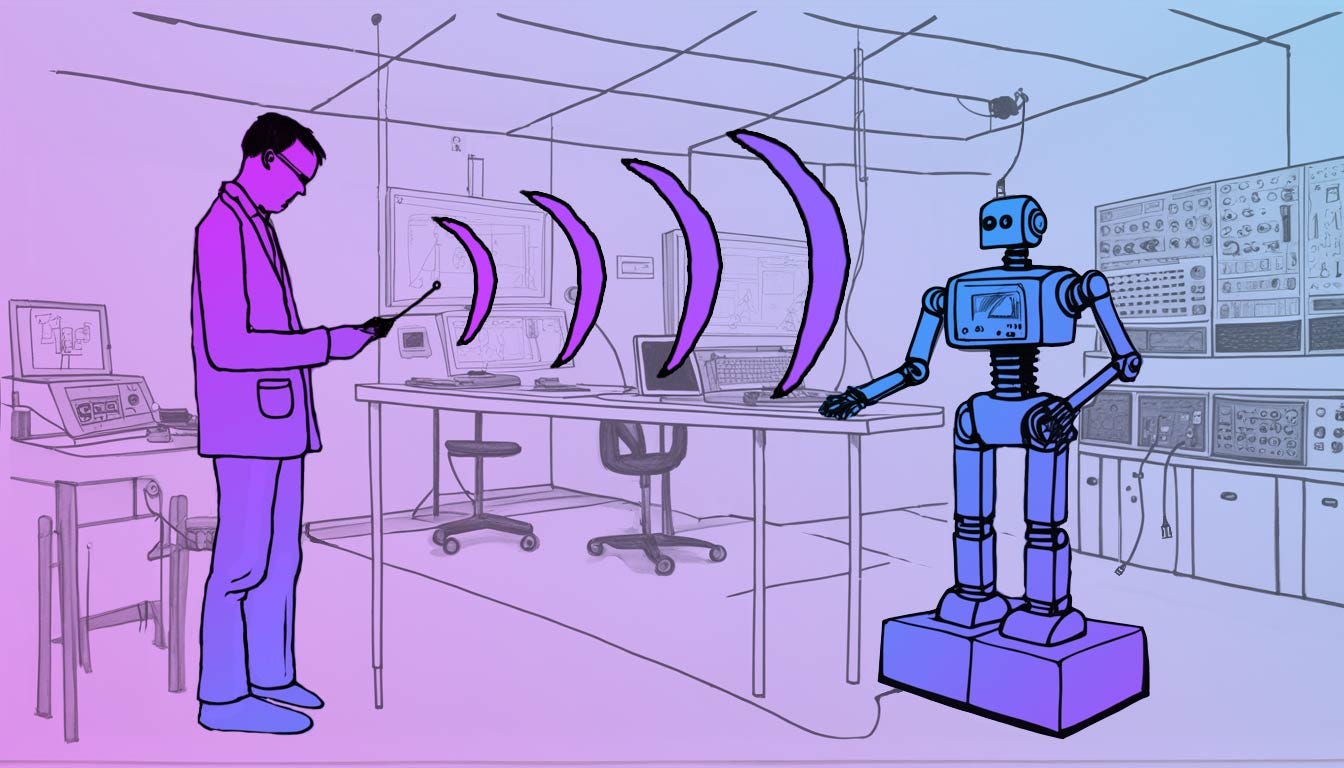
If you’ve used any AI text to image generator, you know how hit and miss the results can be, especially if you have a composition in mind. You type in your prompt and wait for the the lucky dip machine to deal out one of the million possible images it could generate, there’s a lot of trial and error and tweaking until you get a result that suits your needs.
tell me what you want, what you really, really want
What you really want is to be able to define where each element in the image should be, right?
You can take control of this process using controlnet, it allows you to put restrictions and demands on the visual output. There are differnt types of controlnet’s which take different types of input images.
One type of controlnet accepts a segmentation maps, which is a way to semantically describe what is in an image by color coding segments of the image using a pre-defined set of colors. THis is the perfect way to describe a composition and still be able to utilise AI to fill in the details with your stylistic requirements.
Still unsure how this works, let’s run through it with a few examples, pictures speak a thousand words, below are a couple of images converted into their segmentation maps
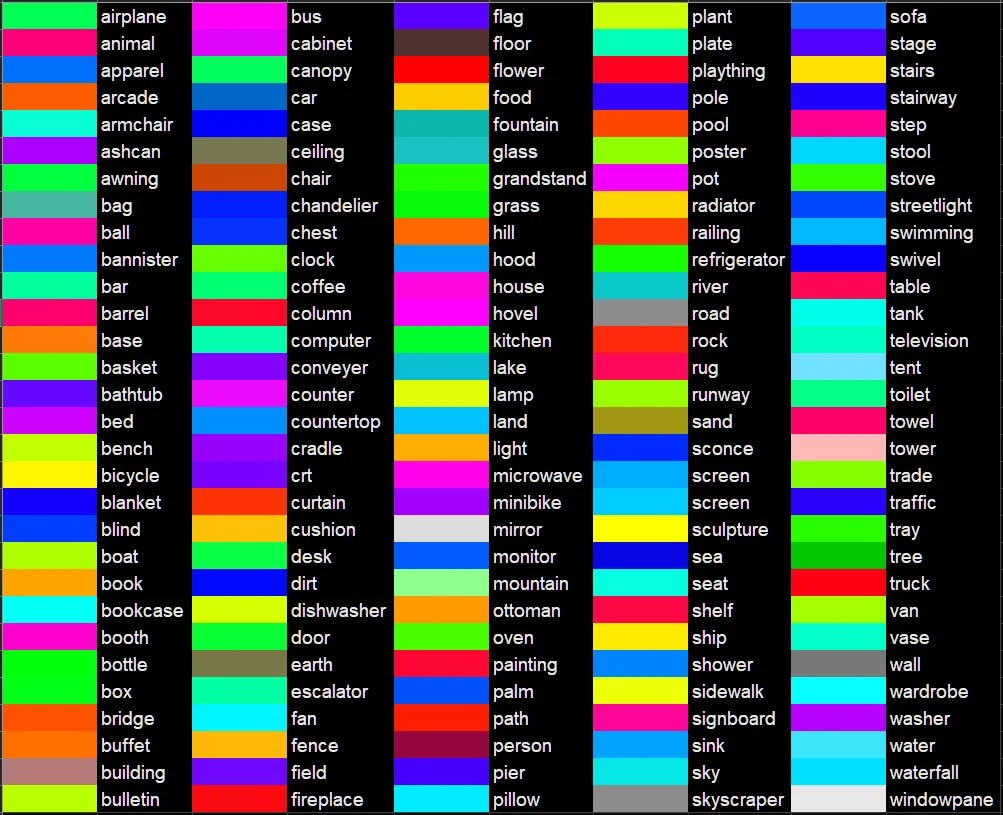
The goal of image segmentation is to create a representation of an image into something that is easier for a machine to analyze. We’re just coloring in each “thing” using a pre defined color coding system. Here’s an example of the color coding:
Once you’ve created your segmentation map you can use it as and input for stable diffusion (currently segmentation controlnet is not available for SDXL).
Below are the results from using the previous examples segmentation maps as controlnet inputs with just the prompt “a painting in the style of Edvard Munch” using stavble diffusion. The segmentation control map defines the object types and where they should be in the final output.
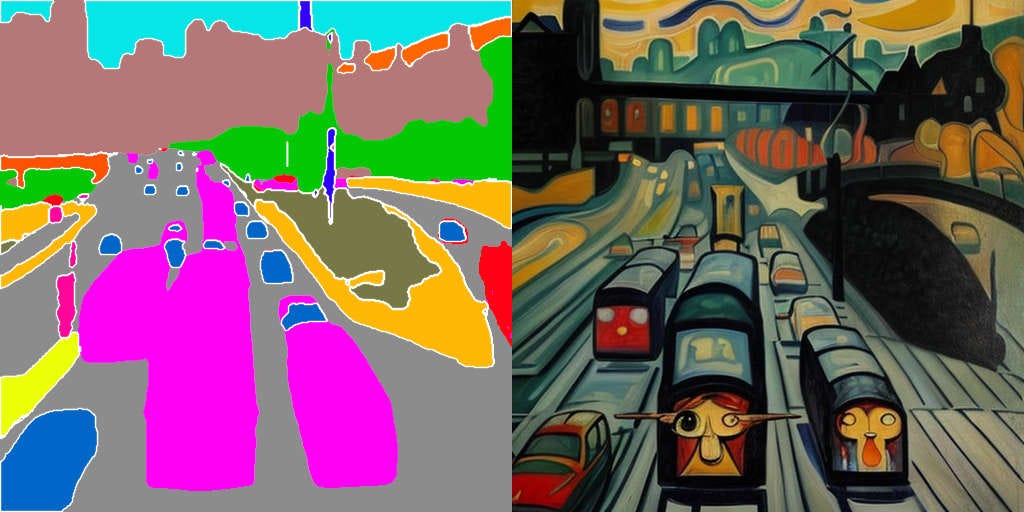
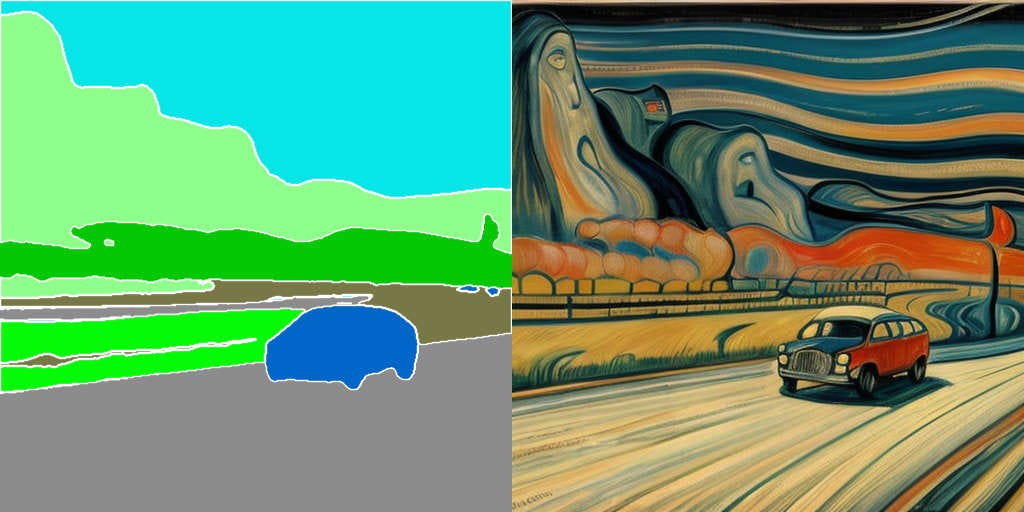
As shown above its straightforward to take an existing image and create a segmentation map from it and use it to help take control of stable diffusion.
I tried a few techniques for authoring segmentation maps from scratch and settled on using some basic 3d models shapes to build up simple scenes. I thought it should be fairly simple to create a tool which could run in a web browser.
Unity created a runtime editor project in 2017, Unity Technolgy’s GILES project which I modified to be segmentation color aware and run via a web browser.
I’ve added in a few simple models, a car, tree and humans which can be posed using a few pre-set poses. All the standard translate, rotate and scale tools are available.
There are a few bugs and niggles which could all do with some polish, but as a proof of concept it is able to generate segmentation maps. With a few tweaks it could also output normal maps or depth maps. I’m sharing it here to gather some feedback if anyone finds it useful.
You can try it out online here https://controlnet.itch.io/segnet
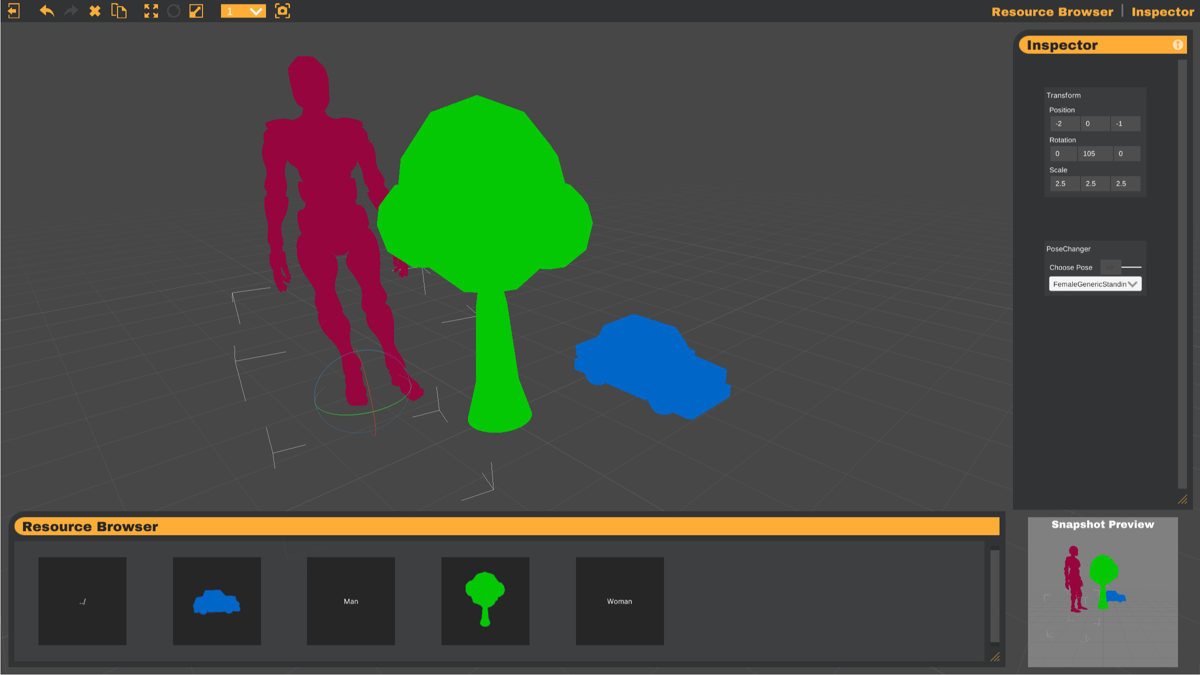
I’ve put togther a brief video of using it and generating images using the produced segmentation map, its currently very basic.
This free online tool allows you to take control of the AI text to image generation process. It enables you to put restrictions and demands on the visual output, hopefully you’ll find it helpful to get your generated images closer to the ones you that suit your needs.
All feedback and ideas welcome!
No posts
Comments
Nothing yet. Say the first thing.
Sign in to join the conversation.