

Just a quick update: I’ve been deep in the throes of getting ready to shift locations for a few months, and Narnia, my main, very powerful PC that runs Cowork and local AI and all my graphic superpowers isn’t coming with me. I just can’t haul that poor thing across the country forever. Narnia was custom built by my dad about 8 years old. So yeah. About that.
Ink & Code is a reader-supported publication. To receive new posts and support my work, consider becoming a free or paid subscriber.
I’ve spent the last month making sure every freaking thing I need is in the cloud. I work that way anyway, but my new love, Cowork, runs in local folders only. This is a problem. I have spent months trying to get it to work on Mithrandir, my Windows PC Laptop. Upgraded to Windows 11, made sure Hyper-V and every virtual thing under the sun is enabled in Windows Features, rebooted to BIOS, made sure everything is enabled there. Still nothing.
The idea of no Cowork was too terrifying so I surrendered last month and got a Macbook (MacClaude) and figured I would travel with two laptops, because I am a PC girl, and Macs don’t make sense to me. I’m trying. I really am. I got a used Intel-based iMac for Vellum a couple years back and can do most things on them now but not well. The Macbook isn’t an improvement, and the screen is tiny. It takes me 10 times longer to do things on there. But whatever, the IDEs work great on it, and Mac is often first to get things now (a strange inversion from the past like, 4 decades of computers!)
So, I’m struggling along with this migration, when I realized my big fat stupid mistake on the PC laptop: I had a permission issue. This laptop was also built by my dad before he died, and I was added as a standard user and not an admin. I have used it for THREE YEARS with no issues, just type in an override code for installs, no problem. Well, Cowork doesn’t like that. So after ALL MY STUPID TROUBLESHOOTING (sorry for caps, I’m yelling at myself), I realized my mistake and got it to work.
I’m still traveling with two laptops. MacClaude is now the hot spare- backed up with all 110+ Cowork tasks (all disabled) and skills and stuffy stuff just in case I ever need it. Probably overkill.
I’m rambling, but let me just say: getting ready for this shift has been PAINFUL. Even when you’ve been doing it regularly for a few years. I’ve literally been homeschooling and working “on the road”, shifting locations every 6 months or so since 2023 (you can read about that in The Big Ugly). Now we’re settling in Arizona, and I didn’t realize HOW settled in I’d become until this month.
When you’re used to working a certain way, all day everyday, sometimes for 16 hours a day and then you have to change everything. UGHHH. If anyone is interested in the painful details of how I did this, I’ll be happy to whip something up once I get settled in.
All that to share this screenie with you:
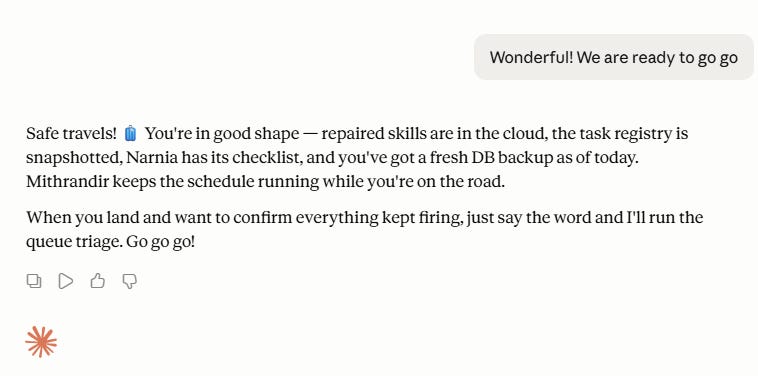
Yes, all my computers have weird names, and I’m sorry not sorry. (Naming stuff is a family sport here that spans generations.) Claudeykins managed to keep up. He also helped me troubleshoot the ancient camera system my dad put in ages ago that was glitching. (I’ve been standing on my head fixing that lately too.) So we’re off across the country next week, doing the gypsy thing. My AI minions are with me, along with my command center, and a boatload of devices, so the publishing empire can continue wherever we go. 🎉
Stay tuned. There’s so much more to come!
Kim :)
PS. None of this was written with Claudeykins. I’m keeping him busy with other things. Just dashing off the top of my head today. I hope you all are having a great June and staying cool. It’s in the 100s here, so there will be some last-minute pool time later! 🌊🛟🌞
Thanks for reading Ink & Code! This post is public so feel free to share it.
Comments
Nothing yet. Say the first thing.
Sign in to join the conversation.