

Publishers have a few obvious options for putting language models in front of readers, and none of them are especially satisfying.
The first is to pay for inference through an API. This is the easiest path technically, but the economics can get weird quickly. A feature that costs a few cents in a one-off demo may become much harder to justify when it runs for every reader, on every session, against every article or feed item they touch.
The second option is to host a model directly. This gives the publisher more control over the system, the data, and the user experience, but it shifts the problem from token costs to infrastructure costs. GPUs are expensive, model serving is annoying, and the operational burden is real. This may be worthwhile for internal newsroom tooling or high-value products, but it is a lot to take on for a lightweight reader-facing feature.
The third option is more speculative: put the model in the browser.
This idea has been floating around for years. WebGPU made it possible to imagine meaningful local inference inside normal web apps, and there have been plenty of browser LLM demos showing small models answering questions from the client side. The problem is that many of these demos have felt like demos. They were slow, unstable, too limited to be useful, or dependent on models that were interesting technically but not yet good enough to carry a real workflow.
That seems to be changing. Google released Gemma 4 in April 2026, with small E2B and E4B variants designed for edge and local deployment. The family is pitched around intelligence-per-parameter, long context, multimodality, and agentic workflows, with the E2B and E4B models aimed at devices like phones, laptops, and other constrained hardware. There is also already an ONNX community build of the Gemma 4 E2B instruction model that runs through Transformers.js and WebGPU.
This is the part that matters for publishers: if a capable enough model can run in the browser, a whole class of AI features starts to look different. The marginal inference cost becomes much closer to zero. The reader’s content does not need to be sent to a third-party API. The application can become more personalized without requiring the publisher to maintain an expensive model-serving stack.
That does not make the model free in every sense. The user still has to download it, and their hardware still has to run it. But it changes the shape of the problem.
To get a better feel for this, I built a small prototype React app experimenting with Gemma 4. The app reads RSS and Atom feeds, sends compact prompts to a local Gemma model running in a Web Worker, and streams generated output back into the interface. It uses @huggingface/transformers with the onnx-community/gemma-4-E2B-it-ONNX model, so the inference path runs entirely in the browser through WebGPU.
The app has three main workflows:
generative news item categorization from RSS feeds
generative news brief creation from RSS feeds
model-powered, user-directed article annotation
These are intentionally narrow tasks to test whether a browser-local model could do useful work against publisher-like content in ways that would be hard to justify with per-token inference costs.
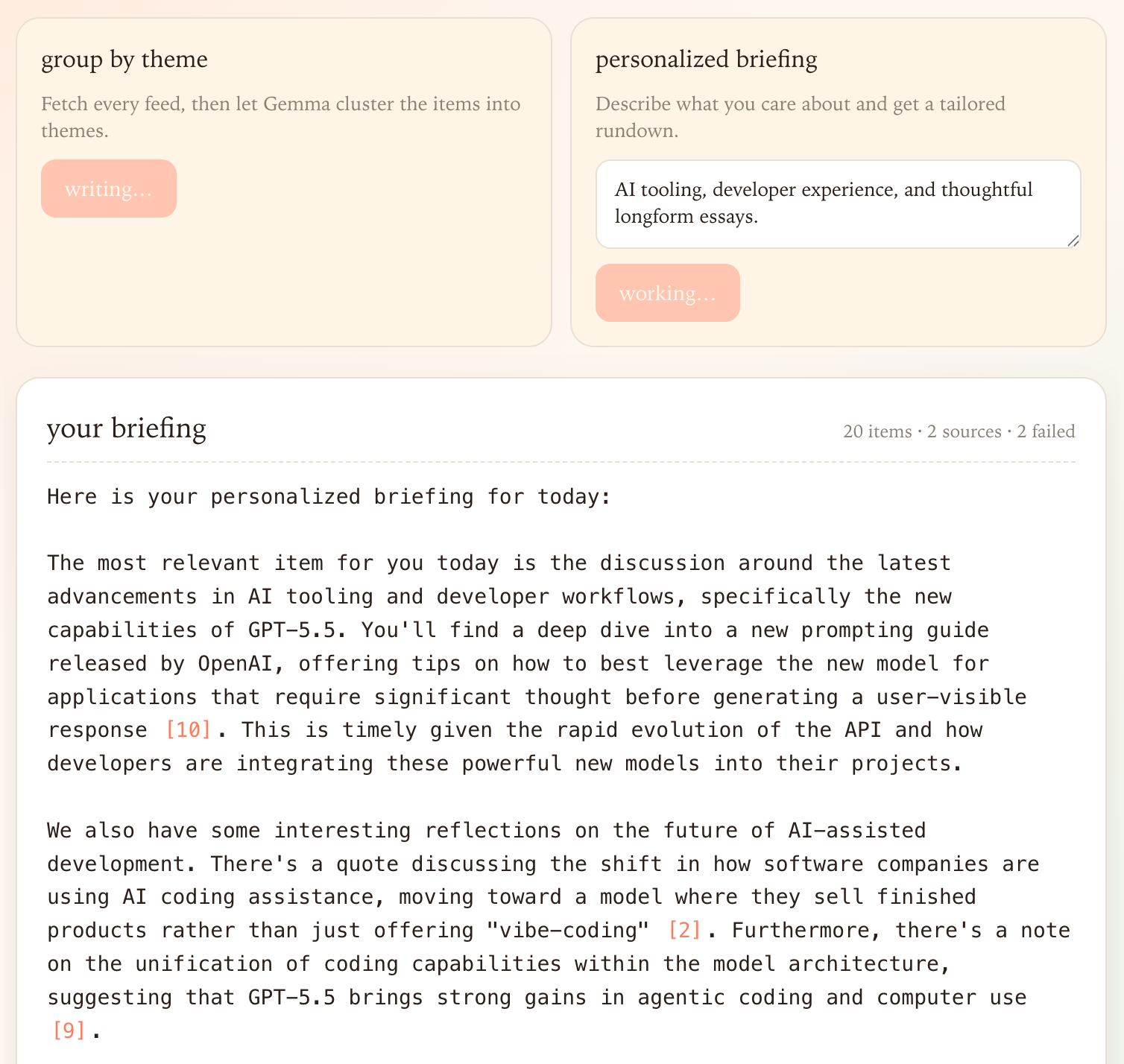
The common thread across these examples is that they happen in the browser, operate on publisher content, and give the reader some control over how the content is organized or explained.
That makes them different from the most common generative AI products in news. Many current applications treat the model as a backend summarization or chatbot service. The publisher sends content to a model, the model produces a summary or answer, and the reader receives the result. That can be useful, but it also tends to centralize the interesting part of the interaction in the publisher’s infrastructure.
Browser-local inference suggests another pattern. The publisher can ship the content, the interface, and the prompting logic. The reader’s device can handle the local transformation. Instead of one generic AI layer serving everyone, the same materials can support many reader-specific views: a policy brief, a local impact digest, a jargon explainer, a timeline, a list of unanswered questions, or a comparison across sources.
This is especially compelling for features that are valuable in aggregate but individually too small to meter. A reader might want to cluster a feed once, annotate three paragraphs, regenerate a briefing, and then abandon the tool for a week. That is awkward if every interaction has a server-side cost attached to it. It is less awkward if the model is already cached in the browser and the computation happens locally.
The outputs are not production-ready, but they are good enough to make the idea feel real.
The theme clustering can produce reasonable groupings from a mixed set of feed items. It usually understands that multiple stories may belong under the same broader issue, and it can cite the source items it used for each grouping. This is the kind of task where even an imperfect model can be helpful, because the reader still has the source list in front of them and can evaluate whether the grouping makes sense.
The personalized briefing is also directionally useful. With a short statement of interests, the model can shift emphasis in a way that feels meaningfully different from a generic digest. It can foreground local policy, business implications, research relevance, or whatever else the reader asks for, while still staying anchored to the feed items.
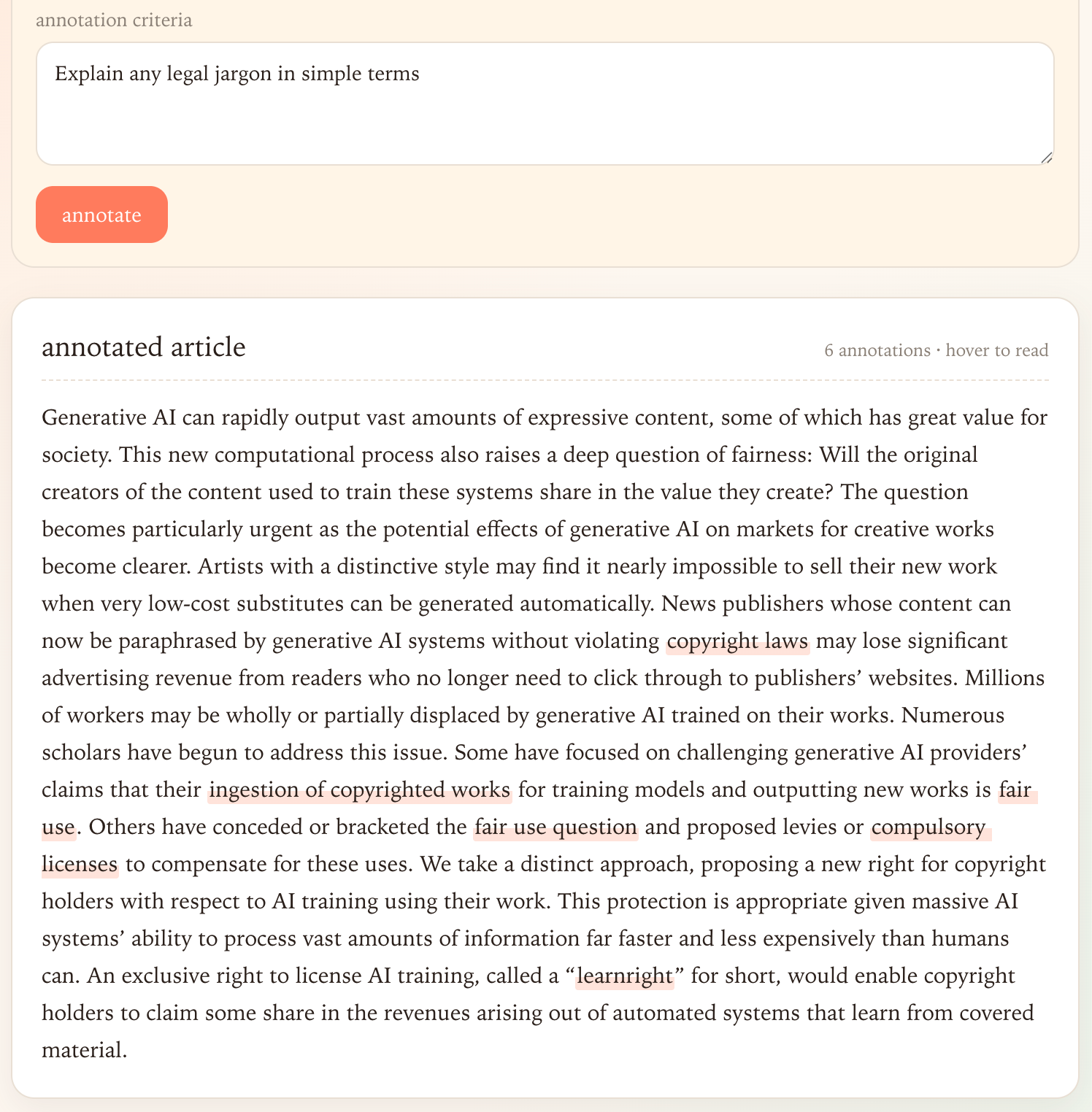
The annotation workflow is the most brittle, but also the most suggestive. Asking a small model to return exact text spans and valid JSON is a fairly demanding task. It has to preserve source wording, identify relevant passages, and produce structured output that the interface can use. The fact that this works at all in a browser is notable.
The initial model download is large. In this prototype, the first load is roughly 2 GB before browser caching makes future sessions faster. That is a major ask for a reader who may only want to try a feature once. For many publishers, that alone makes this approach unsuitable for general audience deployment today.
Performance also depends on the reader’s hardware and browser support. A modern Chromium browser with WebGPU support is a very different environment from an older laptop, a locked-down corporate machine, or a low-end phone. If the experience varies from smooth streaming to long stalls depending on the client GPU, the product design has to account for that.
The model will also make mistakes. Small models make more of them. This matters a lot in news, where a confident but wrong summary or annotation can damage trust quickly. We have already seen how automated news summarization can go wrong in consumer products, including the widely discussed Apple Intelligence notification errors.
So this is not a claim that every publisher should immediately ship browser-local AI features. The current version is too heavy, too uneven, and too error-prone for many mainstream reader experiences. But it is a useful preview.
What interests me is not just that a small model can run in the browser, but that it can run close to the reader, close to the content, and close to the interface.
That combination opens up a different design space from the one we get with centralized AI products. A local model can act on the article you are reading, the feeds you follow, and the criteria you define in the moment. It can be less like a separate chatbot and more like a flexible layer inside the reading environment itself.
For publishers, this creates a set of questions worth taking seriously. What forms of personalization become possible when the marginal cost of generation falls? What kinds of reader control are useful rather than gimmicky? Which tasks are safe enough for local automation, and which should remain firmly in human editorial hands? How should interfaces expose uncertainty when the model is operating over source material that readers trust?
The browser-local model still has to overcome large downloads, uneven performance, and reliability problems. It also has to fit into editorial products in ways that respect the source text rather than flattening it into generic AI output.
Still, the direction is compelling. Personal language models do not have to mean complicated local setup, terminal commands, or a separate desktop app. They can live where readers already spend their time: inside the browser, attached to the content in front of them.
No posts
Comments
Nothing yet. Say the first thing.
Sign in to join the conversation.