Deliver a smooth, professional client experience with AI-first notes, a productivity suite that turns meetings into polished deliverables, and seamless scheduling, all connected — without the added cost or complexity of traditional tools.

Is your current setup helping you grow — or just get by?
Take this short quiz to see where you stand, and what's possible.


Solutions
-

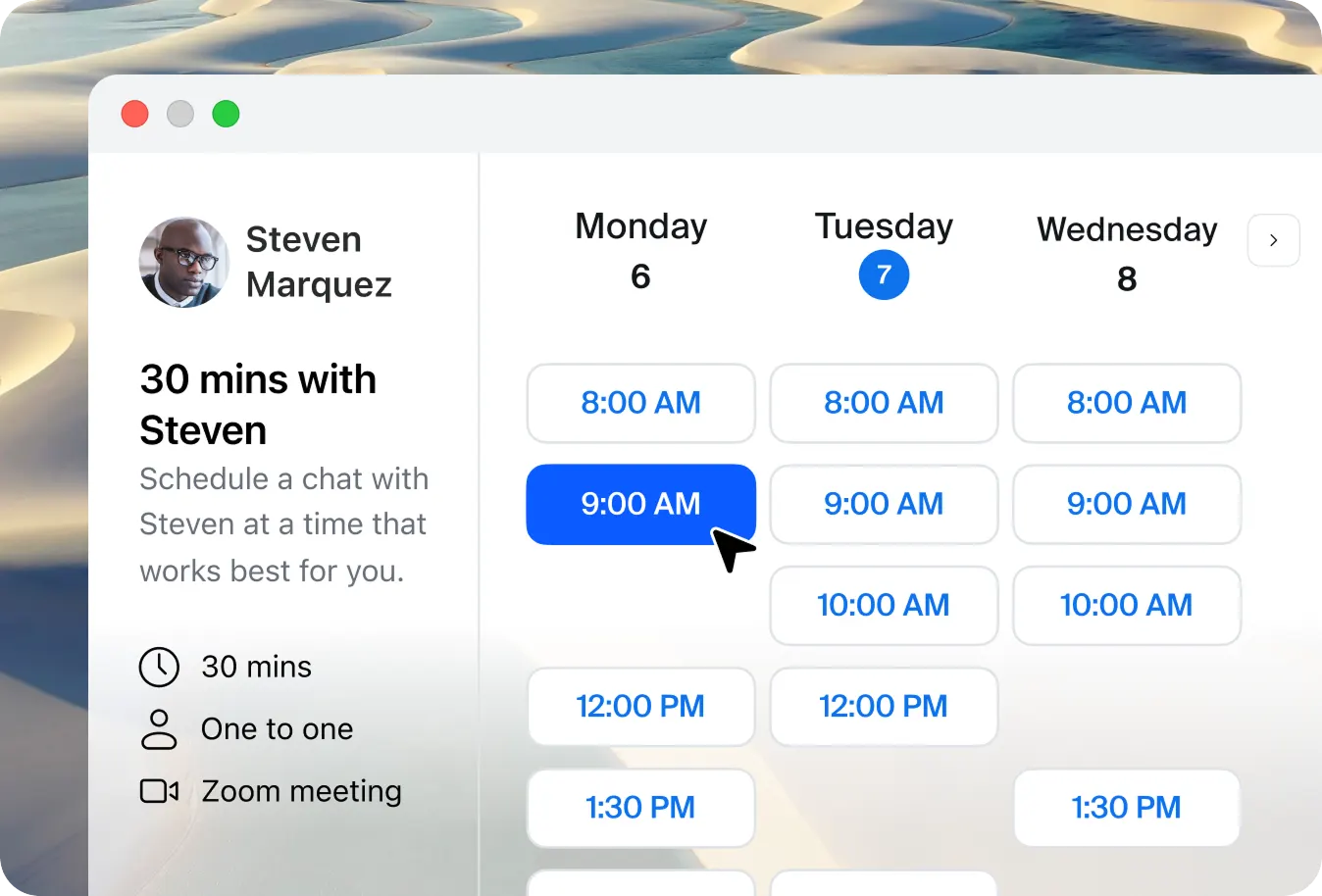
Clients book sessions instantly on your scheduling page. ZoomMate adds the client as a contact in Bonsai, ready to link to future proposals and invoices. My Notes captures key takeaways and goals from each conversation. Then Canvas helps you transform these notes into personalized action plans, progress recaps, and accountability check-ins.
-

Before a campaign review, pull past-campaign performance data and key trends with Sheets. Capture client goals, brand priorities, and feedback as you discuss ideas live with My Notes. After the call, use Slides to automatically transform those insights into a concept deck to present to your client. ZoomMate logs the deal with value and stage in Bonsai — no manual CRM entry needed.
-
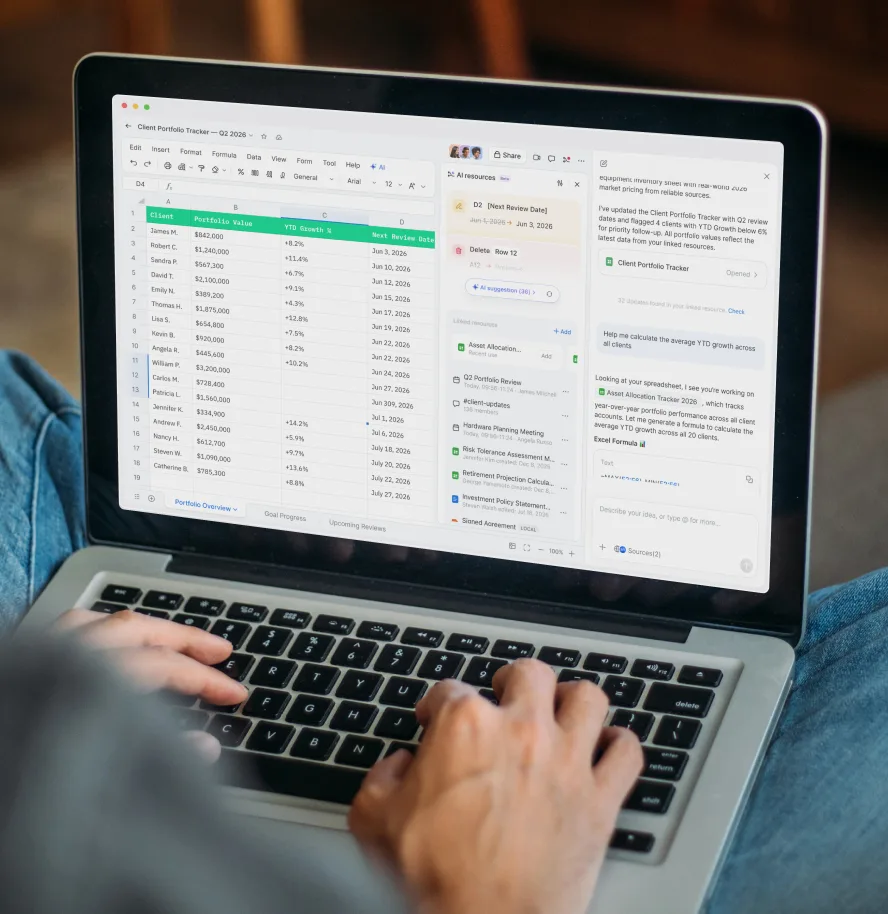
Use Sheets to track portfolio performance and financial goals. My Notes captures client updates during meetings, and Slides turns them into personalized decks with growth forecasts and next steps.
-

Clients schedule policy reviews while Sheets summarizes coverage history, claims, and renewals. My Notes captures key questions during the meeting, and Paper generates a shareable coverage proposal.
-
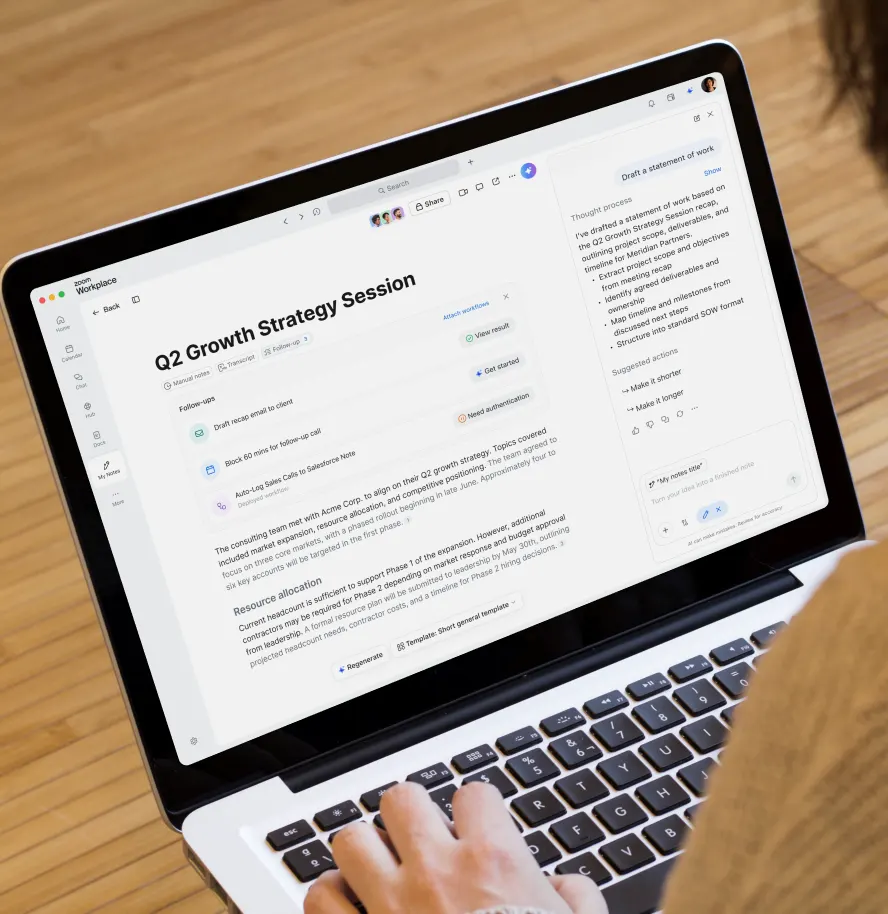
Before a strategy session, compile insights using Sheets. During, generate a polished recap with My Notes. Afterward, use the recap to create an SOW with Paper.
Take your client interactions up a notch
AI note taking
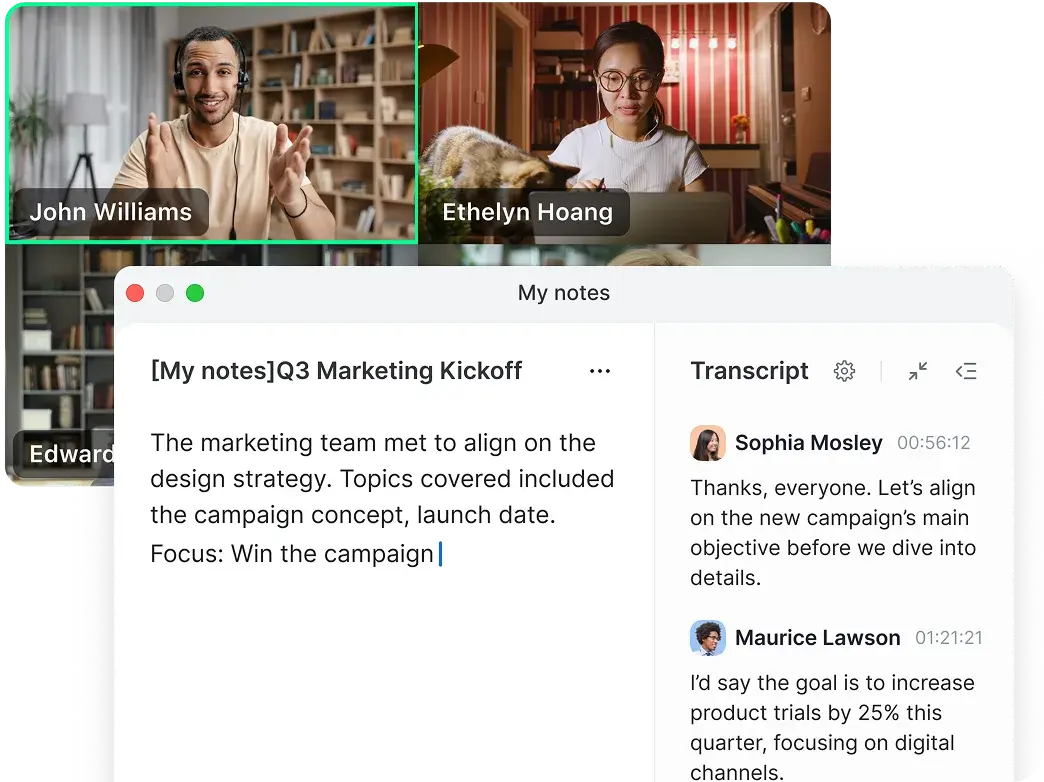
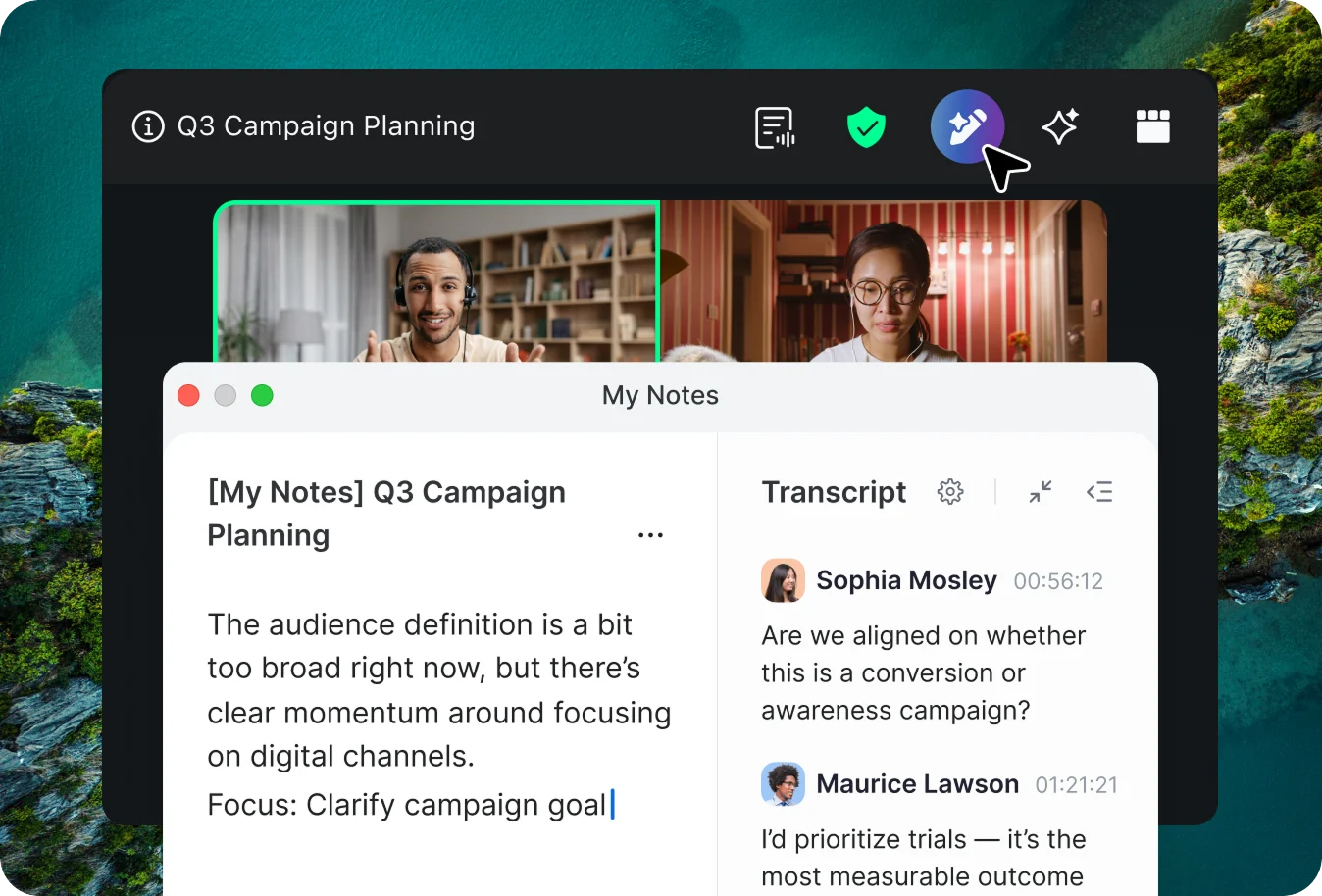
- Turn notes from any meeting—Google Meet, Teams, or in person—into organized summaries, no bots or add-ons required.
- Capture decisions and key moments instantly — no more having to rewatch recordings to find what matters.
- Support clients in different languages. Multi-language transcription keeps communication clear and inclusive.
Security and compliance
Protect sensitive client data
Encrypted in transit & at rest
Feature-rich platform supported by a range of encryption technology to support user privacy and security.
Trusted AI
Zoom does not use customer audio, video, chat, files, or transcripts to train its AI models.
Granular AI controls
Admins can enable or disable AI features at the account, group, or user level.
Data residency and retention options
Choose storage regions and retention setting options aligned to your organization's compliance needs.
Certifications and audits
Zoom’s platform maintains compliance certifications like ISO, SOC 2, and HIPAA-ready controls to help you meet regulatory standards
Compare

Bonsai
Manage your CRM, proposals, projects, and invoices in one easy-to-use platform that helps your business move faster and smarter.
Demos
This is what professional looks like
Professional Service Business Bundle
Get more when you bundle
with Zoom Workplace
Explore products and pricing for professional services software.
Annually
My Notes All My Notes features added to Workplace Basic.
All of My Notes Basic , and:
-
My Notes
- Unlimited AI note-taking
- Automated workflows embedded in meetings running with Zoom data sources
-
AI features
- Meeting summaries for all hosted Zoom Meetings
- In meeting questions in all hosted Zoom Meetings
- Meeting summaries can be sent to Slack automatically
- Unlimited AI queries**
- Writing mode**
- Personal workflows**
- 10 searches (per month)
- Transcribe in-person meetings (3 uses per month)**
- Create custom meeting summary templates (8 per month)"
**Features are available on the ZoomMate web surface at ai.zoom.us
All of My Notes Basic , and:
-
My Notes
- Unlimited AI note-taking
- Automated workflows embedded in meetings running with Zoom data sources
-
AI features
- Meeting summaries for all hosted Zoom Meetings
- In meeting questions in all hosted Zoom Meetings
- Meeting summaries can be sent to Slack automatically
- Unlimited AI queries**
- Writing mode**
- Personal workflows**
- 10 searches (per month)
- Transcribe in-person meetings (3 uses per month)**
- Create custom meeting summary templates (8 per month)"
**Features are available on the ZoomMate web surface at ai.zoom.us
ZoomMate Your AI teammate.
All of ZoomMate Basic , and:
-
AI work surface
- AI Credits to boost productivity
2,200 credits /user per month - Agentic capabilities to help you complete tasks like document creation and updates, slide generation, and more
- Complete post meeting deliverables automatically
- Unlimited AI note-taking
- Unlimited custom meeting summary templates
Agents
- Custom agent builder with third-party app connections
- Knowledge bank for agent customization
- Pre-built agents for Sales, IT, Marketing, Finance, and more
- Agent library and channel deployment
Agentic Search
- Web search, Zoom sources, and connected third-party data sources
- Deep research
Workflows
- Workflows with access to Zoom and third-party applications, using advanced AI nodes and tools
- Workflow templates and personal library
AI Productivity Suite
- Slides, Sheets, Paper, and Canvas
Voice Translator
- Live audio translation for Meetings
- AI Credits to boost productivity
All of ZoomMate Basic , and:
-
AI work surface
- AI Credits to boost productivity
2,200 credits /user per month - Agentic capabilities to help you complete tasks like document creation and updates, slide generation, and more
- Complete post meeting deliverables automatically
- Unlimited AI note-taking
- Unlimited custom meeting summary templates
Agents
- Custom agent builder with third-party app connections
- Knowledge bank for agent customization
- Pre-built agents for Sales, IT, Marketing, Finance, and more
- Agent library and channel deployment
Agentic Search
- Web search, Zoom sources, and connected third-party data sources
- Deep research
Workflows
- Workflows with access to Zoom and third-party applications, using advanced AI nodes and tools
- Workflow templates and personal library
AI Productivity Suite
- Slides, Sheets, Paper, and Canvas
Voice Translator
- Live audio translation for Meetings
- AI Credits to boost productivity
AI Productivity Suite Turn inspired discussions into impressive deliverables.
All of AI Productivity Suite Basic , and:
-
Slides
- Instant deck creation with inputted data
- AI voice presentation mode
-
Sheets
- Get instant insights via AI analysis
- Describe it, AI will write the formula
-
Paper
- Create professional docs in one prompt
- Auto-generate analysis with citations
-
Canvas
- Unlimited AI document creation
- AI polishes existing docs for sharing
- 20,000+ rows per data table
-
Additional features
- AI Credits to boost productivity
1,000 credits /user per month** - Access to all version history
- 1 GB attachment upload limit
- Share templates with others
- Advanced template library
- AI Credits to boost productivity
**AI credits can only be used on products included in the user's license.
All of AI Productivity Suite Basic , and:
-
Slides
- Instant deck creation with inputted data
- AI voice presentation mode
-
Sheets
- Get instant insights via AI analysis
- Describe it, AI will write the formula
-
Paper
- Create professional docs in one prompt
- Auto-generate analysis with citations
-
Canvas
- Unlimited AI document creation
- AI polishes existing docs for sharing
- 20,000+ rows per data table
-
Additional features
- AI Credits to boost productivity
1,000 credits /user per month** - Access to all version history
- 1 GB attachment upload limit
- Share templates with others
- Advanced template library
- AI Credits to boost productivity
**AI credits can only be used on products included in the user's license.
FAQs
Got questions? We’ve got answers.
Zoom offers a suite of "AI-first" tools designed to create a seamless client experience. This includes branded scheduling pages via Zoom Scheduler, automated meeting summaries that ensure no detail is missed, and custom AI agents (coming soon) that help you walk into every consultation fully prepared with context from past interactions.
The platform focuses on "scaling without burnout" by replacing manual admin tasks with AI-driven automation. Instead of spending hours after every call writing follow-up emails, coordinating calendars, or manually updating records, Zoom’s AI workflows handle these tasks automatically. This allows solo practitioners and small teams to handle a higher volume of clients and billable work while maintaining a high-touch, professional feel that usually requires a much larger staff.
Yes. Through the "My Notes" feature, you can utilize Zoom’s AI note taking capabilities for meetings held on third-party platforms like Microsoft Teams and Google Meet, as well as for in-person sessions. This allows you to maintain a consistent record of all client interactions regardless of the software used.
Zoom Scheduler is designed to reduce back-and-forth emails by allowing clients to book instantly. It includes features like unlimited event types, automated reminders to reduce no-shows, and the ability to collect payments (via Stripe) before a booking is confirmed. It is often included at no additional cost in Zoom Business and Enterprise plans.
Zoom provides specialized workflows for various service-based roles to automate their specific admin burdens. For example:
- Business Consultants: Can use AI agents to gather insights from past project documents before a strategy session.
- Career Coaches: Use the automated "My Notes" feature to capture client goals and send personalized recaps to keep clients accountable between sessions.
- Financial Advisors & Insurance Agents: Leverage "Seamless Scheduling" so clients can book policy reviews or follow-ups in seconds, while AI workflows automatically update CRMs to ensure nothing falls through the cracks.
*Features and capabilities are subject to applicable usage limits, availability, and AI credit balances. Certain functions may require additional subscriptions or credits. Actual performance may vary depending on prompt, system conditions, and available data.