ZoomMate
- July 2026
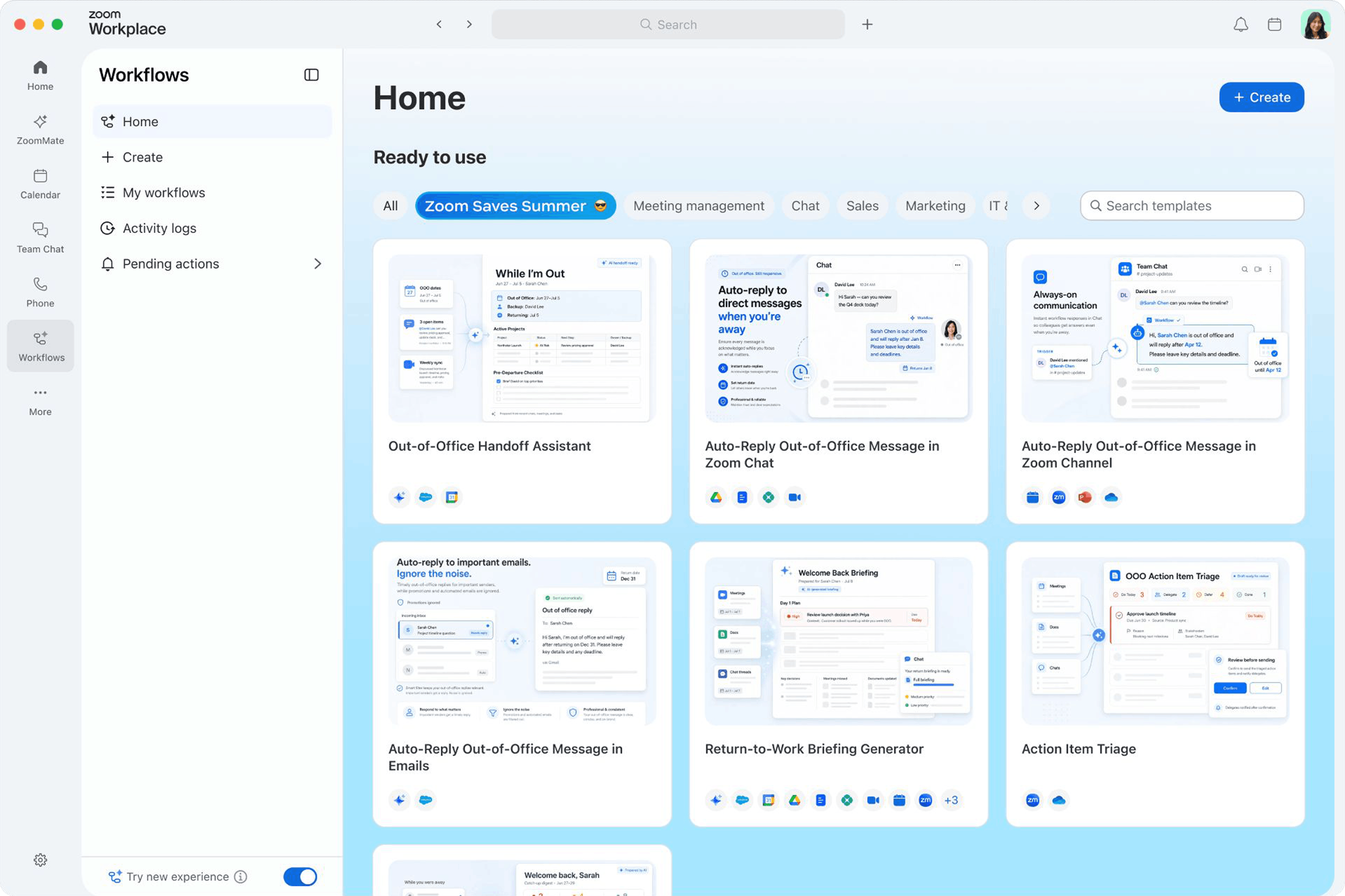
New Workflow Templates
- Set up ready-made workflows for taking time off, from turning on out-of-office replies to catching up on what you missed after you get back.
- Summer used to mean coming back to a wall of unread messages. Now the prep and the catch-up are handled for you.
- July 2026
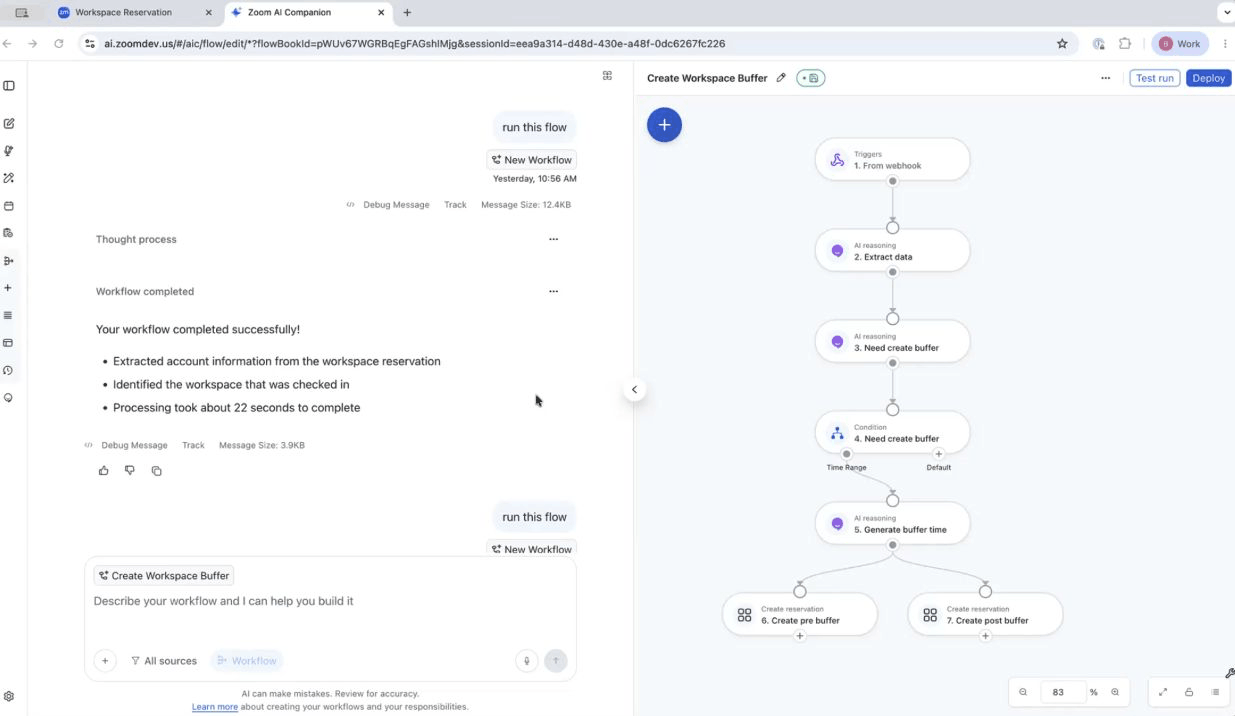
Workspace Reservation Meeting Buffer Automation
- Automatically add 15-minute buffers before and after room reservations, and let admins build and deploy these workflows across the whole organization by role, location, or room type.
- No more back-to-back bookings that leave a room double-booked or a team standing in the doorway waiting for the last meeting to clear out.
- July 2026
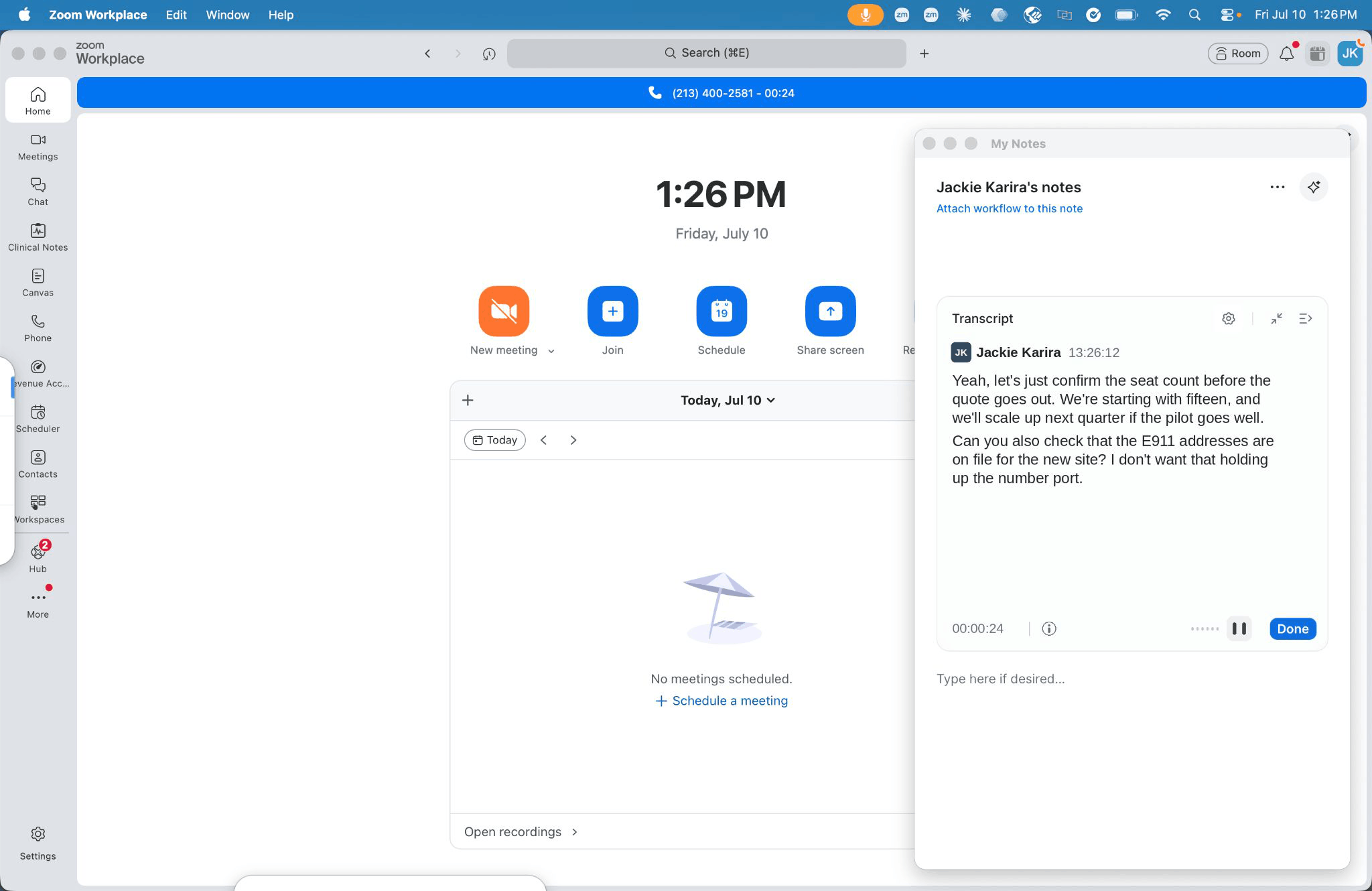
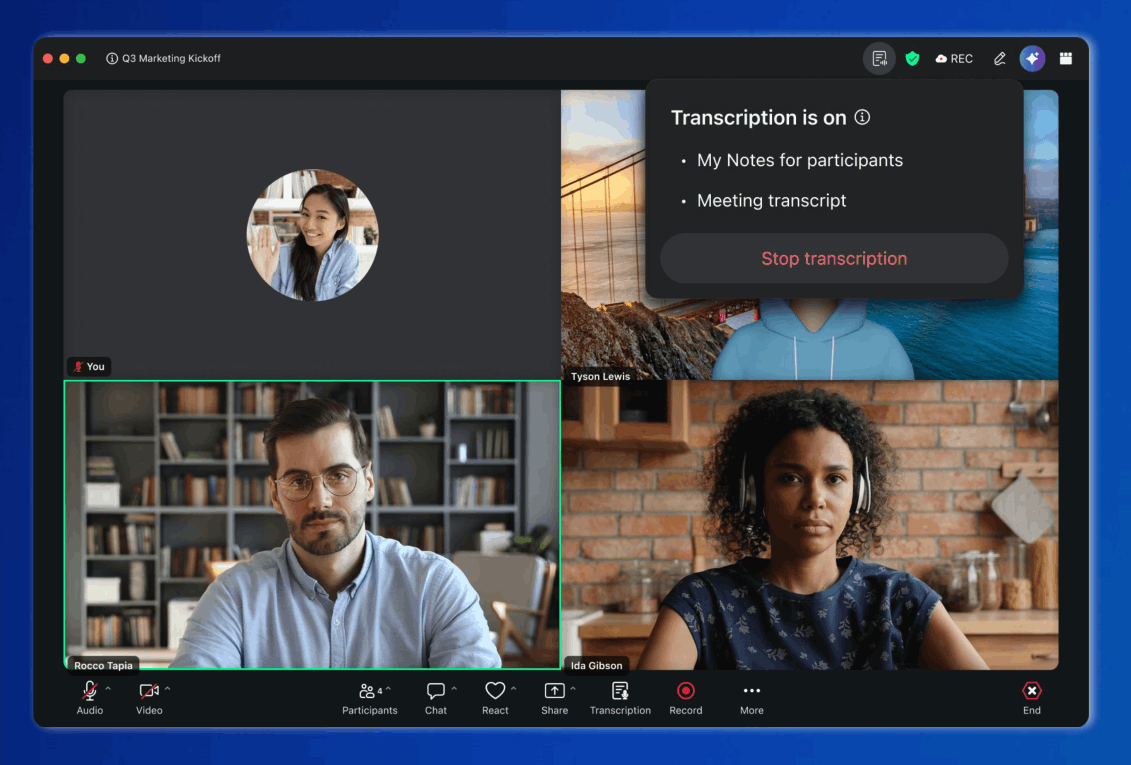
Zoom Phone Support in My Notes
- Capture summaries, action items, and transcripts automatically during phone calls, and find them next to your meeting notes in Zoom Hub.
- You can stay in the conversation instead of scribbling notes, and your call notes live in the same place as your meeting notes.
- July 2026
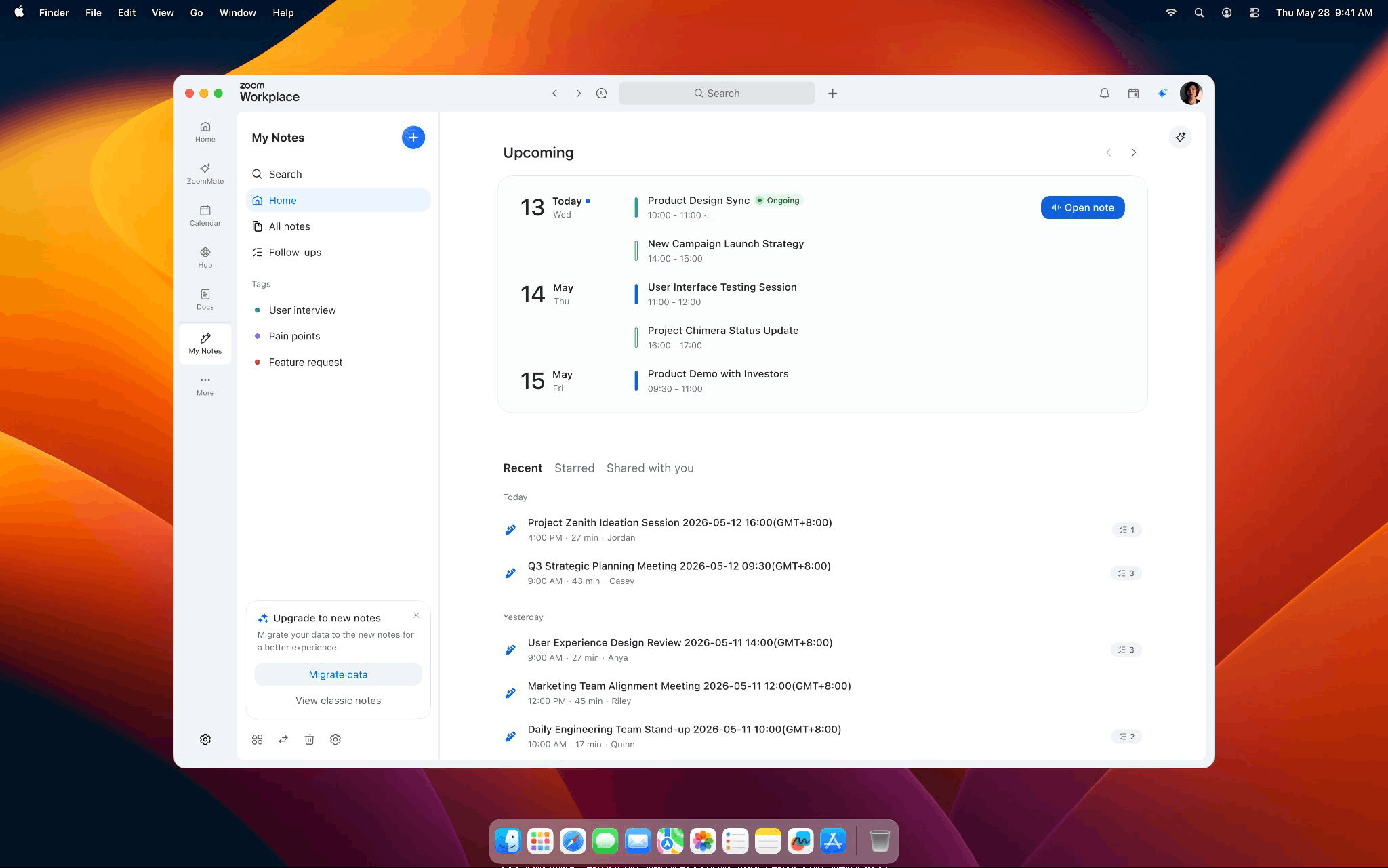
Enhanced My Notes Homepage
- Tag notes into categories, see upcoming and past meetings next to their notes, and keep notes separate from docs in Canvas.
- Finding the right note used to mean scrolling and guessing. Now it takes a glance.
- July 2026
Scribe API LIVE and Speaker Diarization
- Add real-time transcription with the new Scribe API LIVE mode, plus a Speaker Diarization add-on that can tells apart up to 20 speakers in one conversation, all billed through usage-based Universal Credits on the Zoom Build Platform.
- Developers get transcription that keeps up with a live conversation and knows who said what, without paying for capacity they don’t use.

Zoom Workplace
- July 2026
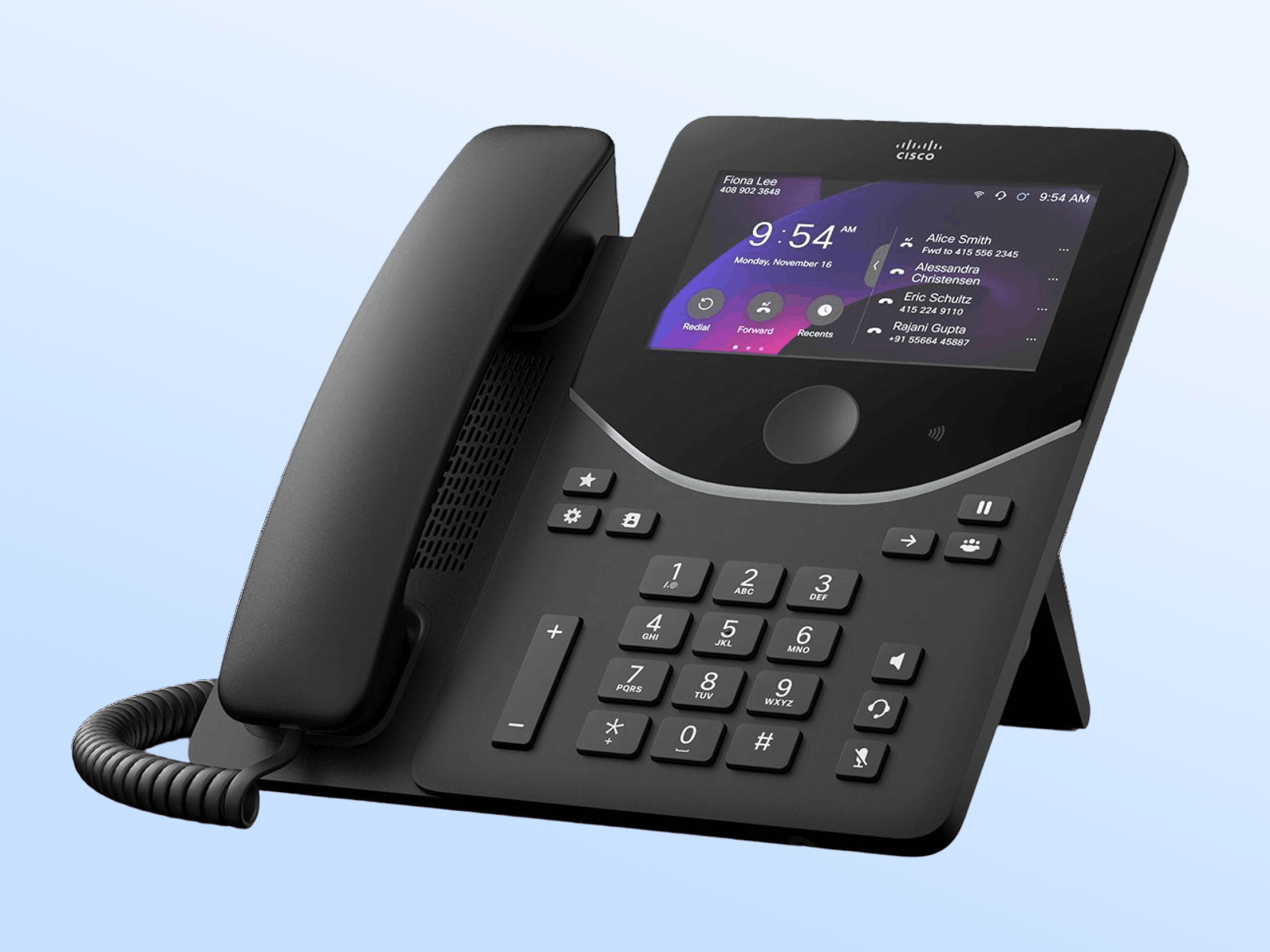
Shared Line Support for Cisco Phones
- Enable delegation and shared line groups on Cisco MPP and 9800 series devices, so multiple people can monitor and answer calls from the same extension.
- Teams on Cisco hardware get the same shared-line handling that Poly and Yealink users already have, with no device swap required.
- July 2026
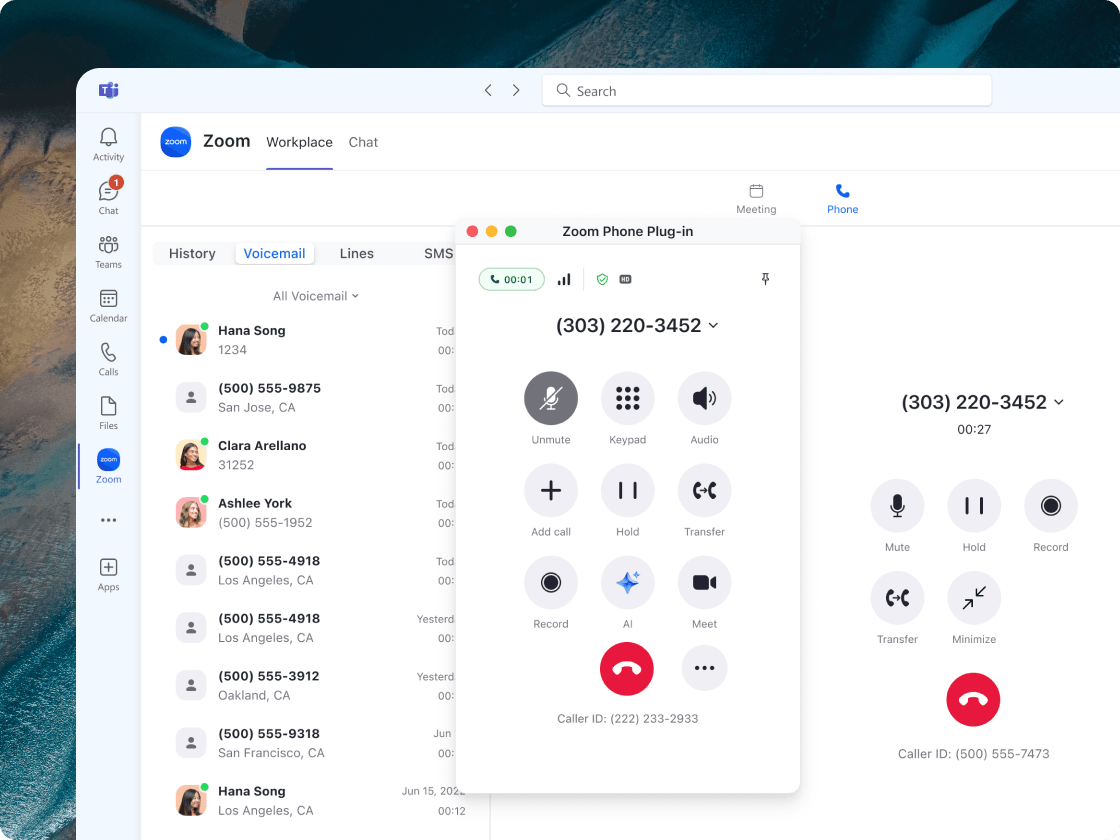
Next-gen Microsoft Teams Integration
- Make and take Zoom Phone calls directly inside Microsoft Teams, with call summaries, voicemail transcription, SMS, and voicemail all in one Teams tab.
- Your team lives in Teams all day. Now their Zoom Phone line lives there too, instead jumping between two apps.
- July 2026
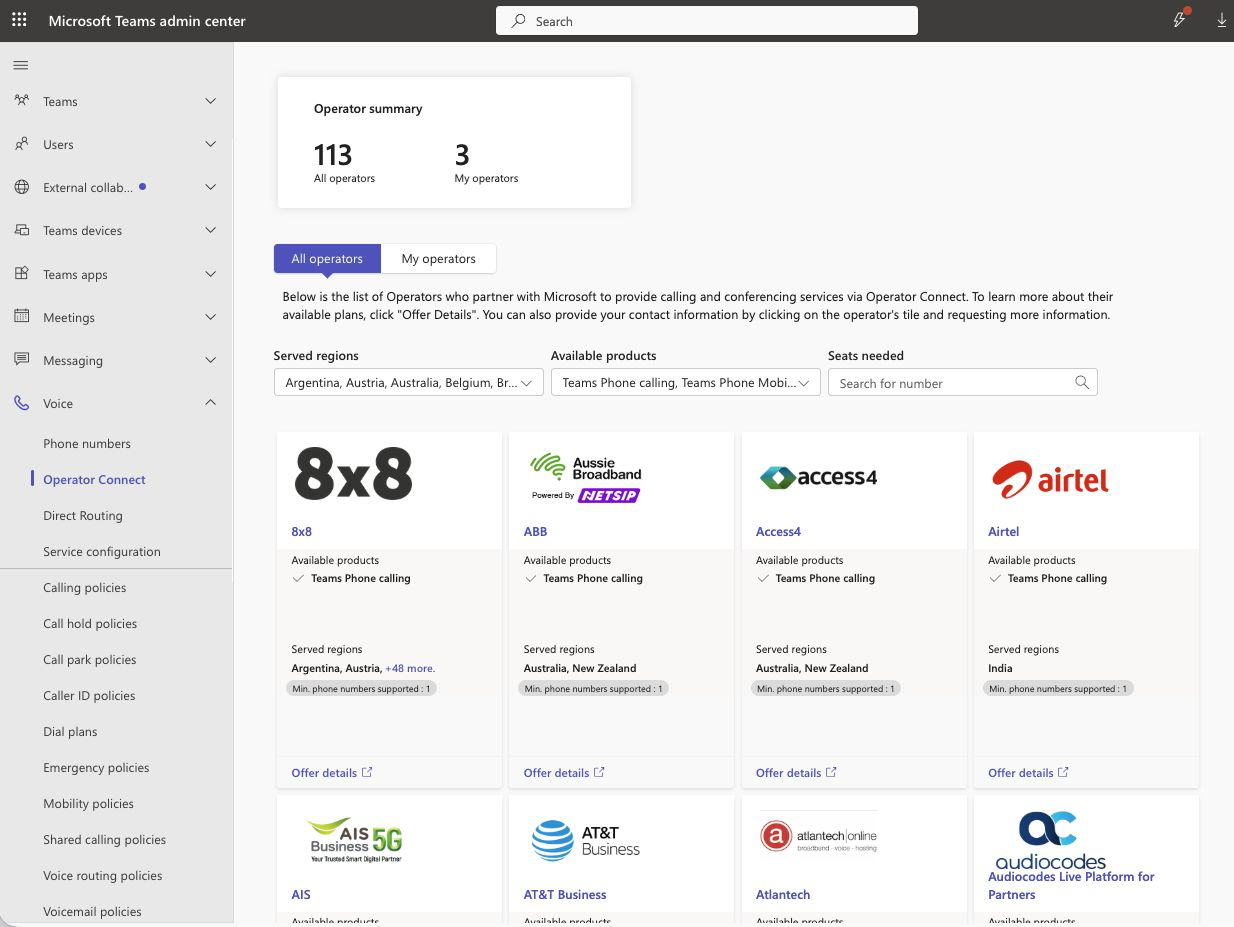
Zoom Operator Connect for Microsoft Teams
- Bring Zoom PSTN calling into Microsoft Teams, and provision, manage, and move Zoom Phone numbers between Zoom and Teams straight from the Zoom web portal.
- Admins can stop juggling two number-management systems and shift numbers wherever they’re needed in a few clicks.
- July 2026
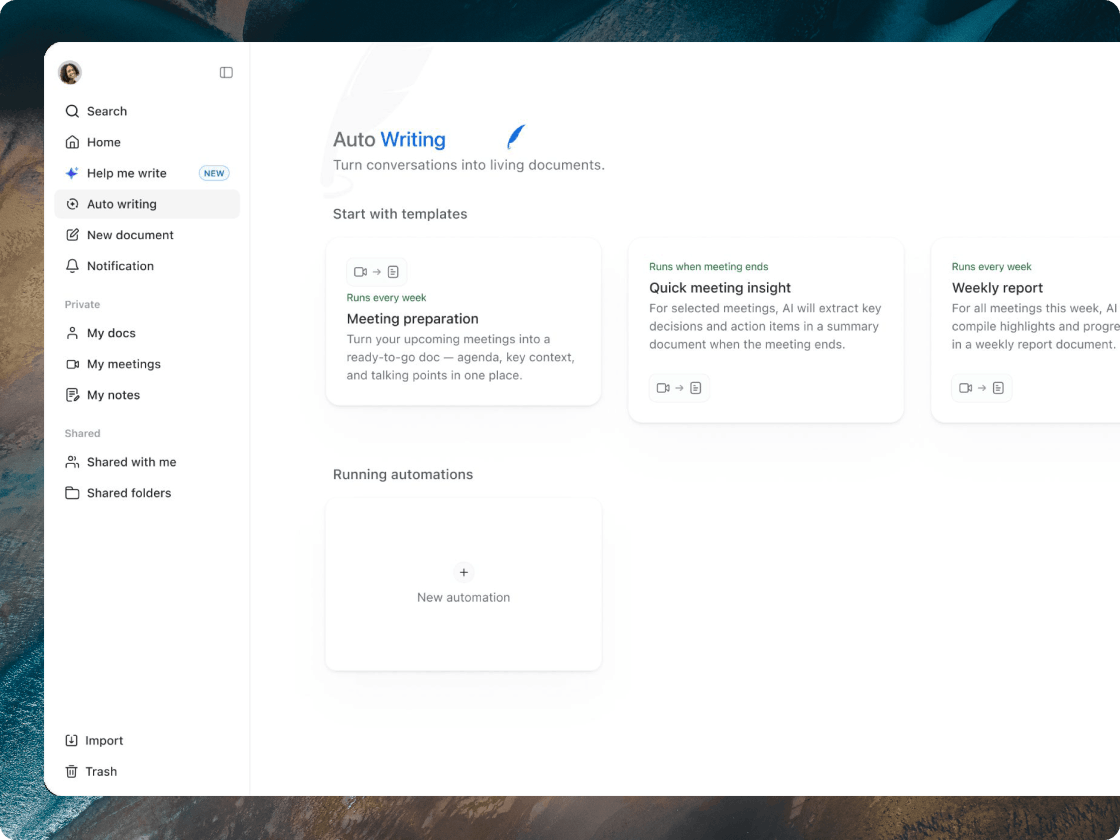
Auto Writing
- Set up AI templates for recurring meetings like client calls or standups, and generate formatted recaps, reports, and proposals automatically once a meeting ends.
- The weekly status doc used to be a chore someone dreaded every Friday. Now it writes its first draft on its own.
- July 2026
Handwriting Conversion
- Turn handwritten notes, shapes, and tables on a whiteboard into clean, editable text and objects with AI recognition, and preview each conversion before you accept it.
- Your messy brainstorm sketch becomes something you can actually share, without having to redraw it from scratch.
- July 2026
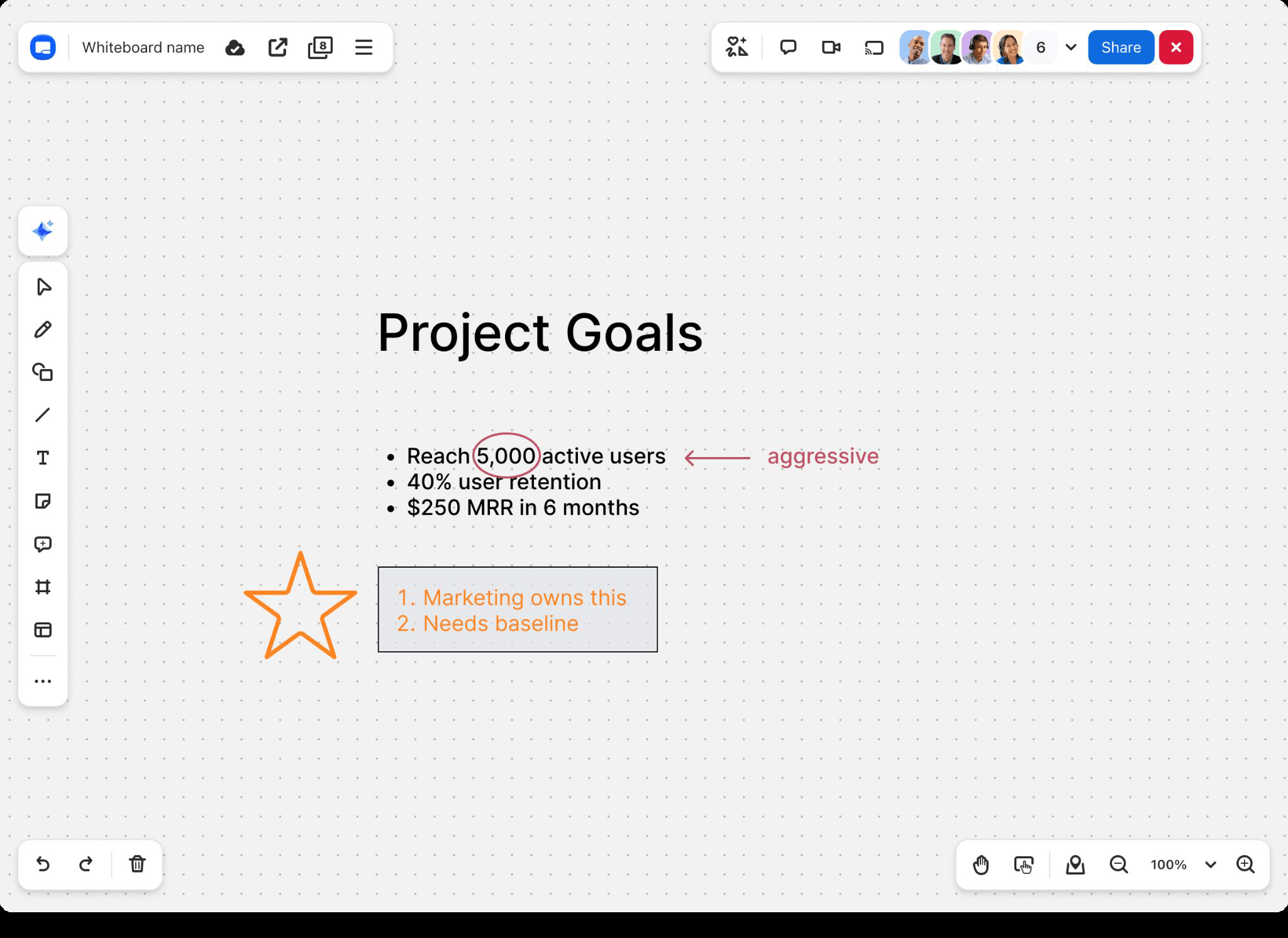
Publish Whiteboards to Zoom Gallery
- Publish your whiteboards or templates to Zoom Gallery with a title, description, and category, and let admins control who’s allowed to publish for the organization.
- A whiteboard that helped your team can now help everyone else’s, instead of sitting unseen in one account.
- July 2026
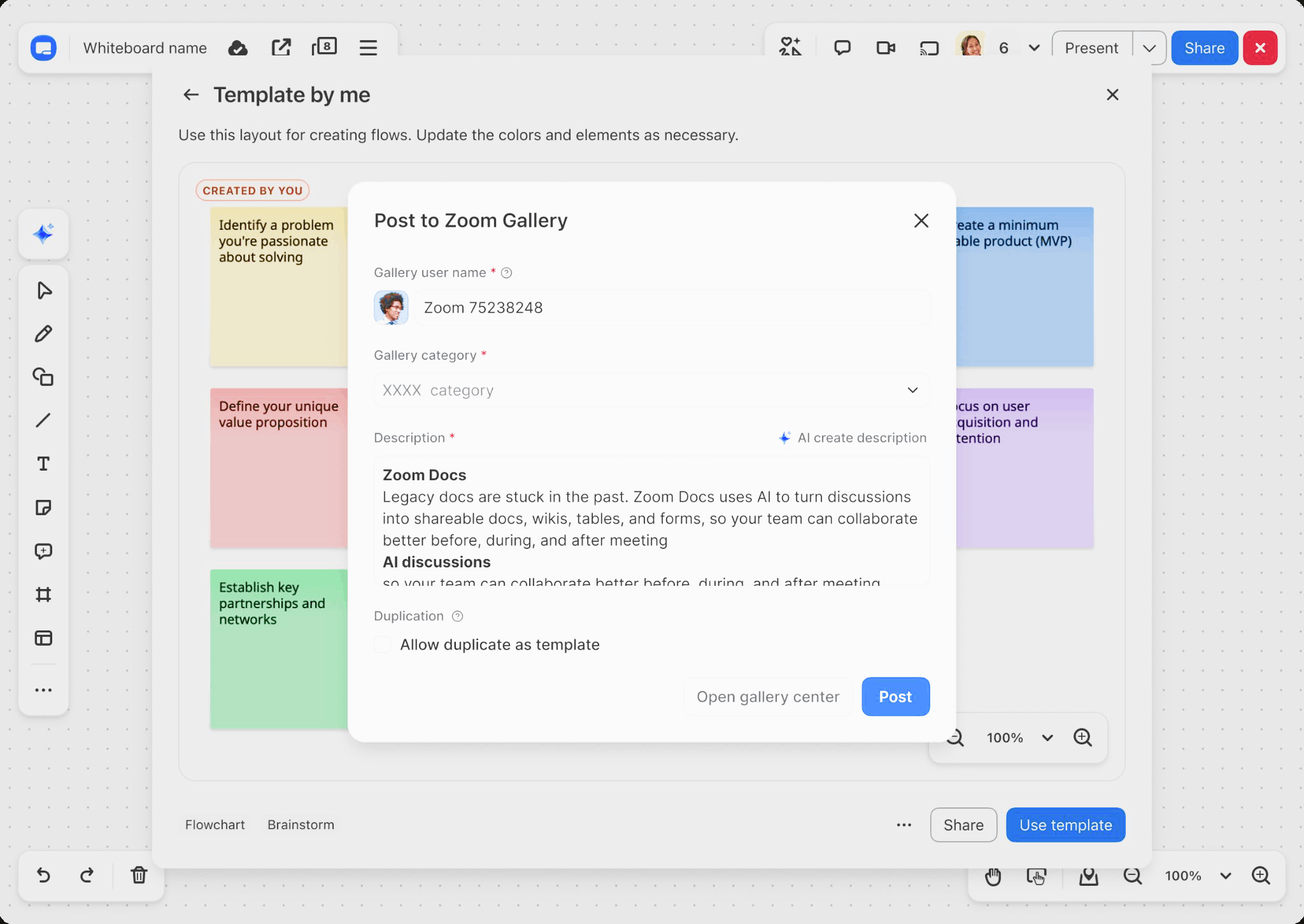
Overlay Your Calendar
- See your live calendar right inside Zoom Scheduler to spot open slots, and hover over any blocked time to see exactly what’s causing the conflict.
- No more flipping between your calendar and the scheduler and still ending up double-booked.
- July 2026
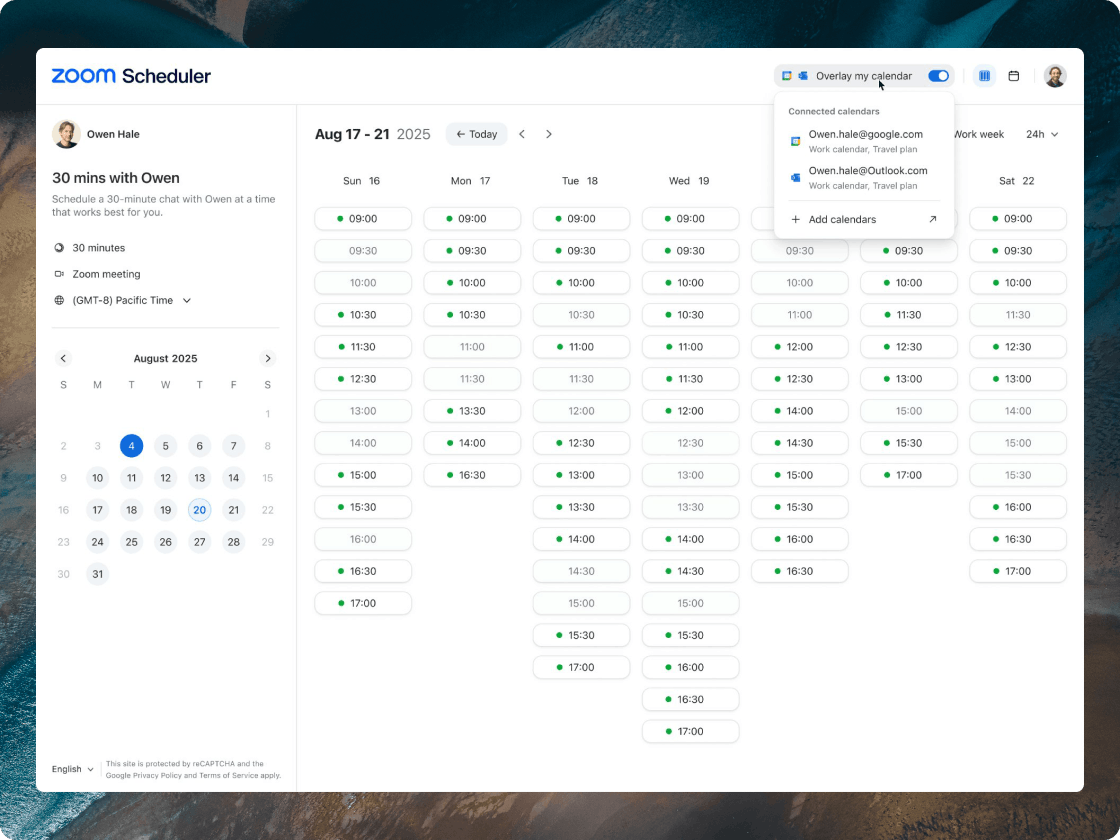
Meetings App Dashboard
- See which SDK apps your organization is using, blocking, or attempting in one place, then drill into incidents, recurring meetings, and escalations and slice everything by time range.
- Admins get a clear view of where meeting data is going, so a security review takes minutes instead of a day of hunting.
- July 2026
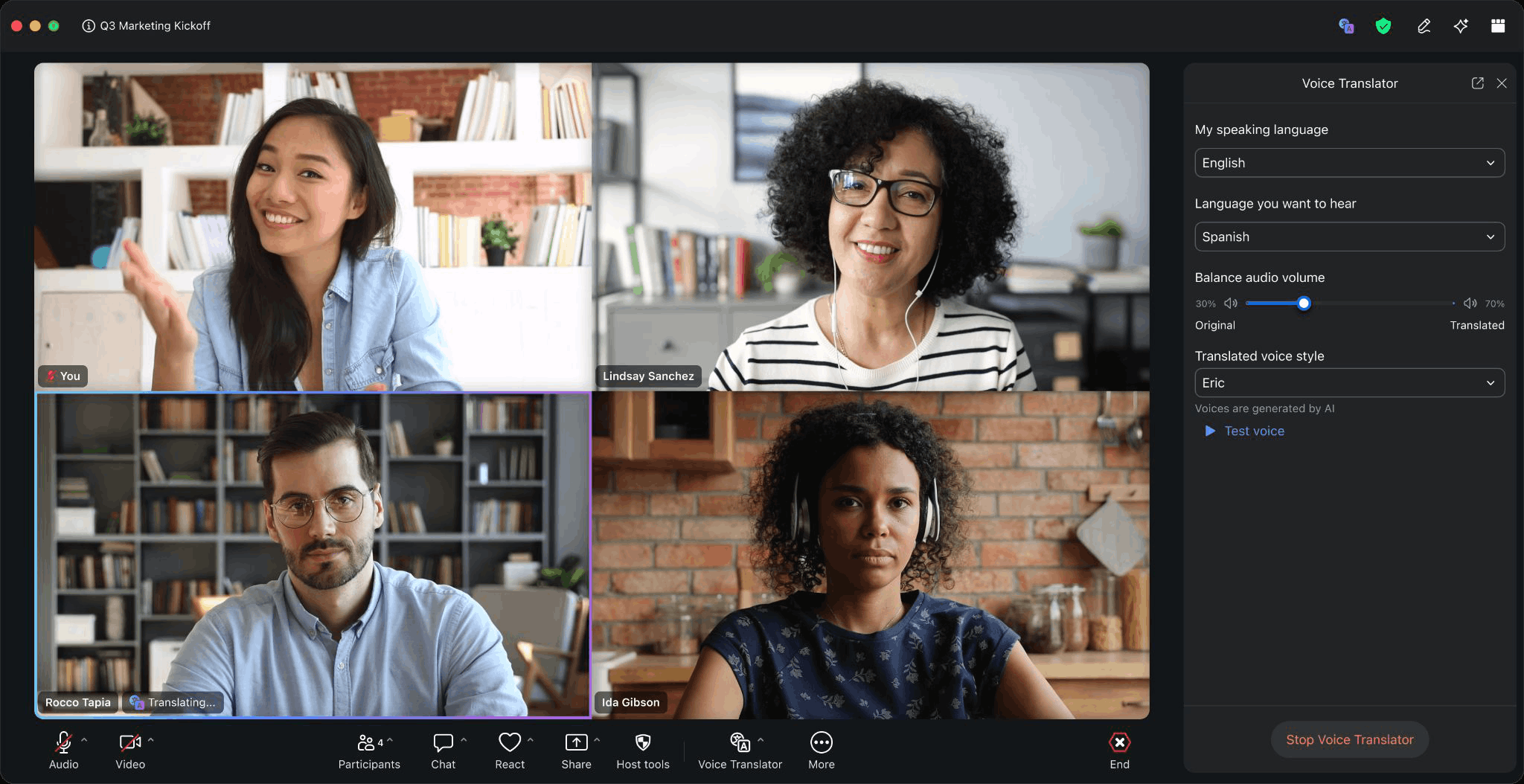
Voice Translator
- Hear live spoken translation in any supported language during a Zoom Meeting, with AI translating the transcript on the fly.
- You can keep your eyes on the speaker and follow the conversation naturally, instead of reading captions and missing the room.
- July 2026
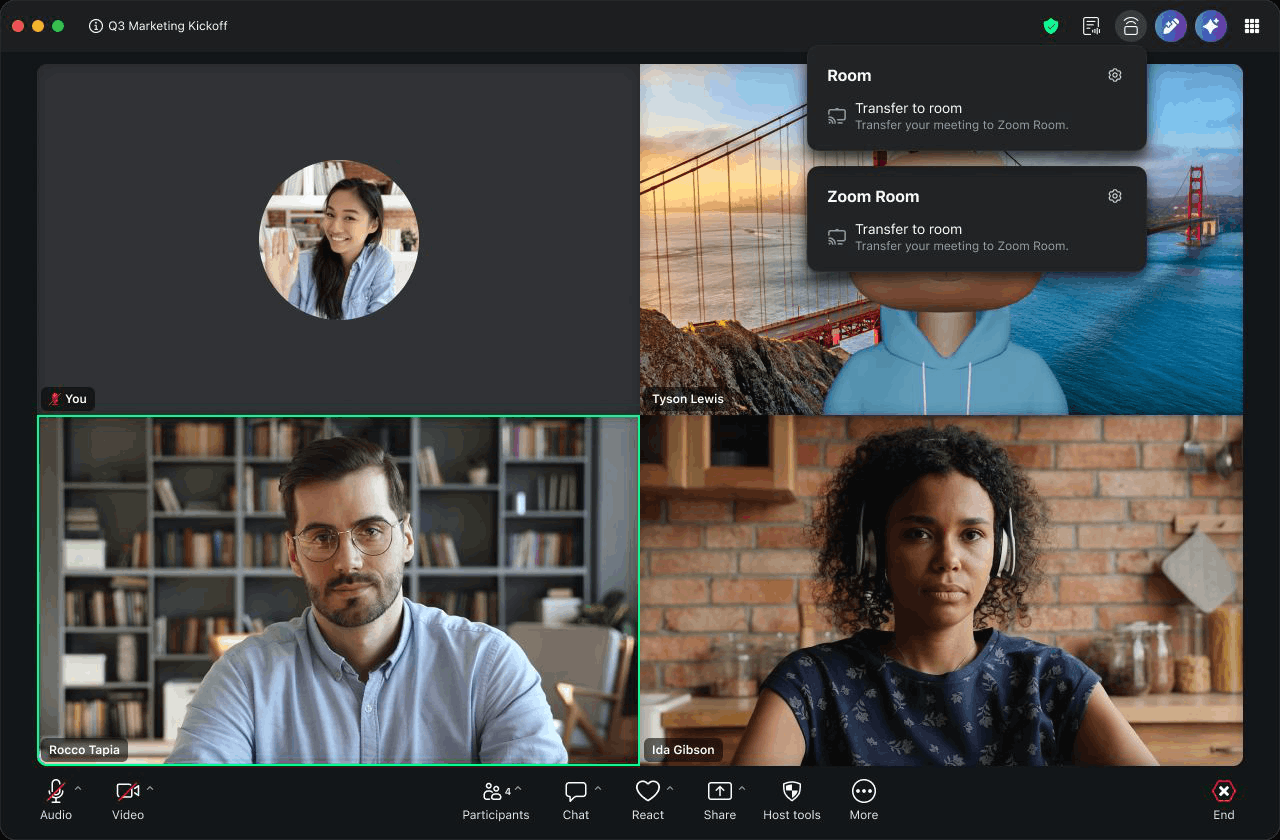
Mobile and Desktop Support for Zoom Rooms Companion Mode
- Manage your Zoom Rooms settings from your Zoom Workplace mobile or desktop app, share your screen or collaborate on a whiteboard in companion mode, and move a call between devices easily.
- You can walk into any room and run it from the device in your hand, without depending on your own Mac or PC.
- July 2026
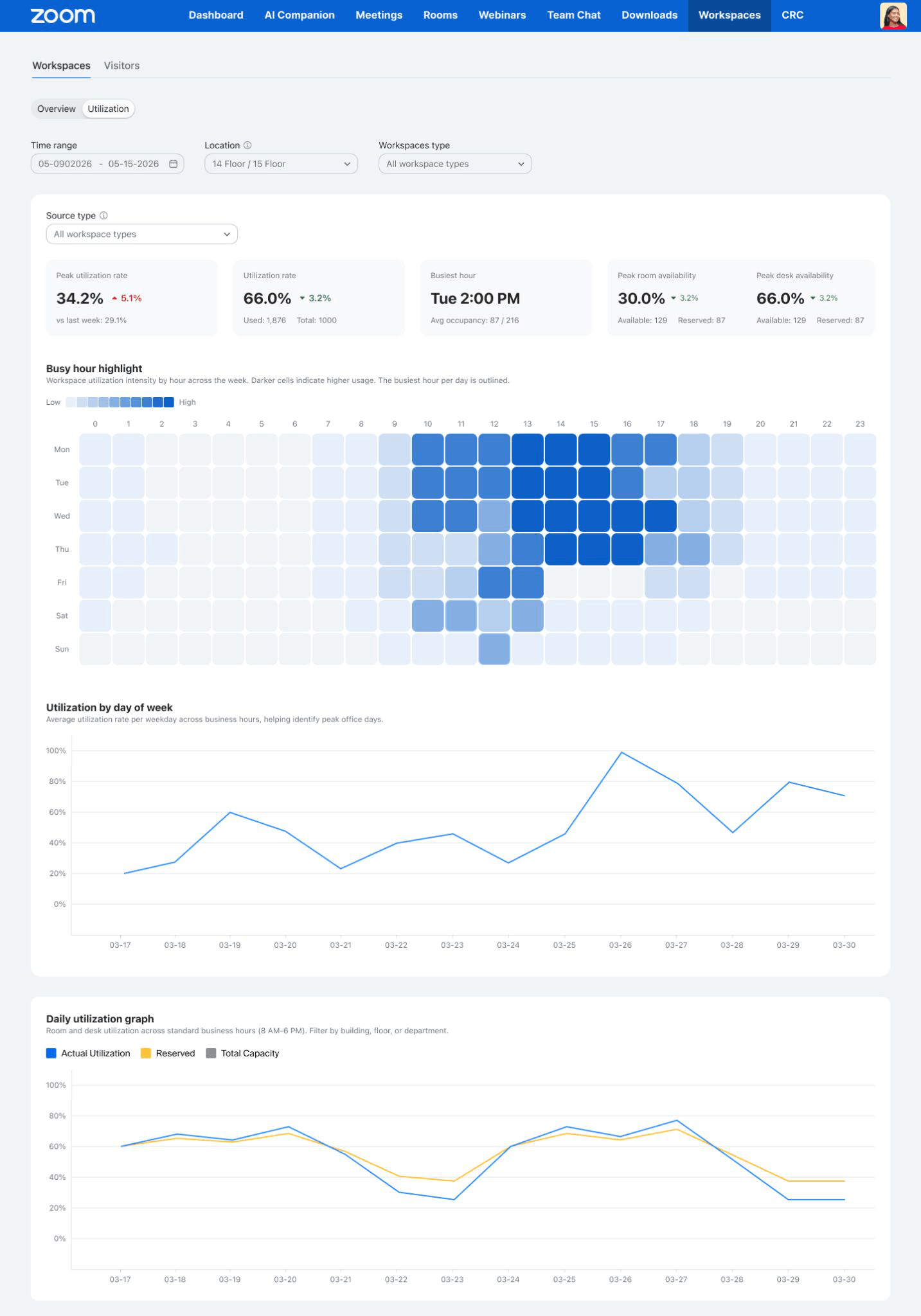
Workspace Utilization Dashboard
- Get a fuller picture of workspace usage by including assigned desks and reservations, and slice the data by location, reservation type, or time range to compare sites.
- Facilities teams can finally see the busiest hours and the empty corners, so desk and layout decisions rest on real numbers.
Zoom Revenue Accelerator
- July 2026
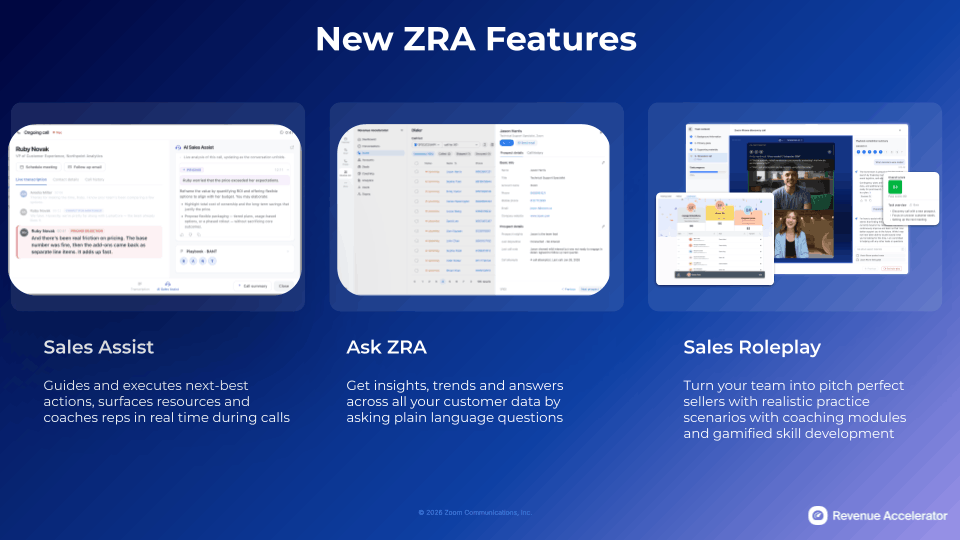
New ZRA Features: Ask Zoom Revenue Accelerator, Sales Assist, and Sales Roleplay
- Better answers before the call. Better responses during it. Better reps because of it. That's what ZRA's newest capabilities deliver.
- Ask Zoom Revenue Accelerator lets reps and leaders ask the questions dashboards don’t report. Query calls, deals and accounts in plain language to get answers grounded in what actually happened.
- Sales Roleplay puts reps in high-stakes simulations built from real scenarios, so they can fail safely, iterate fast, and show up to live deals fully prepared.
- Sales Assist gives live guidance, surfaces objection responses, competitive intel, and next-best actions in real time, all while the customer is still on the line.
- July 2026
Non-Recorded Meeting Insights
- Use My Notes transcripts from non-recorded meetings as a deal and coaching source, ingest them automatically once the meeting ends, and control which ones get analyzed with admin settings.
- Plenty of important conversations never get recorded. Now those still count toward coaching and deal insight instead of vanishing.
- July 2026
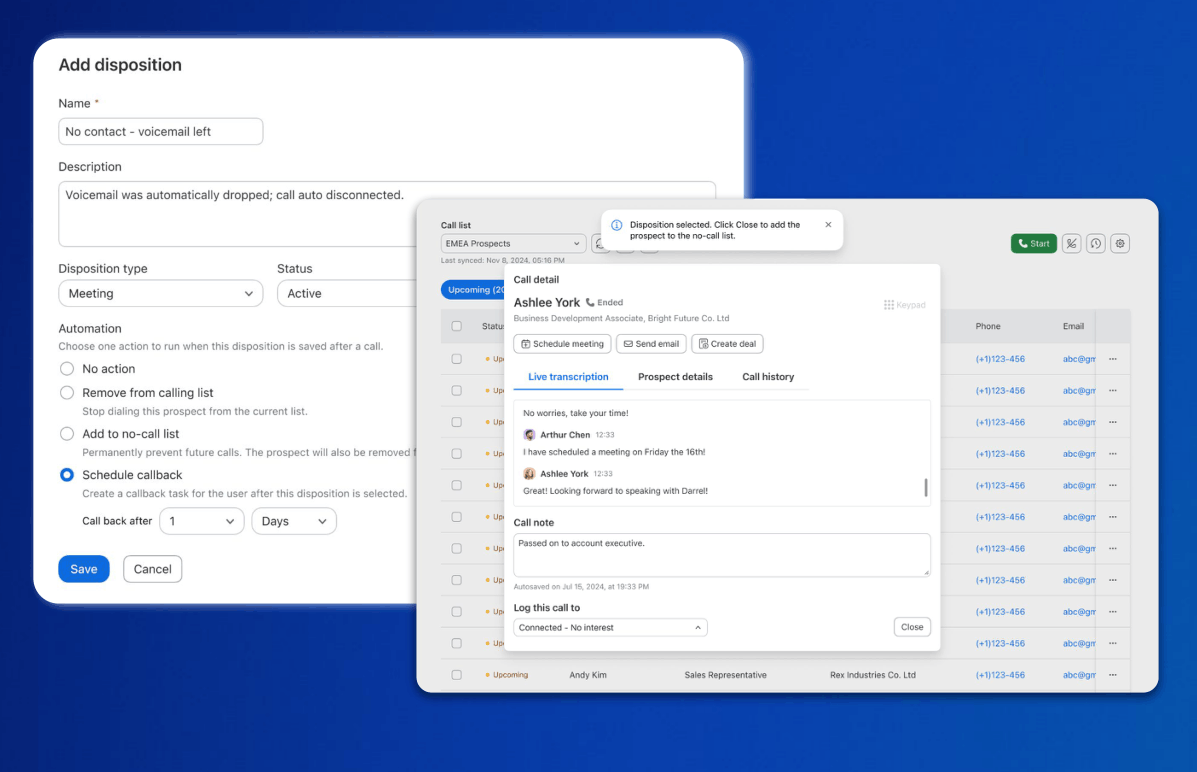
Auto Dialer: Disposition Triggered Actions
- Set call dispositions to remove prospects from lists, schedule callbacks, or block future calls, and configure callback timeframes so follow-ups get scheduled with no manual input.
- Reps spend less time grooming call lists after every call and more time actually calling.
- July 2026
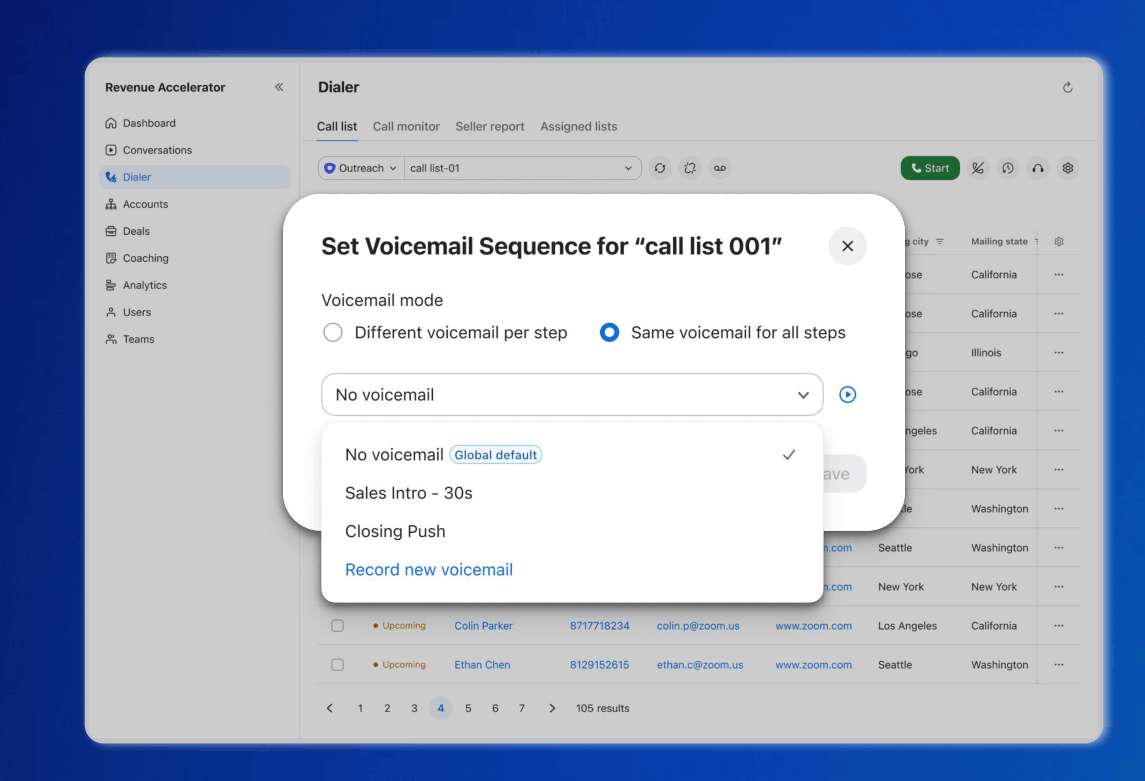
Auto Dialer: Voicemail Sequencer
- Assign a specific voicemail recording to each step in an outreach cadence and drop it automatically when a call reaches voicemail, in sync with your Outreach or Salesloft sequences.
- Reps stop re-recording the same voicemail all day, and every prospect hears the right message for where they are in the sequence.
Zoom Contact Center
- July 2026
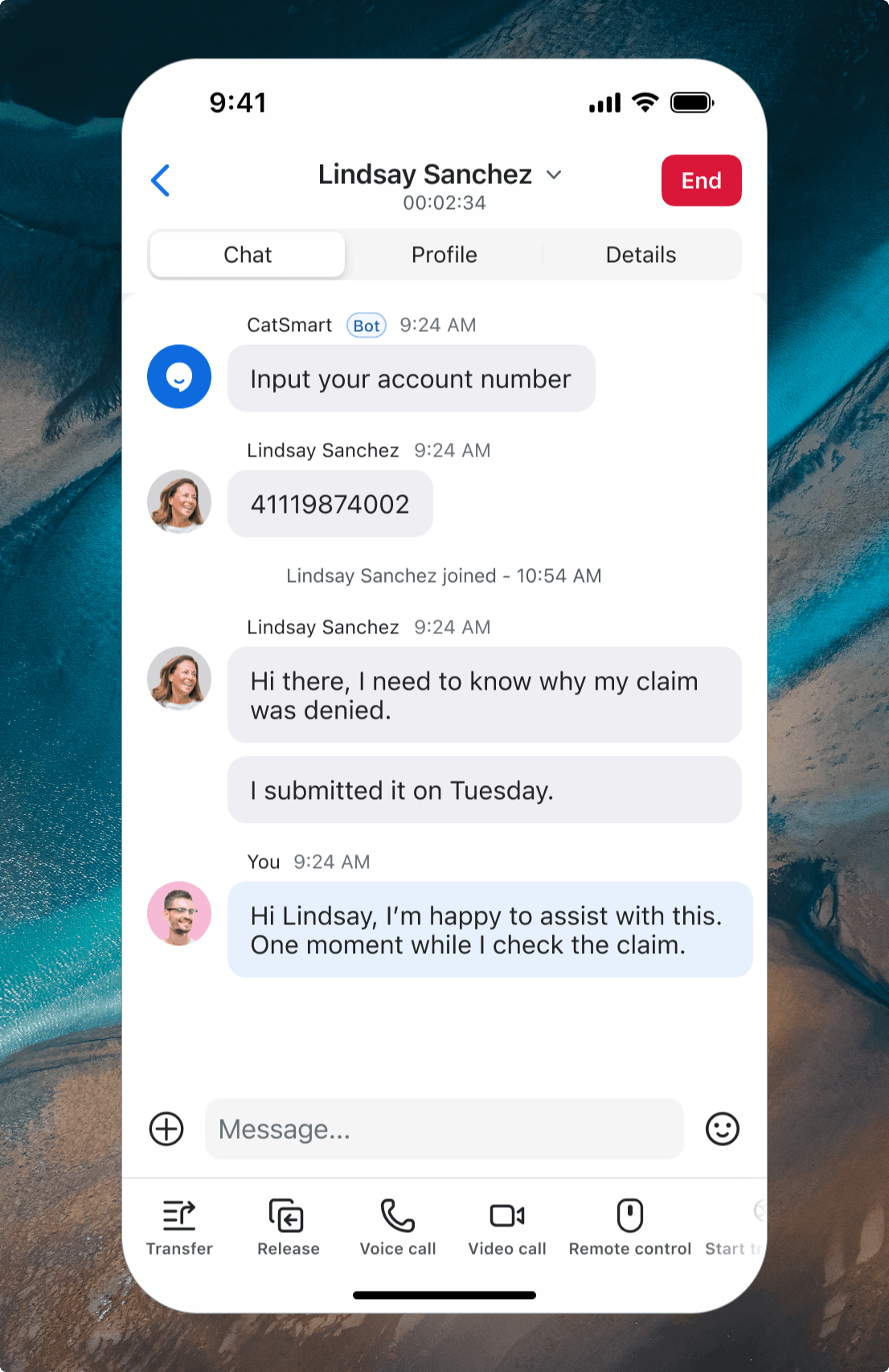
Agent Mobile for Messaging Engagements
- Handle SMS, WhatsApp, Web Chat, and Zoom Chat conversations from the Zoom mobile app on iOS and Android, with full history, transfers, and escalation to voice or video.
- Agents can keep helping customers when they step away from the desk, so a message doesn’t wait just because someone’s in the hallway.
- July 2026
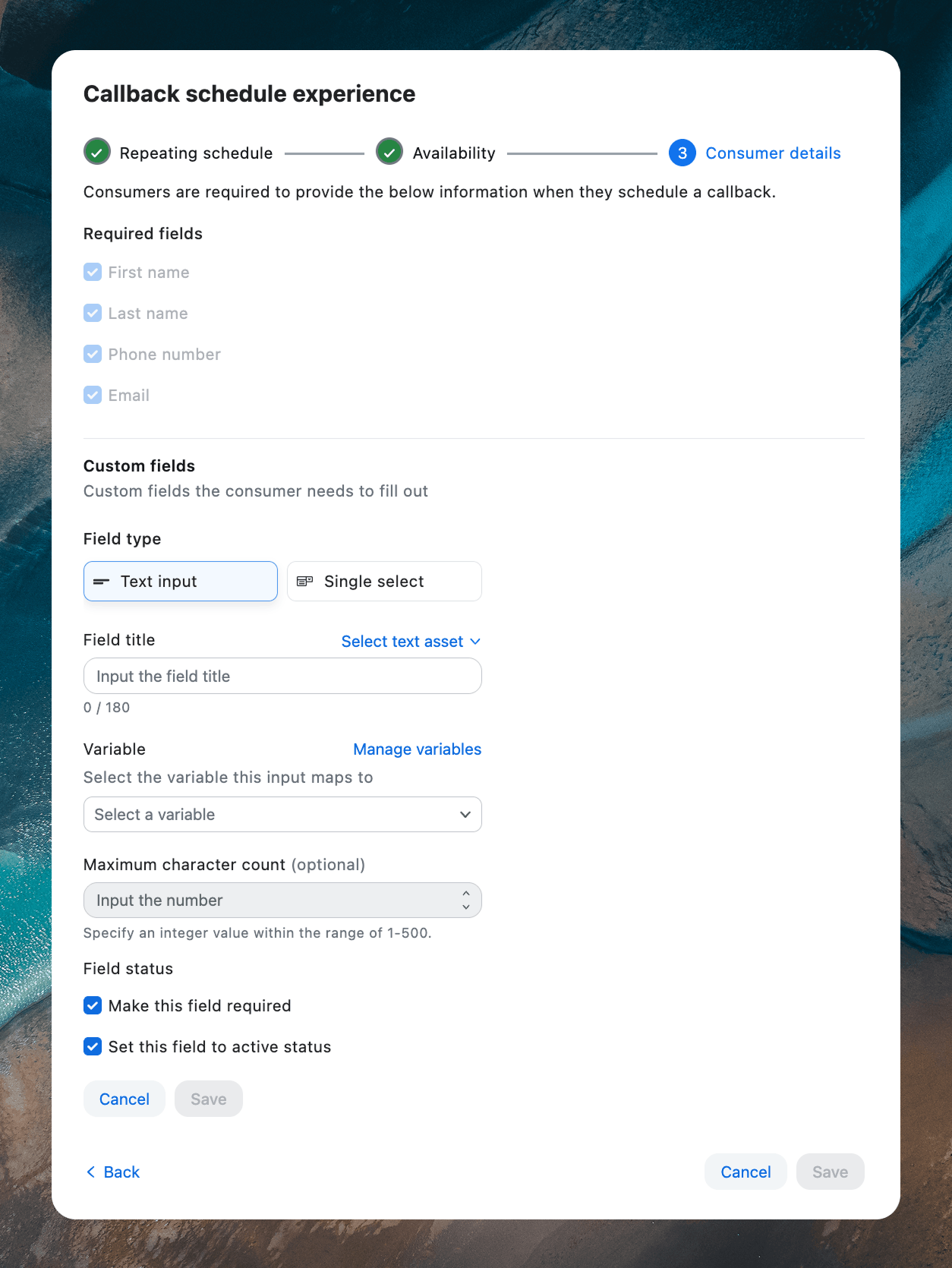
Scheduled Callback Enhancements: Custom Fields
- Define up to 10 custom fields so the right context gets captured before each callback, and review that field data in reports to spot trends.
- When an agent connects, they already know who they’re calling and why, instead of opening the conversation cold.
- July 2026
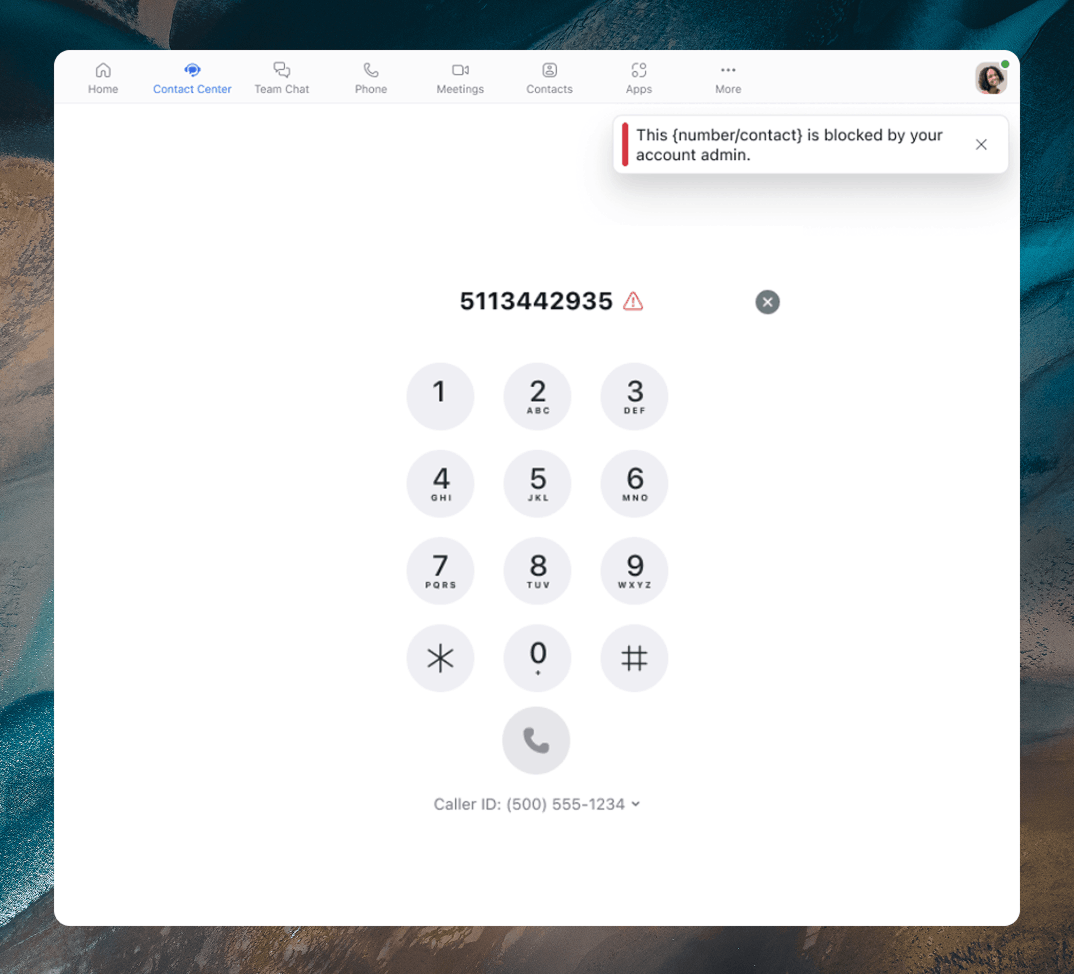
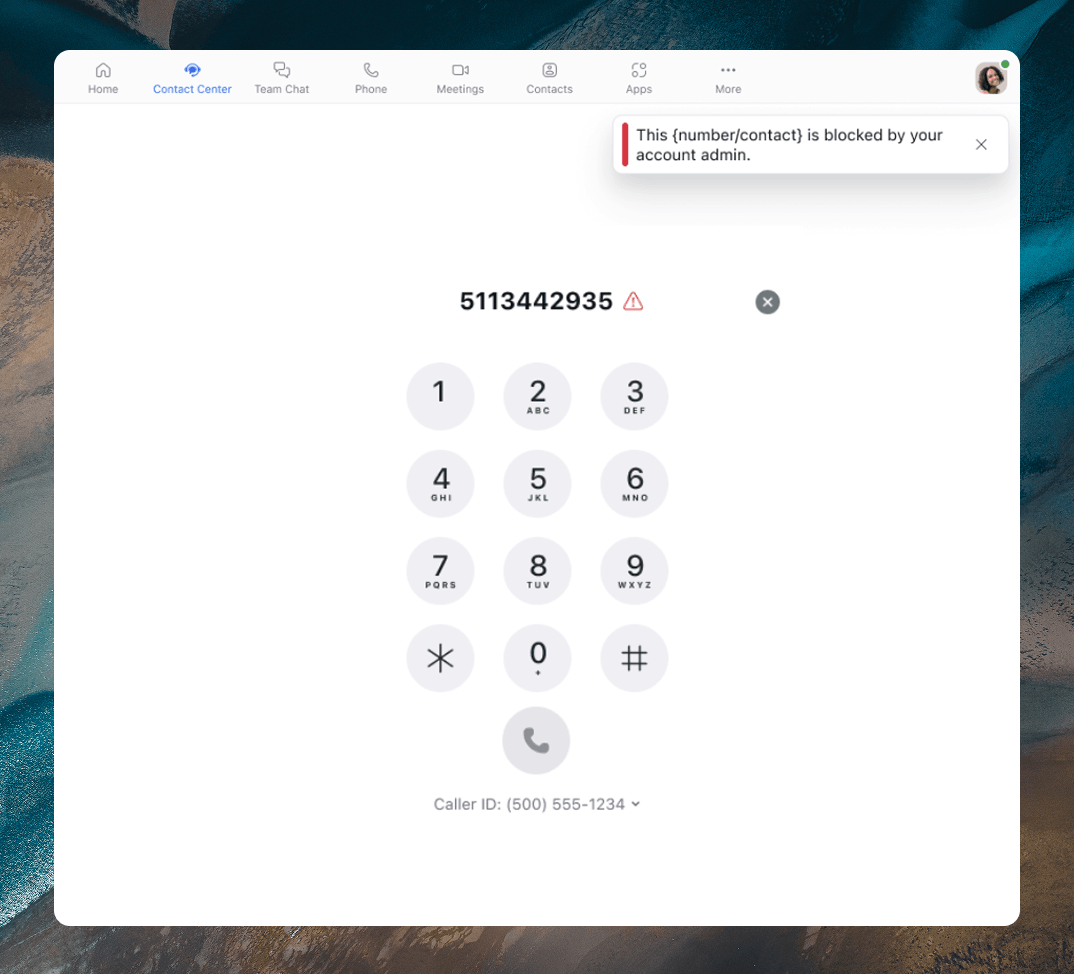
“Do Not Call” Support for Outbound Manual Voice Engagements
- Automatically check numbers against third-party “Do Not Call” registries before an outbound call, block restricted calls, and show agents a clear reason why.
- A compliance mistake can cost real money. Now the check happens before the call connects, not after the complaint.
- July 2026
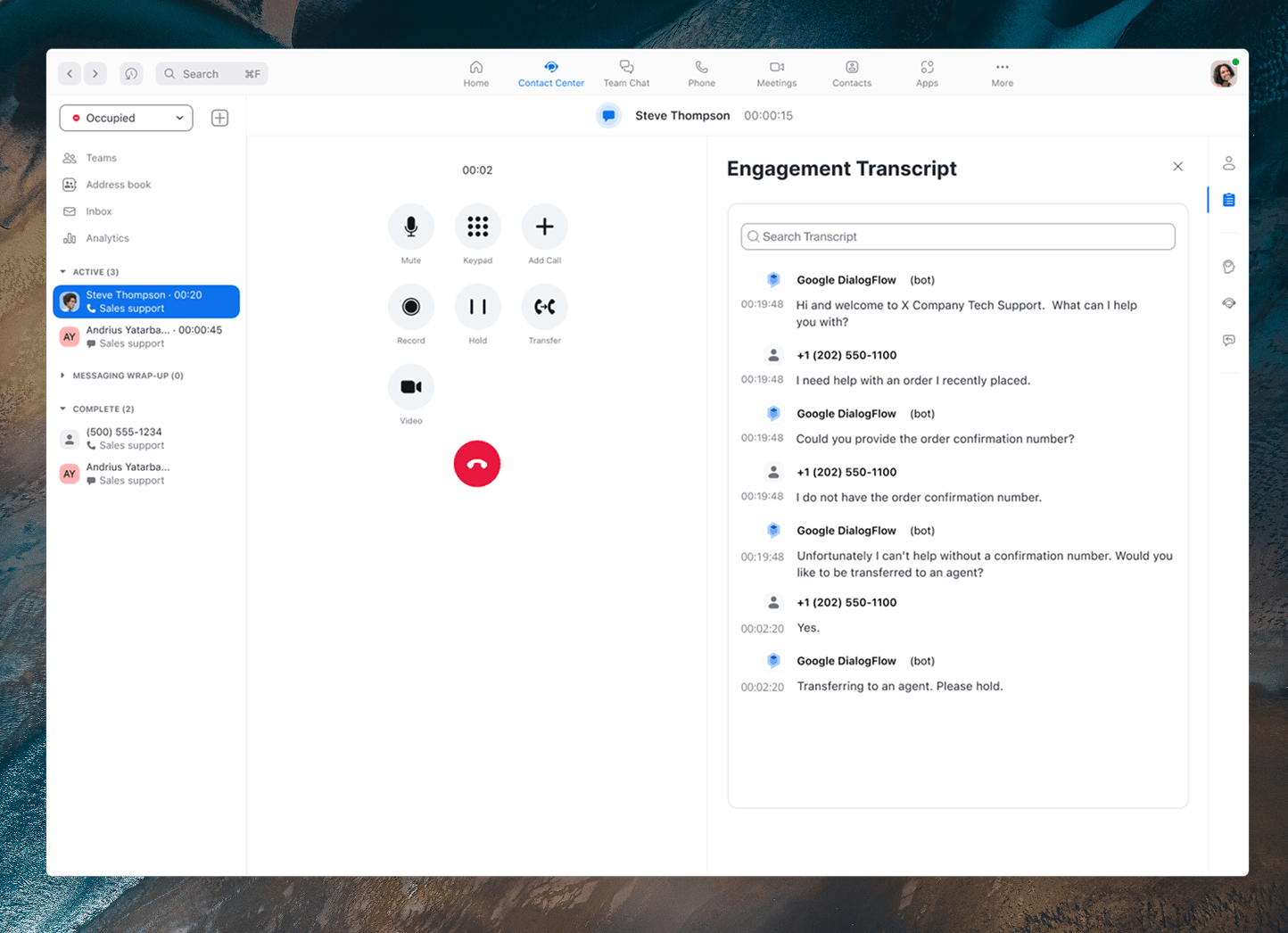
Google DialogFlow Bot Integration
- Pass custom metadata to and from Dialogflow through SIP headers, map returned data into your contact center flow variables automatically, and hand agents what the caller already told the bot.
- When a call moves from bot to agent, the customer doesn’t have to repeat the whole story over again.
- July 2026
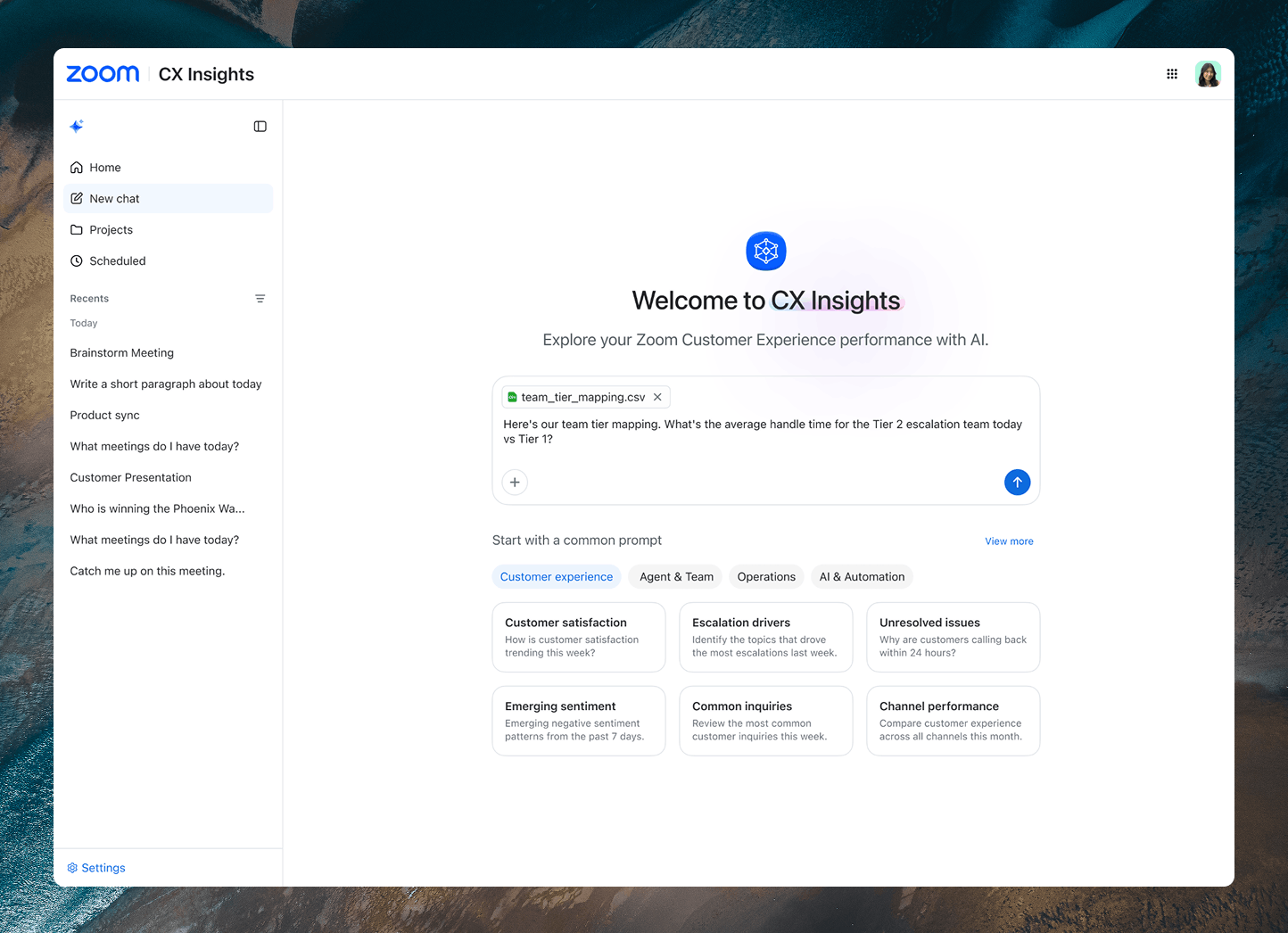
CX Insights Enhancements
- Upload CSVs and images to enrich queries, analyze WFM schedule groups and adherence with natural-language questions, and schedule recurring reports delivered to email on a daily, weekly, or monthly cadence.
- Ops teams get the report waiting in their inbox instead of rebuilding the same query every Monday morning.
- July 2026
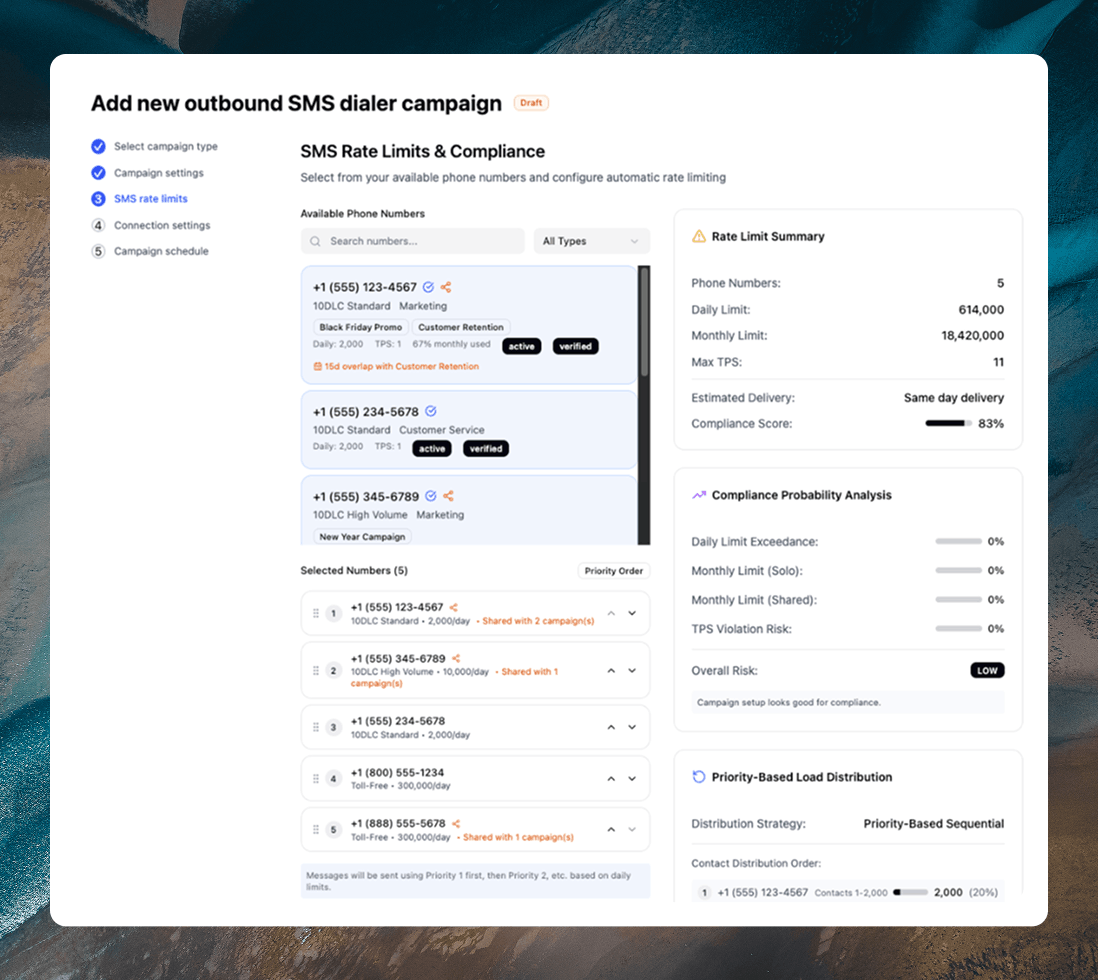
Agentless Dialer: SMS Campaigns
- Launch outbound SMS campaigns through the Zoom CX Agentless Dialer to reach customers on their preferred channel at the right time, with no agent needed.
- Routine nudges like payment and renewal reminders go out on their own, freeing agents for the conversations that actually need a person.
- July 2026
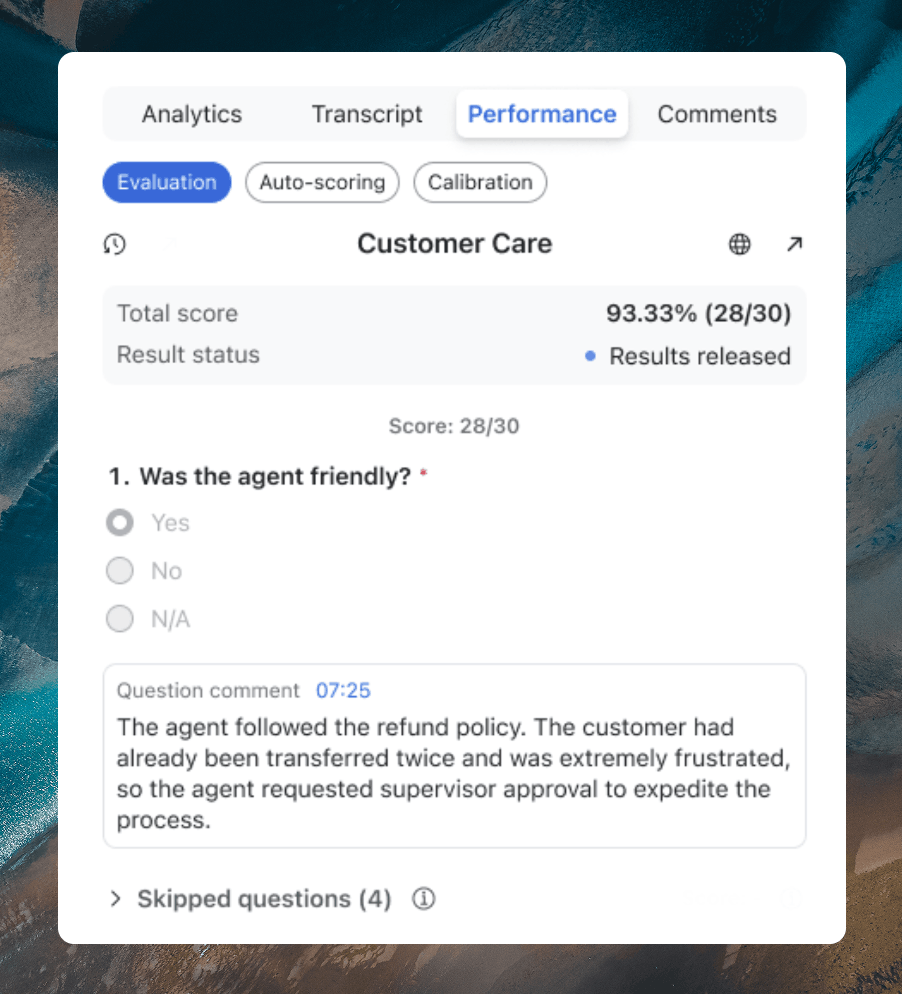
Quality Management: Conditional Scorecards
- Build one scorecard that shows or hides questions based on the evaluator’s answers, replacing several single-purpose forms, with hidden questions left out of the score so results stay accurate.
- Evaluators stop maintaining a stack of near-identical scorecards and work from one form that adapts to each interaction.
- July 2026
Quality Management: Historical Trending Topics
- See how interaction drivers rise and fall over time, not just within a day, and connect spikes to events like outages, promotions, or special days.
- Patterns that used to hide in daily noise become visible, so teams can get ahead of the next surge instead of reacting to it.
Zoom Virtual Agent
- July 2026
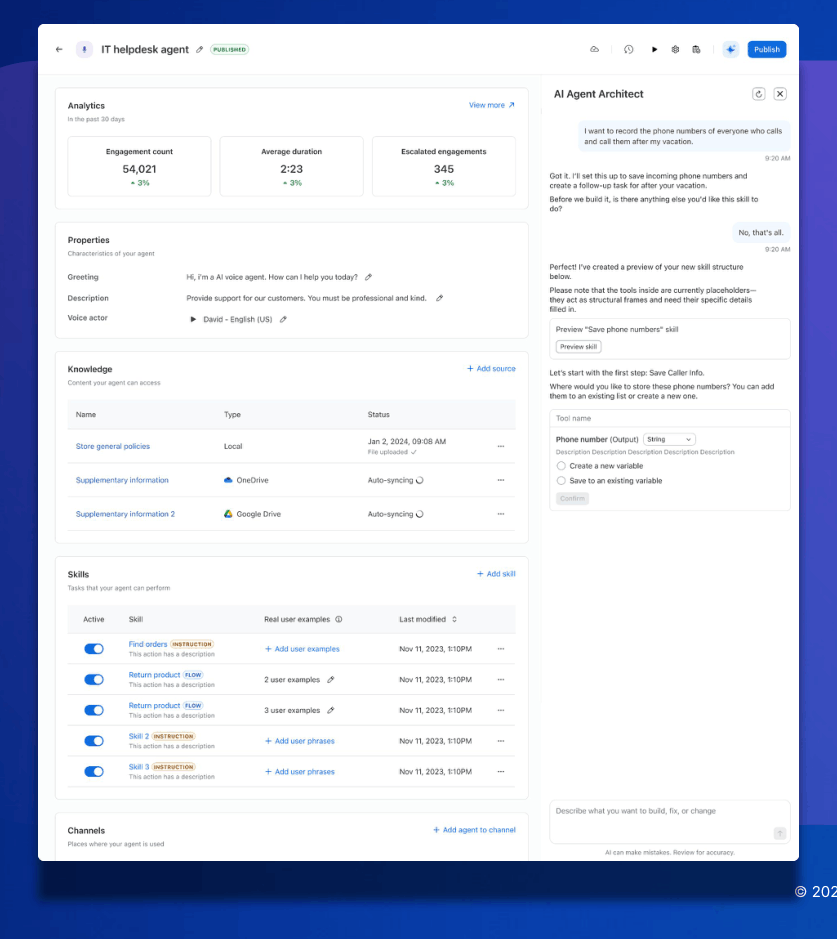
Agent Architect
- Turn a single text prompt into a production-ready virtual agent in minutes, with AI reasoning through customer requests, gathering missing context, and coordinating cross-platform tasks to resolve complex issues.
- Building a self-service agent used to mean weeks of scripting and flow mapping. Now it starts with a sentence.
- July 2026
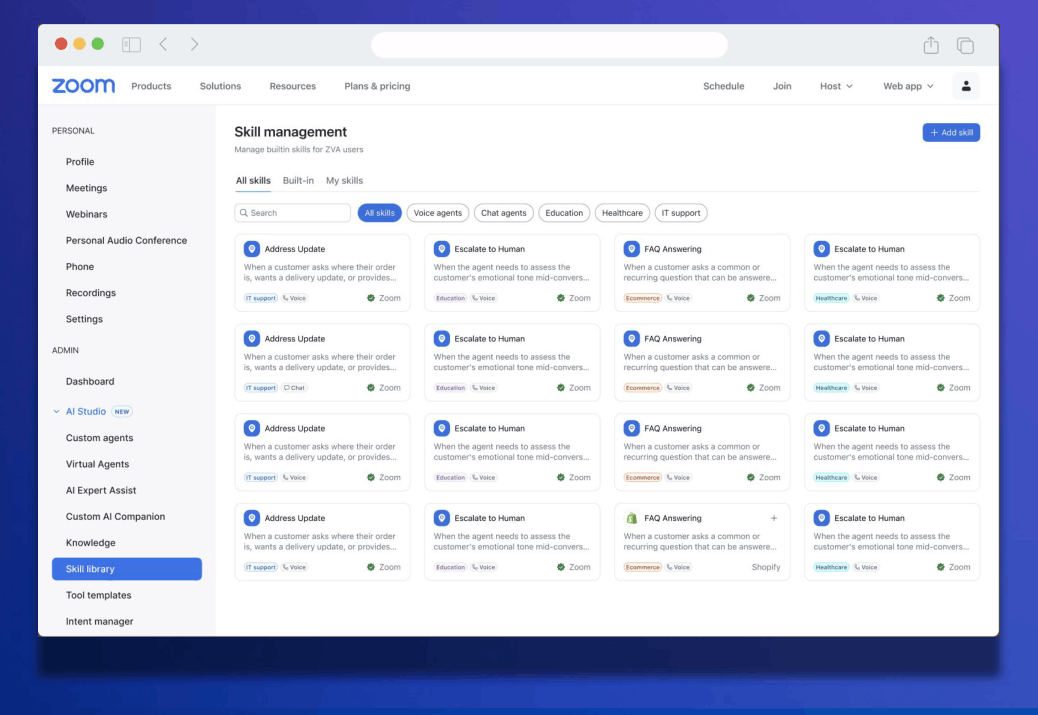
Zoom Virtual Agent Skill Library
- Deploy fully configured Zoom and third-party skills in a single click, with automated keyword matching that surfaces the right skills based on your agent’s instructions, and adapt built-in catalog skills to fit your flows.
- You skip building common capabilities from scratch and still keep the agent on-brand for how your business works.
- July 2026
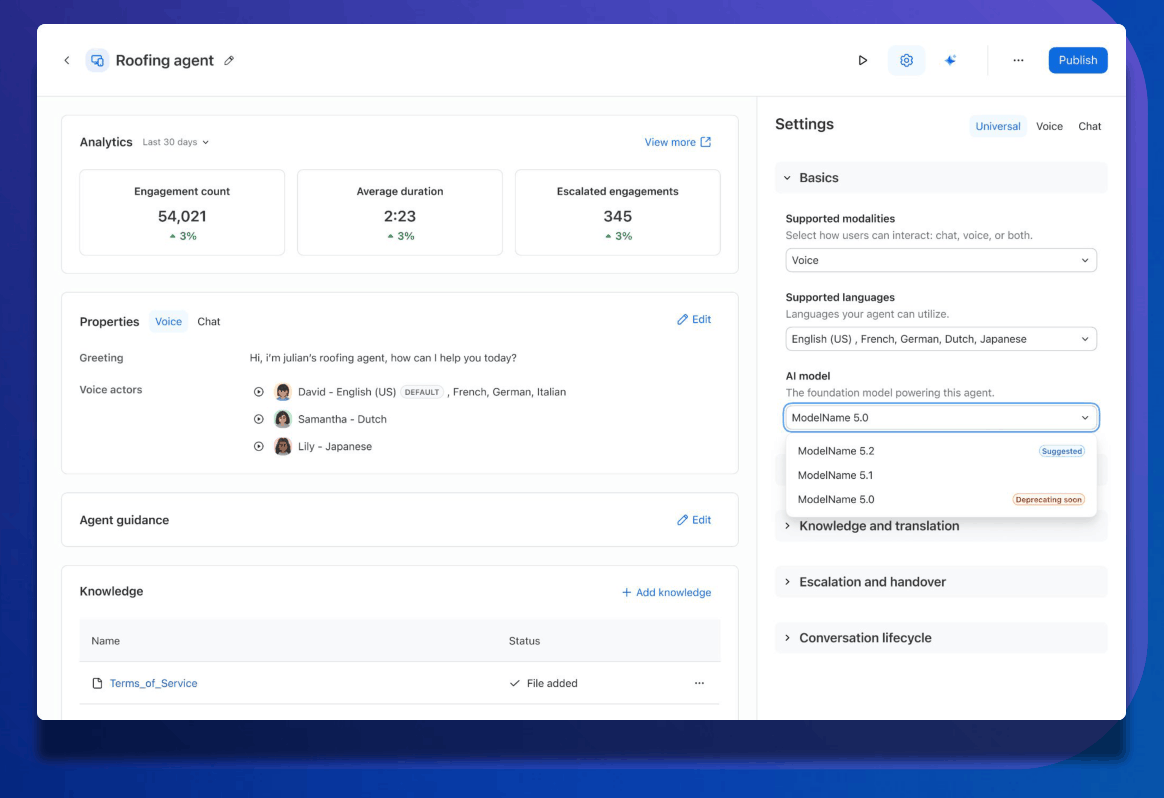
AI Model Selection and Upgrade Management
- Pick and switch between AI models from a simple dropdown, and keep your current model until you’re ready to change, with a confirmation prompt that prevents accidental switches.
- You decide when a model change happens, so your customer experience stays steady instead of shifting under you overnight.
- July 2026
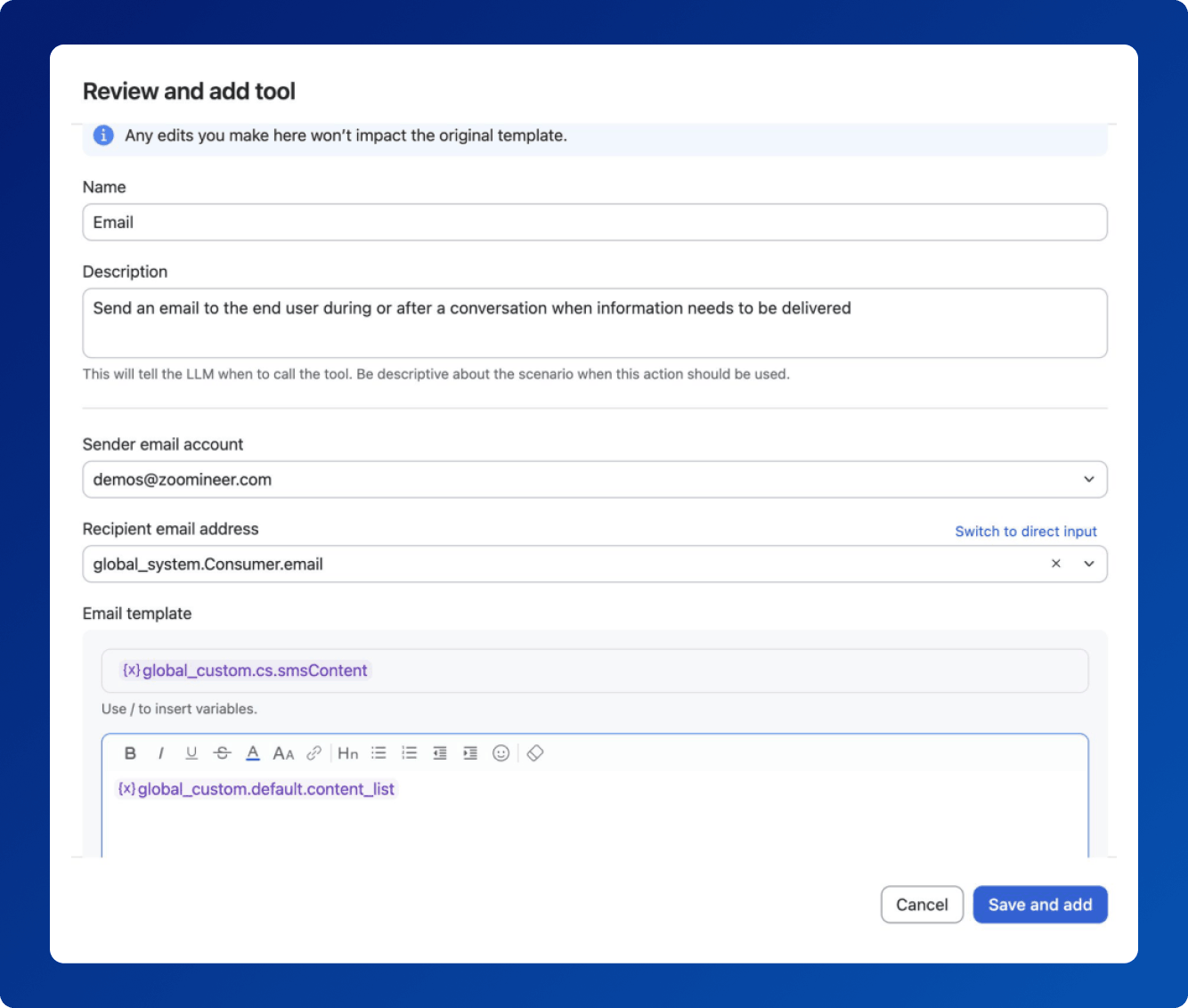
ZVA: Email as a Tool
- Send emails through your existing enterprise SMTP, Gmail, or Outlook setup, inject dynamic context and language preferences with conditional logic, and trigger personalized emails mid-conversation across chat and voice.
- Follow-up emails go out as part of the conversation, with no new mail architecture and no third-party middleware in between.
Industries & Open Ecosystem
- July 2026
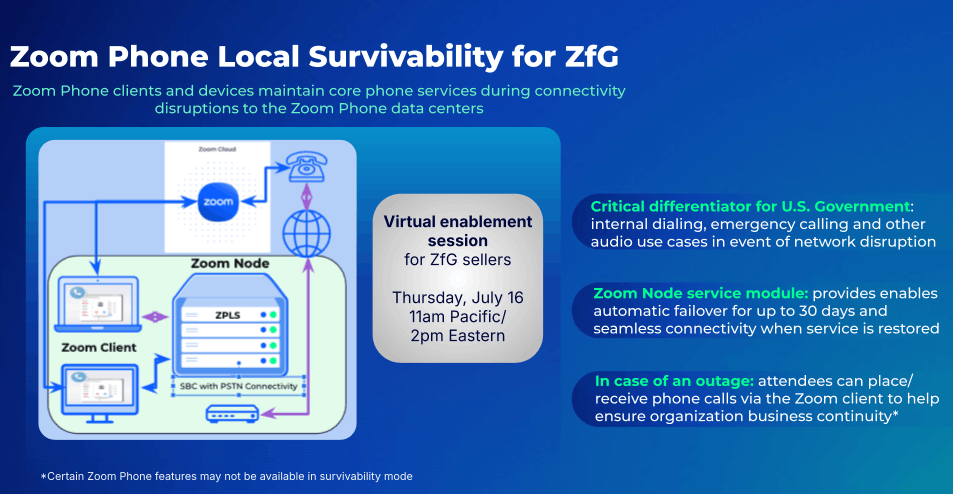
Zoom Phone Local Survivability for Zoom for Government
- FedRAMP-approved for the Zoom for Government platform
- Keep core phone service running on Zoom Phone in the Zoom Workplace mobile and desktop apps and devices during connectivity disruptions to a Zoom Phone data center, with automatic failover to the PSTN for up to 30 days through the Zoom Node service module.
- When the connection to the data center drops, government users can still place and receive calls, so an outage doesn’t shut down the mission.
Apps & Integrations
- July 2026
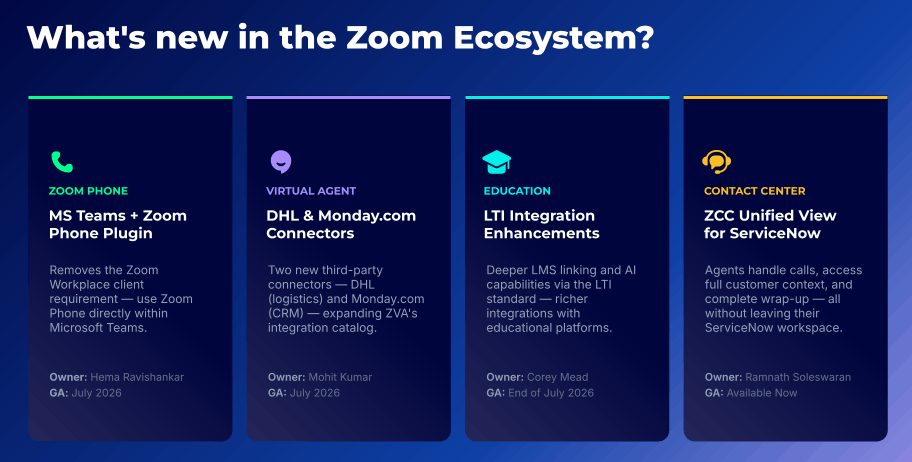
What’s New in the Zoom Ecosystem
- Four ecosystem updates this month: an MS Teams and Zoom Phone plugin that drops the Zoom Workplace app requirement, new DHL and Monday.com connectors for Zoom Virtual Agent, richer LTI integration for education, and a unified ZCC view for ServiceNow.
- Whatever tools your organization already runs on, there’s one more way this month to plug the Zoom platform into them instead of working around them.
- July 2026
Plugin SDK and Device SDK
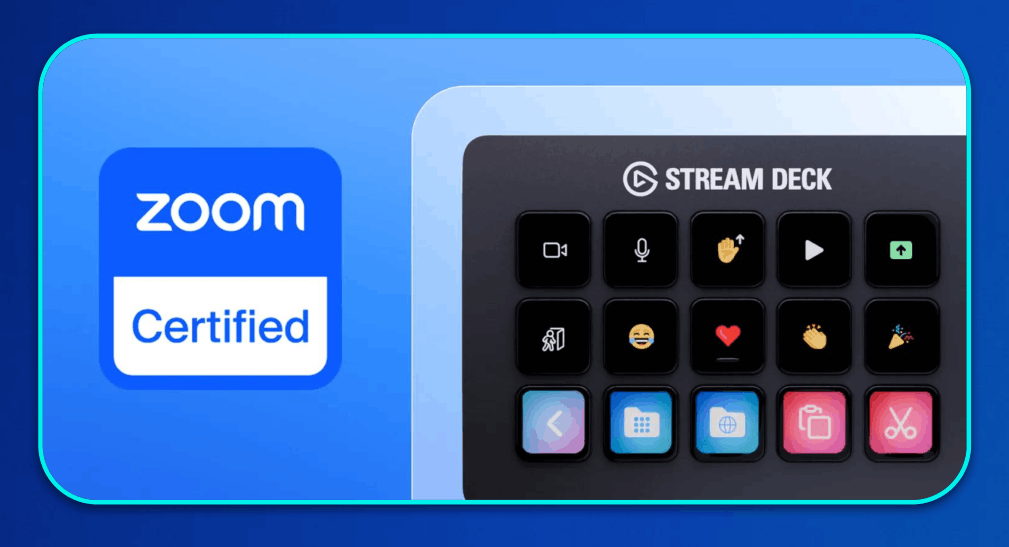
- Connect apps and hardware to Zoom Workplace without a custom app: the Plugin SDK reaches 170+ in-meeting controls with real-time callbacks, and the Device SDK pairs hardware or software widgets for programmatic meeting control and live state updates.
- Developers and on-device AI agents get granular meeting control without full screen or OS permissions, so integrations stay lightweight and safer.
Bonsai
- July 2026
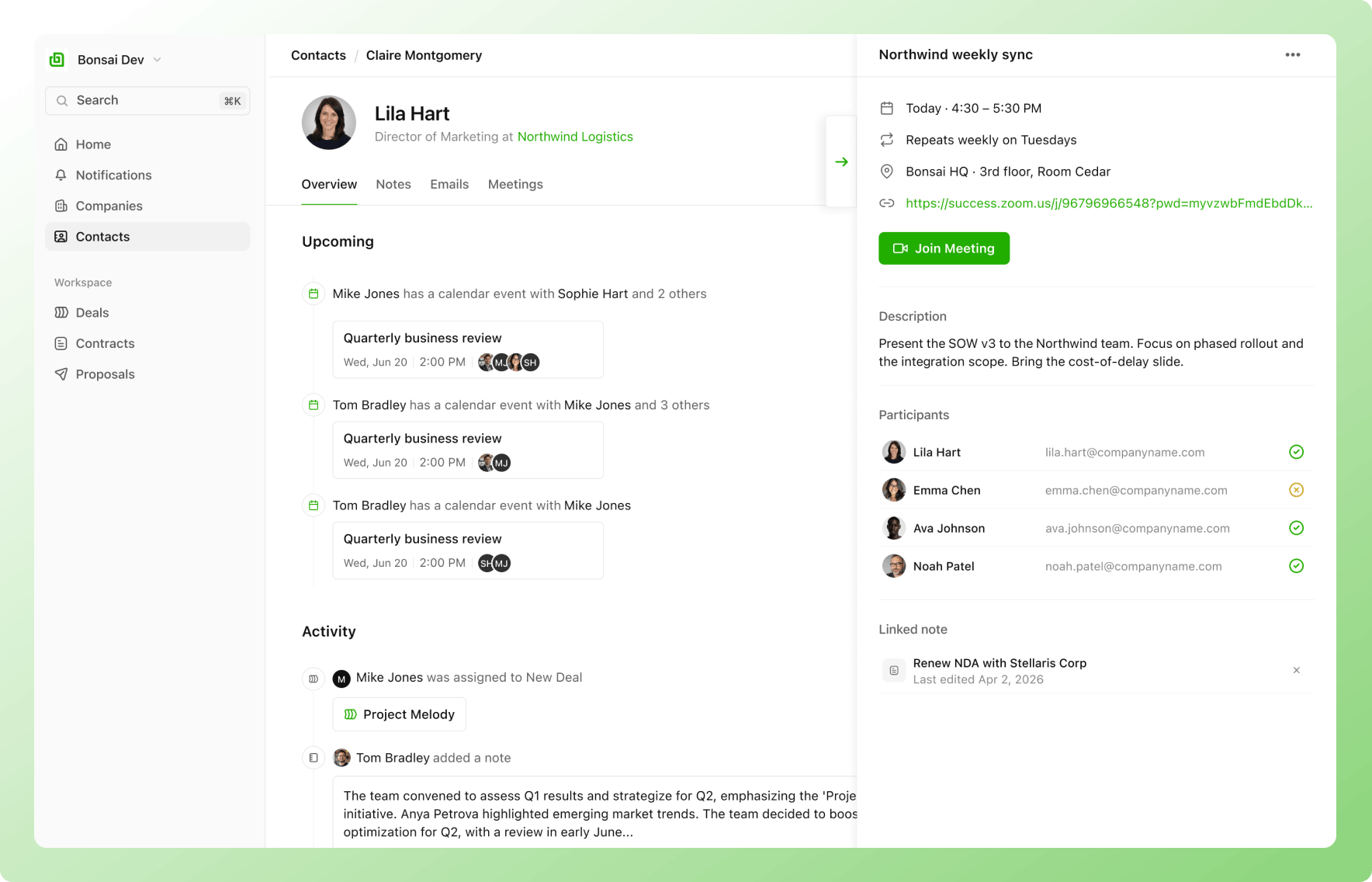
Sync your email and calendar
- Connect your Gmail or Microsoft account to keep yourr client interaction in one place.
- Your emails and calendar events sync to the right contact or company in your Bonsai CRM. Any new contact is automatically added along the way.
- Search past emails or send new ones without leaving Bonsai, and see every meeting, past and upcoming, with one-click join for your next call.
ZoomMate
ZoomMate is expanding its reach, becoming a more powerful and personalized assistant that works for you across more platforms and specialized workflows.
- June 2026
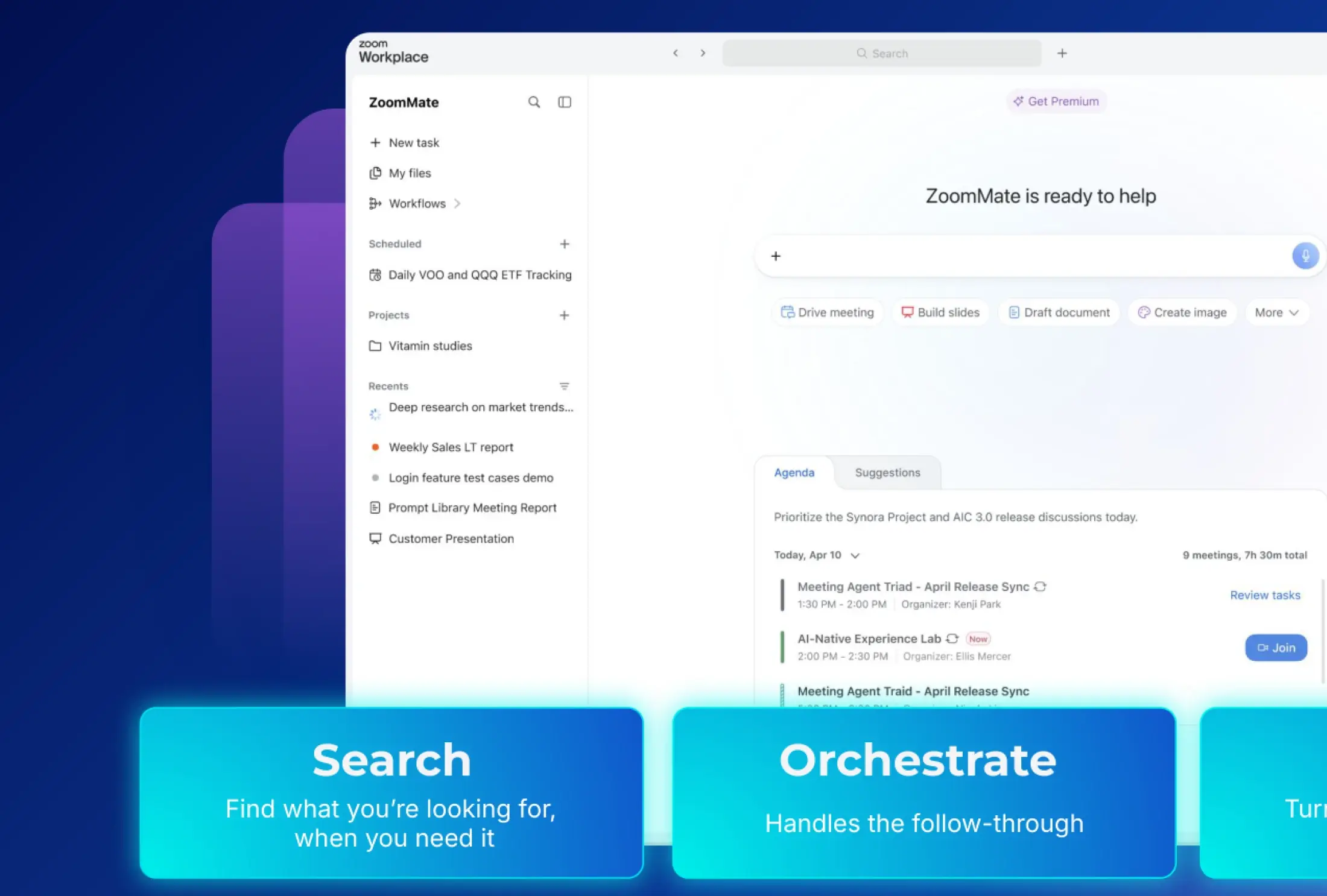
Your new AI teammate
- A new place on the web where ZoomMate searches across your tools, kicks off tasks, and turns your meetings and chats into finished work.
- Instead of bouncing between a dozen apps to pull a project together, you start in one place and let ZoomMate carry the work forward.
- June 2026
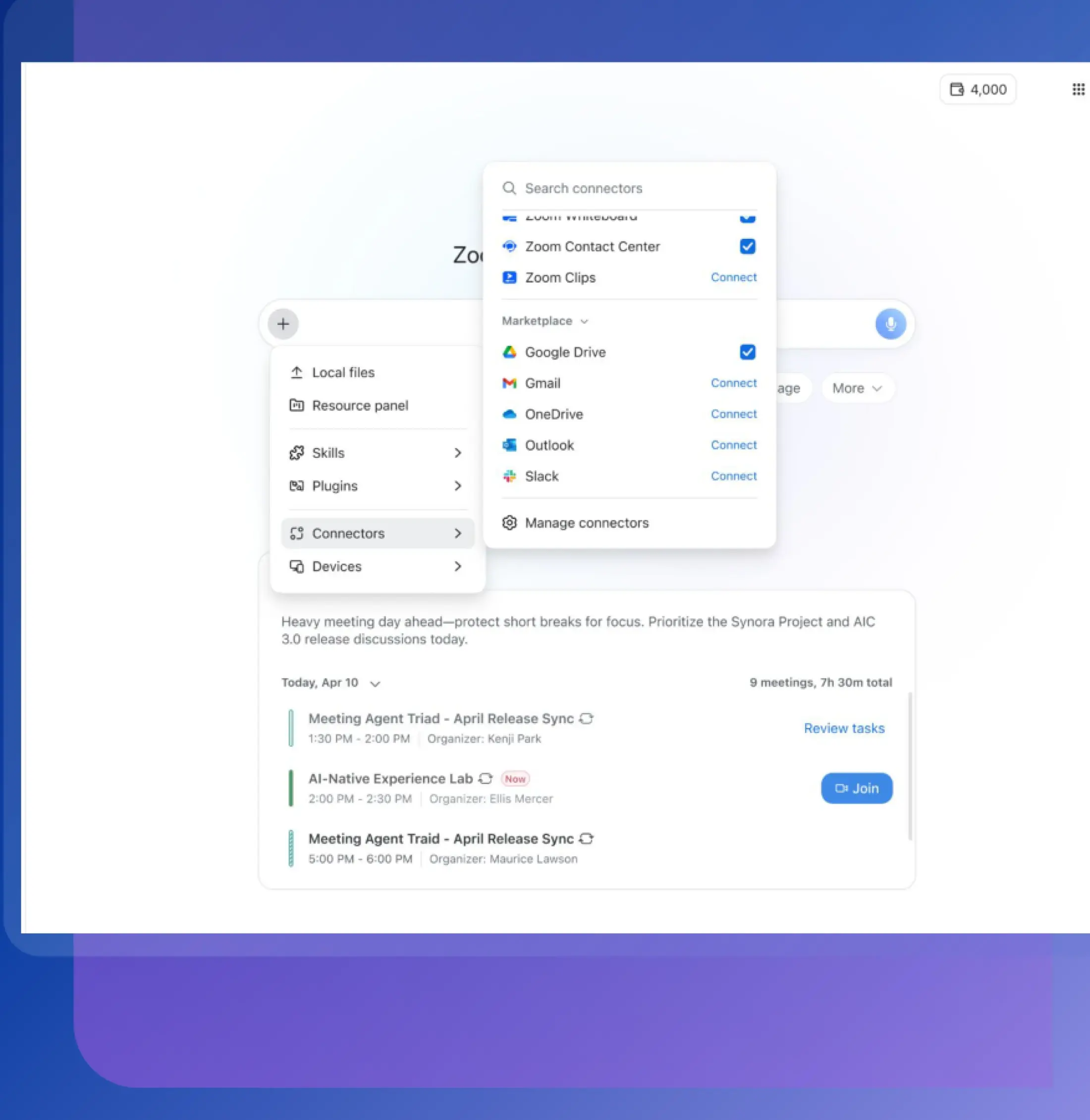
Agentic search
- Search across Zoom and your connected apps — docs, knowledge bases, and third-party tools — and get answers that are analyzed and pulled together, not just a list of links.
- No more opening six tabs to track down one answer. Ask once, and the answer comes to you right where you're already working.
- June 2026
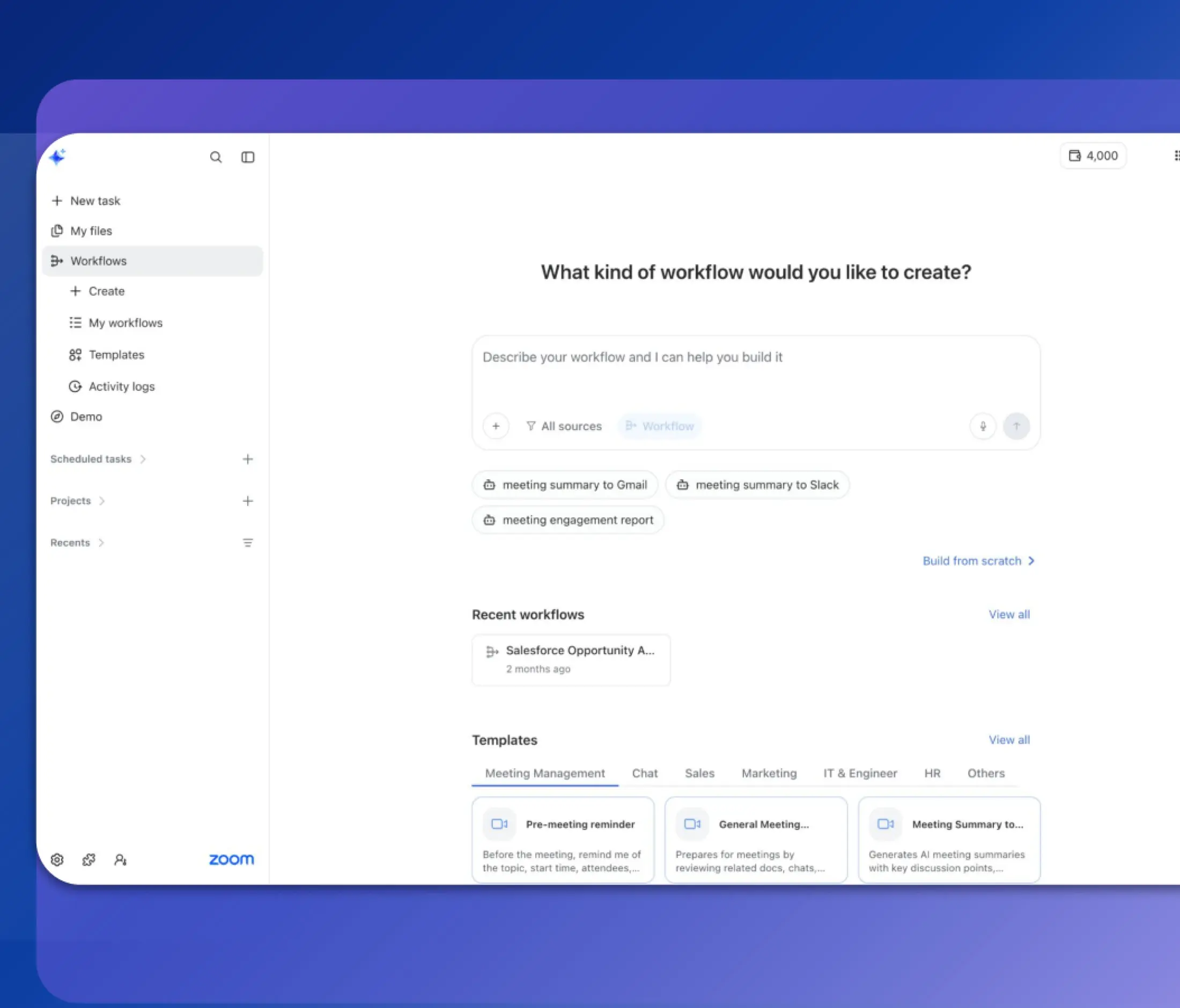
Agentic workflows
- Set up workflows that run on their own — triggered by an event, a schedule, or an action — from recurring reports to multi-step processes.
- Your morning status report writes itself before you sit down, and you can see exactly what ran, when, and why.
- June 2026
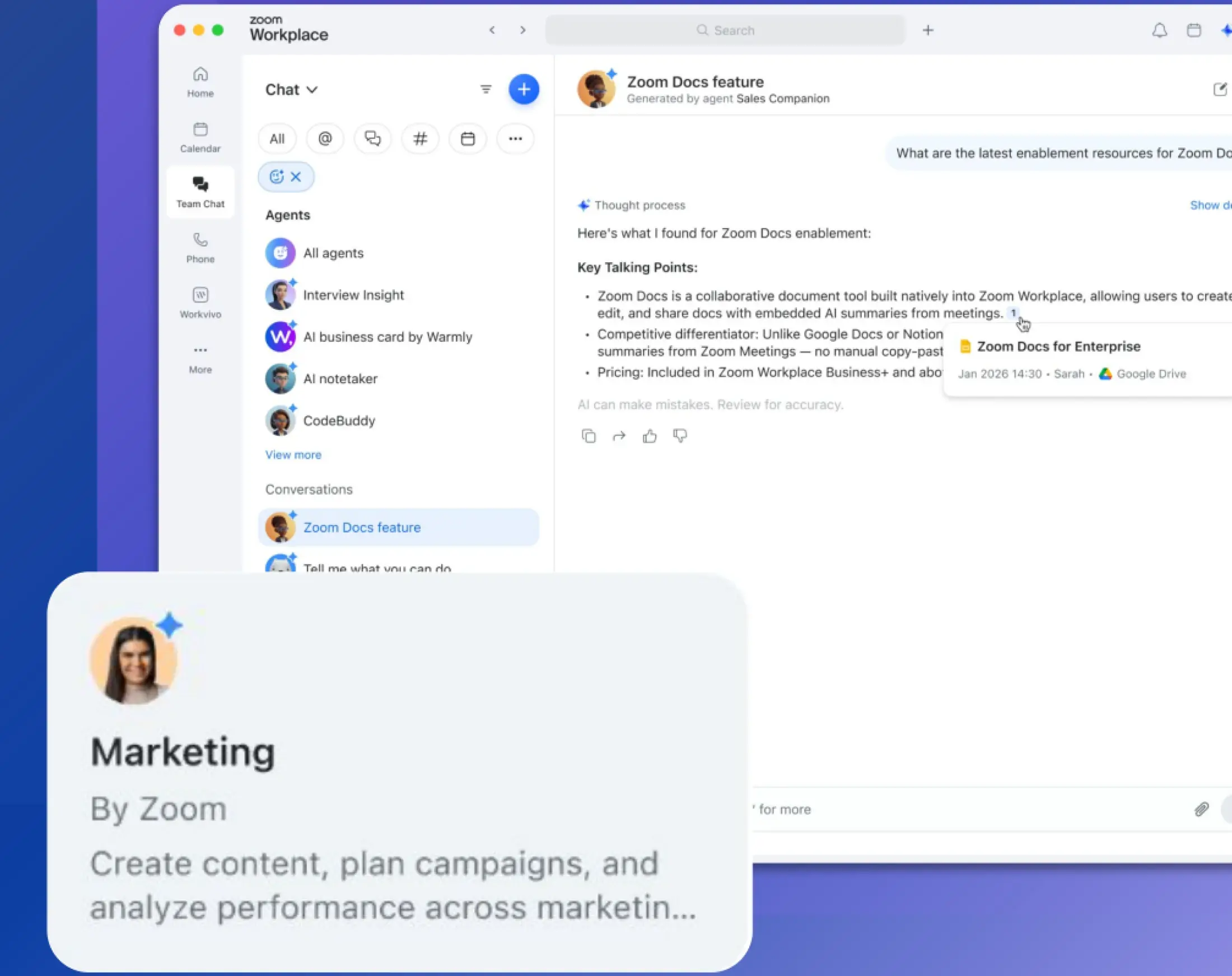
AI agents
- Put AI agents to work planning, running, and managing tasks across your systems, right inside the conversations where work happens.
- Projects keep moving without someone manually chasing every next step, and decisions get made faster.
- June 2026
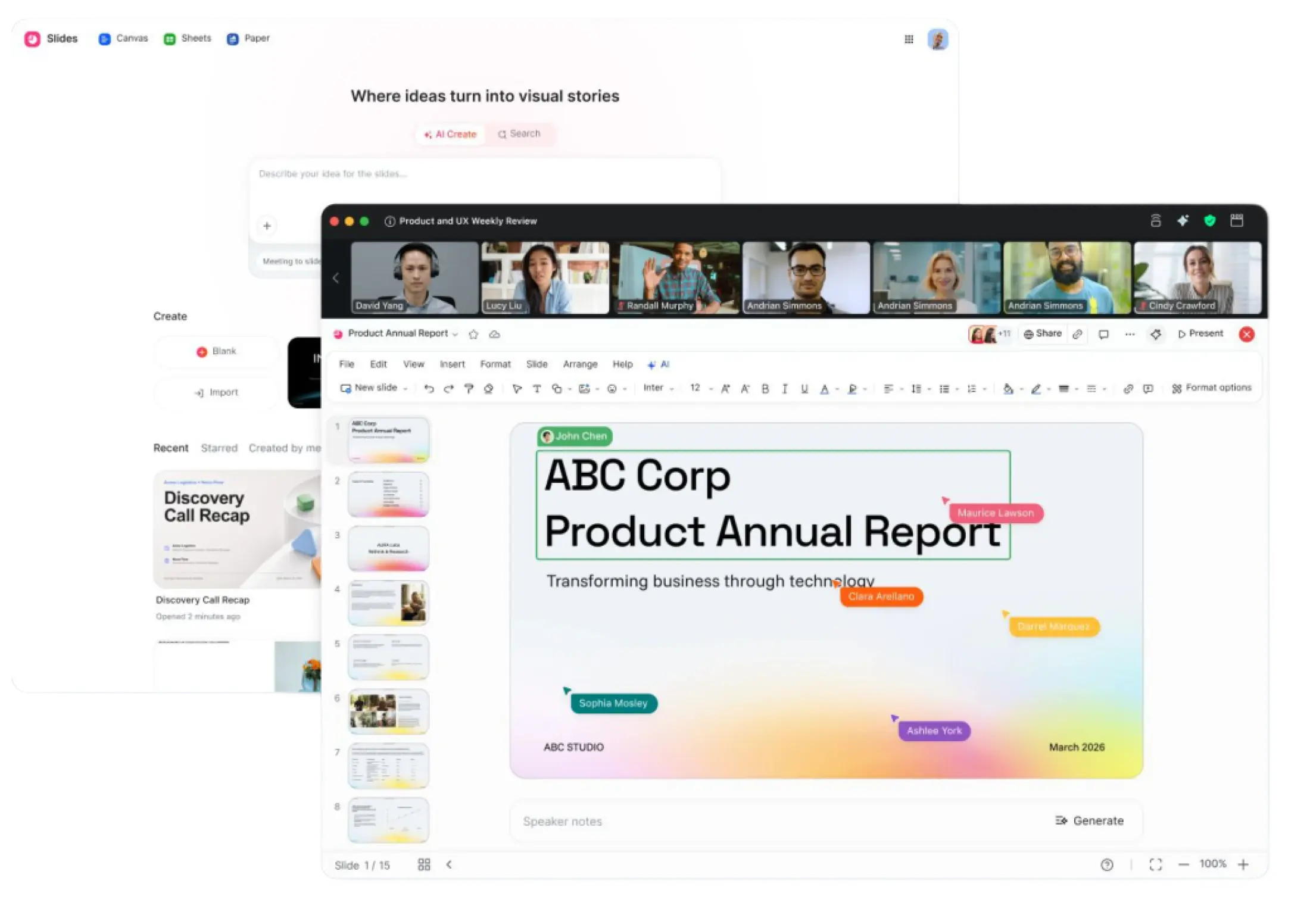
Zoom Slides
- Generate a complete slide deck from a prompt, a Zoom Canvas, or your meeting content, then refine text, swap images, and add charts with built-in AI editing.
- Spend less time wrestling with layouts and more time on the message, then present with confidence using presenter view and speaker notes.
- June 2026
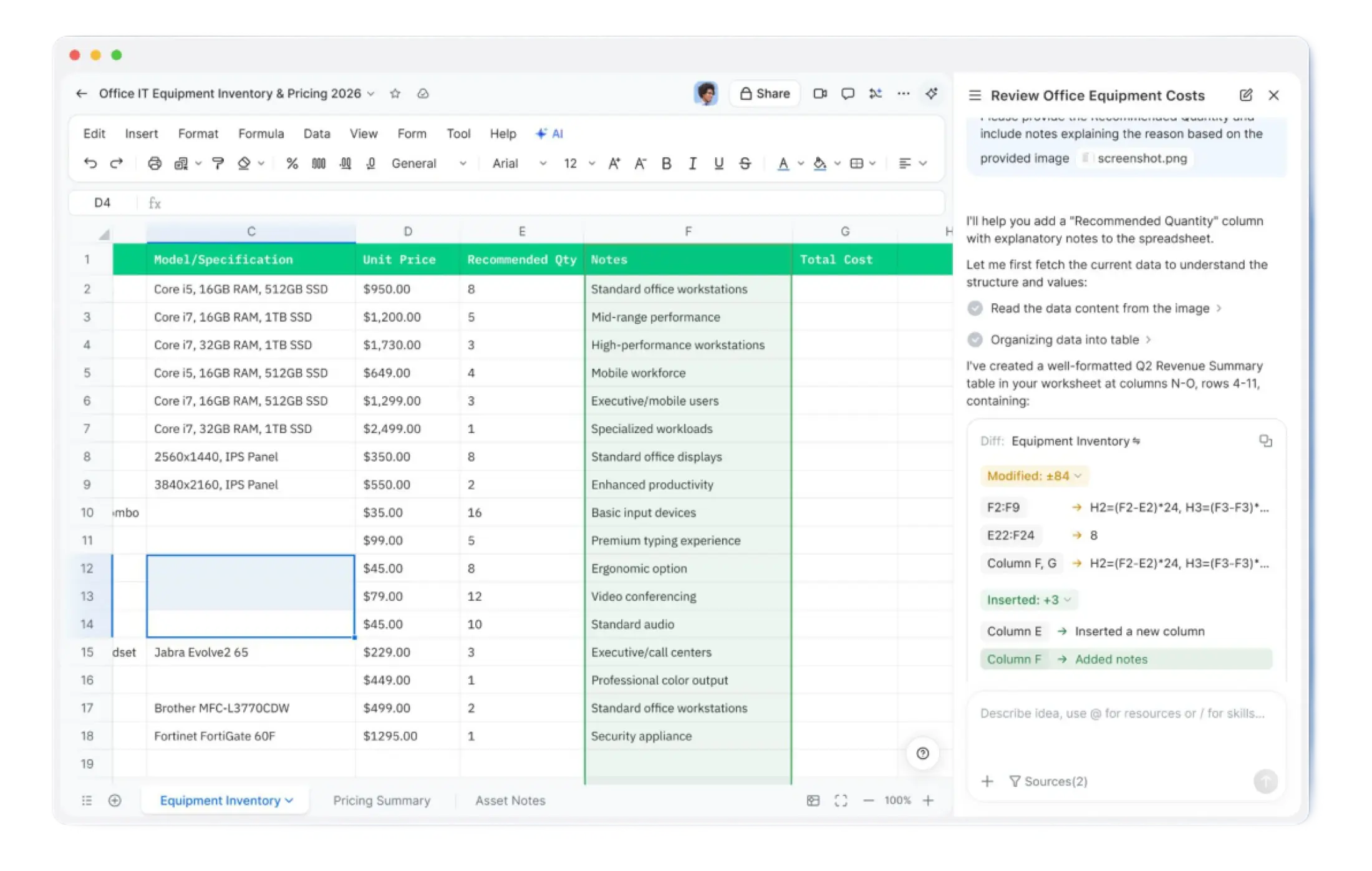
Zoom Sheets
- Ask Zoom AI to build spreadsheets, write formulas, and summarize data, and import data from PDFs, meeting transcripts, Zoom Canvas, and more.
- Get an answer from your data by asking in plain language, instead of digging through rows and remembering formula syntax.
- June 2026
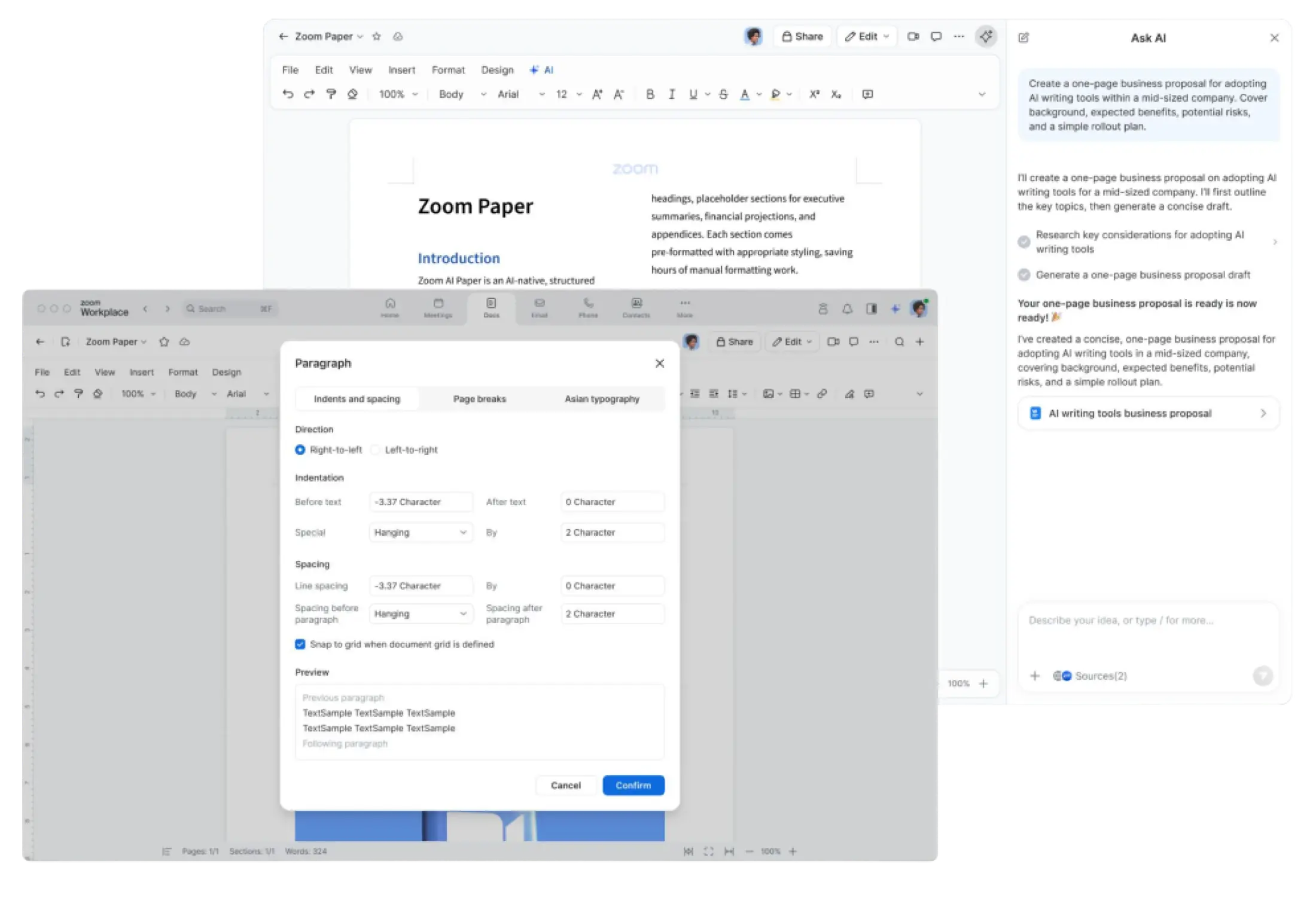
Zoom Paper
- Draft, restructure, translate, and adjust the tone of documents with Zoom AI built in, and import or export .docx files with formatting, margins, headers, and footers intact.
- Go from a rough idea to a print- and PDF-ready document without losing hours to manual formatting.
Zoom AI On-Prem
- June 2026
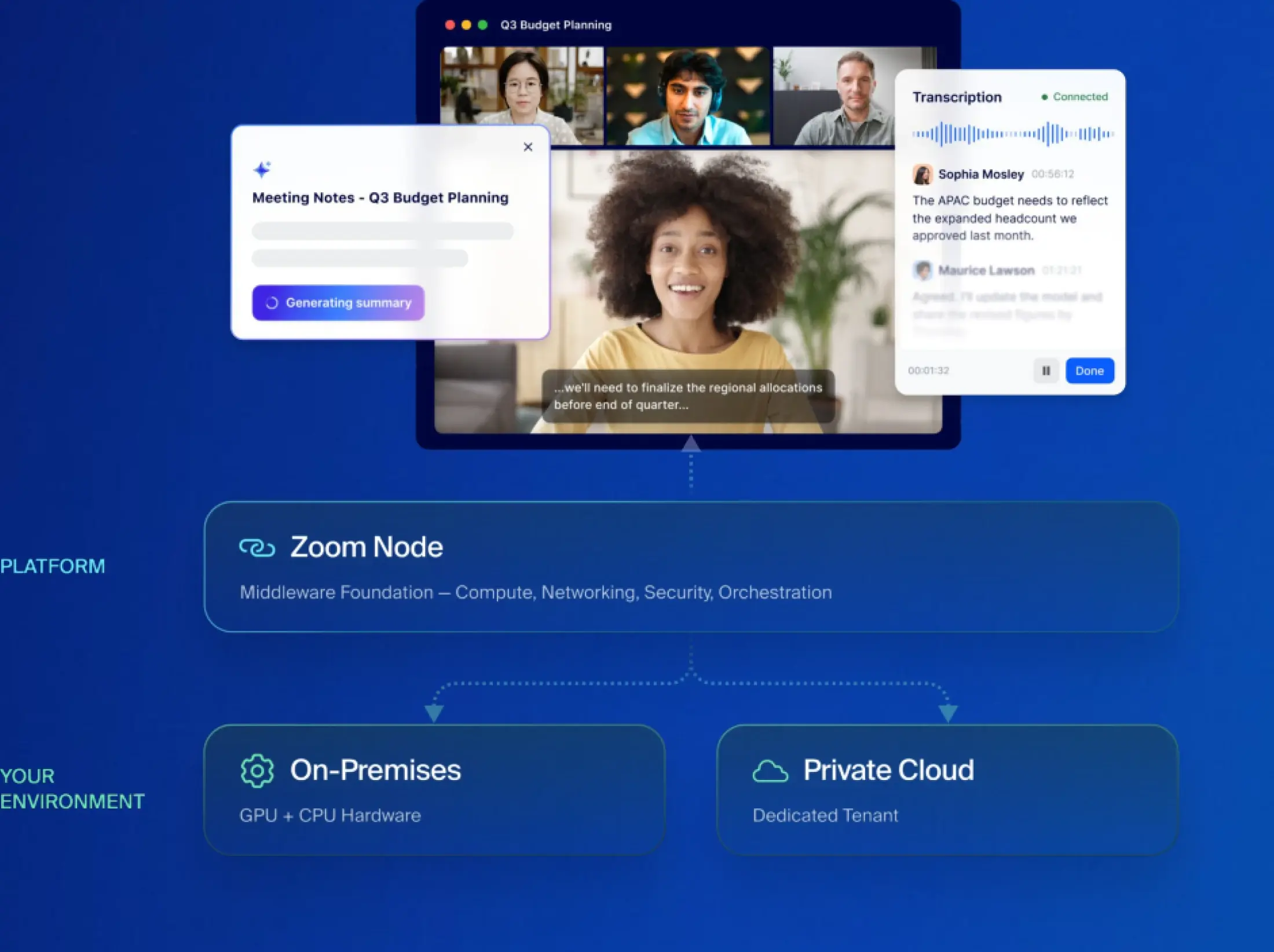
AI that works where your data lives
- Deploy Zoom AI on your own infrastructure or private cloud to support data residency and compliance needs, starting with speech recognition and expanding later to AI summaries and agentic search.
- Teams in regulated environments get Zoom AI where their data already lives, with Zoom handling updates and orchestration.
Zoom Workplace
Zoom Workplace is designed to reduce friction and simplify your work day, whether you're in a meeting or catching up later.
- June 2026
Zoom AI, now built right in
- The AI features you already use — meeting summaries, AI writing, and more — are now a built-in part of Zoom Workplace rather than a separately named solution.
- You get Zoom's AI where you already work, with nothing extra to switch on.

- June 2026
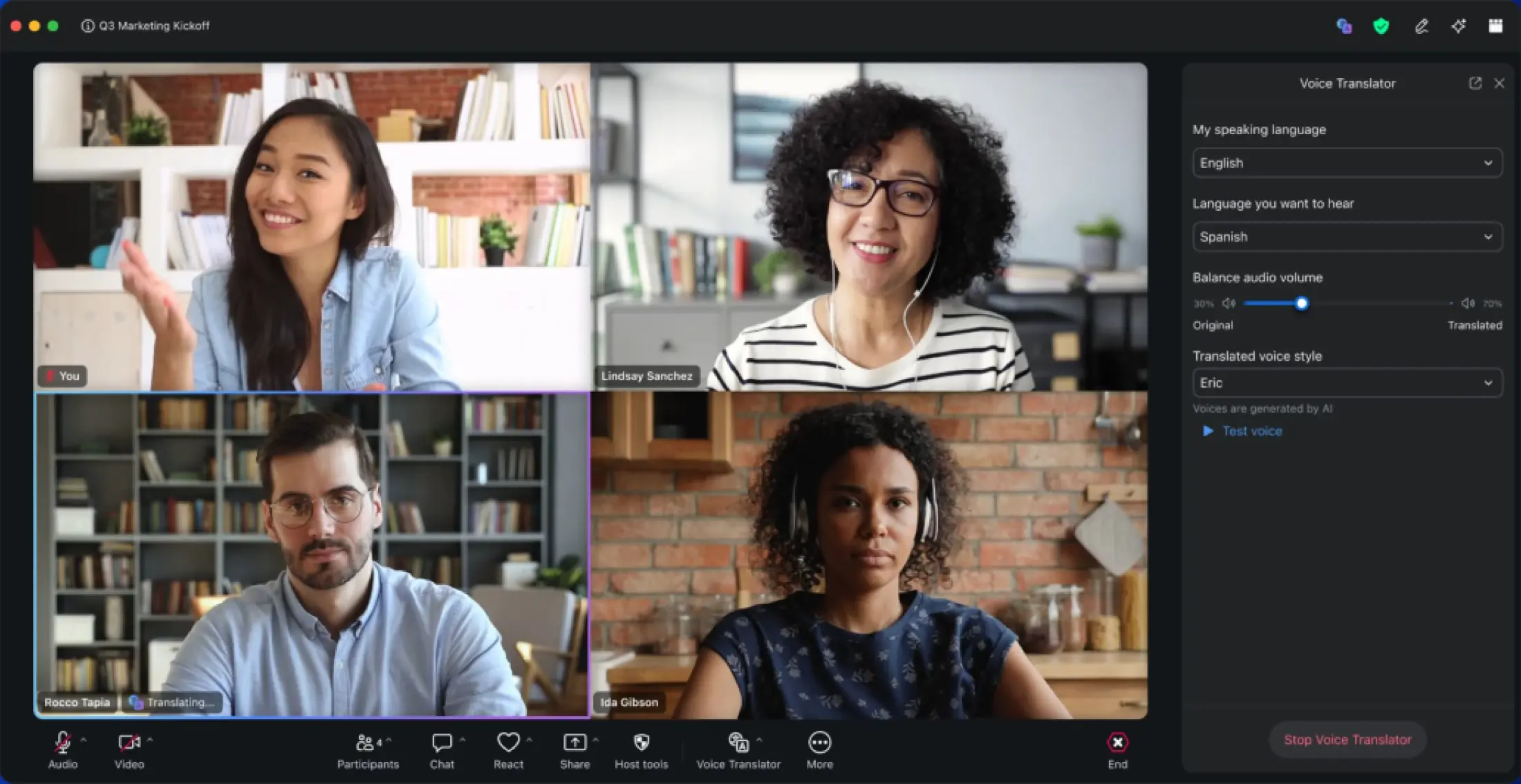
Voice Translator
- Hear live spoken translation in any supported language during a Zoom Meeting, with Zoom AI translating the conversation on the fly.
- Keep your eyes on the speaker instead of reading captions, and follow the discussion in your own language as it happens.
- June 2026
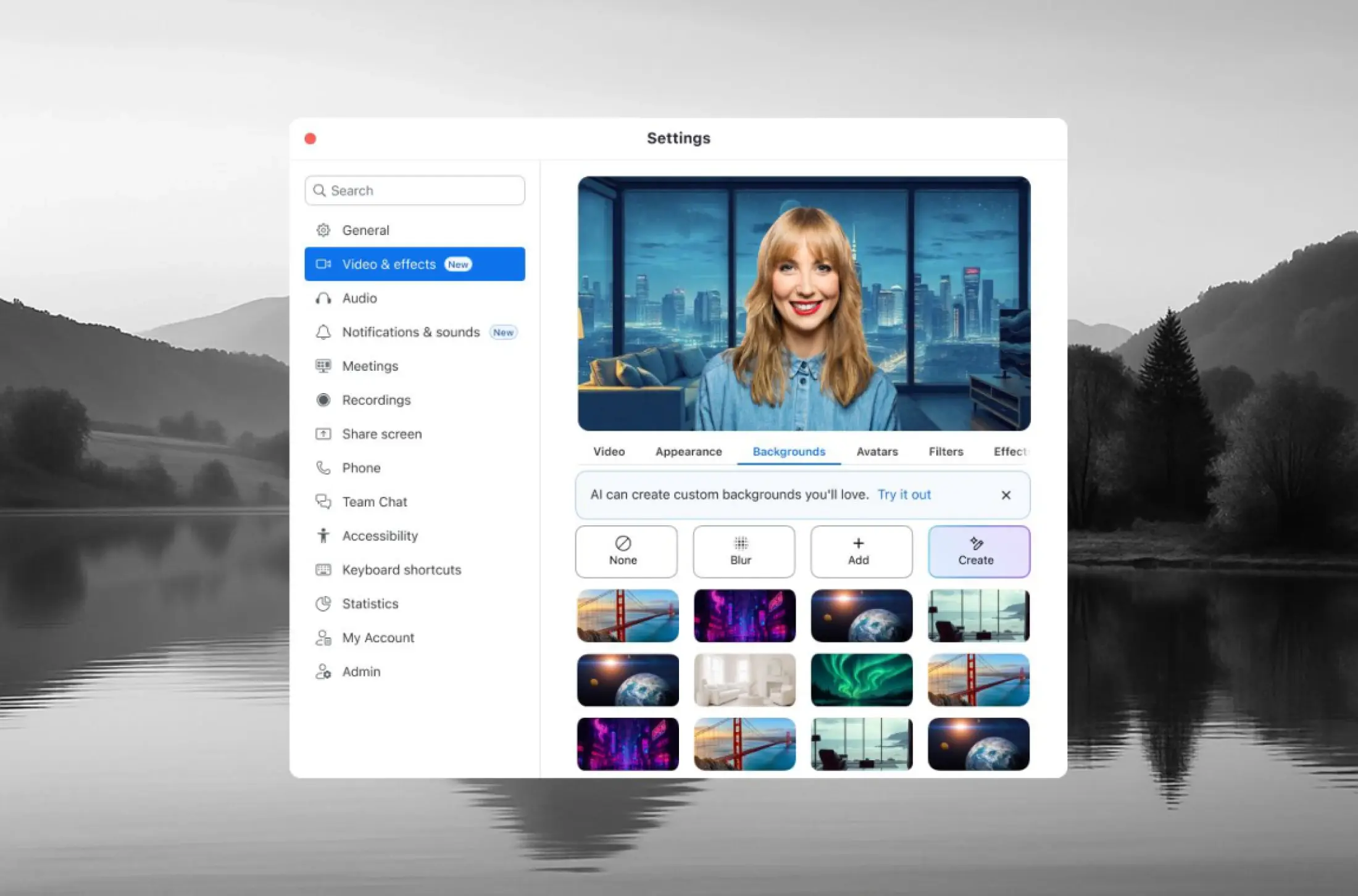
AI Virtual Backgrounds
- Pick a space and get a tailored, high-quality background in one tap, or add your own prompt or art style when you want more control.
- Look polished in seconds — no manual uploads, no hunting for the right image, no outside tools.
- June 2026
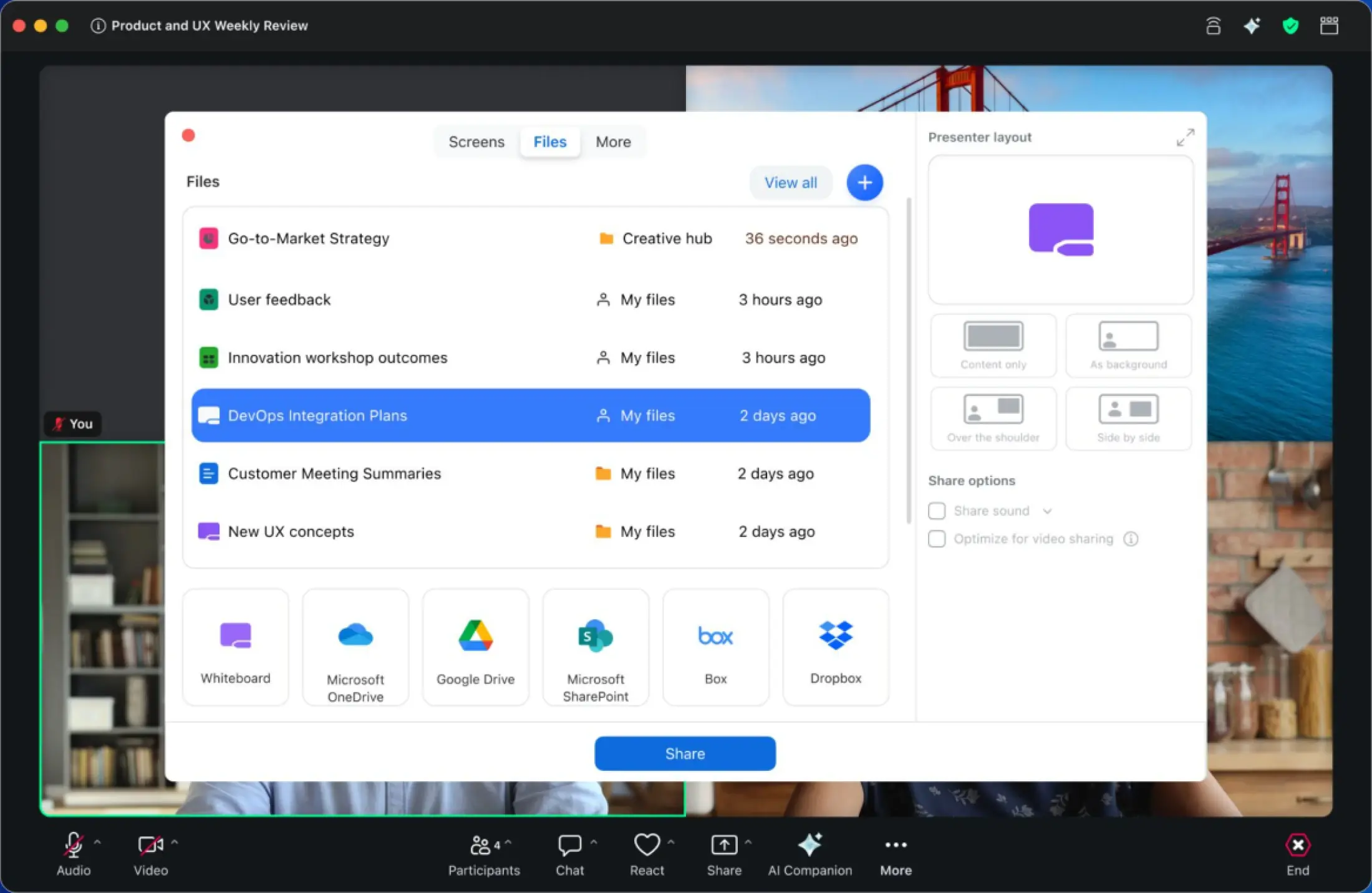
Sharing simplified
- Your recent Zoom AI productivity files surface right in the share picker, with app icons on every window tile so you share the right thing.
- No more fumbling for the correct window mid-meeting. Your latest work is right there, ready to share and work on together in real time.
- June 2026
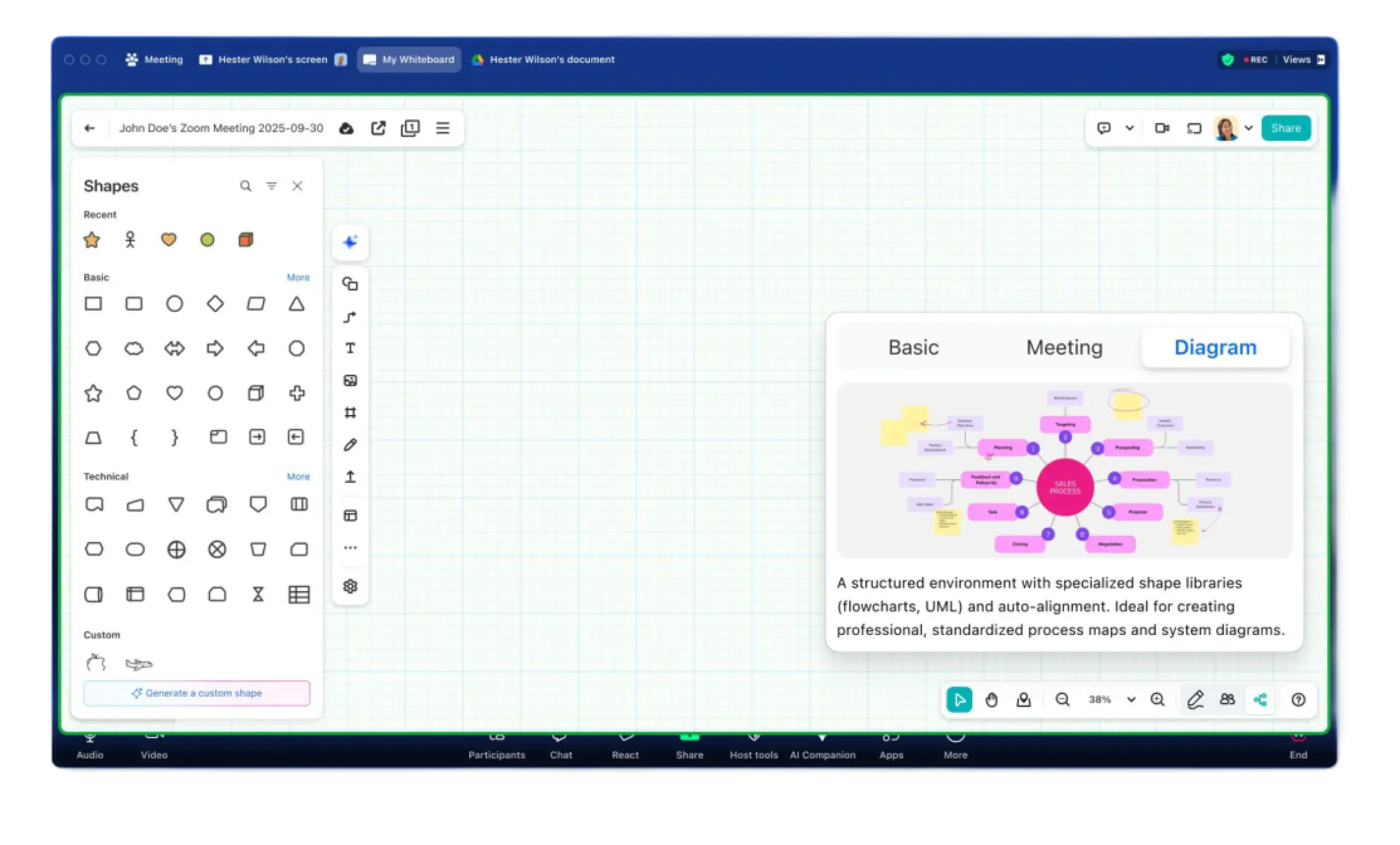
Diagram Mode
- Chart and graph in a dedicated whiteboard space with diagram-ready defaults like snap-to-grid and orthogonal connectors, plus quick access to flowchart shapes and swimlanes.
- Build a clean flowchart without fighting a freeform canvas, then export a tidy SVG or drop it straight into Zoom Canvas.
Zoom for Broadcast Solutions
- June 2026
Direct the conversation with Talkback Audio
- Producers using Zoom for Broadcast can now communicate privately with remote guests — instantly and without disrupting the show. With Talkback Audio, producers can send one-way audio to any remote guest while a passive in-app notification keeps guests informed.
- Need their full attention? Configure it with dampening or full IFB (Interruptible Foldback) to suppress all other meeting audio so your voice is heard clearly.
- Seamlessly integrated into ZoomISO v3 through the Enhanced Media add-on or through integrations including GnuralNet LiveToAirZ

Zoom Webinars & Events
- June 2026
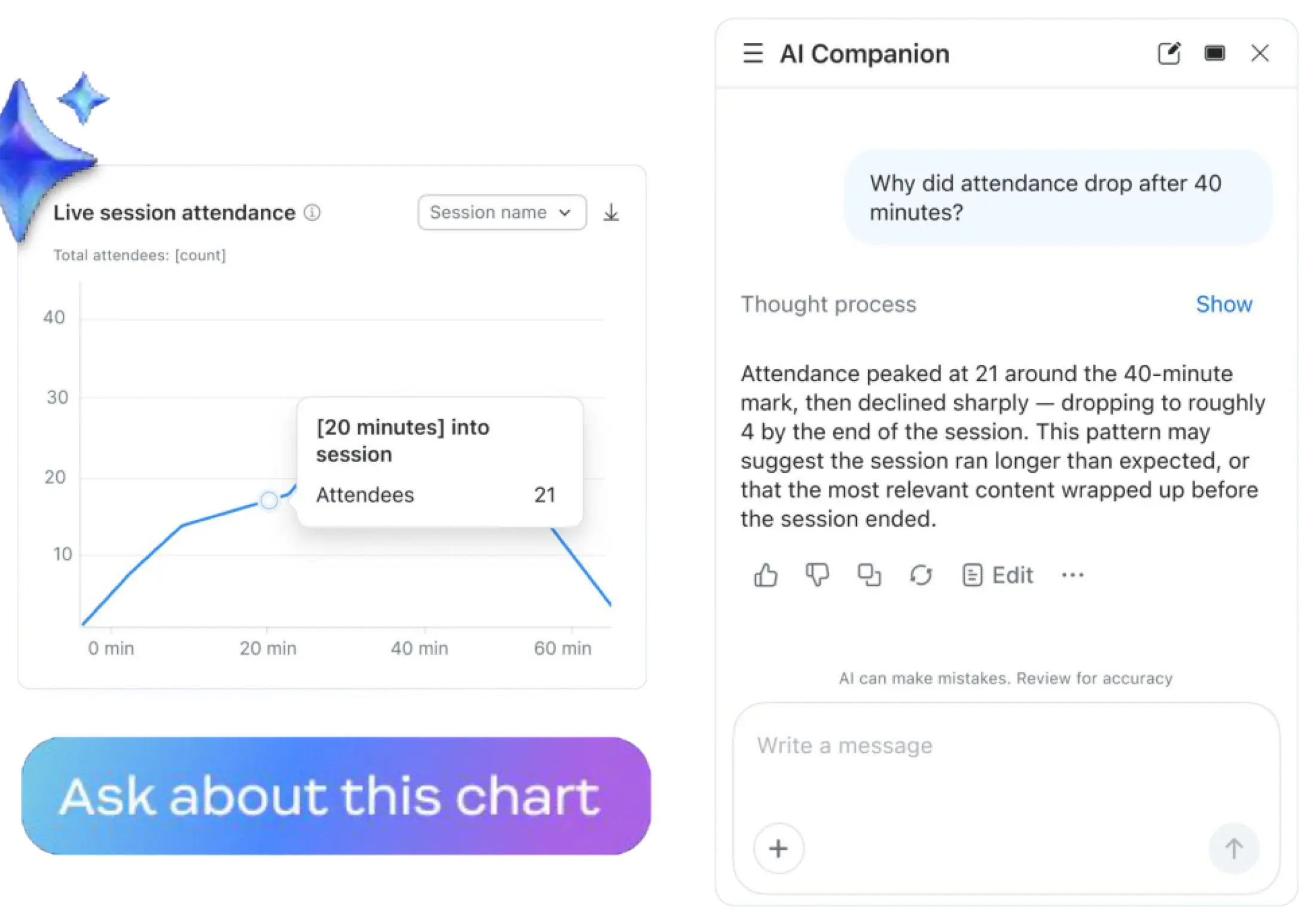
Zoom AI Event Analytics
- Ask Zoom AI about your event performance across single, recurring, and multi-session events, and get answers on attendance, engagement, and cross-event trends.
- When leadership asks what's working, you have the answer without exporting data or building a dashboard. Flip one toggle and Zoom AI gets to work after every event.
- June 2026
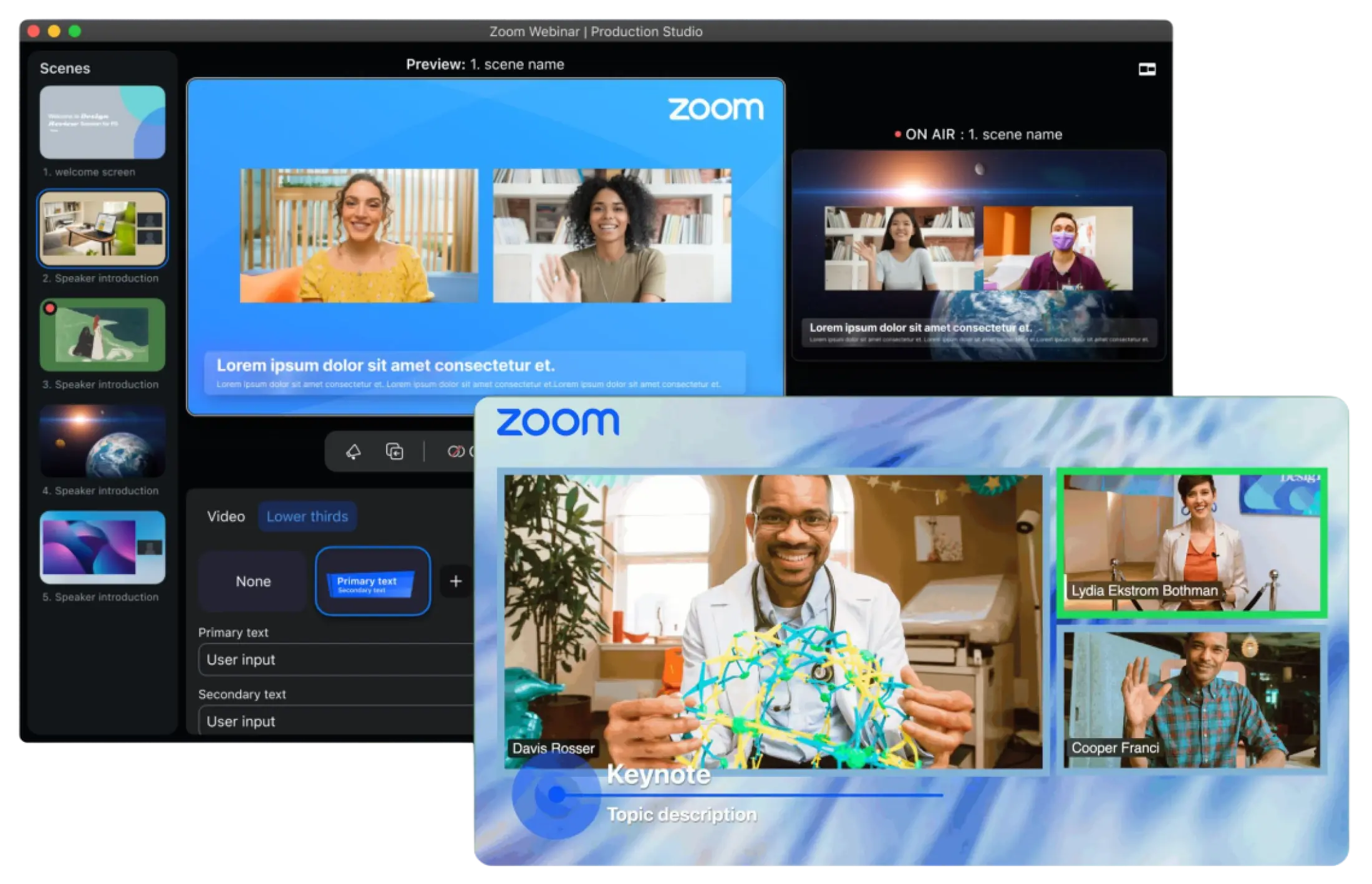
Production Studio Lower Thirds
- Place branded banners and name tags across the bottom of your webinar scenes for a TV-style look, right inside Zoom.
- Give every webinar a broadcast-quality feel without paying for or wiring up third-party production tools.
Zoom Revenue Accelerator
- June 2026
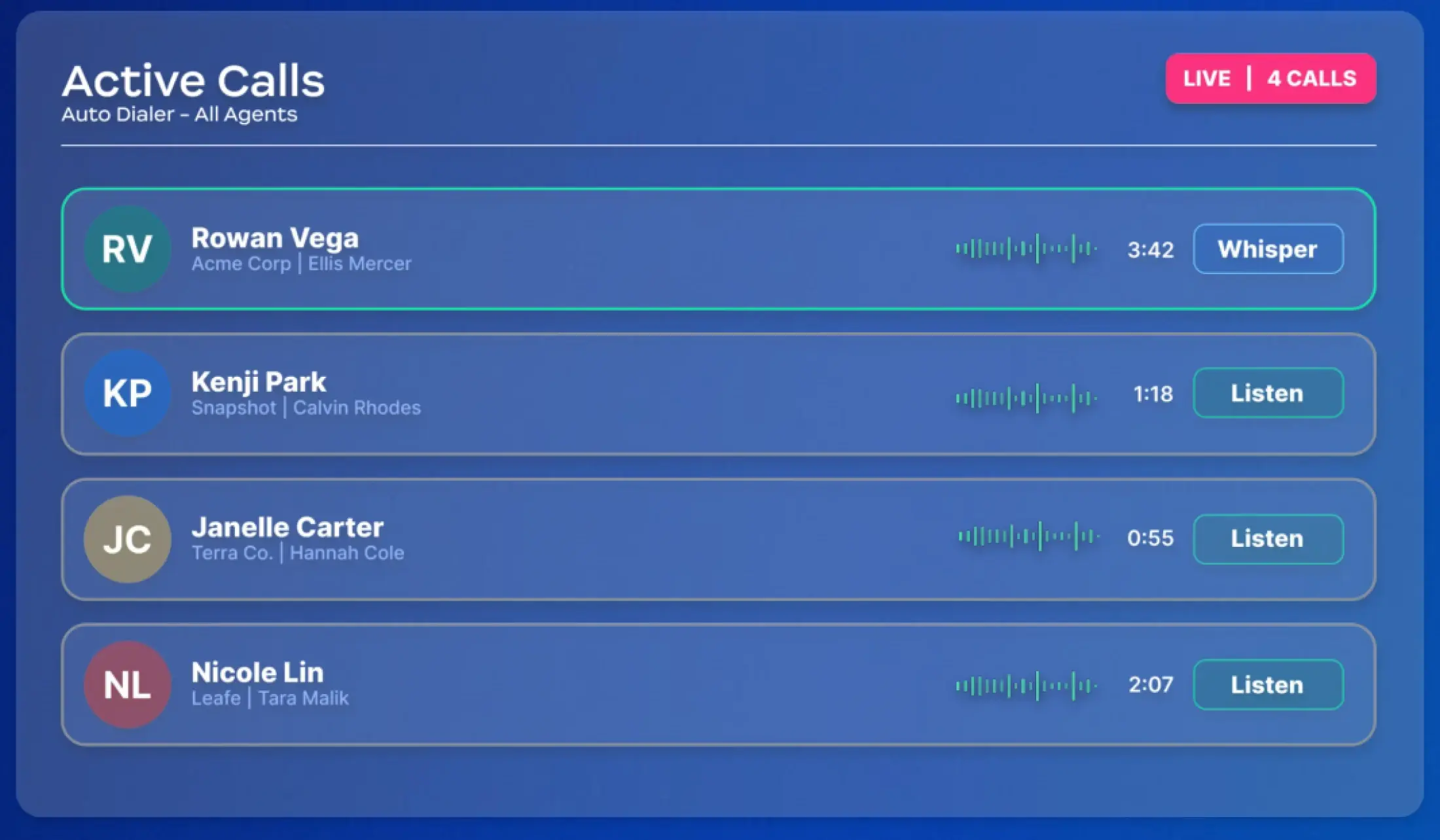
Auto Dialer: Live Call Monitoring
- Monitor every active Auto Dialer call from one view and jump in with a single click to listen or give real-time feedback.
- Coach in the moment a call is happening, instead of waiting for the recording and piecing together what went wrong.
- June 2026
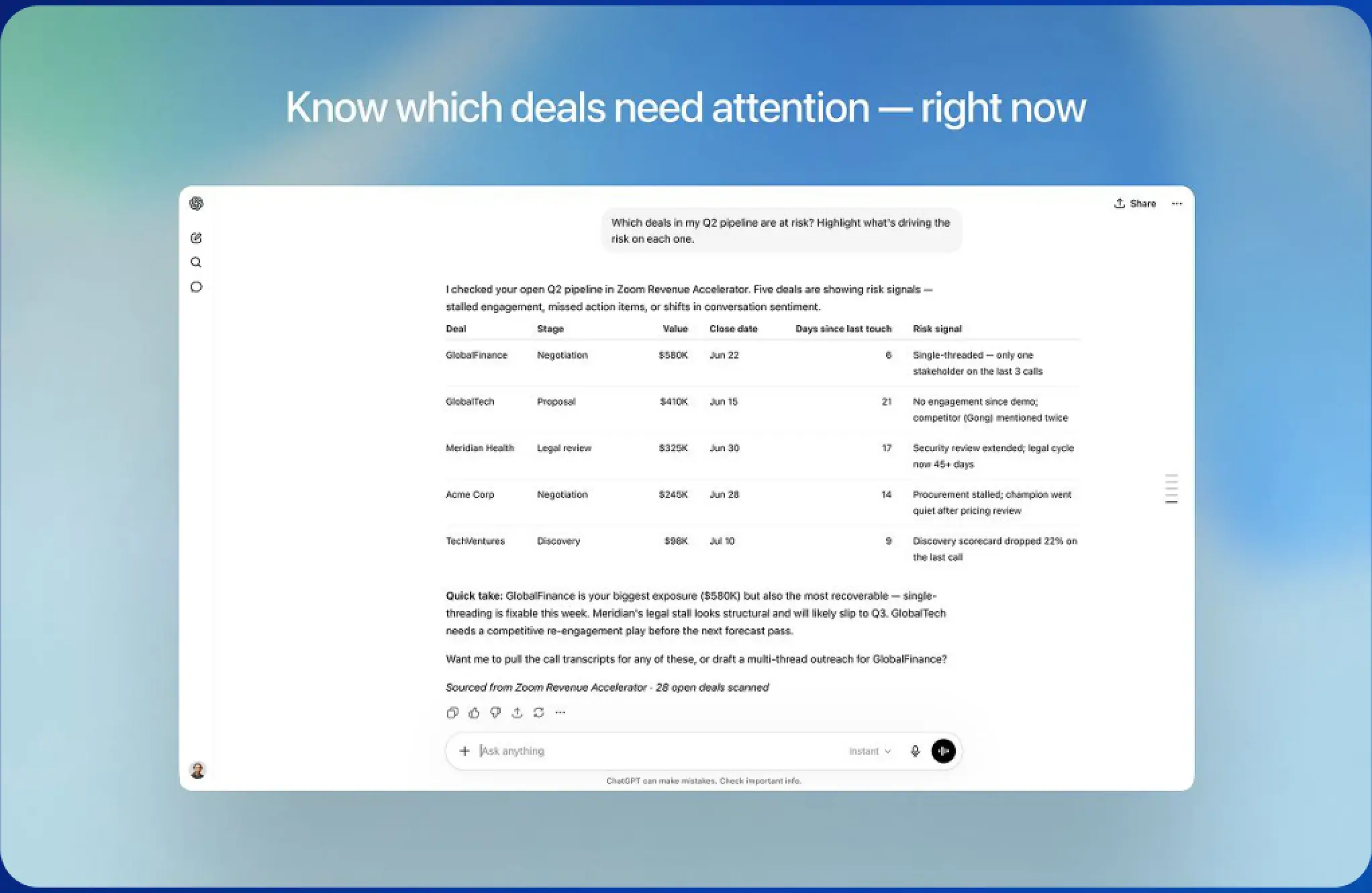
Revenue Accelerator MCP Server and ChatGPT/Codex plugin
- Access ZRA conversation insights, deal data, and coaching directly inside ChatGPT, Codex, and any MCP-compatible AI tool.
- Ask which deals are at risk in plain language wherever you already work, and let AI assistants surface engagement trends and forecast-ready updates across systems.
Zoom Contact Center
- June 2026
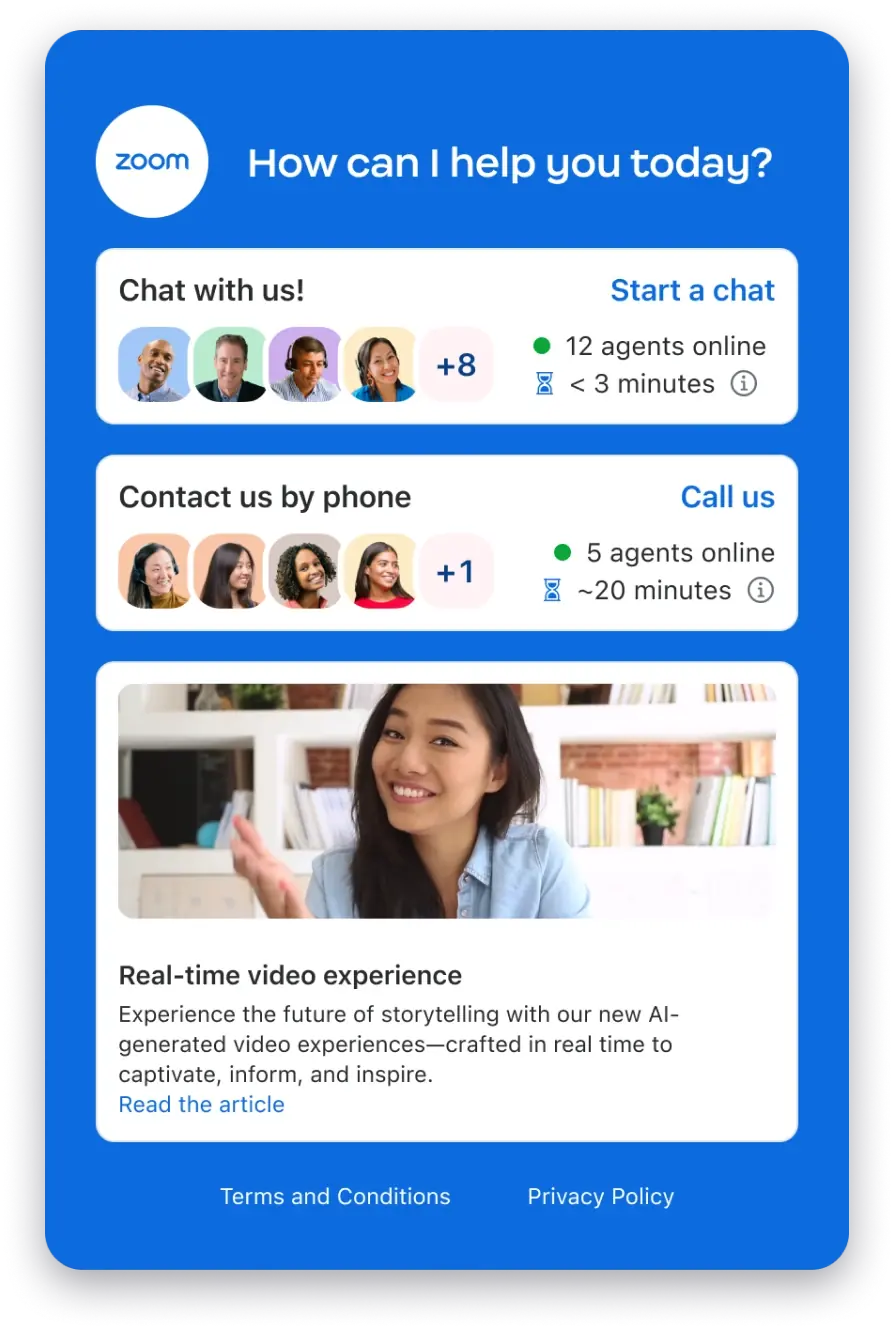
Digital Front Door
- Create branded, dynamic support portals that present options like live chat, bot chat, voice, video, or call scheduling based on availability.
- Customers land on the support path that actually fits their question, instead of guessing which channel will get them help fastest.
- June 2026
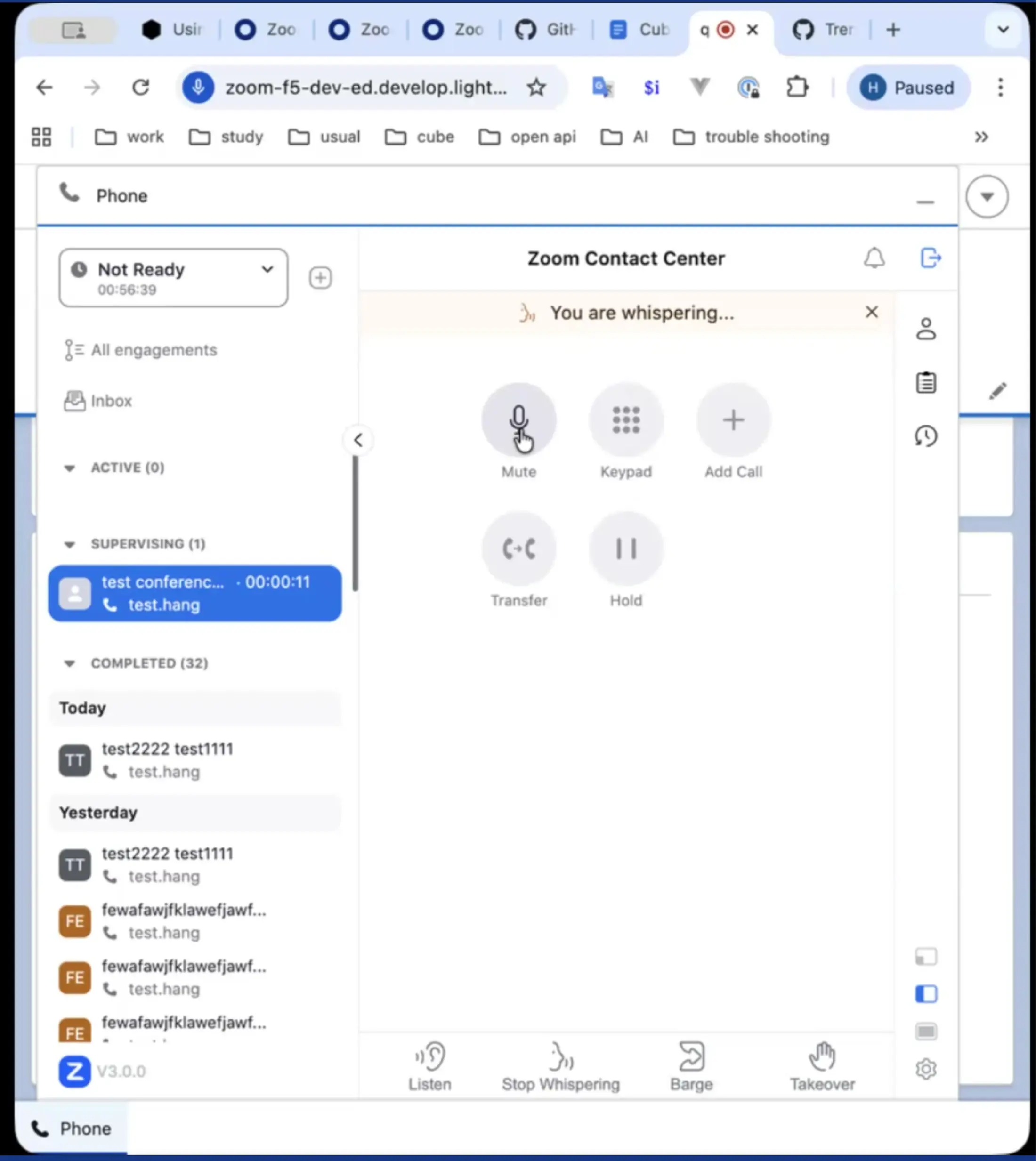
Supervisor Workflows for CTI Connectors
- Bring monitor, whisper, and barge supervisor controls into CTI connectors for voice, inside systems like Salesforce, Dynamics 365, ServiceNow, Zendesk, and HubSpot.
- Supervisors coach live without leaving the CRM they run their day in or switching over to the Zoom client.
- June 2026
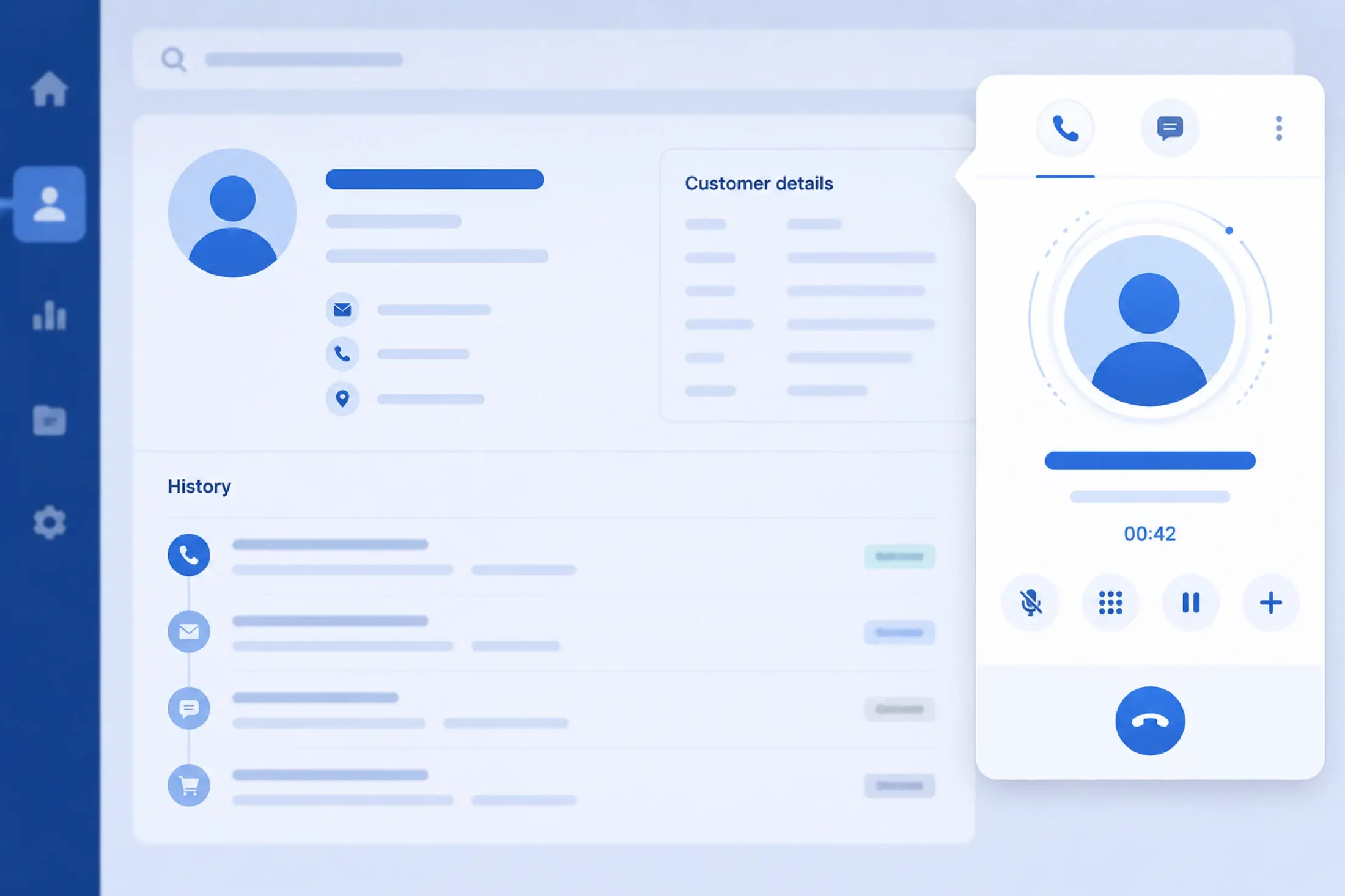
Single Tab Screen Pop for ServiceNow CTI Integration
- Receive one ServiceNow screen pop per browser session, directed to the original tab where the CTI session started, instead of across multiple tabs.
- Your dashboards, metrics, and customer records stay put when a call comes in, creating a cleaner and less disruptive workflow.
Zoom Virtual Agent
- June 2026
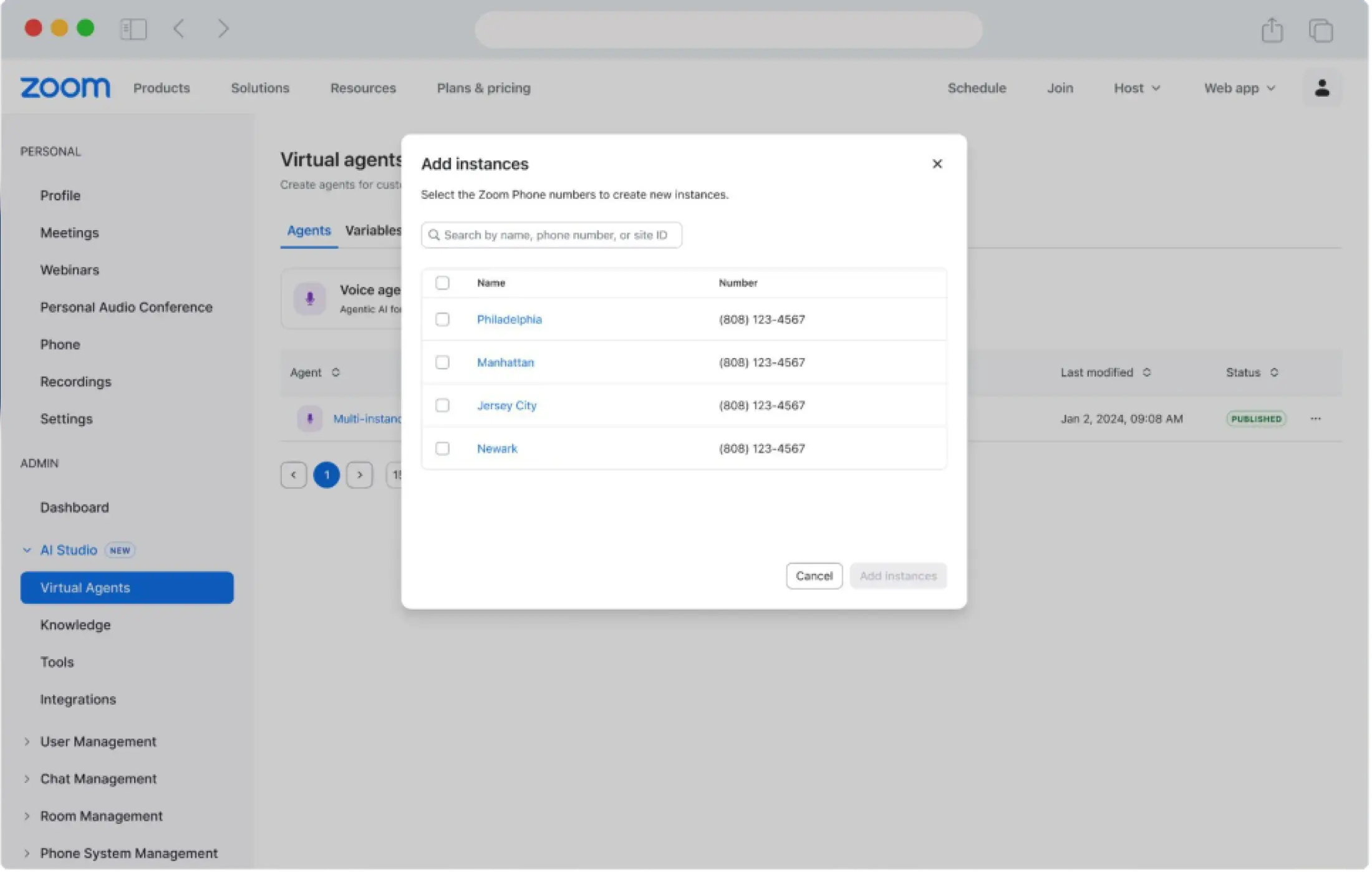
ZVA: Multi-Location Vertical
- Manage multiple branches or global sites through a single virtual agent, connecting unique branch numbers to one agent instead of building a bot per location.
- Open a new office and link it to your existing agent setup in minutes, while customers still get a personalized, location-aware experience.
- June 2026
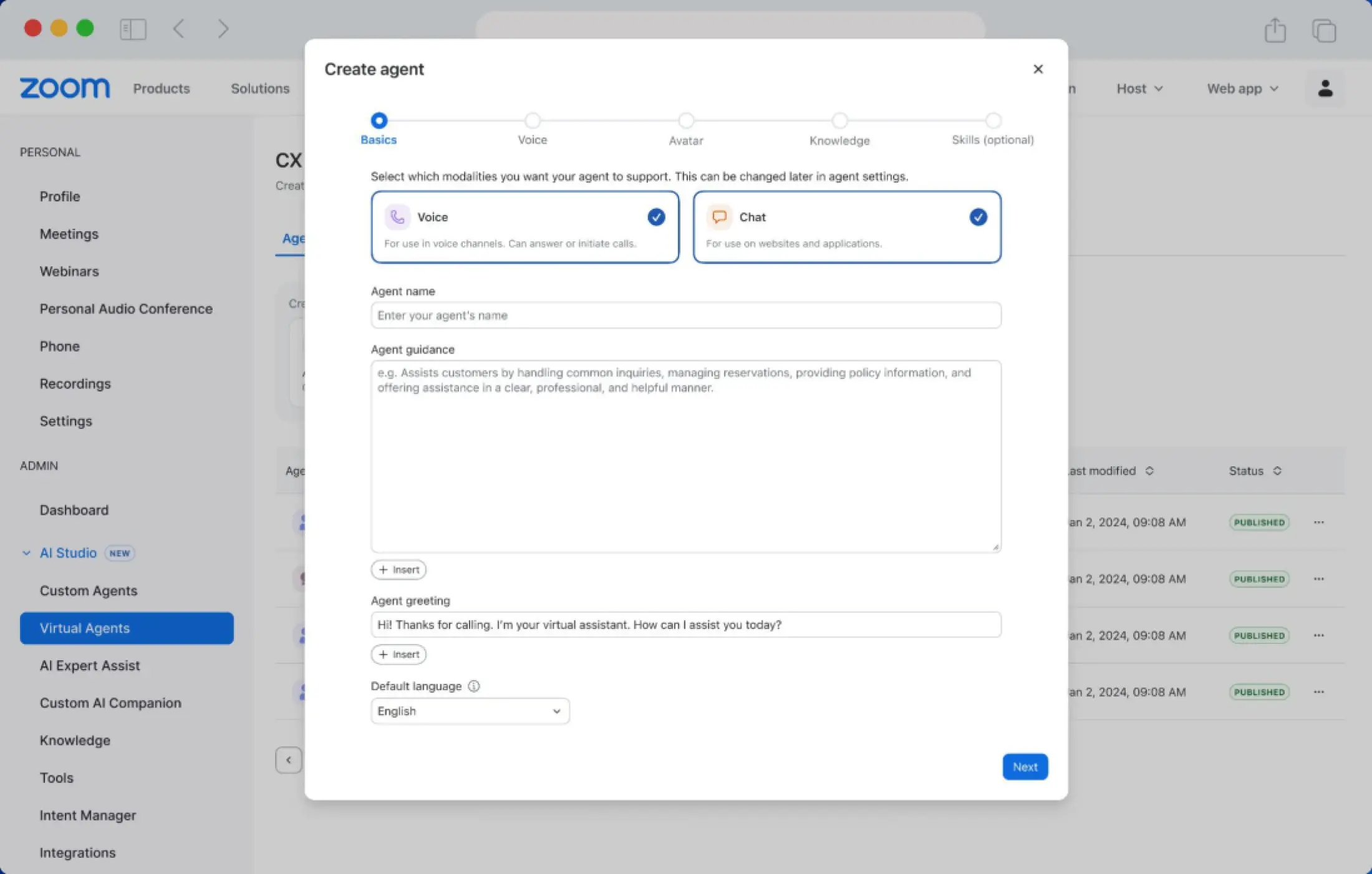
ZVA: Unified Agent Builder
- Design a virtual agent once and deploy it across both voice and chat in a single guided flow, with advanced settings tucked away until you need them.
- No duplicate builds and no expert required — teams go from configuration to deployment fast, with a clean interface that stays out of the way.
- June 2026
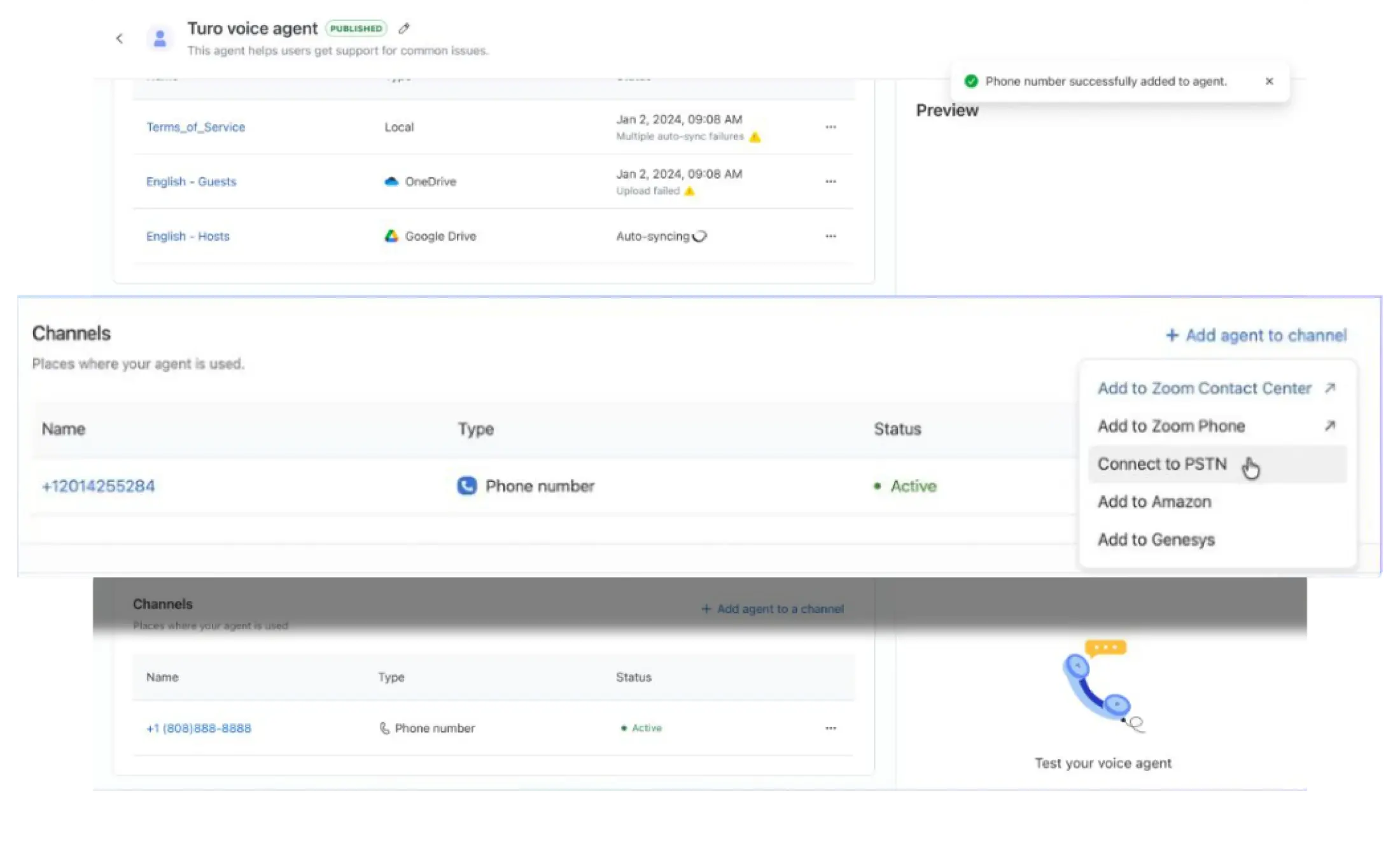
Zoom Virtual Agent Receptionist for any phone system
- Run Zoom Virtual Agent as a standalone AI receptionist with its own Zoom global phone number, routing inbound calls to the voice flow and outbound calls for escalation.
- Get started with a virtual agent on top of whatever phone system you already have, with call recording, transcription, PII redaction, and analytics included.
Industries & Open Ecosystem
- June 2026
Zoom Compliance Manager for ZCC
- Extend Zoom Compliance Manager to Zoom Contact Center data with compliance capture, eDiscovery, and legal hold, plus risk detection and data loss prevention in the Plus tier. Powered by Theta Lake.
- Govern your contact center communications and manage regulatory risk natively in Zoom, without bolting on a separate system.
- June 2026
Workplace for Frontline
- New shift management and on-shift communication tools, including call queues for shift groups and static numbers routed to on-call roles, plus Epic patient cards viewable in the frontline app.
- Frontline managers run shifts and route calls to whoever's actually on, while healthcare workers see patient context right in chat.
- June 2026
Chrome Extension for EHRs
- Copy and paste clinical notes into web-based EHRs with no manual toggling, secure and native in Chrome.
- Documentation moves into the EHR cleanly, working across systems without a custom integration or a clunky workflow.
Apps & Integrations
- June 2026
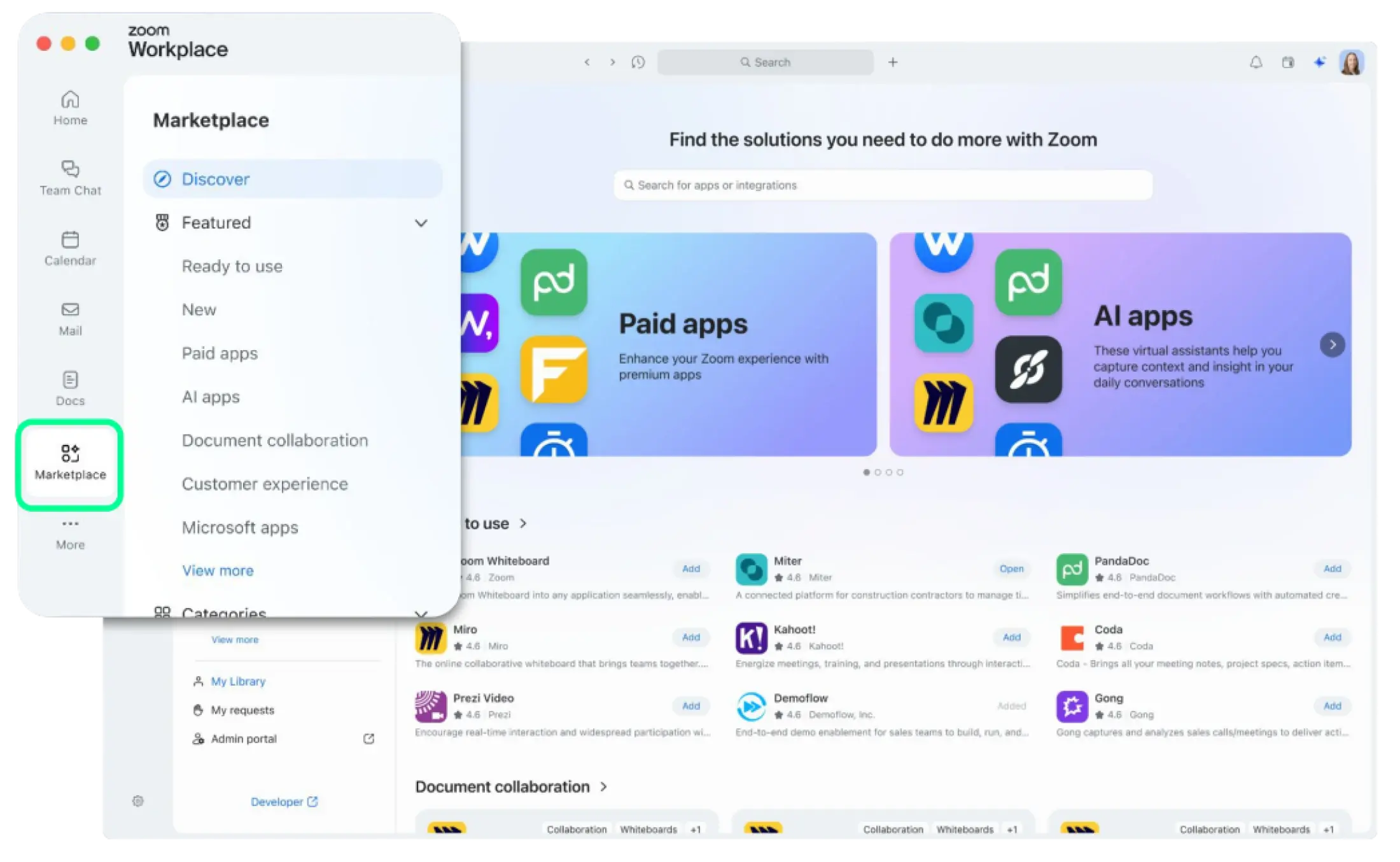
Zoom Marketplace Redesign
- A redesigned Zoom Marketplace with improved discovery, search, and browsing right in the Zoom Workplace client, plus new sort and filter options.
- Customers can find apps, integrations, and connectors to customize their Zoom experience faster from Zoom or the web.
- June 2026
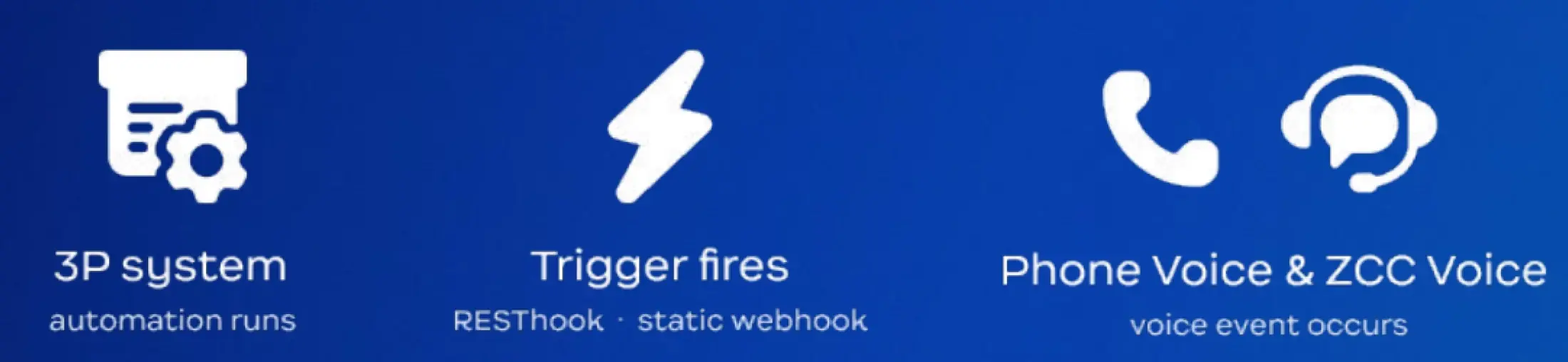
Zoom Phone and Contact Center Voice Triggers
- Build voice apps with native trigger support — receive incoming webhook events for Zoom Phone and Contact Center Voice, reshape and route that data, and test to confirm it works.
- Developers wire third-party automation into Zoom voice without stitching together workarounds.
BrightHire
- June 2026
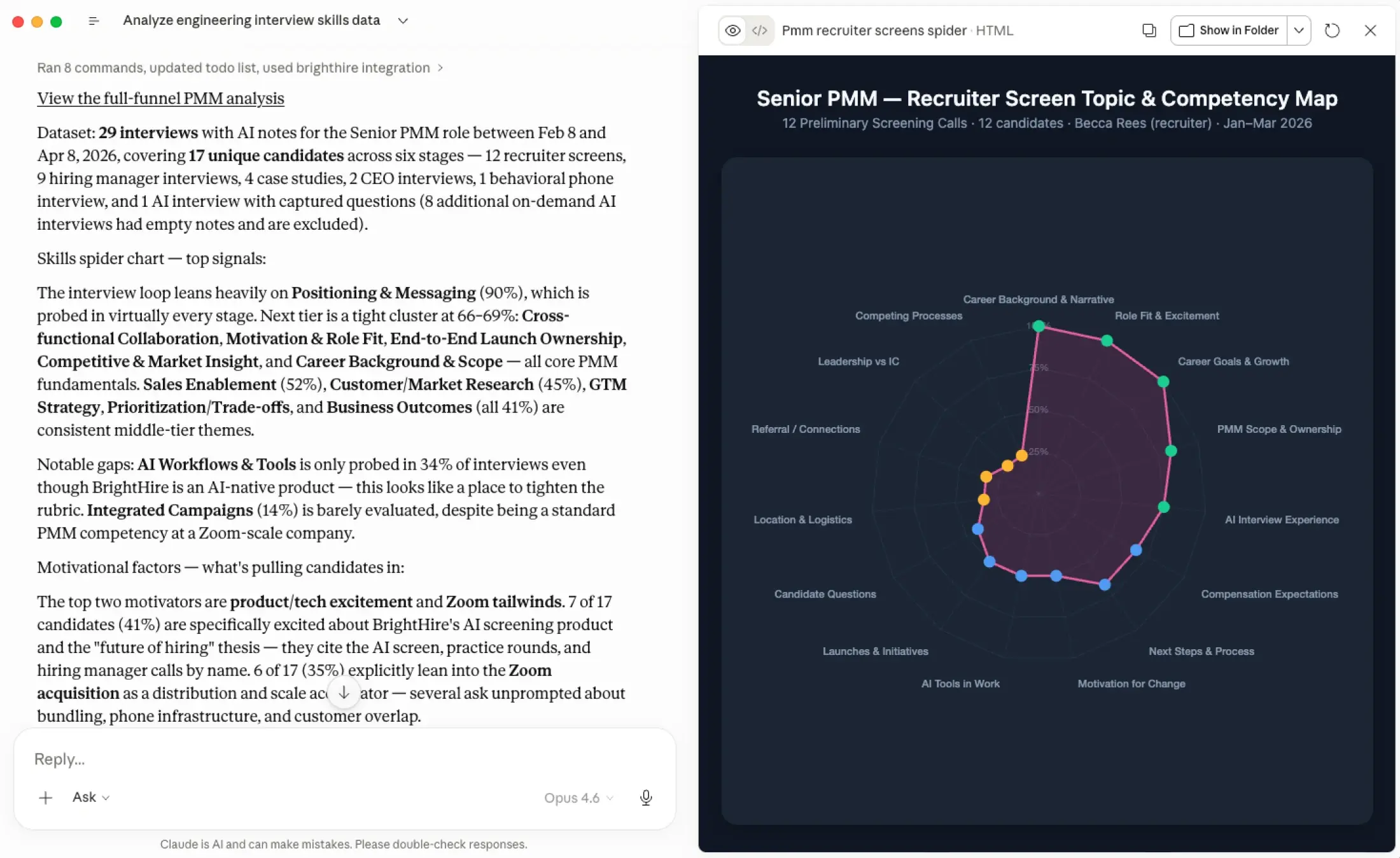
BrightHire MCP
- Bring BrightHire interview insights, patterns, and evidence into Claude, ChatGPT, Cursor, Codex, and any MCP-compatible tool, with the controls and security to keep your data safe.
- Answer hiring questions wherever you already work, going beyond ATS metrics to surface patterns and diagnose issues.
- June 2026
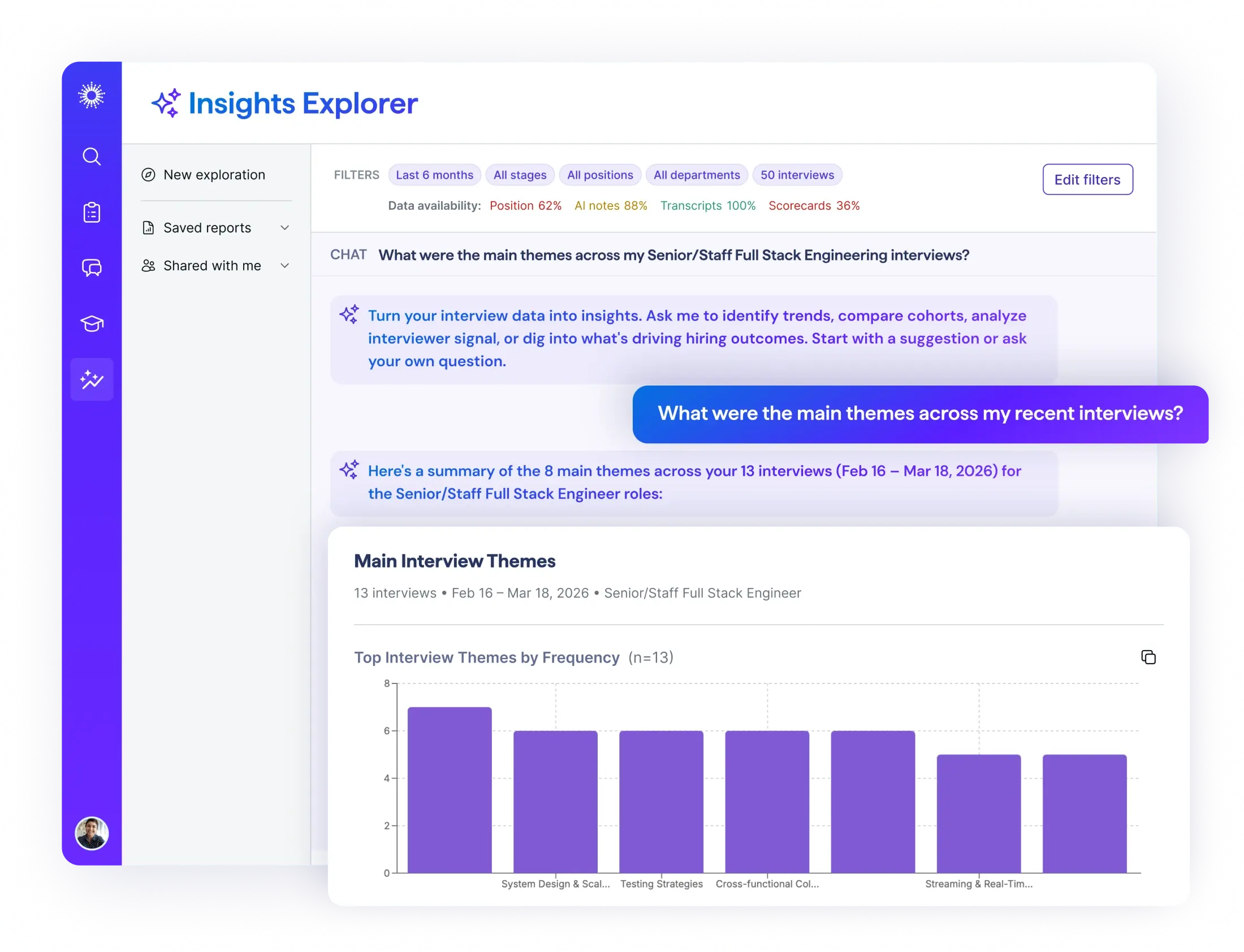
Insights Explorer in BrightHire
- Explore your interview data conversationally inside BrightHire to spot trends, compare cohorts, and see what's driving hiring outcomes.
- Get explainable reports with proactive insights, no analyst required.
Bonsai
- June 2026
Bonsai Connector in ZoomMate
- Turn client conversations into CRM records without leaving Zoom. Create companies, contacts, and deals in Bonsai straight from ZoomMate.
- Log a new opportunity in Bonsai the moment a client call wraps up, with the company, contact, pipeline stage, value, and assignee.

Zoom AI Companion is expanding its reach, becoming a more powerful and personalized assistant that works for you across more platforms and specialized workflows.
- May 2026
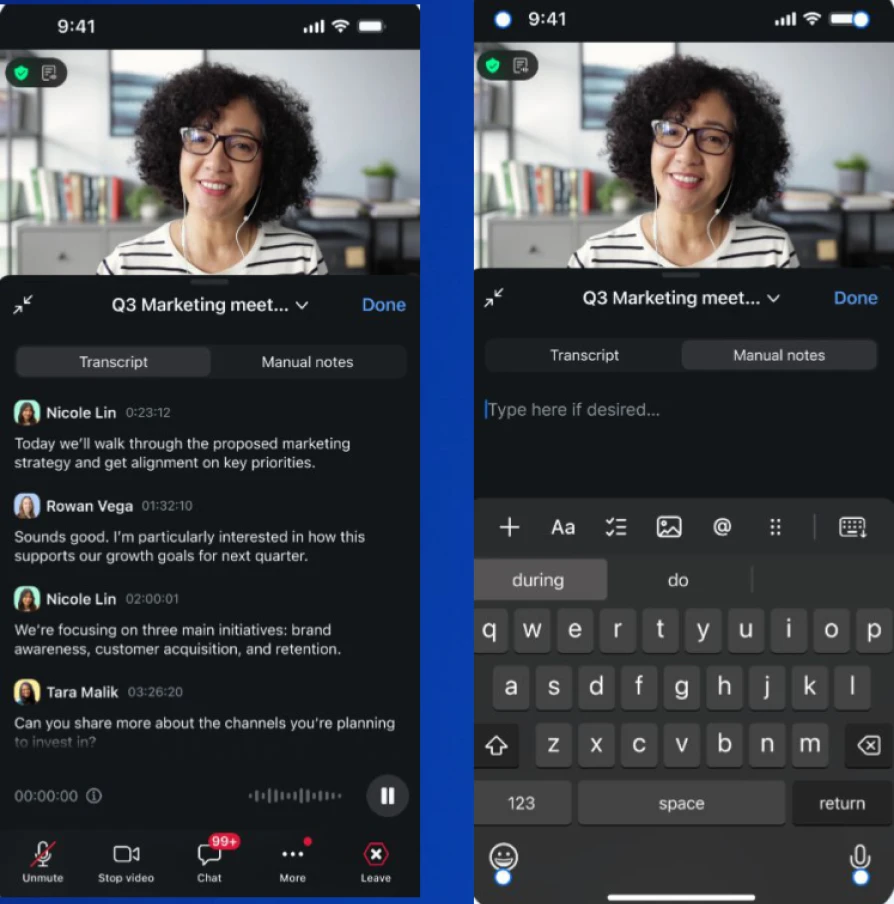
My Notes on mobile
- Use My Notes on mobile to transcribe and take notes during in-person meetings or on-the-go conversations. The live transcript follows the conversation in real time, and everything syncs to desktop so you can pick up where you left off.
- Hallway chats, customer site visits, and quick standups in the kitchen don't always happen at a desk. Now they don't have to. You walk out of the conversation with a transcript and a set of notes already captured that you can clean up on your laptop later.
- May 2026
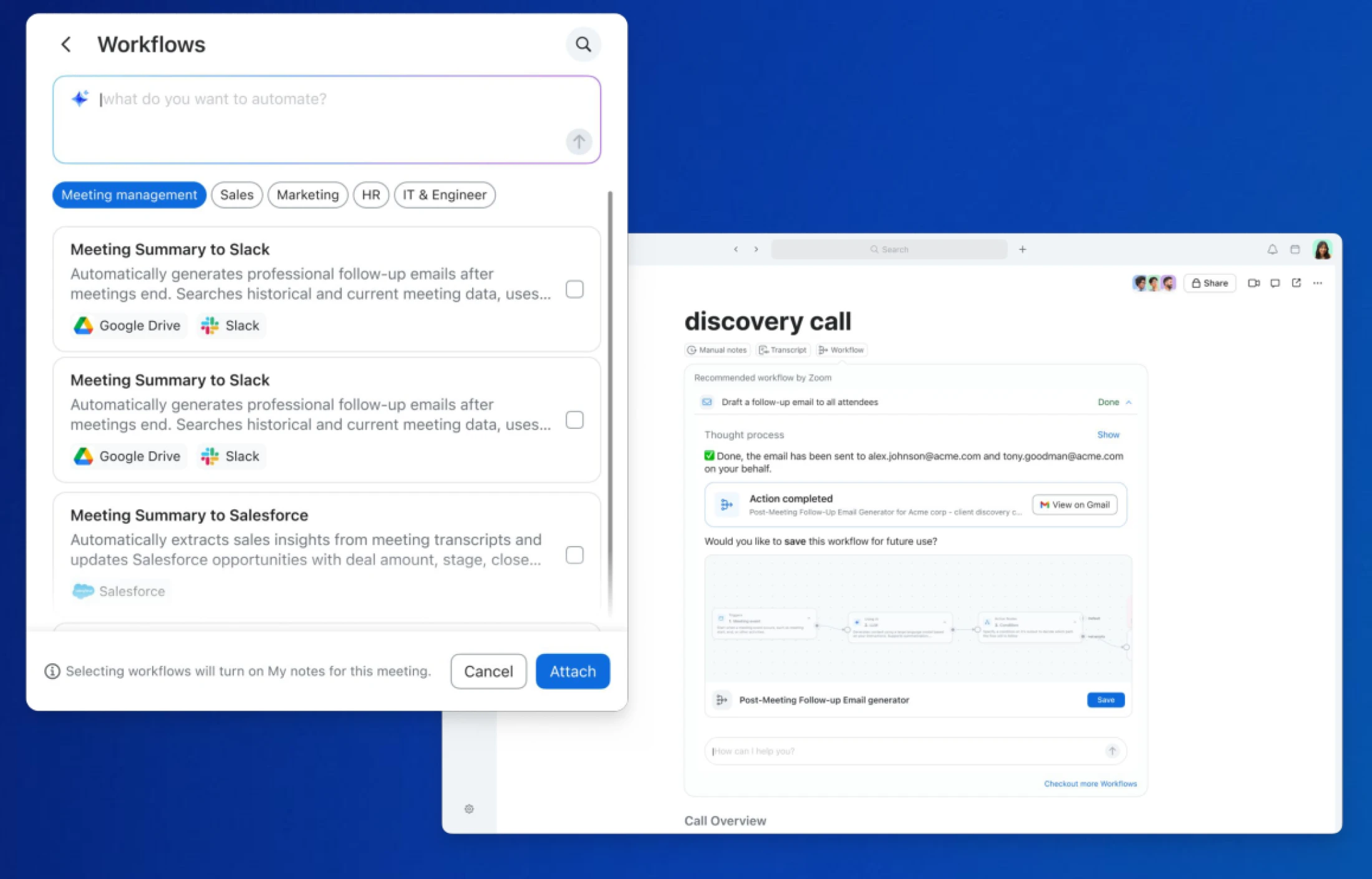
Workflows embedded in Meetings
- Trigger follow-up emails, CRM updates, or to-dos directly from your meeting notes while details are still fresh. Both hosts and participants can attach and run workflows from their own notes, and you can review each action before it runs.
- The follow-ups you forget are the ones you handle five tabs deep, three hours after the call. Now the workflow runs from inside My Notes - so the email goes out, the CRM gets updated, and the next step is queued right after your meeting.
- May 2026
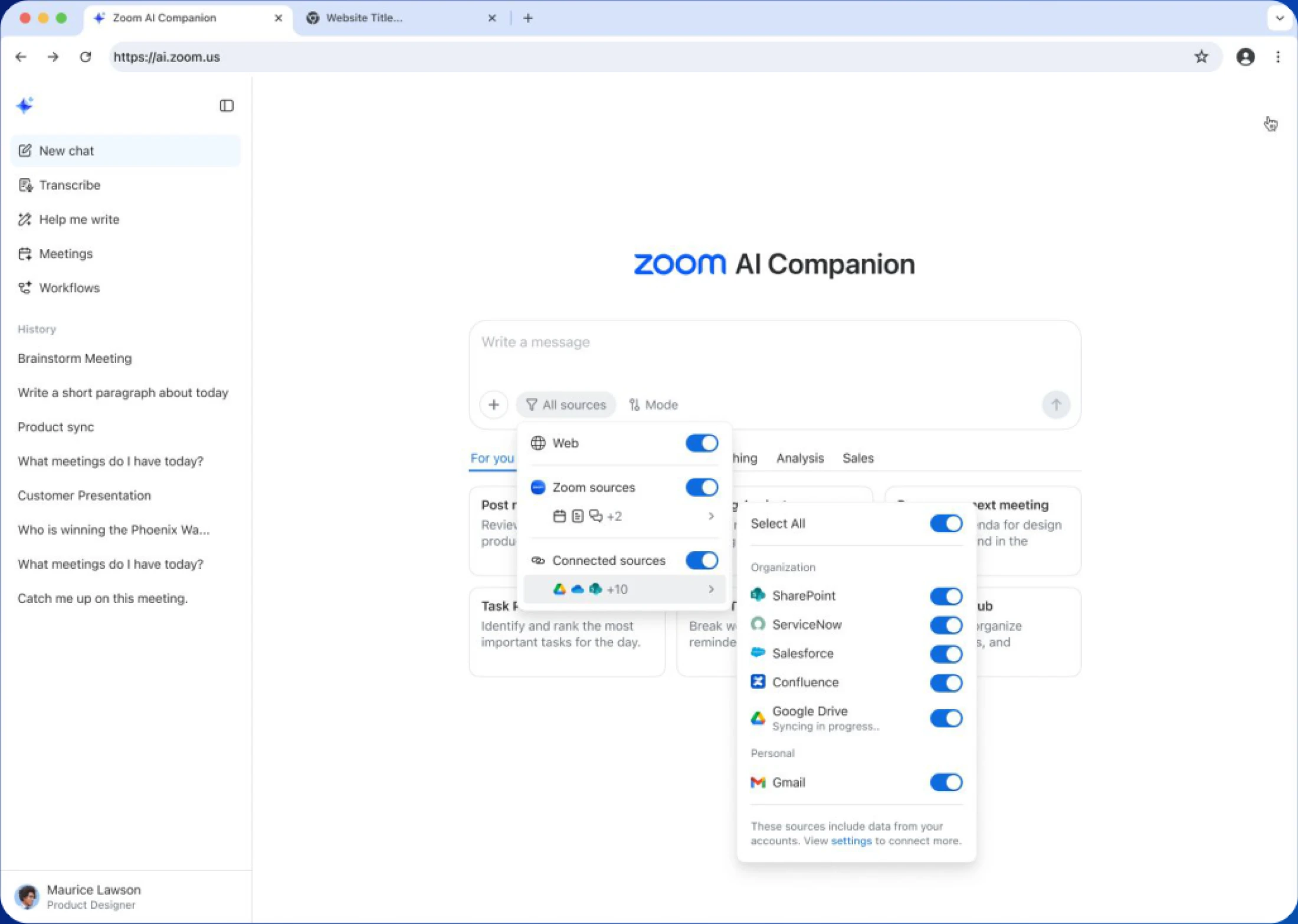
Agentic search enhancements
- Get fast answers and insights from your essential work tools and knowledge sources without leaving the flow of your conversation in Zoom.
- Ask AI Companion enterprise-level questions like "What are my top 10 accounts closing this week?" and get insight from structured and unstructured data across your tech stack (requires Custom AI Companion add-on).
- Ten connectors are now live, including Salesforce, Google Drive, ServiceNow, OneDrive, Box, Workday, Confluence, SharePoint, Zendesk, and Seismic.
Zoom Workplace
Zoom Workplace is designed to reduce friction and simplify your work day, whether you're in a meeting or catching up later.
- May 2026
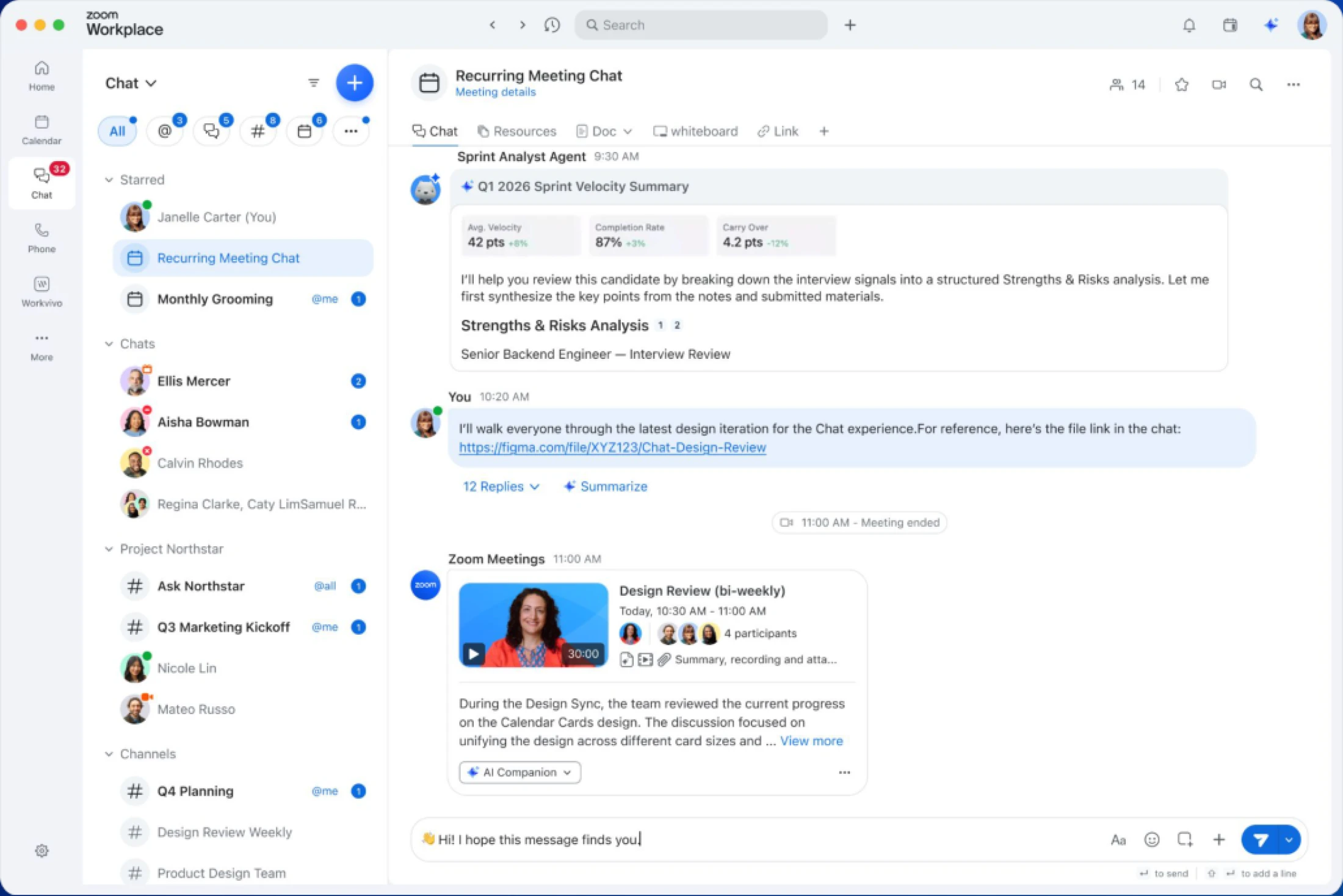
New Zoom Chat experience
- Send richer messages with inline images, videos, tables, and formatted text in a refreshed Team Chat experience. Built on modern web technology, the interface now looks and behaves the same way on Windows, macOS, and web.
- Chat threads were never meant to be plain text walls. You can drop a screenshot, a quick clip, or a table inline without flipping to a different app to make the point.
- May 2026
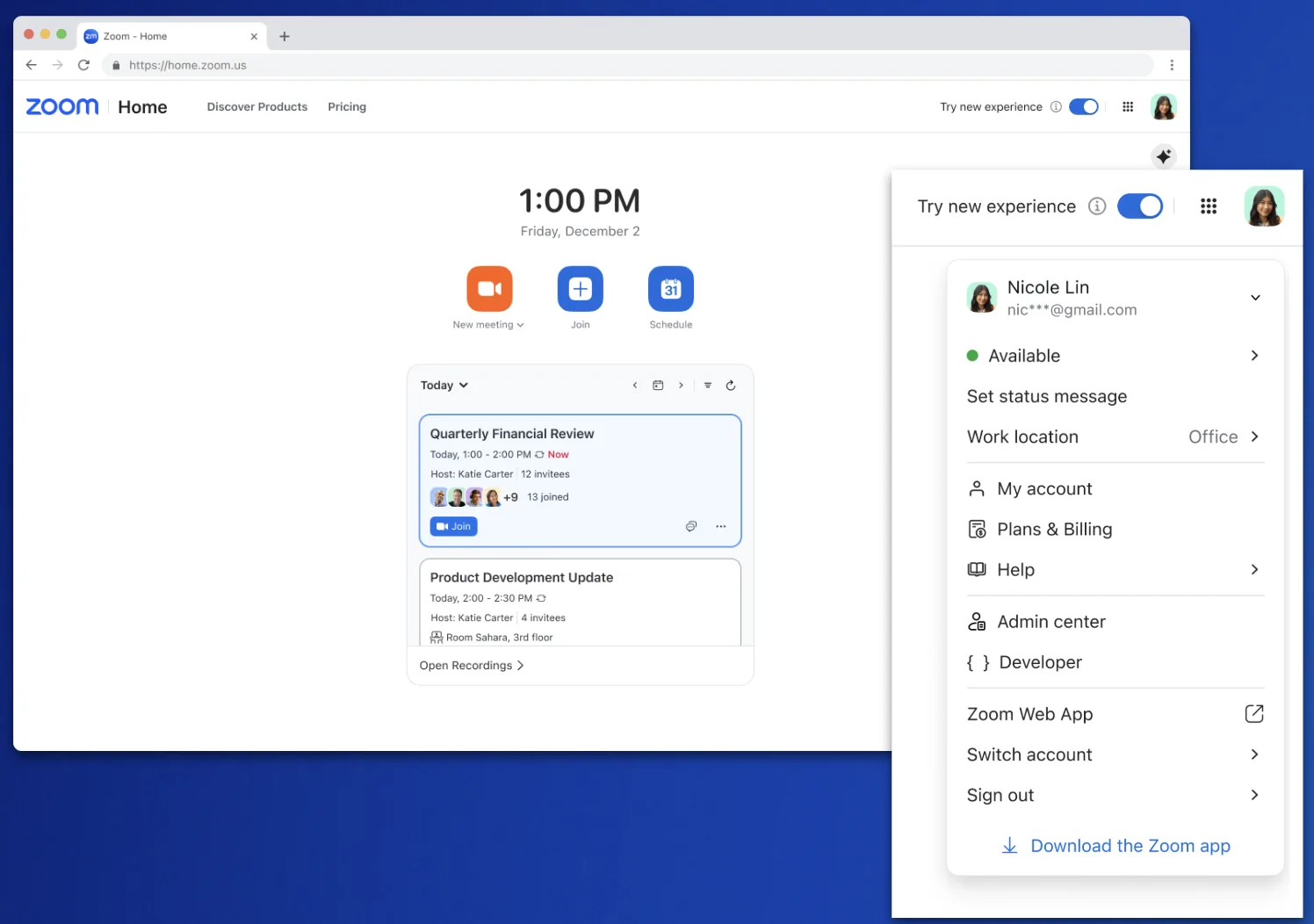
Workplace on web simplification
- Start meetings faster with a streamlined home tab and shortcuts to start, join, or schedule.
- Personal and admin controls are now separated, with a cleaner path to admin tasks for the people who need it.
- May 2026
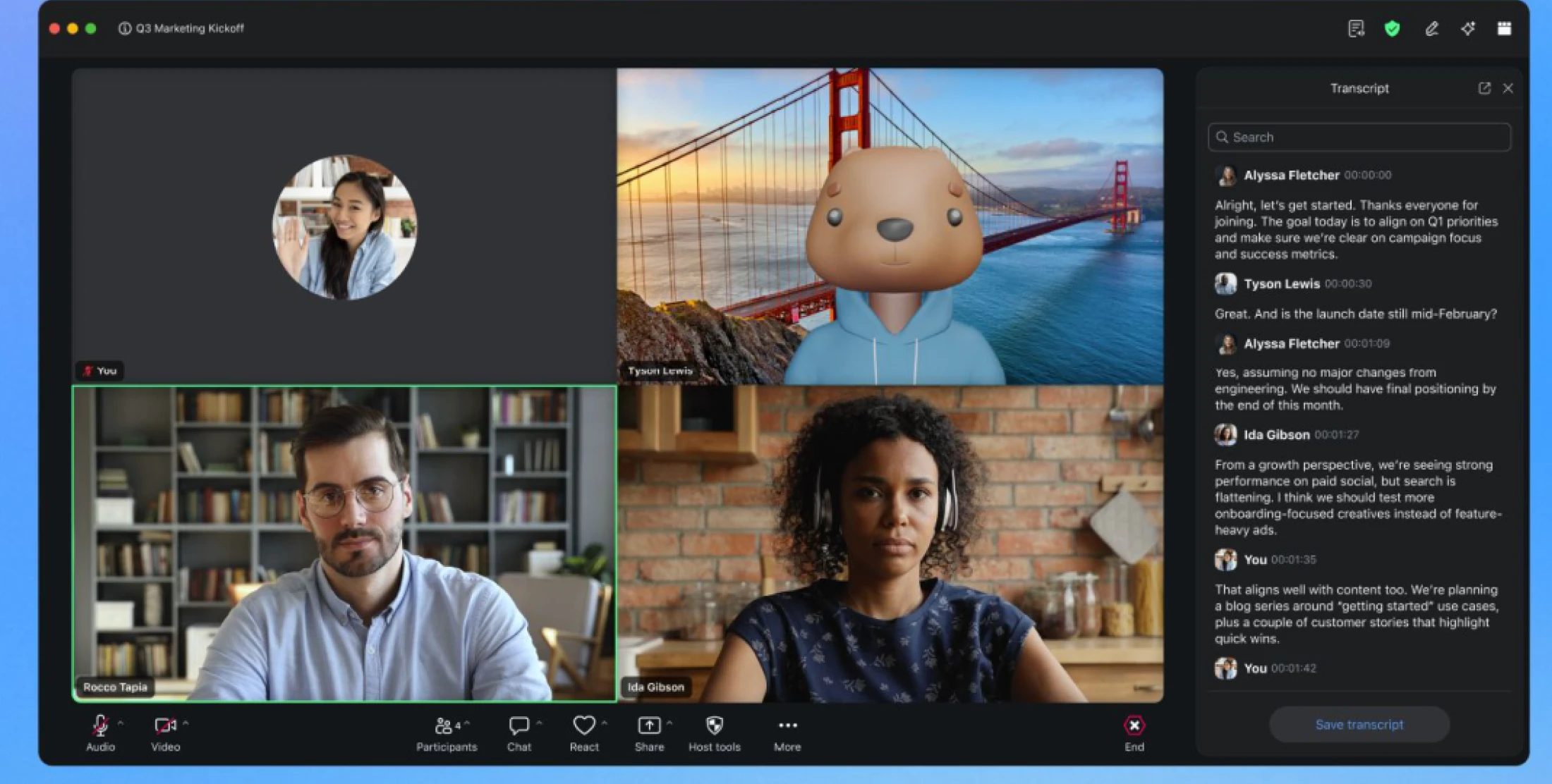
Updates to captions and translations
- In-meeting captions can no longer be saved during the meeting so that's been replaced by the option to save the full transcript. Captions stay on as a real-time accessibility feature, and participants can always request transcripts be turned on if they aren't already.
- Captions and transcripts were doing two different jobs that were getting blurred together. Captions are for following along in the moment. Transcripts are the record of what was said. Splitting them out makes both more useful and gives participants a clear way to ask for transcripts when they need one.
- May 2026
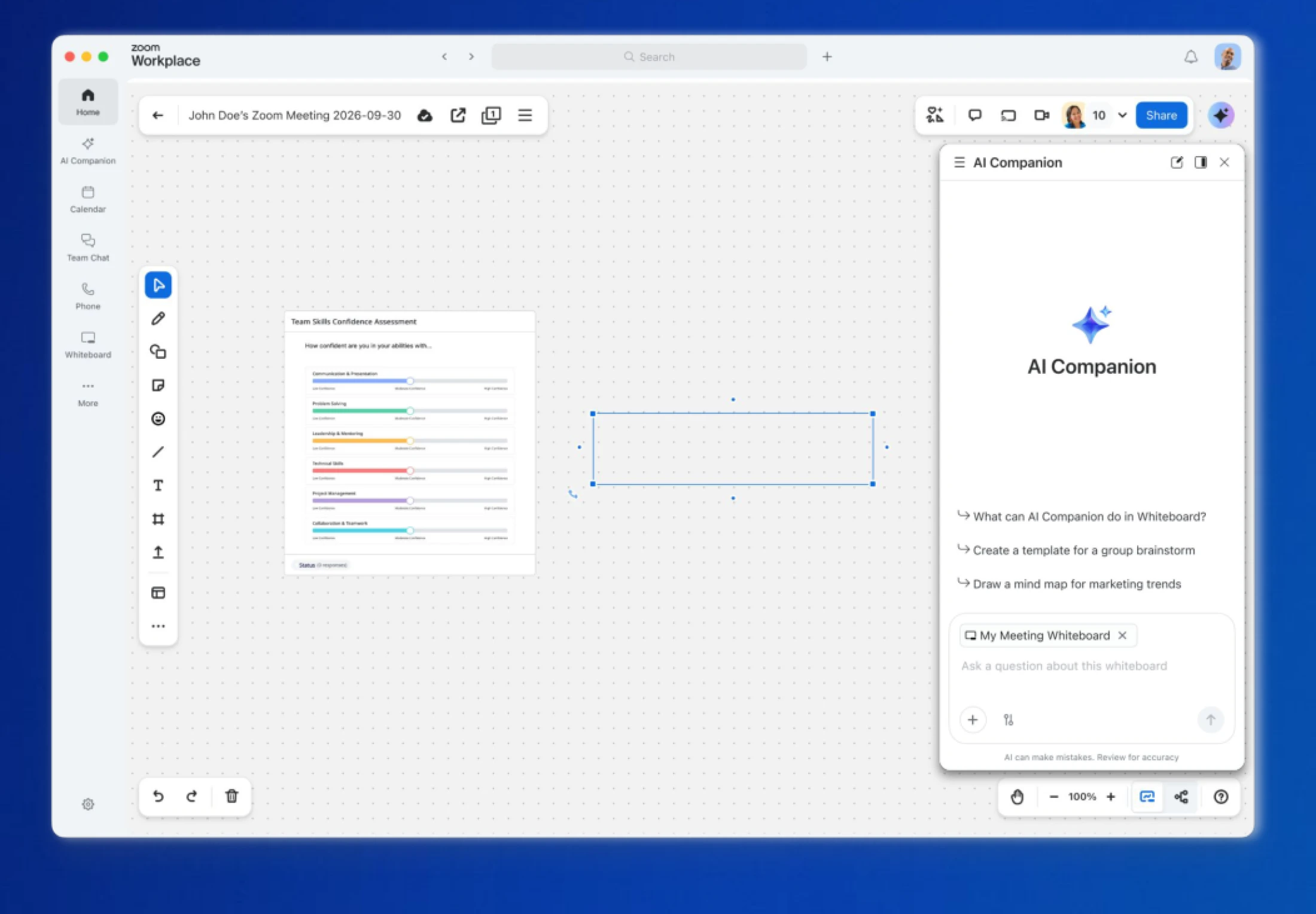
AI Companion Chat for Whiteboard
- Chat with AI Companion directly on your Whiteboard canvas to refine, edit, or ask questions about content. Generate structured Whiteboard content from a prompt or a meeting transcript, and turn selected content into docs, slides, or sheets embedded right on the canvas.
- Brainstorms used to leave you with a wall of sticky notes and no clear path forward. Now you can ask AI Companion to organize the mess, group ideas, or turn the best ones into a doc you can actually share.
- May 2026
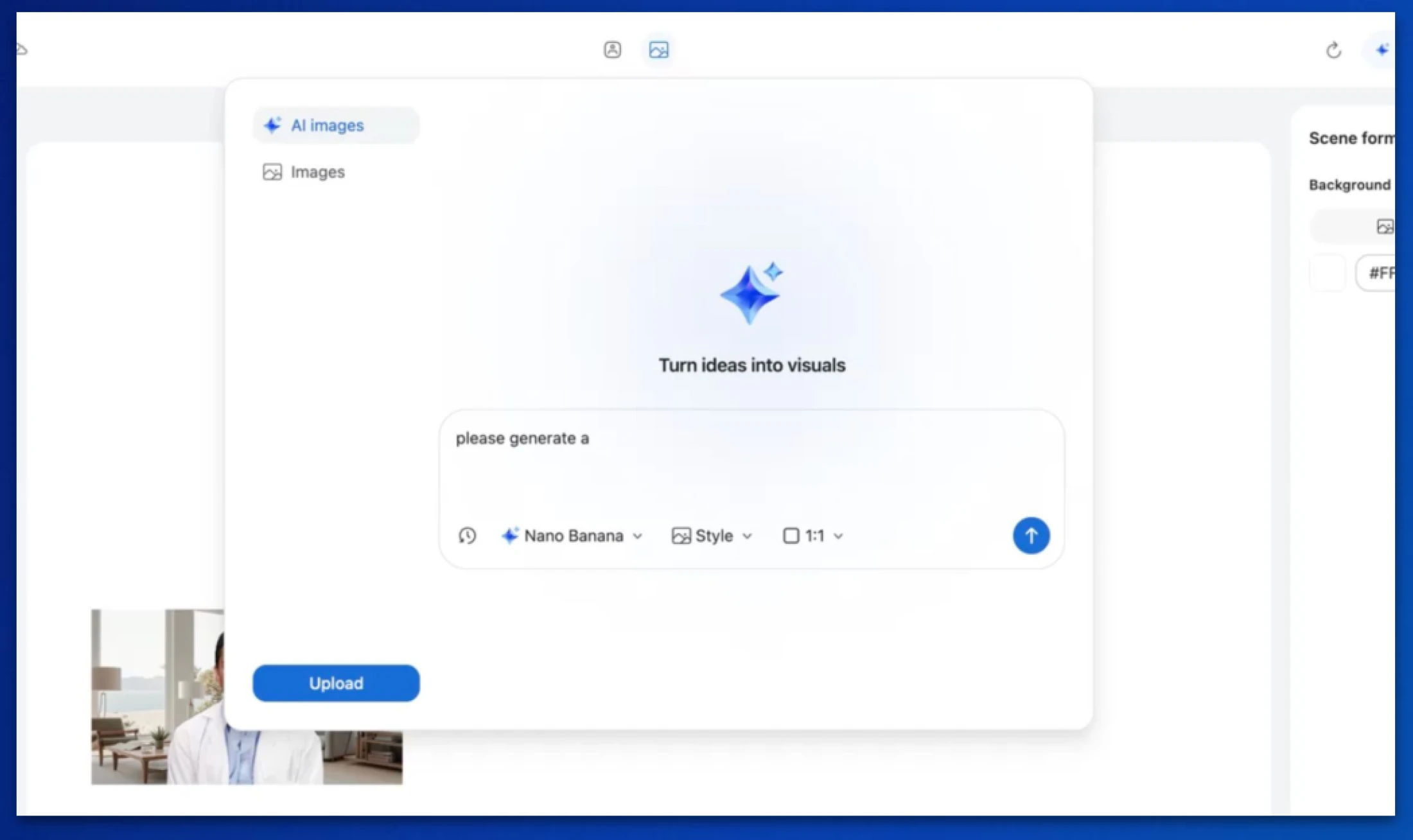
AI-generated background images for Clips Avatars
- Generate Clips Avatar backgrounds by entering a prompt, choosing a model, and selecting a style. You can refine results with prompt editing, regenerate variations, and add, preview, replace, or manage images directly within your scene.
- Recording a Clip in your messy home office gets old fast. Instead of hunting for stock photos that almost match what you want, you describe the scene and get a background that fits.
- May 2026
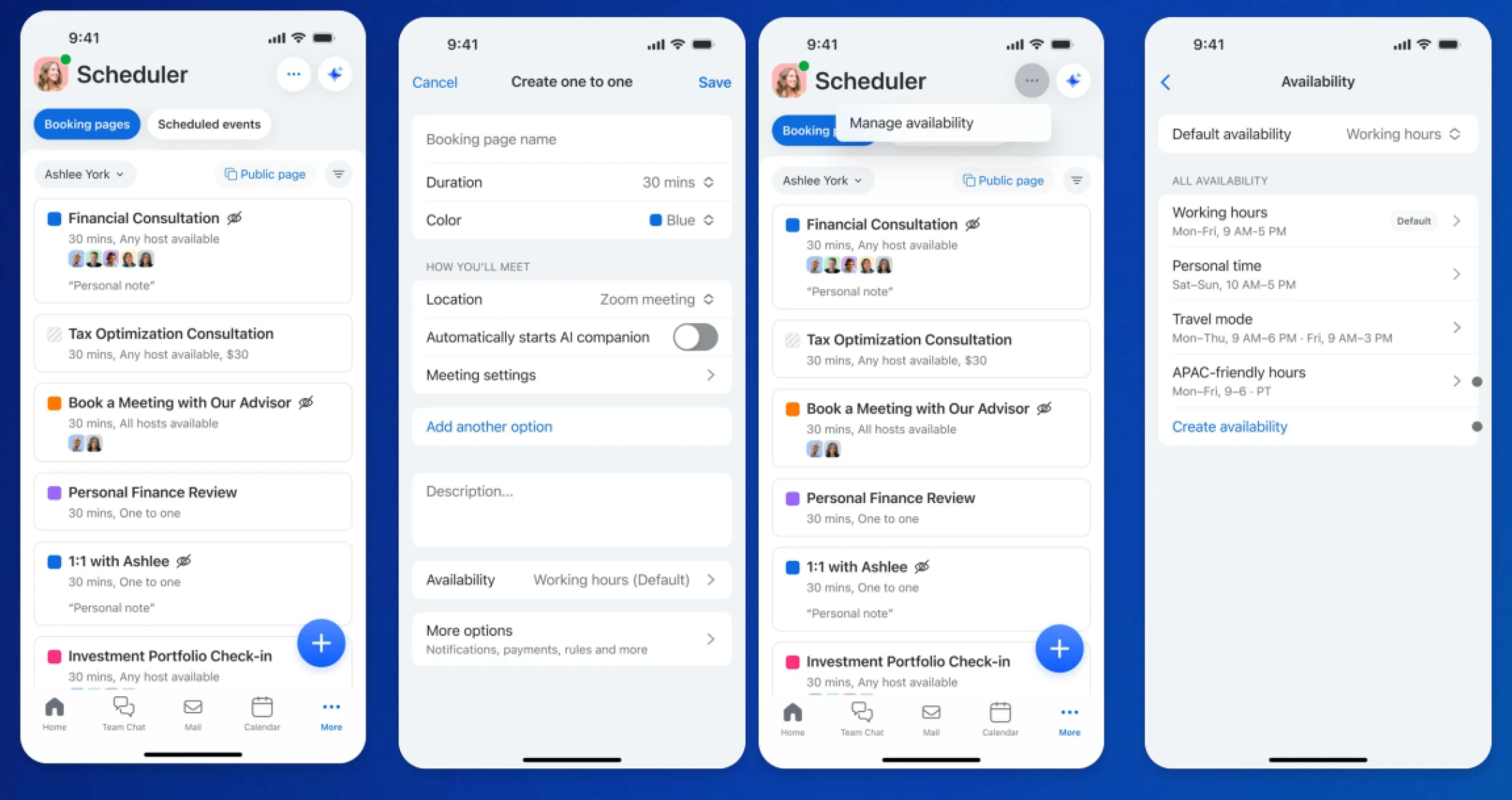
Scheduler mobile app updates
- Scheduler is now available in the mobile app for Scheduler Basic and up. New users can onboard and connect a calendar from their phone, create 1-1 booking pages, and create or edit availability.
- You said yes to a meeting on the way to lunch and don't want to wait until you're back at your desk to set it up. Now the booking page can go out before you've sat back down.
- May 2026
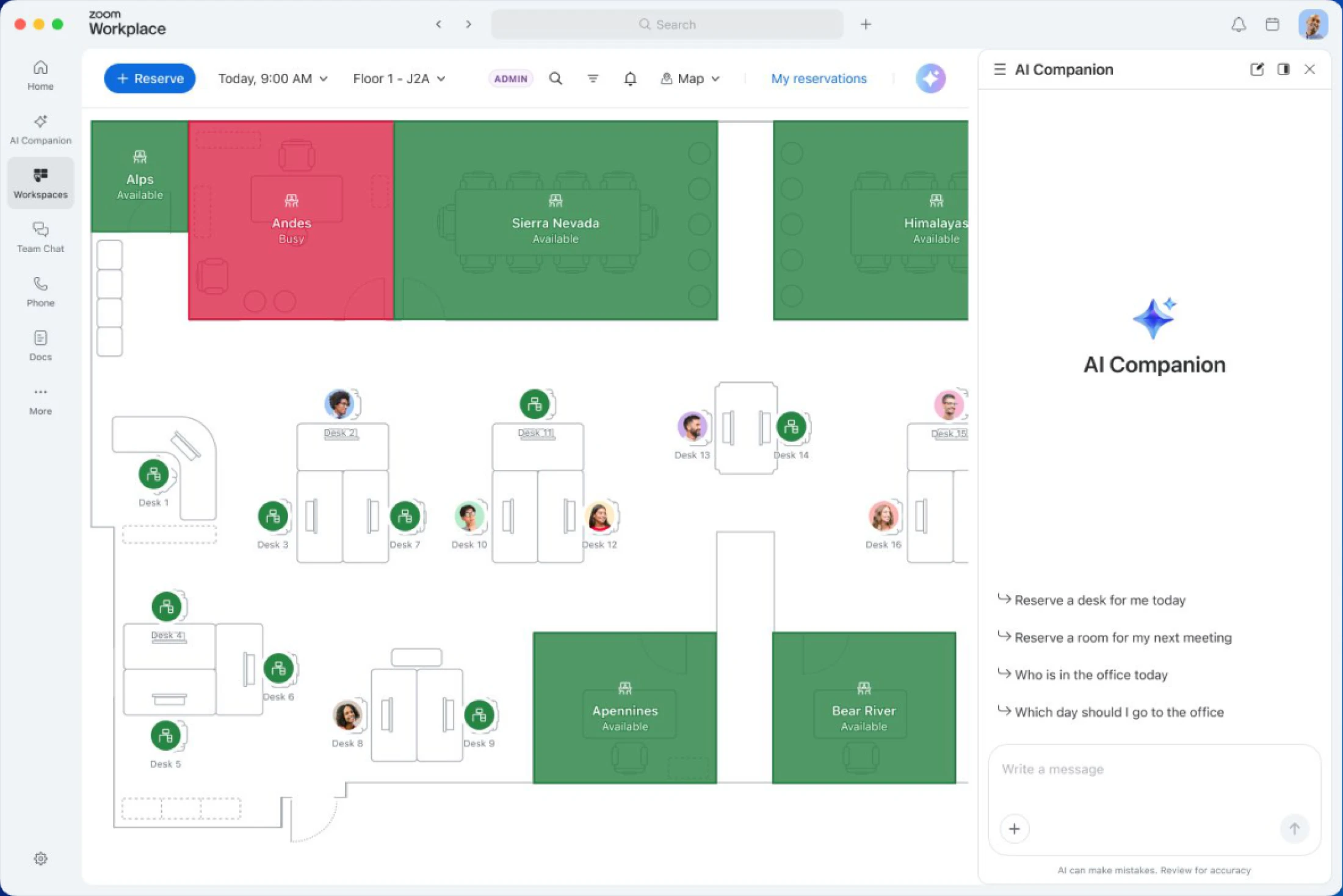
AI Companion 3.0 integration with Workspace Reservation
- AI Companion now understands deeper context for Workspace Reservation requests including specific devices, spaces, and people. Book-on-behalf-of prompts are integrated for delegation, and the assistant picks up on timing details automatically.
- "Book me a room with the big screen near Jamie's team for 2pm Thursday." That used to be several clicks and now it's one prompt with AI Companion figuring out the rest.
Zoom Webinars & Events
- May 2026
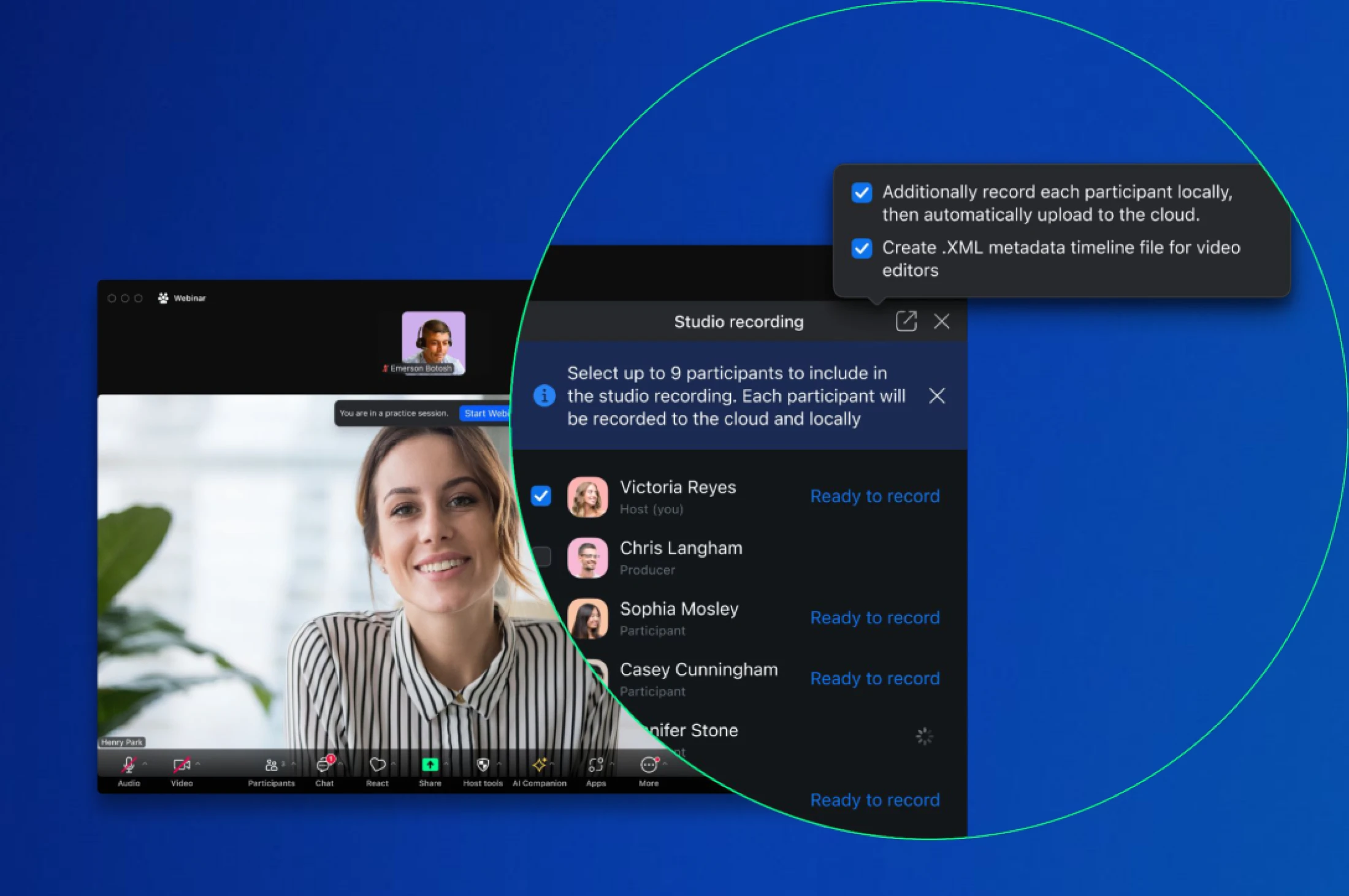
Recording Studio
- Record individual video and audio streams of webinar participants for broadcast-quality output. Control who gets recorded, start and stop sessions, and monitor upload progress. Get crisp video files that hold up for content repurposing and post-production editing.
- Pulling individual speaker feeds out of a recorded webinar used to mean a full re-edit. Now every participant is captured as a clean, separate file you can actually work with.
- May 2026
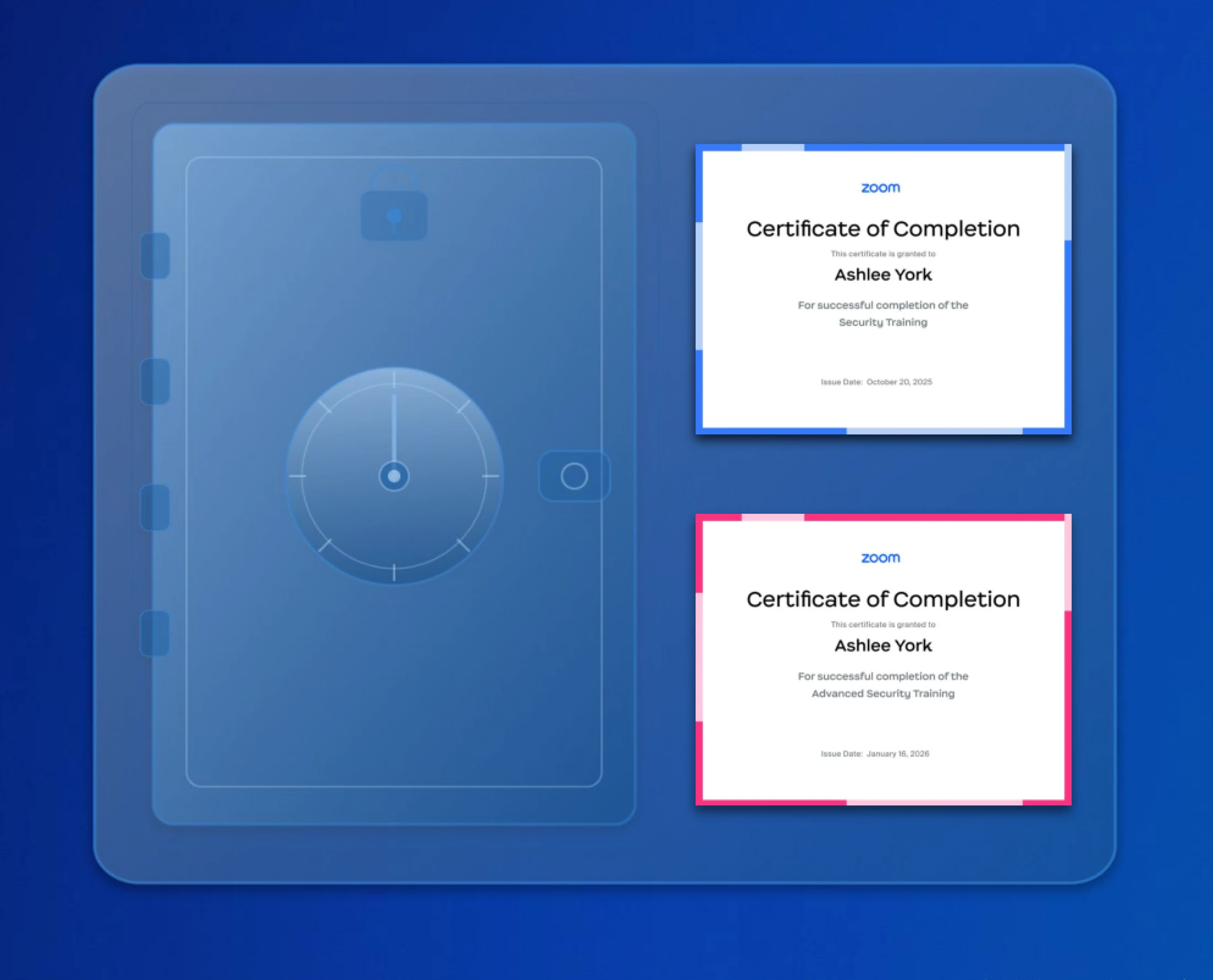
Event Certificate Vault
- Attendees can access past certificates any time in the vault - even after the event lobby closes.
- Search, preview, and download certificates as PDFs without signing in to a Zoom account, using a one-time passcode to access what they've earned.
Zoom Revenue Accelerator
- May 2026
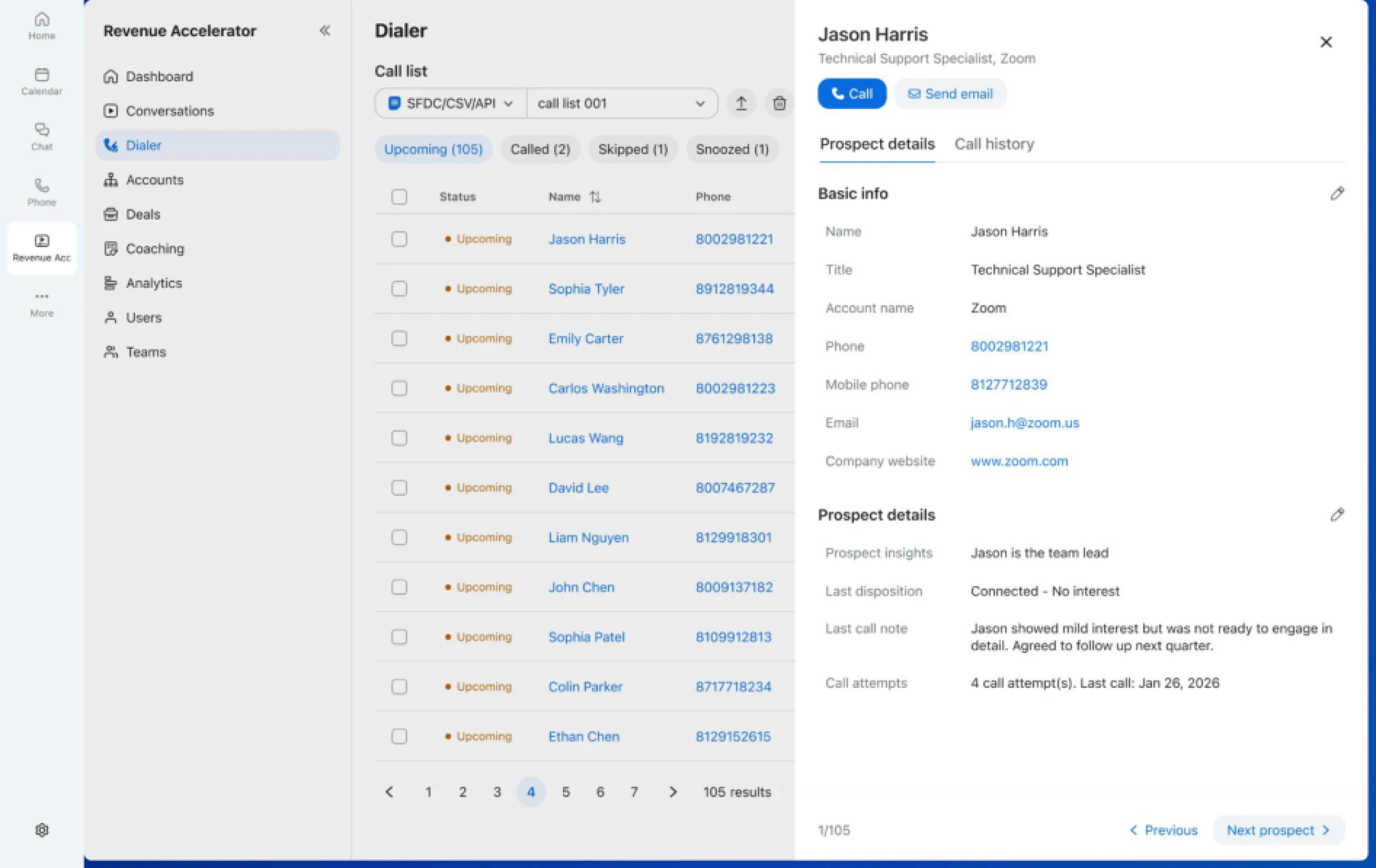
Add & Edit Contacts
- Add new contacts and edit contact data inside your Auto Dialer call list in real time. Capture referrals on the fly, log new details mid-call, and modify or update contact data without re-uploading a CSV.
- A prospect mentions their colleague is the real decision-maker. Before, you had to open a spreadsheet and re-import. Now you drop the new contact into the list right where you're calling from.
Zoom Contact Center
- May 2026
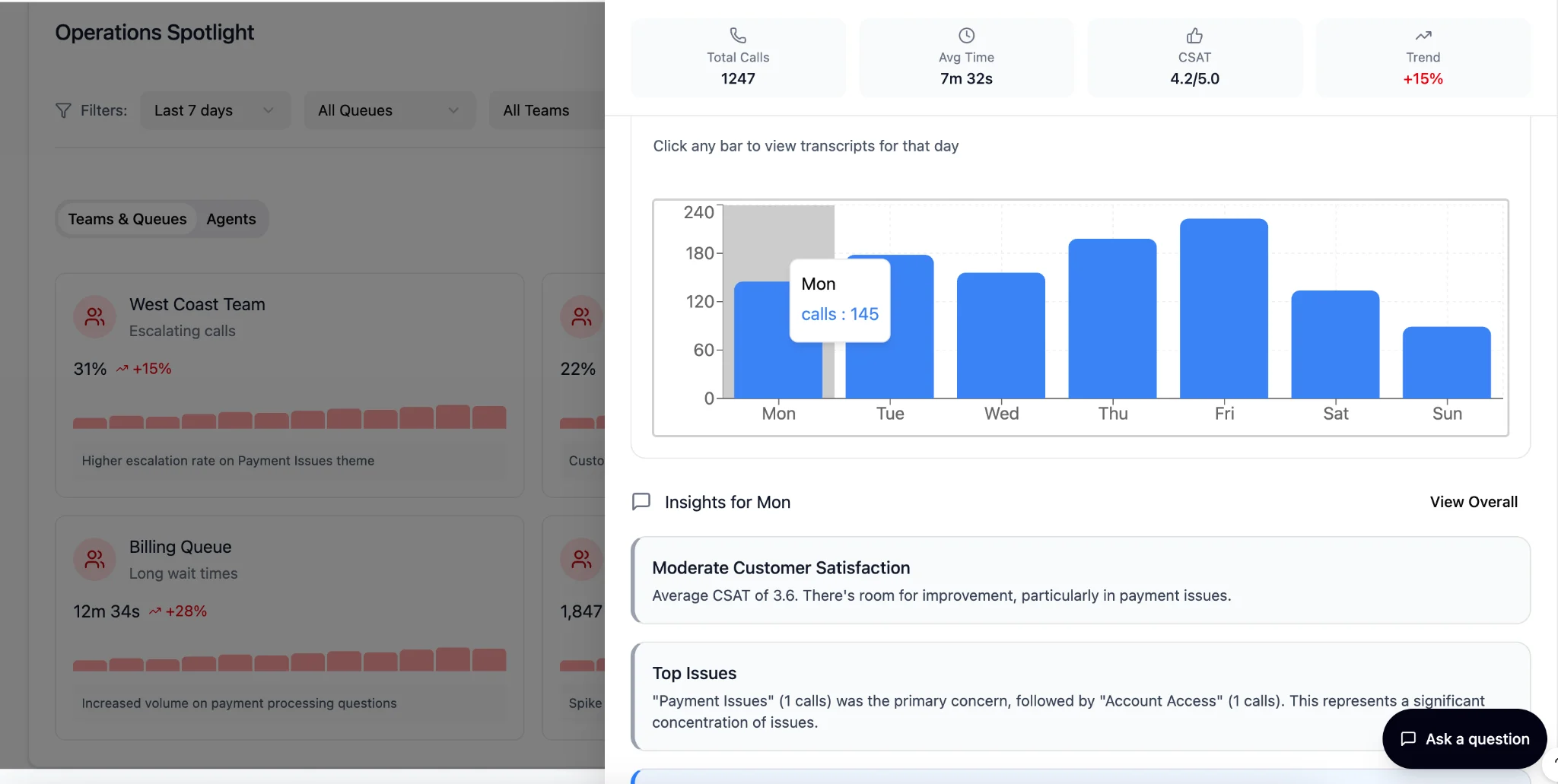
Leverage Transcript Intelligence Through CX Insights
- Click any chart or metric in CX Insights to explore the underlying conversations, with transcripts filtered automatically by time, queue, team, or agent context. Ask follow-up questions on filtered transcripts to uncover root causes.
- Dashboards tell you something changed. They don't tell you why. Now you click on the spike, and you're reading the actual calls that caused it.
- May 2026
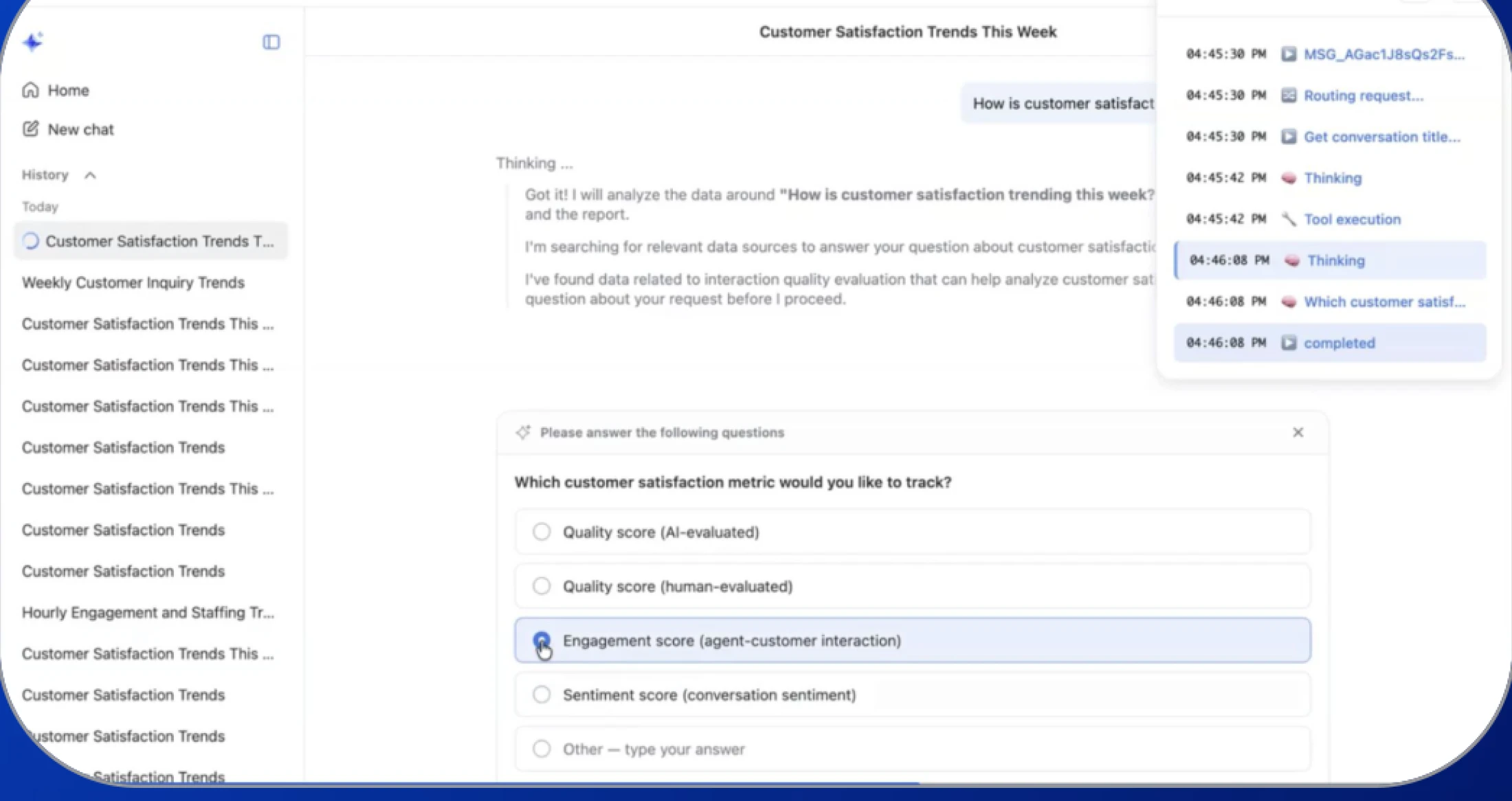
Advancing the CX Insights Experience
- Organize CX work into reusable projects with shared memory across chats, reports, and ongoing analysis. Centralized reports make findings easier to share, and clarification prompts help reduce failed queries on ambiguous requests.
- CX analysis usually means starting over every Monday. Now your projects, prompts, and reports carry context forward — so you build on last week's work instead of redoing it.
- May 2026
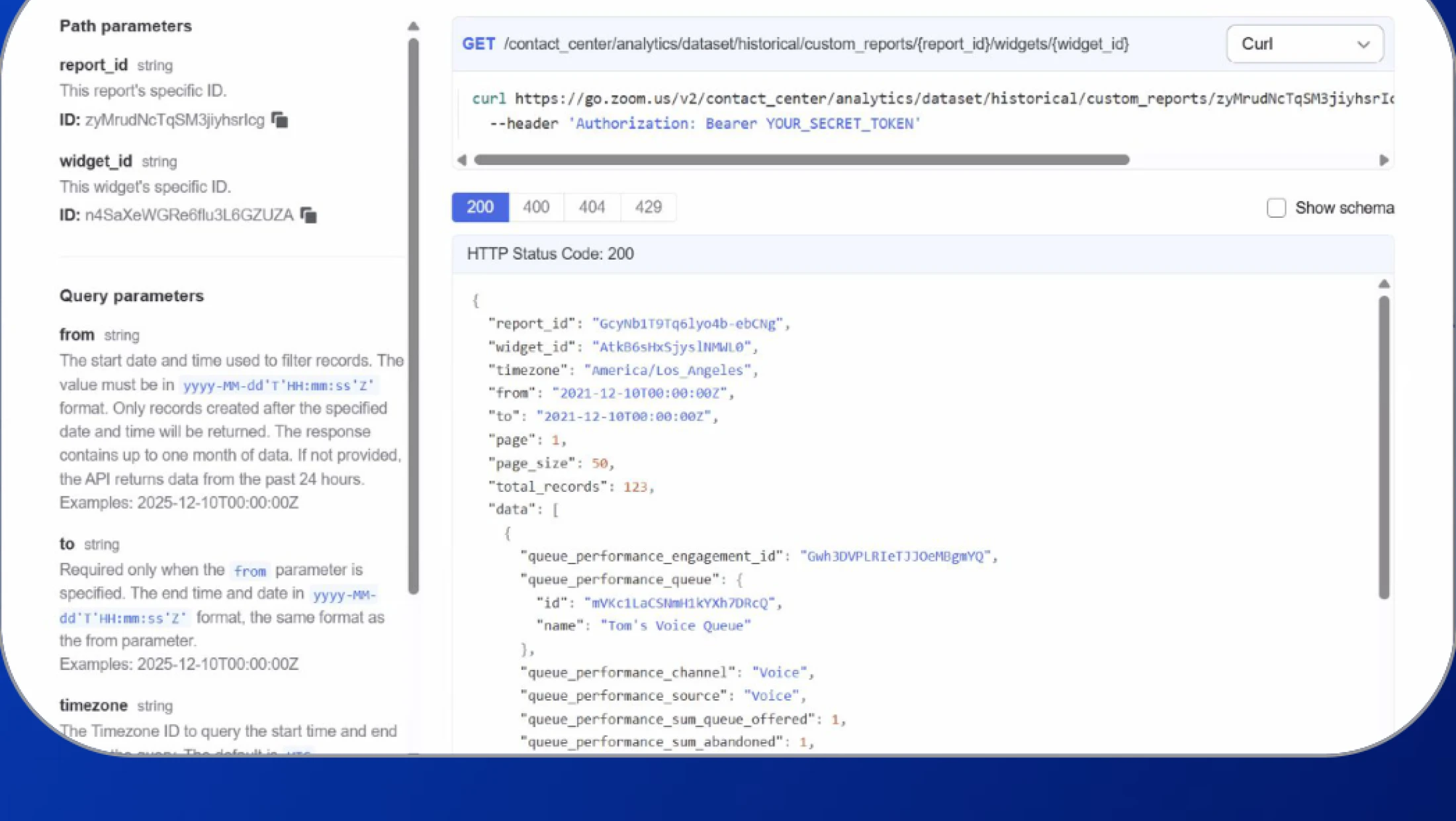
Build Custom Historical APIs with CX Analytics
- Build custom historical APIs from CX Analytics widgets by combining datasets, variables, and custom measures into a single exportable view. Deliver CX data in the exact structure your external business intelligence (BI) and reporting systems require.
- Every BI team wants the data slightly different. Instead of writing one-off exports for each, you spin up the API your reporting tool actually needs and your engineers get their weekends back.
- May 2026
Route Calls Faster with High-Speed Queue Overflow
- Automatically send calls to another destination with 0-second overflow while still tracking them in queue reports. Briefly check for available agents, then overflow if no one's free within a few seconds, with flexible queue and agent timing controls.
- Customers hate watching a queue go nowhere when an agent in the next group is available. Now the call moves the moment it makes sense to move it.

- May 2026
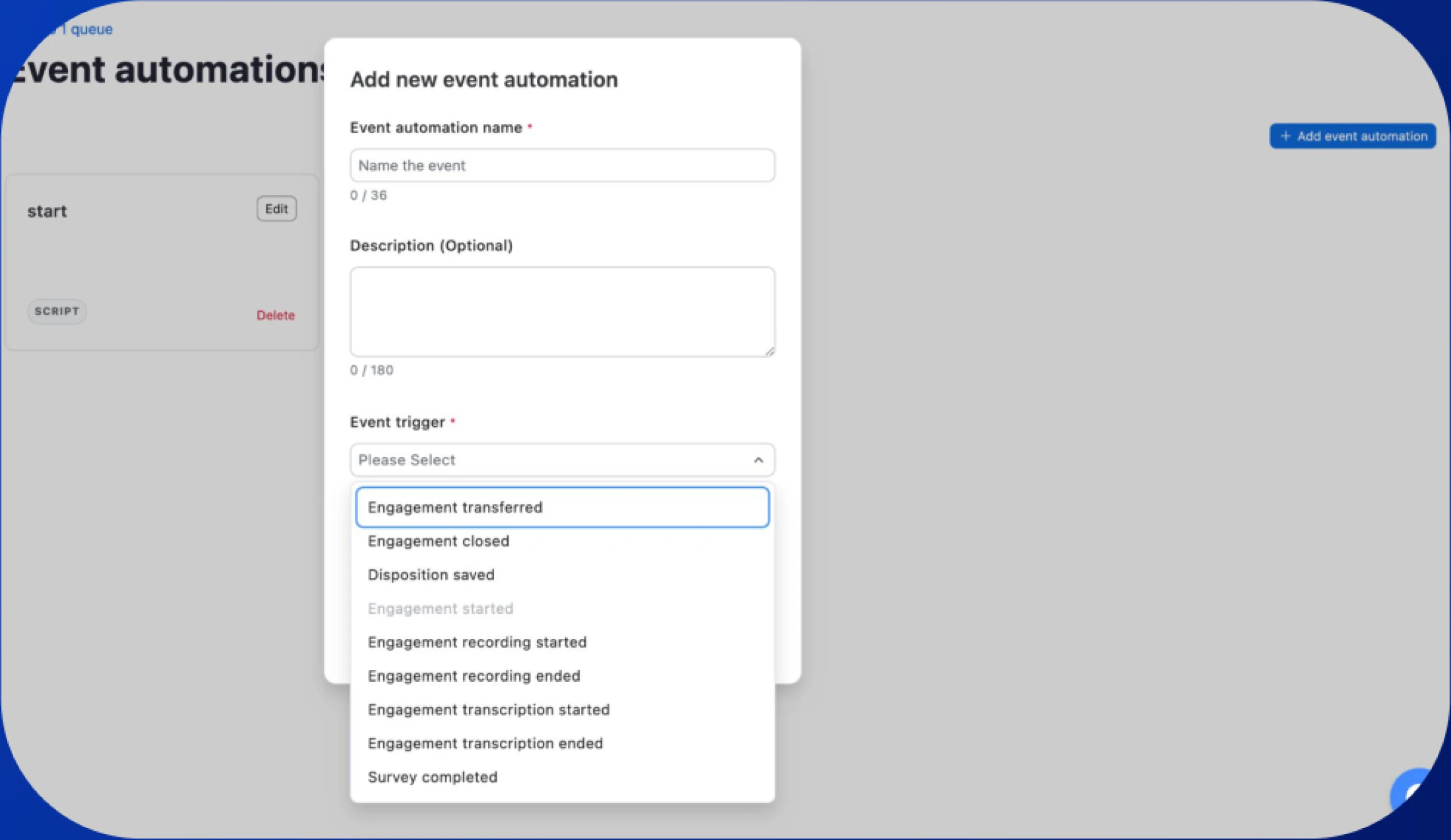
Smarter Outbound Automation and Dialing Control
- Trigger workflows on "engagement accepted" events in outbound automation. Customize calling hours by campaign with flexible local dialing windows instead of fixed account-level limits, and prevent wasted outbound attempts outside of allowed calling windows.
- Calling someone in São Paulo at 7am local time is a bad day for everyone. Now the dialer knows the rules per campaign and the workflows only fire when someone actually picks up.
- May 2026
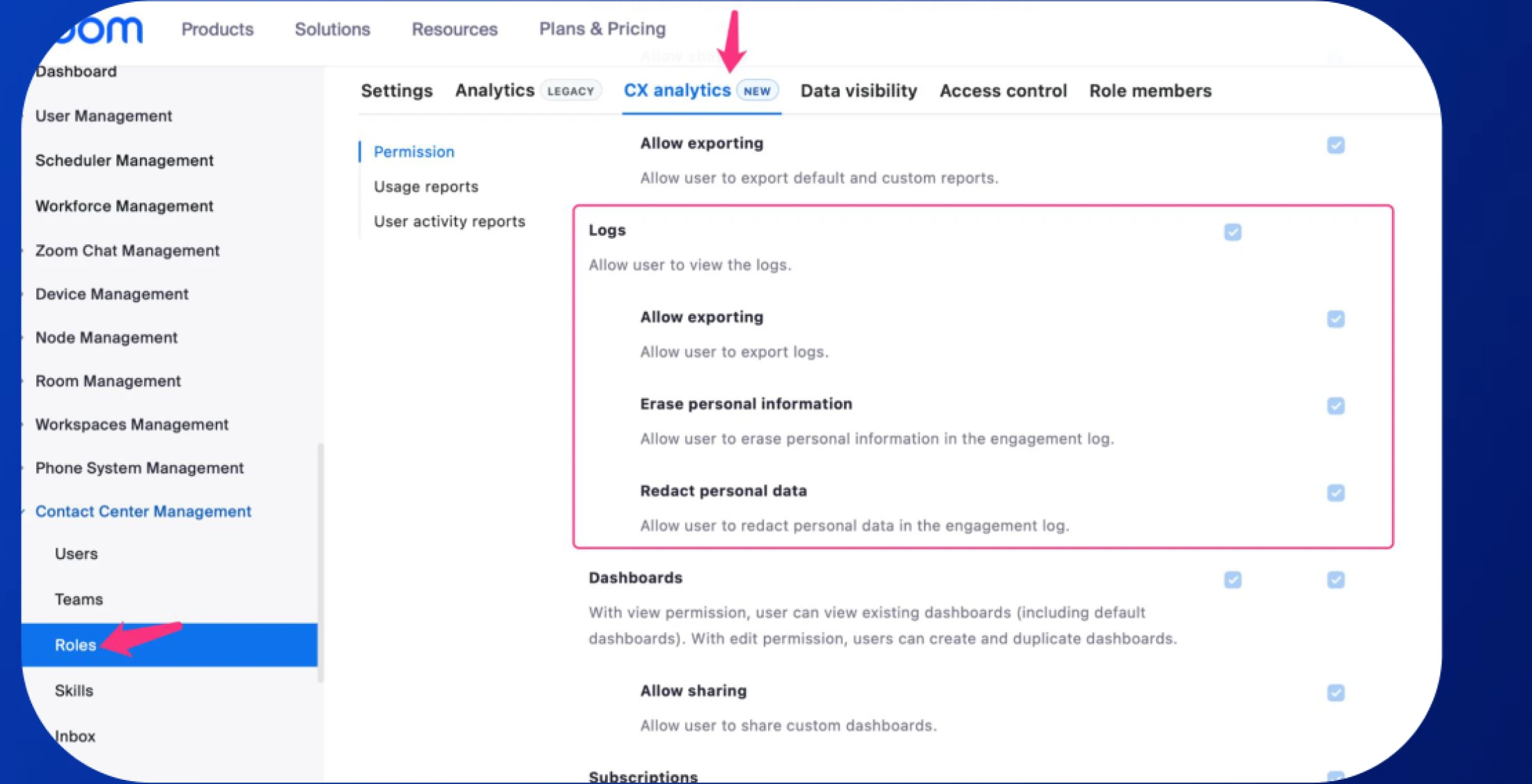
Granular Access Controls for CX Analytics Logs
- Restrict access to specific CX Analytics logs (i.e. engagement, agent activity, compliance, call journey) at the individual log level. Admins get precise control over who can view or export each log type.
- Compliance asks for least-privilege access. Until now, the answer was "this admin sees everything or nothing." Now the answer matches the role.
- May 2026
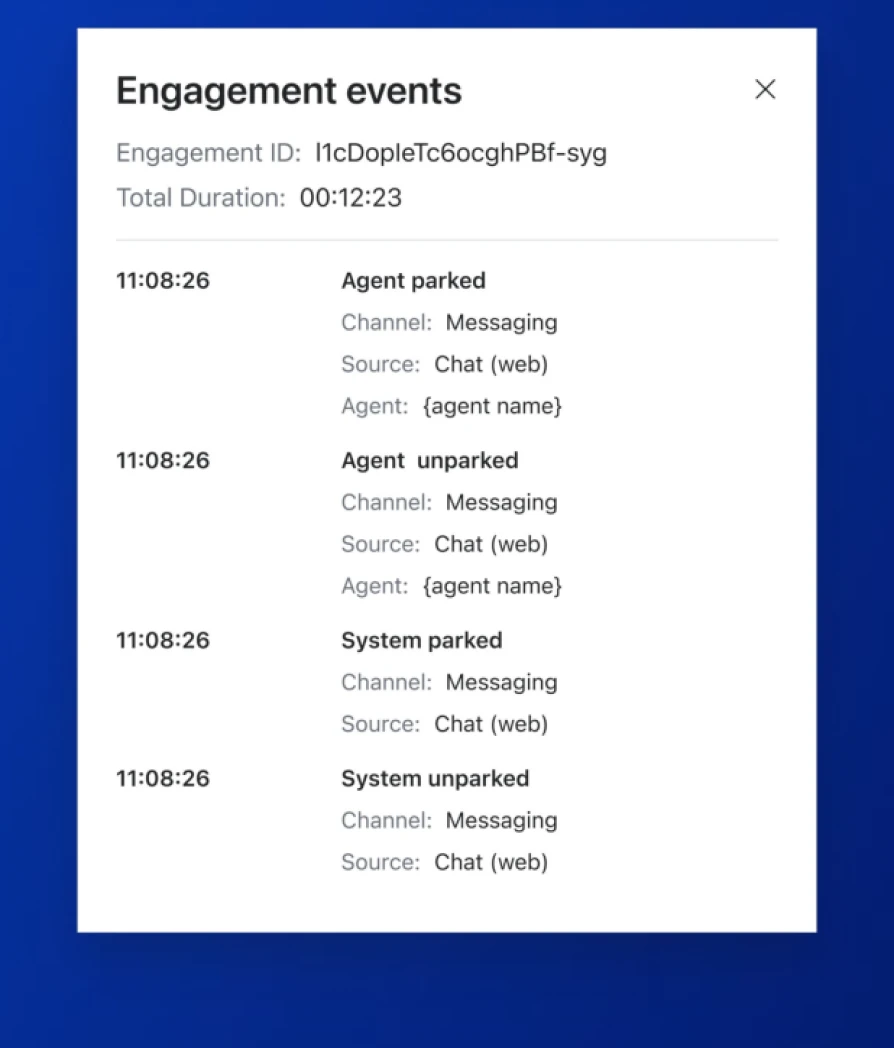
Auto-Park Inactive Engagements in Queue
- Automatically park inactive engagements so they stop blocking agents while waiting for a customer reply. When the customer responds, the engagement returns to the queue and gets reassigned. Agents and admins can park or unpark manually, with full visibility in views and logs.
- An agent's queue used to fill up with conversations stuck waiting on the customer. Now the inactive ones step aside until the customer's actually back so agents handle the engagements that need attention now.
- May 2026
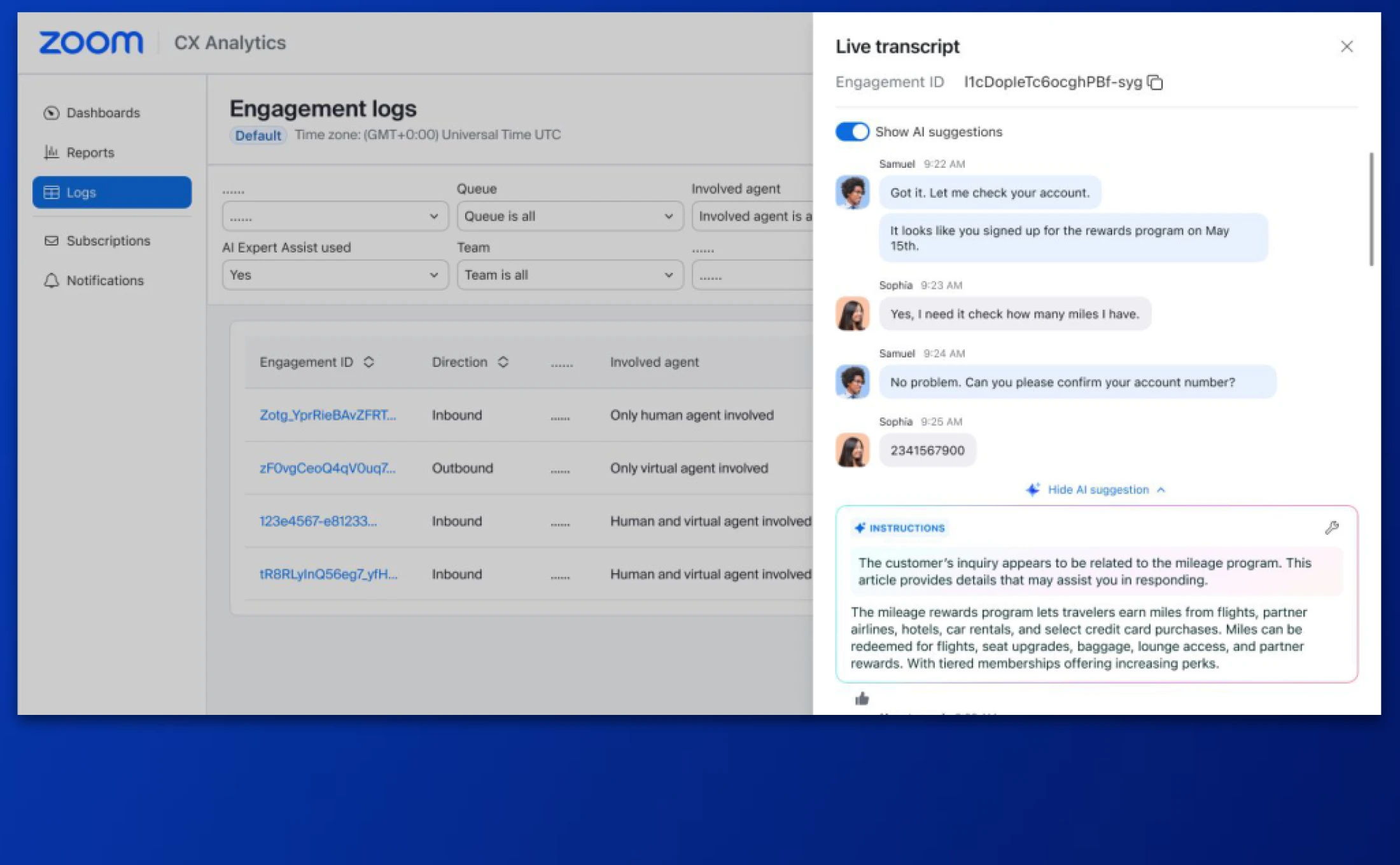
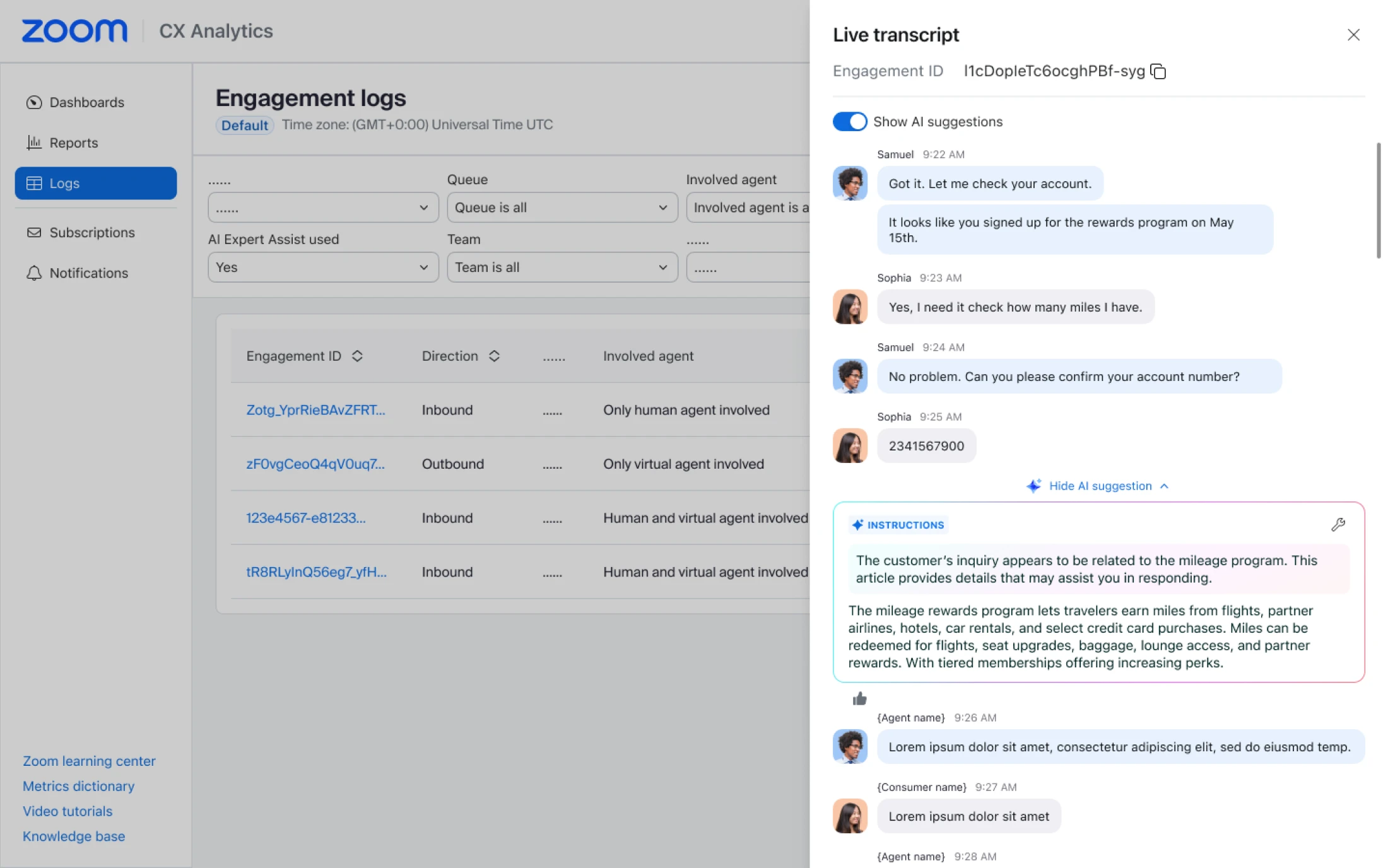
Agent Tracing in Engagement Logs (AIEA)
- View AI Expert Assist agent behaviors and suggestions inside closed engagement logs. Flags and filters let supervisors find AI-assisted engagements quickly, and transcripts come with embedded AI suggestions inline.
- You want to know what AI Expert Assist actually told the agent in the moment. Now you can see it right next to the transcript instead of inferring what happened from the outcome.
- May 2026
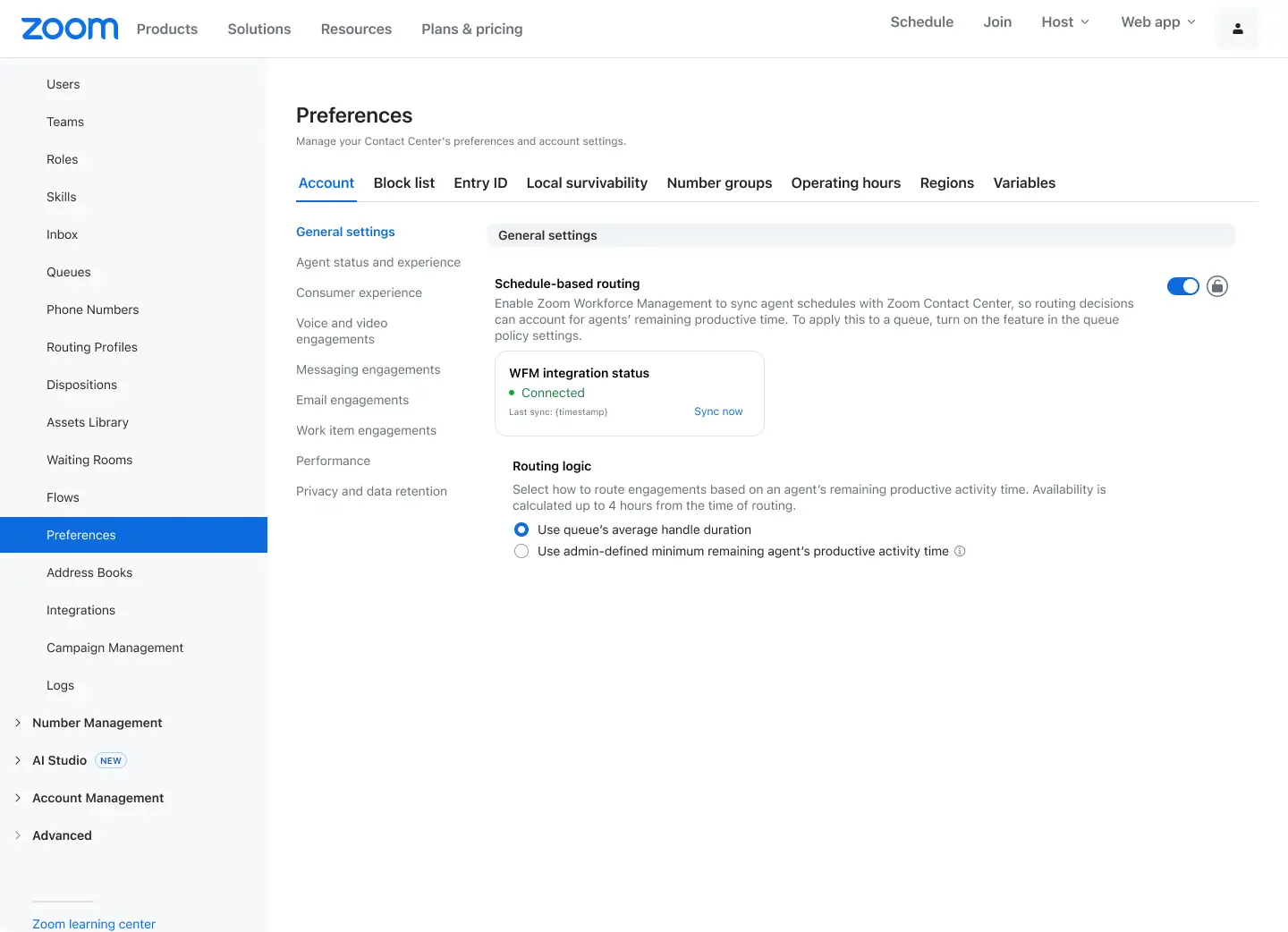
WFM schedule activity sharing with ZCC
- Share Workforce Management schedule data with Zoom Contact Center on an hourly cadence, including each agent's upcoming activity, start time, and duration. Routing decisions can match interactions to the agent best positioned to take them.
- Routing without knowing who's about to go on break is how you end up with a customer transferred two minutes before the agent's lunch. Now the routing engine has the schedule, and the right agent picks up.
Zoom Virtual Agent
- May 2026
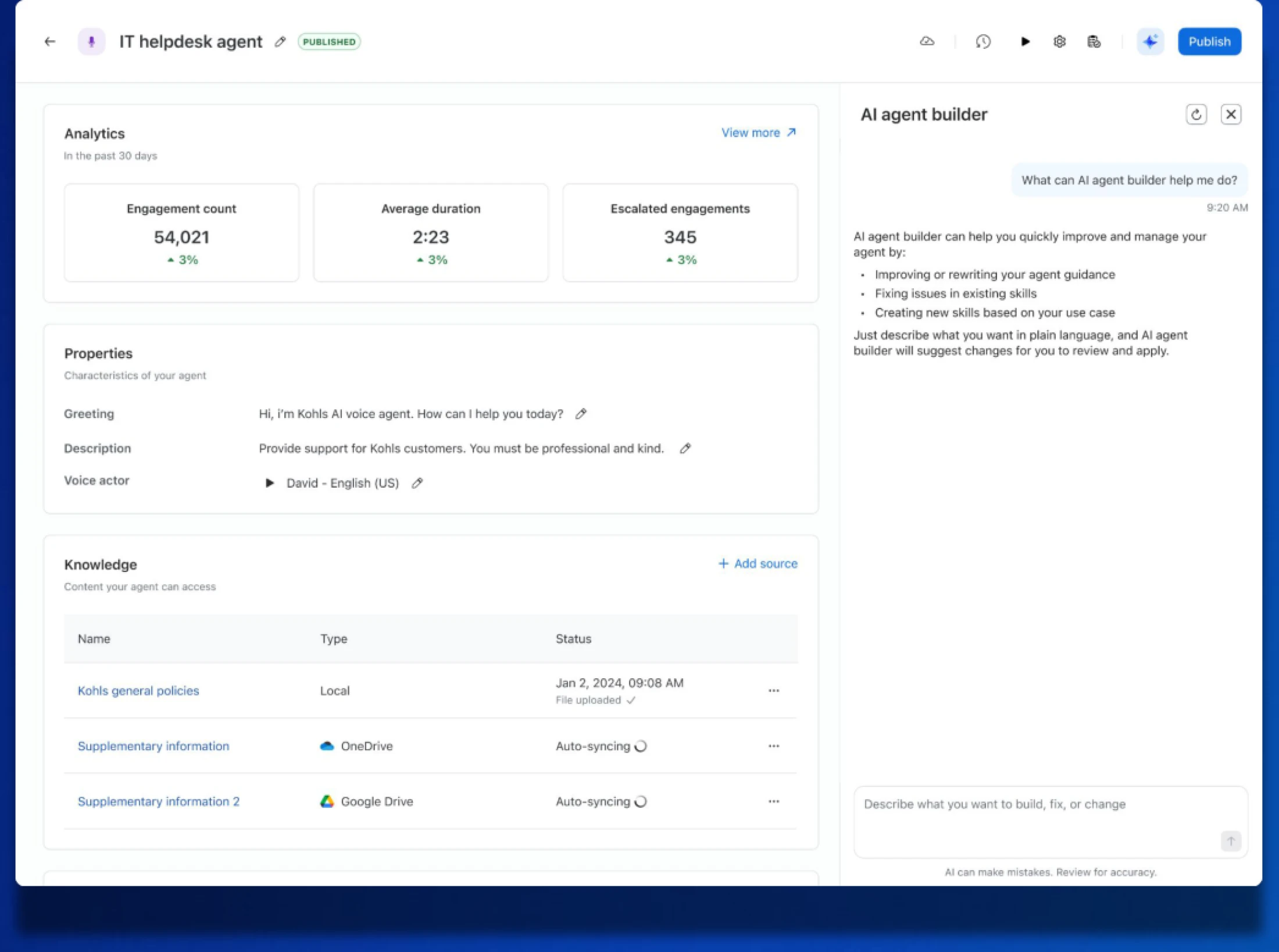
Zoom Virtual Agent: Agent Builder
- Build higher-quality virtual agents on the first try with contextual, best-practice guidance tailored to your agent's specific flow. Create new skills, improve existing ones, and debug issues with AI handling the complex configuration and referencing existing tools.
- Building a bot used to mean sketching the flow on a whiteboard, configuring it, and finding out two weeks later it didn't work the way you imagined. Now the assistant helps catch the gaps as you go.
- May 2026
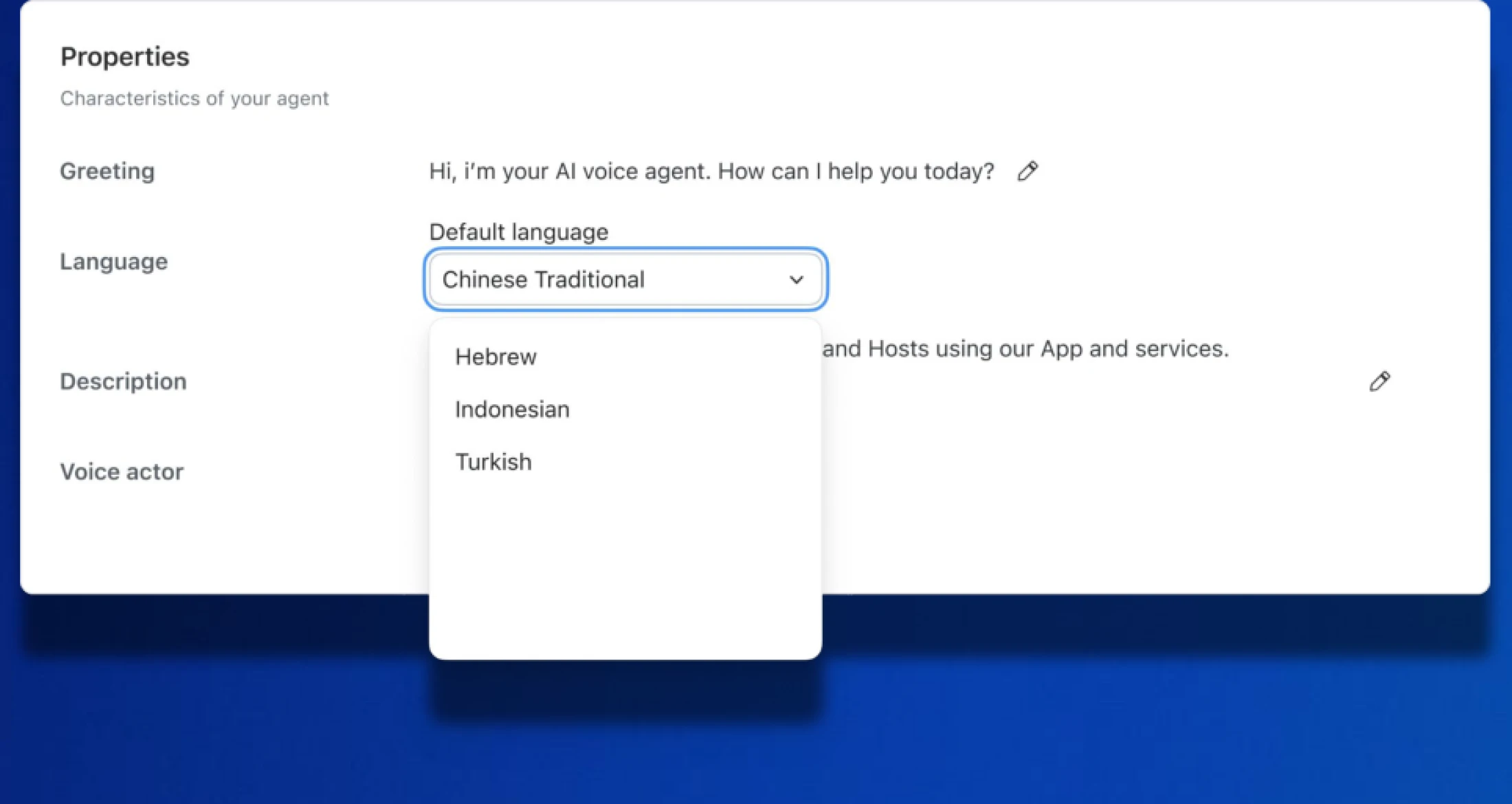
Expanded Languages for ZVA
- ZVA now supports Hebrew, Indonesian, and Turkish across chat and voice agents, with full localization including proper grammar and vocabulary.
- Customers in Tel Aviv, Jakarta, and Istanbul shouldn't have to switch to a second-best language to talk to your support bot. Now they don't.
- May 2026
ZVA: Hyperlink Support
- Embed hyperlinks across standard responses or complex tool configurations in ZVA without writing custom code. Replace messy URLs with branded, professional links across chat and tools.
- A raw URL in a support response looks like spam and reads like one. Branded hyperlinks click through more often, and your agent's responses look more polished.
- May 2026
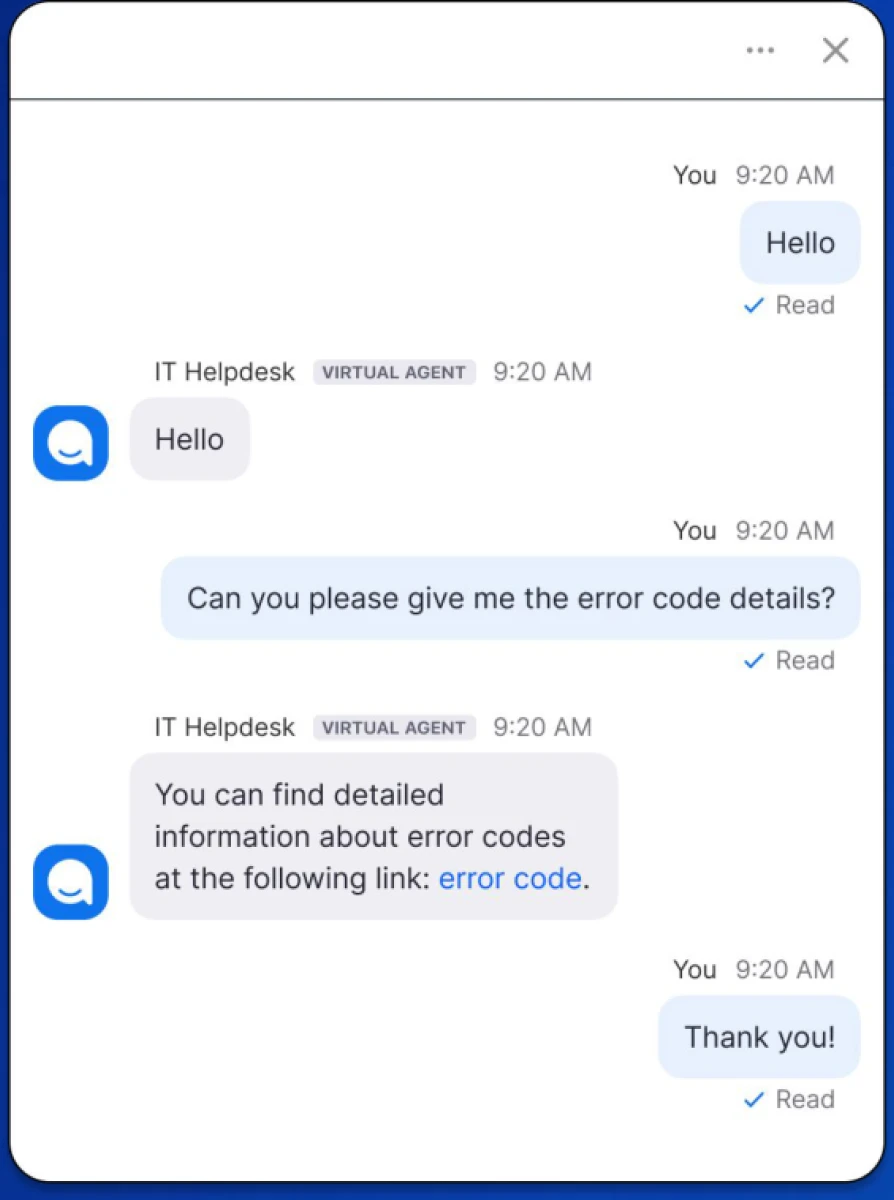
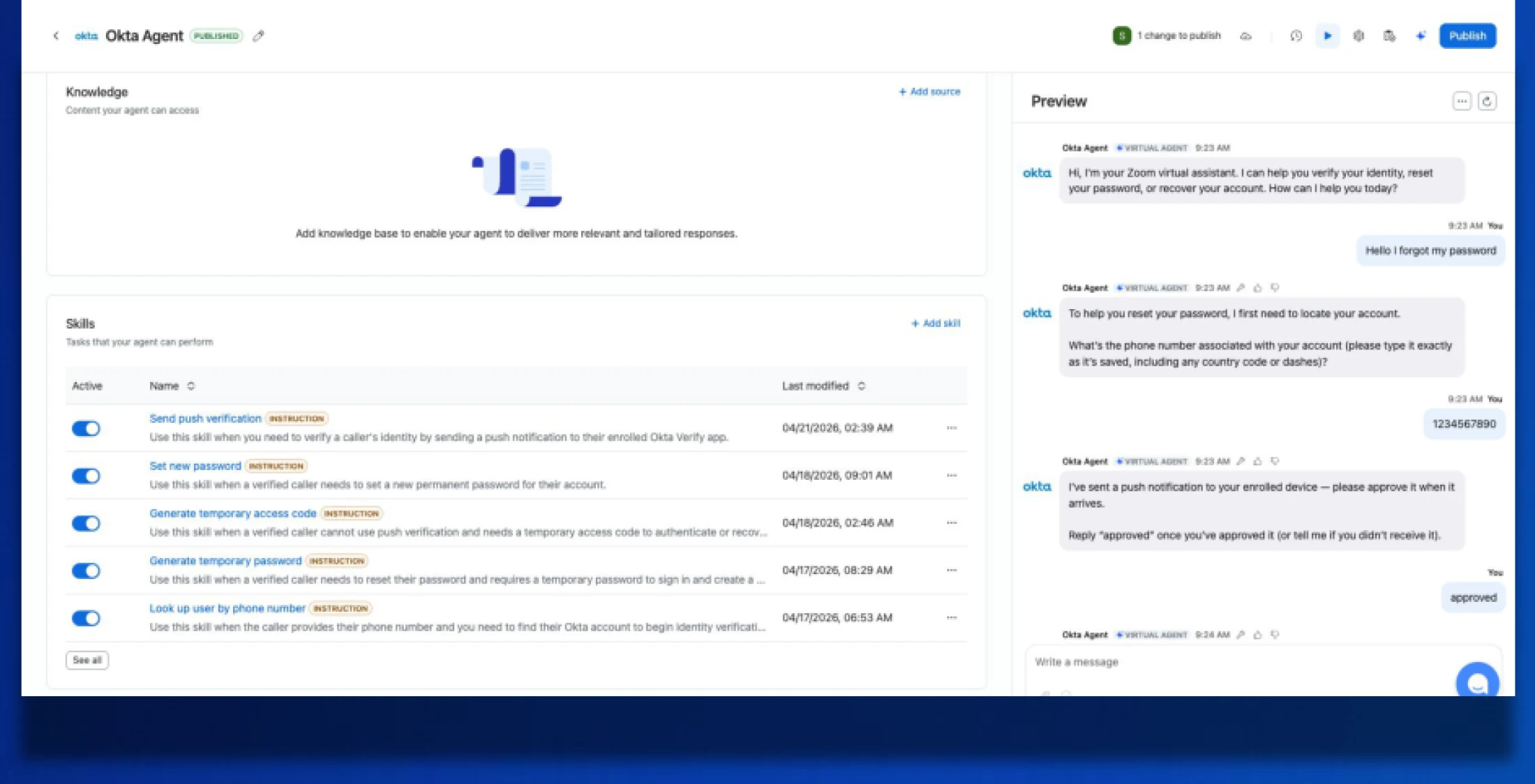
OKTA integration for ZVA
- Use Okta push notifications and temporary codes to handle automated account recovery through ZVA. Customers can unlock accounts or reset passwords through simple guided steps, without waiting for IT support.
- Locked-out customers don't want to file a ticket. They want back in. Now the virtual agent walks securely through it, and your IT queue gets shorter.
Apps & Integrations
- May 2026
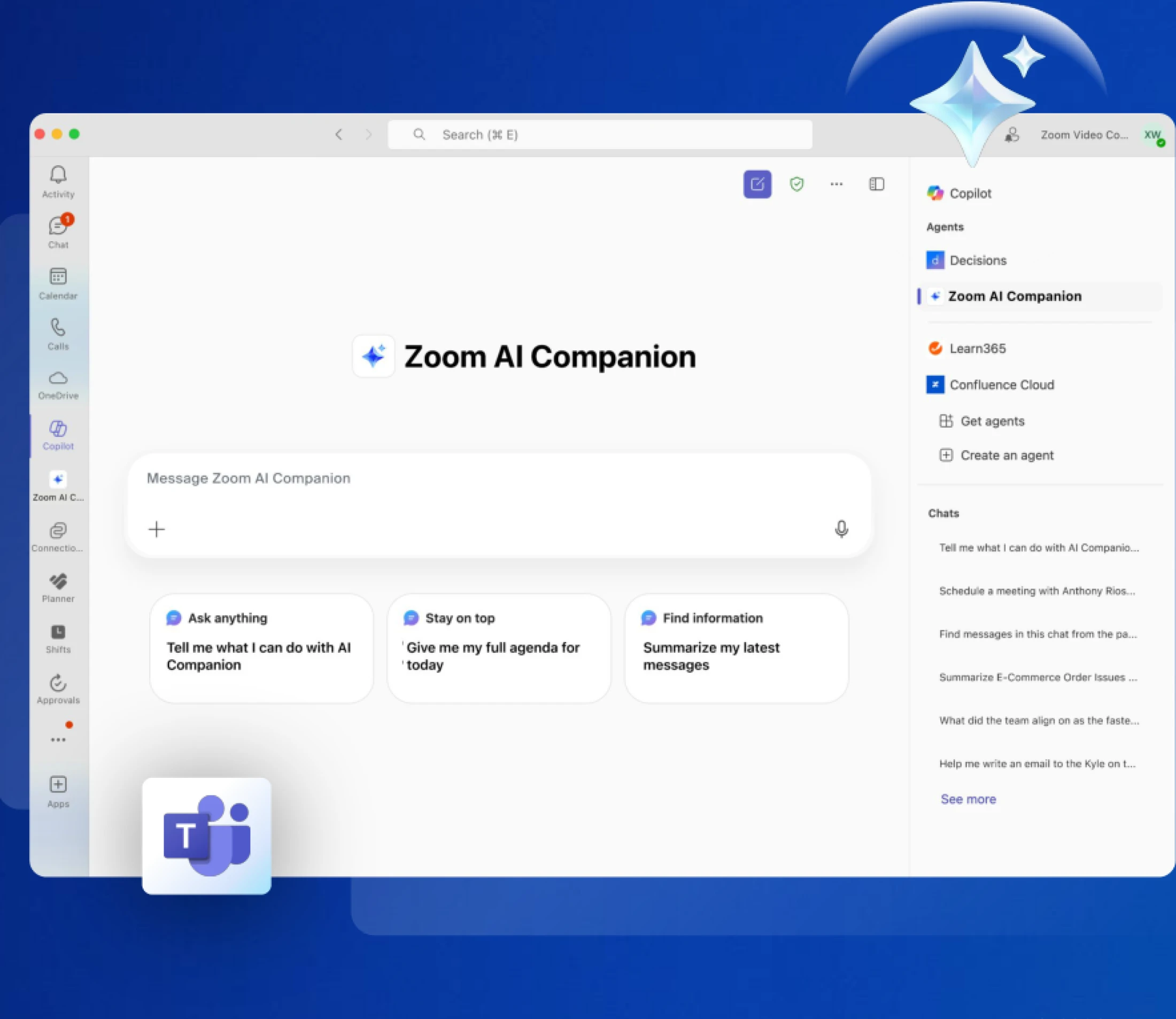
AI Companion in MSFT Teams
- A new app brings AI Companion directly into Microsoft Teams. Access full meeting summaries and next steps inside Teams, and generate content to help with follow-ups and documentation without switching apps.
- May 2026
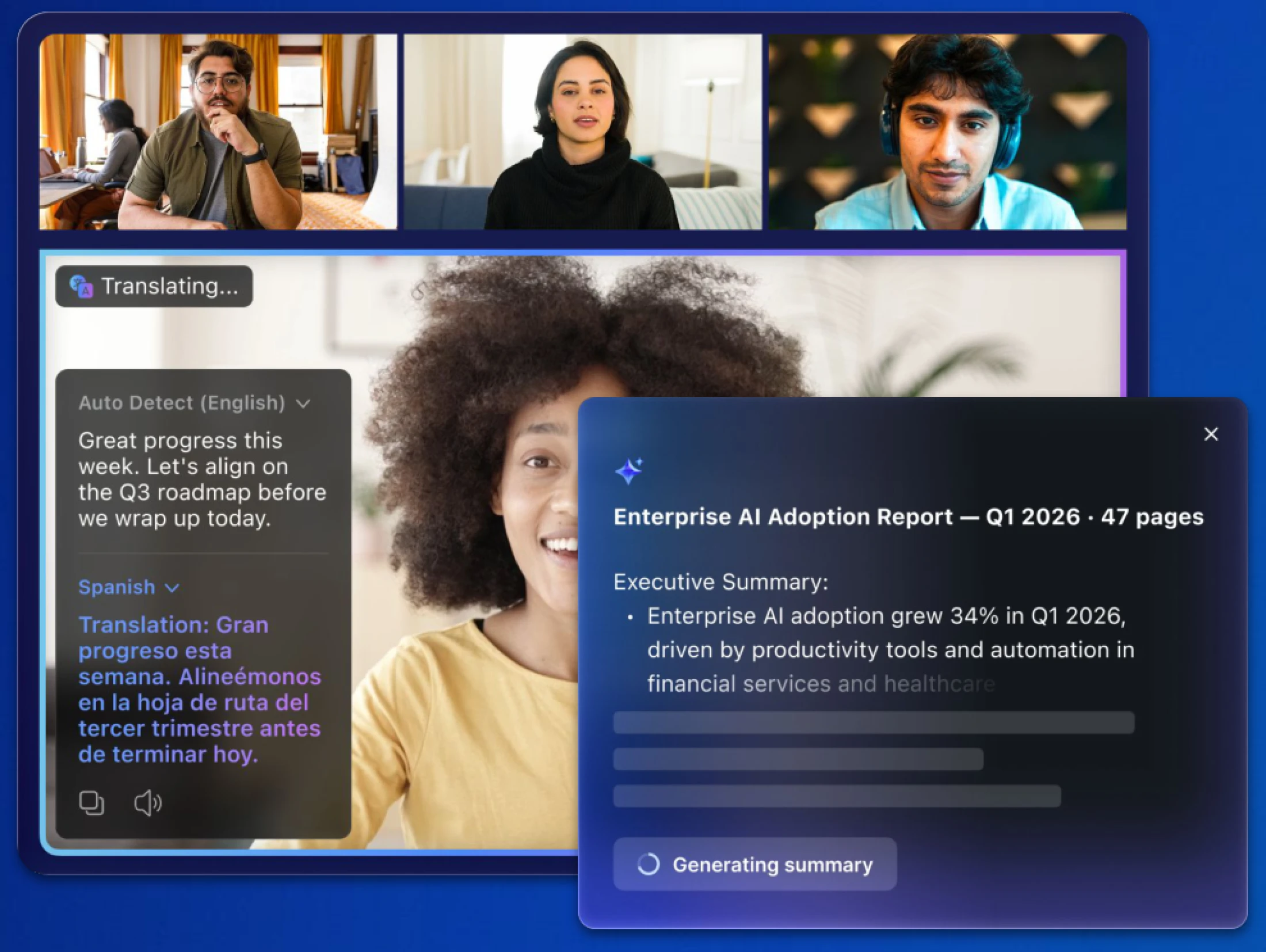
AI Services Expanded Offerings
- New Translator and Summarizer APIs on the Zoom Build Platform to translate content across languages, summarize conversations into clear insights, and pull in transcription - all via credits.
- Every app team is rebuilding the same translation and summarization pipeline. Now you call one API and get production-quality output, without managing models or running your own infrastructure..
Workvivo
- May 2026
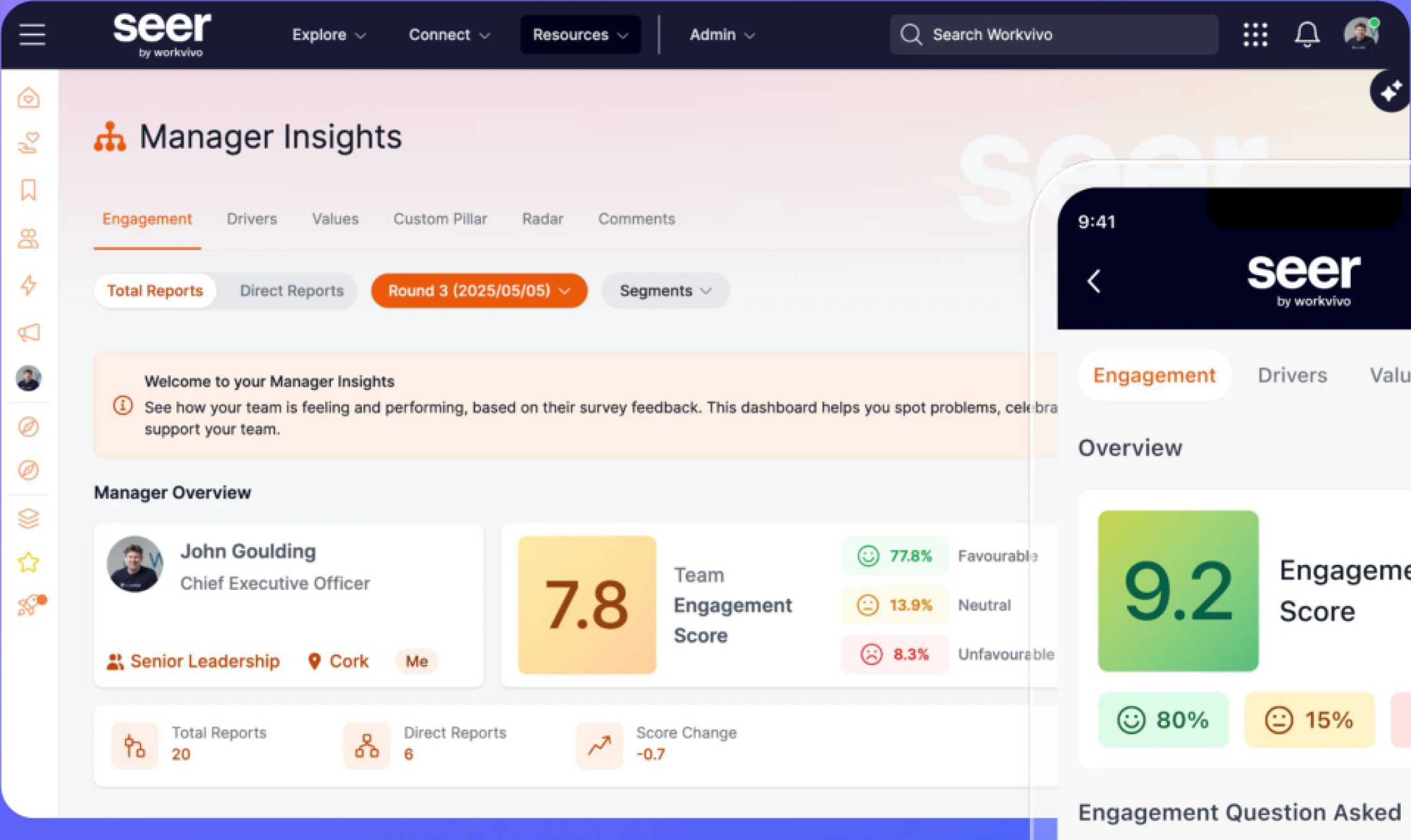
Seer by Workvivo
- Workvivo Employee Insights is now Seer by Workvivo, the people intelligence platform. Summarize feedback by filtered group, build richer surveys with multiple Driver questions and Likert Scale options, and benchmark managers internally.
- Engagement surveys usually generate a pile of comments no one has time to read. Seer turns that pile into the themes that actually matter - by team, by manager, by question - without manual tagging.
Zoom AI Companion is expanding its reach, becoming a more powerful and personalized assistant that works for you across more platforms and specialized workflows.
- April 2026
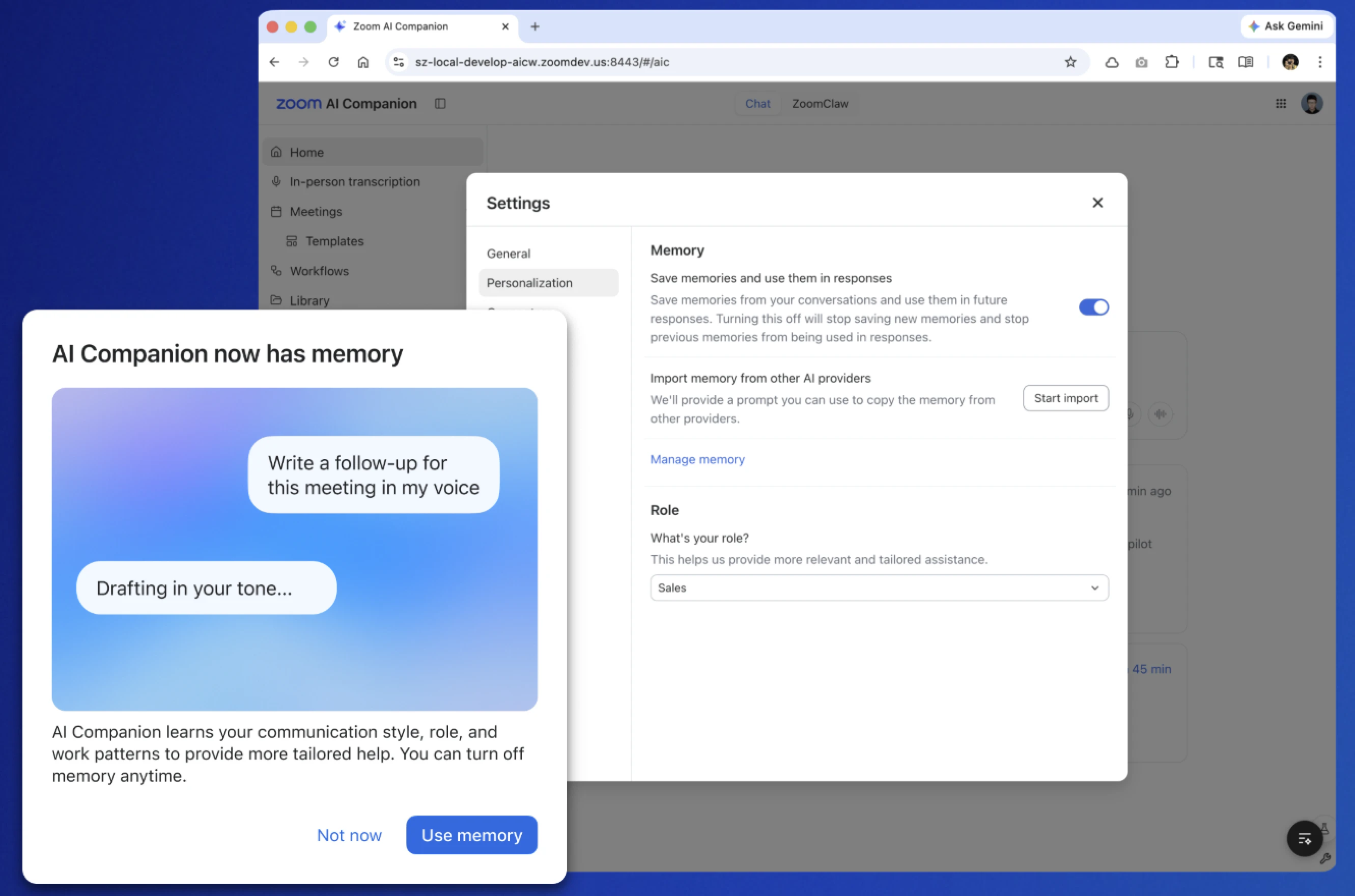
Memory Improvements
- View, edit, and manage what AI Companion knows about your work preferences and communication style.
- Instead of getting generic answers, you get responses that actually fit your specific role and preferences.
- April 2026
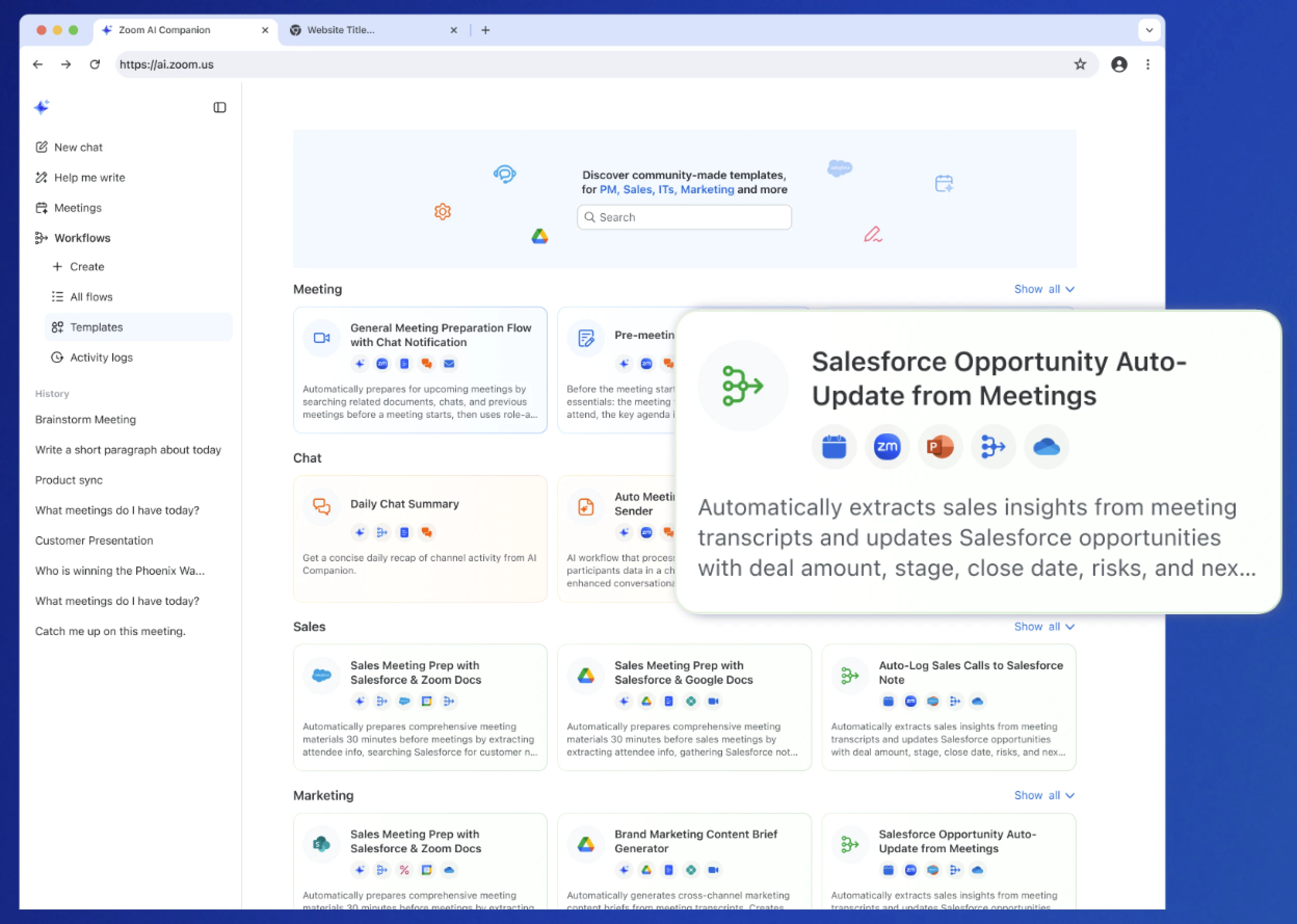
Workflow Enhancements
- Use the new "Deep Reasoning" node to build more complex automations that understand the context of your tasks.
- Reach people wherever they are by ending a workflow with an automated SMS or a voice call instead of just an email.
Zoom Workplace
Zoom Workplace is designed to reduce friction and simplify your work day, whether you're in a meeting or catching up later.
- April 2026
Automated Zendesk Tickets for Voicemail
- Automatically create a Zendesk ticket whenever a customer leaves a voicemail for an auto-receptionist or call queue.
- No more manually checking for missed messages. The caller’s info, recording, and transcript land right in the workflow your team already uses.
- April 2026
Shared Line Support for Cisco MPP
- Handle shared line groups and delegate calls directly on your existing Cisco 8800 and 9800 devices.
- You can move to a modern phone system without throwing away your current hardware. It’s the same desk phone, just smarter.

Productivity
- April 2026
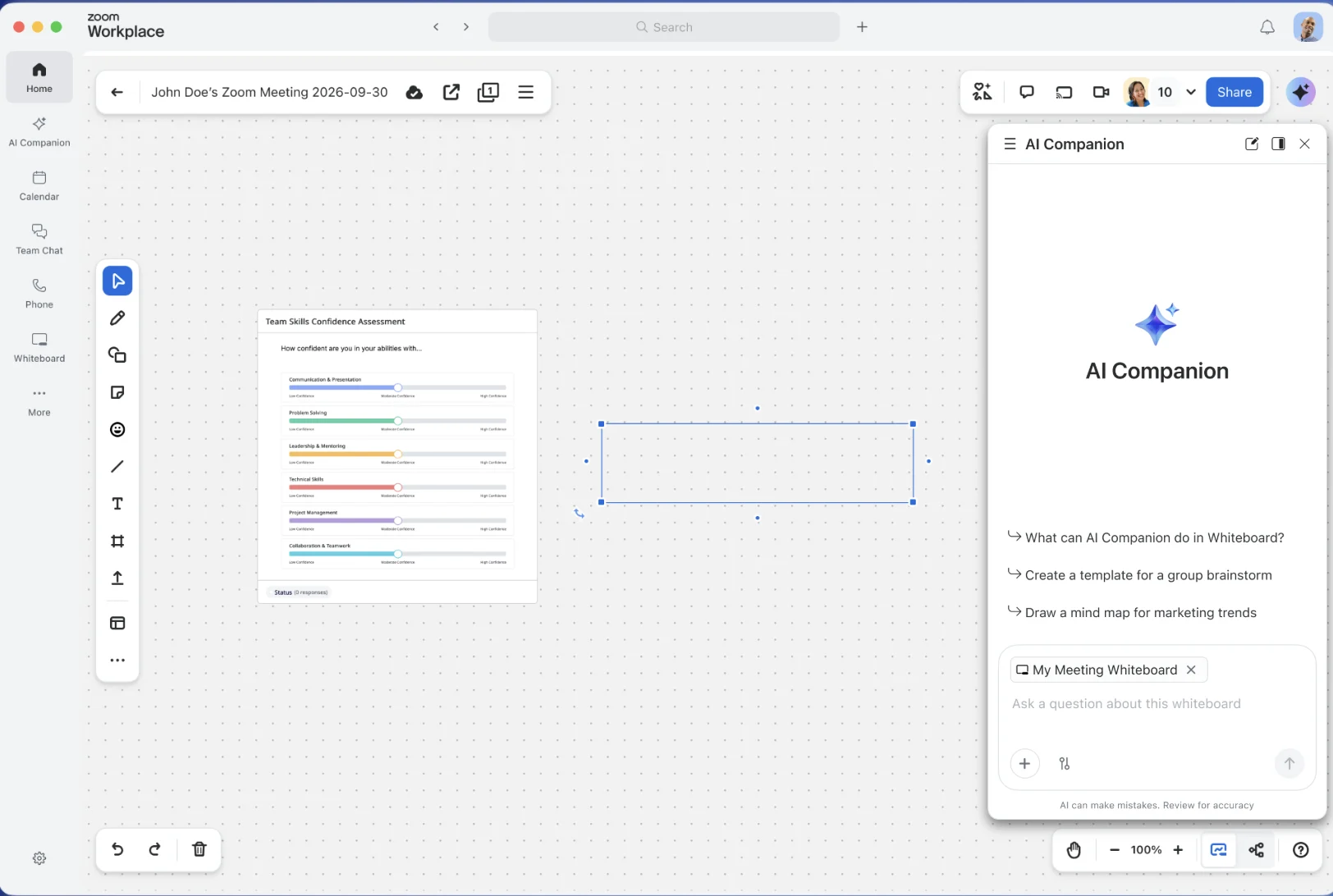
AI Companion in Whiteboard
- Chat with AI Companion directly inside your whiteboard to refine content, ask questions, or turn a prompt into a flowchart.
- Gone are the days of staring at a blank canvas. You can go from a rough idea to a structured diagram in seconds.
- April 2026
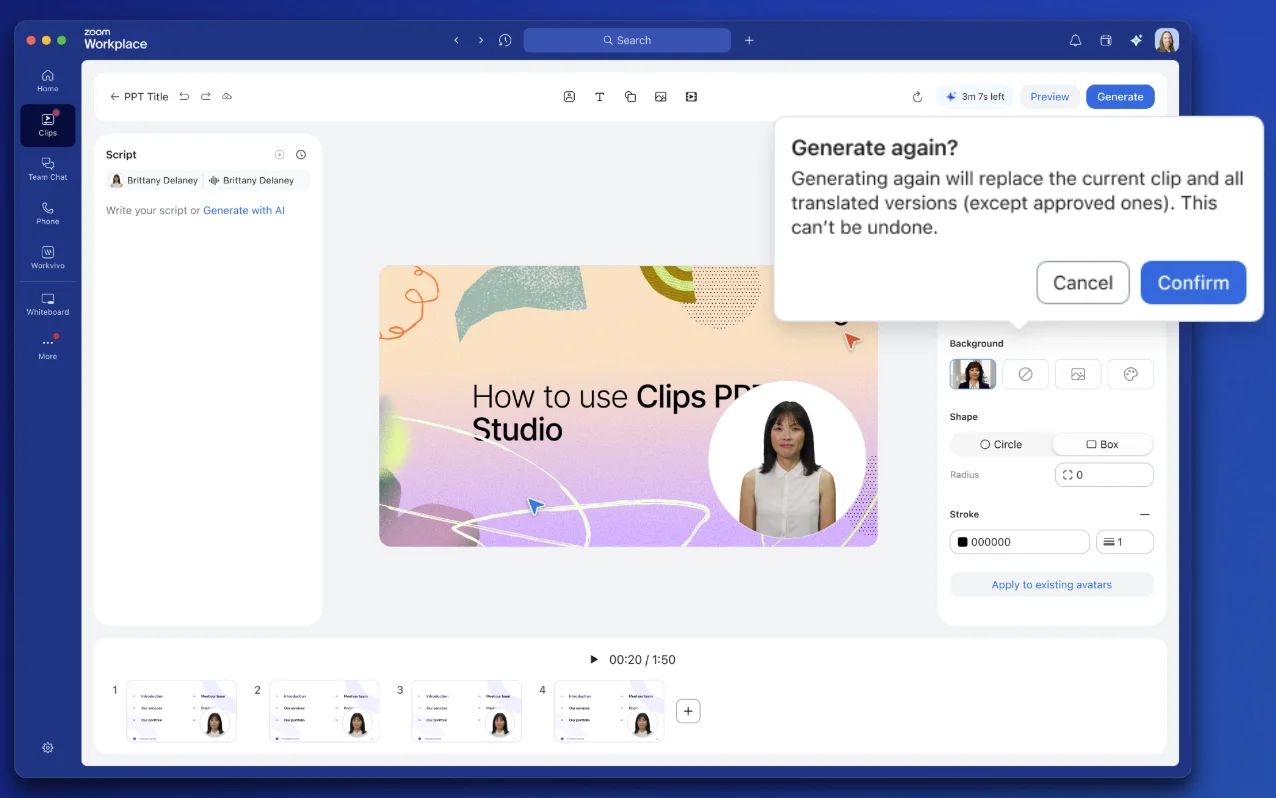
Edit Avatar Scripts in Clips
- Fix mistakes or update your messaging by editing the text script of an AI Avatar video and regenerating the clip instantly.
- Before: Re-recording an entire video because of one small typo. Now: Edit the text, click a button, and the video updates itself.
Spaces
- April 2026
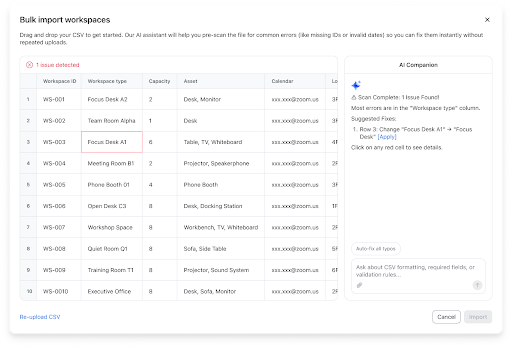
Bulk Workspace Assignments with AI
- Upload desk and room assignments using natural language instructions and any text file.
- Admin work doesn't have to be a headache. AI Companion catches your typos and formats the data correctly so you don't have to manually fix spreadsheets.
- April 2026
Zoom Video Management
- April 2026
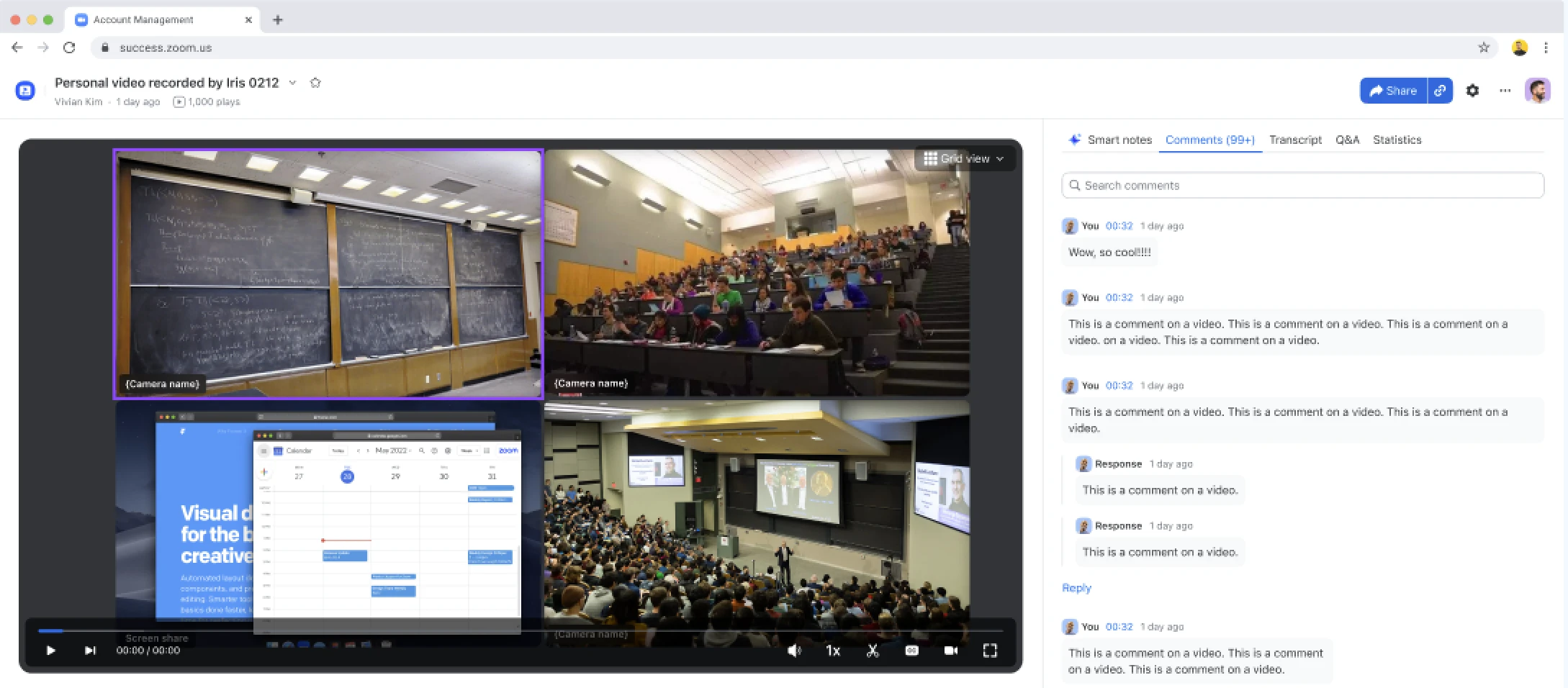
Multi-Camera Recording Playback
- Record every camera in a Zoom Room as a separate stream so viewers can choose which angle they want to watch.
- Students watching a lecture can toggle between the teacher, the blackboard, or the screen share. Everyone gets the best view, no matter where they sit.
- April 2026
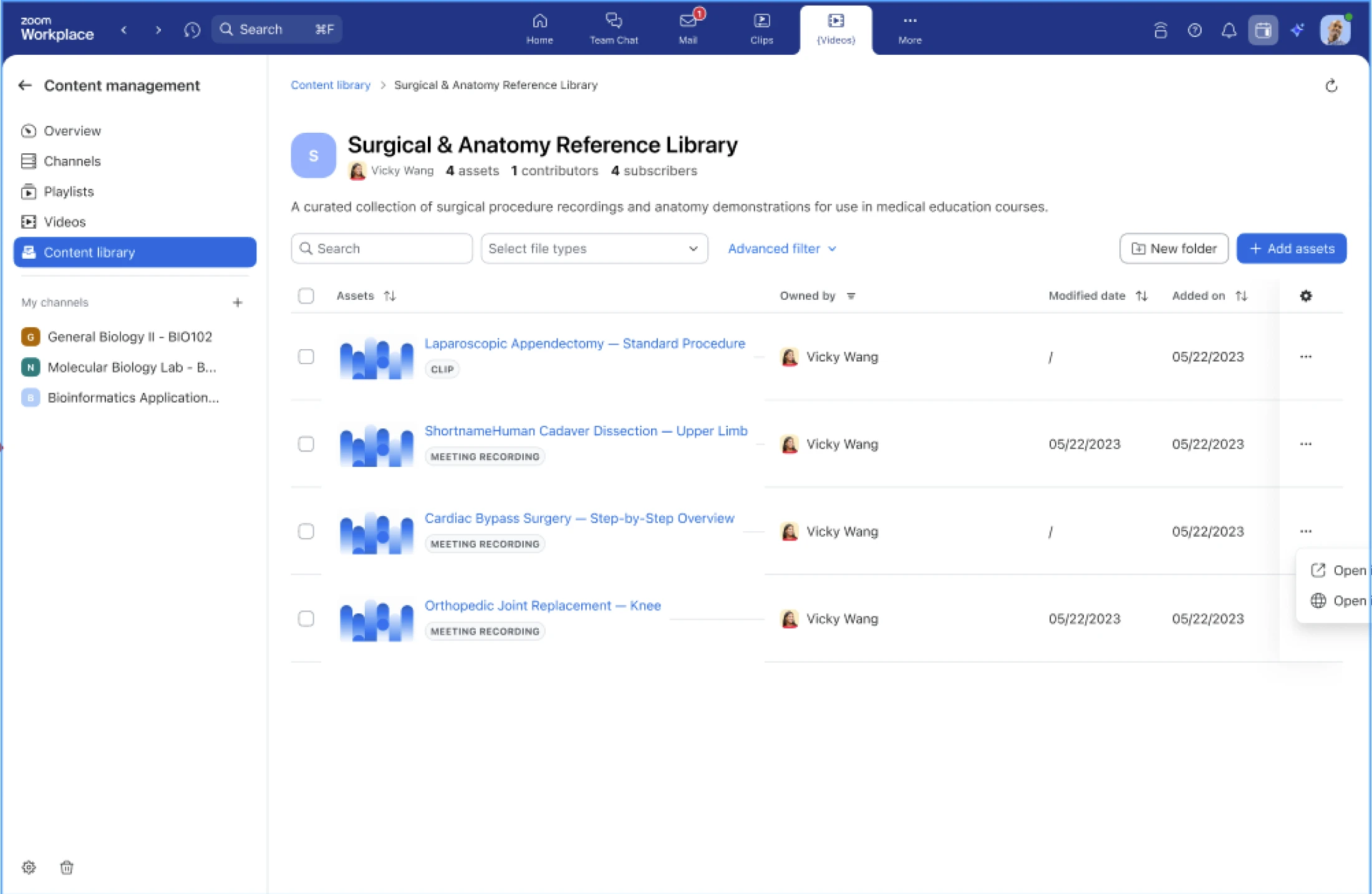
Shared Video Library
- Create a central, tagged hub of approved video content that different teams can pull into their own video channels.
- Gone are the days of hunting through inboxes or drives for the latest brand video. Content owners stay in control because shared videos remain locked—teams can share the asset, but they can't edit the original.
Zoom Webinars & Events
- April 2026
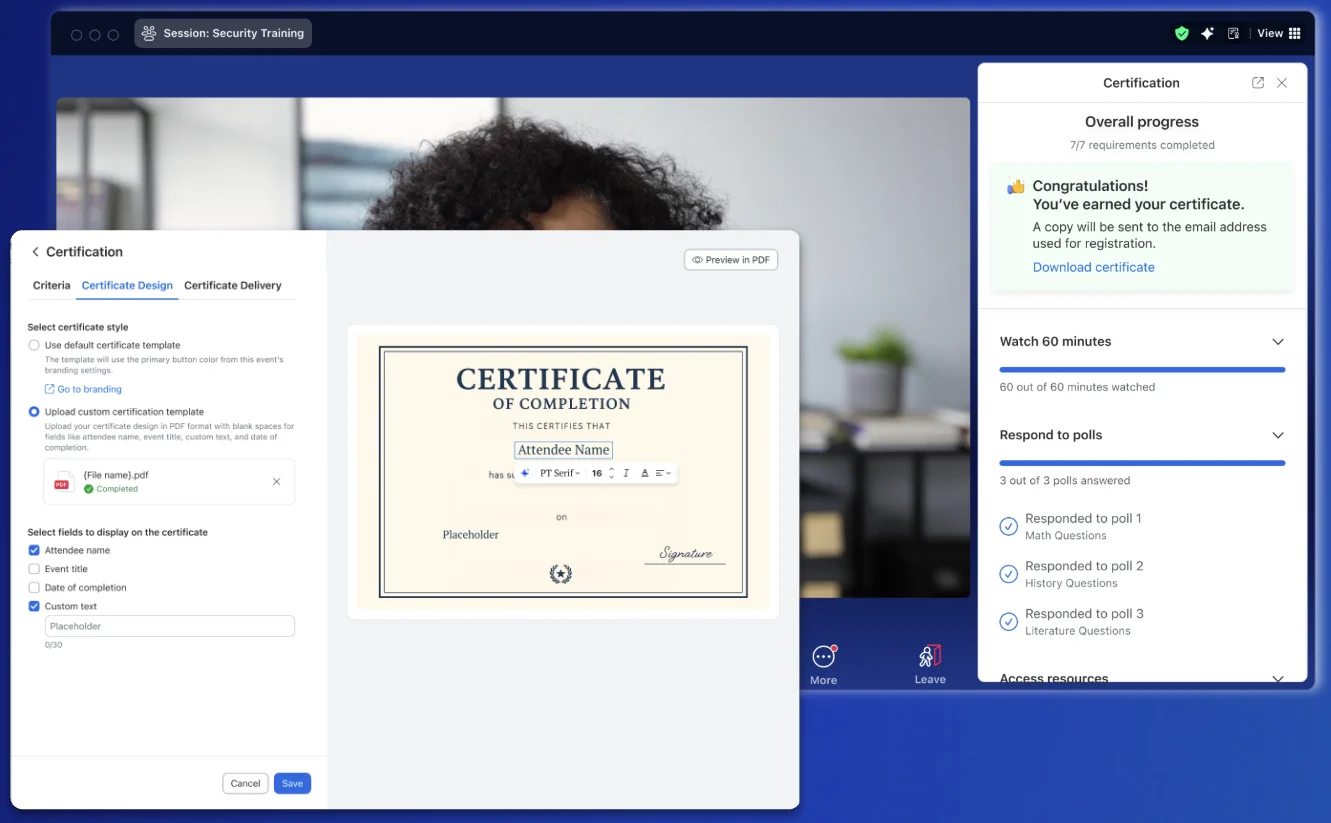
Certification in Simulive
- Issue certificates to up to 5,000 attendees who meet specific requirements during pre-recorded Simulive webinars.
- Gone are the days of messy spreadsheets and manual tracking for compliance or training. Once an attendee hits your criteria, their certificate is automatically generated and emailed to them.
Zoom for Sales (Zoom Revenue Accelerator & Auto Dialer)
- April 2026
AI Contact Creation
- Automatically identify participants in your meetings and create draft CRM records for them.
- Eliminate manual data entry - no more hunting for titles or emails.
- Review, approve and sync to ensure your CRM reflects every stakeholder the moment a call ends.
- Complete your deal map without the admin overhead, so you can focus on strategy, not spreadsheets.
- April 2026
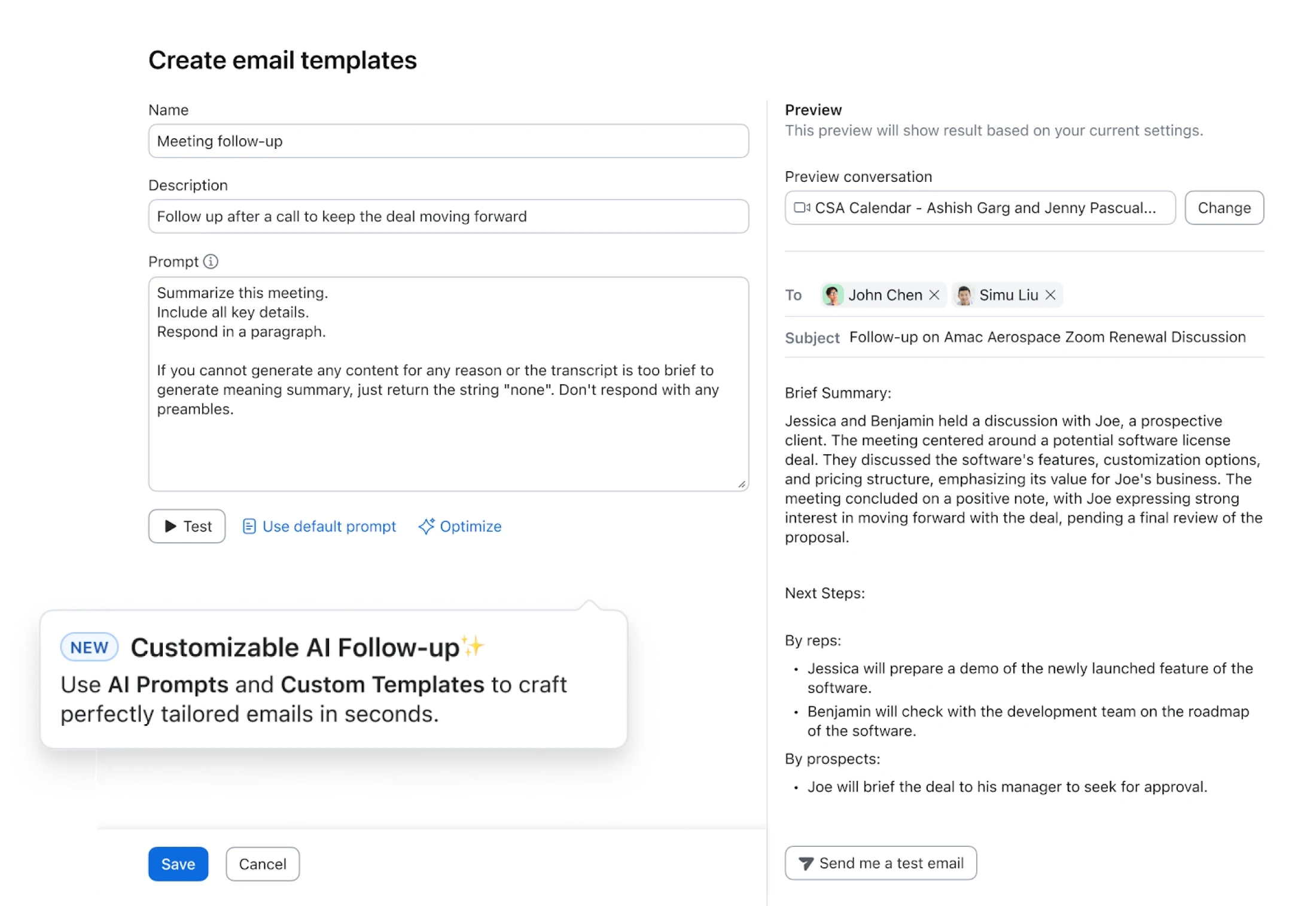
Customizable AI Follow-Up Emails
- Define prompt templates by call type—discovery, negotiation, you name it—so every AI-generated recap sounds like you.
- Get a high-quality follow-up into your prospect's inbox in seconds, not hours, and keep the momentum going after every hang-up.
- April 2026
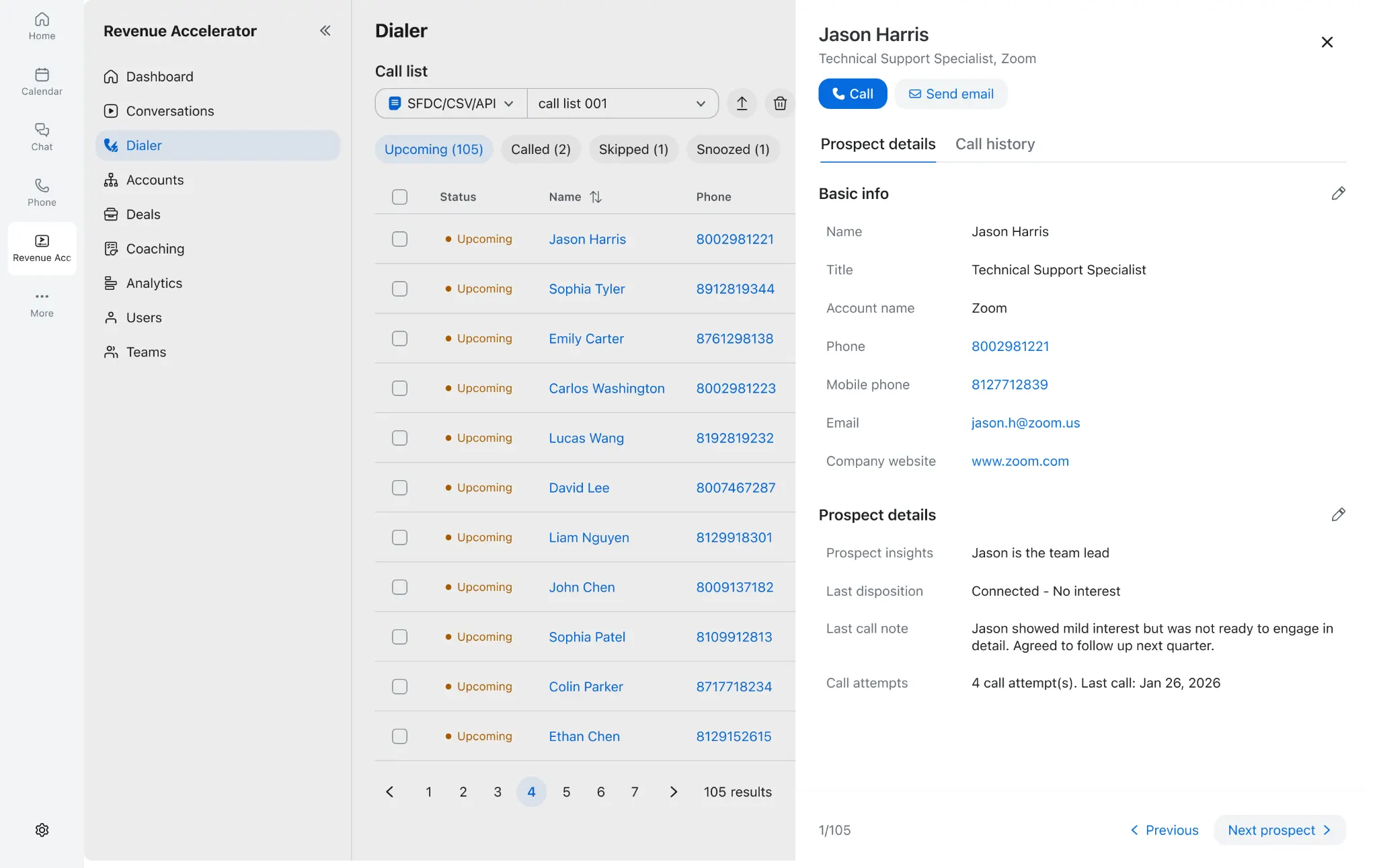
Auto Dialer Call Lists
- Access a full profile of every prospect with a single click, including their call history and key details.
- You can move through leads faster because all the context you need is right there in front of you—no more scrolling through messy tabs or spreadsheets.
Zoom Contact Center
- April 2026
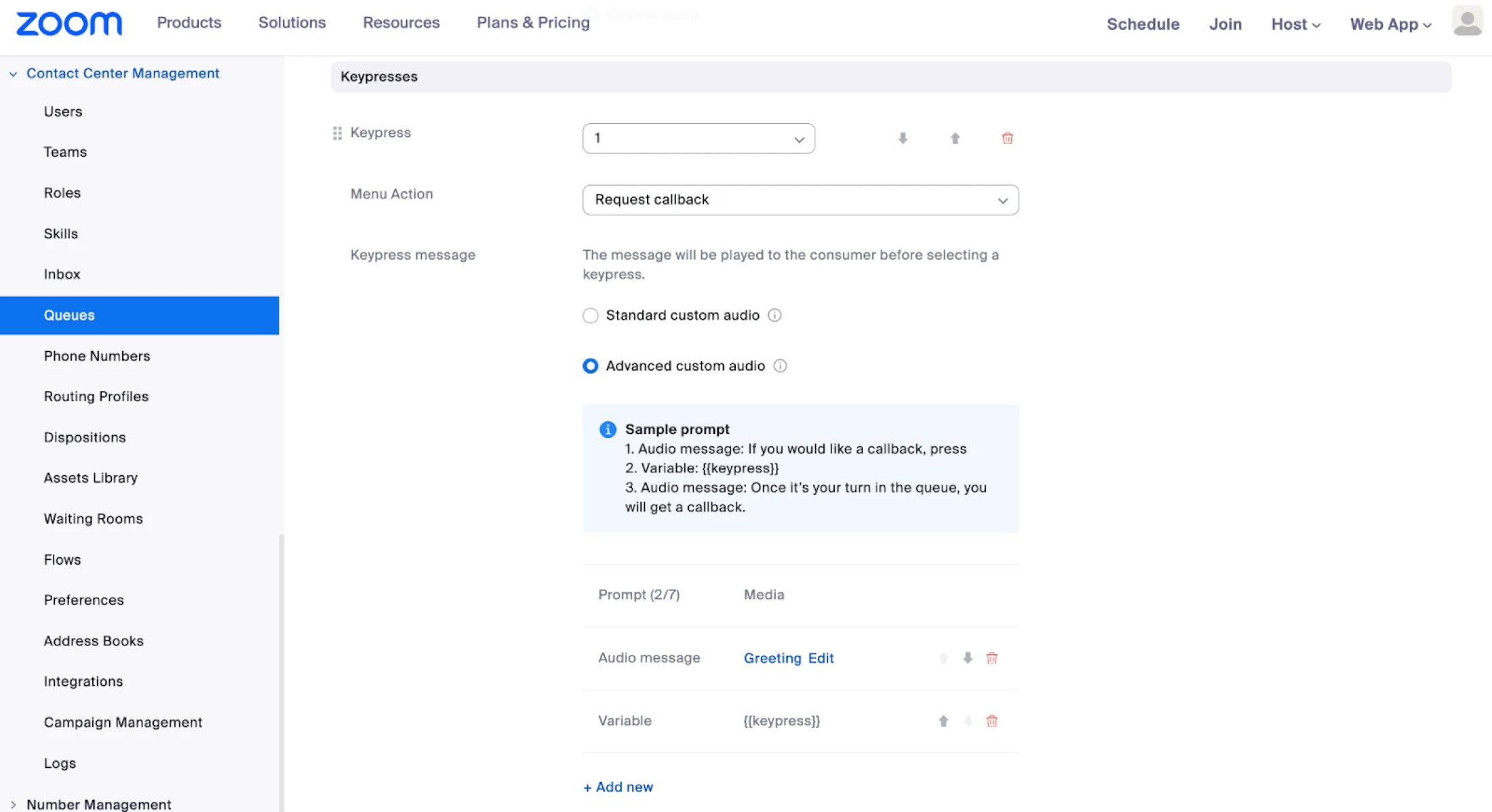
Pre-Recorded Audio for Voice Queues
- Use your own recorded audio for everything a customer hears in a queue, from menu options to wait time updates.
- You get to keep a consistent, branded voice throughout the entire call. It also supports over 35 languages, which is a big win for global teams.
- April 2026
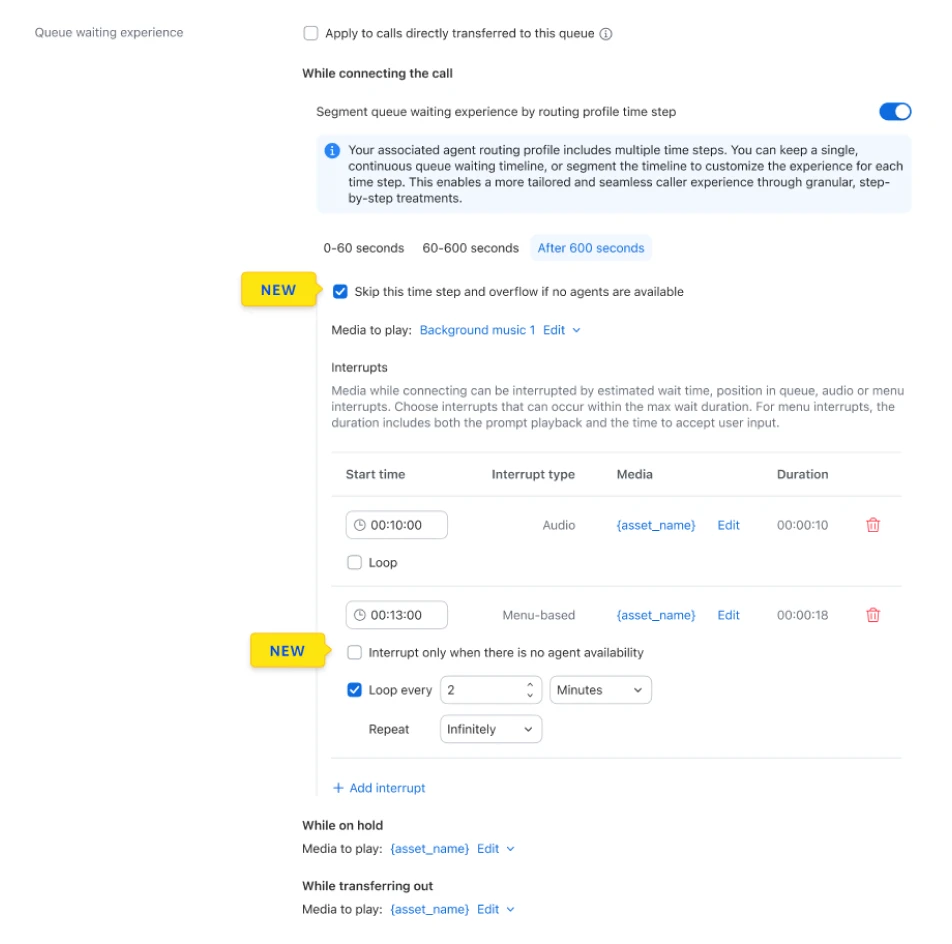
Smarter Queue Routing
- The system checks if agents are actually logged in before making a customer wait in a queue.
- Customers avoid the frustration of waiting on hold when no one is there to help. If the team is out, the caller goes straight to a callback or voicemail.
- April 2026
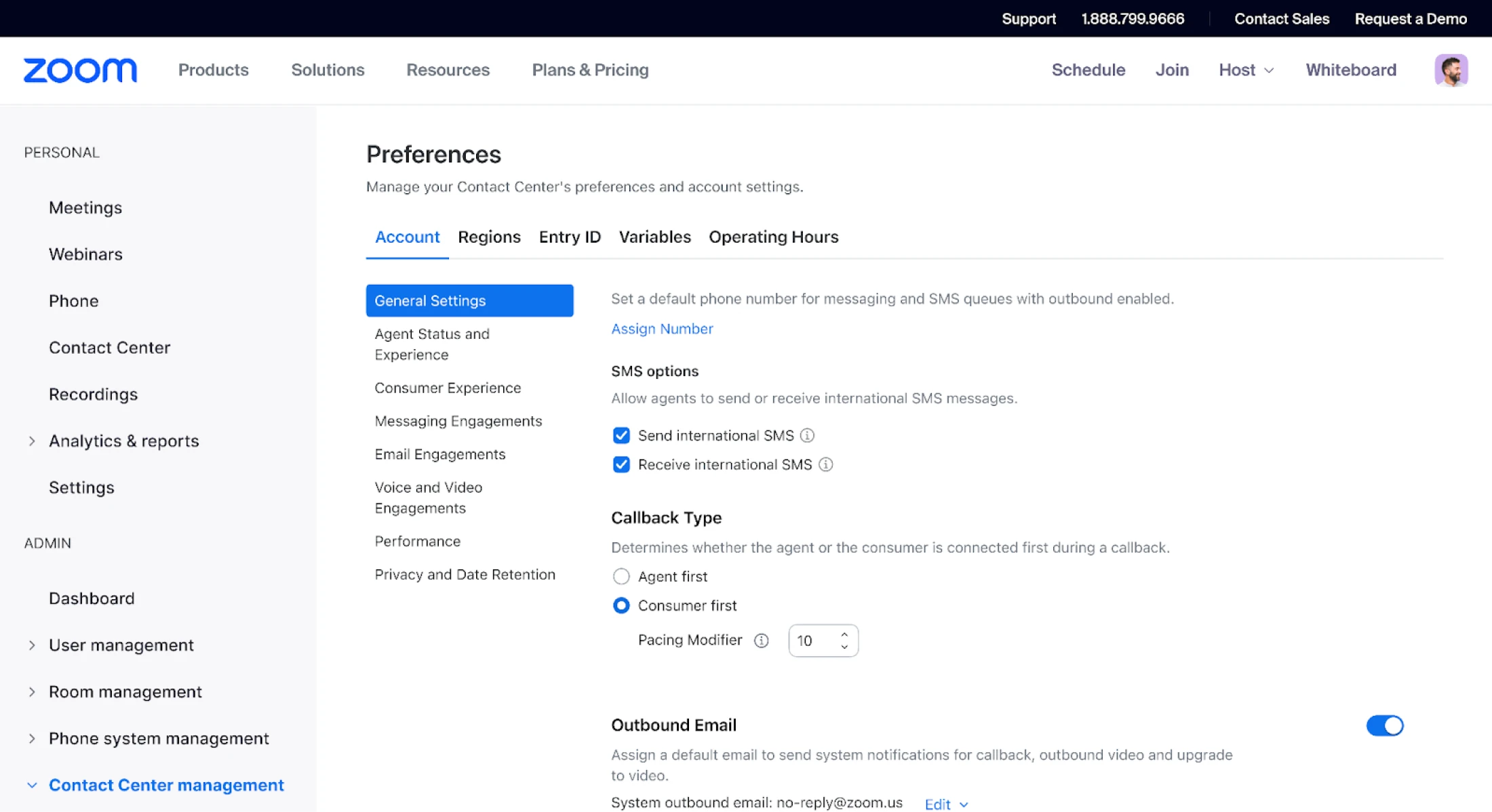
Consumer-First Callback
- The system calls the customer first and only alerts an agent once the customer successfully answers.
- Your agents stop wasting time on dial tones and unanswered calls. They only spend time talking to people who are actually on the line.
- April 2026
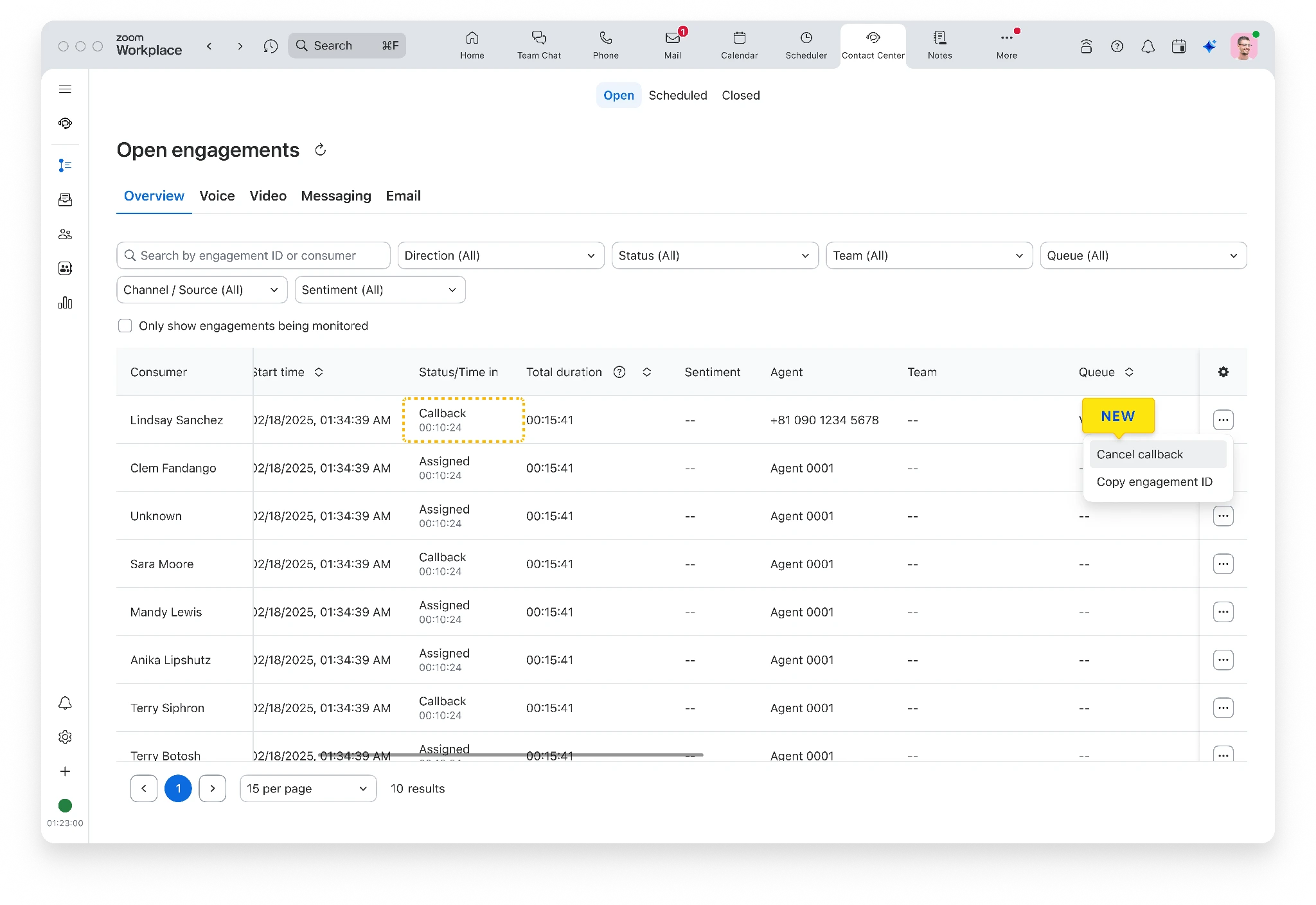
Enhanced Callback Visibility
- Monitor all active and pending callbacks in one central dashboard and cancel them if needed.
- Admins get a clear view of the entire system's workload. You can spot and fix issues before they become a problem for customers.
- April 2026
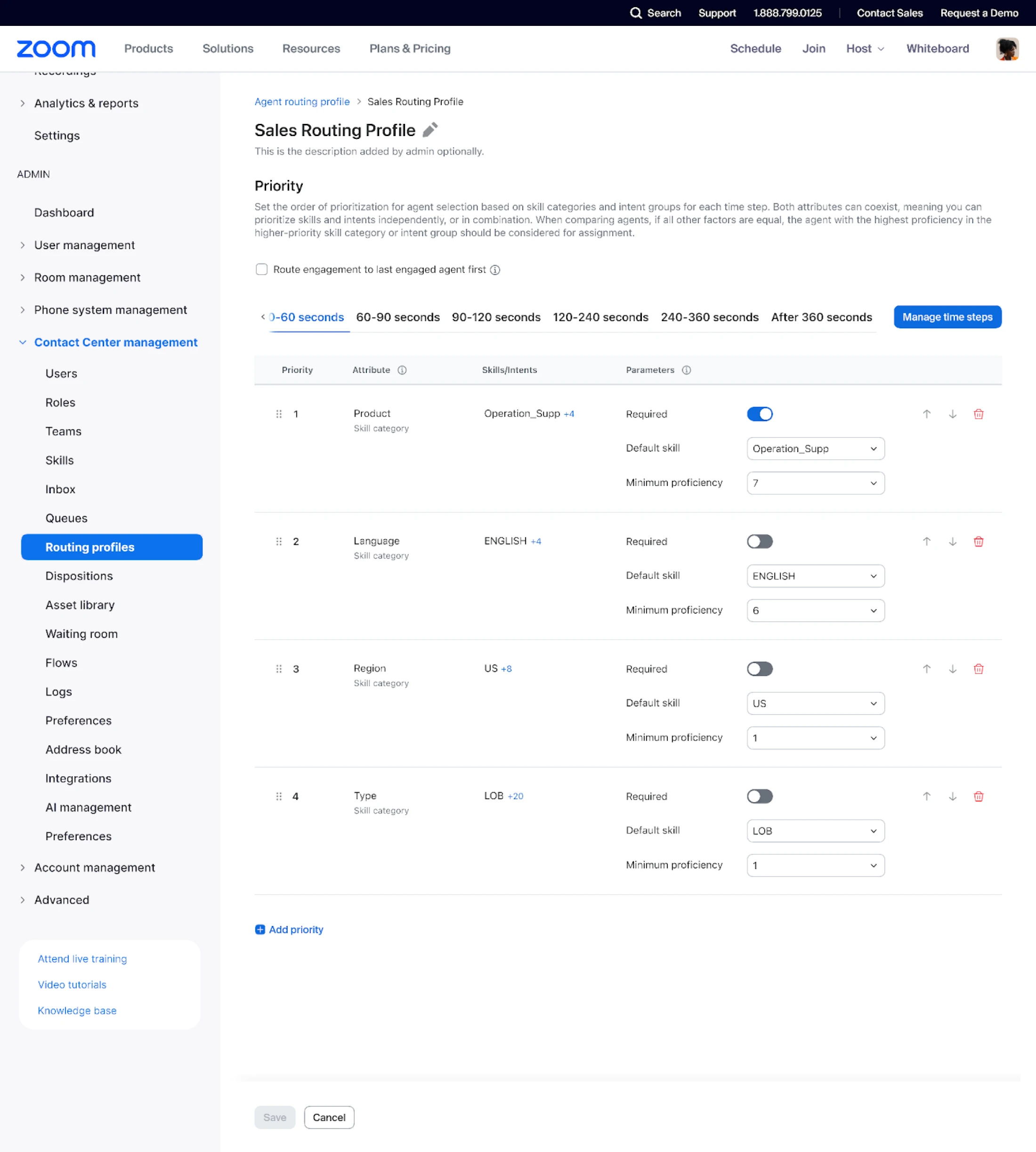
Skill-Based Routing with Progressive Relaxation
- Skill requirements drop automatically if no perfect agent is available for a caller.
- You don't have to choose between high-quality service and long wait times. Customers get the best help available as quickly as possible.
- April 2026
AI Expert Assist Agent Tracing in Engagement Logs
- View AI Expert Assist agent behavior and suggestions with closed engagement logs
- Enjoy a cohesive view of transcripts and embedded AI-generated suggestions
Zoom Virtual Agent
- April 2026
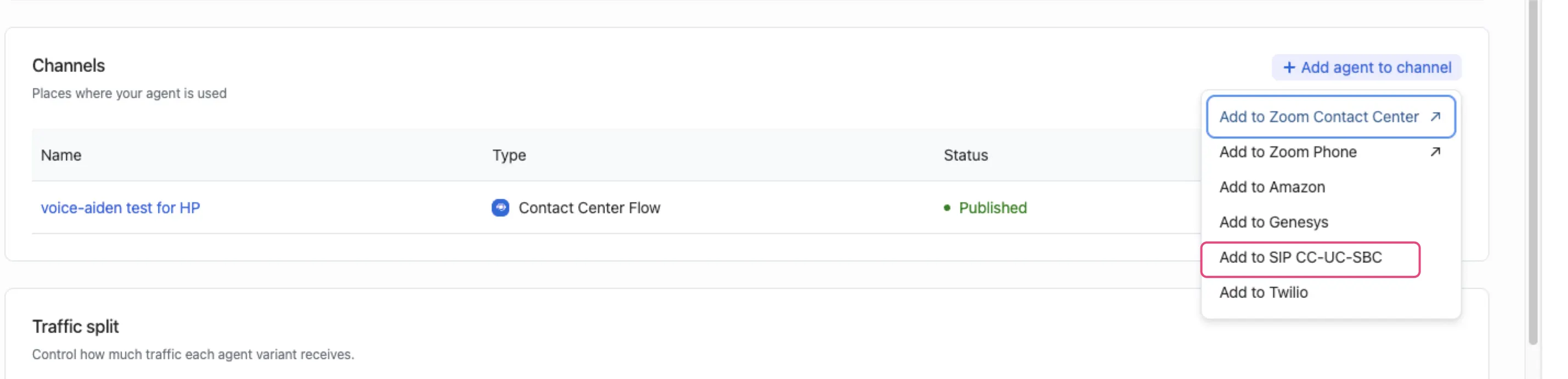
Standalone SIP Voice Gateway
- Allow customers to deploy advanced “agentic” capabilities to their existing telephony infrastructure.
- Integrates seamlessly via SIP to act as a sophisticated “front door,” handling complex resolutions.
- April 2026
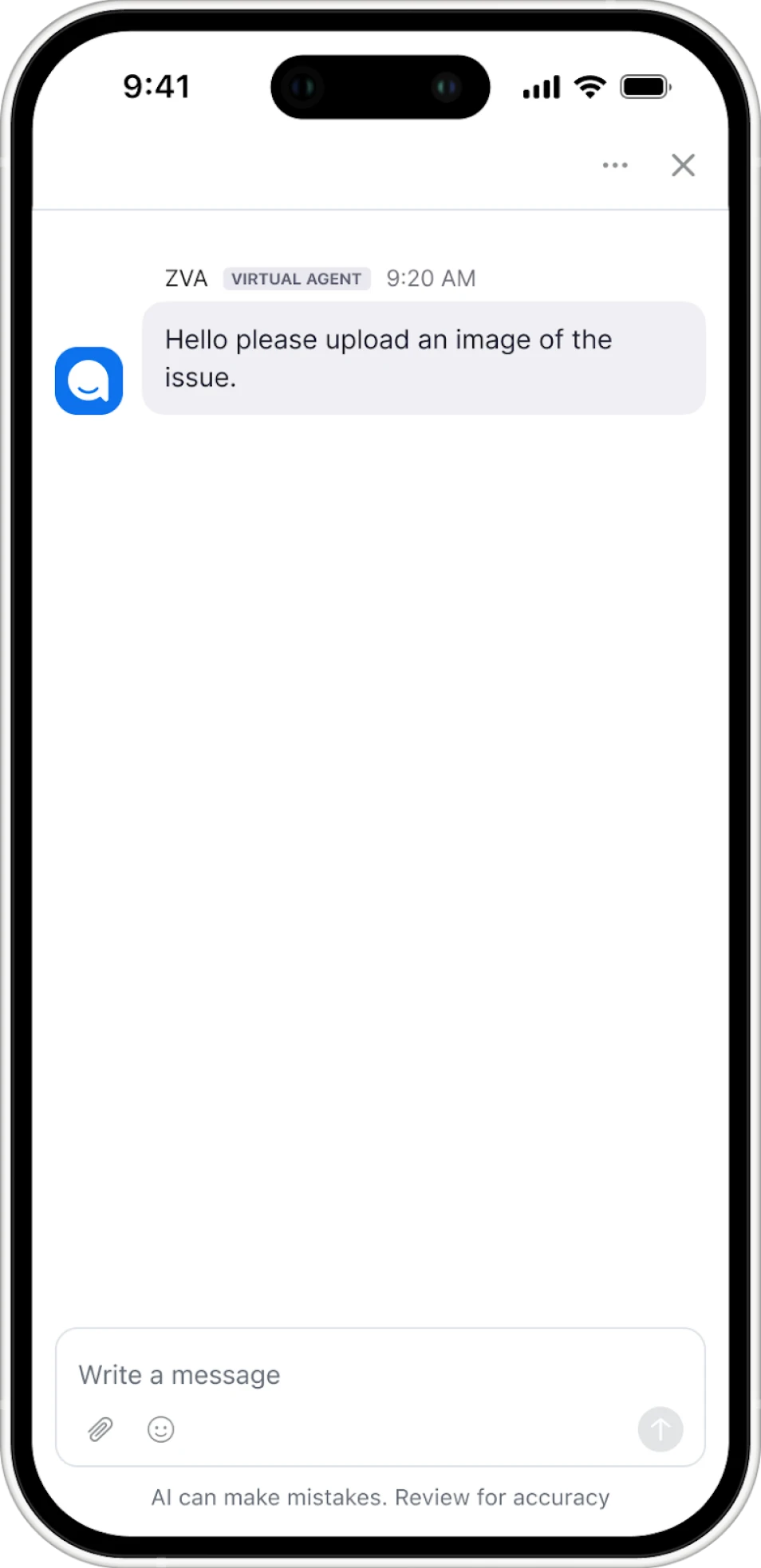
Voice Multimodal Support
- Voice bots can now send secure SMS links to customers during a call so they can upload images or documents.
- Instead of trying to describe a complicated problem over the phone, the customer just snaps a photo. You get the context you need to resolve issues faster.
- April 2026
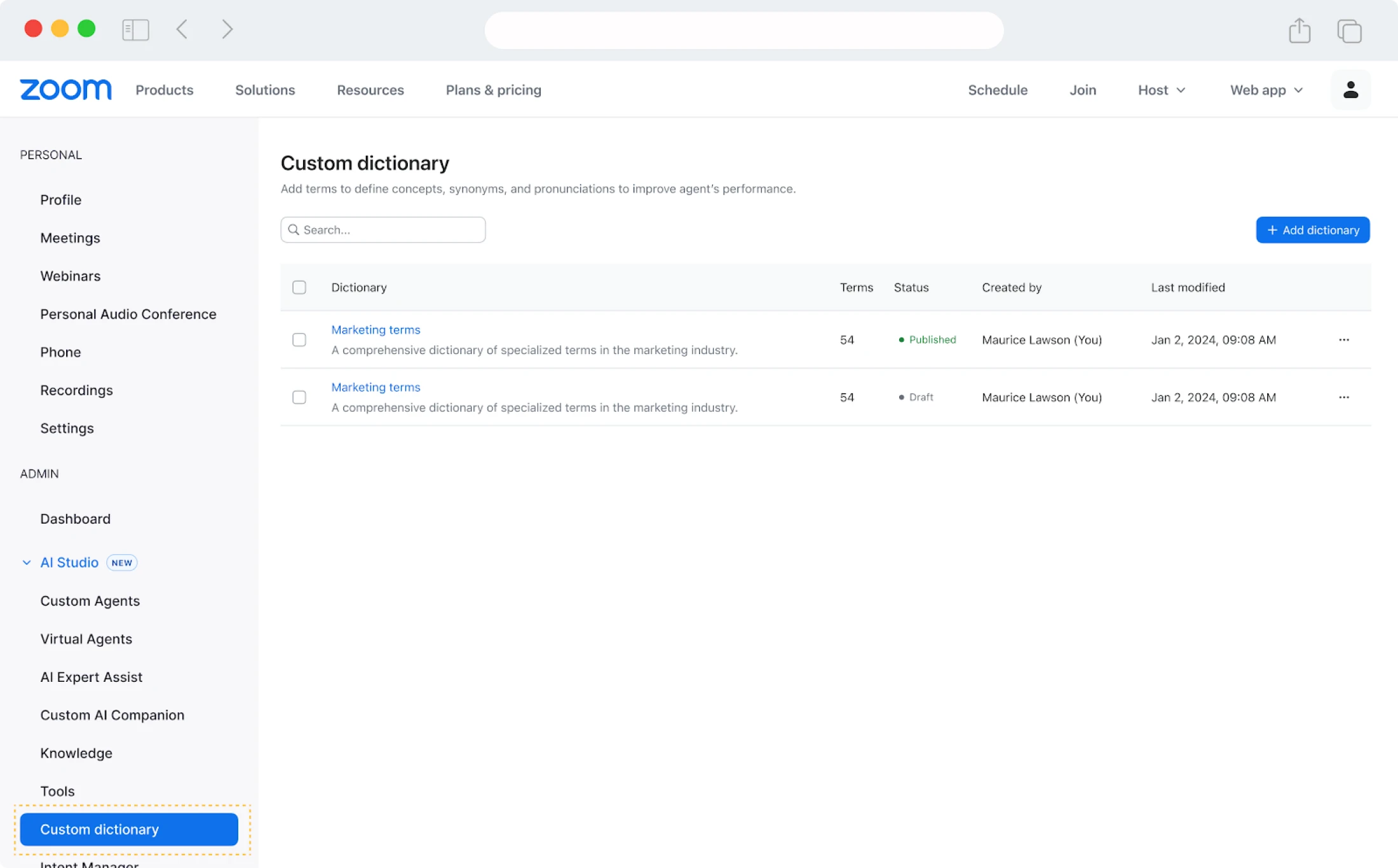
ZVA Custom Dictionary
- Define specific business terms and phonetic spellings so the virtual agent speaks and understands your industry's language.
- Your virtual agent stops stumbling over unique product names or technical jargon. Conversations feel more natural and accurate for your customers.
- April 2026
Expanded Language Support and Self-Onboarding
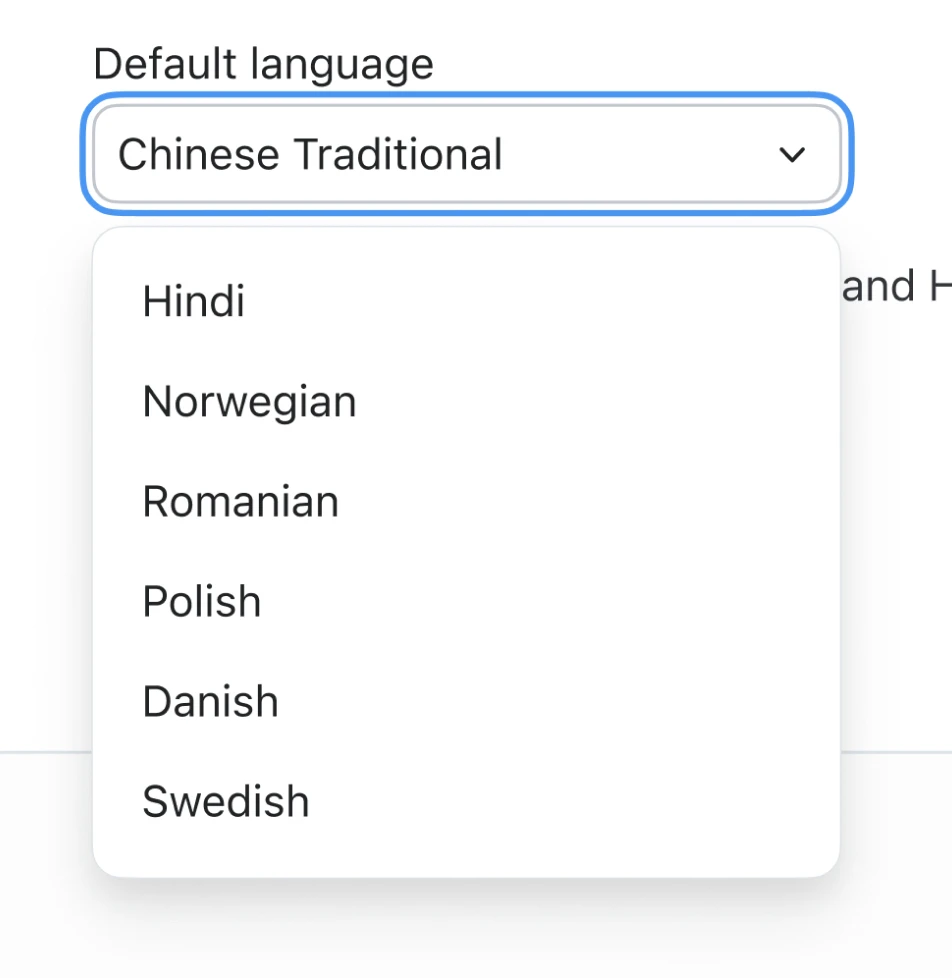
- ZVA now supports Hindi, Norwegian, Romanian, Polish, Danish, and Swedish.
- Setting up a new bot is also faster thanks to a guided self-onboarding experience. You can reach global audiences in their own language with less setup effort.
Education & Healthcare
- April 2026
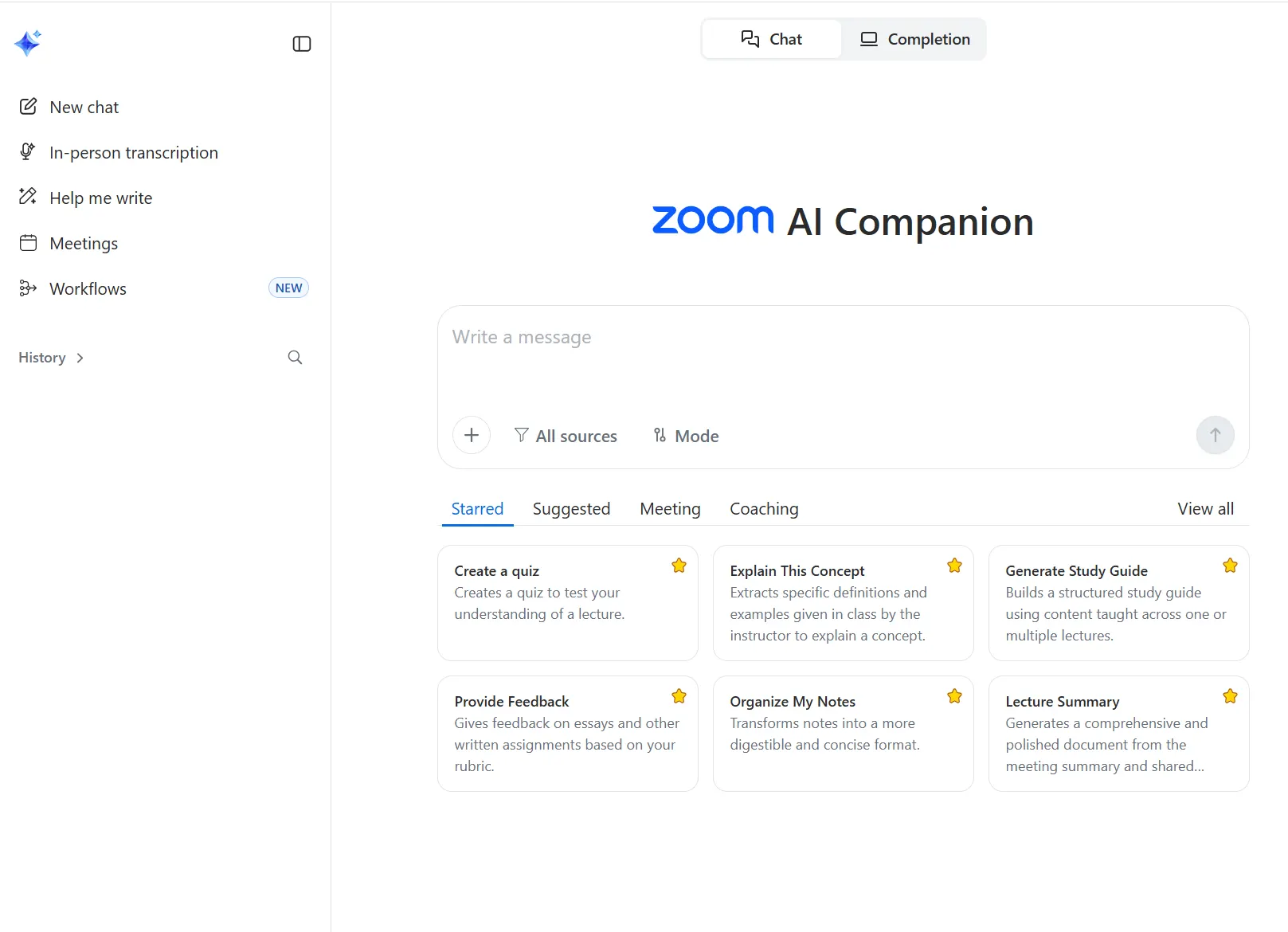
Education Hero Prompts
- Use specific AI prompts designed for teachers and students to generate lecture summaries, quizzes, or study guides.
- Educators spend less time on lesson prep and more time actually teaching. Students get a head start on studying with instant summaries.
- April 2026
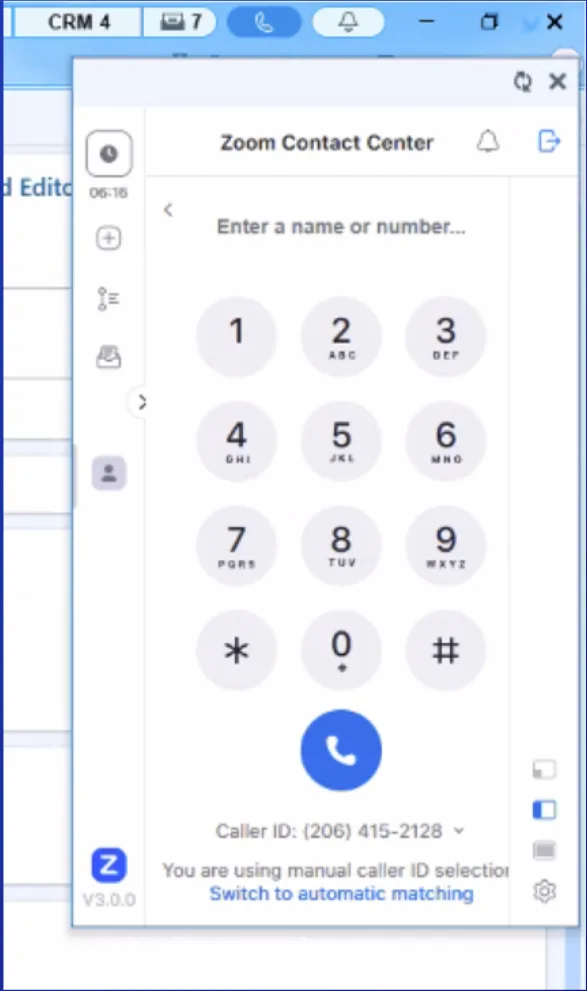
Contact Center for Epic
- Manage patient calls, see medical records, and use click-to-dial features directly within the Epic interface.
- Healthcare agents can focus entirely on the patient instead of clicking back and forth between three different apps.
Industry Solutions
- April 2026
MCP Integration with Claude
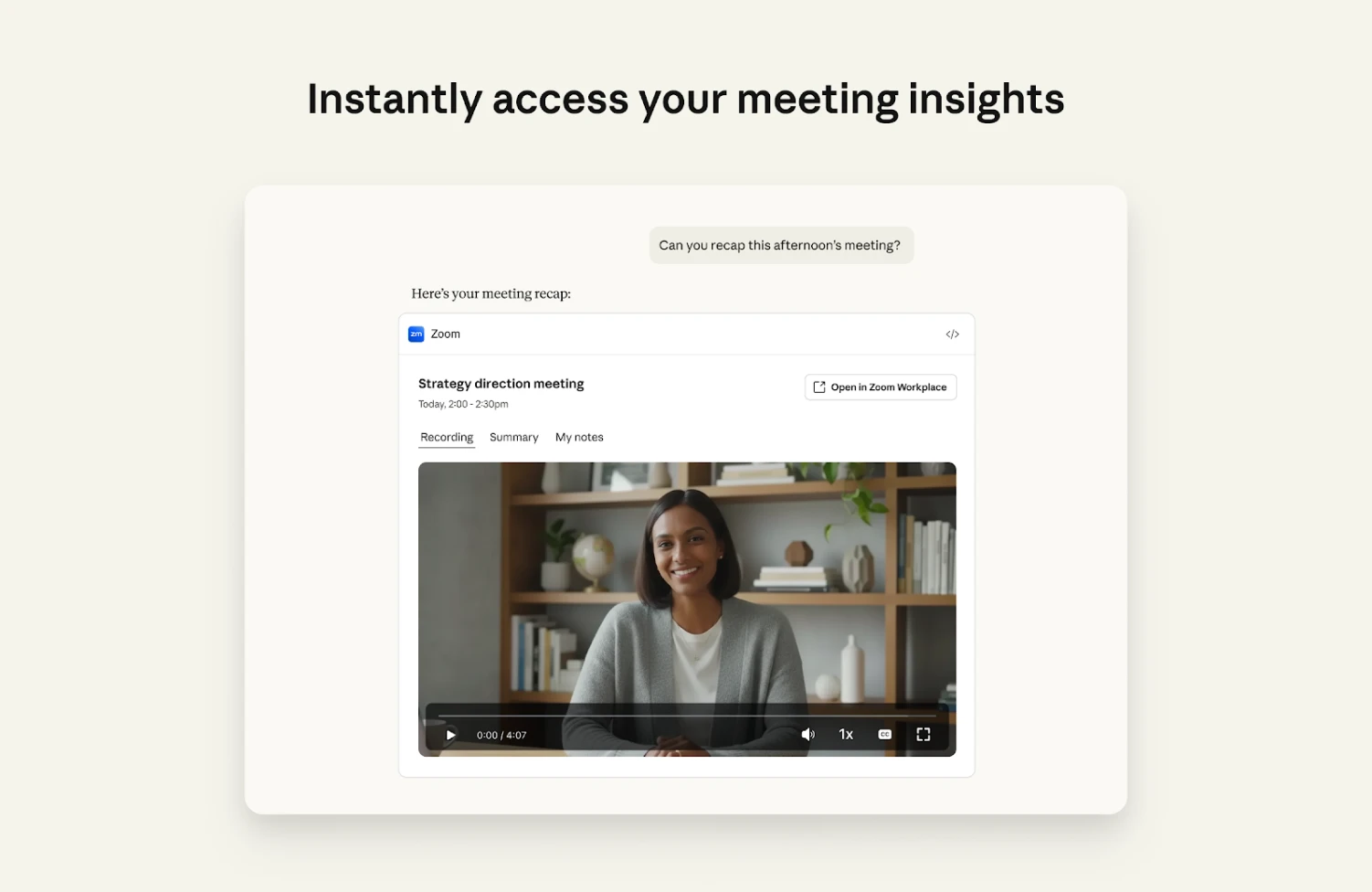
- Build context-aware AI workflows in Claude Cowork and Claude Code by using Zoom’s meeting intelligence to power deeper reasoning and more accurate outputs.
- Use natural language to quickly search across recordings, transcripts, and summaries without switching applications.
- Generate documents and action items in Claude based on meeting discussions from Zoom.
- April 2026
Individual Real-Time Video Streams for Developers
- Developers can now tap into any single participant’s video stream on demand for specialized apps.Just
- Apps can isolate a specific person’s feed for identity checks or deepfake detection—a particularly valuable enhancement for telehealth and security-focused developers.
Zoom Workplace
Zoom Workplace is designed to reduce friction and simplify your work day, whether you're in a meeting or catching up later.
- March 2026
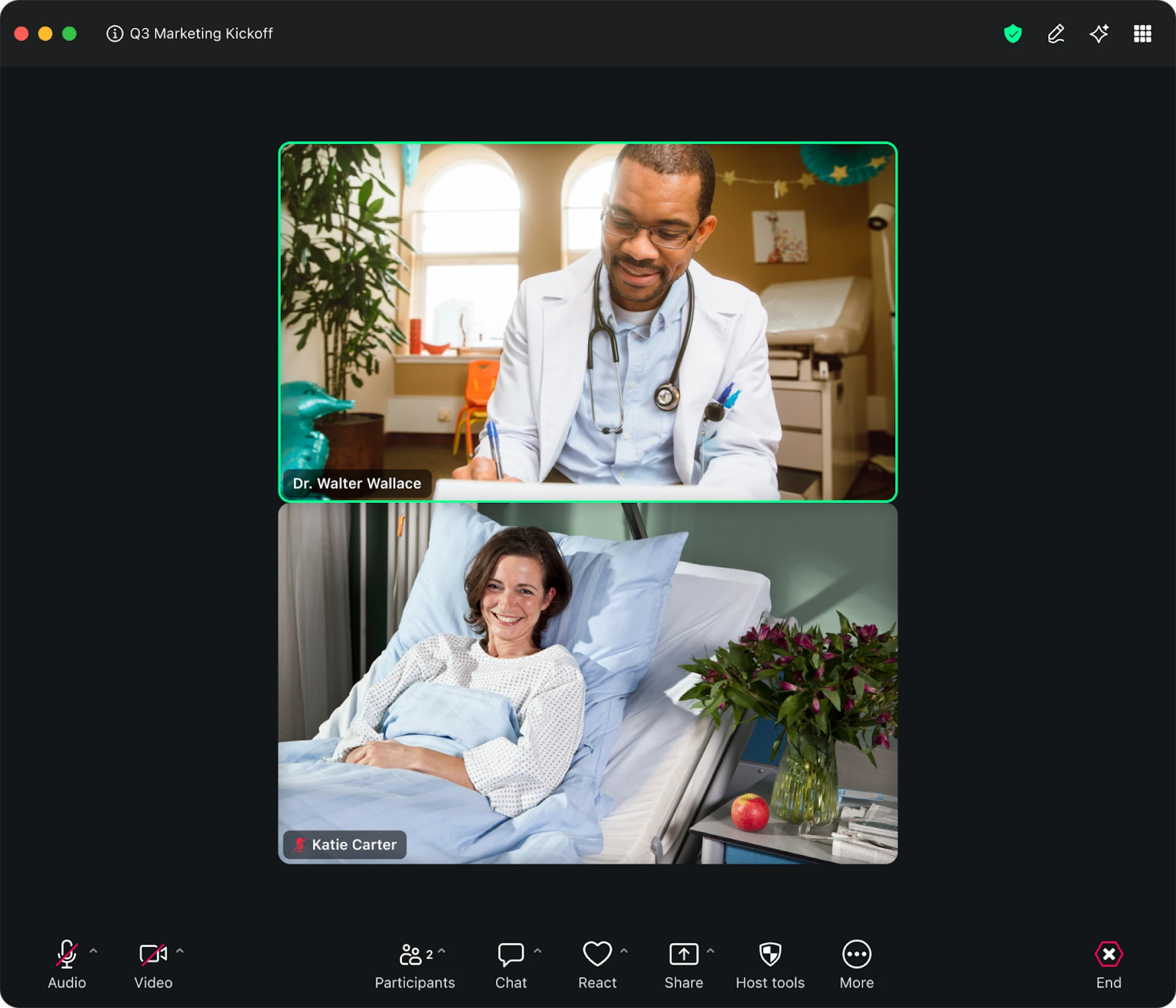
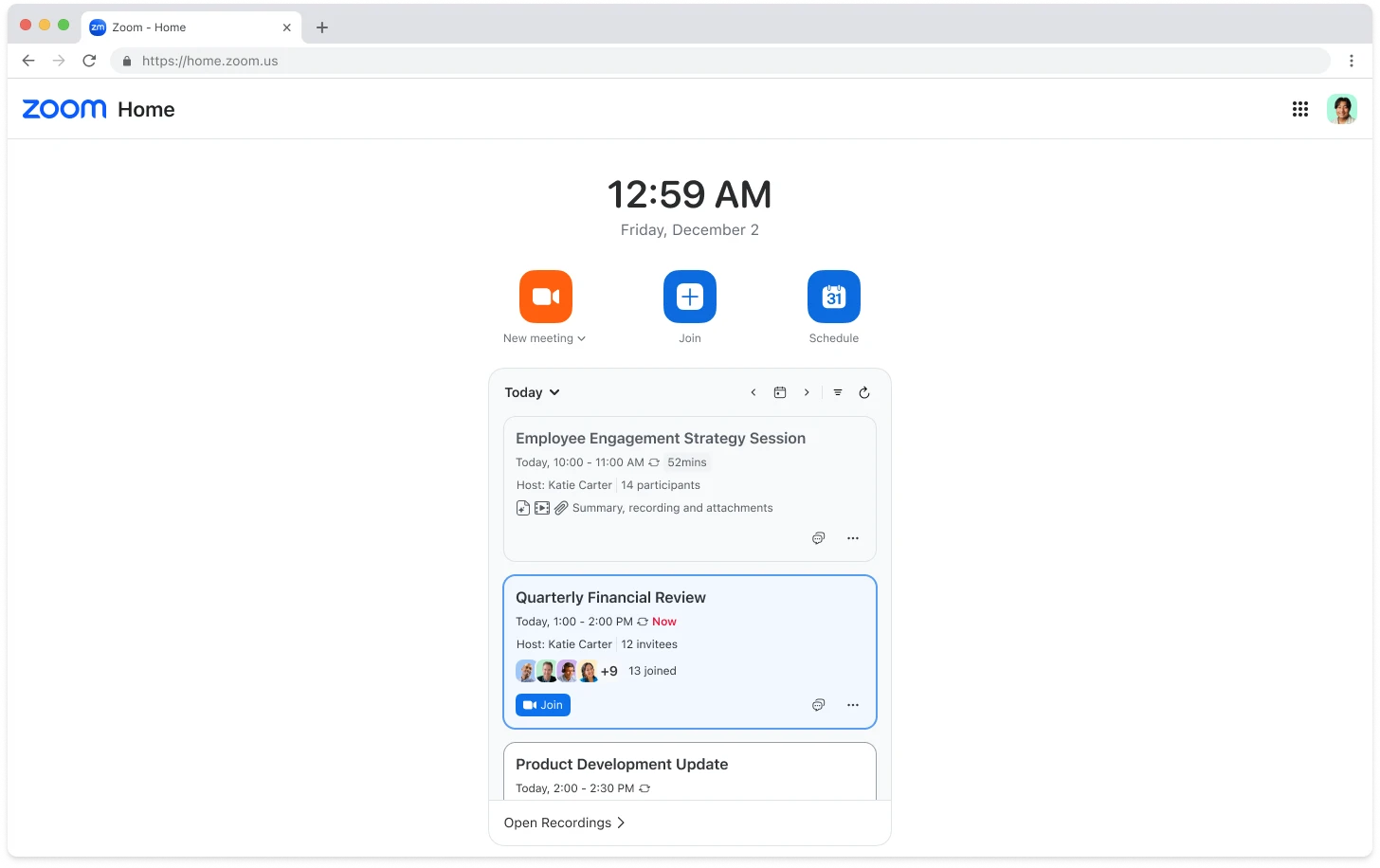
Refreshed User Experience and Unified Navigation
- Navigate through a redesigned interface with refreshed toolbars and layouts that work the same way whether you are on a desktop, mobile phone, or web browser.
- You can move between devices without that split-second of confusion where you have to hunt for the "join" or "share" button in a different spot.
- March 2026
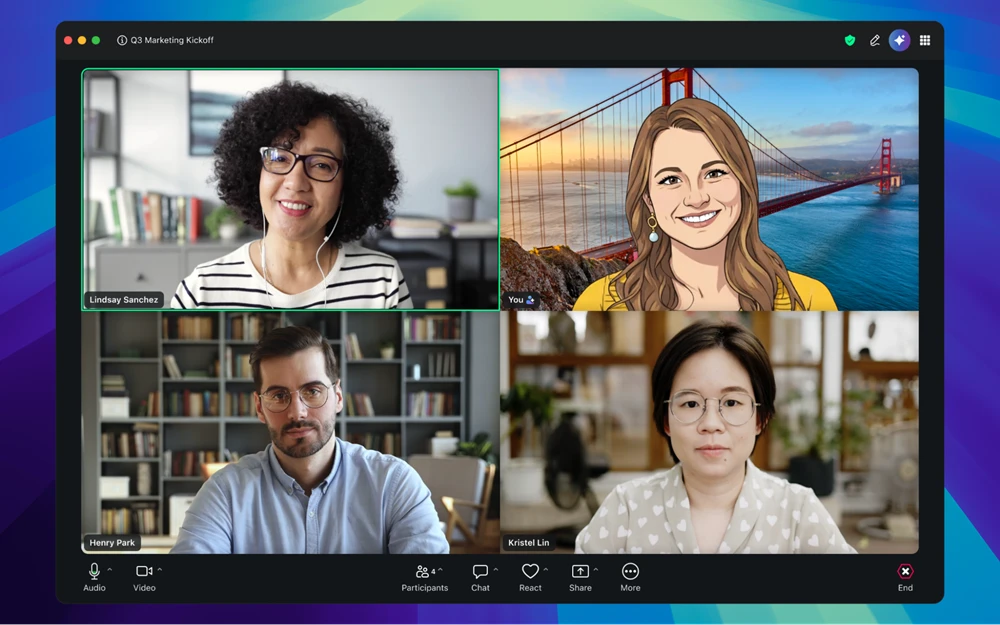
Realistic & Stylized Custom Avatars
- Create a digital version of yourself that tracks and mimics your movements in meetings, with built-in authentication to help protect against misuse.
- You can stay present in every meeting even on days when you aren't camera-ready or just need a break from being on screen.
- Try it out today! Realistic and Stylized Custom Avatars are only available on supported devices that meet the required hardware capabilities
- March 2026
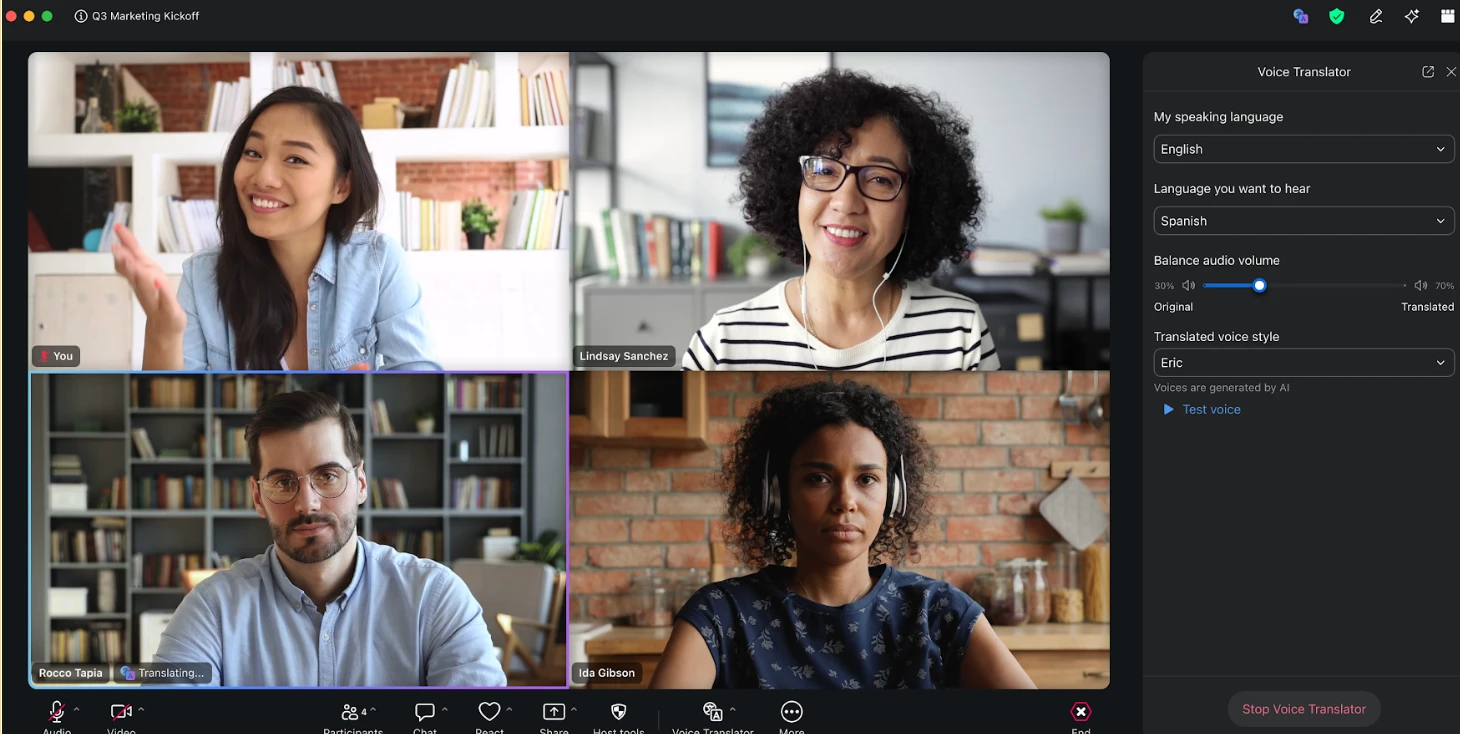
Voice Translator
- Listen to live spoken translations in supported languages during your meetings as Zoom AI processes the conversational data and translates it on the fly.
- Keep your focus entirely on the speaker’s face and tone instead of constantly looking down to read captions at the bottom of the screen.
- Limited beta version available for complimentary access for select customers; pricing and terms subject to change after beta.
- March 2026
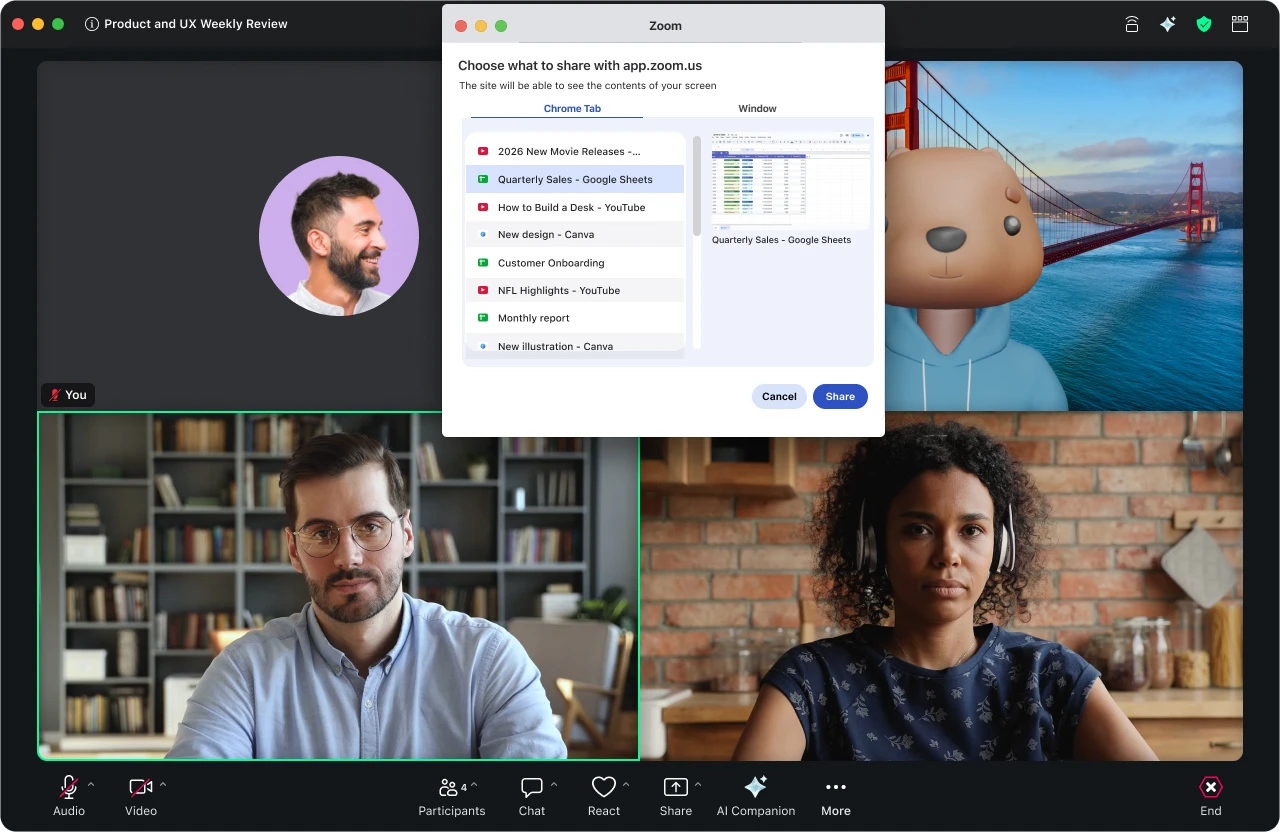
Individual Browser Tab Sharing
- Select and share a single tab in Chrome or Edge rather than sharing your entire browser window or desktop screen.
- No more worrying about participants seeing your private messages or messy bookmarks—you show exactly what is needed and nothing else.
- March 2026
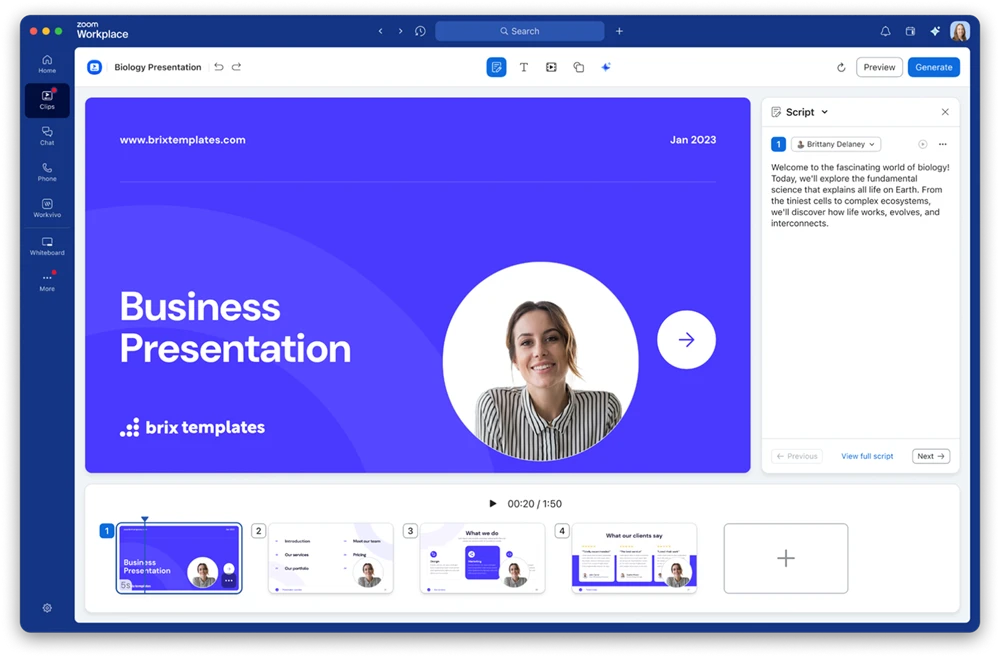
Custom AI Avatars for Clips
- Turn static slide decks into dynamic video content by using your AI avatar to deliver the presentation script.
- You can produce professional, consistent videos in multiple languages without ever having to step into a recording studio or record a single take.
- March 2026
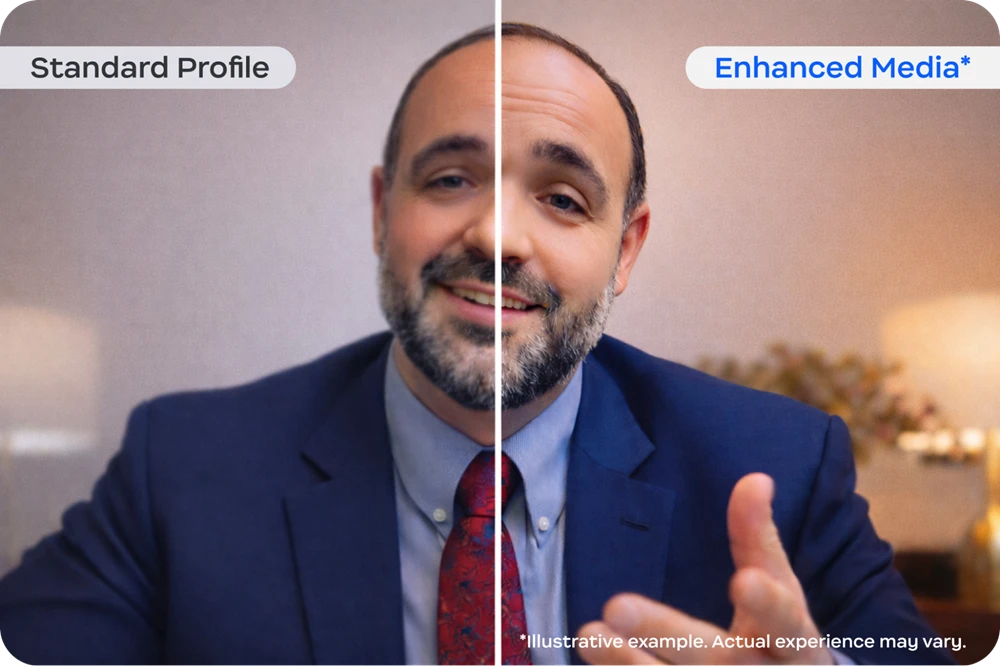
Zoom Enhanced Media
- A paid add-on for Meetings and Zoom Rooms that delivers higher bitrate and higher frames-per-second video for customers who need broadcast-quality fidelity.
- New Zoom Room support for enhanced bandwidth, higher quality video streams for 4K displays, and increased sharing frame rate to 60fps.
Zoom Webinars & Events
- March 2026
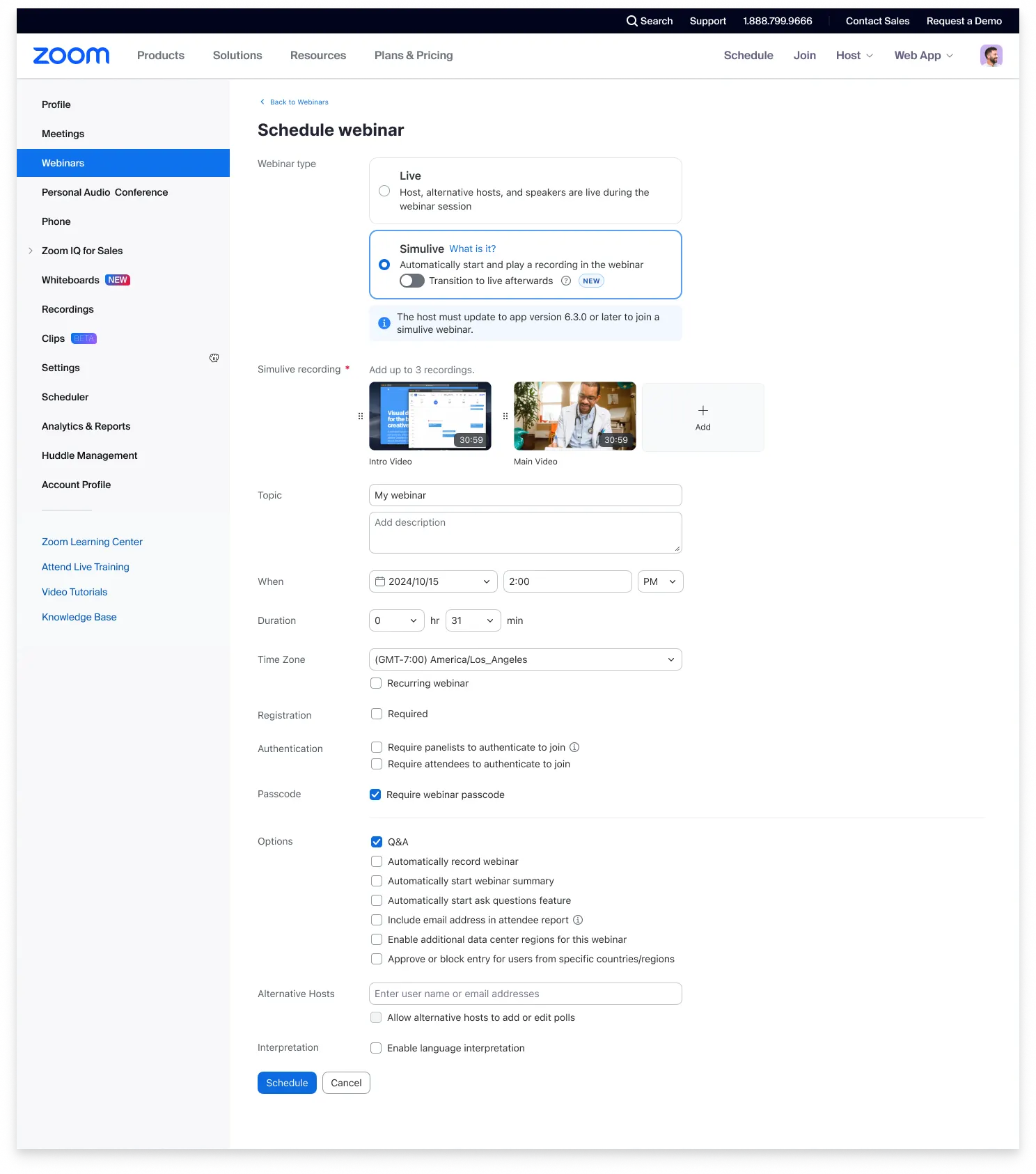
Simulive Queued Videos
- Upload an intro, a main recording, and an outro to play in sequence automatically during a webinar session.
- Tailor the same core presentation for different audiences by simply swapping the intro or outro, saving hours of manual video editing.
- March 2026
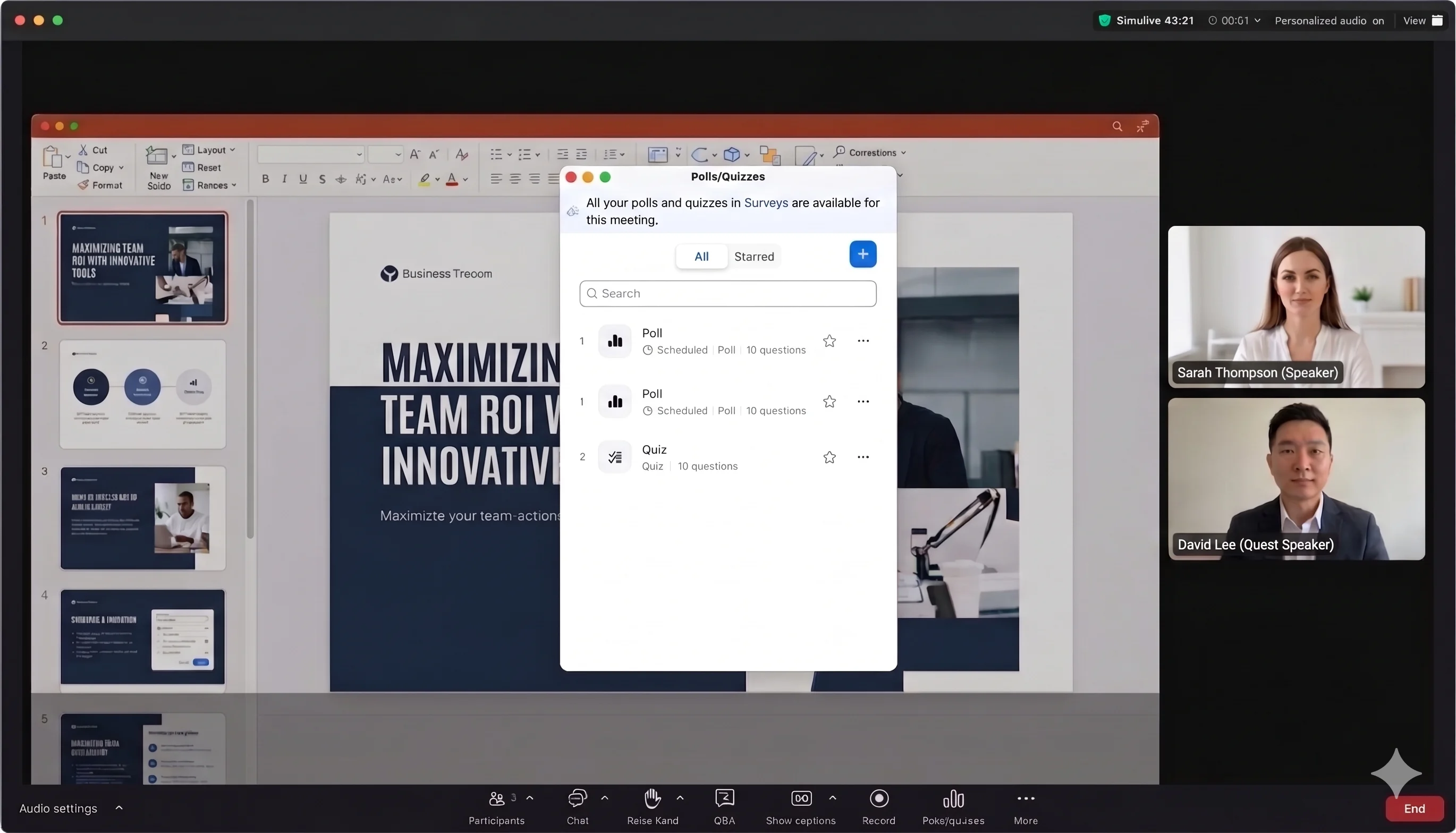
Automated Simulive Engagement
- Schedule exactly when you want polls, quizzes, and downloadable resources to appear during a pre-recorded webinar.
- Gone are the days of needing a staff member to sit in on every replay just to click "launch" on a poll at the right second.
- March 2026
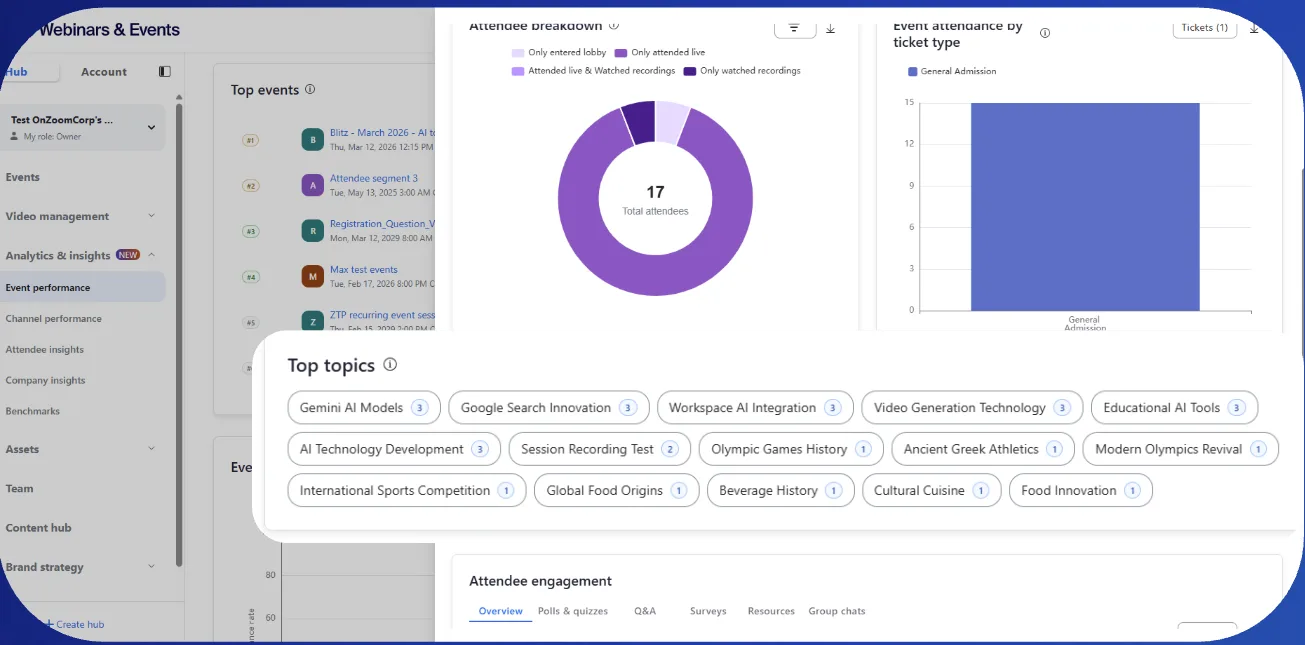
Advanced Event Analytics: Topics of Interests, Benchmarks, and Company Insights
- View reports that show which topics resonated with your audience, compare your performance against industry standards, and access detailed engagement profiles for attending companies.
- When you need to prove your event strategy is working, you have hard data to show what landed and which businesses are ready for a sales follow-up.
Zoom Revenue Accelerator
- March 2026
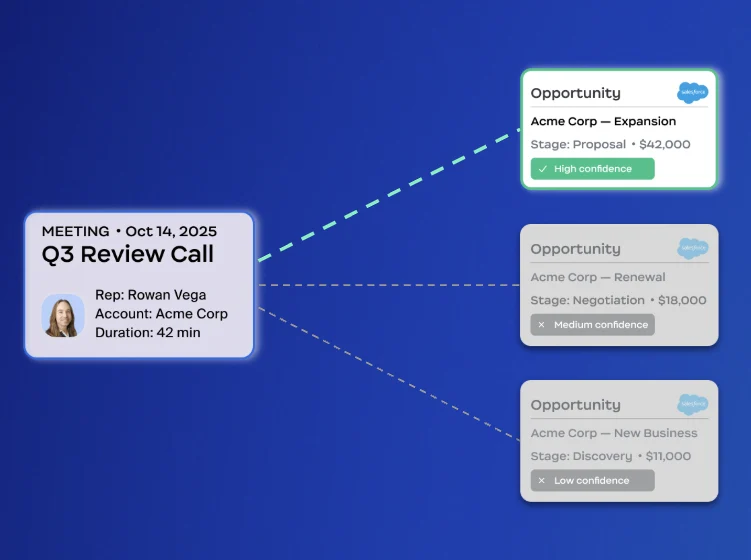
Smart CRM Association
- Automatically link your meetings, calls, and emails to the correct Salesforce or HubSpot deal using AI conversation analysis.
- Your CRM stays updated and accurate without sales reps spending Friday afternoons manually logging activities to specific opportunities.
- March 2026
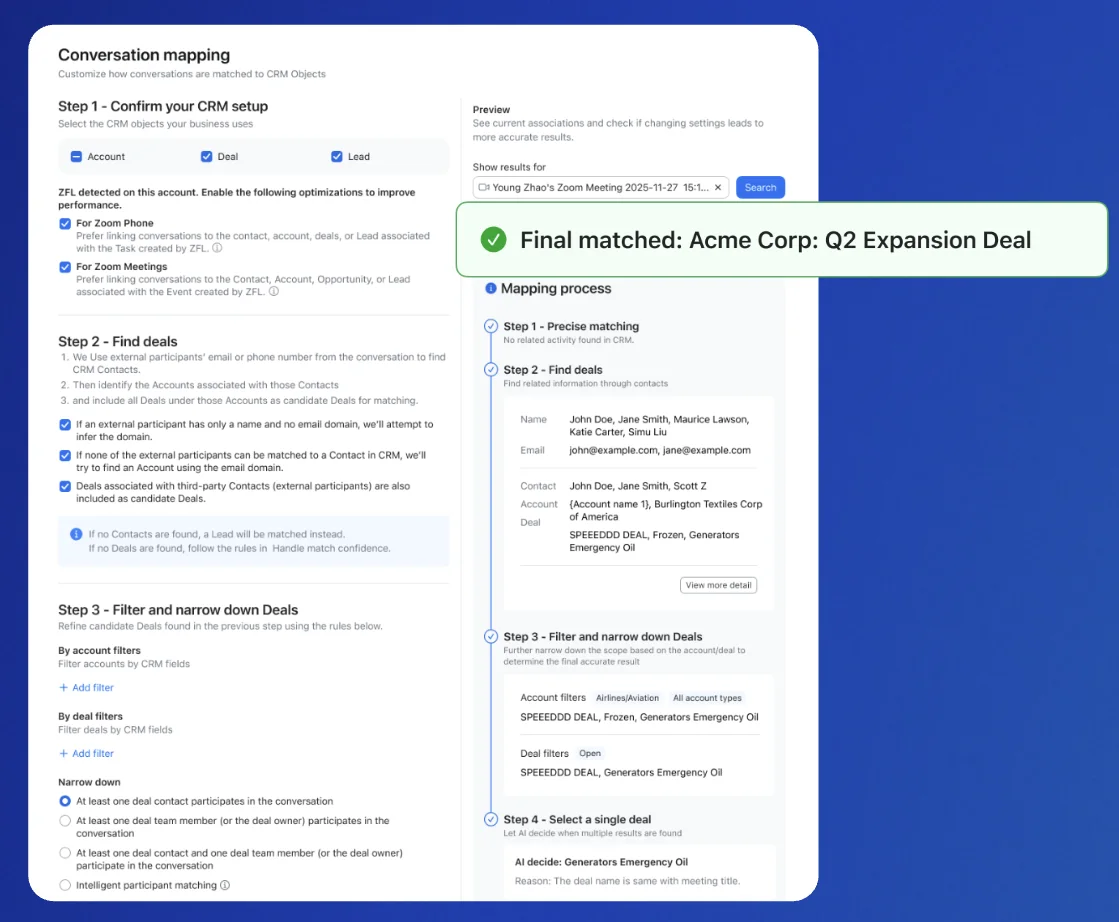
Salesforce Integration Enhancements
- Set up and customize your CRM integration faster with an intuitive configuration experience and precise activity mapping.
- You spend less time wrestling with backend settings and more time seeing exactly how your calls impact your deals.
- March 2026
Auto Dialer: International Expansion
- Reach prospects in the United Kingdom, Ireland, Australia, and New Zealand with AI-powered sales calling and local plan options.
- Your sales team can grow their global footprint without the technical headache of setting up international dialing for every new market.

Zoom CX
Zoom CX
- March 2026
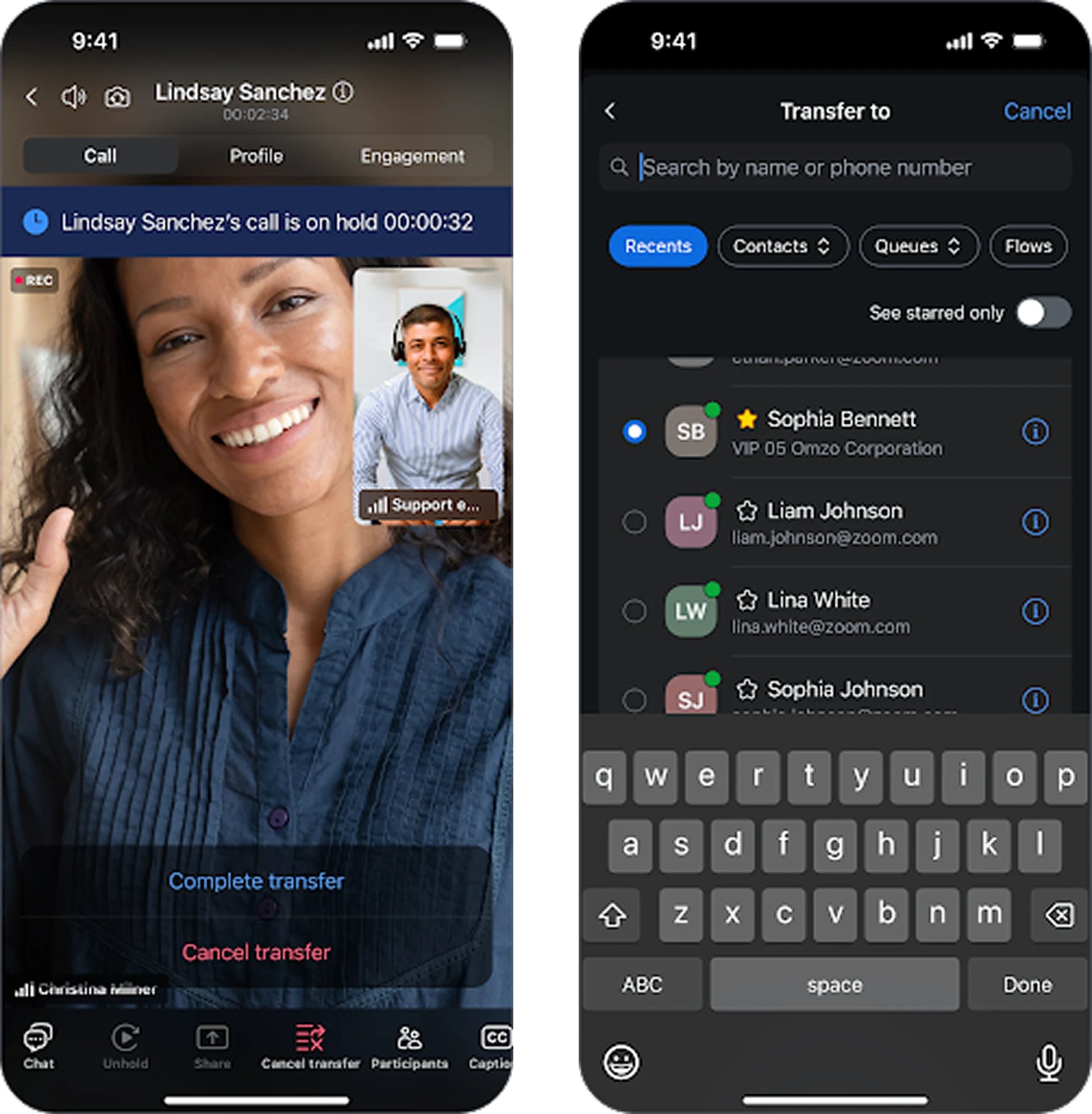
Agent Mobile
- Handle inbound and outbound voice and video calls with full controls directly from your mobile device.
- Support teams can stay responsive after hours or on the move without being stuck at a physical desk.
- March 2026
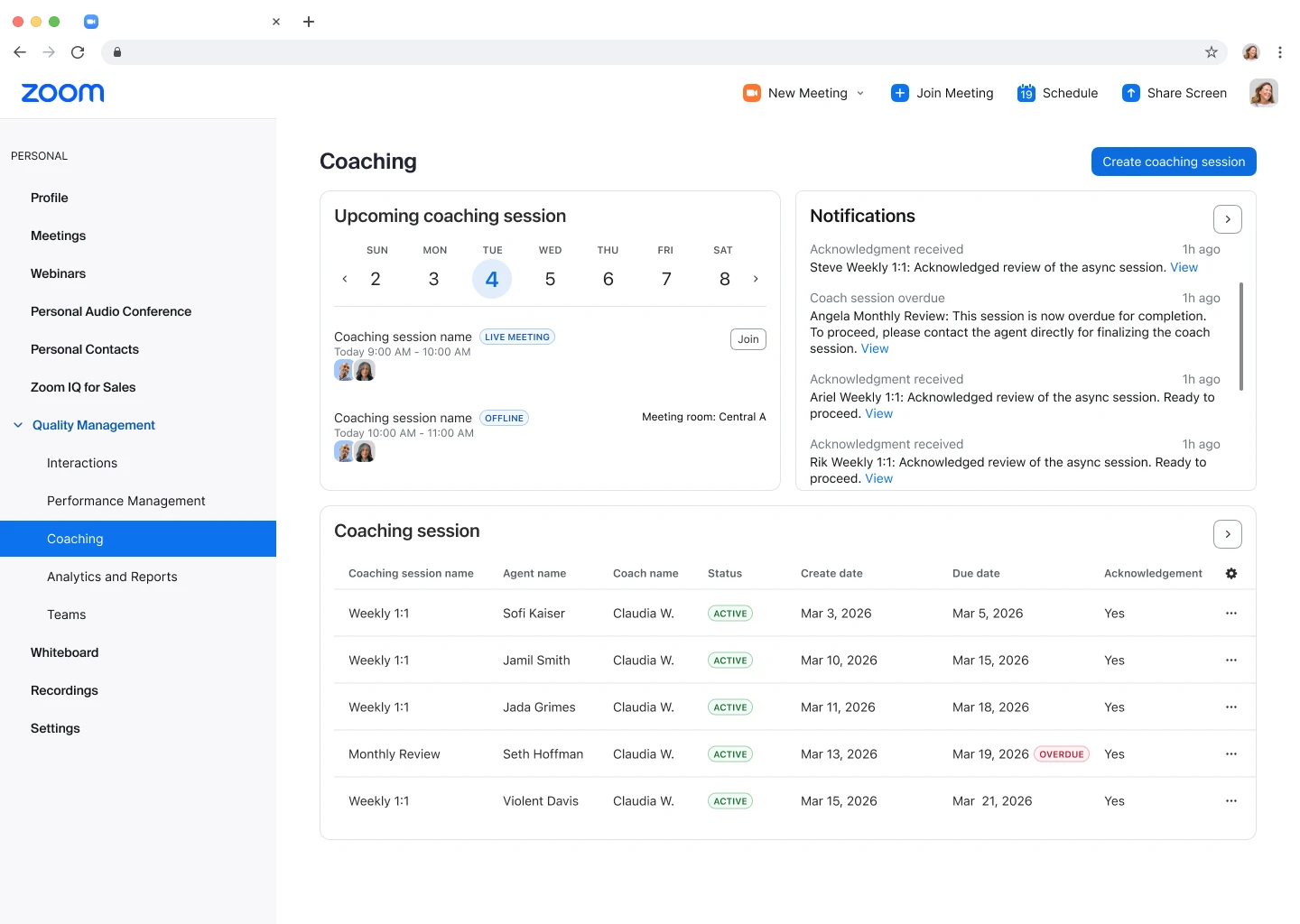
QM Scheduling to WFM
- Schedule coaching sessions directly from the Quality Management screen using new integration with Zoom Workforce Management.
- Supervisors don't have to hunt for a free spot on the calendar. AI automatically finds the best time to coach agents while keeping the team staffed.
- March 2026
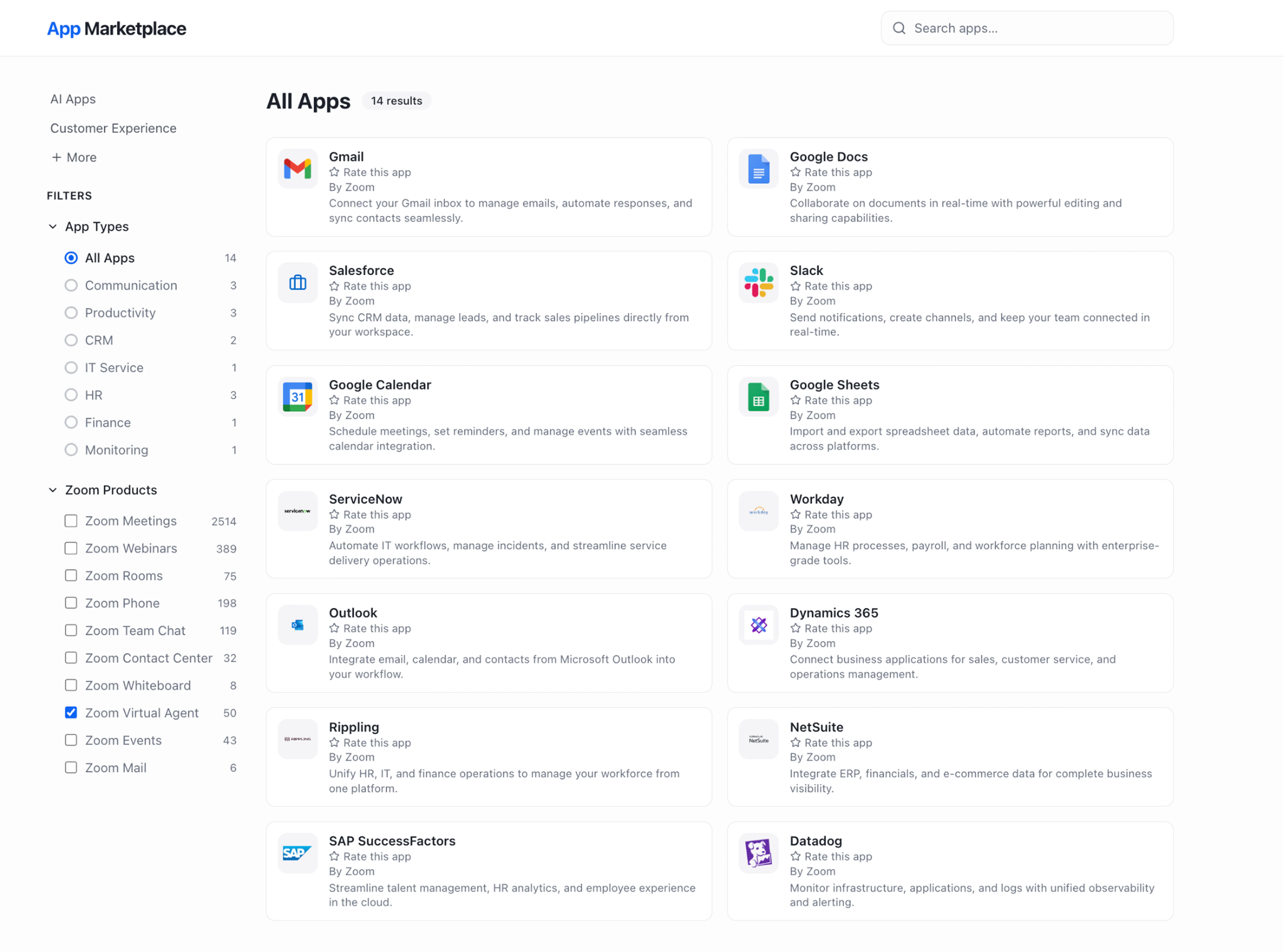
Expanding the ZCX Self Service Ecosystem
- Connect to over 40 new native integrations including Workday, Monday.com, and Google Docs directly from the marketplace.
- Setting up your help center is no longer a major IT project. You get secure, native access to the tools your team already uses every day.
- March 2026
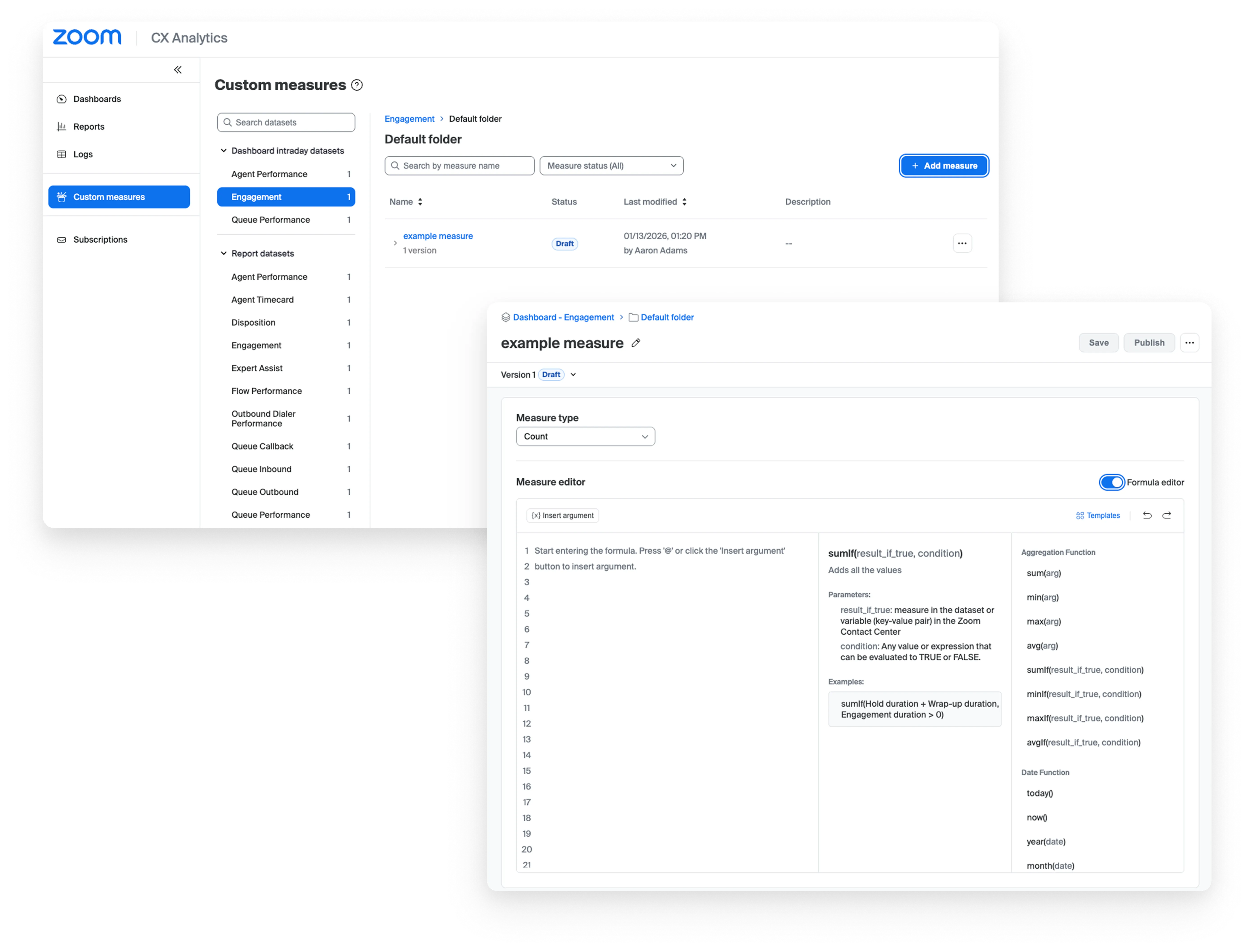
CX Analytics: Custom Metrics
- Build your own tailored KPIs for real-time and historical performance tracking without needing a third-party tool.
- Instead of manually calculating numbers in a separate spreadsheet, you can track exactly what matters to your business right inside Zoom.
- March 2026
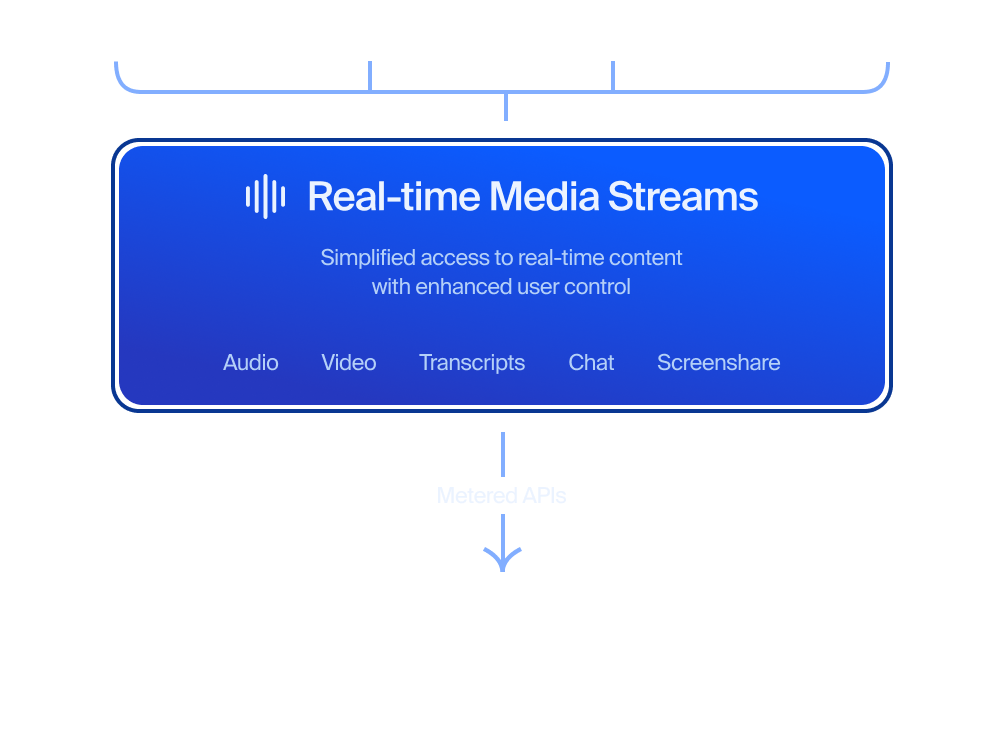
Realtime Media Streams for Contact Center
- Give your developers direct, live access to voice and transcript data to build custom AI workflows and integrations.
- Your engineering team can build the specific automations you need—like live sentiment analysis or custom coaching tools—with low-latency data.
Zoom Virtual Agent
Zoom Virtual Agent
- March 2026
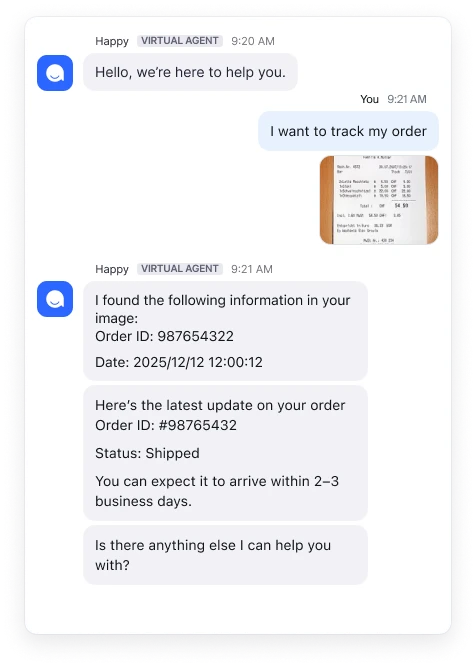
Chat Multimodal Visual Intelligence
- Allow customers to send images and documents to the virtual agent to help explain their issues.
- Instead of a customer struggling to describe a broken part, they just send a photo and the AI helps to identify the order and part instantly.
- March 2026
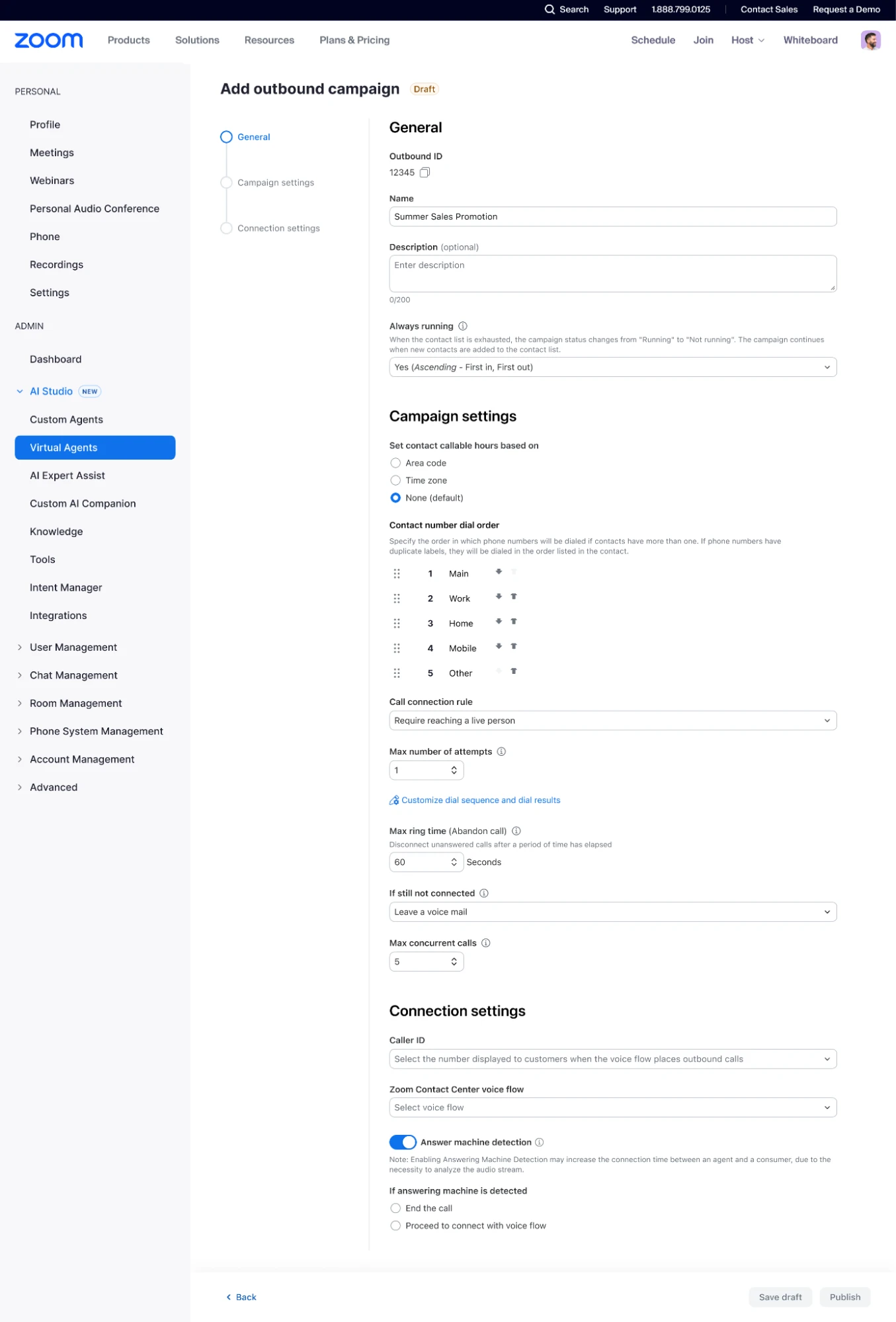
Proactive Outbound
- Set up your virtual agent to place outbound calls for simple tasks like appointment reminders, surveys, and follow-ups.
- Leverage AI to handle calls autonomously and escalate to a live agent when needed.
- March 2026
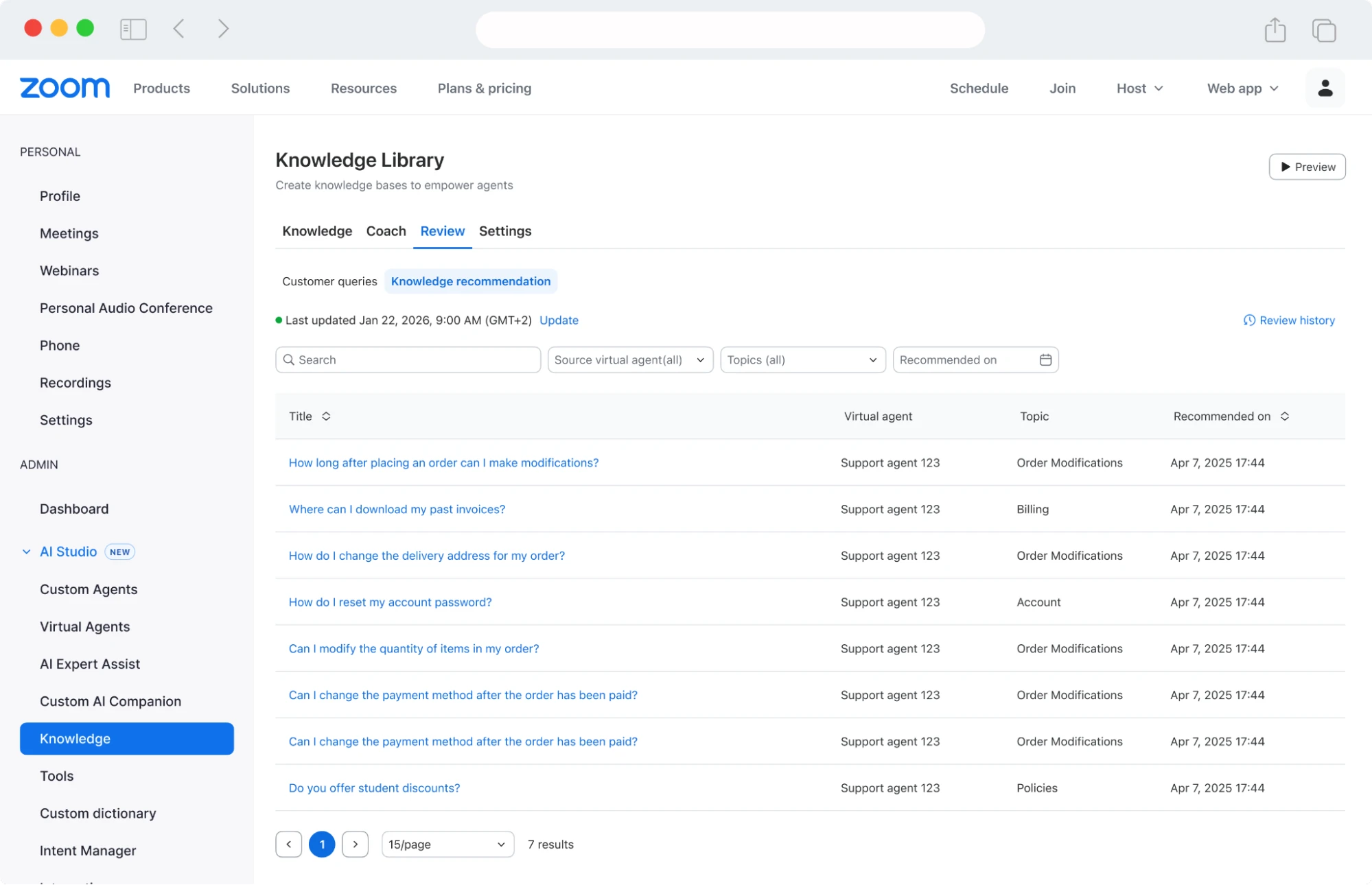
KB Suggestions
- Turn raw conversations into clean, compliant, knowledge.
- Get valuable information from live conversations that resolve real customer issues
- March 2026
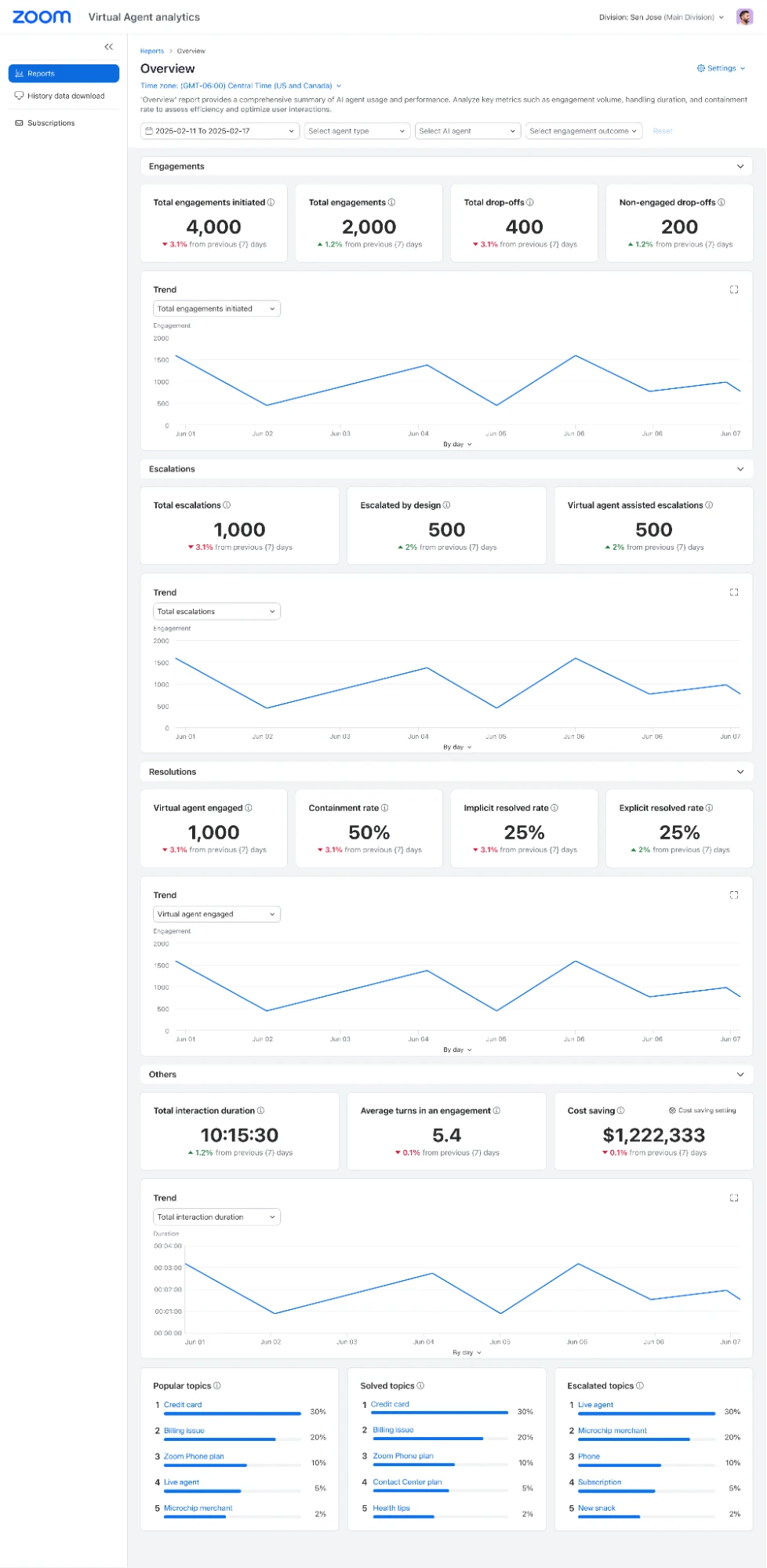
ZVA Analytics with Implicit Resolution Metrics
- Use behavioral signals to figure out if a customer's issue was resolved, even when they don't fill out a satisfaction survey.
- Only a fraction of people give feedback at the end of a chat. Now you have a clear picture of how your bot is performing for everyone else.
- March 2026
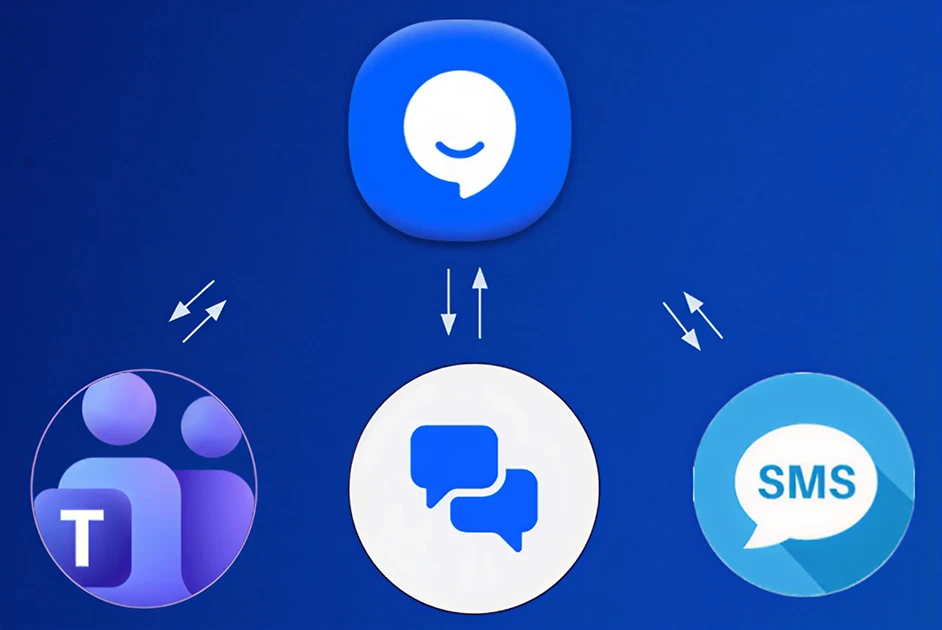
Integration with Microsoft Teams, Zoom Chat and SMS
- Seamlessly connect chat agents to Zoom Chat, SMS or Microsoft Teams
- Provide a consistent, AI-powered support experience on customers’ preferred platform
Industry Solutions
- March 2026
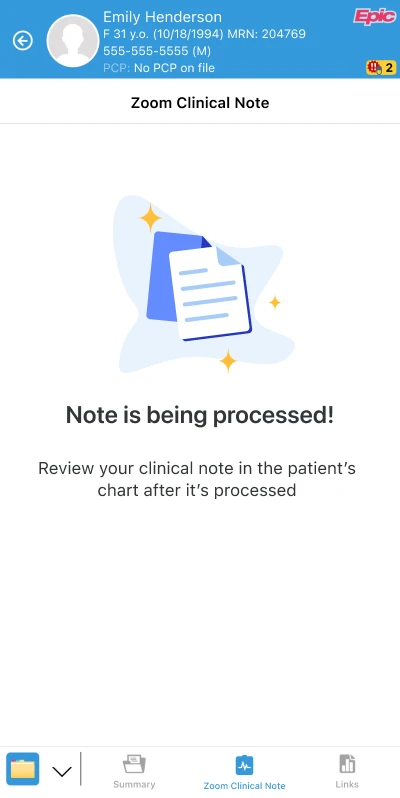
Zoom Clinical Note Integration for Epic
- Use ambient voice technology to record clinician-patient conversations and generate structured clinical notes in under a minute directly in Epic Haiku (mobile) and Epic Hyperspace (desktop).
- Doctors spend less time staring at a screen charting and more time actually looking at and listening to their patients.
- March 2026
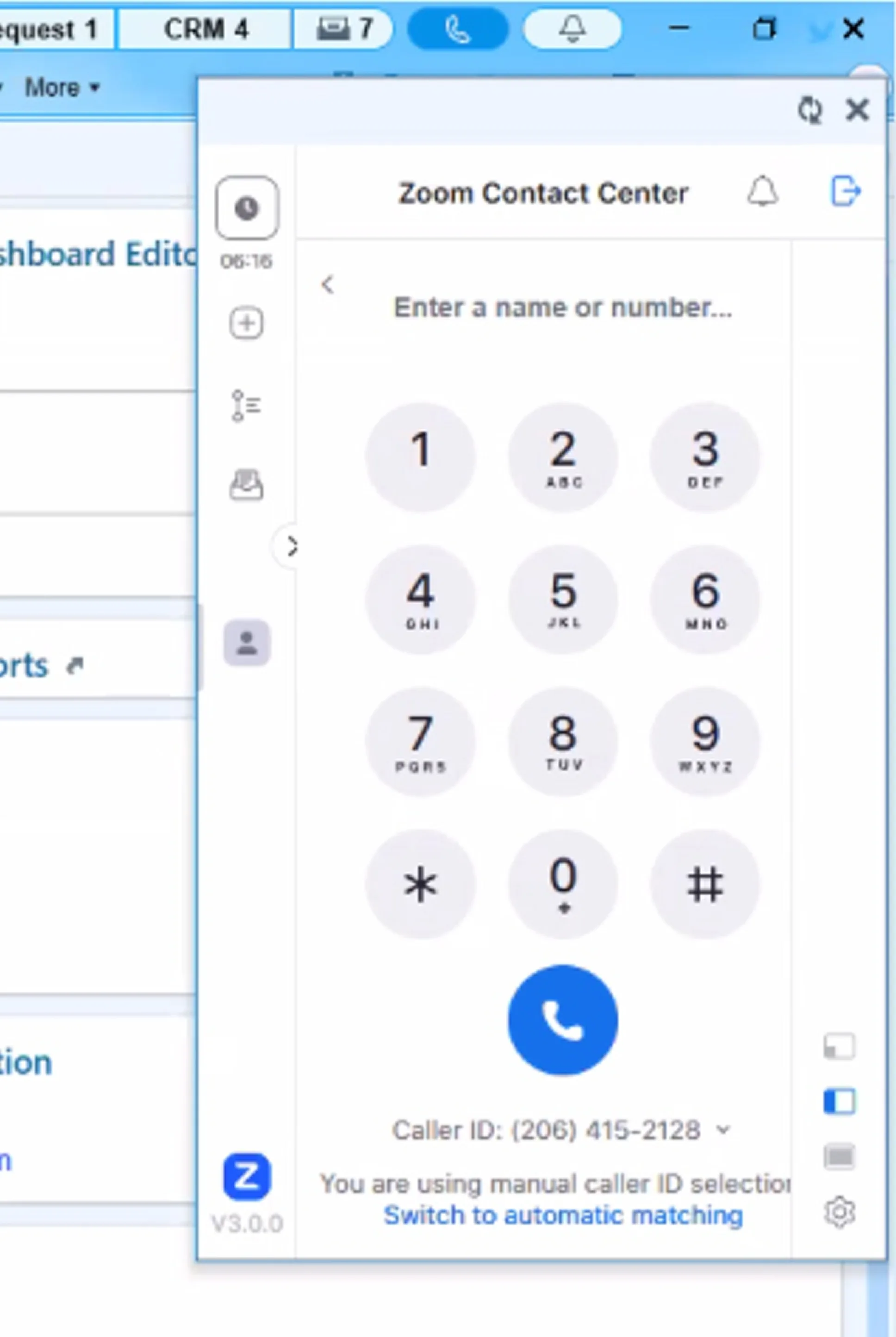
Zoom Contact Center for Epic
- Manage calls through an embedded call bar inside the Epic interface with smart patient record screen pops.
- Seamlessly connect Zoom Contact Center with Epic for a unified agent experience
- Deliver AI‑powered, context‑aware patient interactions directly within Epic—enabling real‑time caller ID, intelligent routing, and streamlined documentation without switching applications
- Agents can handle patient calls without jumping between different apps, keeping the conversation focused and professional.
- March 2026
Scribe API
- Convert audio to text at scale with high accuracy, automatic punctuation, and speaker identification.
- Developers can integrate high-quality transcription into any app without building a complex engine from scratch.
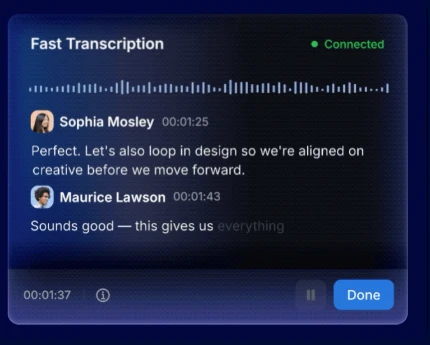
Zoom AI Companion is expanding its reach, becoming a more powerful and personalized assistant that works for you across more platforms and specialized workflows.
- February 2026
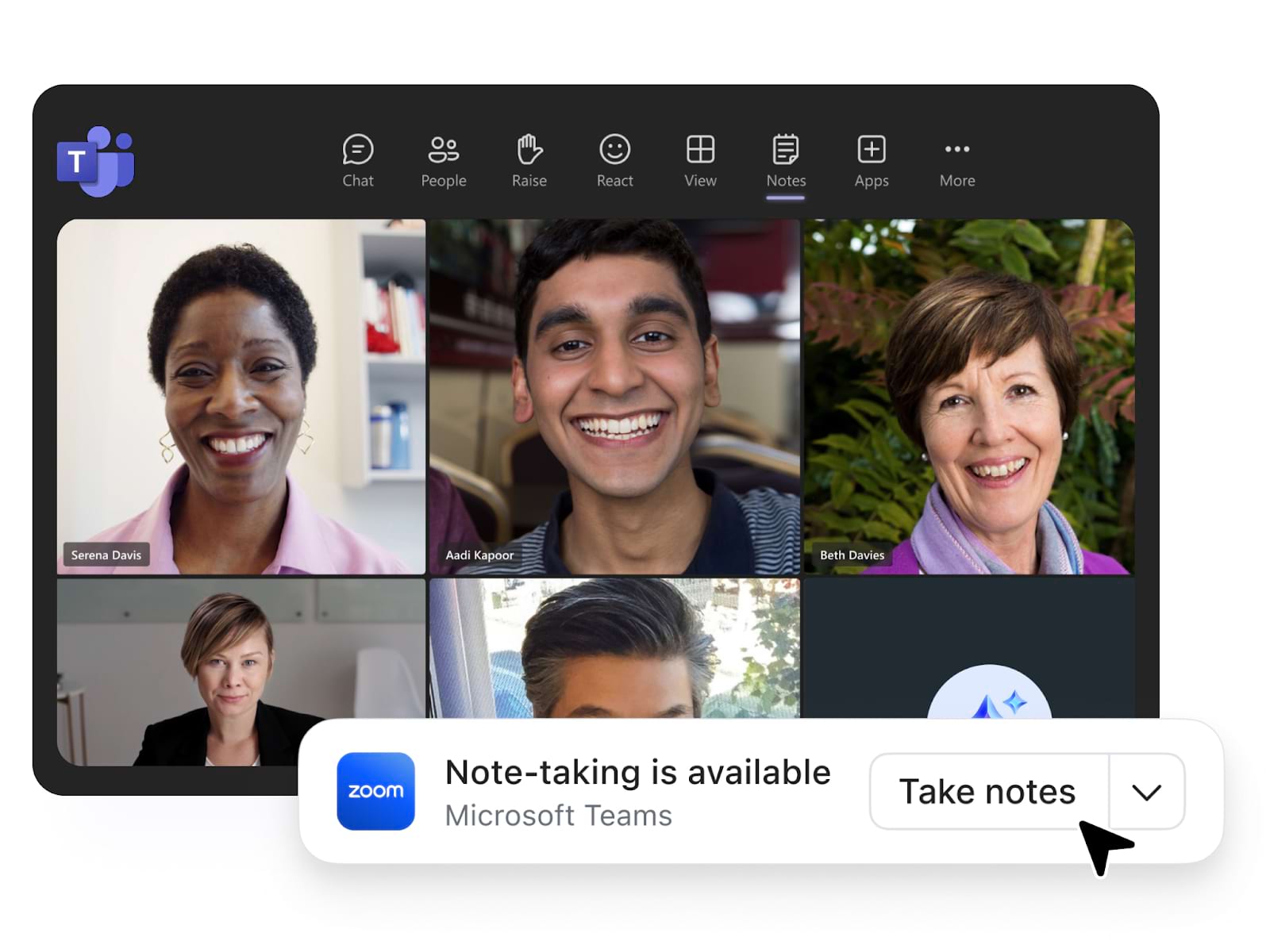
My Notes: AI Note-Taking Across Your Meetings
Use AI Companion to take notes in meetings—not just Zoom. My Notes works across third-party meeting platforms like Google Meet, Microsoft Teams, and WebEx, giving you personalized summaries based on the notes you jot down during the session.
- February 2026
Transcribe in-person meetings from AI Companion on the Web
- Start transcribing in-person conversations directly from the AI Companion web interface—no meeting link required. Available for users on AI Companion Basic.
- You’re having a quick hallway conversation or a lunch brainstorm and want to capture it. Now you can—just open AI Companion on the web, hit transcribe, and get the full context to keep working with afterward.
- February 2026
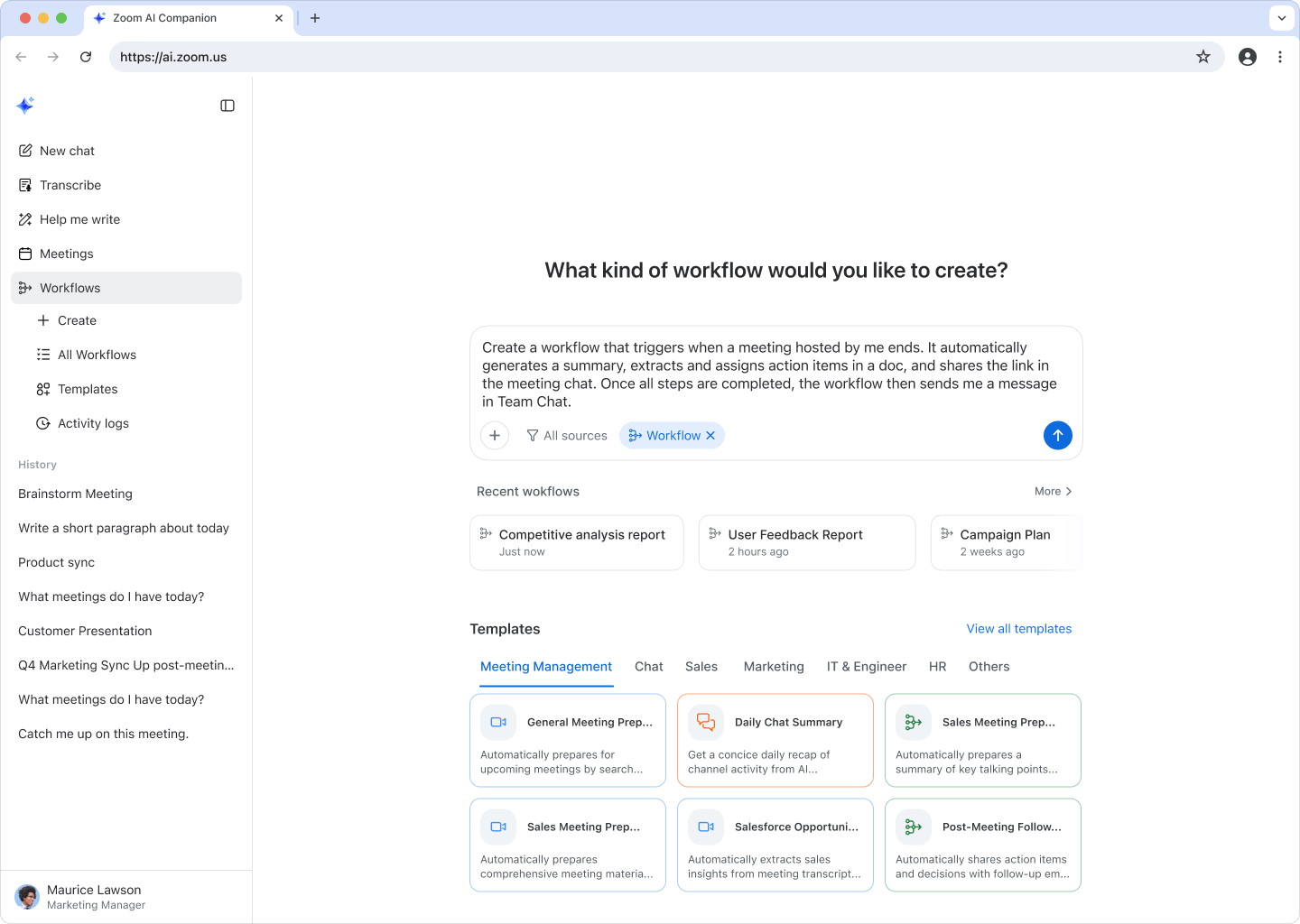
Personal Workflows (GA)
- Automate daily routines like generating weekly win reports or sending post-meeting thank-you notes using simple natural language prompts. Now generally available with additional ready-made templates. Custom AI Companion license holders can also automate workflows in third-party apps like Jira and Salesforce.
- Instead of spending your first hour catching up, you can now start the day already informed and ready to focus on work that actually matters.
- February 2026
File Upload for AI Companion on the Web
- Upload images, PDFs, and text files (up to 10 MB) directly into AI Companion on the web and use them as context for your queries.
- Before: copy-paste content from a doc, describe an image, hope AI understands. Now: just drag in the file and ask your question. The context is right there.
- February 2026
Custom Conversation Starters
- Personalize the quick-action buttons on the AI Companion web interface to match how you actually work, instead of relying on one-size-fits-all prompts.
- Everyone works differently. Now the shortcuts you see when you open AI Companion are yours—built for your role, your workflow, your priorities.
- February 2026
Zoom Chat as Context for AI Companion
- AI Companion on the web now pulls from your Zoom Chat messages (up to 90 days) as context for your queries—alongside meetings and docs.
- That decision your team made in chat last week? You don’t have to scroll back to find it. AI Companion already has it and can weave it into your next answer.
- February 2026
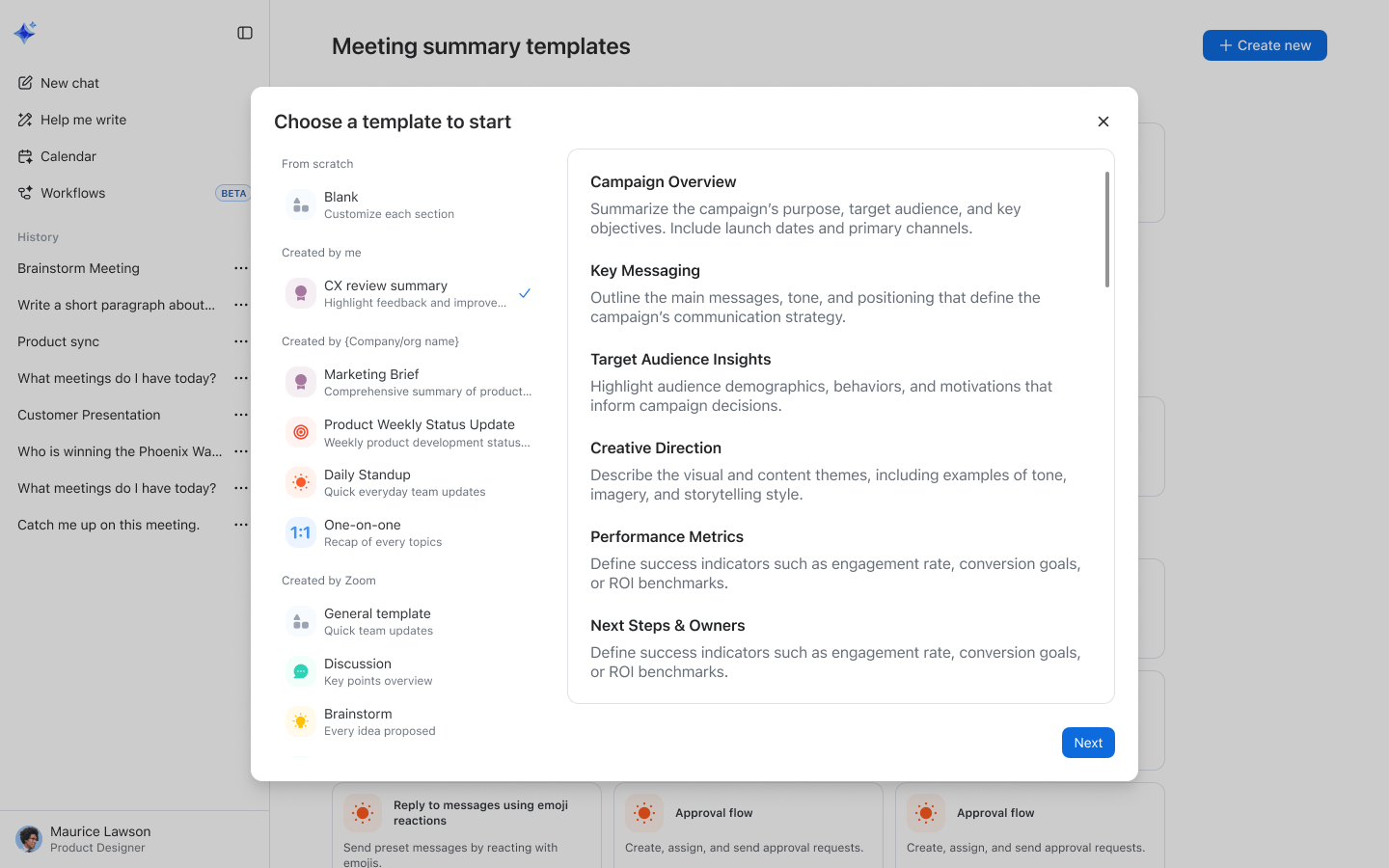
Personalized Meeting Summary Templates
- Individual users can now create their own meeting summary templates directly on the AI Companion web interface—no admin setup required. Available for Custom AI Companion license holders.
- You want bullet points, not paragraphs. Or a format that feeds straight into your weekly report. Now you set it up once, and every meeting summary comes back exactly the way you need it.
- February 2026
Third-Party Data Sources for Custom AI Companion
Pull data from up to 10 third-party apps—including Slack, Salesforce, Workday, and Seismic—directly into AI Companion queries. Admins configure which apps are available, and users turn on the ones they need.
When you ask AI Companion a question, the answer doesn’t stop at Zoom. It reaches into Salesforce, Slack, and the other tools where your work actually lives—so you get the full picture, not a partial one.
- February 2026
Expanded Availability for AI Companion 3.0
- AI Companion 3.0 on the web is now available for ZM Plus customers hosted on the US cluster, plus customers using BAA and Customer Managed Key (CMK).
Zoom Workplace
Zoom Workplace is designed to reduce friction and simplify your work day, whether you're in a meeting or catching up later.
- February 2026
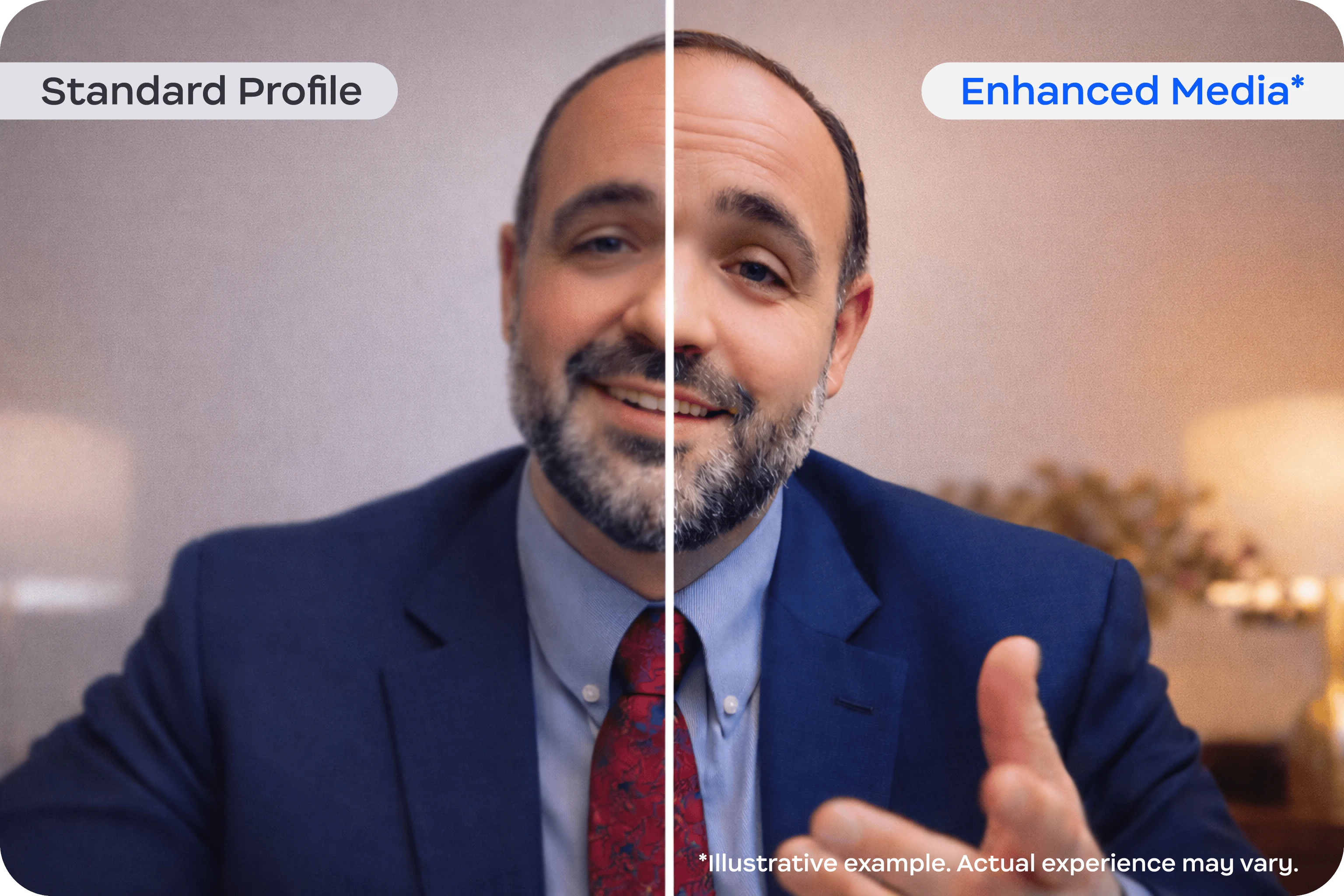
Zoom Enhanced Media
- A paid add-on for Meetings, Events, and Zoom Rooms that delivers higher bitrate and higher frames-per-second video for customers who need broadcast-quality fidelity.
- Standard video compression works fine for most calls. But for customers in media, production, or design who need every detail to come through crisp and clear—this is the upgrade they’ve been asking for.
- February 2026
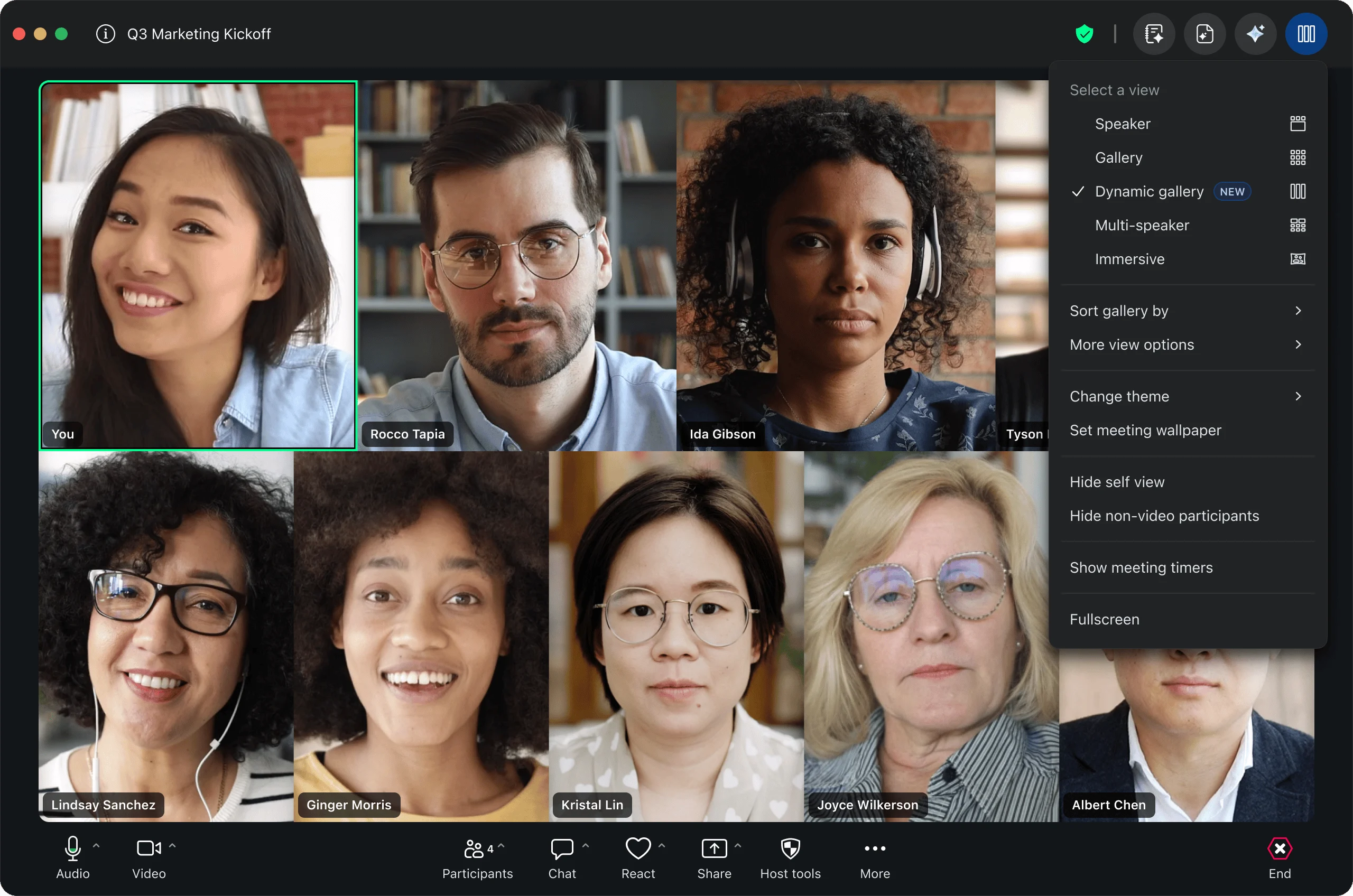
Dynamic Gallery
- Zoom automatically optimizes your meeting gallery layout by minimizing wasted space around participants and adjusting tile sizes based on how many people are in the call. You can also shrink your self-view.
- No more staring at a grid where half the screen is empty background. The people in your meeting actually fill the frame now—so your focus stays where it should.
- February 2026
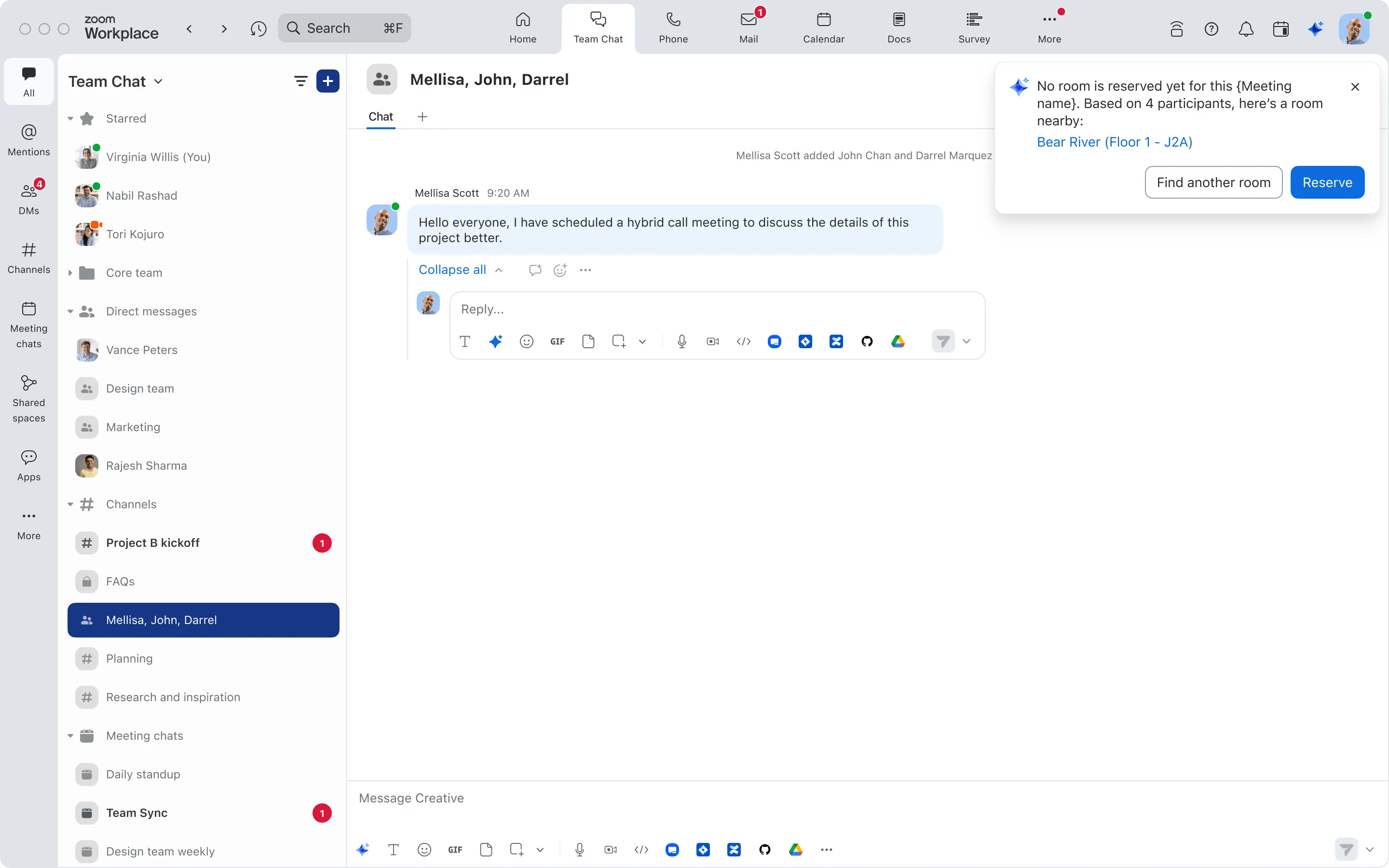
Proactive Workspace Reservation (GA)
- AI Companion proactively nudges you to book a room or desk when you’re in the office and haven’t reserved one yet—no need to ask. It can also help resolve double-bookings and optimize space usage.
- You rushed into the office for a meeting and forgot to book a room. Instead of scrambling, AI Companion already spotted the gap and suggests an open space before you even ask.
Productivity
- February 2026
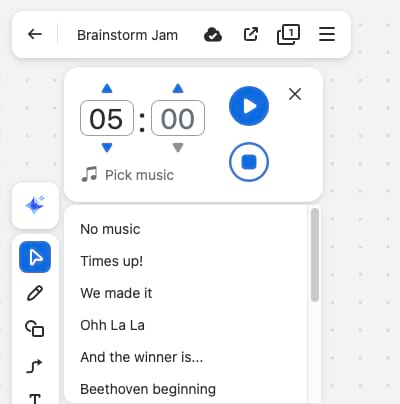
Music Timer and Voting Sessions in Whiteboard
- Add background music and countdown timers to Whiteboard sessions to keep brainstorms focused and on track. Facilitators can also run dedicated voting sessions with built-in controls.
- Brainstorms drag on. Silence gets awkward. Now you’ve got a timer keeping everyone honest and music keeping the energy up—and when it’s time to decide, voting happens right there on the board.
- February 2026
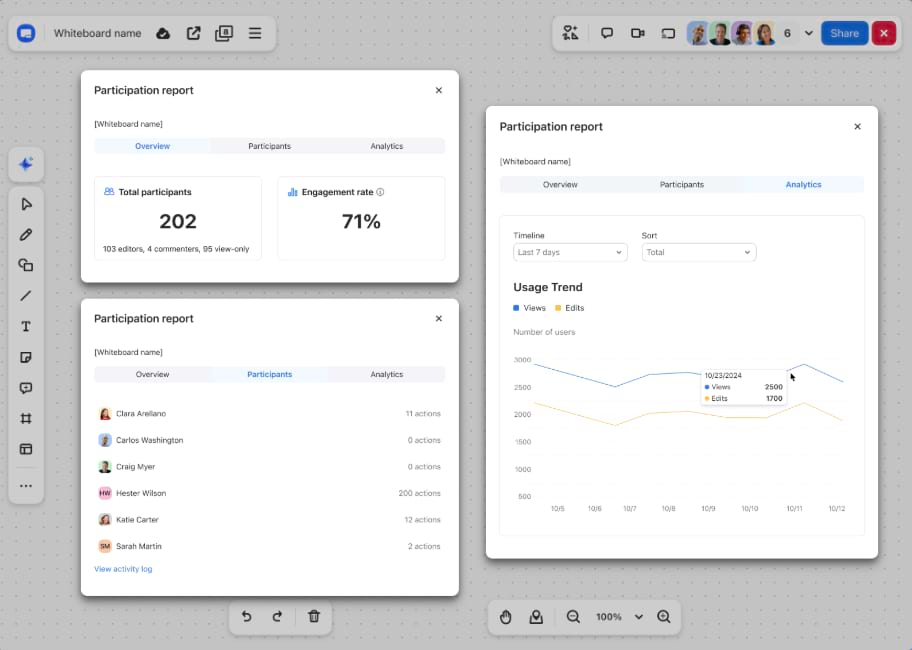
Whiteboard Participation Report
- Generate reports showing who contributed to a Whiteboard session, with user actions, timestamps, and metrics that distinguish active contributors from view-only participants.
- You ran a team brainstorm and want to know who actually participated versus who just watched. Now you have the data—and your team has more accountability.
- February 2026
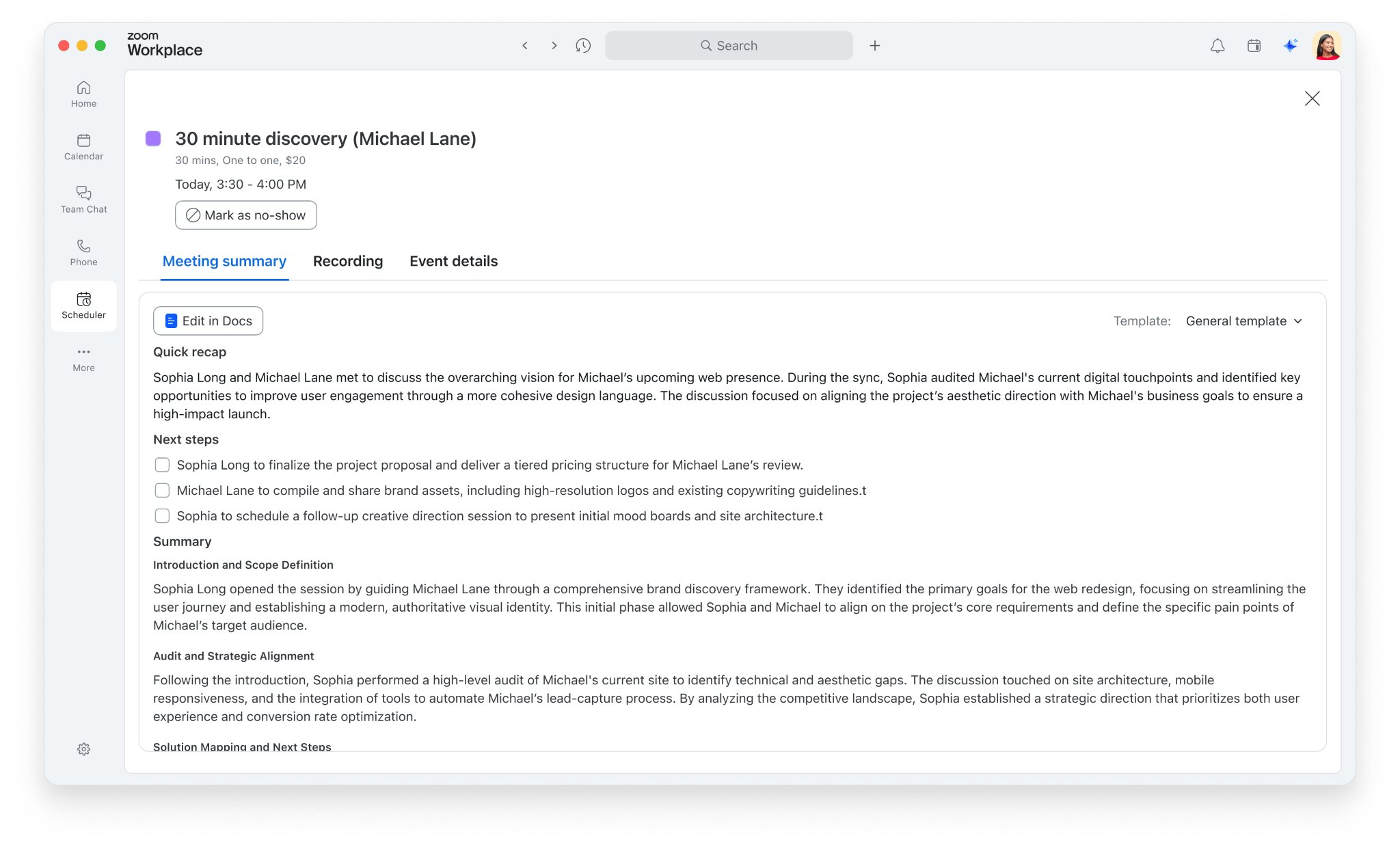
AI Companion Summaries in Scheduler
- View AI Companion meeting summaries directly in the Scheduled Events tab within Zoom Workplace—no need to leave Scheduler to review what happened.
- You booked the meeting through Scheduler, you ran the meeting, and now the recap is right back in Scheduler waiting for you. Everything stays in one place.
Zoom Video Management
- February 2026
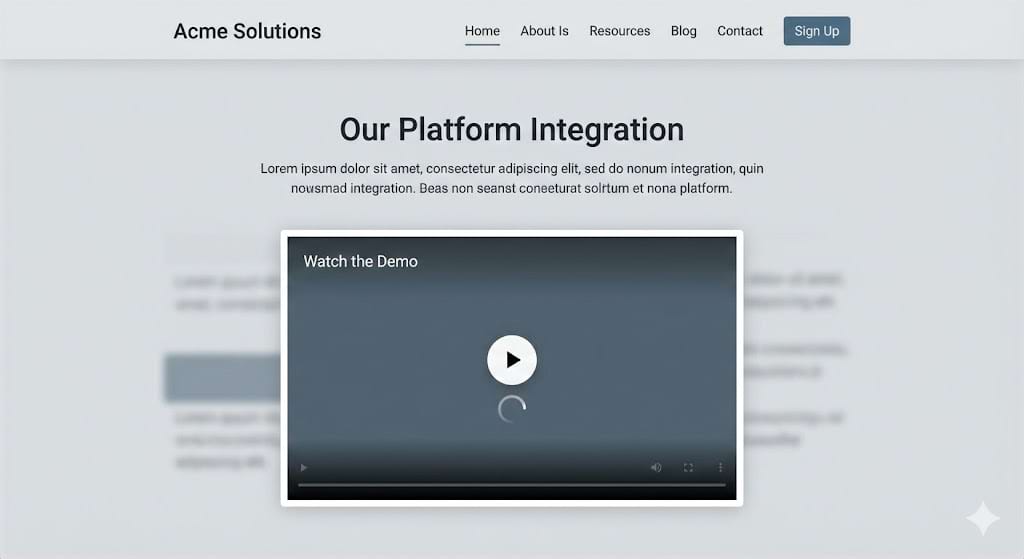
Embed Recordings and Clips on External Websites
- Embed Zoom recordings and clips directly on any website—your LMS, intranet, customer portal—using a simple embed code. The original access permissions still apply, so only authorized viewers can watch.
- No more downloading a video from Zoom, re-uploading it to your LMS, and managing it in two places. One embed code, and the video plays right there on the page—with permissions intact.
- February 2026
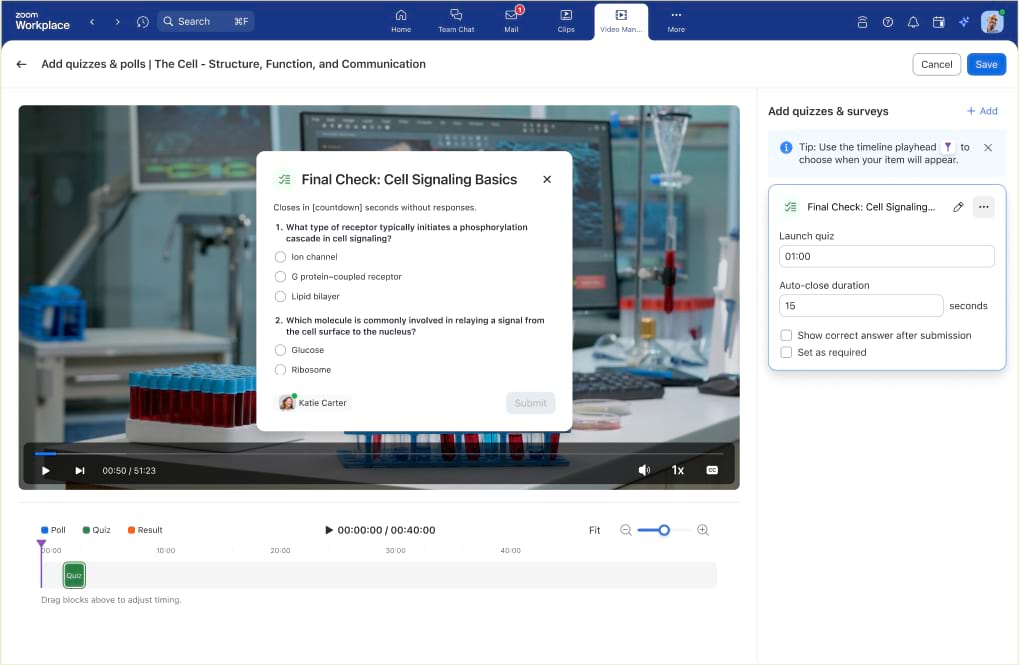
In-Video Quizzes and Polls
- Add quizzes and polls at specific points in a video—after key concepts, at chapter breaks, wherever it makes sense. You can make quizzes mandatory so viewers can’t skip ahead until they answer correctly.
- Someone hits play on a training video, walks away, comes back, and checks “completed.” That doesn’t fly anymore. Now there’s proof of completion baked right into the video.
- February 2026
EU Cluster Deployment
Zoom Video Management is now available on EU clusters, unlocking access for EMEA customers.
Zoom Webinars & Events
Business Services: Webinars & Events
- February 2026
AI-Driven Key Moments
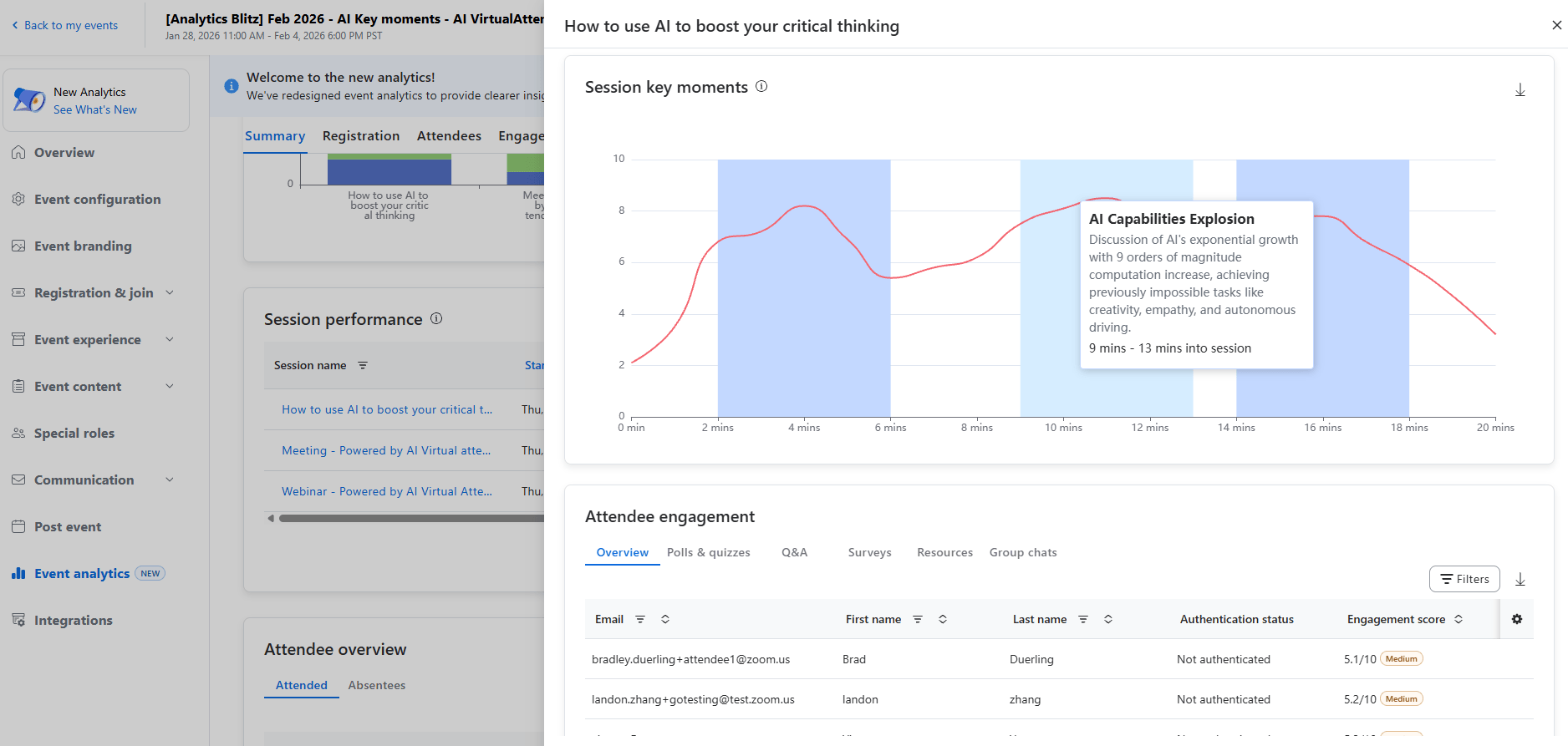
- AI analyzes engagement patterns throughout a webinar—reactions, chat spikes, Q&A surges—and identifies the specific segments that drove the most audience activity. Hosts get a visual timeline showing exactly where attention peaked. Available with Webinars Plus and Events.
- You used to guess which parts of your webinar landed based on when people dropped off. Now you know exactly which moments resonated—and for recurring series, you can compare across sessions to see what consistently works.
- February 2026
Learning Certificates for Webinars
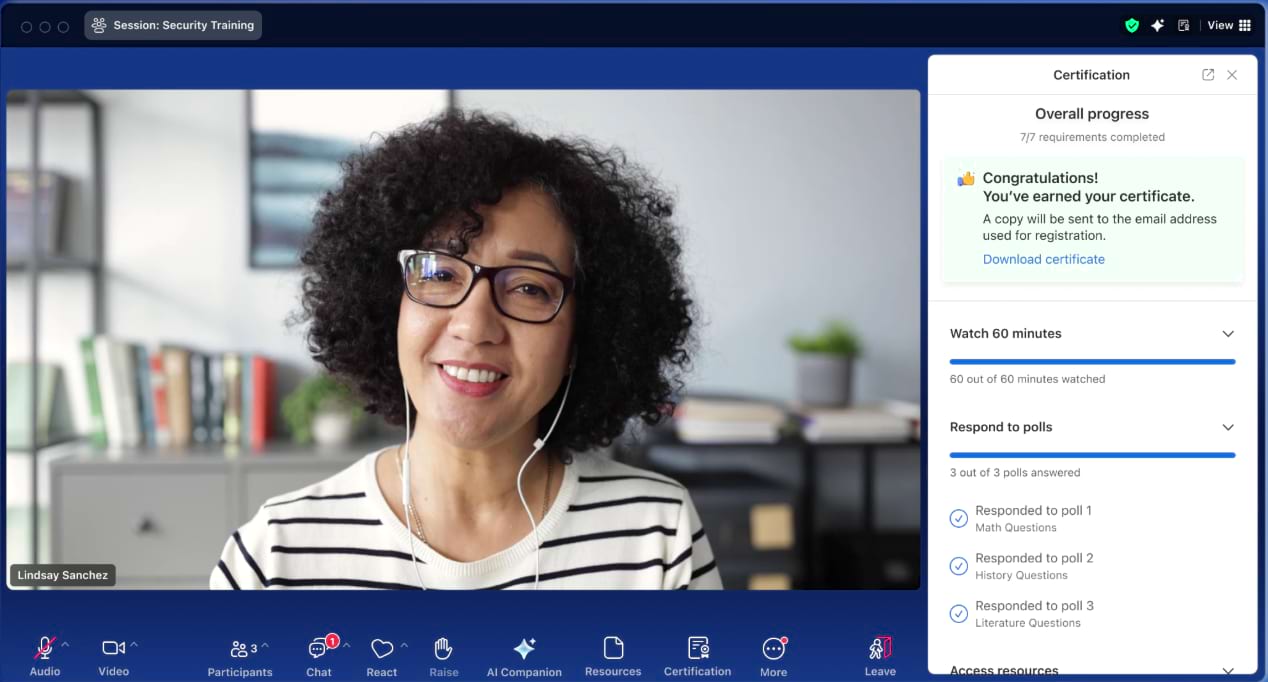
- Design and email custom certificates for up to 5,000 attendees who meet specific criteria, like attending 60 minutes of the webinar or answering quiz questions.
- Instead of spending hours cross-referencing spreadsheets to see who earned a credit, simplify that process directly on Zoom.
Zoom for Sales
Business Services: Zoom for Sales
- February 2026
Automatic Email Sync to Salesforce
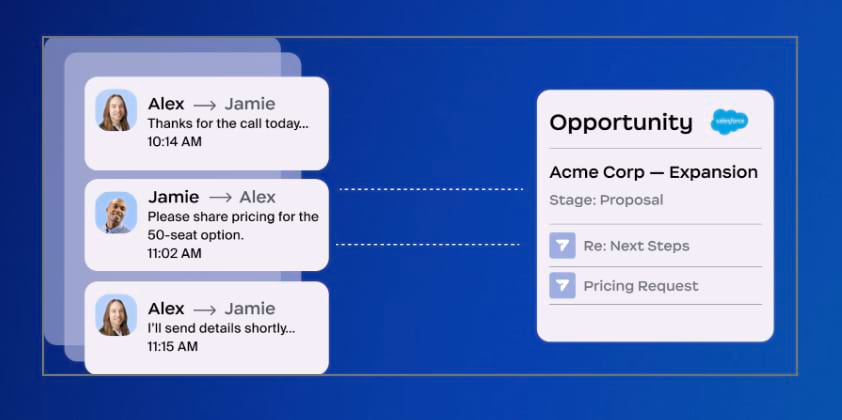
- Every customer email captured in Zoom Revenue Accelerator now automatically syncs to Salesforce and links to the right opportunity—no manual logging required.
- Last month we added non-recorded meetings. Now emails are covered too. Your deal timeline in Salesforce stays complete and accurate without anyone lifting a finger.
- February 2026
One-Sided Recording for ZRA and Autodialer
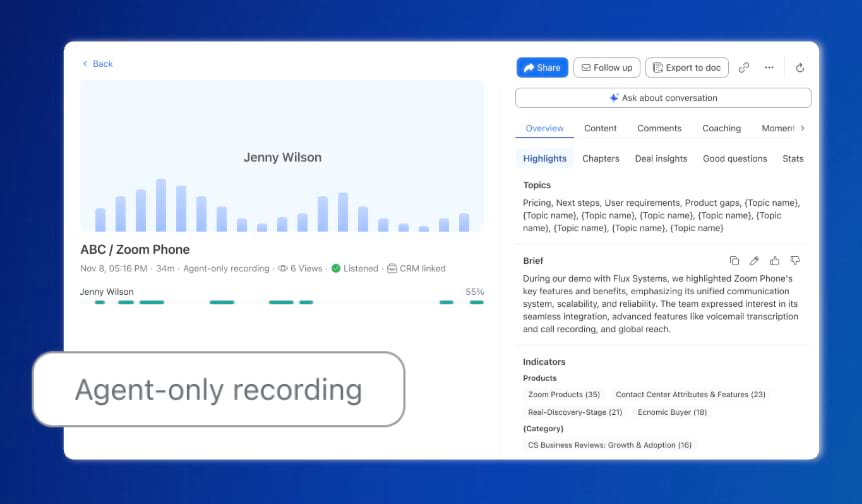
- Capture only the rep’s side of a conversation in Zoom Revenue Accelerator and Autodialer, unlocking transcripts, coaching data, and analytics in regions where customer audio can’t be recorded.
- Compliance restrictions used to mean zero call data. Now your team still gets transcripts, insights, and coaching—even when the customer side stays private.
- February 2026
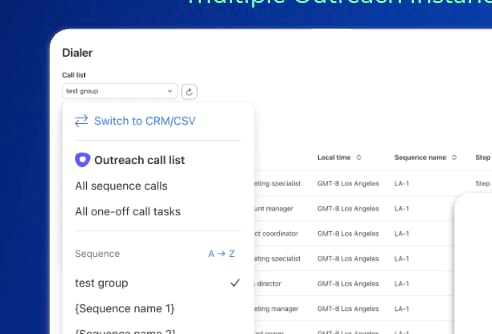
Outreach Integration: Multi-Instance Support
- Zoom Autodialer now supports multiple Outreach instances, so customers with complex org structures can connect every team without integration blockers.
- One Outreach instance per org was a ceiling. Now every team plugs in seamlessly—smoother workflows, unified data, no workarounds.
Zoom CX
Business Services: Zoom CX
- February 2026
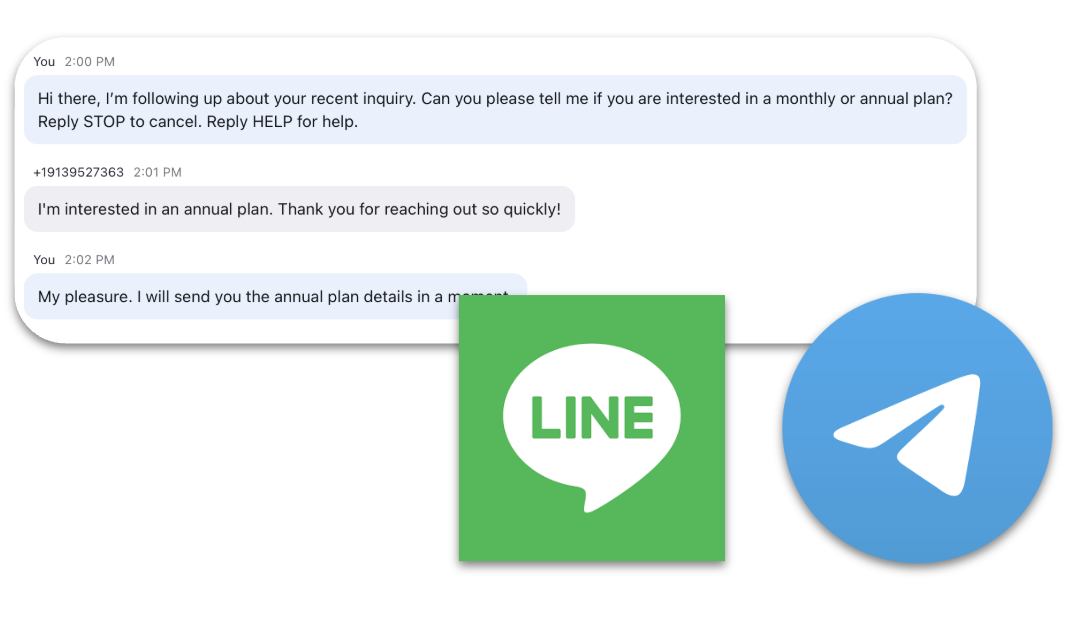
Line and Telegram Integrations for Zoom Contact Center
- Add Line and Telegram as messaging channels in Zoom Contact Center. Admins can configure flows, route messages into existing queues, and agents can send and receive messages and images—all within the same interface they already use.
- Now you can meet your customers where they already are—without juggling separate tools.
- February 2026
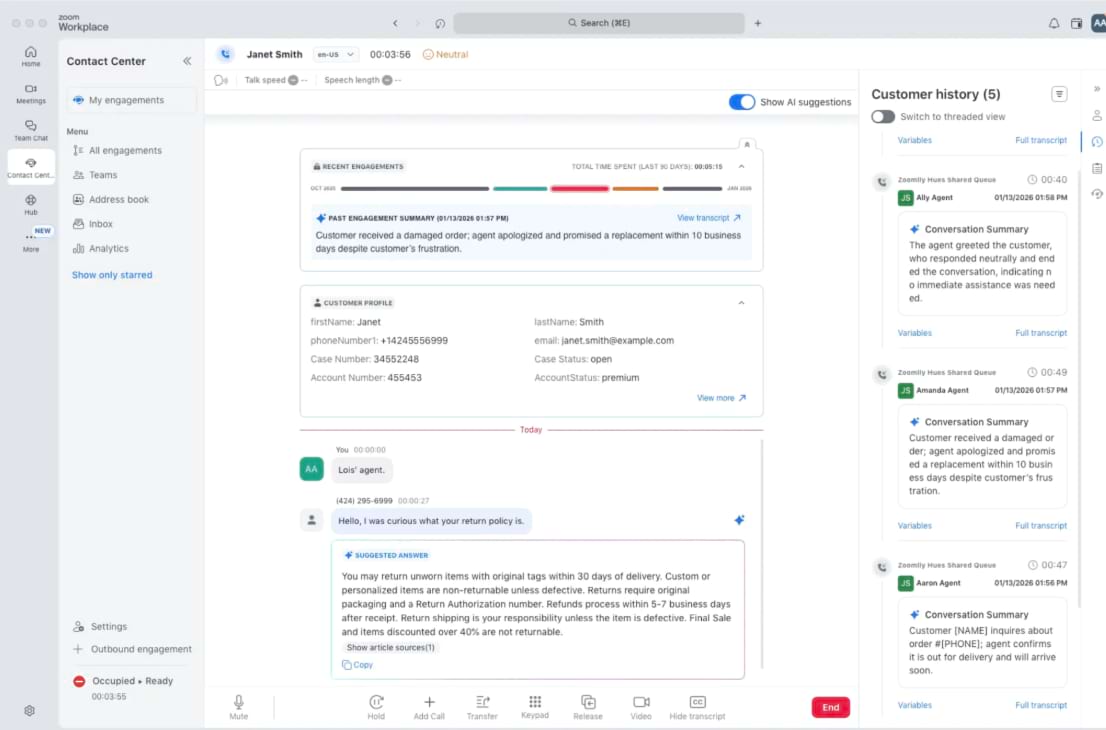
New Agent Desktop
- A redesigned agent experience for voice interactions in Zoom Contact Center. The updated layout puts real-time AI suggestions, customer history, and engagement summaries front and center—right where agents need them during a live call.
- Agents used to hunt for context mid-call. Now the customer’s history, AI-generated summary, and suggested next steps are all visible the moment they pick up—no jumping between screens.
- February 2026
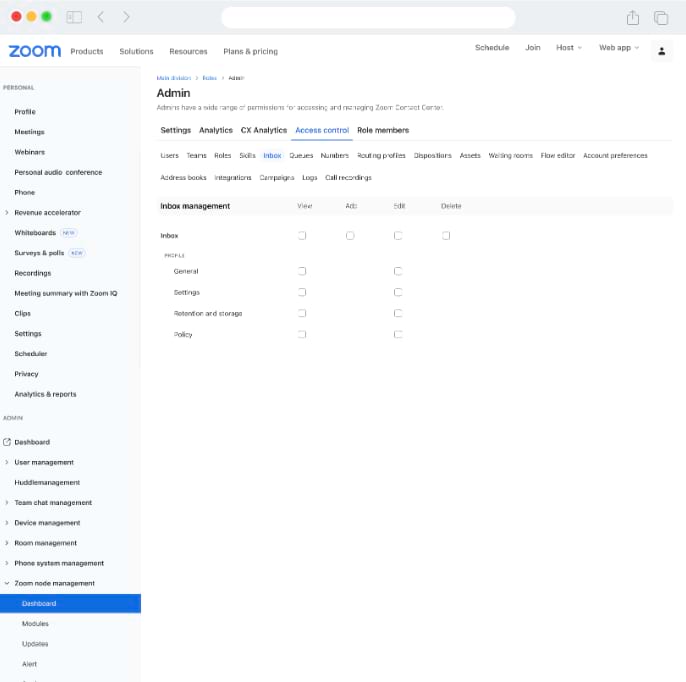
Granular Permissions for User Management
- Platform admins can now control which sections of user settings are visible and editable for other admins—including queues, skills, intents, channel settings, and policies. Controls apply across both user profiles and templates.
- Large enterprises need to delegate admin tasks without overexposing sensitive settings. Now you hand off exactly the right level of access—nothing more, nothing less.
- February 2026
Customer Profiles in Address Book
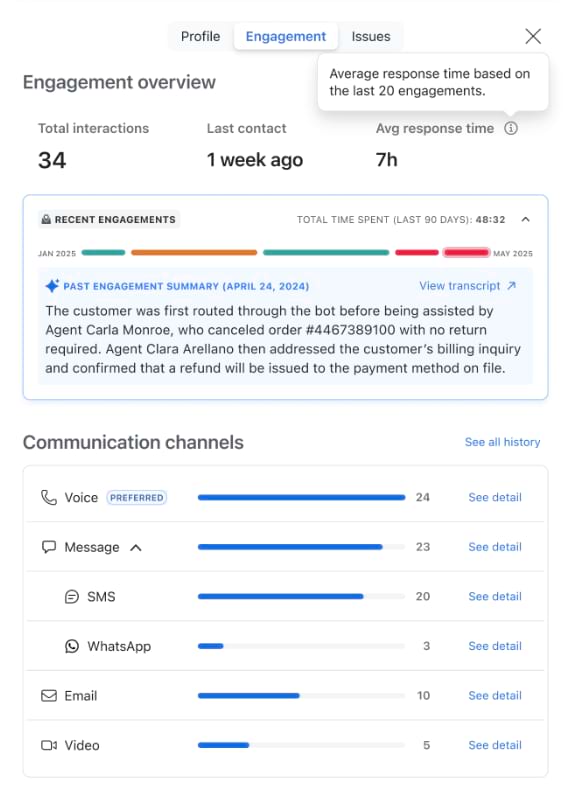
- When an agent initiates or receives a call or chat from a saved contact, a customer profile panel automatically appears—showing historical interactions, engagement summaries, and open context.
- No more asking “Can you remind me what we discussed last time?” The agent already has it—right there on screen, the second the call connects.
Zoom Virtual Agent
Our powerful AI-first work platform offers mission-critical applications that help consolidate communications, connect people, and collaborate better together in the boardroom, classroom, operating room, and everywhere in between.
- February 2026
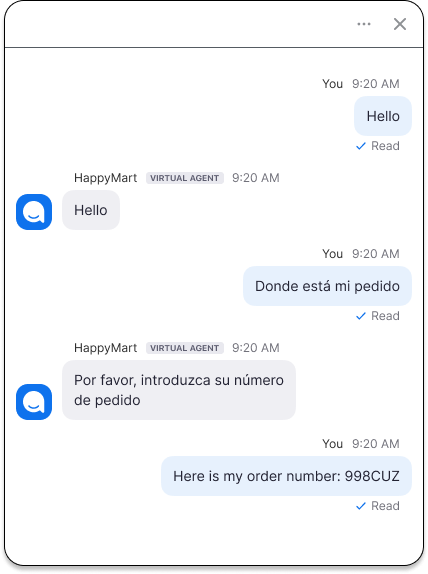
Real-Time Language Detection and Translation
- ZVA now detects and translates language changes mid-conversation in chat. If a customer switches languages partway through, the virtual agent follows along automatically.
- Real support conversations aren’t monolingual. A customer starts in English, switches to Spanish for a technical term, and expects to be understood. Now they are.
- February 2026
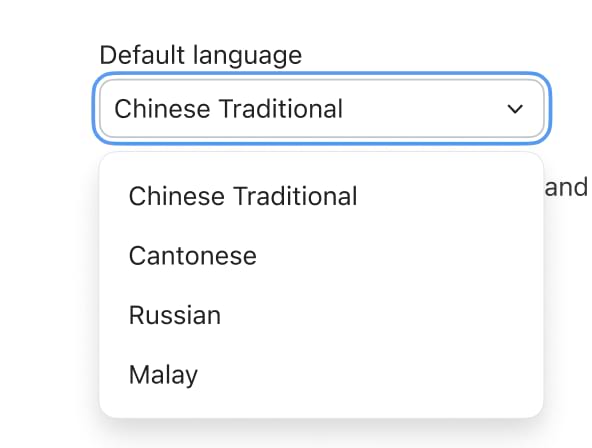
New Language Support
- ZVA now supports Chinese Traditional, Cantonese, Russian, and Malay—with fully localized chat experiences and natural-sounding voice actors.
- Global customers expect support in their language. Four more markets just got a native experience.
- February 2026
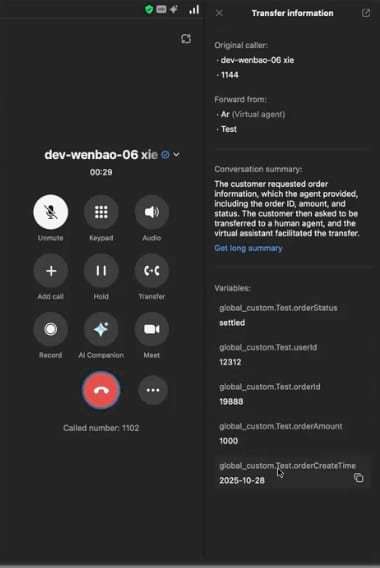
ZVA Voice-to-Zoom Phone Handoff
- When a virtual agent call transfers to a Zoom Phone agent, the call summary and selected variables are passed along automatically. Agents see the context before they even say hello. Requires Zoom Phone Customer Engagement Pack.
- When customers call back or get transferred, agents already know what’s going on. No “Can you start from the beginning?”—just a smooth pickup right where the virtual agent left off.
- February 2026
ZVA Voice Call Recording
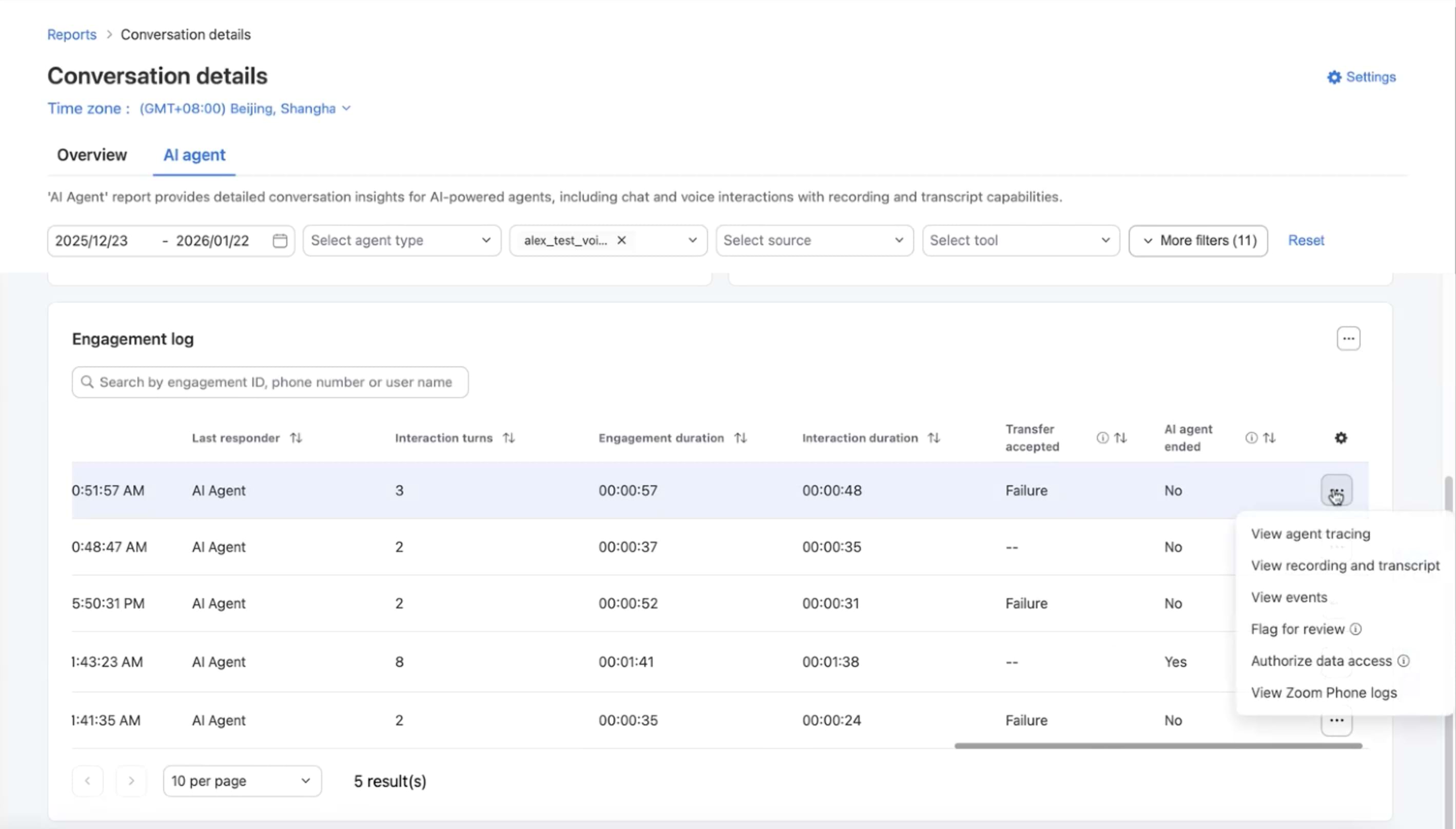
- ZVA now supports call recording for virtual agent interactions originating from Zoom Phone. Recorded calls are automatically stored in CX Analytics with full transcripts.
- You can’t improve what you can’t see. Now admins can listen back, read transcripts, and fine-tune their virtual agent based on real conversations—not guesswork.
- February 2026
Shopify Integration
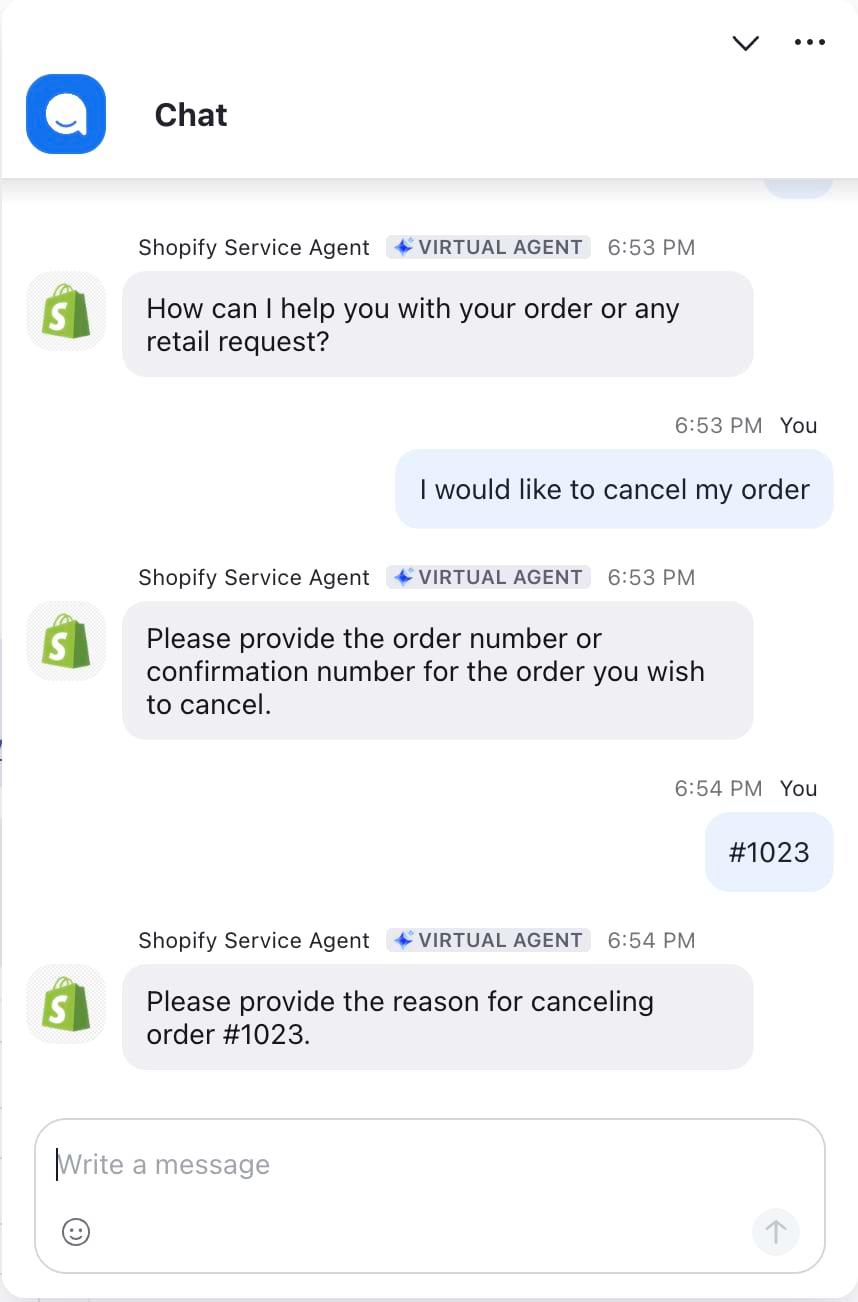
- Connect ZVA directly to Shopify so customers can check order status, make updates, or take action on orders through the virtual agent—without reaching a live person.
- A customer wants to know where their order is. Instead of waiting in a queue, they ask the virtual agent and get an instant, accurate answer pulled straight from Shopify.
- February 2026
Box Knowledge Base Integration
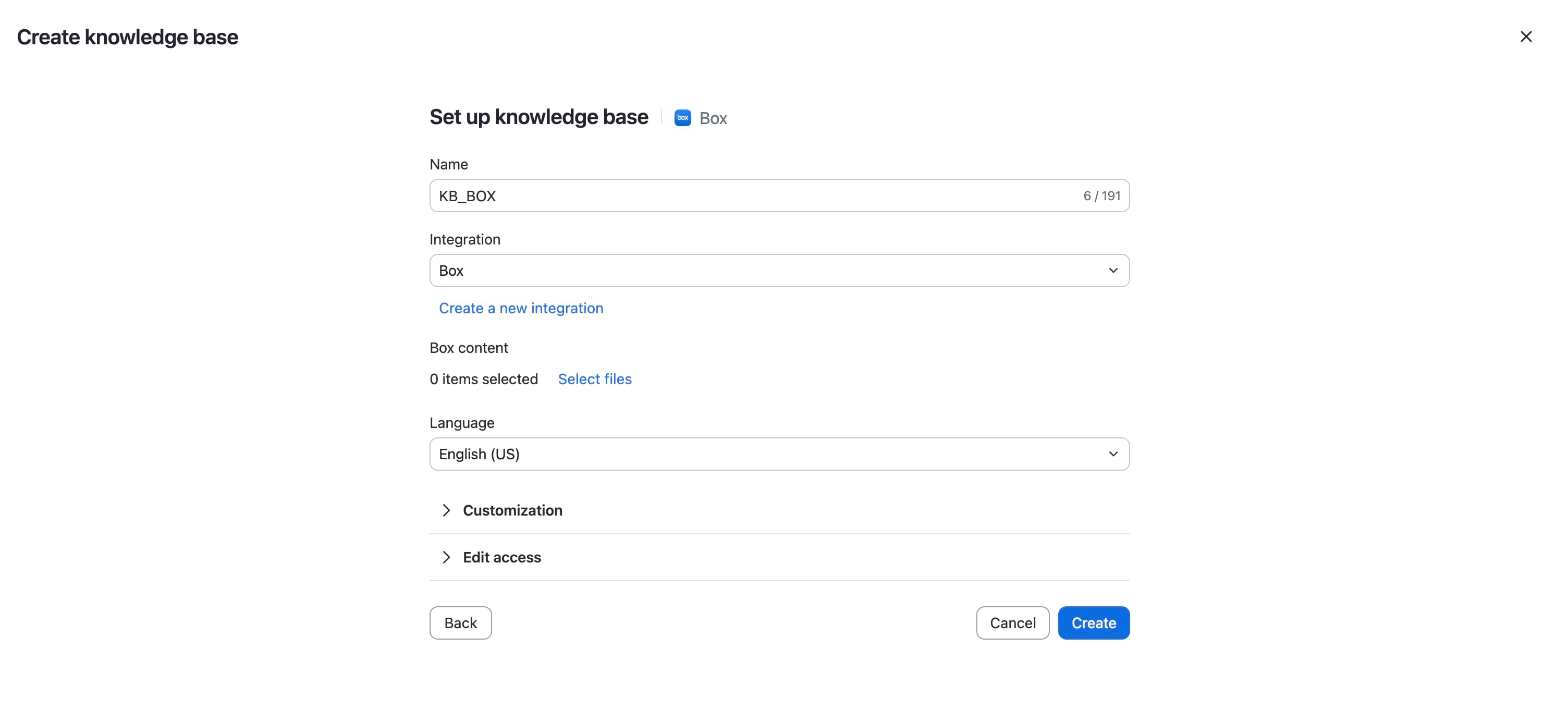
- Add Box as a knowledge base source for ZVA, using Box’s native file picker for a familiar and secure selection experience.
- Your support content already lives in Box. Now your virtual agent can tap into it directly—no migration, no duplicate files, no extra maintenance.
- February 2026
ZVA on WhatsApp and Facebook Messenger
- Deploy AI-powered chat agents on WhatsApp and Facebook Messenger channels in Zoom Contact Center—going beyond the previous classic chatbot-only limitation.
- Customers already live on WhatsApp and Messenger. Now your AI agent meets them there with the same quality experience they’d get on your website.
Industry Solutions
Industries & Open Ecosystem
- February 2026
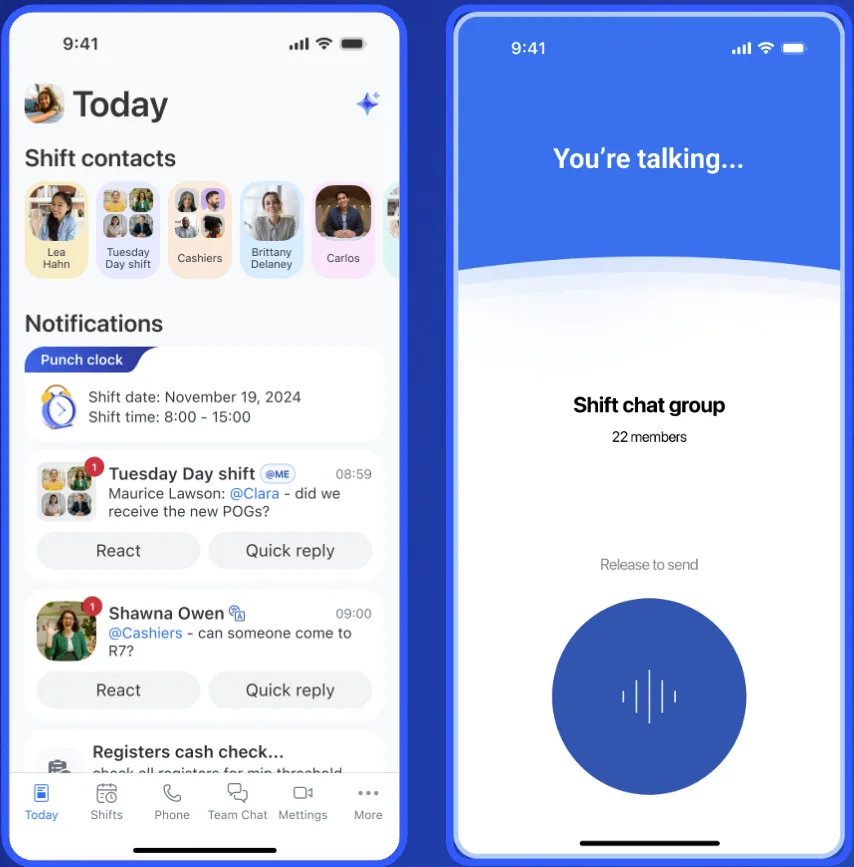
Workplace for Clinicians: Epic Integration
- Zoom Workplace for Clinicians is now natively integrated with Epic Haiku (mobile) and Epic Hyperspace (desktop). AI-powered ambient voice recognition captures clinical notes directly within Epic workflows, and documentation syncs automatically for review and sign-off.
- Clinicians spend hours on after-hours charting. Now clinical notes are captured during the appointment and land directly in Epic—ready for review, not re-creation.
- February 2026
VizRT for Zoom Meetings and Rooms
- VizRT brings broadcast-quality visuals to Zoom. Interactify for Zoom Meetings adds branded overlays, logos, and name tags during meetings. Captivate for Zoom Rooms delivers augmented-reality 3D graphics and visual dashboards.
- Your all-hands or customer event just went from standard video call to polished broadcast—without leaving Zoom or hiring a production crew.
- February 2026
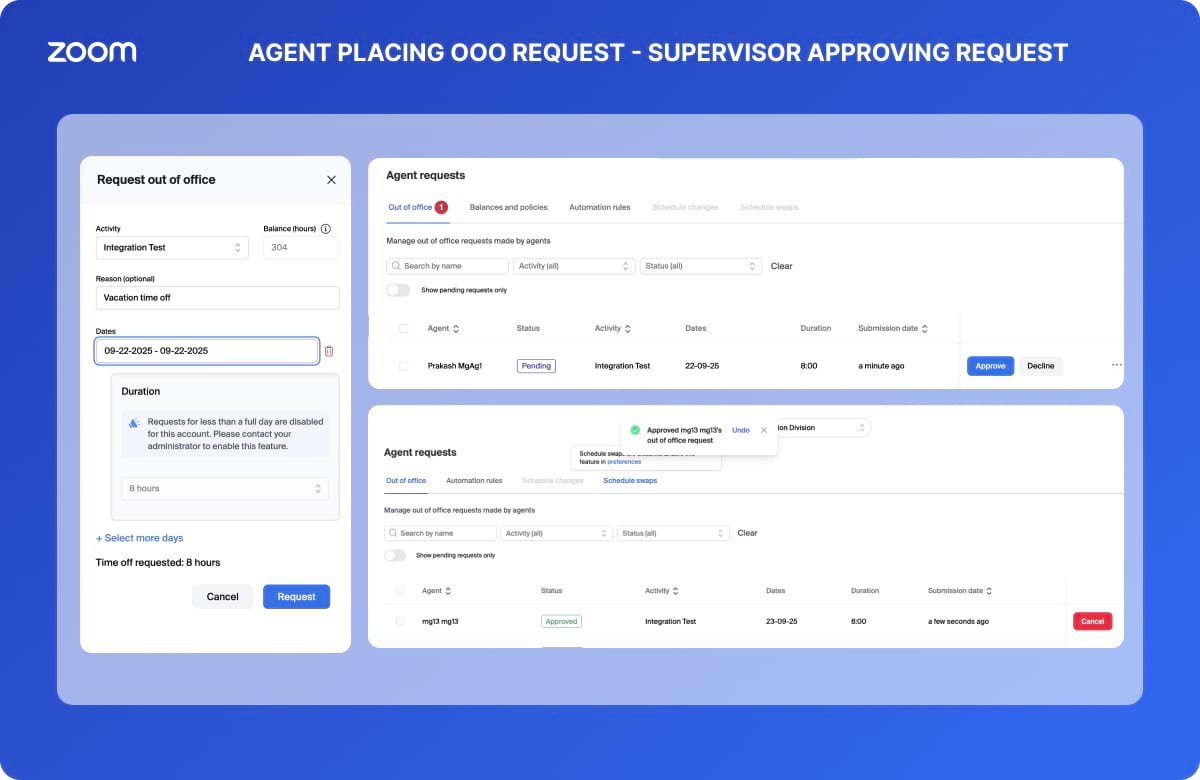
UKG Pro WFM Integration for Zoom CX
- Agents can view time-off balances and submit schedule requests directly in Zoom Contact Center, with updates flowing seamlessly into UKG Pro Workforce Management.
- Contact center agents juggling two systems for scheduling is a recipe for errors and frustration. Now it all happens in one place—right where they’re already working.
- February 2026
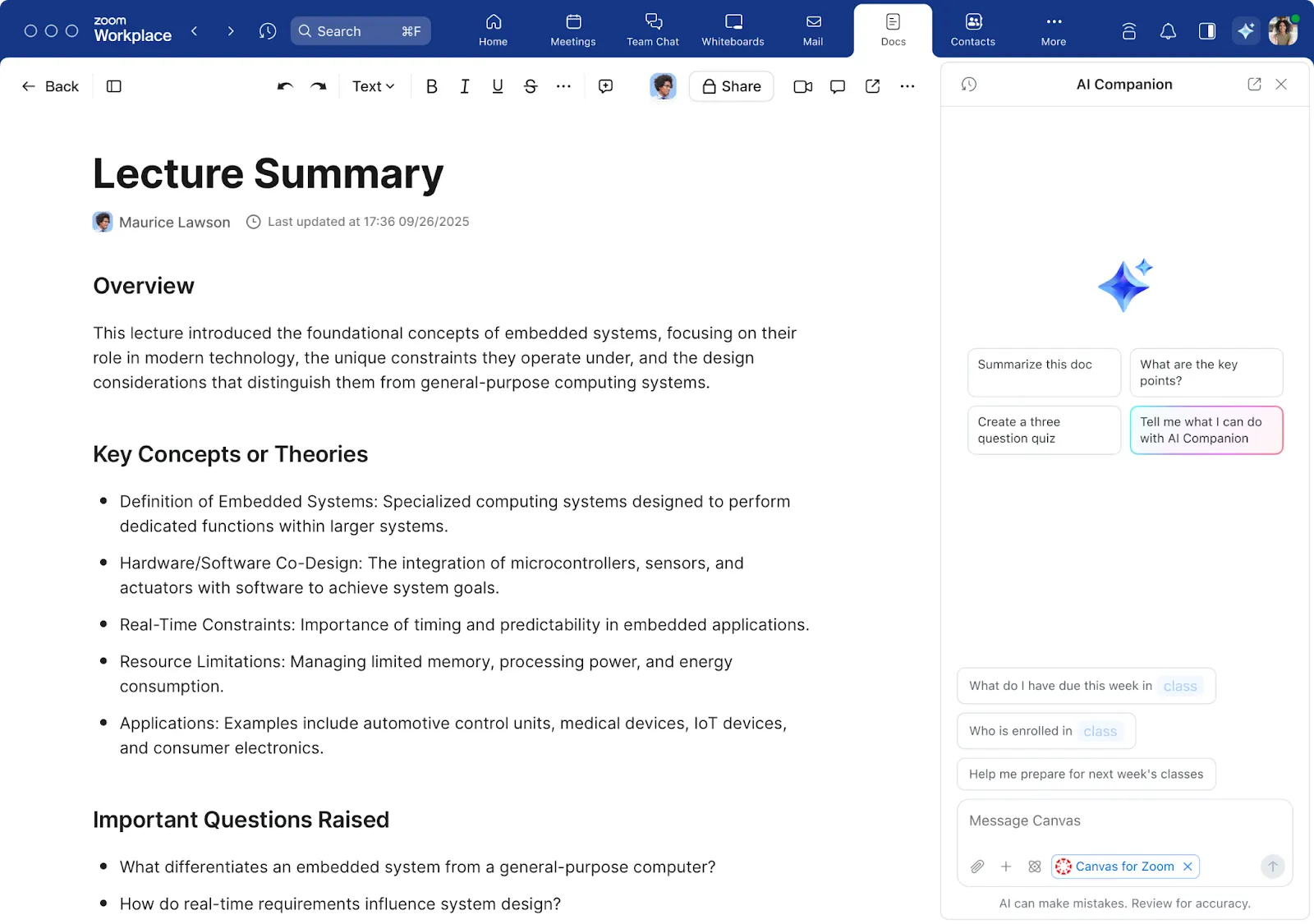
Education: Hero Prompts and LTI Deep Linking
- AI Companion on the web now includes education-specific hero prompts for faculty, staff, and students—like generating quizzes or lecture summaries. LTI deep linking also lets educators embed Zoom tools directly into learning management system assignments.
- Professors can generate a quiz from a lecture recording. Students can summarize readings before class. And it all connects directly to Canvas, Moodle, or Blackboard—right where students already work.
- February 2026
RTMS SDK 1.0 for Node.js and Python
- Developers can now connect AI applications to real-time audio, video, and transcription streams across Zoom Meetings, Webinars, and Video SDK using the RTMS SDK—now live on GitHub.
- Building a real-time tutoring assistant or a healthcare bot that listens to live calls? The RTMS SDK makes the connection simple—no complex middleware, no custom integrations.
- February 2026
Zoom for Government and Defense Updates
- Continued FedRAMP authorization expansion for the Zoom for Government platform, including ZM Plus, RTMS, Zoom Canvas, and phone survivability. Zoom for Defense is also adding Zoom Phone and Contact Center authorizations.
- Government agencies and defense organizations get access to more Zoom tools within their secure, compliant environments—closing the gap between commercial and public-sector capabilities.
Bonsai
- February 2026
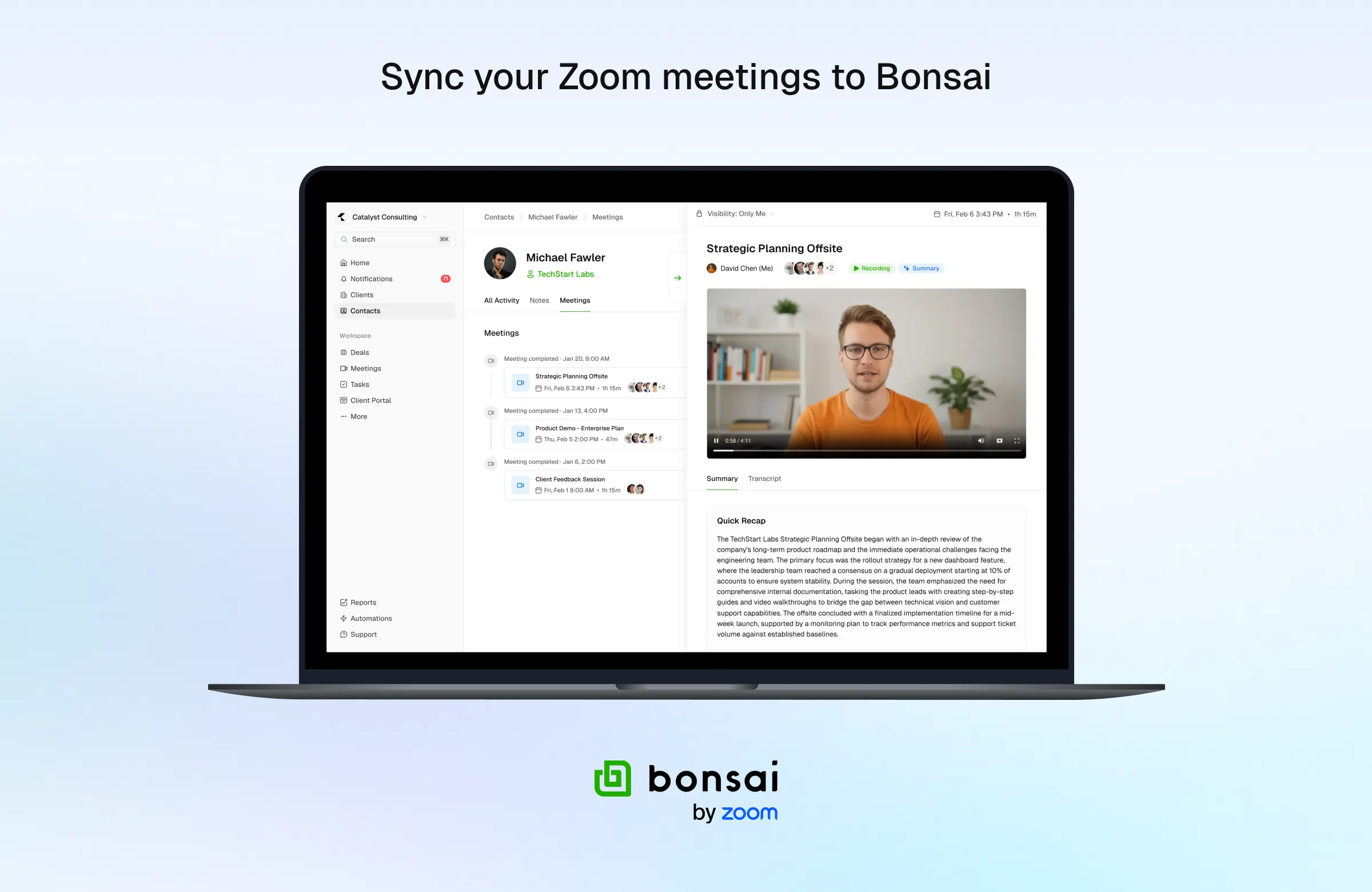
Sync Zoom Meetings to Bonsai
- Bonsai is Zoom’s client management platform that helps you manage all client work from first meeting to getting paid.
- Keep all your client interactions in one place by syncing Zoom meetings, transcripts, and AI summaries directly to Bonsai.
Zoom AI Companion is expanding its reach, becoming a more powerful and personalized assistant that works for you across more platforms and specialized workflows.
- January 2026
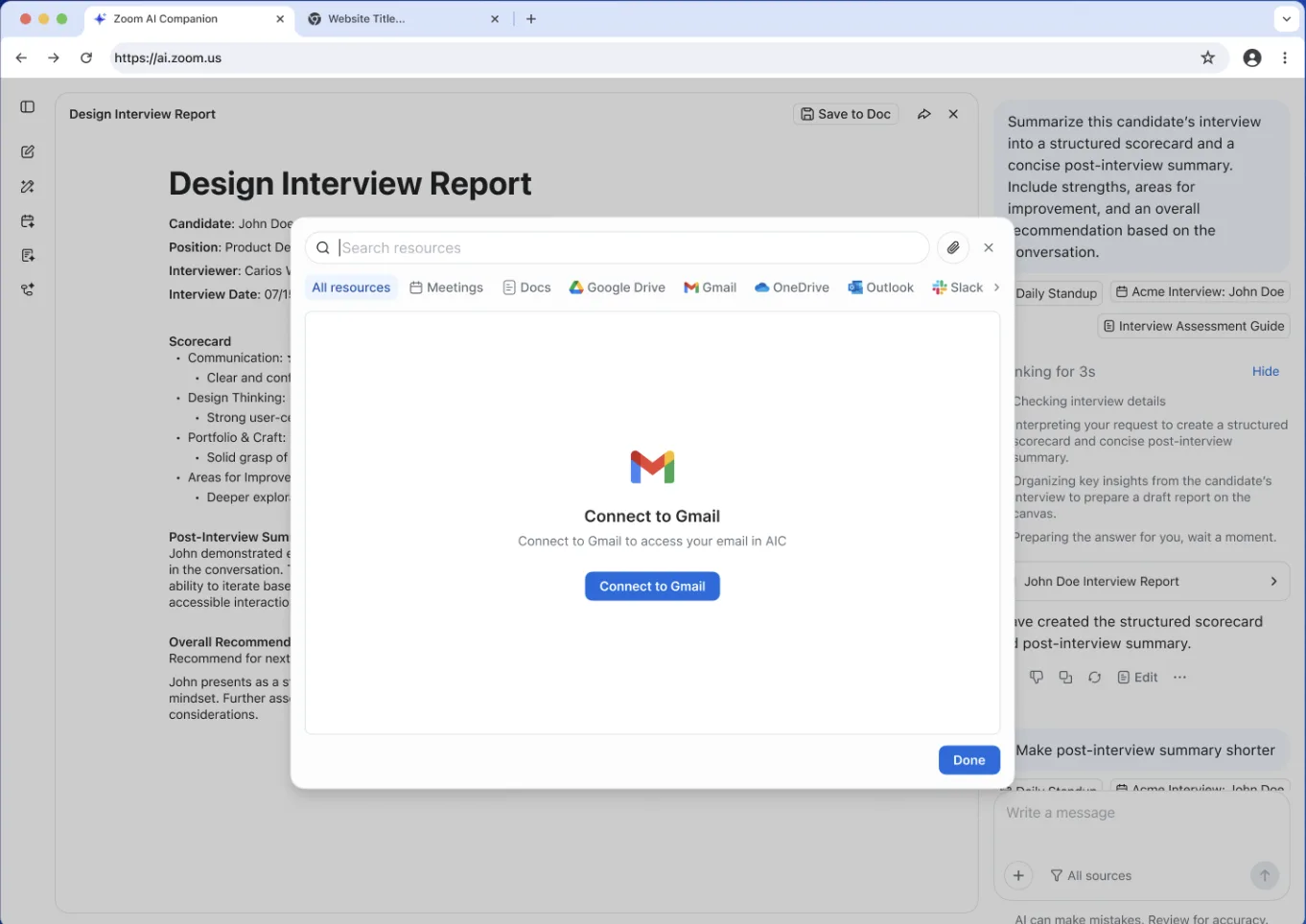
Agentic Retrieval for Gmail and Outlook
- Connect your Gmail and Outlook accounts to AI Companion 3.0 on the web to use your emails as context for questions and summaries.
- You know the answer is in an email somewhere, but you can’t remember which thread. Now AI Companion 3.0 finds it for you, so you stop searching and start working.
Zoom Workplace
Zoom Workplace is designed to reduce friction and simplify your work day, whether you're in a meeting or catching up later.
- January 2026
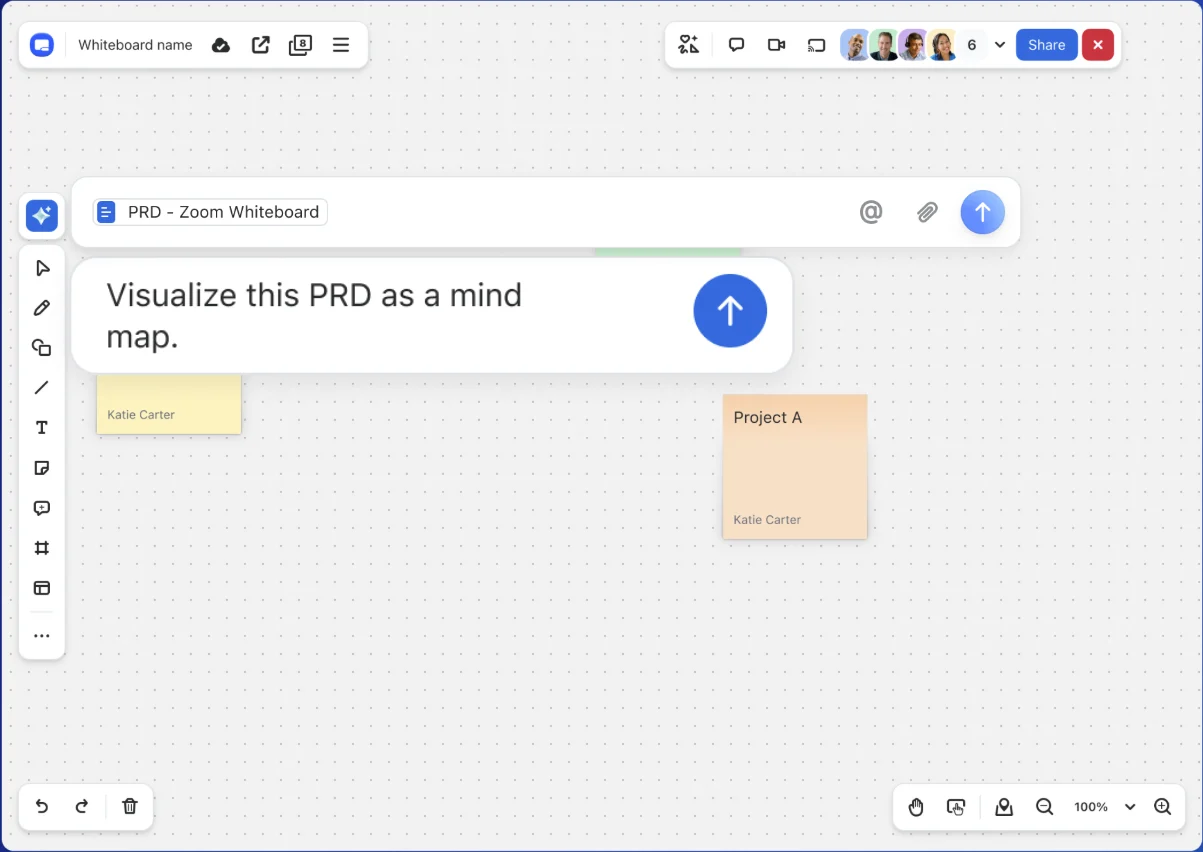
Generate Whiteboards from Zoom Content
- Create a visual map or flowchart instantly by giving AI Companion context from your Zoom Meetings, Docs, or Zoom Chat threads.
- Blank canvases are intimidating. Instead of starting from scratch, you get a structured head start based on the conversations you’ve already had.
- January 2026
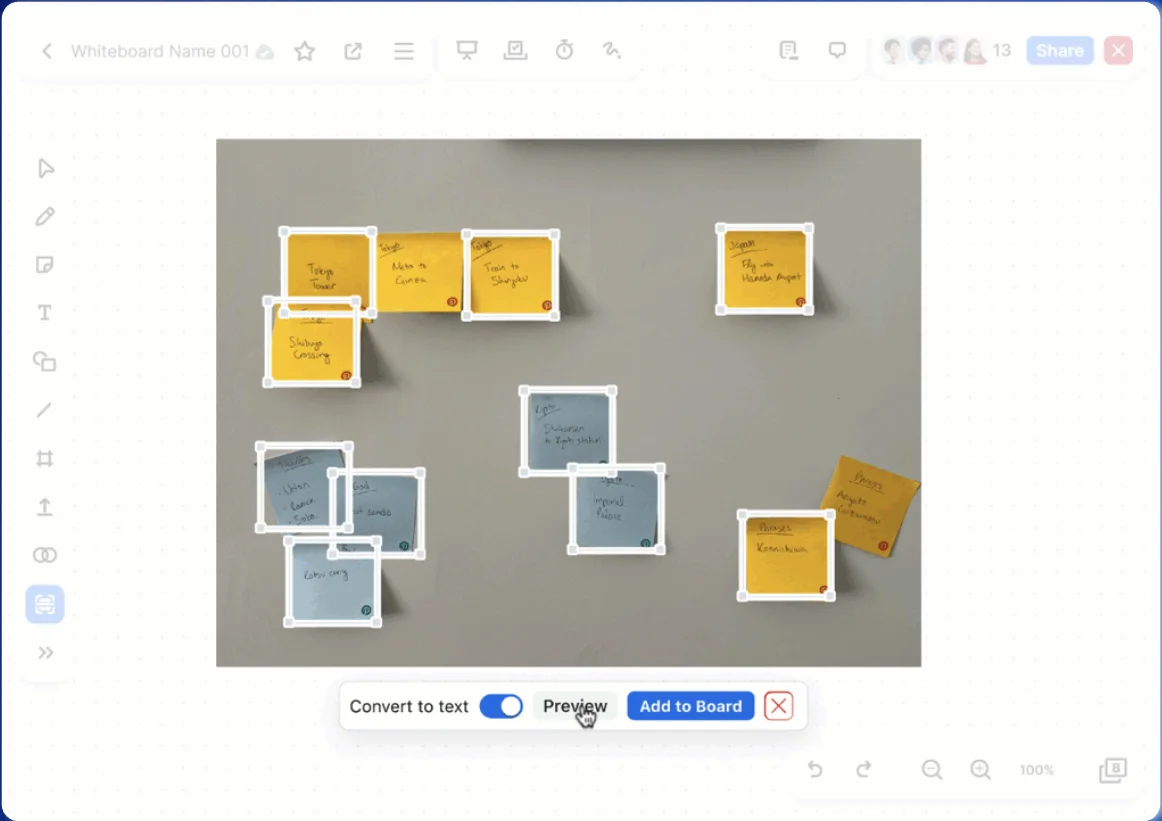
AI Image Conversion for Whiteboard
- Convert a photo of a physical whiteboard into a digital, editable canvas with distinct objects.
- That brilliant diagram on the conference room wall doesn't have to die there. Snap a picture, digitize it, and keep iterating with the team remotely.
- January 2026
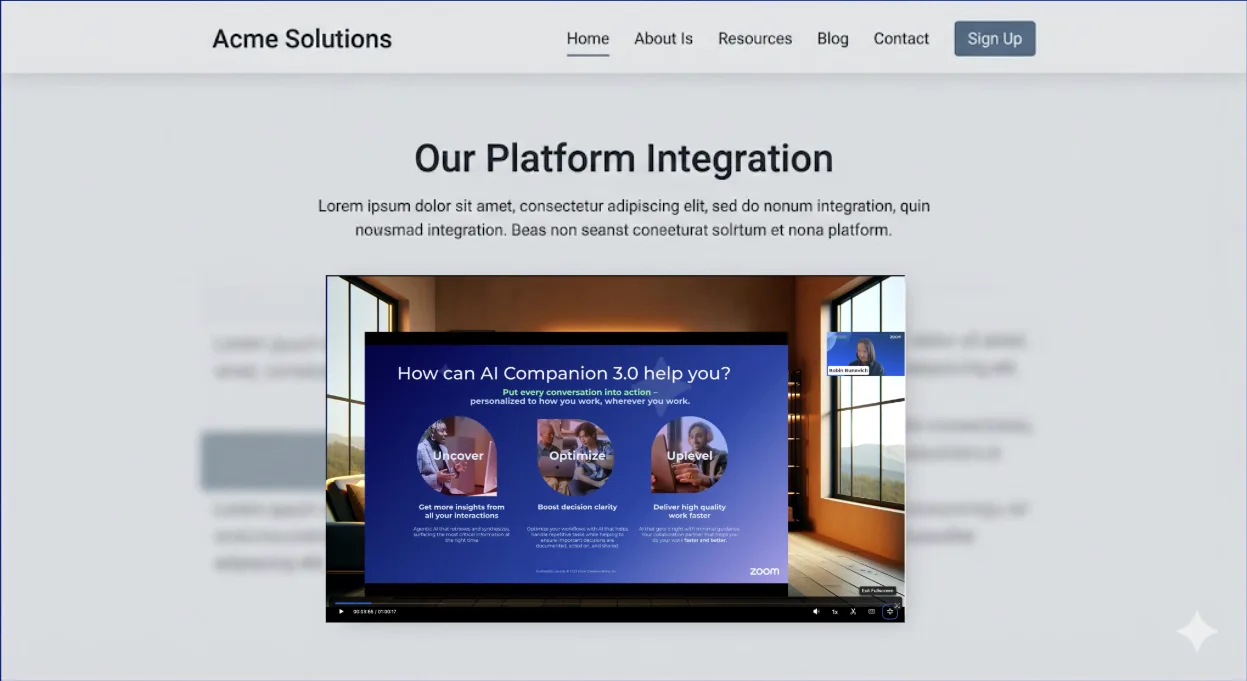
Embed Clips on Third-Party Sites
- Embed your Zoom Clips directly onto third-party websites, intranets, or learning platforms using simple code.
- Stop requiring people to click away to watch a video. Meet your audience where they already are—whether that’s your company wiki or a marketing landing page.
- January 2026
Zoom for Cisco Rooms
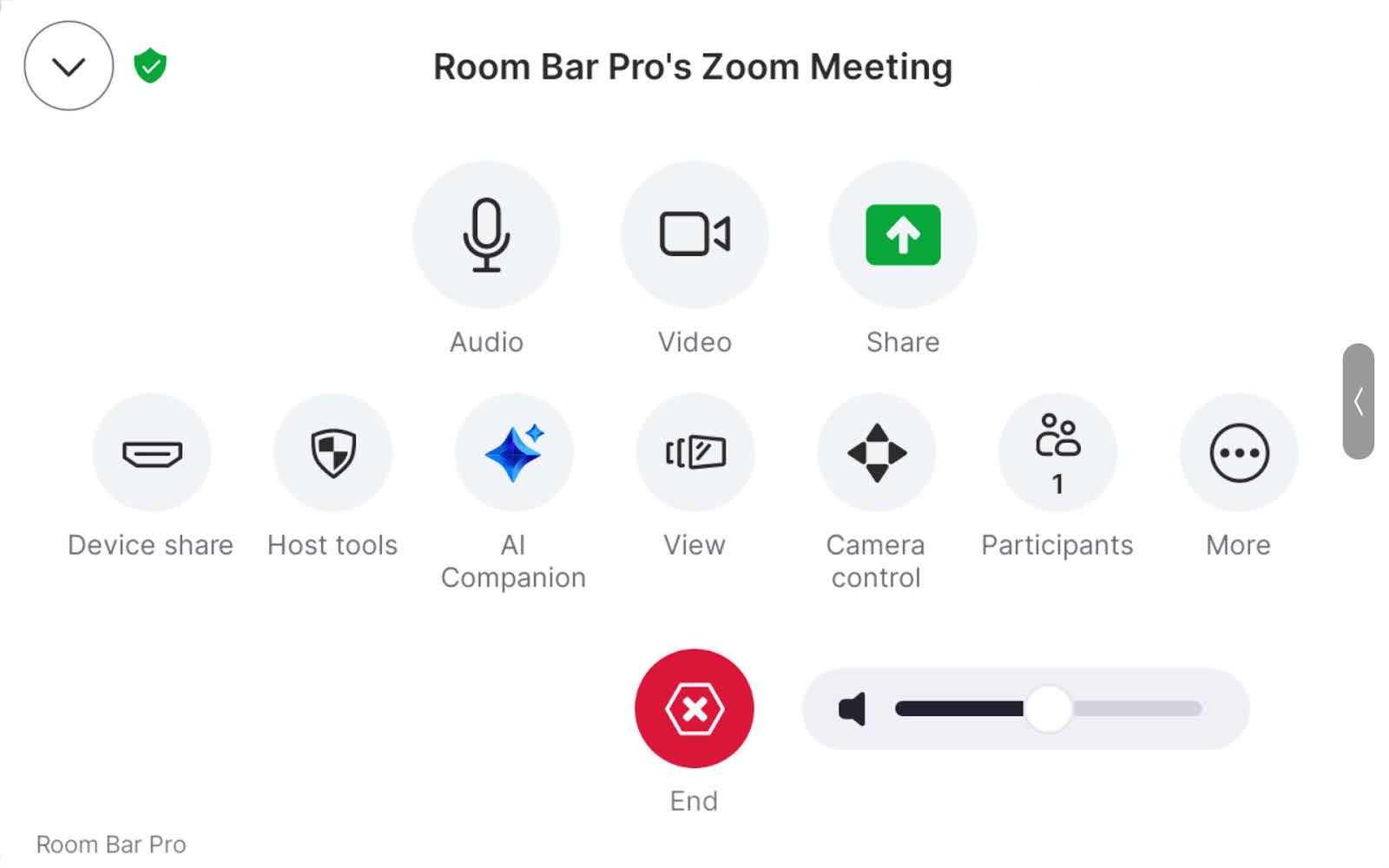
- Zoom and Cisco are partnering to provide customers with more choice and flexibility with Zoom for Cisco Rooms, giving customers the same high-quality Zoom Meetings experience on Cisco hardware, now available. Customers can now use Zoom Meeting features like AI Companion, breakout rooms, reactions, and chat, all on their existing Cisco Rooms..
Zoom Webinars & Events
- January 2026
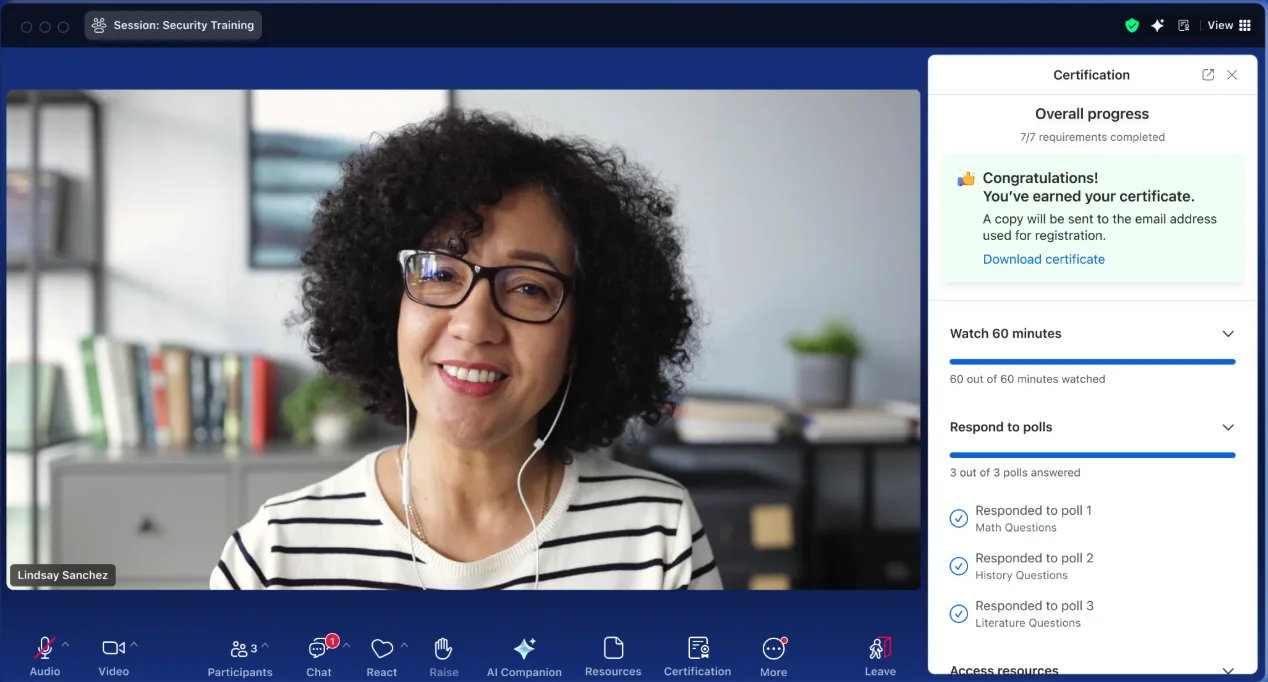
Learning Certificates for Webinars
- Design and email custom certificates to attendees who meet specific criteria, like attending 60 minutes of the webinar or answering quiz questions.
- Instead of spending hours cross-referencing spreadsheets to see who earned a credit, simplify that process directly on Zoom.
- January 2026
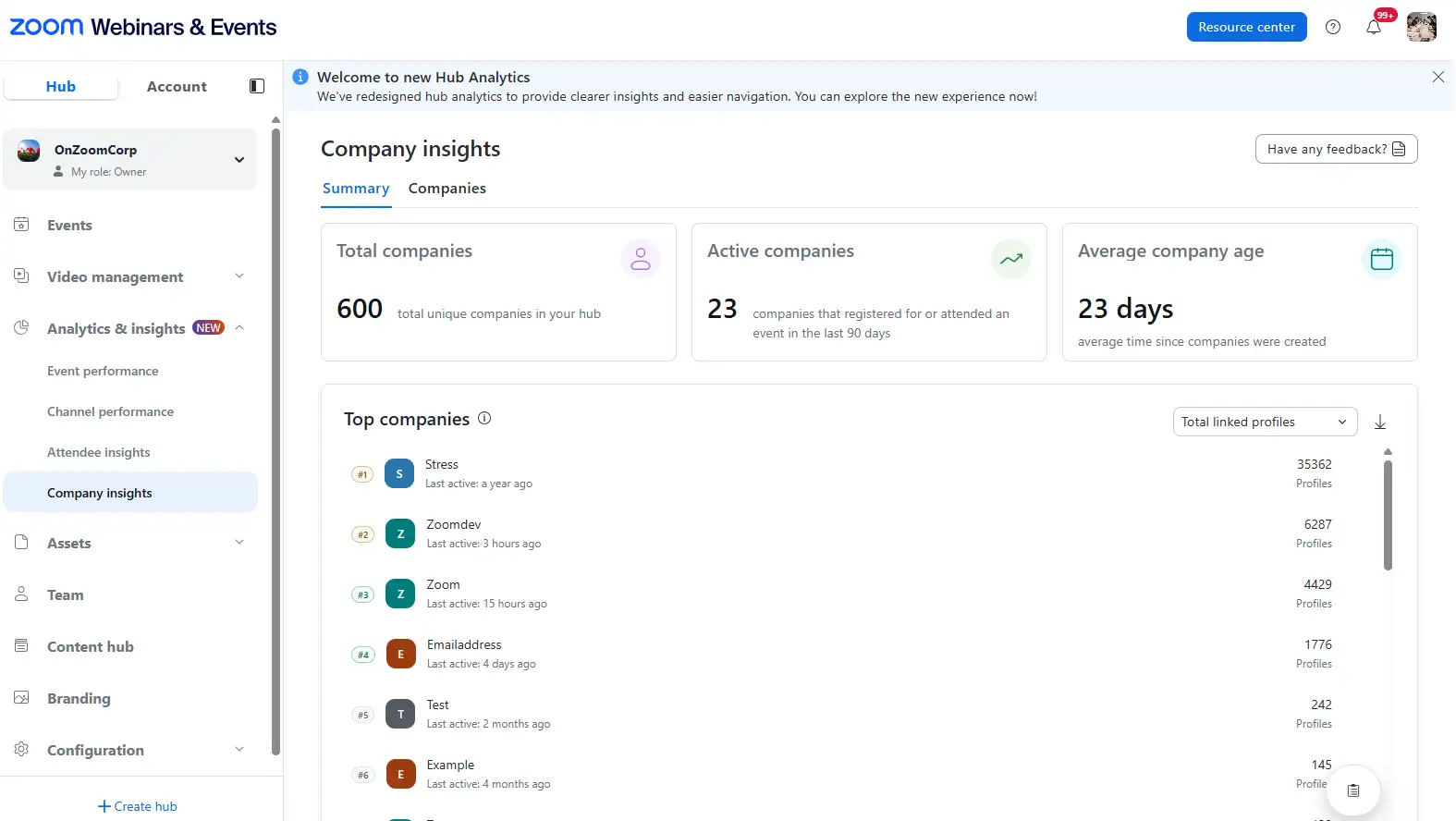
Company Insights for Events
- Group attendees by their business email domains to see exactly which organizations are engaging with your events.
- Sales teams don’t sell to individual email addresses—they sell to accounts. See clearly when a whole team from a target prospect shows up.
- January 2026
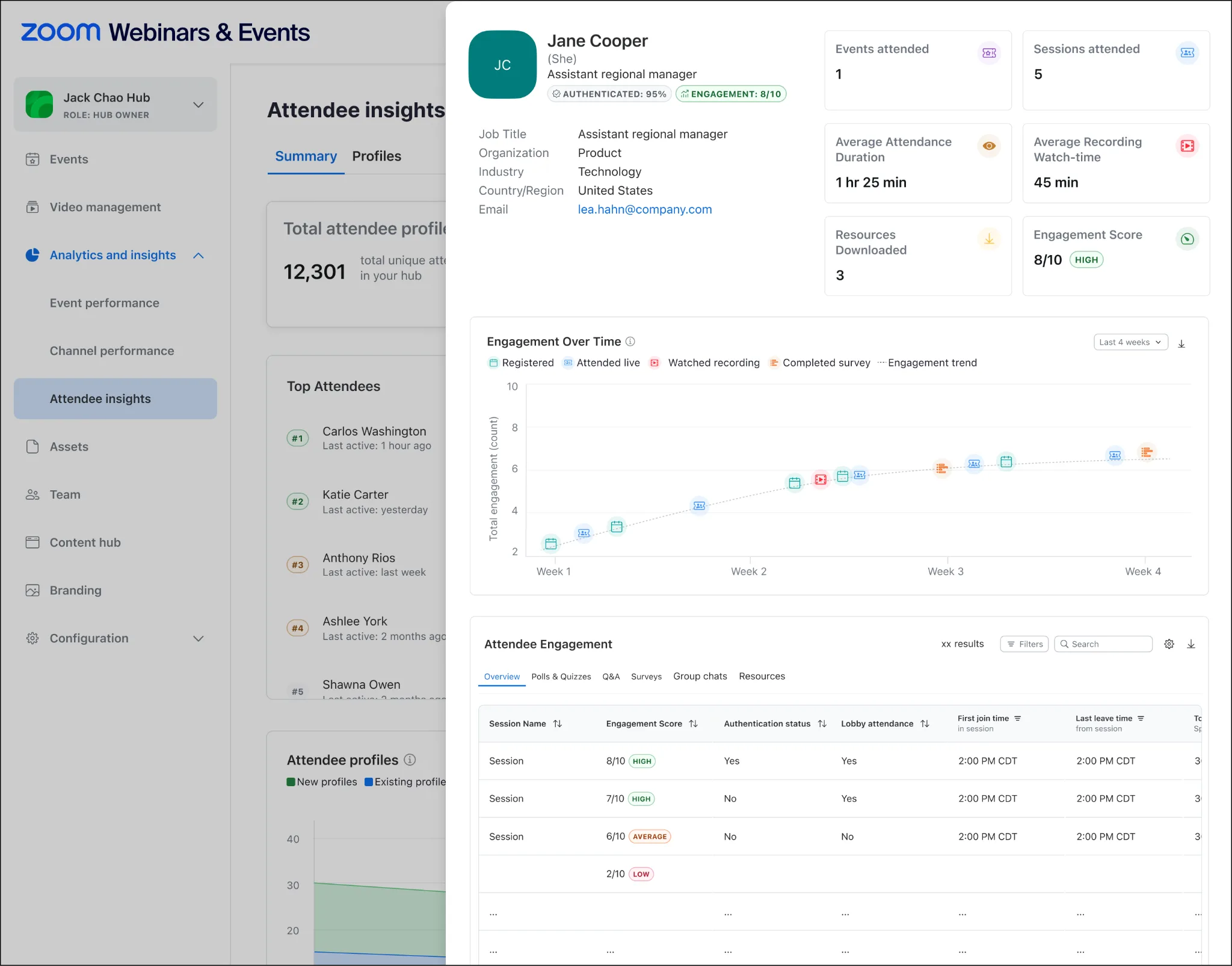
Event Engagement Score
- Rate attendee engagement on a 0-10 scale based on actions like chat activity, Q&A participation, and poll responses.
- "Attended" doesn't mean "listened." Understand who was leaning in, so you can prioritize the leads that are actually interested.
Zoom for Sales
- January 2026
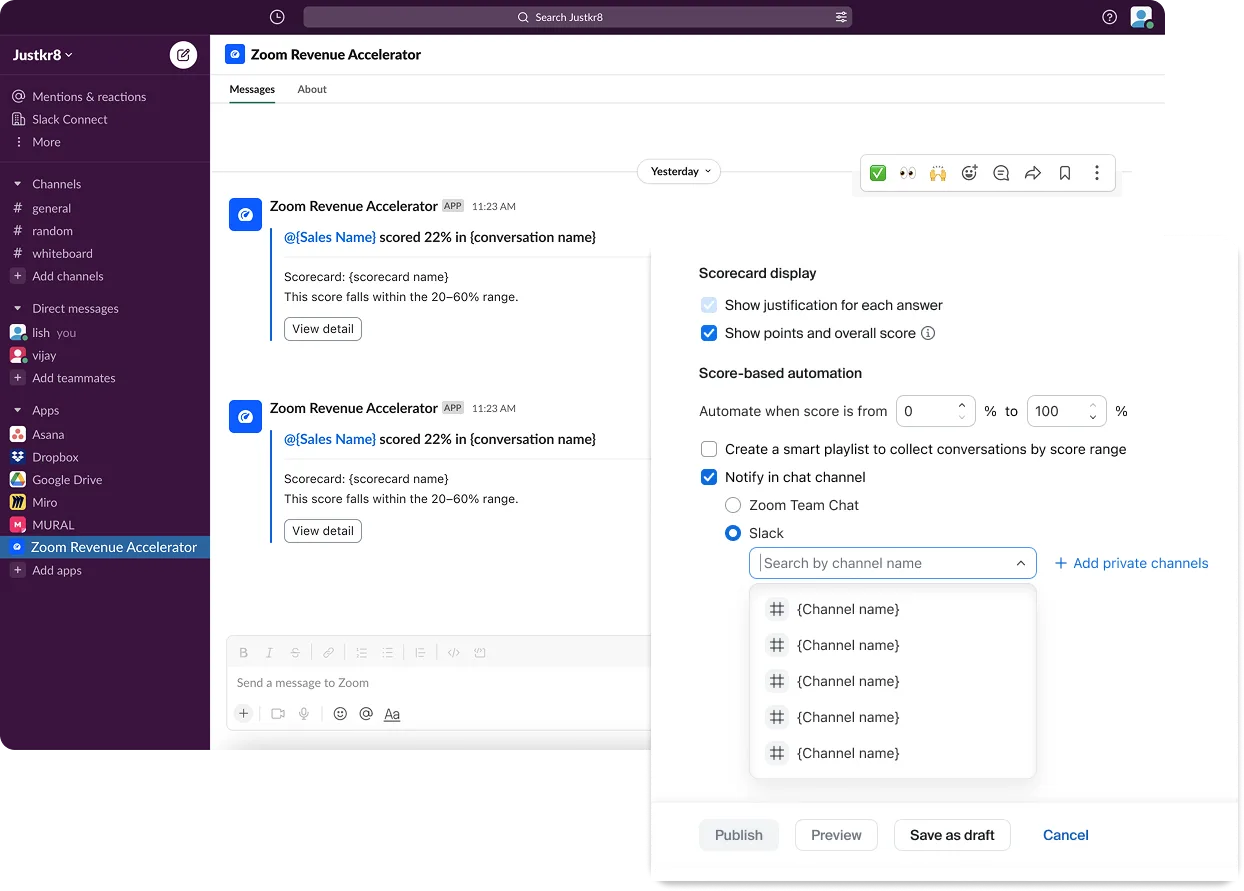
Channel Notifications for Zoom Revenue Accelerator
- Route notifications—like deal wins, risks, or new recordings—directly to shared channels in Zoom Chat or Slack.
- Critical updates shouldn't be buried in one person's inbox. The whole account team sees the news instantly, where they’re already collaborating.
- January 2026
HubSpot Integration for Zoom Auto Dialer
- Pull HubSpot contact segments directly into the Auto Dialer and log every call, meeting, and email back to the CRM automatically.
- Switching tabs kills momentum. Your sellers stay in one flow, powering through their list without the "copy-paste" tax.
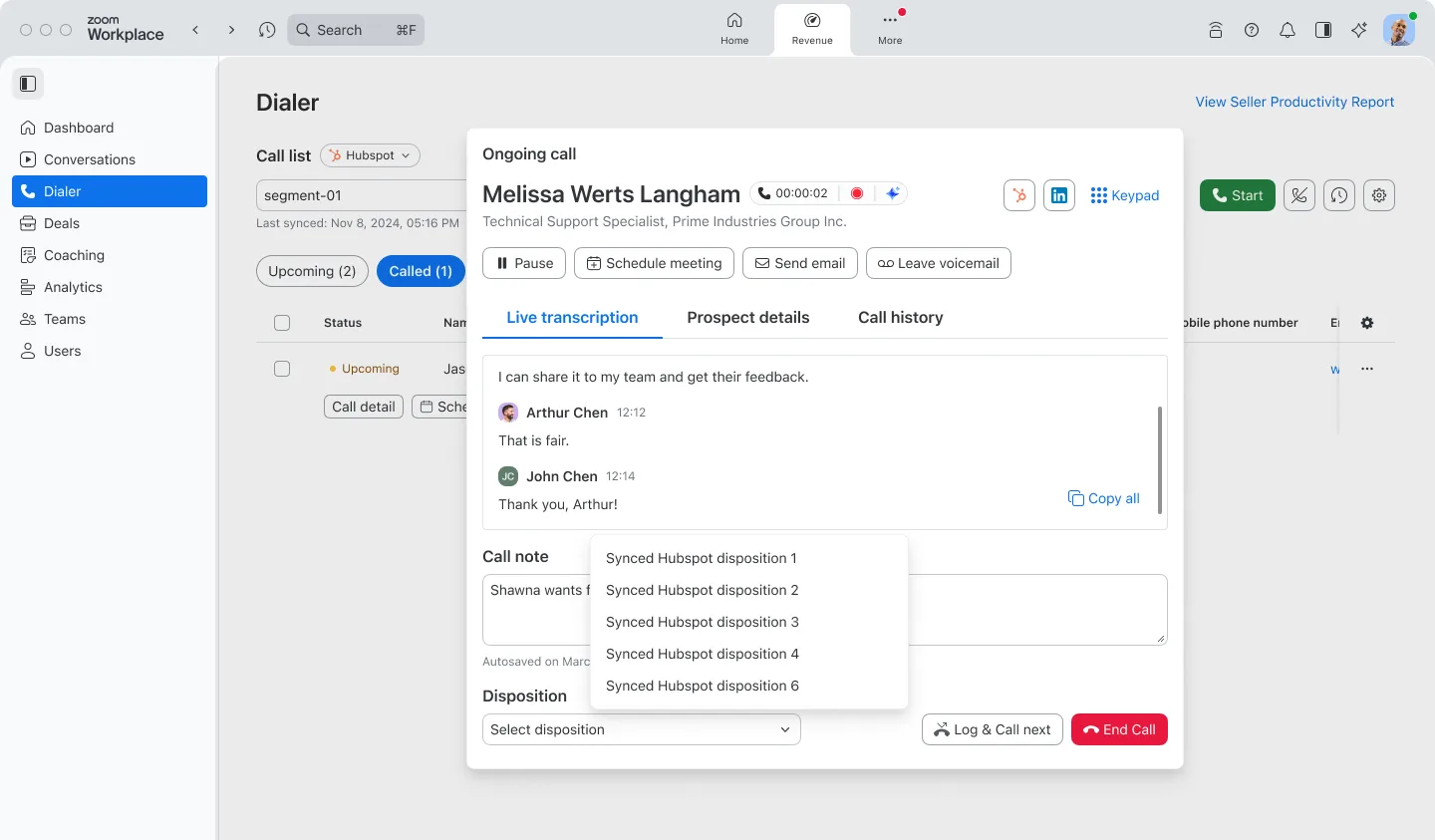
- January 2026
CRM APIs for Revenue Accelerator
- Programmatically sync deal, contact, and lead data between Zoom Revenue Accelerator and your supported CRM and BI tools.
- No more manual exports to build a forecast. Your data flows automatically between systems, giving you a real-time view of pipeline health.

Zoom CX
Zoom CX
- January 2026
Voice Message Recordings for Callbacks
- Allow customers to record a short voice message explaining their issue when they request a callback.
- "Can you repeat the problem?" is a bad way to start a support call. Agents listen to the context first and greet the customer with a solution.
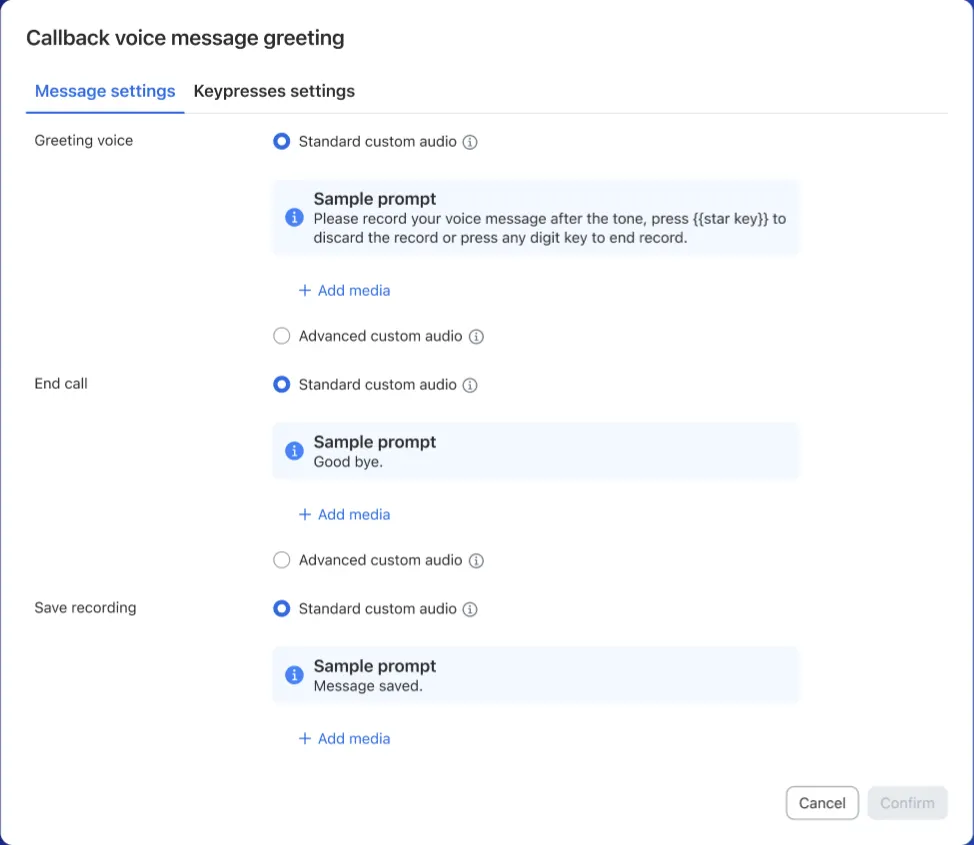
- January 2026
Group SMS Messaging
- Add up to eight additional participants—like internal experts or family members—to a single SMS support thread.
- Sometimes solving a problem takes a village. Bring in the right subject matter expert immediately without playing telephone across different channels.
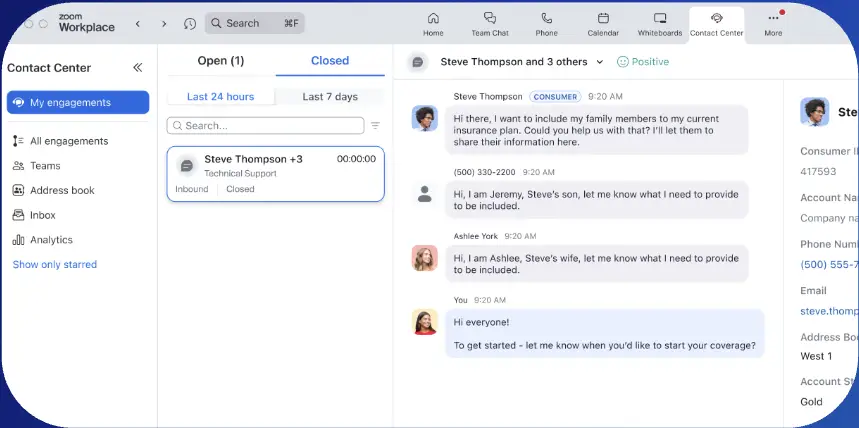
- January 2026
Email Channel Support in CTI
- Send, receive, and manage customer emails directly within the Salesforce CTI connector.
- Agents shouldn't have to leave their primary workspace just to send an email. Keep all interactions centralized so nothing slips through the cracks.
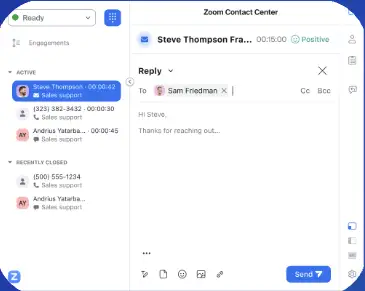
- January 2026
Queue Visibility for Transfers
- See exactly how many agents are ready or busy in a specific queue before you transfer a customer.
- Blind transfers frustrate everyone. Now you know if you're sending a customer to help or to hold.
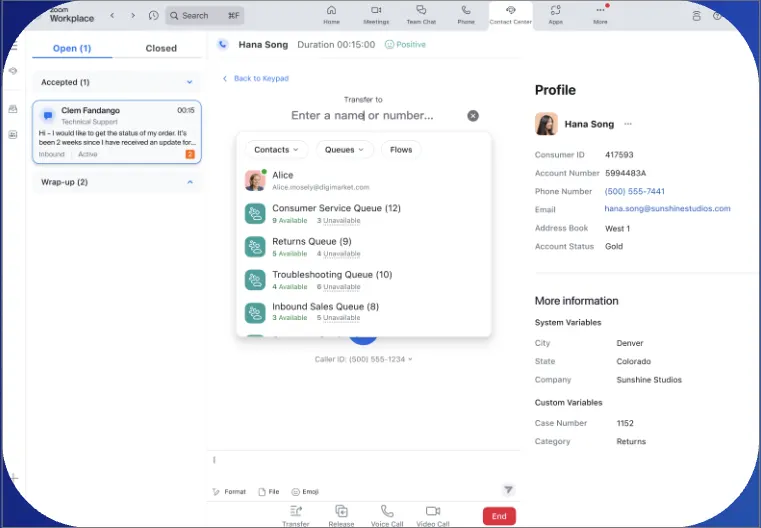
- January 2026
Workforce Management in Zoom Workplace
- View schedules, submit time-off requests, and check agent boards directly within the Zoom Workplace app.
- Managing your shift shouldn’t require a separate login. Agents get everything they need in the app they use to do their job.
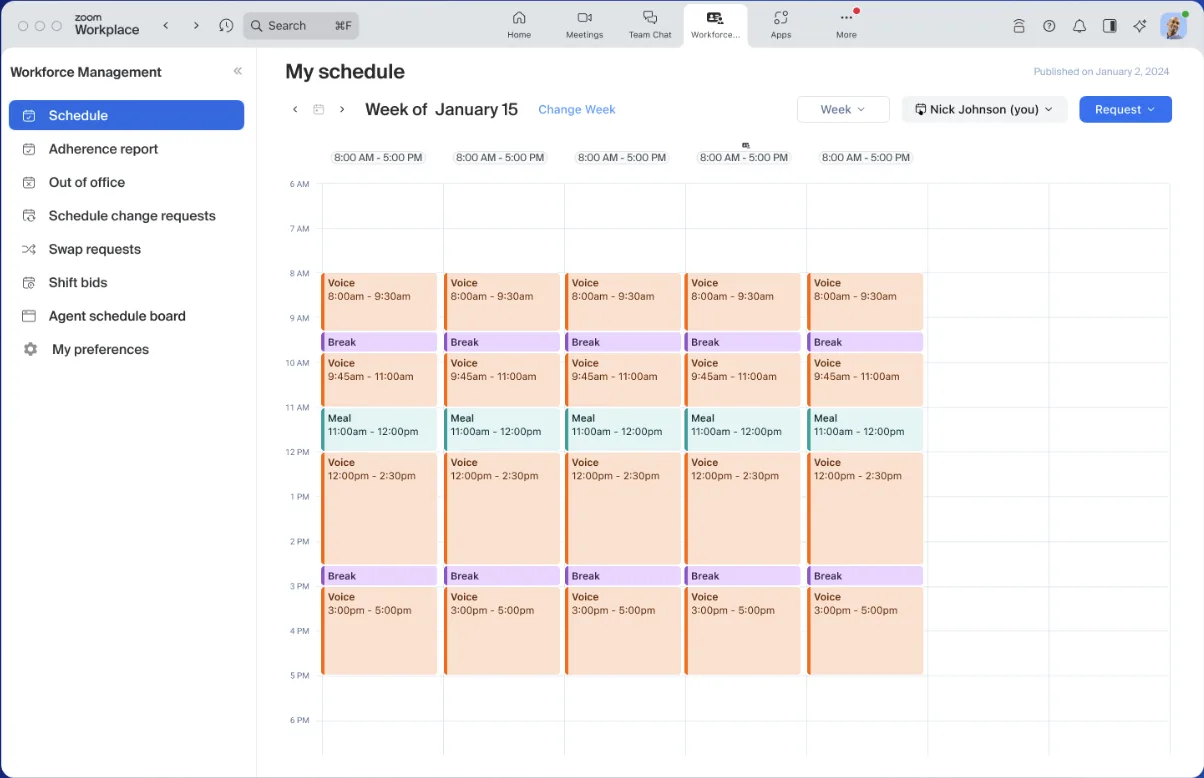
- January 2026
Coaching Sessions for Quality Management
- Create coaching modules directly from scorecard data to help agents improve on specific skills.
- Feedback without action is just noise. Turn evaluation insights into structured coaching to help your agents actually get better.
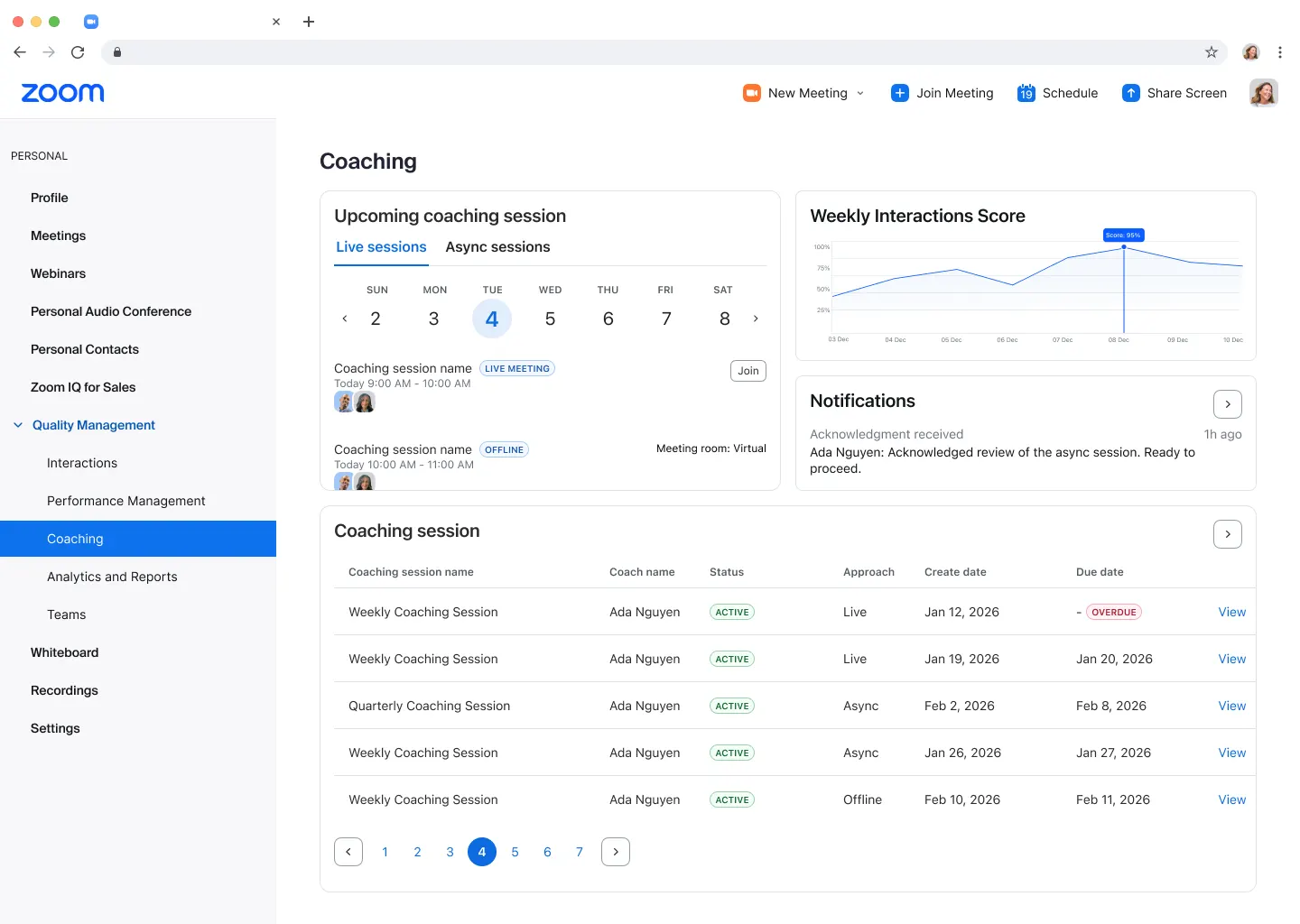
- January 2026
Change Log for Virtual Agents
- View a comprehensive log of additions, deletions, and modifications when publishing changes to your virtual agent.
- "Who changed that?" is a scary question in production. Now you have a clear audit trail and accountability before anything goes live.
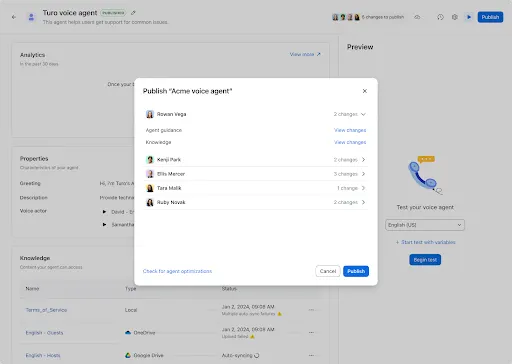
- January 2026
Enhanced Knowledge Coaching for Virtual Agents
- Filter and cluster user queries to spot exactly where your knowledge base is failing to provide answers.
- Your AI is only as smart as you coach it to be. Stop guessing what to fix and see exactly which questions are stumping your bot.
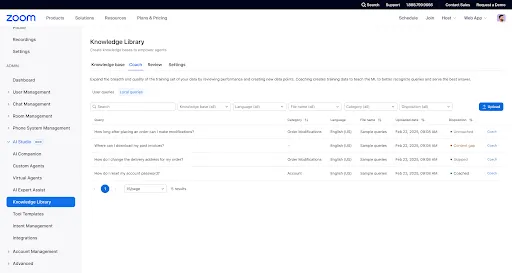
- January 2026
Analytics Enhancements for Virtual Agents
- Subscribe to multiple reports in one email and set alerts that trigger only when metrics stray from historical baselines.
- Data overload is real. Stop checking dashboards and let the system tell you when something is actually broken.
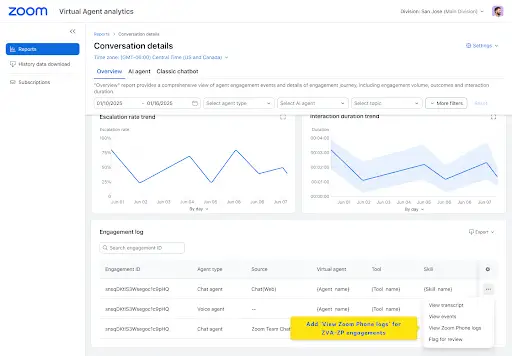
- January 2026
Expanded Language Support for Virtual Agents
- Deploy Zoom Virtual Agents that speak and chat natively in Spanish, Catalan, Vietnamese, and Arabic.
- Your customers want to speak their own language. Now your automated support can answer them fluently, without awkward translations.
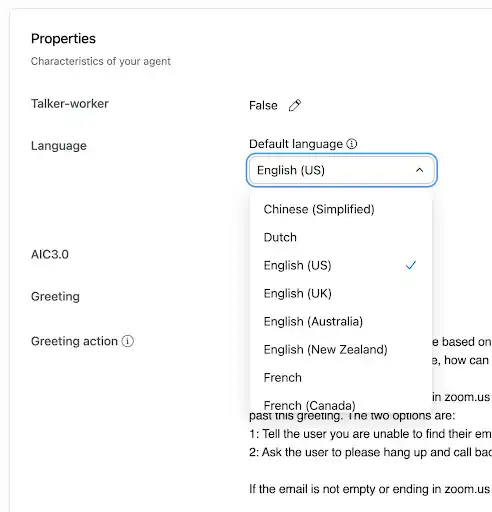
Industry Solutions
- January 2026
Zoom Workplace for Frontline (Government)
- Equip government frontline workers with push-to-talk, video calling, and secure messaging on their mobile devices.
- Field teams need more than a radio. Give them modern communication tools that keep them connected to headquarters and each other.
- January 2026
Canvas Connector for Education
- Students and educators can use conversational prompts to find assignments, grades, and announcements from Canvas in the AI Companion panel.
- Navigating course materials takes time. Instead of clicking through menus, just ask "what's due Friday?" and get back to studying.
"https://media.zoom.com/images/assets/canvas-conne