 Visual Studio
Overview
Features
Editions
Extensions
Get Started
Service Status
FAQ Support
Documentation
Blog
Overview
Extensions
Support
Documentation
Blog
VS Code for Education
Downloads
Buy
Overview
Support
Administrator Portal
Subscriber Portal
Dev Essentials
Visual Studio Hub
Free Visual Studio
Microsoft Security
Azure
Dynamics 365
Microsoft 365
Microsoft Teams
Windows 365
Microsoft AI
Azure Space
Mixed reality
Microsoft HoloLens
Microsoft Viva
Quantum computing
Sustainability
Education
Automotive
Financial services
Government
Healthcare
Manufacturing
Retail
Find a partner
Become a partner
Partner Network
Microsoft Marketplace
Software companies
Blog
Microsoft Advertising
Developer Center
Documentation
Events
Licensing
Microsoft Learn
Microsoft Research
View Sitemap
Visual Studio
Overview
Features
Editions
Extensions
Get Started
Service Status
FAQ Support
Documentation
Blog
Overview
Extensions
Support
Documentation
Blog
VS Code for Education
Downloads
Buy
Overview
Support
Administrator Portal
Subscriber Portal
Dev Essentials
Visual Studio Hub
Free Visual Studio
Microsoft Security
Azure
Dynamics 365
Microsoft 365
Microsoft Teams
Windows 365
Microsoft AI
Azure Space
Mixed reality
Microsoft HoloLens
Microsoft Viva
Quantum computing
Sustainability
Education
Automotive
Financial services
Government
Healthcare
Manufacturing
Retail
Find a partner
Become a partner
Partner Network
Microsoft Marketplace
Software companies
Blog
Microsoft Advertising
Developer Center
Documentation
Events
Licensing
Microsoft Learn
Microsoft Research
View Sitemap
Editing, debugging, interactive development for Python apps, using familiar frameworks including Django and Flask
The default installation of Visual Studio offers the ability to add elements necessary to develop in Python and other languages
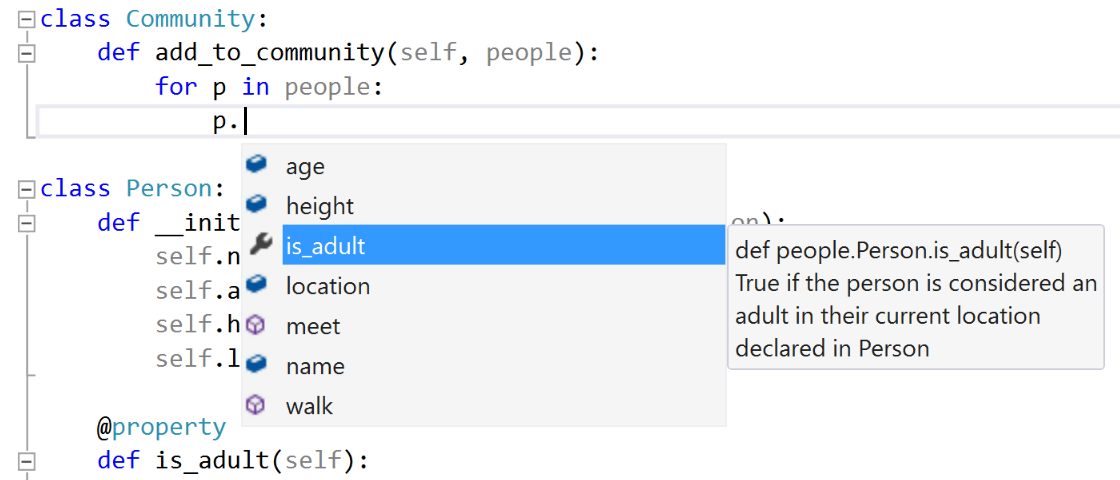
Editing
Let Visual Studio think about your code and tell you which types go where. Tooltips, completions and code snippets make you more productive.
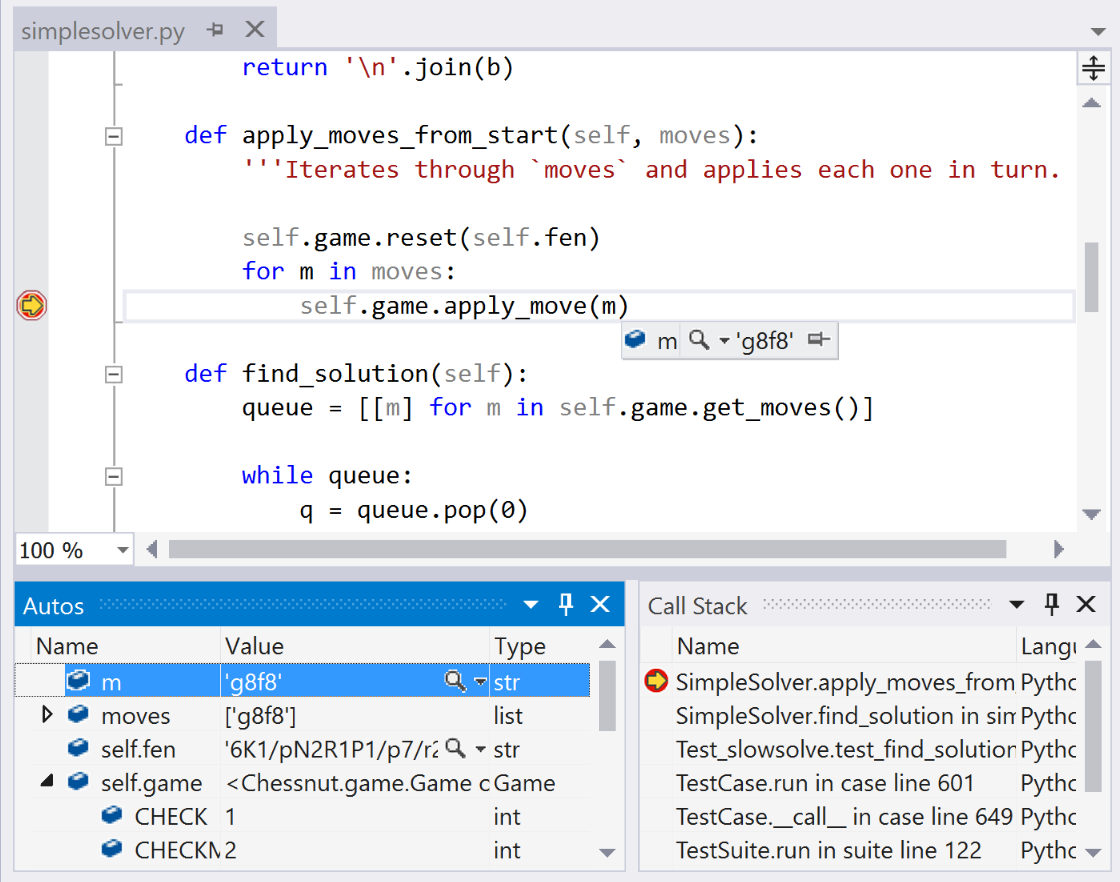
Debugging
None of us write perfect code all the time, but when it goes wrong Visual Studio can help. Visually step through your code, view or modify state, and interact with your program regardless of the operating system.
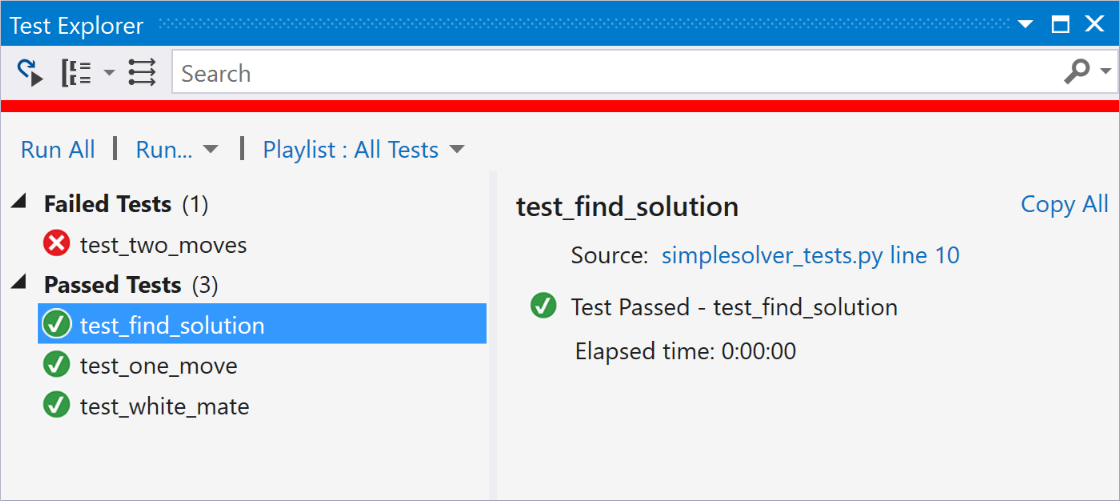
Unit tests
Make sure your code is working correctly without leaving Visual Studio. View, edit, run, and debug unit test-style tests from the Test Window.
Free, fully-featured IDE for students, open-source and individual developers.
Powerful developer tools, services, and subscription benefits for efficient small-team collaboration.
Advanced debugging, enterprise security, AI-assisted development—plus Azure Credits and Dev/Test pricing for the cloud.