How to build automated appointment reminders
Integrate the channels your customers use with your existing tech stack.
Step 1
Integrate
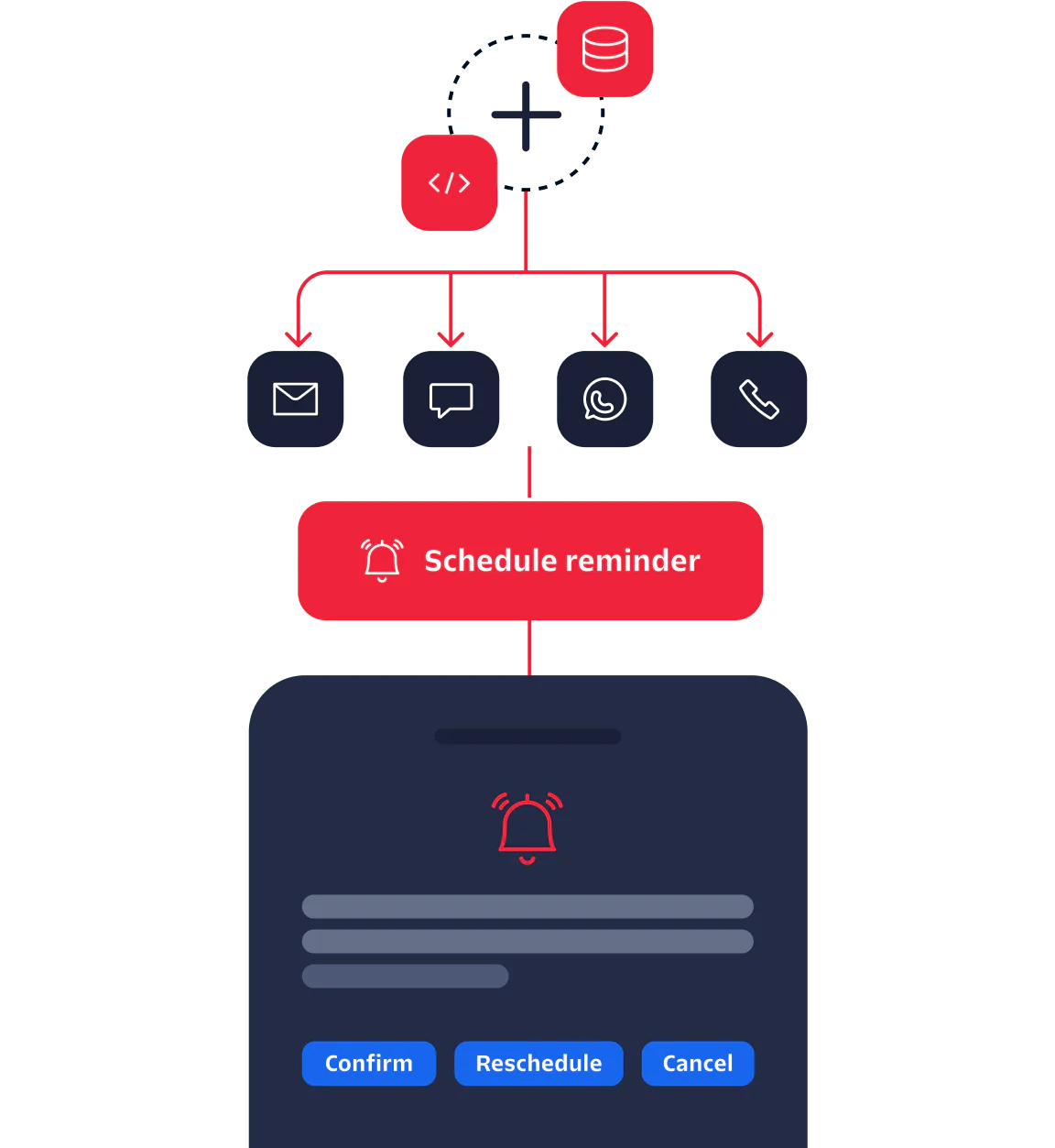
Use Twilio’s developer-friendly platform and APIs to integrate with your appointment system database or customer relationship management system.
Step 2
Create workflows
Write code or use our low-code Studio editor to create workflows to send appointment reminder texts, emails, or phone calls.
Step 3
Schedule and send notifications
Schedule appointment reminders to go out at a set time—like one week, two days, or one hour before the appointment.
Step 4
Confirm, reschedule, or backfill
Collect responses by email, text, WhatsApp, or voice to confirm. Then reschedule or backfill any last-minute cancellations.
Step 5
Update system
Log confirmations or changes in the customer’s record and inform employees.
What you need to build multichannel appointment reminders with Twilio
Rely on the communications APIs trusted by 10+ million global developers.
-
Send text appointment reminders as SMS, MMS, or WhatsApp messages with reliable global delivery.
-
Use two-way conversational texting to confirm and reschedule appointments as necessary.
-
Send appointment reminder emails to customers who prefer to receive communications in their inbox.
-
Call customers with automated reminders and let them reschedule appointments through your IVR if needed.
Send your first appointment reminders in minutes
Sign up for a free Twilio account to start sending multichannel appointment reminders today. Use our quickstarts, up-to-date docs, CLI, and CodeExchange to build a prototype quickly.
// Send appointment reminders using Twilio with Python
@python_2_unicode_compatible
class Appointment(models.Model):
    name = models.CharField(max_length=150)
    phone_number = models.CharField(max_length=15)
    time = models.DateTimeField()
    time_zone = TimeZoneField(default='UTC')
    # Additional fields not visible to users
    task_id = models.CharField(max_length=50, blank=True, editable=False)
    created = models.DateTimeField(auto_now_add=True)
    def __str__(self):
        return 'Appointment #{0} - {1}'.format(self.pk, self.name)
Send SMS appointment reminders
See a sample app that shows how to create, configure, and execute text appointment reminders using Twilio Programmable SMS.
Email API onboarding guide
Get set up with our email API to start sending email appointment reminders from your account.
Appointment reminder tutorial
Follow a step-by-step tutorial to implement appointment reminders in a web application—available in seven languages and frameworks.
Prefer not to code? No problem.
Work with one of our trusted partners to get coding support or explore a pre-built notifications solution. Find a partner
The Twilio difference
Dependable delivery for appointment reminders on any channel, anywhere in the world.

API solutions extend app functionality, allowing you to add new channels with just a few lines of code.
Integrate with the systems you already use while customizing channel offerings to build the exact appointment reminder solution you want.
Integrate all your channels into a single solution with Twilio. You won't need to juggle vendors for multiple channels.
See what else you can do with alerts and notifications
Alerts and notifications
Drive engagement with alerts and notifications on the channels your customers prefer.
Lead alerts
Instantly alert your team to new leads so you can follow up faster and close more deals.
Mass texting
Text customers at scale for promotions, updates, urgent alerts, and more.