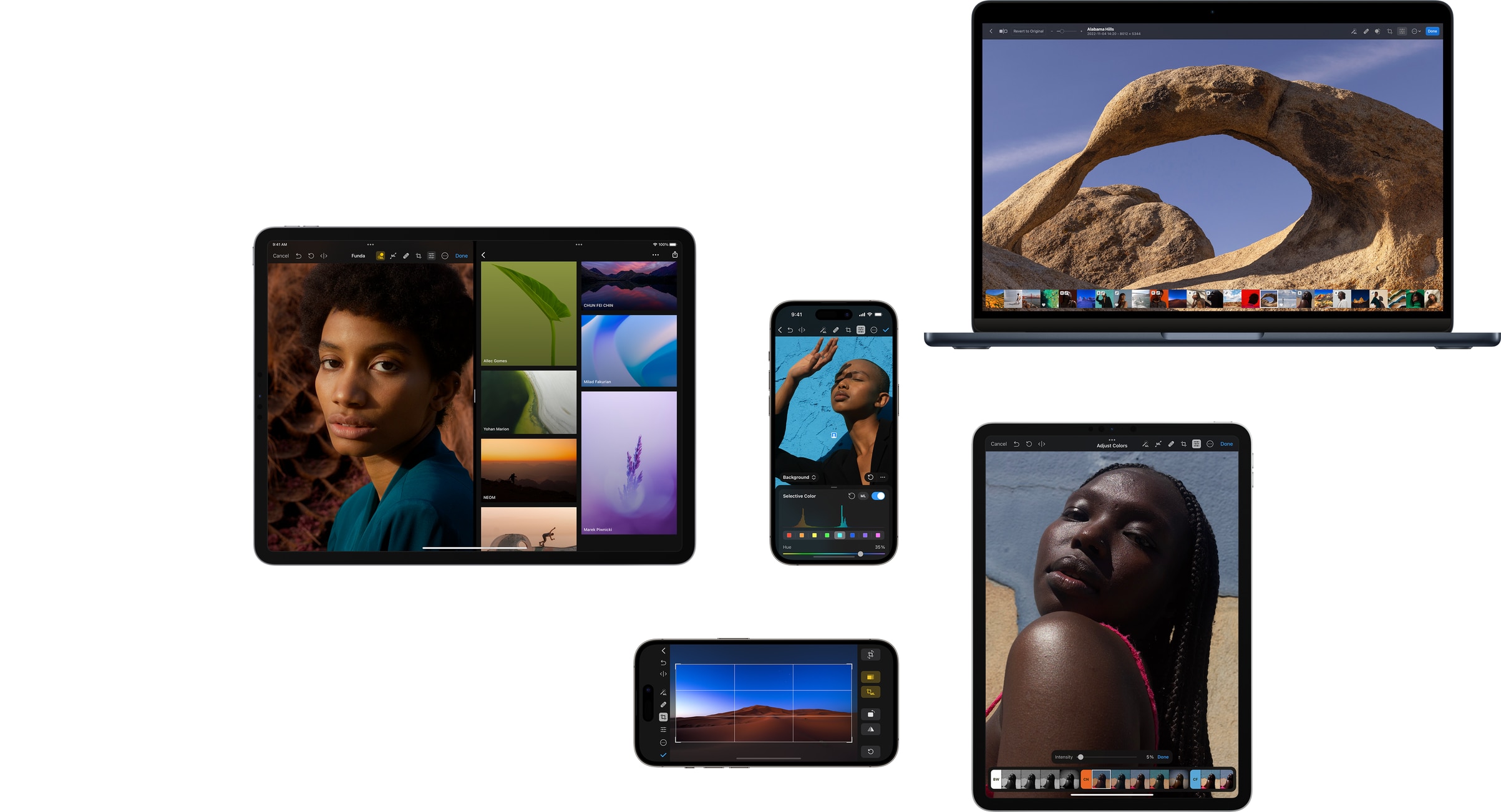
The ultimate photo editor for Mac, iPhone, iPad, and Vision Pro.
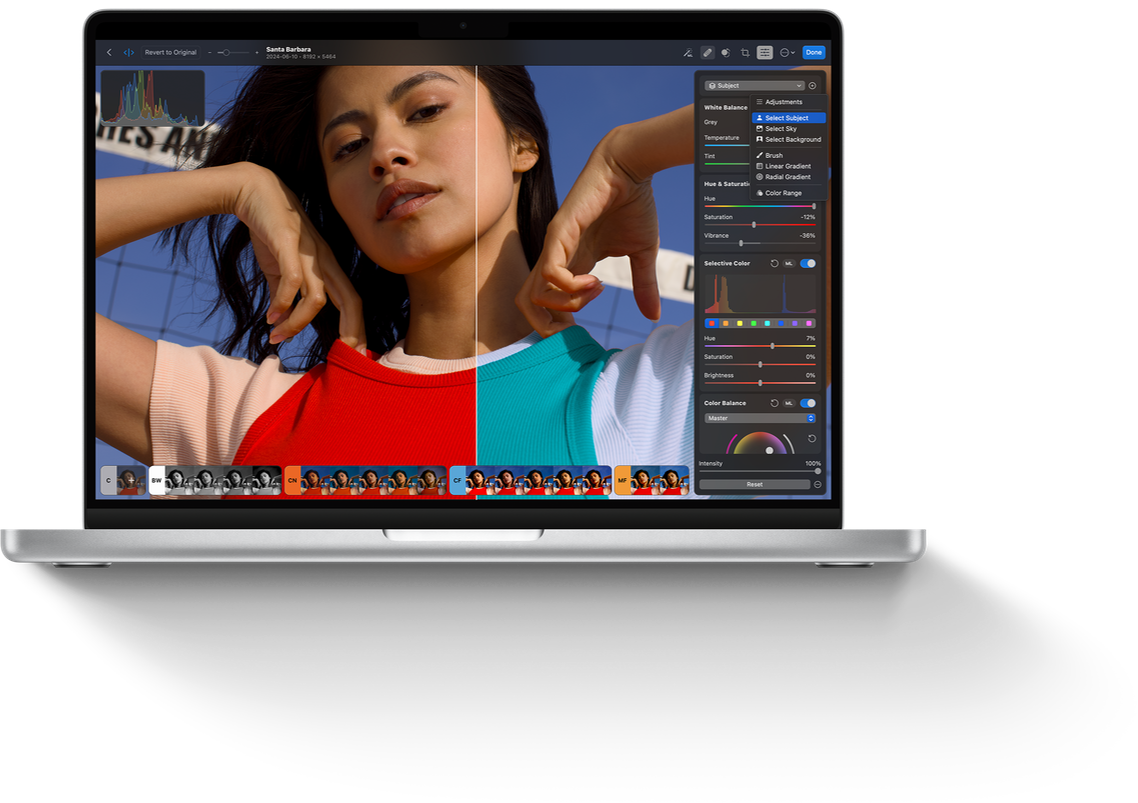
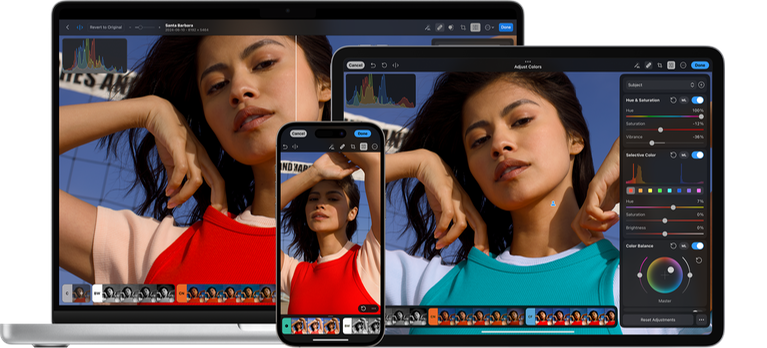
Photomator is a powerful yet easy-to-use photo editor for Mac, iPhone, iPad, and Vision Pro. It includes an extensive collection of powerful color adjustments, support for over 750 RAW image formats, a magical Repair tool for removing unwanted objects, and much more. Simply put, it has everything you need to make your photos stand out.
Get Photomator
Get Photomator from the App Store today and see how easy it is to make every shot your best.
Change the look and feel of photos with powerful color adjustments.
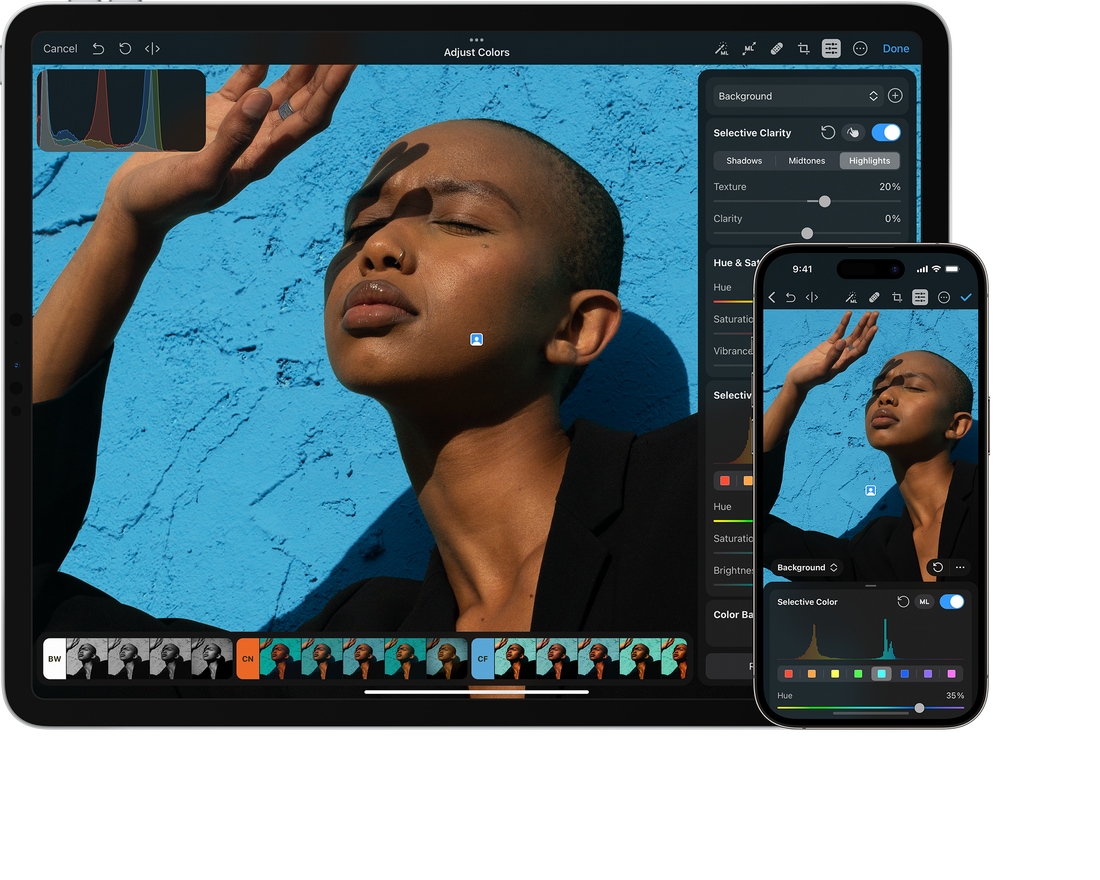
Make your photos stand out with a wide collection of powerful, nondestructive color adjustments. In Photomator, you’ll find everything from essential adjustments like brightness, contrast, and exposure to advanced tools like multi-channel curves and wheel-based color balance.
-
Cutting-edge color adjustments. Thanks to an advanced, texture-aware algorithm, you can enhance textures and recover incredible amounts of detail in the highlights and shadows of photos, all while maintaining exceptional photo quality.
-
Selective adjustments. Automatically make subject, sky, and background selections in photos using AI. Use linear and radial masks, or paint over specific areas you want to adjust with a brush.
-
LUT support. Instantly adjust the colors of images using universal color presets. Export LUTs to other apps or import them to Photomator, where they can be converted into individual color adjustments using machine learning.
Unlock the full potential of RAW photos.
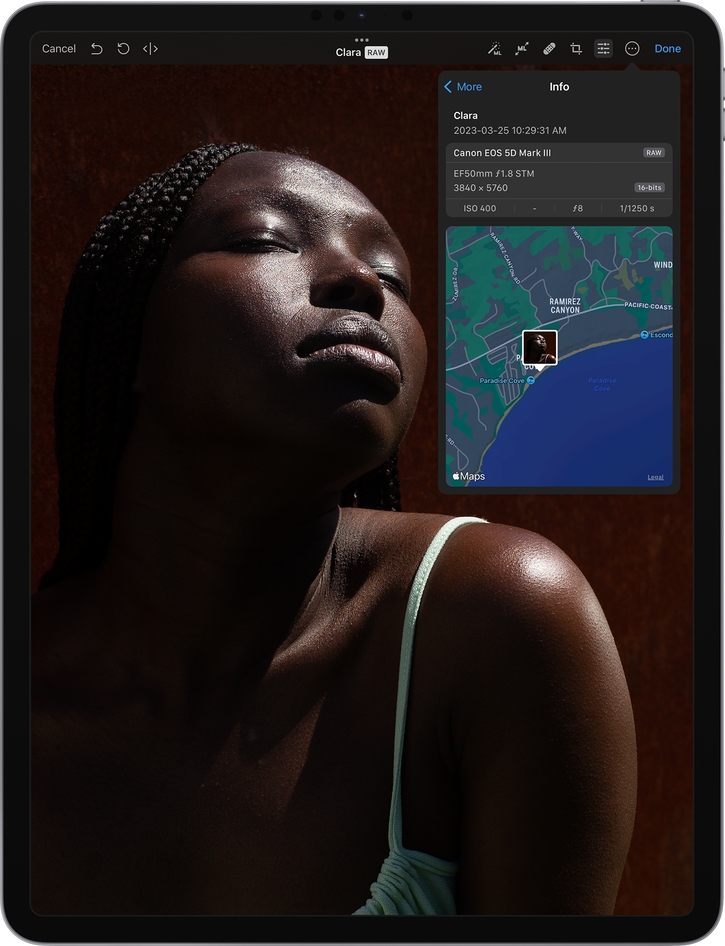
Easily open and edit RAW images right on your Mac, iPhone, and iPad. Every adjustment and filter in Photomator takes full advantage of the extended range data in RAW photos, so you can recover seemingly lost detail in shadows or blown highlights, and adjust colors with incredible accuracy.
-
Highlight and shadow recovery. Recover incredible amounts of detail in highlights and shadows of RAW photos, and enjoy true-to-life colors and textures even in extremely underexposed and overexposed shots.
-
Support for over 750 RAW image formats. Photomator supports RAW images from most popular camera models, including the Apple ProRAW format.
Browse and organize photos with ease.
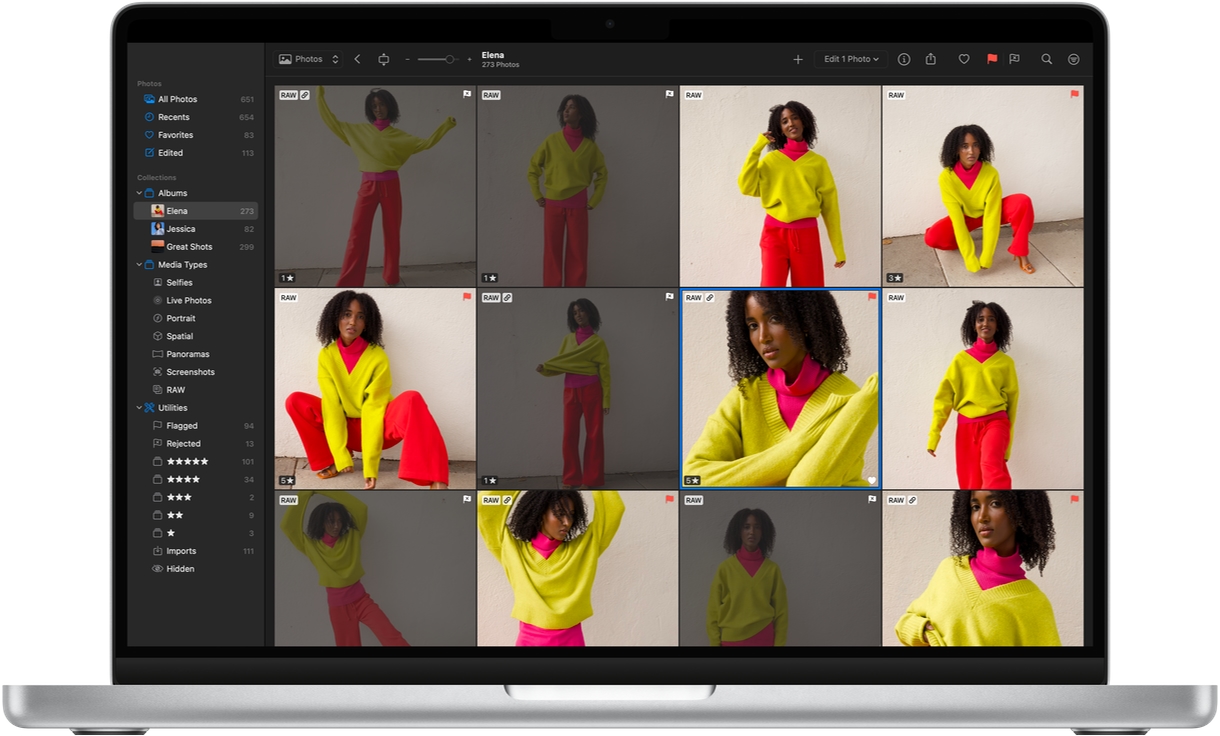
Photomator is designed from the ground up to bring a seamless photo management experience on your Mac, iPad, and iPhone. It offers incredibly fast browsing performance, supports drag-and-drop for importing photos, and includes many more native features.
-
Native browsing experience. Photomator automatically syncs any edits you make in the photo browser with your Photos library, while full support for the native Apple File System lets you edit photos anywhere on your device, external drives, or cloud services.
-
Image culling. Effortlessly manage your photo library by adding star ratings, flagging favorites, and rejecting unwanted shots across all devices, while also using advanced filtering options on Mac.
Tap into the power of machine learning.
Photomator uses machine learning to provide a fast and wildly intelligent image editing experience, automatically taking care of all the little things that go into a great photo. Thanks to machine learning, we can create groundbreaking new features that have never been possible before.

Auto Enhance
Automatically enhance photos like a pro photographer.

Super Resolution
Magically increase the resolution of photos with no unwanted blurring.

Smart Deband
Quickly remove color banding artifacts from photos and increase color depth.

Denoise
Effortlessly remove camera noise and image compression artifacts.

Repair
Remove small imperfections or even entire objects from photos.

ML Crop
Automatically improve the composition of photos.

Select Subject
Quickly and easily select subjects of photos.

Select Sky
Instantly select the sky in any photo with ease.

Select Background
Automatically select the background in any photo.
Magically remove unwanted objects in the blink of an eye.
The Repair tool in Photomator is more than just a spot removal tool. In fact, it can make entire objects disappear from photos, recreating complex backgrounds with ease. So even if you didn’t quite get the perfect shot the first time around, you can use image editing magic to make sure the final photo looks its best.
A full-featured batch editing experience.
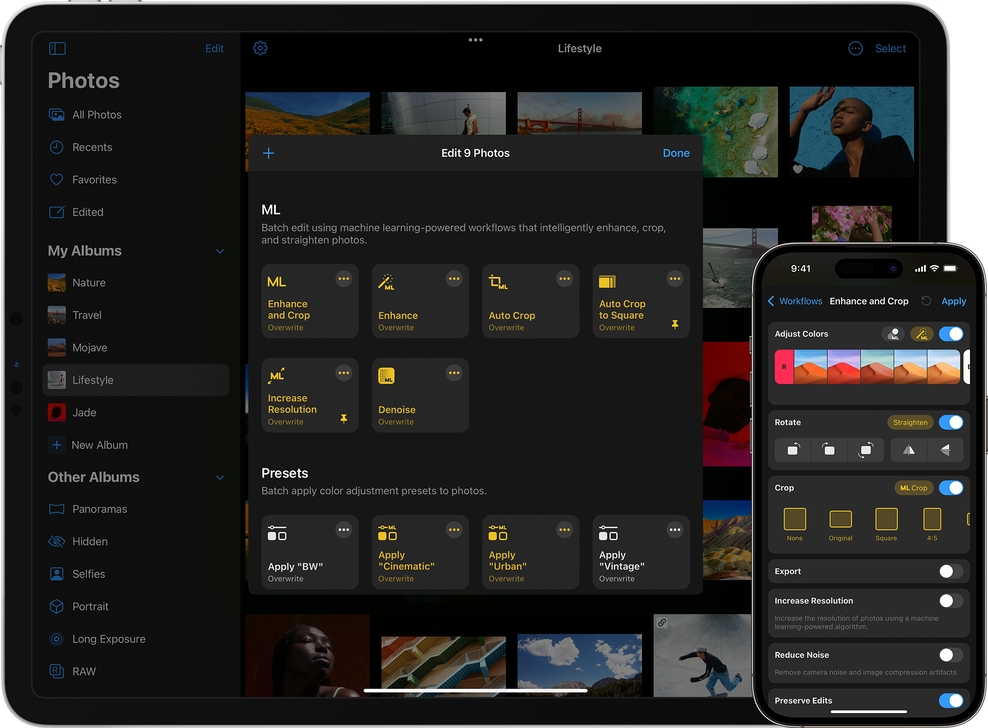
With Photomator, it’s a snap to edit even hundreds of photos in moments. You can create your own editing workflows to apply presets, automatically enhance photos, crop and rotate them, remove camera noise, apply watermarks, and more. And you can also quickly copy and paste adjustments between photos in the photo browser.
Easily perfect composition, framing, and perspective.
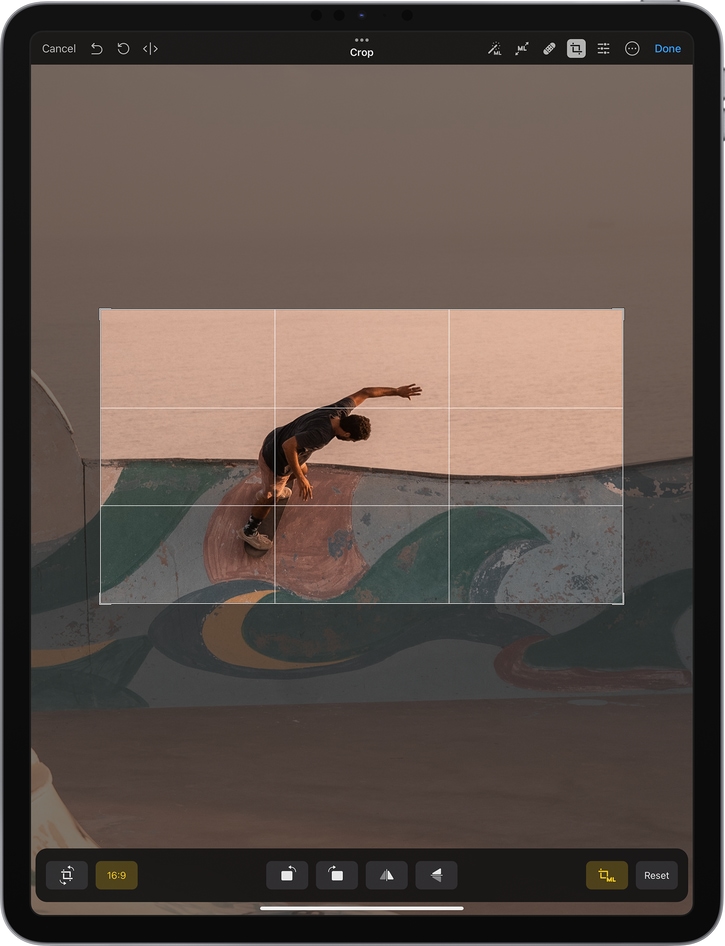
Using the Crop tool, you can easily improve the composition of your shots, adjust perspective, and even use machine learning-powered auto cropping to get a suggestion for new ways to frame your photos.
-

Intelligent auto cropping. Automatically improve the composition of a photo using a machine learning algorithm trained to make photos more striking and eye-catching.
-

ML Crop Presets. ML Crop works seamlessly with aspect ratio presets. So when you’ve automatically cropped a photo and choose a preset, ML Crop adjusts the photo to the new aspect ratio.
Designed exclusively for Mac, iPhone, and iPad.
Photomator features a gorgeous native design and takes full advantage of iOS and macOS technologies like SwiftUI, Apple silicon, Core ML, Core Image, and Metal to deliver blazingly fast editing, zooming, and scrolling, even in large images. Photomator also fully supports great iPadOS features like the Apple Pencil hover, Split View, and many others.