What is DDD?
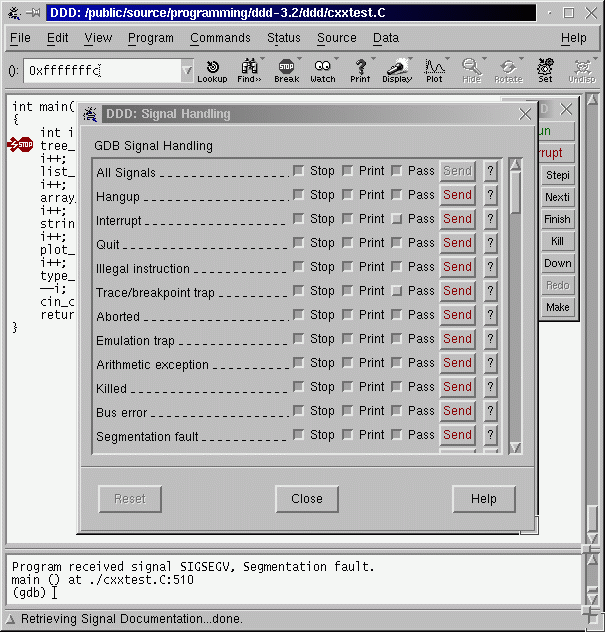
GNU DDD (Data Display Debugger) is a graphical front end for the command-line debuggers GDB and CUDA-GDB.
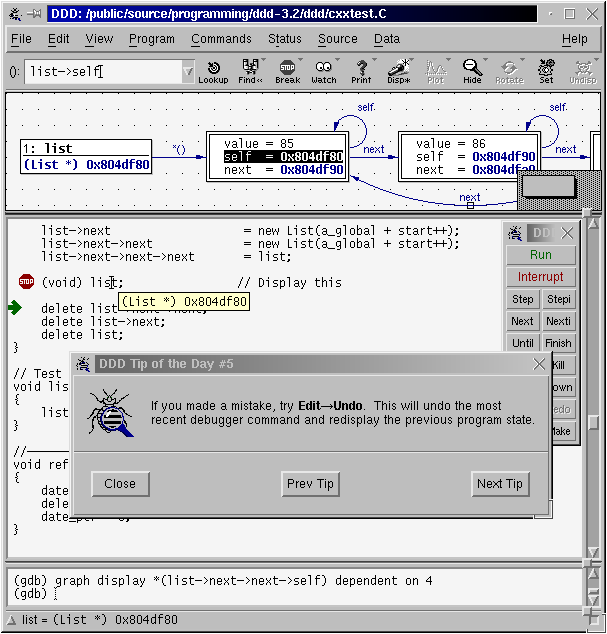
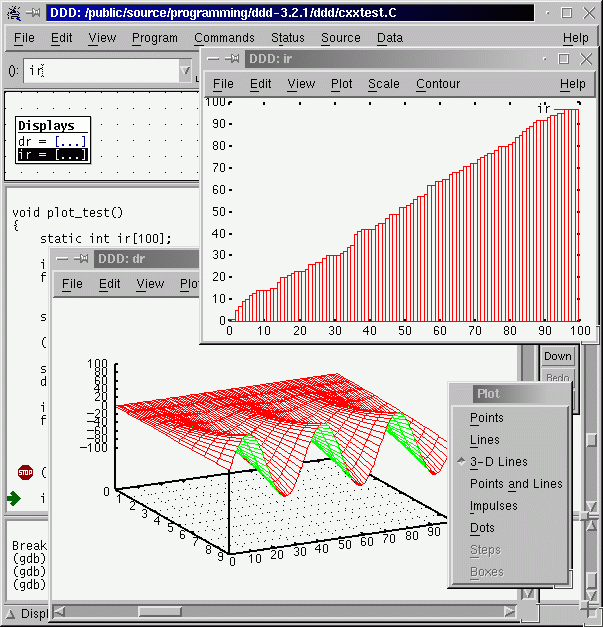
- Interactive graphical data display (visualizing data structures as graphs)
- Source-level debugging with breakpoints, watchpoints, and call stacks
- Support for multiple debuggers, with active development focused on GDB and CUDA-GDB
The current stable version is 3.4.1. For more information (and more screenshots), see the DDD Manual.
DDD News
- (2025/11/01) Switched version control from Subversion (SVN) to Git. Active development now uses Git repositories on Savannah and the Git mirror on GitHub.
- (2024/08/12) Final release of ddd-3.4.1 is available from ftp.gnu.org.
- (2023/05/10) Final release of ddd-3.4.0 is available from ftp.gnu.org.
- (2023/04/05) Release candidate 3.4.0-rc2 is available from alpha.gnu.org. The build process of DDD is streamlined and updated to current versions of the toolchain. The interfaces to inferior debuggers (GDB and remake) and to Gnuplot are updated.
- (2021/07/30) Michael Eager and Stefan Eickeler are the new maintainers of DDD.
- (2013/01/18) Shaunak Saha is the new maintainer of DDD.
- (2009/02/11) DDD 3.3.12 is now available from ftp.gnu.org. DDD 3.3.12 features much improved support for debugging Python, Bash and Make, as well as various bug fixes.
- Older News.
Where do I get DDD source?
Official DDD source releases are available from:
- GNU FTP: https://ftp.gnu.org/gnu/ddd/
- GNU Savannah project page: https://savannah.gnu.org/projects/ddd
A fast Git mirror of the DDD sources is available on GitHub:
- Git mirror: https://github.com/eickeler/DDD
Automatically built development snapshots (nightly tarballs) can be downloaded from:
- Nightly releases: https://github.com/eickeler/DDD-workflows/releases
The ddd-<version>.tar.gz source packages include:
- complete DDD source code
- build instructions
- the DDD manual in TeXinfo, Info, PostScript, and PDF formats
Where do I get DDD binaries?
The FSF does not distribute DDD binaries. On many systems you can install DDD from your system package manager:
- Fedora:
sudo dnf install ddd - Arch Linux:
sudo pacman -S ddd - Gentoo:
emerge dev-util/ddd - GNU Guix:
guix install ddd - macOS (Homebrew):
brew install ddd - macOS (MacPorts):
sudo port install ddd
For Ubuntu 24.04, a nightly DDD package is available as a .deb file:
sudo dpkg -i ddd-nightly-20251106_3.4.1+git_amd64.deb
sudo apt-get install -f
Recent Debian releases do not ship a current DDD package. On Debian, build from
source or use a compatible .deb from the
GitHub releases page.
What do I need to build DDD?
To build DDD from a released source tarball you need a working C++ toolchain, the Motif toolkit, and standard X11 and POSIX development tools installed on your system.
The typical build steps are:
wget https://ftp.gnu.org/gnu/ddd/ddd-3.4.1.tar.gz
tar -xzf ddd-3.4.1.tar.gz
cd ddd-3.4.1
./configure
make
sudo make install
For detailed and up-to-date information on required libraries, optional tools,
and platform-specific notes, please see the file doc/INSTALL in the
source distribution.
How do I get started with DDD?
The DDD Manual contains a detailed tutorial. It is available as a PDF or web page.
DDD--A Free Graphical Front-End for UNIX Debuggers by Andreas Zeller and Dorothea Luetkehaus, Technische Universitaet Braunschweig, Germany (Informatik-Bericht No. 95-07, 7 August 1995).
Here are some free third-party tutorials on the Web:
- Linux Magazin has articles (in German) on debugging with GDB and DDD.
- LinuxFocus has a DDD tutorial in English, Spanish, German, French, Korean, and Turkish.
Third-party books (non-free):
- The art of debugging with GDB, DDD, and Eclipse, Norman S. Matloff, Peter Jay Salzman, No Starch Press, San Francisco, 2008
Development and nightly builds
The DDD source repository is hosted on GNU Savannah. A fast Git mirror is available at GitHub.
Automatically built nightly snapshots (tarballs) of the development branch are available from:
Official release tarballs are published at:
- Final releases: https://ftp.gnu.org/gnu/ddd/
- Historical alpha releases: https://alpha.gnu.org/gnu/ddd/
I have found a bug! How do I report it?
You can report bugs on the DDD bug tracker. Before you do this, please check the following:
- If you are still using DDD version 3.3.12 (more than 17 years old), please first upgrade to the current stable version 3.4.1 (see Where do I get DDD source?) and check whether the problem still occurs.
- Please try to see whether your bug has already been reported. You can browse or search the bug tracker.
- Please read the section “Bugs and How to Report Them” toward the end of the DDD Manual.
- Be sure to include a copy of your ~/.ddd/log file, which shows your DDD configuration as well as the interaction between DDD and the underlying command-line debugger.
- Remember, the more relevant information you put in your bug report, the more likely it is to be fixed rapidly.
The purpose of reporting a bug is to enable the bug to be fixed for the sake of the whole community of users. You may or may not receive a response; the maintainers will send one if that helps them find or verify a fix. Most GNU maintainers are volunteers.
If you are willing to help fix DDD bugs, you can subscribe to the bug-ddd mailing list or access its archives.
I have a question regarding DDD. Where do I get assistance?
We have a general-purpose mailing list devoted to DDD. You can ask questions at ddd@gnu.org. Patches and new releases are also announced here. Subscription info and mailing list archives are available. Owing to abuse by spammers, it is necessary to subscribe before posting to the list.
Where can I learn more about the debuggers DDD uses?
As mentioned above, DDD runs a number of debuggers “under the hood”. One can issue commands directly to those debuggers. Below are links for the primary debuggers:
Legacy / partially supported debuggers
DDD also contains legacy support for a number of older or less common debuggers. This support is no longer actively maintained, but may still work on some systems:
-
DBX-family debuggers:
dbx,xdb,wdb,ladebug -
Java debugger:
jdb -
GNU remake (make debugger):
remake -
Shell and scripting debuggers such as
bashdband Perl’s built-in debugger (-d/perldebug)
For these legacy debuggers, please refer to the documentation that comes with your system or distribution.
Where can I learn more about debugging and debuggers?
Here are some other related resources:
- Motif. A window library needed to compile DDD.
- KDbg. A KDE-based GDB interface with inspection of variable values in a tree structure.
- Valgrind. No-one developing C or C++ code under Linux/x86 should be without it.
Have fun with DDD!
Current Maintainers
- Michael Eager <eager at gnu.org>
- Stefan Eickeler <eickeler at gnu.org>
Former Maintainers
- Shaunak Saha <shaunak at gnu.org>
- Peter Wainwright <peter dot wainwright at ieee dot org>
- Andreas Zeller <zeller at gnu.org>
- Andrew Gaylard <apg at users dot sf dot net>
- Jose María Gómez Vergara <josemaria at jmgv dot org>