Last updated:
Many websites ask for your location by sending you a location request. To maintain your privacy, you can disable location sharing in your browser.
Jump to…
Google Chrome
Mozilla Firefox
Microsoft Edge
Safari
Opera
Brave
Google Chrome
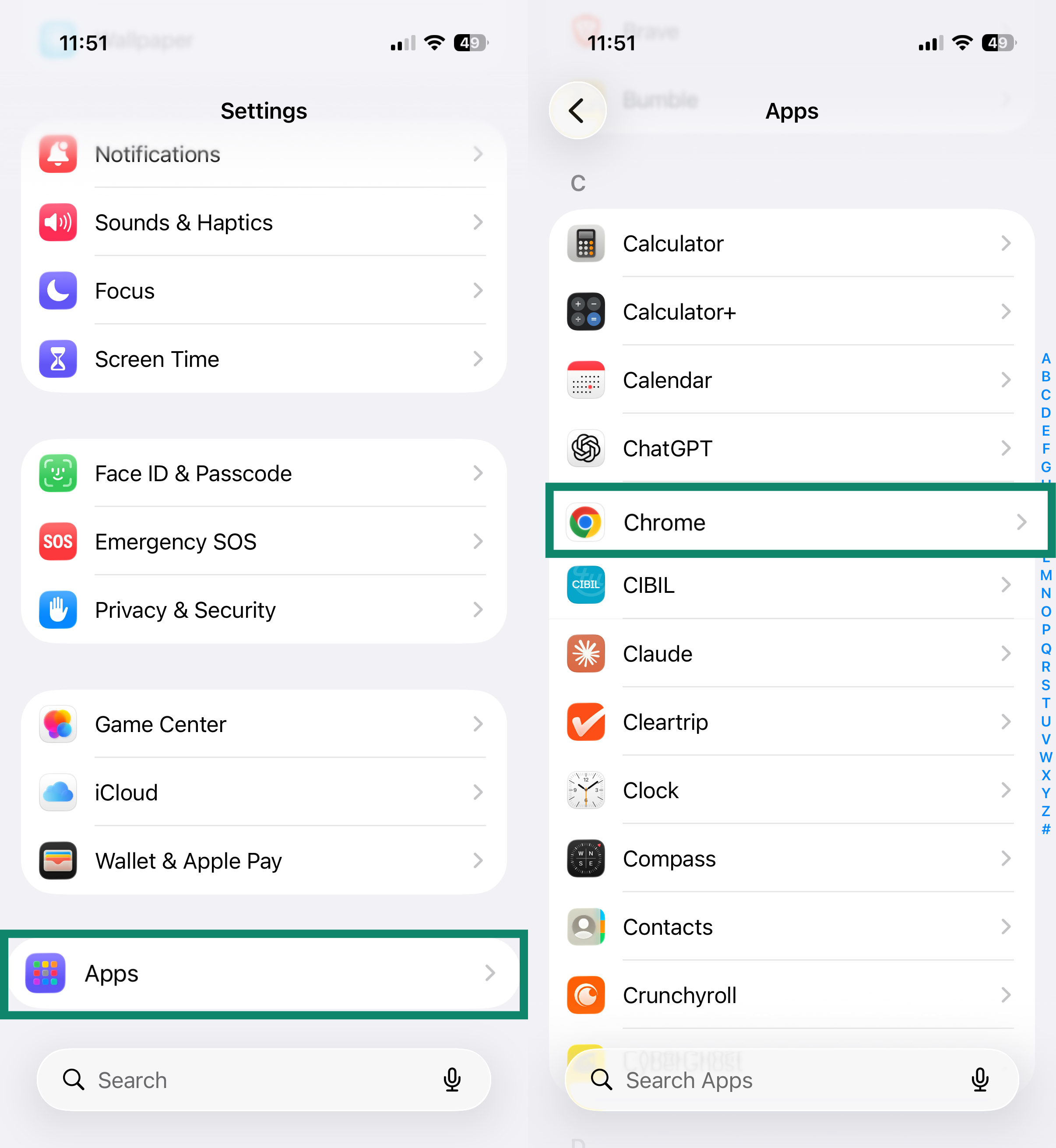
Location access for Chrome is managed in your device’s iOS settings.
- Open the Settings app.
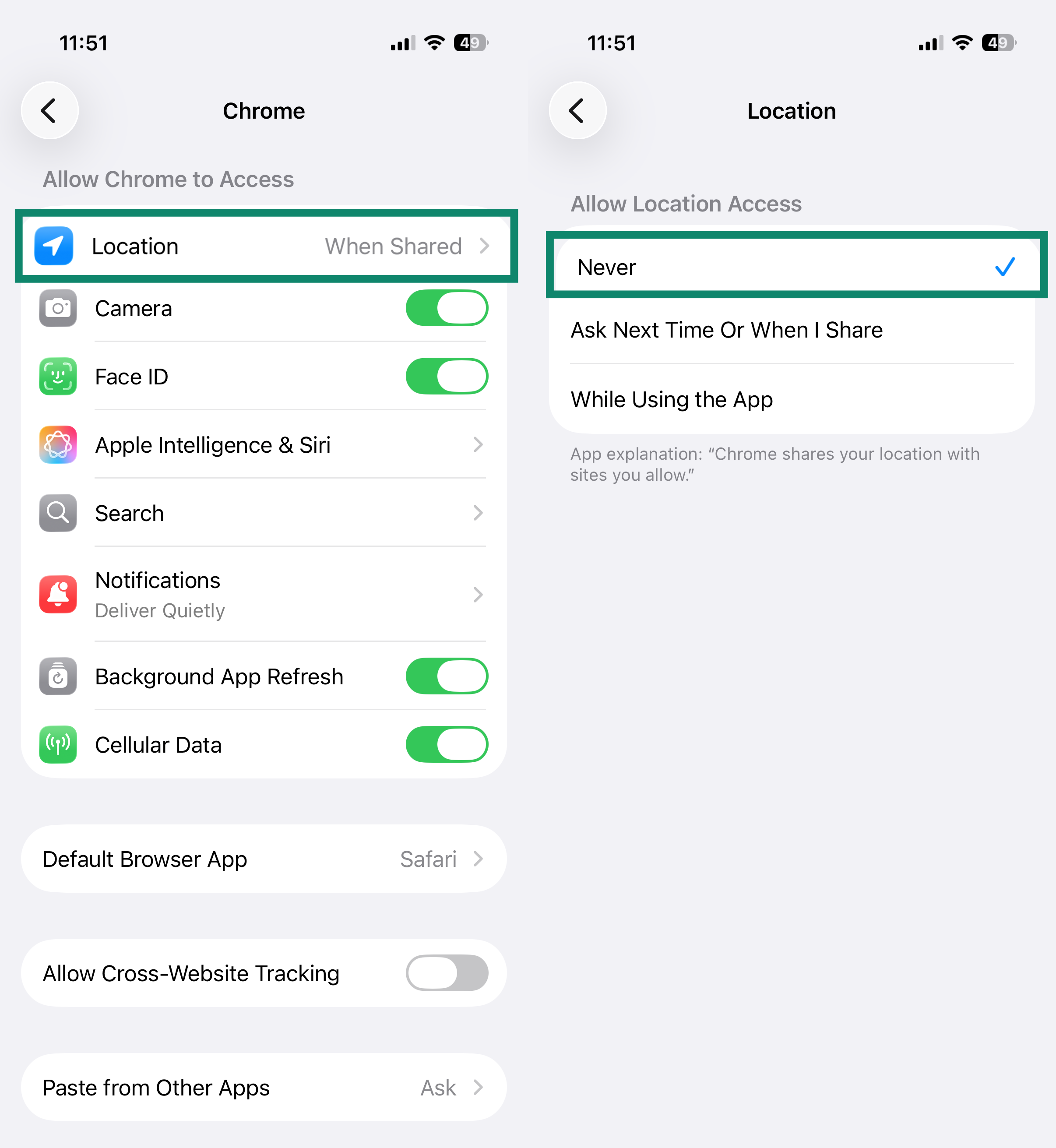
- Tap Apps, then tap Chrome.
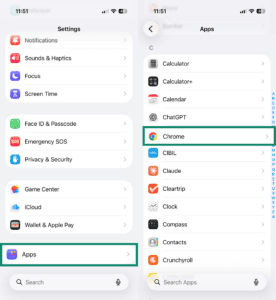
- Tap Location, then select Never.

Mozilla Firefox
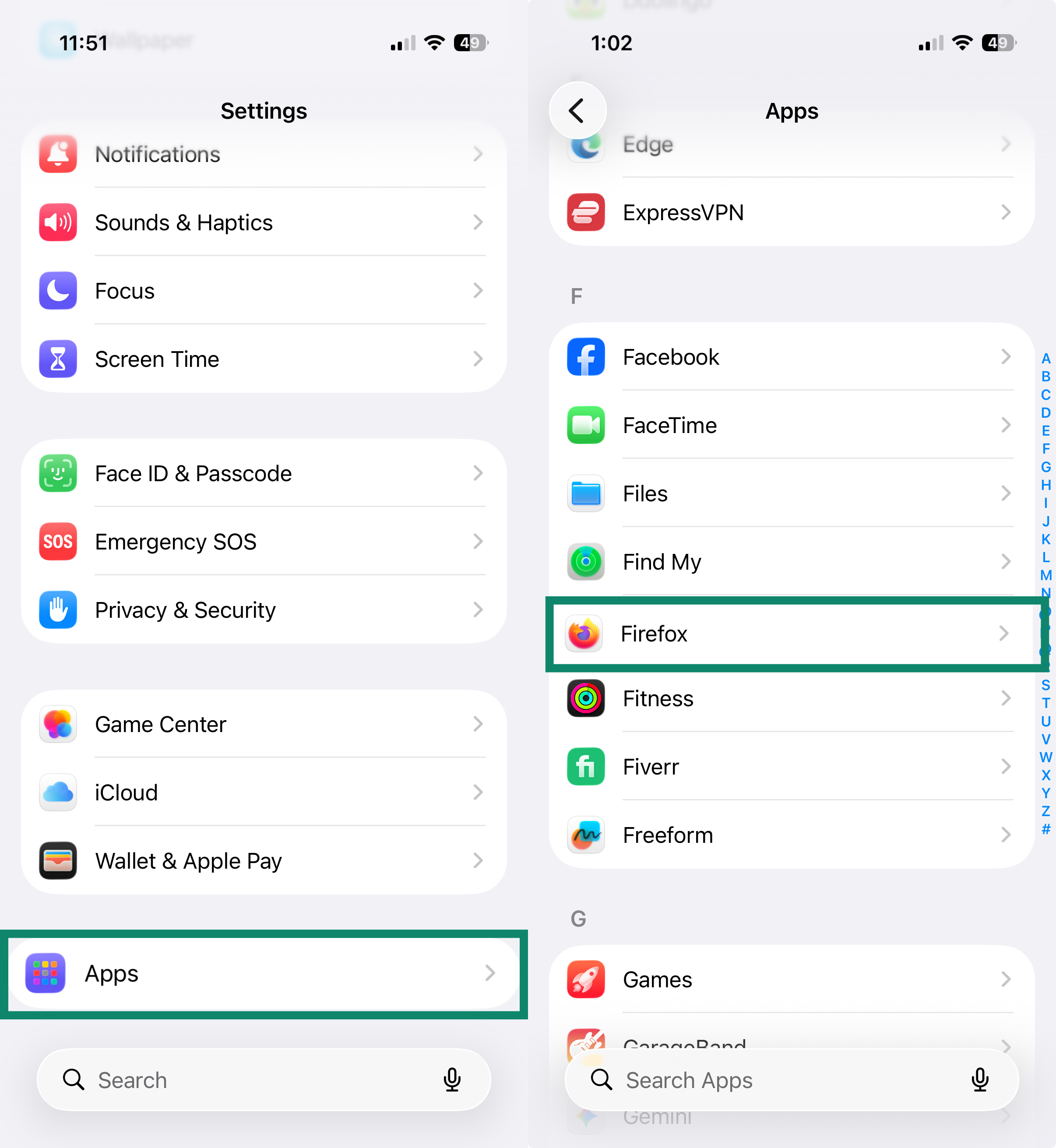
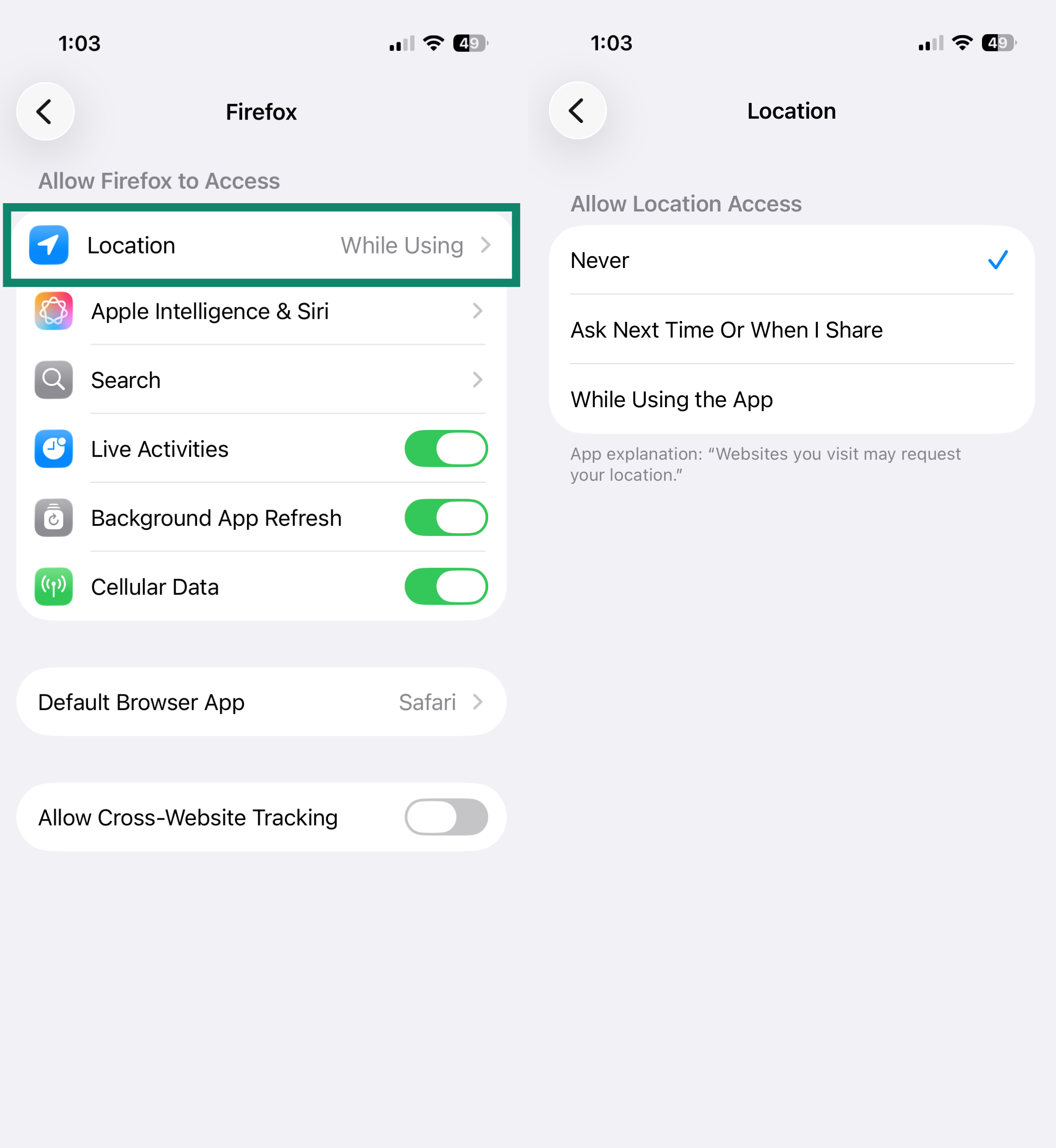
Firefox on iOS does not have a setting to disable location sharing within the app. To prevent Firefox from accessing your location, manage the permission in your device settings:
- Open the Settings app.
- Tap Apps, then tap Firefox.

- Tap Location, then select Never.

Microsoft Edge
Safari
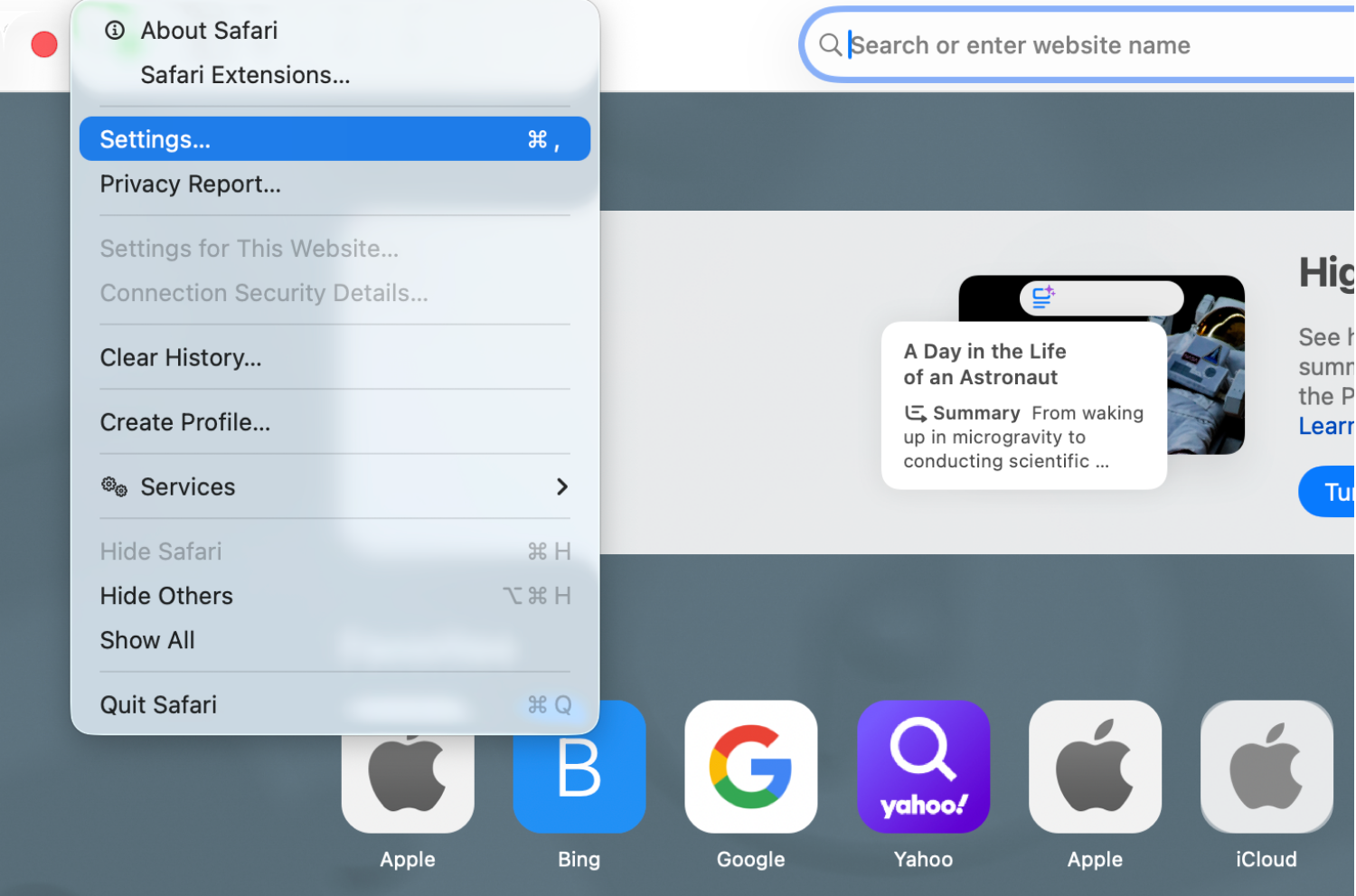
- Open Safari.
- From the menu bar, click Safari > Settings.

- Click the Websites tab. In the left sidebar, click Location. Next to When visiting other websites, select Deny.

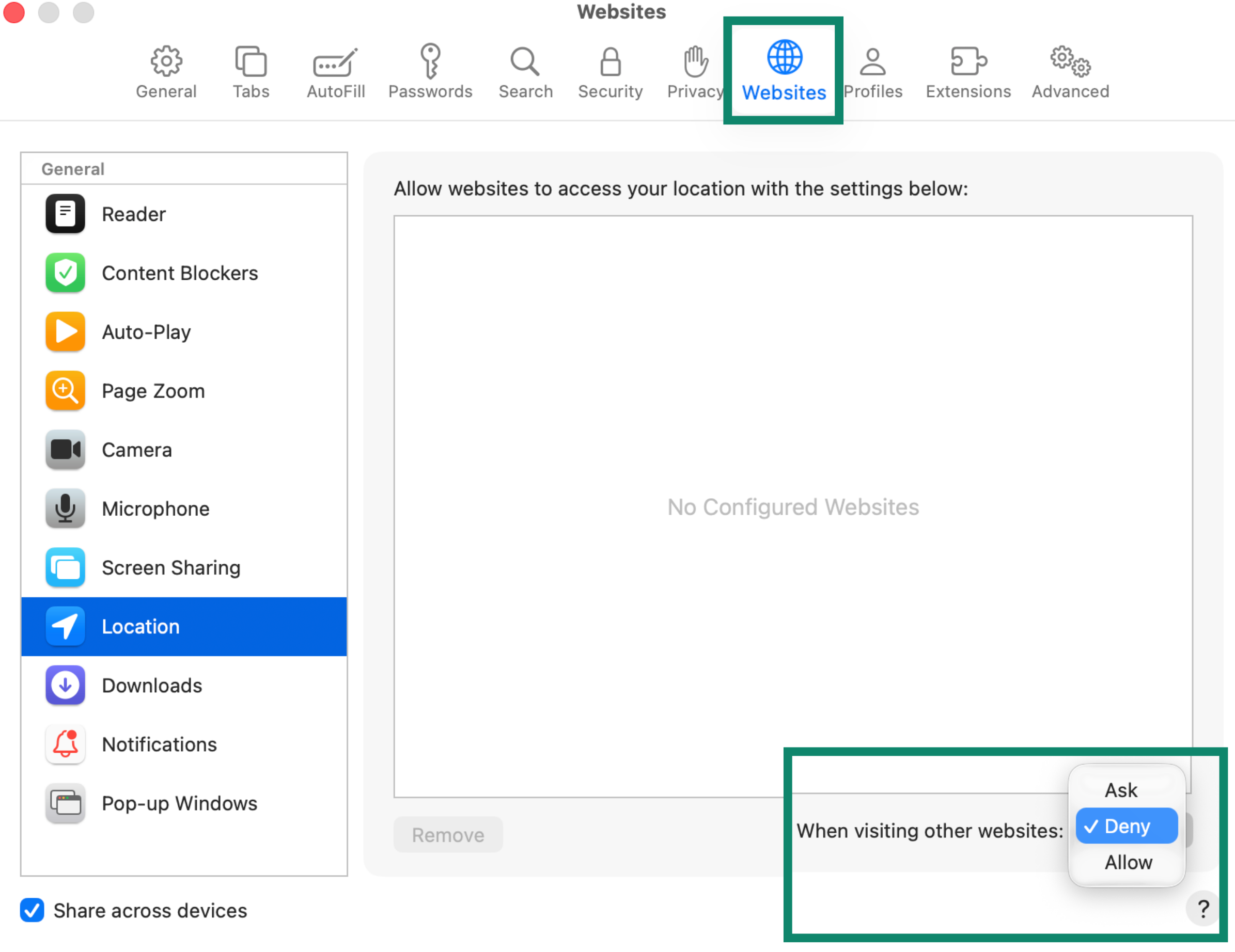
To revoke location access for sites you have previously allowed, select the site in the list and choose Deny from the dropdown menu.
Opera
Brave
Need help? Contact the ExpressVPN Support Team for immediate assistance.