 Visual Studio
Overview
Features
Editions
Extensions
Get Started
Service Status
FAQ Support
Documentation
Blog
Overview
Extensions
Support
Documentation
Blog
VS Code for Education
Downloads
Buy
Overview
Support
Administrator Portal
Subscriber Portal
Dev Essentials
Visual Studio Hub
Free Visual Studio
Microsoft Security
Azure
Dynamics 365
Microsoft 365
Microsoft Teams
Windows 365
Microsoft AI
Azure Space
Mixed reality
Microsoft HoloLens
Microsoft Viva
Quantum computing
Sustainability
Education
Automotive
Financial services
Government
Healthcare
Manufacturing
Retail
Find a partner
Become a partner
Partner Network
Microsoft Marketplace
Software companies
Blog
Microsoft Advertising
Developer Center
Documentation
Events
Licensing
Microsoft Learn
Microsoft Research
View Sitemap
Visual Studio
Overview
Features
Editions
Extensions
Get Started
Service Status
FAQ Support
Documentation
Blog
Overview
Extensions
Support
Documentation
Blog
VS Code for Education
Downloads
Buy
Overview
Support
Administrator Portal
Subscriber Portal
Dev Essentials
Visual Studio Hub
Free Visual Studio
Microsoft Security
Azure
Dynamics 365
Microsoft 365
Microsoft Teams
Windows 365
Microsoft AI
Azure Space
Mixed reality
Microsoft HoloLens
Microsoft Viva
Quantum computing
Sustainability
Education
Automotive
Financial services
Government
Healthcare
Manufacturing
Retail
Find a partner
Become a partner
Partner Network
Microsoft Marketplace
Software companies
Blog
Microsoft Advertising
Developer Center
Documentation
Events
Licensing
Microsoft Learn
Microsoft Research
View Sitemap
Testing tools
Write high-quality code with comprehensive testing tools using the latest Visual Studio
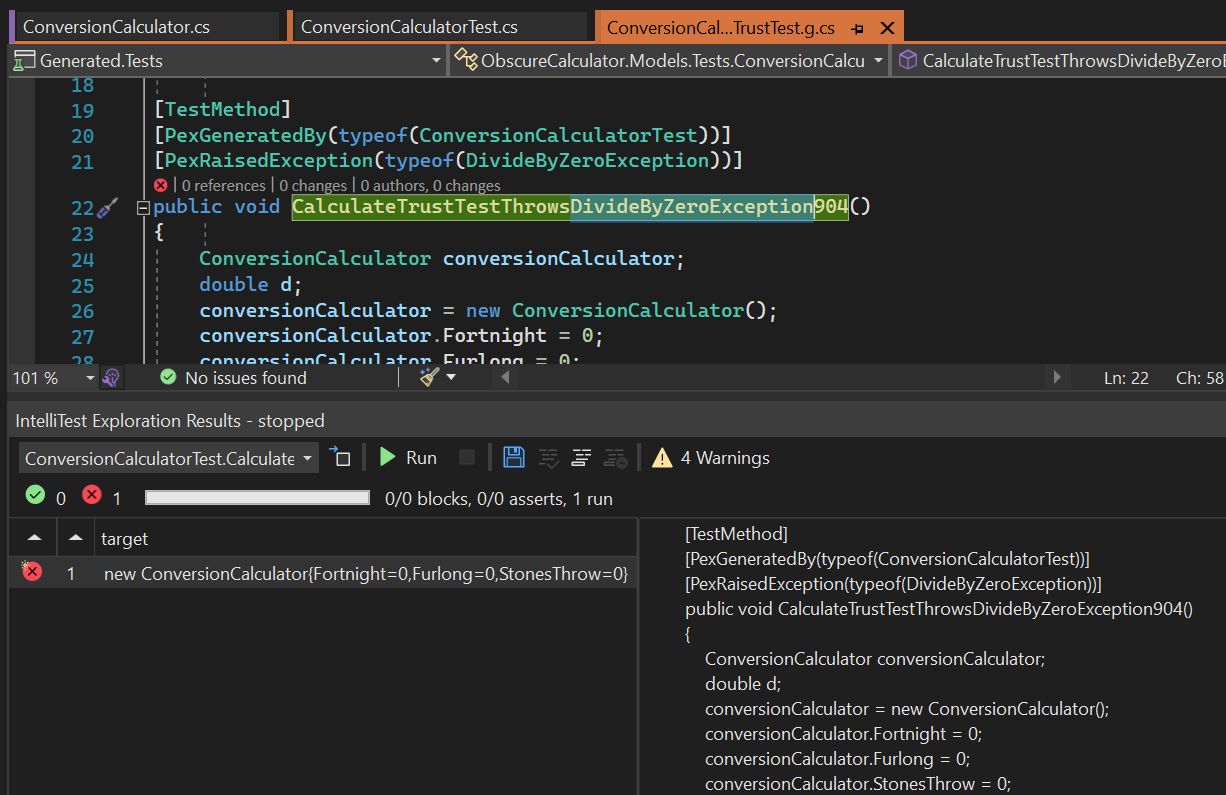
IntelliTest
Dramatically reduce the effort to create and maintain unit tests for new or existing code. Generate interesting input-output values for your methods, and save them as a small test suite with high code coverage. Automatically evolve them as your code evolves.
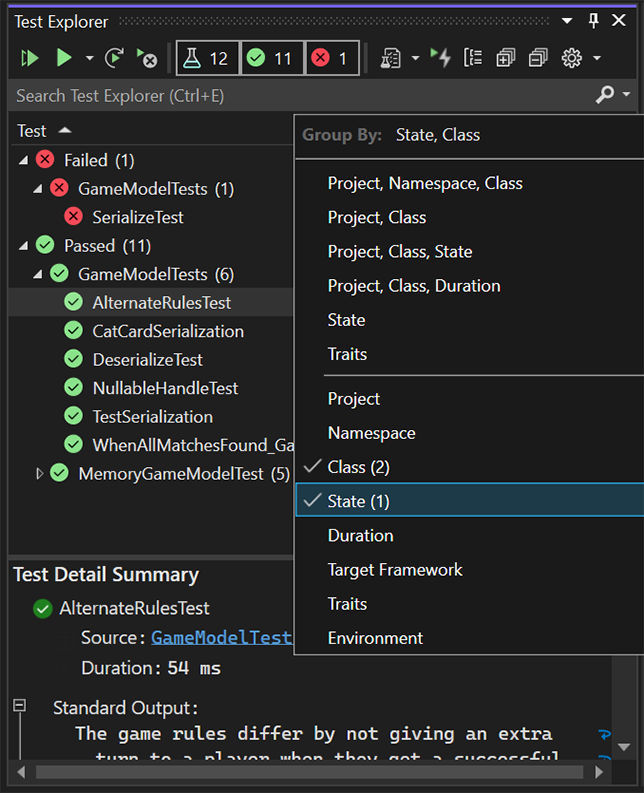
Test Explorer
Use a single window to organize, run, and debug your test, as well as see the test results. Easily configure Continuous Testing by automatically running tests after every build.
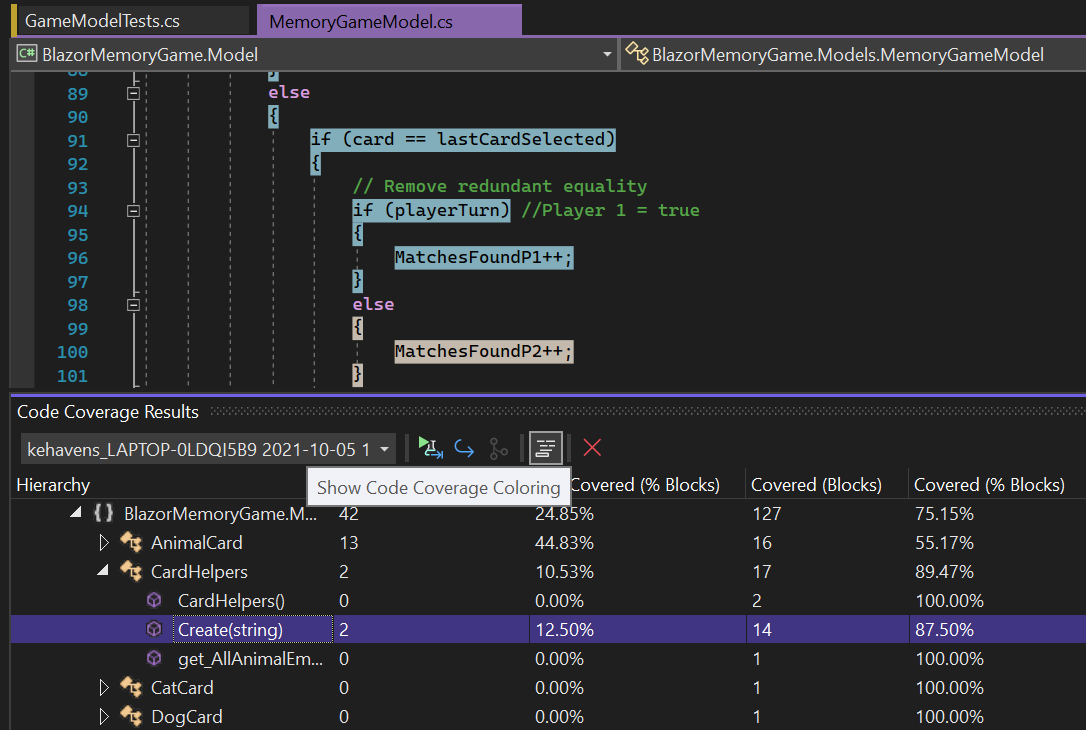
Code coverage analysis
Visualize and report on line level and block level code coverage for both managed and native applications.
Fakes
Rich isolation framework that allows you to replace any .NET method with a delegate. The Fakes Framework in Visual Studio supports unit testing by providing isolation by way of detours and stubs.
Free, fully-featured IDE for students, open-source and individual developers.
Powerful developer tools, services, and subscription benefits for efficient small-team collaboration.
Advanced debugging, enterprise security, AI-assisted development—plus Azure Credits and Dev/Test pricing for the cloud.