
Pending Deletion
Description
KDE Telepathy provides a suite of applications for a full instant messaging experience.
FAQ
How do I add a new IM accounts
- Open System Settings.
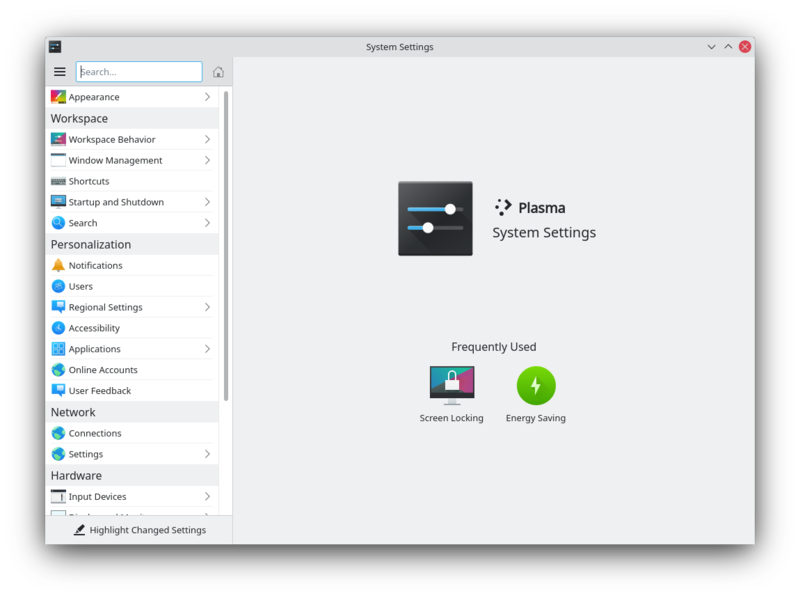

- Open .
- Then click .
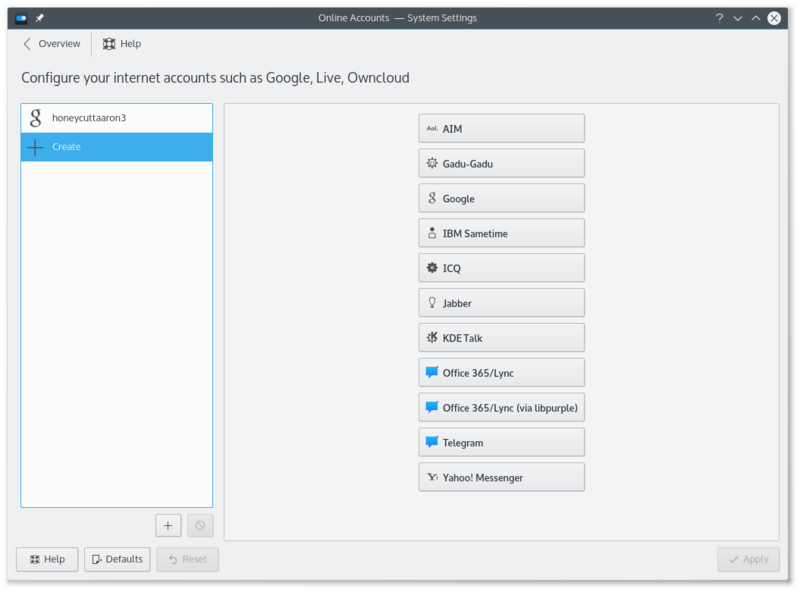

- Click on an IM network and follow the steps.
How do I add a contact
Open the contact list. Click in the toolbar. You will then need to select which of your accounts the contact should be added to and then enter the ID/Email Address of the contact you wish to add.
How can I have quick access to my online state, and easily open the contact list
Right click on the system tray. System tray settings. Under select .
How can I make the contact list dock to the systray
You can't. Perform the steps above for something better.
How do I add a Google Talk account if I use 2-step verification
This guide assumes you have installed KWallet.
- Create an application-specific password.
- Open System Settings.
- Open .
- Click on .
- Click on the Google Talk icon.
- You might see a warning about additional plugins. Check that they are installed.
- Enter your email address and your password. Finish the wizard.
- You should then see a window. There should be two fields if you run KWallet for the first time, one if you have already created a wallet. Use any password you want.
Integrate the KDE-Telepathy VoIP module into KAddressBook
- Open KAddressBook (e.g. in Kontact)
- Select menu and then .
- In the section select .
- Enter the following command: ktp-dialout-ui %n
- Press .
Clicking on a telephone number in KAddressBook will open the KDE-Telepathy VoIP dialog. Select your ID (if you have more than one) and start your call.
Where are chat logs stored
Chat logs are stored in ~/.local/share/TpLogger
How to view which account is being used for the contact in the chat window
- Right click on the chat window toolbar and select
- Search for Account Icon on the left side and add it to the right side (by clicking the right arrow)
- Click to save and exit,
Now you can see an account icon at the end of the toolbar, which gives a helpful indication of the account being used.
Tips and Tricks
- When chatting you can click on an emoticon to change it back into text. This is useful when receiving code which accidentally is rendered into smilies.