
The essentials your business needs to sell in-person, online, over the phone, or out in the field. Only pay when you take a payment.
Processing fees
What you get
POS app for any payment
Accept any payment with an all-in-one POS app.
POS app for any payment
Online site
Build an online ordering profile, a basic website or online store, or an online booking site.
Online site
Item library
Add menu items, products, and services. Keep track of inventory and sales.
Item library
Invoicing
Send estimates, contracts, and invoices.
Invoicing
Booking
Schedule appointments and manage staff calendars.
Booking
Checking and savings accounts
Access your funds instantly and plan for future expenses.
Checking and savings accounts
Details
Processing fees
What you get
POS app for any payment
Accept any payment with an all-in-one POS app.
POS app for any payment
Online site
Build an online ordering profile, a basic website or online store, or an online booking site.
Online site
Item library
Add menu items, products, and services. Keep track of inventory and sales.
Item library
Invoicing
Send estimates, contracts, and invoices.
Invoicing
Booking
Schedule appointments and manage staff calendars.
Booking
Checking and savings accounts
Access your funds instantly and plan for future expenses.
Checking and savings accounts
Best value
A full suite of features built specifically for food, retail, and appointment-based businesses. Designed to help you grow and thrive.
Try free for {{sub2_api.num_free_trial_days}} days
Processing fees
What you get
Everything in Square Free
POS features for every industry
Access advanced POS features for food and beverage, retail, appointments, and invoicing.
POS features for every industry
Lower processing fees
Save on in-person and online card processing fees.
Lower processing fees
Loyalty rewards program
Create a custom rewards program that connects to your POS.
Loyalty rewards program
Email and text message marketing
Send unlimited email marketing campaigns. The first 500 texts are free, then pay 3¢ per text.
Email and text message marketing
Staff management
Schedule shifts and track team attendance.
Staff management
Details
Processing fees
What you get
Everything in Square Free
POS features for every industry
Access advanced POS features for food and beverage, retail, appointments, and invoicing.
POS features for every industry
Lower processing fees
Save on in-person and online card processing fees.
Lower processing fees
Loyalty rewards program
Create a custom rewards program that connects to your POS.
Loyalty rewards program
Email and text message marketing
Send unlimited email marketing campaigns. The first 500 texts are free, then pay 3¢ per text.
Email and text message marketing
Staff management
Schedule shifts and track team attendance.
Staff management
Our most advanced capabilities backed by 24/7 support. Built to streamline operations and help you scale with confidence.
Try free for {{sub2_api.num_free_trial_days}} days
Processing fees
What you get
Everything in Square Plus
24/7 priority support
Get 24/7 phone support when you need it.
24/7 priority support
Advanced reporting
Access deeper insights into all sides of your business.
Advanced reporting
Lowest processing fees
Save on in-person and online card processing fees.
Lowest processing fees
More text message marketing
The first 2,500 texts are free, then pay 1.5¢ per text.
More text message marketing
No gift card load fees
Add funds to physical and eGift cards with no load fees.
No gift card load fees
Details
Processing fees
What you get
Everything in Square Plus
24/7 priority support
Get 24/7 phone support when you need it.
24/7 priority support
Advanced reporting
Access deeper insights into all sides of your business.
Advanced reporting
Lowest processing fees
Save on in-person and online card processing fees.
Lowest processing fees
More text message marketing
The first 2,500 texts are free, then pay 1.5¢ per text.
More text message marketing
No gift card load fees
Add funds to physical and eGift cards with no load fees.
No gift card load fees
If you process over $250,000 per year, talk to our team to see if you’re eligible for custom pricing and processing fees. You can also ask about hardware discounts, onboarding and implementation support, technical specialists, and account management.
Explore features by business type
Tell us about your business
Or select an industry:
Payments & checkout
Tap, dip, or swipe Accept payments with tap, chip, or swipe functionality. Cards and digital wallets included. Tap, dip, or swipe
Tap to Pay on iPhone and Tap to Pay on Android Take payments with just your phone. Accept contactless cards, Apple Pay, and other digital wallets in person. No additional hardware needed.Tap to Pay on iPhone and Tap to Pay on Android
Manual entry or card on file Manually enter a customer's card details or securely add cards to customer profiles and use at checkout.Manual entry or card on file
ACH bank transfers Let customers pay directly from their bank account with a secure invoice. Customers can pay via ACH with just their bank account and routing number.ACH bank transfers
Afterpay Let customers pay in four interest-free installments over six weeks. You'll receive the full payment up front.Afterpay
Cash App Pay Allow customers to pay with Cash App Pay by scanning a QR code.Cash App Pay
Discounts and refunds Create percentage or dollar amount discounts. Issue full or partial refunds to the original payment or as store credit.Discounts and refunds
Age verification prompts Set age restrictions on items like alcohol and tobacco and verify the age of customers at checkout. Age verification prompts
Bottle deposits Set up a bottle deposit per item, and it’ll be added to the order at time of checkout automatically. Bottle deposits
Exchanges Process a product exchange for your customer. Exchanges
—
Cross-location returns and fulfillment Accept returns at any location, regardless of where the purchase was made.Cross-location returns and fulfillment
—
—
Restaurant operations
Menus, coursing, floor plans, and drive-thru
Item and menu management Update your on-premise and online menus in real time and sync changes to all locations and channels — POS, online, kiosks, and delivery apps. Use bulk edits to quickly manage item availability or visibility.Item and menu management
Third-party order management Consolidate all your online menus and orders, including those from delivery partners like Grubhub and Door Dash, in one platform. Sort by order status and source.Third-party order management
Custom floor plans Customize your restaurant floor plan with click-and-drag layouts. Use color-coded labels to show if a table has been waiting too long.Custom floor plans
—
Item availability Mark items as sold out in real time across every sales channel to keep your team on the same page.Item availability
—
Advanced modifiers Capture complex orders easily. With step-by-step flows, quantity controls, and smart sequencing for things like toppings or sides, you reduce mistakes and speed up service. Available for Square for Franchises.Advanced modifiers
—
Order guide See vendor prices side-by-side and compare costs per unit in real time. You can also turn your menu into an ingredients list instantly.
This feature is currently in beta, but you can still use it while we add the finishing touches.Order guide
—
Bulk edit items in menus Update multiple items using the bulk editing tool from Square Dashboard to easily make changes to your menu at scale.Bulk edit items in menus
—
Seat management Add a cover count to your tables, including optional or required seat positions for dishes, so your staff knows where to deliver each dish.Seat management
—
—
Course management Organize checks and kitchen tickets so items are prepared and served at the right time. Customize course settings for each device.Course management
—
—
Reservation integrations Take reservations by integrating your system with apps like OpenTable and SevenRooms.Reservation integrations
—
—
Send & Stay Fire items to the kitchen before payment so prep can begin earlier and keep the line moving during busy periods.Send & Stay
—
—
Drive-Thru Run your drive thru with dedicated workflows built into Square POS. Assign car identifiers and display orders in real time so customers can confirm accuracy and your team can hand off orders correctly at the window.Drive-Thru
—
—
Payments, discounts, and gratuity
Automatic gratuity Add a fixed-percentage gratuity to your customer’s check, manually or automatically. Add gratuity based on party size.Automatic gratuity
Simple percentage
Party-size thresholds
Party-size thresholds
Service charges Add a percentage-based or fixed-amount service charge to a transaction to help offset operational or overhead costs. Visible as a line item to both you and your customer.Service charges
Instant payouts Get real-time access to earnings from online marketplace and ordering platforms in your Square Checking account.Instant payouts
—
Orders tab Manage all your on-premise and online orders, including delivery-partner sites such as DoorDash, in one place. Filter by order status and source.Orders tab
Open checks and house accounts Create, edit, and save an order before completing the sale. Create and manage customer accounts to keep a running balance of purchases, then send an invoice when it's time to pay. Open checks and house accounts
QR code payments Enable QR code payments on receipts to speed up table turnover and free up staff time.QR code payments
—
Order-ready texts Collect a guest’s phone number to automatically send a text when their order is marked as complete in KDS.Order-ready texts
—
Split or reopen checks Split a check by items or seats, or split an amount into equal payments. Reopen a check to adjust and comp or void items, then choose to keep the original payment method or refund the customer.Split or reopen checks
—
Preauthorize bar tabs Temporarily preauthorize a customer's credit card for a set amount to ensure it's valid and they can pay the bill when closing their tab.Preauthorize bar tabs
—
Auto-numbering Automatically assign a unique number to each order so your staff can track, call out, and hand off orders quickly and accurately during busy periods.Auto-numbering
Square KDS app Connect your front and back of house with features for ticket routing, customizable ticket layouts, real-time order updates, ticket timers, device syncs, and performance reports. Square KDS app
Not available in Square Free
$30/mo. for the Square KDS app per device
$20/mo. for the Square KDS app per device
Square Kiosk app Offer self-service ordering with customizable welcome screens and quick menu access, picture-based categories, email and text receipts, text nofifications, and a cart that’s always visible.Square Kiosk app
Not available in Square Free
$50/mo. for the Square Kiosk app per device
$30/mo. for the Square Kiosk app per device
Take orders tableside Turn more tables, provide a better guest experience, and keep servers informed with real-time item and order updates.Take orders tableside
—
Remote device management Set up, monitor, and manage devices, even when you’re off-site. View device details, set device profiles or codes, and create printer profiles.Remote device management
Bookings
Unlimited calendars Add and view as many staff calendars as your business needs. There is no employee limit.Unlimited calendars
Custom scheduling Customize your calendar based on your availability. Color code your schedule by staff or by service, set a daily appointment limit, and block off personal time.Custom scheduling
Online booking website and booking integrations Create and customize a booking website so clients can book 24/7. Add a Book Now button to your website, create a QR code for a contactless booking option, or embed a booking widget into an existing website.Online booking website and booking integrations
Prepayments and automatic contracts Require your clients to pay in advance for specific services or as part of your cancellation policy. Send contracts to clients automatically when they book.Prepayments and automatic contracts
Appointment deposits Collect a partial deposit when appointments are scheduled to protect your calendar and reduce no-shows.Appointment deposits
Digital wallets in booking flow Let clients check out with the wallets they already use — like Apple Pay and Google Pay — during the your online booking flow so it's easier to lock in appointments on the spot.Digital wallets in booking flow
Processing time Account for downtime for certain services, such as hair-color treatments, and let clients book during the downtime of existing appointments.Processing time
—
Multi-staff appointment booking Let clients book one appointment with multiple services assigned to different staff.Multi-staff appointment booking
—
Cancellation policy and no-show fees Set up time frames for cancellations and require customers to provide a credit card at booking. Charge the card on file for late cancellations or no-shows.Cancellation policy and no-show fees
—
Daily booking limit Set a booking cap for online customers. Allow team members to book above the threshold if needed.Daily booking limit
—
Class booking and packages Offer a prepaid series of services or classes, automatically applying the booking's value at checkout when customers redeem them. Create and schedule one-time or recurring group classes.Class booking and packages
—
Multi-location management Manage your calendar, staff, and online bookings across multiple locations.Multi-location management
—
Waitlist Create a waitlist for popular services and staff. Let clients join the waitlist through your booking site and receive notifications when an appointment opens up.Waitlist
—
Resource management Assign rooms, chairs, stations, and other resources to the services required.Resource management
—
—
Appointment reminders Set up automatic text and email reminder notifications to help clients manage their appointments.Appointment reminders
Custom notifications Customize text and email notifications to fit your brand.Custom notifications
Custom emails
Custom emails & texts
Custom emails & texts
Square Assistant Let customers respond directly to SMS appointment reminders to confirm, cancel, or change their appointment. Your calendar updates automatically with every change.Square Assistant
Appointment confirmations Send clients text and email confirmations. Confirmed appointments will appear in your calendar.Appointment confirmations
—
Instagram, Facebook, and Google integrations Add a Book Now button to your Instagram account, your Facebook page, or your Google Business Profile.Instagram, Facebook, and Google integrations
Google Calendar sync Sync your Square calendar with your Google Calendar to track bookings. Google Calendar sync
—
Bookings API Use the Booking API to allow an external application to create, update, and cancel every booking from your calendar.Bookings API
—
Inventory & catalog management
Automatically create items and SKUs Search or scan a GTIN barcode to automatically add items to your catalog or import your existing catalog in bulk. Automatically populate SKUs for future items that you create and generate missing SKUs for existing items. Create new items with auto-generated SKUs.Automatically create items and SKUs
Auto-polish item image Create professional-looking product images right from your POS. Auto-polish instantly removes backgrounds so your products stand out — no photo editing needed.Auto-polish item image
Inventory tracking Track stock, costs, and product availability. Monitor inventory levels to maximize profitability and ensure adequate supply.Inventory tracking
—
Product bundles Sell a combination of complementary products as a single unit.Product bundles
—
Low-stock alerts Set an alert for when stock counts dip below a certain quantity so you can get ahead of knowing when it’s time to restock.Low-stock alerts
Barcode label printing Create and print barcode labels using the supported label dimensions, printing templates, and printers.Barcode label printing
—
Manage unit costs Produce more detailed reports, like cost of goods sold, and better calculate margins with the ability to add unit costs to items in the catalog.Manage unit costs
—
Inventory history Get a detailed view of your current inventory levels by listing out each stock adjustment.Inventory history
—
Inventory counting tool Perform full or cycle counts on the go. Export counts to reconcile stock on hand with expected inventory and maintain accurate records.Inventory counting tool
—
Vendor and purchase order management Create vendor profiles to use when making barcodes, purchase orders, and reports. Manage purchase orders for every vendor.Vendor and purchase order management
—
Bulk inventory intake Quickly receive stock in bulk by scanning or by searching for items.Bulk inventory intake
—
Import purchase orders Create purchase orders by importing a CSV or Excel version of the purchase order.Import purchase orders
—
—
Transfer orders Create and track inventory transfers across locations in stages: draft, pending, partially received, and completed.Transfer orders
—
—
Sync with Shopify using Thrive With Thrive Inventory, you can sync your Square catalog and inventory with Shopify, so you can sell in-store and online while managing products in one place. Keep Square as your source of truth to cut down on manual work.Sync with Shopify using Thrive
Square Restaurant Inventory by MarketMan Sync your menu to track ingredient-level stock and reduce waste — without adding complexity to your team’s workflow. Pricing applicable for customers new to MarketMan.Square Restaurant Inventory by MarketMan
—
$99/mo. per location
$99/mo. per location
Print barcode labels from purchase orders Easily print barcode labels for items received in a purchase order.Print barcode labels from purchase orders
—
—
Reporting & analytics
Sales insights Select a date range to track a sales summary, including payments and fees. Check trends by item, category, timeframe, location, and more.Sales insights
Reconciliation report The reconciliation report breaks down sales, refunds, fees, and deposits — so you know where your money's going.Reconciliation report
Custom work week Set your business week to start on any day — not just Monday — so your sales and labor reports align with your actual shifts. Great for businesses that close on Mondays or run unique schedules.Custom work week
Daily sales summary email Get a quick snapshot of your sales from the previous day in your inbox every morning — with wide-ranging metrics to help you understand your performance.
This feature is rolling out in phases and will appear in your Square account automatically. If you don’t see it yet, hang tight — access is on the way.Daily sales summary email
Future bookings report Get insights into future earnings from booked appointments.Future bookings report
—
—
Service cost tracking Manage back bar expenses with detailed cost tracking for each service.Service cost tracking
—
—
Team performance report Measure team performance with metrics on retention, prebooking, and schedule utilization.Team performance report
—
—
Aging inventory report Track inventory aging to identify slow-moving stock, optimize restocking, and reduce waste.Aging inventory report
—
Cost of goods sold report Keep an eye on topline metrics like cost of goods, total revenue, profit, and profit margin.Cost of goods sold report
—
Inventory sell-through report Get a daily snapshot of all the information you need to manage your inventory effectively.Inventory sell-through report
—
Projected profit report Break your data into smaller sections to see the performance of an item, view each location’s profit potential, and see how each inventory category is contributing to your business.Projected profit report
—
Vendor sales View sold items in a given time frame sorted by vendor. See performance and additional insights for each item sold.Vendor sales
—
—
Marketing reports Track campaign success, customer engagement, and sales impact.Marketing reports
—
Deferred sales tracking Separate when an order is placed from when it’s fulfilled to get more accurate revenue recognition — useful for pre-orders, catering, or future-dated sales.Deferred sales tracking
Catalog reporting See how your full menu is performing and consolidate item performance across sales from seven different sources, such as POS, online, delivery apps, and more, into a single flexible report.Catalog reporting
Live section and shift reporting Get details about open checks, closed checks, and total sales. See the sales numbers for each part of the restaurant, including bar, dining room, or patio. View covers and total sales at any given moment.Live section and shift reporting
—
Close of day procedures and reporting Run close of day and team member shift reports to see daily sales activity and team member tip payouts. Check details, gross and net sales, payment methods, and category and item sales.Close of day procedures and reporting
—
Kitchen performance reporting See completed ticket count and average completed ticket time across all devices and locations.Kitchen performance reporting
—
Invoices reporting Track the status of invoices in real time to see what's paid, unpaid, and overdue.Invoices reporting
Team sales and activity reporting See who's making the most sales on your team and view all team activity at your POS. Track who issued refunds, when employees clocked in, and more.Team sales and activity reporting
—
Labor cost reporting Compare your hourly labor costs to net sales to make smarter staffing decisions. Forecast total labor expenses for upcoming schedules.Labor cost reporting
—
Site and eCommerce data Track the number of visitors to your site, which pages are most visited, and more. See sales trends, product performance, and voucher usage. Site and eCommerce data
—
Square AI Chat with Square AI to get business recommendations based on your data, industry trends, and web search. Square AI can also suggest new Square features so you get more out of our tools.
This feature is currenty in beta, but you can still use it while we add the finishing touches.Square AI
Online selling
Customer accounts Customers can sign in to view order history and reorder, track offers and loyalty rewards, manage gift card balances, and more.Customer accounts
Multiple website management Manage multiple Square Online sites. Toggle between sites and assign products from your item library to each location.Multiple website management
Age verification pop-up If you sell age-restricted items, require visitors to confirm their age before entering your site.Age verification pop-up
Sync Wix online store Build a professional online store in minutes with Wix’s AI-powered onboarding, and connect it to your Square catalog. Inventory, orders, and discounts stay in sync across online and in-person channels.Sync Wix online store
Order with Google Let customers discover and order directly from your ordering page with Google Maps and Google Search.Order with Google
Online ordering profile Take commission-free delivery and pickup orders through a branded ordering profile that seamlessly syncs with your Square POS.Online ordering profile
Password-protected pages Use passwords to keep certain pages or areas of your website hidden from public view.Password-protected pages
—
Voice ordering AI-powered voice ordering answers all calls and sends every order straight to your kitchen.
This feature is currenty in beta, but you can still use it while we add the finishing touches.Voice ordering
—
Pickup and local delivery Offer free in-store or curbside pickup or local delivery with your staff or third-party couriers. Set ordering windows, delivery times, and minimum or maximum order amounts. Pickup and local delivery
Shipping label printing and discounts Print shipping labels in bulk right from your Square Dashboard and save on shipping rates in the U.S.Shipping label printing and discounts
Fraud controls Set custom rules and alerts to detect and manage fraud risk.Fraud controls
Restaurant preorders Let customers preorder food items for a specific date and time.Restaurant preorders
QR code ordering Let customers place contactless orders with a QR code menu.QR code ordering
—
Retail preorders Let customers preorder retail items for a specific date and time.Retail preorders
—
Accept multiple payment types Accept Apple Pay, Google Pay, Square Pay, Cash App Afterpay, and Cash App Pay at checkout.Accept multiple payment types
Free shipping progress bar Offer free shipping with a minimum order amount, and show customers how close they are to reaching that threshold during checkout.Free shipping progress bar
—
Discounts on in-person and online sales Discounts created from your POS can be automatically applied at checkout in person or online.Discounts on in-person and online sales
Abandoned cart emails Automatically email customers with a reminder of the items left in their cart.Abandoned cart emails
—
Free delivery progress bar Offer free delivery with a minimum order amount, and show customers how close they are to reaching that threshold during checkout.Free delivery progress bar
Real-time shipping rates Display accurate shipping rates at checkout based on weight, destination, and carrier.Real-time shipping rates
—
—
Item quick view and checkout Give customers a quick view of your products and fast access to checkout.Item quick view and checkout
Time-based categories Highlight a set of products or menu items on certain days and times.Time-based categories
Product reviews Automatically request product reviews from customers to post on your site.Product reviews
—
Item badges, quantity limits, and scheduled updates Add badges when certain items are on sale, running low, or out of stock. Limit the quantity of a particular item that can be purchased in a single order. Set up product drops, price changes, and flash sales in advance.Item badges, quantity limits, and scheduled updates
—
Bundles and subscriptions Offer subscriptions for items or services on your website. Sell multiple items as a single bundle online.Bundles and subscriptions
—
Website builder with SEO tools Build your website with basic site layouts, design options, and blog content. Use built-in SEO tools to rank higher.Website builder with SEO tools
Custom domain connect Connect your site to a domain you already own, or buy and register a new domain.Custom domain connect
—
Custom code and native video embed Upload and embed videos on your site. Add multiple embed code sections to add reservation services from OpenTable, accept event registrations via Eventbrite, and more.Custom code and native video embed
—
Expanded site customization Customize site elements like buttons, badges, navigation, and banners. Add custom fonts, video, parallax, and animations. Choose a customizable website theme and access over 100 million premium stock photos.Expanded site customization
—
Coupons, pop-up notifications, and lead capture forms Offer coupons and create pop-up notifications. Add customizable forms to collect customer information for marketing, newsletters, and more.Coupons, pop-up notifications, and lead capture forms
Customer engagement
Automatic customer data collection and segmentation Create customer profiles automatically every time a sale is made. Track purchase history. Sort and segment customers with preset filters.Automatic customer data collection and segmentation
Send service messages and reply via SMS and email Automatically send digital receipts, appointment updates, and order updates. Message customers with suggested replies or actions and track your conversation history in one place.Send service messages and reply via SMS and email
Do not disturb Silence or limit notifications so customers trying to reach you will receive an automatic reply. Do not disturb
Dedicated business phone number Get a unique phone number for your business that customers can text or call to leave a voicemail. This feature does not support outbound calling.Dedicated business phone number
—
Message new customers You can message new customers, and new customers with no purchase history can message your business.Message new customers
—
PDF sharing Send customers PDF files via email.PDF sharing
—
Call to text and voicemail transcription Give customers calling your business the option to continue the conversation over text. Get customer voicemails transcribed.Call to text and voicemail transcription
—
Google Reviews monitoring Connect your Google Business Profile to Square and monitor the reviews you receive.Google Reviews monitoring
Coupons Create custom coupon codes to share with customers across marketing channels.Coupons
Email marketing Send unlimited one-time and automatic email campaigns with prebuilt, customizable campaigns.Email marketing
—
Text message marketing Send one-time and automatic text message campaigns with prebuilt, customizable campaigns.Text message marketing
—
500 messages included, then 3¢ per message
2,500 messages included, then 1.5¢ per message
Customized receipts Attach a coupon, event invitation, business update, or eGift card to receipts.Customized receipts
—
Automated campaigns Create automated email and text campaigns to welcome new customers, send birthday offers, engage lapsed customers, request Google Reviews, and more. Automated campaigns
—
Physical and eGift cards Sell physical and eGift cards from your POS or online store.Physical and eGift cards
2.5% load fee
2.5% load fee
0% load fee
Invoicing
Invoices and recurring invoices Send unlimited invoices with flexible payment options. Set up recurring invoices to send on a daily, weekly, monthly, or yearly schedule.Invoices and recurring invoices
Deposits Request a deposit upfront, then set a separate due date for the remaining balance.Deposits
Automatic payment reminders Set up automatic payment reminders that send before, on, or after the payment due date.Automatic payment reminders
Project workspace and dashboard Access all your project files including, invoices, estimates, contracts, and notes, in one central location.Project workspace and dashboard
Custom invoice templates Create invoices from layout options and save multiple templates for future use.Custom invoice templates
—
Batch invoices Send one invoice to multiple customers simultaneously to streamline billing.Batch invoices
—
Payment schedule Set up a flexible payment schedule based on specific milestones with a single invoice.Payment schedule
—
Invoice customization Tailor invoices with custom fields, including terms, policies, and messages, to provide clients with more context.Invoice customization
—
Contracts, contract templates, and e-signature Build contracts from editable and reusable templates. Write clauses from scratch, use AI-generated clauses, or edit prebuilt clauses. Let clients digitally sign contracts on the go. Contracts, contract templates, and e-signature
Custom contract fields Add custom fields like checkboxes, text fields, or questions to your contracts.Custom contract fields
—
Require contract signature Require unsigned contracts to be signed before an invoice payment can be made.Require contract signature
—
Estimates Provide clients detailed estimates. Send by email or text or share a link.Estimates
Multi-package estimates Offer multiple options in a single estimate.Multi-package estimates
—
Auto-convert estimates to invoices Instantly convert accepted estimates to invoices.Auto-convert estimates to invoices
—
Staff management
Timecards with break and overtime Timecards are automatically created when an employee clocks in and tracks their breaks and overtime. You can edit time cards or add notes anytime.Timecards with break and overtime
—
Clock in and out with passcodes or badges Employees can clock in and out with a passcode or badge at your POS. You can customize settings to block early clock-ins and enforce geofencing.Clock in and out with passcodes or badges
—
Shift scheduling, time off, and trades Set availability, add shifts, manage time-off requests, and publish schedules for your entire team. Let employees see available open shifts, request to trade shifts with other employees, and ask for someone to cover their shift.Shift scheduling, time off, and trades
—
Team chats and file sharing Communicate with your team via one-on-one messages, group chats, team file sharing, and announcements.Team chats and file sharing
—
Tip pooling and commissions tracking Equally divide each credit card tip across all tip-eligible employees who were clocked in at the time of the transaction. Let your team claim cash tips they earn, and set custom commission rates.Tip pooling and commissions tracking
—
New hire onboarding Let employees upload new-hire paperwork like forms of identification, signed employment agreements, and certifications.New hire onboarding
—
Unlimited custom permission sets Allows you to provide precise access levels for your growing team.Unlimited custom permission sets
—
Square Banking¹
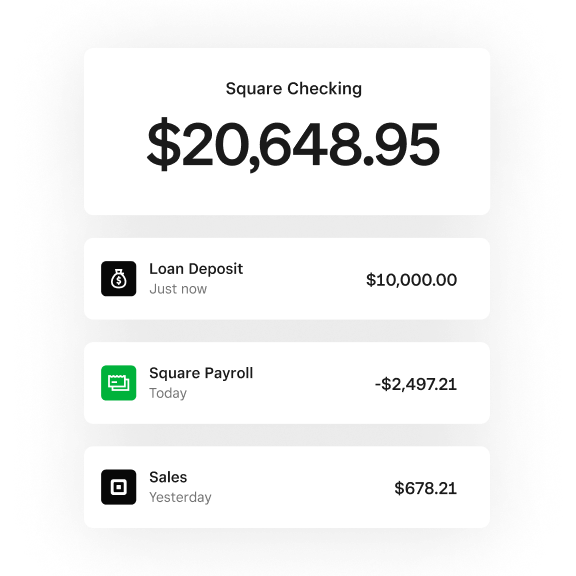
Instant access to sales with Square Checking Open a free checking account in two minutes and start spending instantly with your debit card — right after each sale.Instant access to sales with Square Checking
Instant payouts from delivery partners Instant access to funds from third-party delivery platforms like Uber Eats and DoorDash — up to 11 days faster than standard payout timelines.Instant payouts from delivery partners
Early access to ACH deposits Get your ACH funds deposited up to two days early, so that you can access the money you earn outside of Square sooner.Early access to ACH deposits
Free business savings account Open a free savings account in minutes with zero fees or minimums and earn 1.00% APY on all funds set aside.Free business savings account
Automated savings from sales Automatically set aside a percentage of each sale for key expenses like quarterly taxes.Automated savings from sales
Custom loan offers up to $350K Get loan offers based on your Square sales with no impact to credit score and repay automatically via a percentage of sales.Custom loan offers up to $350K
Convert Square sales to bitcoin Automatically convert a percentage of card sales into bitcoin — an easy way to build bitcoin savings, without any extra steps.Convert Square sales to bitcoin
Support
Chat support Connect with an expert live or use our automated support assistant for help anytime.Chat support
Email support Connect with an expert over email.Email support
Phone support Talk to an expert over the phone.Phone support
6am–6pm PT M–F for the first 90 days
6am–6pm PT M–F
24/7
Fees
Tap, dip, or swipe Applies to in-person payments when a card is present.Tap, dip, or swipe
2.6% + 15¢
2.5% + 15¢
2.4% + 15¢
Online Applies to card payments made online or through an invoice.Online
3.3% + 30¢
2.9% + 30¢
2.9% + 30¢
Online API Applies to card payments made within your web or mobile application's workflow using our payments APIs.Online API
2.9% + 30¢
2.9% + 30¢
2.9% + 30¢
ACH bank transfer (via invoice) Applies to payments made on invoices with an ACH bank transfer.ACH bank transfer (via invoice)
1%, $1 min
1%, $1 min,
$10 fee cap
1%, $1 min,
$10 fee cap
ACH bank transfer (via API) Applies to ACH transfers through the Web Payments SDK and Payments API.ACH bank transfer (via API)
1%, $1 min, $5 fee cap
1%, $1 min, $5 fee cap
1%, $1 min, $5 fee cap
Manual entry or card on file Applies to payments when a card number is manually entered or when a saved card on file is used.Manual entry or card on file
3.5% + 15¢
3.5% + 15¢
3.5% + 15¢
Afterpay You get paid immediately, but customers pay over time in four installments. Afterpay
6% + 30¢
6% + 30¢
6% + 30¢
Cash or check Applies to any payment made via cash or check.Cash or check
Free
Free
Free
Bitcoin payments Applies to in-person payments where buyer scans a QR code to pay in bitcoin.Bitcoin payments
0% until 2027
0% until 2027
0% until 2027
EBT Applies to in-person payments made with an EBT card for SNAP-eligible items. Processing fees are waived for EBT payments while the feature is in beta, through fall 2026.EBT
1.8% + 5¢
1.8% + 5¢
1.8% + 5¢
Locations With Square Plus and Square Premium, the monthly fee applies to each location you run.Locations
$0/mo. per location
$49/mo. per location
$149/mo. per location
Text message marketing With Square Plus, 500 texts are included per month per account, then pay 3¢ per text. With Square Premium 2,500 texts are included per month per account, then pay 1.5¢ per text.Text message marketing
Not available in Square Free
500 texts included, then 3¢ per text
2,500 texts included, then 1.5¢ per text
Gift card load With Square Free and Square Plus, you pay a 2.5% load fee. There are no additional fees when a gift card is redeemed.Gift card load
2.5% load fee
2.5% load fee
0% load fee
Square KDS app You pay the monthly Square KDS app fee per device in addition to your monthly Square Plus or Square Premium cost.Square KDS app
Not available in Square Free
$30/mo. for the Square KDS app per device
$20/mo. for the Square KDS app per device
Square Kiosk app You pay the monthly Square Kiosk app fee per device in addition to your monthly Square Plus or Square Premium cost.Square Kiosk app
Not available in Square Free
$50/mo. for the Square Kiosk app per device
$30/mo. for the Square Kiosk app per device
Bitcoin conversions Automatically convert a percentage of card sales into bitcoin — an easy way to build bitcoin savings, without any extra steps.Bitcoin conversions
1.0%
1.0%
0.5%
International card transaction fee An additional fee applies to payments made on credit or debit cards issued outside of the United States.International card transaction fee
1.5%
1.5%
1.5%
Included with every plan:
End-to-end encrypted payments
Active fraud prevention
Next day transfers
Offline payments6
More solutions from Square
FAQ
-
Square Plus and Square Premium each offer a free 30-day trial, and you can cancel or switch plans anytime. With Square Free, there are no monthly subscription costs — you only pay processing fees when you take a payment.
-
Processing fees vary based on the Square plan you choose. Square Premium offers the lowest processing fees. If you process over $250,000 per year, you can talk to our team about custom pricing and processing fees.
-
You can accept every major card — Visa, Mastercard, American Express, and Discover — all for the same processing fees. You can also take cash, checks, and Square Gift Cards.
-
You can transfer funds to an external bank account the next business day for free or instantly for a fee.
-
You do not need to purchase hardware to take payments with Square. There are several ways to take payments without any hardware, including invoicing, payment links, virtual terminal, Tap to Pay on iPhone, and Tap to Pay on Android.
-
You can contact sales for support getting started or with your account.
-
With Square you can get set up quickly. Import existing customer contacts and connect third–party apps you already use.
-
If you're already using Square, your pricing may change depending on your current plan. We'll notify you ahead of time so you know exactly what to expect.
These changes are designed to make Square's pricing simpler and give you more flexibility.
Try Square
1Block, Inc. is a financial services platform and not an FDIC-insured bank. Banking services are provided by Square Financial Services, Inc. or Sutton Bank; Members FDIC.
2Square Checking is provided by Sutton Bank, Member FDIC. Square Debit Card is issued by Sutton Bank, Member FDIC, pursuant to a license from Mastercard. FDIC deposit insurance coverage only protects against the failure of an FDIC-insured deposit institution. If you have a Square Checking account, up to $250,000 of your balance may be covered by FDIC insurance on a pass-through basis through Sutton Bank, Member FDIC, subject to aggregation of the account holder’s funds held at Sutton Bank and if certain conditions have been met. See Terms and Conditions.
Instant availability of Square payments. Funds generated through Square’s payment processing services are generally available in the Square Checking account balance immediately after a payment is processed. Fund availability times may vary due to technical issues. Instant availability does not apply to funds added to the Square Checking account via ACH transfer. ACH credit transfers to your account may take 1–2 business days.
With early deposit access, Block, Inc. may make incoming electronic direct deposits made through ACH available for up to two days before the scheduled payment date. Not all direct deposits are eligible. Early availability of direct deposits is not guaranteed and may vary from deposit to deposit. Early deposit access is automatic and there is no fee.
Instant Payouts services require a Square Checking account. Funds provided through Instant Payouts services are generally available in the Square Checking account balance immediately after an order is processed. Fund availability times may vary due to technical issues. If an order is not paid out instantly, it will be available according to your regular deposit schedule. Payout limits, including limits on payout amounts, may apply.
3Square Savings accounts are provided by Square Financial Services, Inc. Member FDIC, and accrue an annual percentage yield (APY) of 1.00% per folder on folder balances over $10. APY is subject to change, and current as of Jan 23, 2026. No minimum deposit is required to open a Square Savings account and these accounts aren't charged monthly fees. The Square Savings deposit sweep program distributes your funds among multiple FDIC-insured partner banks, meaning your eligible savings deposits have an FDIC insurance coverage of up to $2.5 million. Pending balances are not subject to FDIC insurance.
The rate of our savings account is more than 2x the national average of 0.41% APY, based on the national average of savings accounts rates published in the FDIC Weekly National Rates and Rate Caps accurate as of 1/21/2025.
4Square, the Square logo, Square Financial Services, Square Capital, and others are trademarks of Block, Inc. and/or its subsidiaries. Square Financial Services, Inc. is a wholly owned subsidiary of Block, Inc. All loans are issued by Square Financial Services, Inc. Actual fees depend upon payment card processing history, loan amount and other eligibility factors. A minimum payment is required and you must repay your loan as specified in the loan terms. Loan eligibility is not guaranteed. All loans are subject to credit approval.
5Square Bitcoin is not offered to NY Sellers or non-US Sellers. Availability subject to change and regulatory approval. Bitcoin’s value is volatile and can change quickly. Bitcoin transactions are irreversible and may experience occasional delays or payment failures. Bitcoin services are provided by Block, Inc., licensed where required. Block, Inc. operates in NY as Block of Delaware and is licensed to engage in virtual currency business activity by the NYDFS.
6Offline payments are processed automatically when you reconnect your device to the internet and will be declined if you do not reconnect to the internet within 24 hours of taking your first offline payment. By enabling offline payments, you are responsible for any expired, declined, or disputed payments accepted while offline. Square is unable to provide customer contact information for payments declined while offline. Offline payments are not supported on Square Reader for contactless and chip (1st generation, v1 and v2). Learn more about how to enable and use offline payments here.