Sandboxes aren't enough
Sprites are full Linux computers designed for agents. They're exactly as persistent and disposable as you want them to be, connect securely to external services via the API Gateway, and have full environment checkpointing and restore. Let's upgrade your agent's accommodations, shall we?
Quickstart
-
1
Choose your platform
-
2
Install the Sprites CLI
$ curl https://sprites.dev/install.sh | bash$ curl https://sprites.dev/install.sh | bash$ iwr https://sprites.dev/install.ps1 -useb | iex -
3
Log in
$ sprite login -
4
Create a new sprite
$ sprite create my-sprite -
5
Run a command
$ sprite exec -s my-sprite -- ls -la -
6
Connect to the sprite console
$ sprite console -s my-sprite
# Create a new sprite
curl -X PUT https://api.sprites.dev/v1/sprites/my-sprite \
  -H "Authorization: Bearer $SPRITES_TOKEN"
# Execute a command
curl -X POST https://api.sprites.dev/v1/sprites/my-sprite/exec \
  -H "Authorization: Bearer $SPRITES_TOKEN" \
  -d '{"command": "echo hello"}'
import { SpritesClient } from '@fly/sprites';
const client = new SpritesClient(process.env.SPRITES_TOKEN!);
// Get a Sprite reference
const sprite = client.sprite('my-sprite');
// Run a command!
const { stdout } = await sprite.exec('echo hello');
console.log(stdout);import "github.com/superfly/sprites-go"
client := sprites.New("your-auth-token")
// Get a sprite handle
sprite := client.Sprite("my-sprite")
// Run a command - just like exec.Command!
cmd := sprite.Command("echo", "hello", "world")
output, err := cmd.Output()
if err != nil {
log.Fatal(err)
}
fmt.Printf("Output: %s", output)# Add to mix.exs
{:sprites, github: "superfly/sprites-ex"}
# Create a sprite
client = Sprites.new(System.get_env("SPRITE_TOKEN"))
Sprites.create(client, System.get_env("SPRITE_NAME"))
# Run Python
sprite = Sprites.sprite(client, System.get_env("SPRITE_NAME"))
{output, _} = Sprites.cmd(sprite, "python", ["-c", "print(2+2)"])
IO.write(output)# Install: pip install sprites-py
import os
from sprites import SpritesClient
# Create a sprite
client = SpritesClient(os.environ["SPRITE_TOKEN"])
client.create_sprite(os.environ["SPRITE_NAME"])
# Run Python
sprite = client.sprite(os.environ["SPRITE_NAME"])
output = sprite.command("python", "-c", "print(2+2)").output()
print(output.decode(), end="")
Persistence
-
Reads and writes hit a fast local cache, and your data lives durably in object storage behind it. That's what lets a Sprite sleep, move between machines, and come back with its filesystem intact.
-
Your files, installs, and data are on the same paths every run; the environment comes back exactly as you left it.
-
It's a normal POSIX filesystem, so anything that reads or writes to disk just works, no special API or SDK.
-
The volume is 100 GB, and you're billed on the storage you actually use rather than a size you have to pick up front. No sizing or resizing a volume.
-
A newer storage backend, in early access. It presents an object storage bucket to the kernel as a real block device and runs ext4 on top, which is what makes checkpoints block-level snapshots instead of file copies. Opt in per organization.
Checkpoints
-
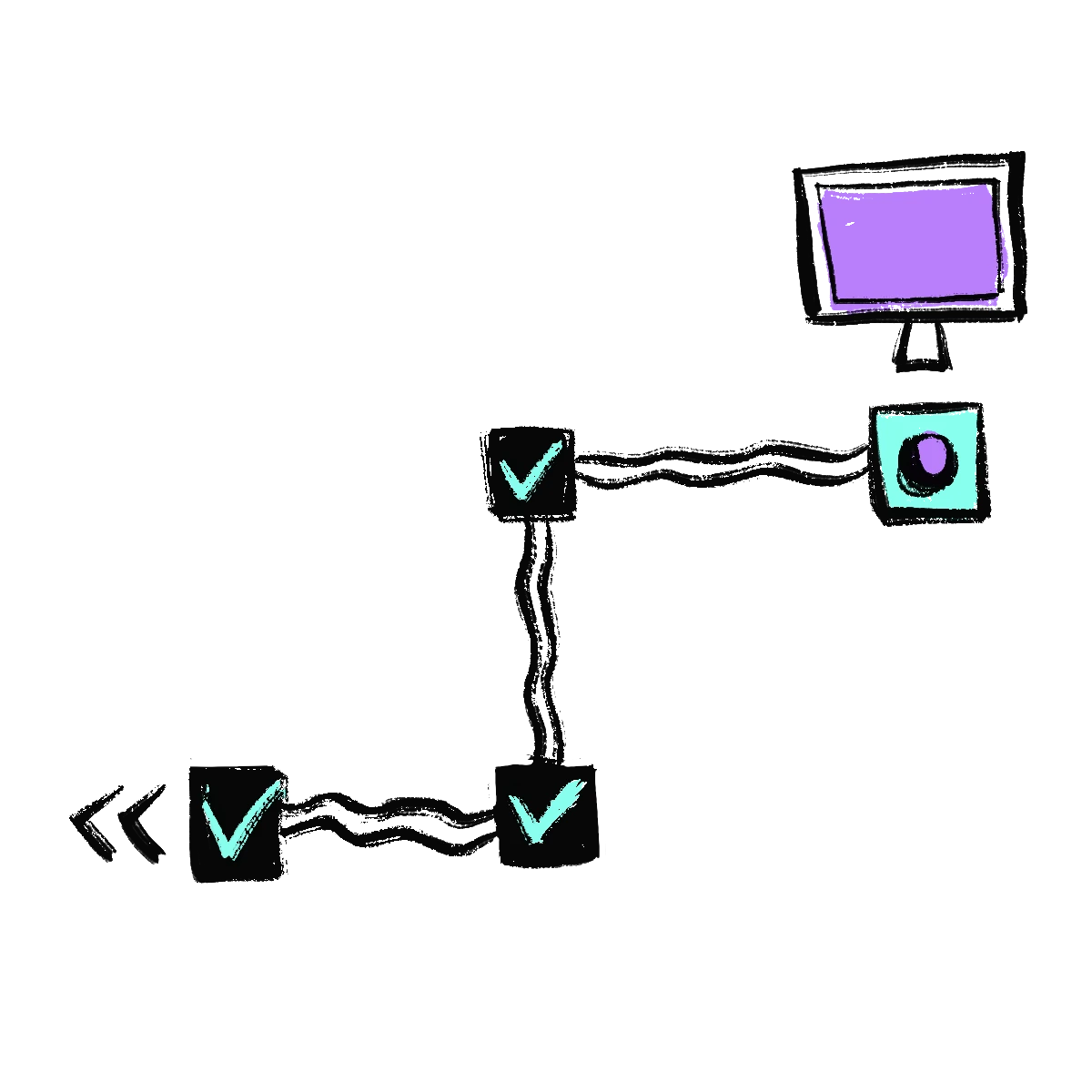
Taking one doesn't interrupt the Sprite. It keeps running while the snapshot is captured underneath it.
-
Runs copy-on-write, capturing only what changed, so a checkpoint is cheap to take and cheap to keep.
-
Captures your entire writable filesystem: every file, package, and on-disk database you've added on top of the base image. It's a snapshot of the disk, so restoring rewinds your files rather than resuming a paused process mid-instruction.
-
You don't have to remember to take them. A Sprite checkpoints itself after a stretch of continuous work, when it goes idle, and on graceful shutdown, keeping a tiered history rather than every snapshot forever.
-
Restore to any checkpoint to roll the filesystem back to that exact point, and the restore survives a reboot partway through.
-
Create, list, and restore checkpoints from inside the Sprite via the sprite-env CLI or the management API.

Sprite URLs
-
Every Sprite has its own independent URL, with TLS handled for you, for reaching services running inside it.
-
An incoming request to a Sprite's URL wakes it automatically, so it's ready to serve even after it has paused.
-
Bind your app to port 8080 and the proxy routes public traffic straight to it, no extra config.
-
Keep a URL private to your org, or flip it fully public to the internet with a single setting.

API Gateway
-
Your agent calls the gateway with a provider and a connection ID, and the gateway makes the outbound call. The code running in the Sprite doesn't need the provider credential in hand to use it.
-
Connect the services an agent actually reaches for: models through OpenRouter, a Slack workspace to report into, a GitHub account to read and push code with. Authorize once and the connection is there for every run.
-
Nothing about the gateway is specific to those. Point a connection at any HTTP API, including an internal service behind your own auth, and the agent calls it the same way it calls anything else.
-
Every connection type can be tested from the control plane, so you find out a credential is wrong when you set it up rather than halfway through an agent run.
Pricing
CPU Time
Cumulative CPU usage measured by cpu.stat
$0.07 /CPU-hour
Memory Time
Actual memory usage
$0.04375 /GB-hour
Storage Time
Storage usage in GB-hours
HOT
$0.000683 /GB-hour
COLD
$0.000027 /GB-hour
Examples
Claude Code Session
4-hour coding session with bursts to 100% of 8 CPUs and 8 GB RAM, averaging 30% of 2 CPUs and 1.5 GB
CPU (2.4 CPU-hrs) $0.17
Memory (6 GB-hrs) $0.26
Hot storage (5 GB × 4 hrs) $0.01
Cold storage (10 GB × 4 hrs) $0.00
Total $0.44

Web App
30 hours of wake time per month (~5 concurrent users avg), averaging 10% of 2 CPUs and 1 GB RAM
CPU (6 CPU-hrs) $0.42
Memory (30 GB-hrs) $1.31
Hot storage (3 GB × 30 hrs) $0.06
Cold storage (5 GB × 732 hrs) $0.10
Total $1.89 / month
All resources are billed hourly based on actual usage.