
As an Amazon Associate I earn from qualifying purchases.
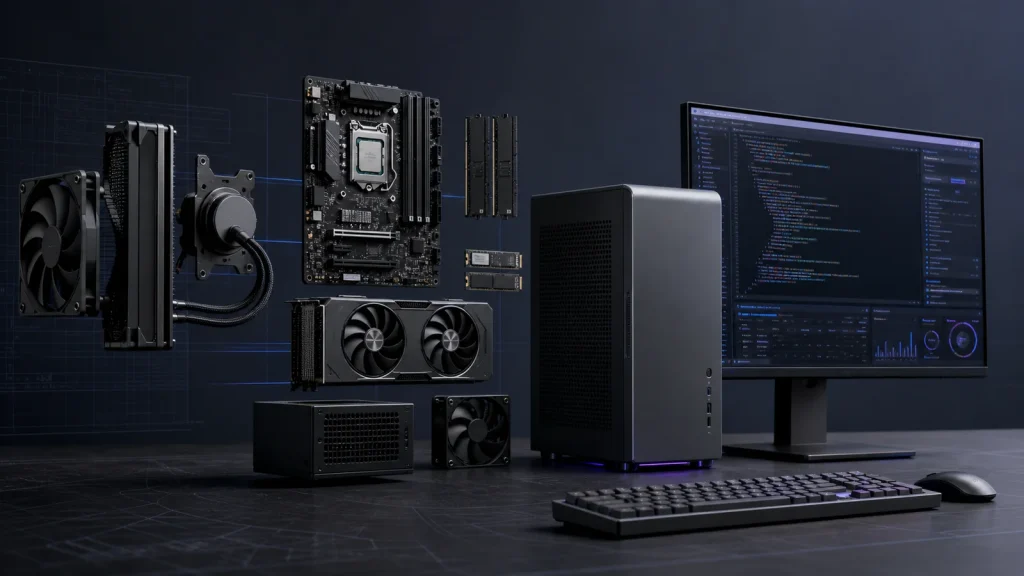
So… you want to code the next big app or make the next gaming phenomenon — but your hardware isn’t exactly cutting edge?
That’s less of a problem than you may think!
Because upgrading your components is often a simple, painless process.
As long as you know what needs to be swapped out.
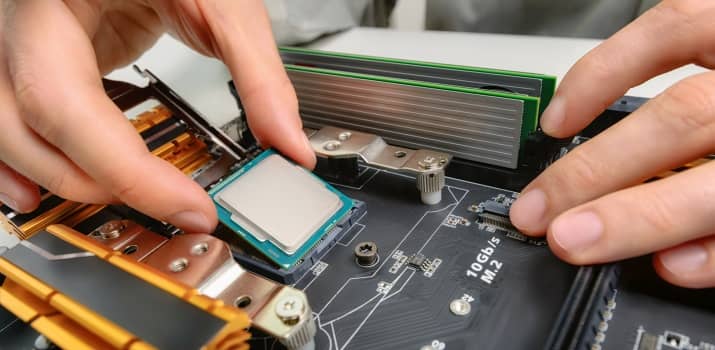
That leads to the obvious question:
[pullquote align=”normal”]What hardware specs do programmers really need? [/pullquote]
More speed and bigger hard drives for storing code assets are pretty obvious answers.
But there’s more to this story than you might expect.
Let’s see what it’s all about:
The short answer: what computer specs do programmers need?
For most programming, buy a computer with a modern six-core processor, 16GB of RAM, and a 512GB solid-state drive. That is enough for web development, desktop applications, college coursework, and most backend work.
Move to 32GB of RAM and a 1TB SSD if you regularly run Docker containers, virtual machines, mobile emulators, large databases, or several development environments at once. A dedicated graphics card is unnecessary for most programmers. It matters for game development, 3D work, local AI workloads, and GPU computing.
| Programming use | CPU | RAM | Storage | Graphics |
|---|---|---|---|---|
| Learning and college | Modern 4–6 cores | 16GB | 512GB SSD | Integrated |
| Web and general software | Modern 6–8 cores | 16–32GB | 512GB–1TB SSD | Integrated |
| Mobile development | Modern 8 cores | 32GB | 1TB SSD | Integrated is usually enough |
| Containers and virtual machines | 8 or more cores | 32–64GB | 1TB or larger SSD | Integrated |
| Game development and 3D | Modern 8 cores | 32GB | 1TB or larger SSD | Dedicated GPU |
| Local data science and AI | 8 or more cores | 32–64GB | 1–2TB SSD | Workload-specific GPU |
Those are buying targets, not minimum requirements. If your current computer runs your editor, browser, tests, and local services without making you wait, you do not need to replace it.
Best CPU for programming
A mid-range modern CPU is enough for most developers. Editor performance, browsing, and ordinary web builds do not require the fastest processor on the market.
Extra cores become useful when you compile large projects, run several containers, use multiple virtual machines, build games, or process data locally. Faster single-core performance still matters for tools that cannot split their work across many cores.
Do not buy by the words “i5,” “i7,” or “Ryzen 7” alone. Processor generations matter. Compare the exact model, benchmark the tasks you actually run, and make sure the cooling system can sustain its performance.
How much RAM do you need for programming?
16GB is the practical baseline in 2026. It gives you room for an IDE, documentation, browser tabs, a local database, and normal development tools.
Choose 32GB when your workflow includes Android emulators, Docker, multiple services, large IDEs, or virtual machines. Choose 64GB only when you know why you need it: several VMs, large local datasets, heavy creative tools, or memory-intensive builds.
More RAM does not make a light workload magically faster. It prevents slowdowns when the applications you have open would otherwise exceed available memory and force the computer to use storage as temporary memory.
SSD size and speed
Use an SSD for the operating system, development tools, source code, and active projects. A 512GB drive is workable for general programming. A 1TB drive is the safer choice if you keep multiple SDKs, emulators, Docker images, game assets, or datasets locally.
Drive speed affects boot time, dependency installs, search, builds, and anything that reads many files. Capacity matters just as much. An extremely fast drive that is constantly full creates its own problems.
Do programmers need a graphics card?
Most do not. Integrated graphics can handle editors, terminals, browsers, databases, and multiple displays.
Buy a dedicated GPU when the work uses it directly: game engines, 3D rendering, computer vision, local machine-learning models, or GPU computing. Match the card and its video memory to the software you use instead of buying the most expensive model by default.
Laptop or desktop for programming?
A laptop is the better choice when you work from different locations, attend classes, travel, or need one machine for everything. A desktop gives you more performance and easier upgrades for the same money.
For most developers, a good laptop plus an external monitor, keyboard, and mouse is the most flexible setup. For game development, heavy local AI, or several virtual machines, a desktop can deliver more sustained performance and better cooling.
Upgrade when the computer makes you wait
Do not upgrade because a spec sheet makes your machine look old. Upgrade when you can name the bottleneck.
- Memory stays near full and the system begins swapping: add RAM.
- Builds and tests keep the CPU pinned for long periods: consider a faster CPU.
- Disk activity stalls installs, search, or startup: move active work to an SSD.
- Game or AI tools cannot fit workloads in video memory: upgrade the GPU.
- Your screen limits usable workspace: improve the monitor setup.
Measure first. Buy the part that removes the actual delay.
Take a Hint From Coding Program Requirements

Students entering a coding program can typically find minimum laptop spec requirements in their course material.
While your specific needs may change depending on what OS and coding language you’re using, these spec guidelines offer an excellent baseline idea of the sort of hardware resources you need to work effectively as a computer programmer.
A current general-purpose baseline is:
- A modern six-core processor.
- 16GB RAM, with 32GB for containers, emulators, and virtual machines.
- A 512GB SSD and a 1920 × 1080 or sharper display.
Those are a great starting point for seeing what to upgrade, and we’ll examine each of those specs in detail below. But first, don’t forget about something that might not be immediately obvious:
Some components can be an absolute necessity for a coding-work laptop, like a USB hub, a card reader, or HDMI ports for connecting extra devices or transferring data in different ways.
Let’s now dive into all the components you could upgrade:
1. Upgrade Your Monitor Setup
[blank_space height=’0.5em’]

[blank_space height=’0.5em’]
Let’s start with the hardware component that can make or break your coding experience:
[pullquote align=”center”]Why do college programming courses want you to have at least 1920 x 1080 display? [/pullquote]
They’re not telling you to get a high-res screen because you need to stream 1080p video.
It’s because a higher resolution gives you more viewing area for multiple applications at the same time.
For your desktop PC, buying a better monitor is a snap — but for your laptop, upgrading your display isn’t really an option. Unless you’ve broken the display, replacing the screen and video cables on a laptop is too much trouble.
As a laptop user, you DO have another option:
Use those extra HDMI and USB-C ports to connect an external monitor (or even two).
A multiple-monitor setup is a great idea. It makes it so you can easily switch back and forth between your code and the running program — without having to Alt/Tab all over the place.
The Best Coding Monitor in Our Eyes: Dell 27″ 4k Monitor
[blank_space height=’0.2em’]
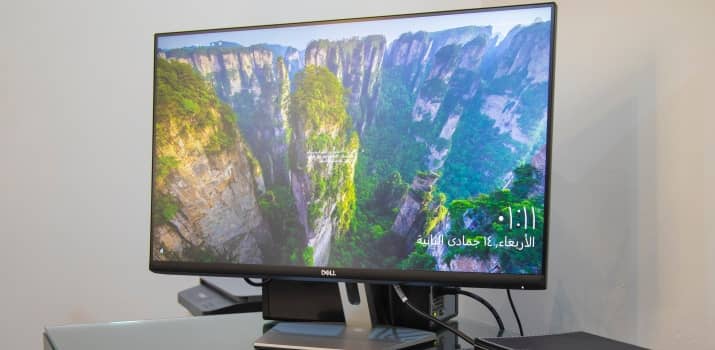
We recommend the Dell S2725QC as a high-end coding monitor.
- Its 27″ screen size at 4k resolution gives you endless “real estate” to open your coding environment, documentation, and browser windows all at the same time — while still keeping complete overview.[blank_space height=’0.5em’]
- Dell is know for building high quality hardware. And this monitor is no exception. You’ll be able to enjoy it for many many years without having to worry that stuff stops working.[blank_space height=’0.5em’]
- You have the ability to create a dual-monitor setup with it. In case you’re a professional programmer who wants even higher coding productivity. Check out the Dell S2725QC on amazon.
2. Upgrade Your Hard Drive/SSD
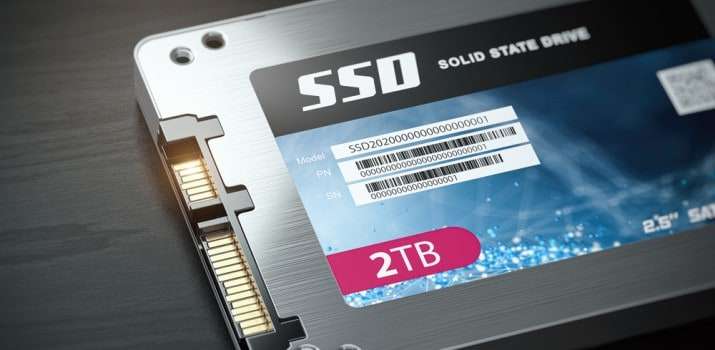
Before we get into the components like the processor and physical memory, it can’t be overstated how much switching from a hard disk drive to a solid-state drive (SSD) will boost your PC’s speed.
While that’s great for the average user who wants quick boot ups and fast data retrieval, it’s absolutely crucial for programmers, especially if coding is how you plan on making your income.
With an SSD, you’ll spend a lot less time waiting during the many Windows updates and restarts.
Solid state drives are simple to install, especially with laptops these days, as there’s typically only a single screw to remove to pull out the old drive.
While SSDs are the way to go for whatever drive your OS has installed, don’t forget you can add a cheap secondary hard disk drive (HDD) for extra storage of files that don’t particularly need to be accessed immediately.
[blank_space height=’0.1em’]
Whether you go with the faster SSD or slower but larger HDD, keep in mind you may end up needing a drive large enough to run a dual boot system if you plan on coding in multiple environments.
Virtualization of other operating systems is another option, but that requires a fast CPU and a large amount of RAM to work well.
Finally, don’t forget there’s a cheaper and easier “upgrade” option here that doesn’t involve swapping out components.
Simple cloud storage solutions can alleviate your PC speed problem so long as you have reliable internet speeds in your area and a hardware combo capable of quickly transferring files around.
Which SSD Drive Should You Get?
[one_half_first]Our pick for the best SSD hard drive for coding is the Western Digital 4TB SSD. It’s fast, reliable, and offers enough space for most projects — even if they’re space-intensive like game development.
Check out the WD 4TB SSD on amazon.[/one_half_first][one_half_last]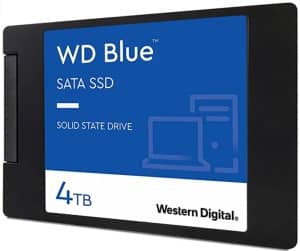 [/one_half_last]
3. Upgrade Your RAM
[blank_space height=’0.5em’]
Here we arrive at the most obvious (and most helpful) upgrade.
Coding requires a lot of memory because your programs will eat up every last available megabyte while compiling.
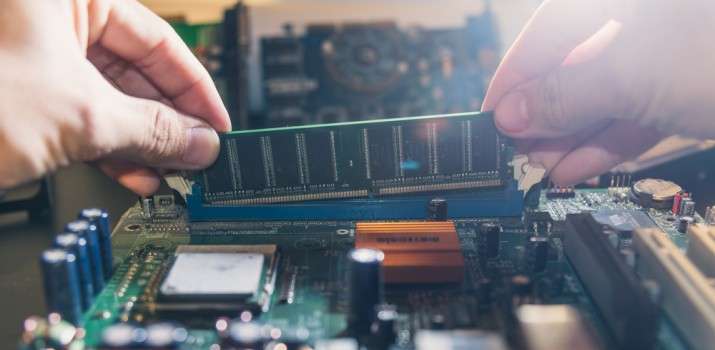
If you find you get a lot of stutters, lag, and crashing while debugging or compiling, a quick and easy option is just to slap in some extra RAM.
At this point, 16GB is basically the bottom line for any sort of advanced user applications, but if your motherboard can handle it, I’d recommend upgrading to one or more 32GB modules.
The Best PC RAM Recommended for Coding
The Crucial Pro 64GB DDR5 RAM Kit is a desktop 2x32GB kit rated for 5600MHz, with fallback support for 5200MHz or 4800MHz. Check your motherboard and processor memory support before buying; 64GB is useful for large builds, virtual machines, and memory-heavy development workloads, but it is not a universal cure for slow software.
4. Upgrade Your CPU
Still getting slow speeds, even with more RAM?
The culprit is going to be your processor, as older CPUs have trouble compiling programs or using other tools you may need as a programmer—like video and image editing apps.
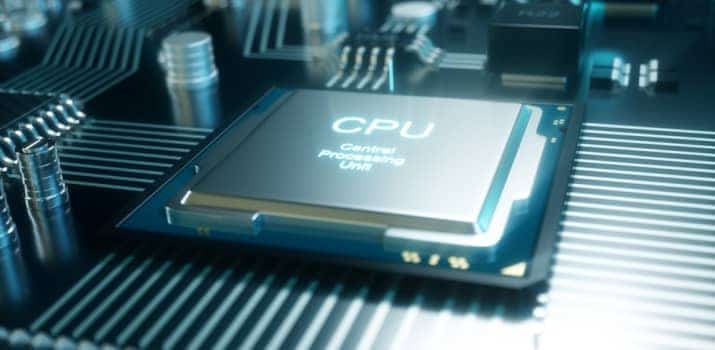
Unfortunately, upgrading the CPU isn’t particularly an option for the laptop crowd, short of buying an entirely new machine with a better processor altogether.
However, since the average budget laptop typically only lasts about 3 years, that may not be a bad idea.
Whether upgrading your desktop PC’s processor or just flat out buying a new laptop, going with one of the later-generation Intel iX core CPUs is a surefire way to get great speed now and future-proof against updates.
The Fastest CPU for Coding Recommended by Simple Programmer
[one_half_first]
For ultimate coding performance, get the Intel i9 12900K 8+8 Core CPU. It’s the absolute high end in computer processors. But, first make sure your mainboard is compatible with it! If you’re a bit more budget-minded, the i7 is still a great choice for a CPU.
Check out the Intel i9 12900K 8+8 Core on amazon.
[/one_half_first][one_half_last]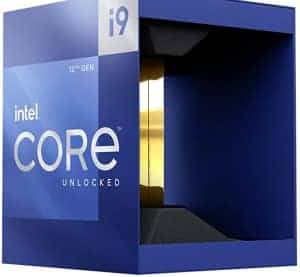 [/one_half_last]
5. Upgrade Your Graphics Processing Unit (GPU)
This is really only necessary for programmers working with graphics-intensive apps, like Windows games or video editing tools.
Unfortunately, this also isn’t typically an option for the laptop crowd, but there’s a workaround now.
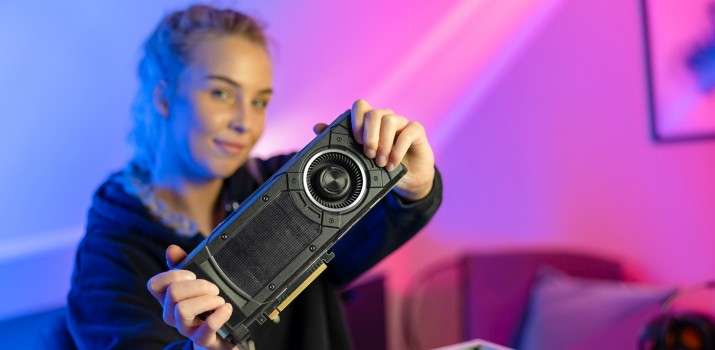
External GPUs are becoming more prevalent and are incredibly easy to hook up.
Although they reduce your portability, connecting to an external graphics card can quickly and easily give you advanced performance when coding graphics-intensive programs.
While the new RTX series cards are available now from NVIDIA, in most cases, a GTX 1070 or 1080 will be all you need for any programming application.
Recommended GPU for Game Development
[one_half_first]
The overall best GPU for developing games we’ve found is the Geforce RTX 3060.
You get high performance at a medium price.
Check out the ZOTAC Gaming GeForce 3060 on amazon.
[/one_half_first][one_half_last]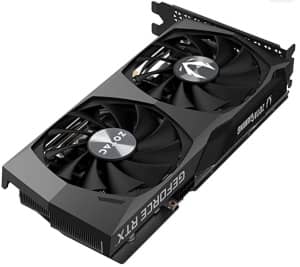 [/one_half_last]
Don’t Throw Out Your Old Components!
After going through all those upgrades, you’re probably left wondering what to do with the old hardware.
I mean, who really needs a sad 4GB stick of RAM?
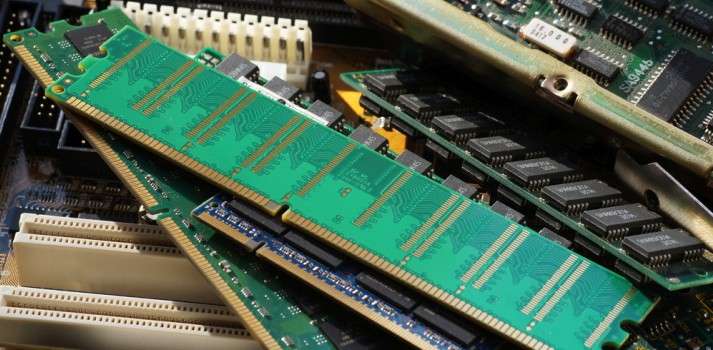
As it turns out, you do!
Keeping older tech on hand is an excellent way to test your programs on a variety of hardware setups.
Not every user is going to have a high-end machine with cutting edge specs, so you need to know your programs will work on everyday hardware.
Upgrade Your Hardware, Upgrade Your Coding
Now that we’ve got that last tidbit of info out of the way, let’s take a quick recap of the best hardware to upgrade for programmers:
- Upgrade your display, or switch to a multimonitor setup.
- Switch to an SSD, or add a secondary HDD.
- Add additional RAM up to your motherboard’s maximum.
- Upgrade to a better CPU, or get a new laptop.
- Install a newer GPU.
With these upgrade-friendly components in mind, you should be well on your way to whipping up the next Tinder or Angry Birds.
Good luck with your coding career or personal programming project!
Want Help With Your Developer Career Too?
RDU is John's coaching program for developers who want a better role and a clear plan to get there. Take a look when you're ready.
Learn About RDU →
Related Articles

27 Gifts for Computer Science Majors (Successful Studies)
The best gifts you can give a computer science major are ones that help them get better grades, keep up…

2019 Simple Programmer Holiday Gift Guide for Developers
Update: Check out the latest 2020 Software Developer Gift list here Unlike our other articles, this one is not just for…

The Software Developer (And Other Tech Geeks) Christmas Gift List 2016
Update: Check out the latest 2020 Software Developer Gift list here In true Simple Programmer tradition, I’ve put together this…