Your buckets, backed up. No clowning around.
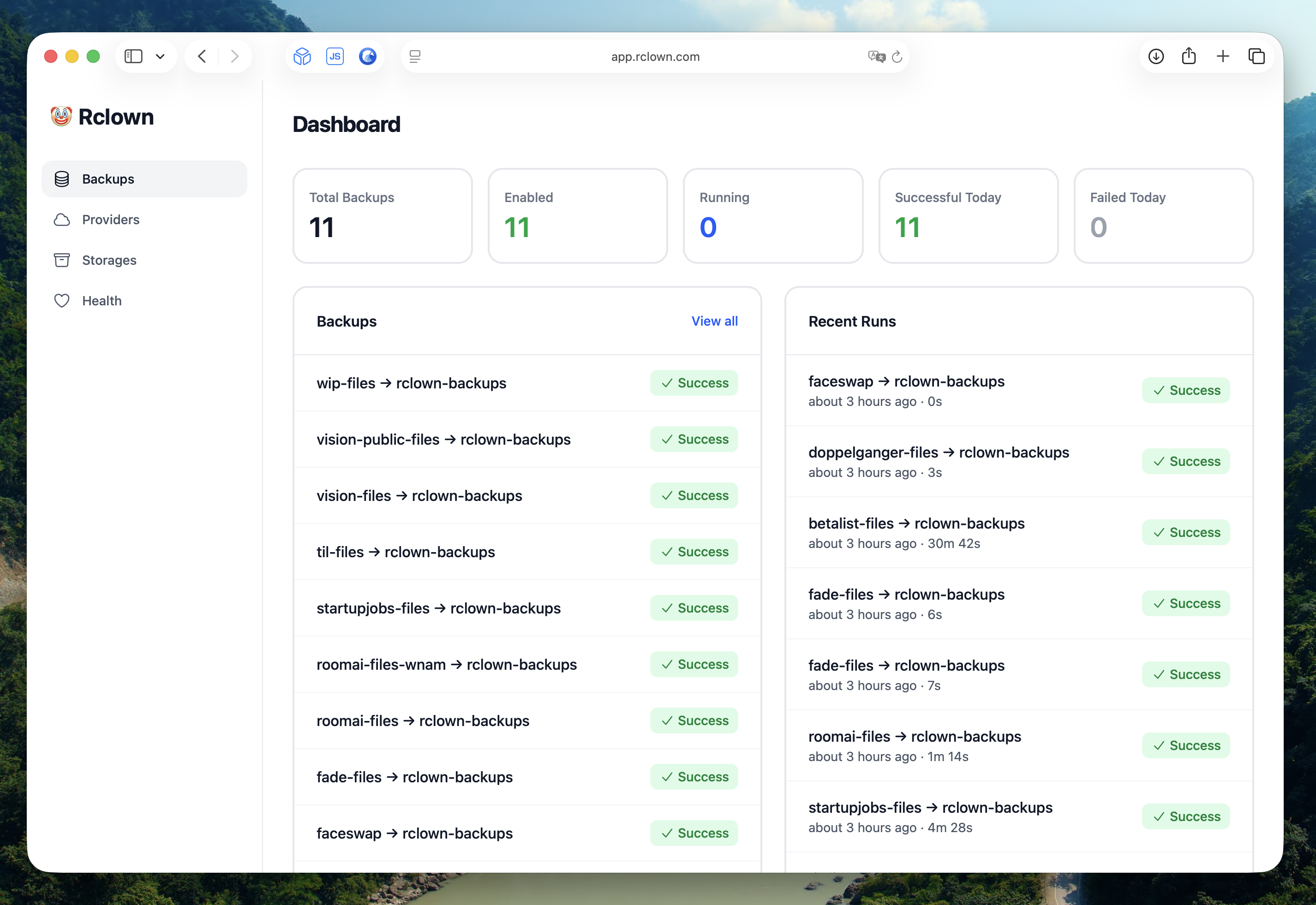
Rclown is a friendly web UI for backing up your object storage buckets. Built on the battle-tested rclone. Schedule backups for Cloudflare R2, Backblaze B2, and Amazon S3—watch live logs, get emailed when something breaks.
Up and running in 1, 2, 3…
No SaaS middleman touching your data. Your credentials and your files never leave your own infrastructure.
- 1 Deploy Rclown
- One command with Docker. The image includes everything you need—Ruby, SQLite, and rclone. No external dependencies.
- 2 Connect your providers
- Add credentials for Cloudflare R2, Backblaze B2, or Amazon S3. Rclown discovers your buckets and imports them automatically.
- 3 Schedule your backups
- Pick a source and destination, choose daily or weekly. Watch live logs while backups run, and get emailed if one fails.
Everything you need to trust your backups again.
- Multi-provider support
- Cloudflare R2, Backblaze B2, Amazon S3, and any S3-compatible provider. Mix and match—back up R2 to B2 so a single provider outage never takes out both copies.
- Scheduled backups
- Daily or weekly schedules, with manual runs and dry-run support. Back up entire buckets or just specific sub-paths. Choose size-only, checksum, or default comparison.
- Live logs
- Stream rclone output in real-time while a backup runs. Every run keeps its full history—duration, files transferred, and any errors—so you can see exactly what happened.
- Retention policies
- Files deleted from the source are kept in the destination for a configurable period before cleanup—so an accidental delete doesn't instantly wipe your backup too.
- Failure notifications
- Email alerts the moment a backup fails. No news is good news—you only hear from Rclown when something actually needs your attention.
- System health
- Monitor CPU, memory, disk usage, and queue status at a glance—so you know your backup server itself is healthy, not just your backups.
Cron jobs fail silently. SaaS charges per gigabyte.
rclone already does the hard part of copying buckets—but a bash script in cron gives you no dashboard, no history, and no email when it quietly stops working. Backup SaaS gives you all that, priced per gigabyte, with your data flowing through their servers. Rclown gives you the dashboard on your own server, wrapped around rclone.
| Rclown | cron + rclone | Backup SaaS | |
|---|---|---|---|
| Web dashboard | |||
| Scheduled bucket-to-bucket backups | |||
| Live logs & run history | |||
| Failure notifications | |||
| Credentials stay on your server | |||
| No per-gigabyte fees | |||
| Open source |
Frequently asked
How much does it cost?
Free to self-host. You pay for your own server and storage—and no one for the software. See the O'Saasy license for details.
Do I need to know Ruby on Rails?
No. Deploy with Docker—the image includes Ruby, SQLite, and rclone. Once running, everything is configured through the web interface.
Which providers are supported?
Cloudflare R2, Backblaze B2, Amazon S3, and other S3-compatible providers. Sources and destinations can be different providers.
Does my data pass through anyone else's servers?
No. Rclown runs on your server, and rclone transfers files between your buckets through that server. Your credentials and data never touch a third party.
How do backups work?
Mirror-style: the destination bucket mirrors the source, compared by size and modification time (or checksum if you prefer). Files deleted upstream are retained for a configurable period before cleanup.
How do I restore?
Your backup is a plain copy of your files in a bucket you own—no proprietary format. Restore with rclone, the AWS CLI, or any S3-compatible tool.
Deploy in five minutes.
One command to deploy. A few clicks to connect your buckets. Scheduled backups with logs, history, and alerts—running on your own server, owned by you.
# Deploy with Docker
$ docker run -v rclown:/rails/storage \
-e SECRET_KEY_BASE=$(openssl rand -hex 64) \
-e HTTP_AUTH_USERNAME=admin \
-e HTTP_AUTH_PASSWORD=your-password \
-p 80:80 ghcr.io/marckohlbrugge/rclown:main